Managing Oil and Gas Production Site and Midstream Facility - - PowerPoint PPT Presentation

managing oil and gas production site
SMART_READER_LITE
LIVE PREVIEW

Managing Oil and Gas Production Site and Midstream Facility - - PowerPoint PPT Presentation

Managing Oil and Gas Production Site and Midstream Facility Emissions Inventories in Wyoming Prepared by: Brian R. Bohlmann, P.E. Emissions Inventory Supervisor Brett Davis Natural Resources Program Principal WY Department of Environmental


slide-1
SLIDE 1

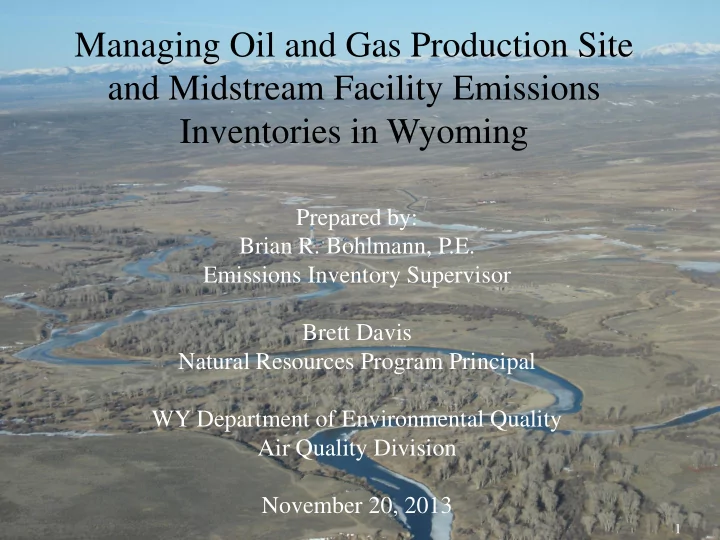
Managing Oil and Gas Production Site and Midstream Facility Emissions Inventories in Wyoming

Prepared by: Brian R. Bohlmann, P.E. Emissions Inventory Supervisor Brett Davis Natural Resources Program Principal WY Department of Environmental Quality Air Quality Division November 20, 2013

1

slide-2
SLIDE 2

Topics

 Oil and Gas Development in Sublette County, Wyoming  Emissions Inventory Development for the Oil and Gas Sector  Management of Emissions Data

2

slide-3
SLIDE 3

Oil and Gas Development

3

slide-4
SLIDE 4

WRAP Phase III – Wyoming Basins

4

slide-5
SLIDE 5

5

slide-6
SLIDE 6

Oil and Gas Development

 Jonah Field and Pinedale Anticline Development (JPAD)

6

slide-7
SLIDE 7

Oil and Gas Development

 Producing JPAD Wells

 26 in 1995  282 in 2000  901 in 2004  2964 in 2008  4016 in 2012

500 1000 1500 2000 2500 3000 3500 4000 4500 1995 2000 2004 2008 2012 JPAD Wells

7

slide-8
SLIDE 8

Inventory Development

 Emission Inventories began in 2004  Annual Inventories  2004 JPAD inventory included:

 8 Emission Sources

 drill rigs, wellhead engines, process burners, tanks,

dehydration units, pneumatic pumps, well venting, and well completions

 7 Pollutants

 NOx, SO2, Total VOCs, and speciated BTEX compounds  BTEX : Benzene, Toluene, Ethyl-Benzene, Xylene 8

slide-9
SLIDE 9

Oil and Gas Development

1000 2000 3000 4000 5000 6000 7000 1995 2000 2004 2008 2012 JPAD Non JPAD

9

slide-10
SLIDE 10

Oil and Gas Development

 Ambient ozone concentrations

0.000 0.020 0.040 0.060 0.080 0.100 0.120

Boulder 4th highest 8-hour daily maximum (ppm)

Boulder

10

slide-11
SLIDE 11

Oil and Gas Development

 Creation of non-attainment area for ozone  Proposed by WDEQ in 2009  Official Designation was July 20, 2012  Upper Green River Basin (UGRB)

11

slide-12
SLIDE 12

September, 2013 Permitting Guidance Update

12

slide-13
SLIDE 13

Inventory Development

 Winter Inventories Requested

 Began in 2007  February 1 – March 31  2007-2008 used original JPAD format but

expanded geographically to Sublette County

 Included midstream facilities in addition to

production facilities

 Inventory forms evolve to include midstream facilities

13

slide-14
SLIDE 14

 2004 JPAD inventory included:

8 Emission Sources

 drill rigs, wellhead engines, process burners, tanks, dehydration units,

pneumatic pumps, well venting, and well completions

7 Pollutants

 NOx, SO2, Total VOCs, and BTEX (benzene, toluene, ethyl benzene xylenes)

 2008 Forms evolve to included Midstream Facilities:

14 Emission Sources

 8 sources above plus fugitives, truck loading, non-road mobile, on-road

mobile on both paved and unpaved roads, flares and compressor engines

25 Pollutants

 7 pollutants above plus C1 through C10+ speciated hydrocarbons, CO, H2S,

and formaldehyde

Inventory Development

14
slide-15
SLIDE 15

Field & Formation Specific Emissions Equations

 Using ProMax developed by Bryon Research & Engineering (BR&E), multiple field & formation specific equations have been

  • developed. The first three were for the

production fields in the UGRB:

 Pinedale Anticline  Jonah Field  Big Piney & La Barge Fields

15

slide-16
SLIDE 16

Field & Formation Specific Emissions Equations

 Extended hydrocarbon analyses for both liquids (condensate) and gas:

 Required when submitting NSR permit

application for a new or modified well pad

 Information request by the AQD  Contains C1 through C10+ including H2S &

HAPs (n-Hexane, BTEX, & 2,2,4-trimethylpentane)

16

slide-17
SLIDE 17

Inventory Development

 Annual Inventories use new format in 2008

 Expand geographically to UGRB

 Winter Inventories use new format in 2009

 Expanded Geographically to UGRB

 Statewide Minor Source Inventory

 2008 and 2011 use new format

17

slide-18
SLIDE 18

What does this mean?

 Winter Inventories Collected

 445 operator submitted inventories from 2007-

2012  Annual Inventories Collected

 1073 from 2004 to 2011  Includes 2008 and 2011 Statewide effort

 Only Oil and Gas production and midstream

  • perations

 Each inventory can contain information from 1 to several thousand individual production sites.

18

slide-19
SLIDE 19

Data Management

 We’ve got a Data Management Challenge  We also need to submit 2008 data to EIS  We also need faster access to data from Wyoming Oil and Gas Conservation Commission (WOGCC)

19

slide-20
SLIDE 20

OGER Data System

 Received EPA Exchange Network Grant  AQD Partners with Windsor Solutions

 Upgrade Node v 1.1 to 2.0  Submit facility and point data to EIS

 Exchange data with WOGCC  Build a web application for AQD Staff

20

slide-21
SLIDE 21

OGER Data System

 Production data as far back as 1978  Logical place to store emissions data

 Expanded database to store emissions

 Batch Upload of spreadsheets  Integrated Spatial Viewer  Nonpoint data flow to EIS

21

slide-22
SLIDE 22

Inventory Form Demonstration

 DEQ Website to download EI forms -

http://deq.state.wy.us/aqd/ei.asp

 Triennial - Oil and Gas Production Site Emission

Inventory Forms

 UGRB - Annual and Winter Upper Green River Basin Emission

Inventories:

 Upload - https://deq.state.wy.us/AQDFileUploads/LoginUser.aspx  UserName: (case sensitive)  Password: (case sensitive)  Permitting Guidance -

http://deq.state.wy.us/aqd/Oil%20and%20Gas/September%202013% 20FINAL_Oil%20and%20Gas%20Revision_UGRB.pdf

22

slide-23
SLIDE 23

Inventory Form Demonstration

(continued)

 Two Types of Inventory Forms

  • 1. Production Site (Must have API #)
  • 2. Compressor & Pipeline (Includes compressor stations,

gas plants, water disposal wells, etc.)

 Both forms have a similar structure

 Emissions are calculated on a facility basis  Emissions for each source are calculated on separate tabs  Emissions are added together on summary tabs

23

slide-24
SLIDE 24

Inventory Form Demonstration

(Form Structure)

 Production Site Form

 Facility Summary  Stationary Engines  Heaters  Tanks  Dehys  Pneumatic Pumps  Pneumatic Controllers  Fugitives  Venting & Blowdowns  Drill Rigs  Completions & Workovers  Truck Loading

 Compressor & Pipeline Form

 Facility Summary  Stationary Engines  Heaters  Tanks  Dehys  Pneumatic Pumps  Pneumatic Controllers  Fugitives  Venting & Blowdowns  Other Emission Sources (i.e.

amine units, water disposal pits, etc.)

 Facility Specific Emissions Calculation Tabs

24

slide-25
SLIDE 25

Inventory Form Demonstration

(Form Structure continued)

 Operator Specific Emissions Calculation Tabs:  On-Road Mobile  Non-Road Mobile  Summary Tabs  Facility Summary  Operator Summary

25

slide-26
SLIDE 26

Inventory Form Demonstration

(Calculation Basis)

 Basis of Calculations

 Operator Supplied

 Stationary Engines  Dehys  Drill Rigs  Completions & Workovers  Non-Road Mobile  Other Emissions Sources

 EPA AP-42

 Heaters  Pneumatics  Fugitives  Truck Loading  On-Road Mobile

 Engineering Calculations

 Tanks (ProMax)  Venting & Blowdowns  Wet Gas Analyses (ProMax)  Condensate (Oil) Analyses

(ProMax)

 Water Analyses (ProMax)

26

slide-27
SLIDE 27

Inventory Form Demonstration

(QA)

 QA Process

 QA_Check_List  Facility Summary (adj)

27

slide-28
SLIDE 28

Oil & Gas Emissions Reporting OGER Demonstration

 Emission Upload

 Facility Summary sheet  OGER Upload Process

28

slide-29
SLIDE 29

Oil & Gas Emissions Reporting OGER Demonstration (continued)

 Queries

 Emissions

 Spatial (Map, County, Basin, PLSS)  Company  Well Type and Status  Field  Reservoir  Annual / Winter  Source (i.e. Tanks, Pneumatics, etc)  Controlled (i.e. Yes or No)

 Production

 Spatial (Map, County, Basin, PLSS)  Company  Well Type and Status  Field  Reservoir  Date (Feb-Mar (Winter))

29

slide-30
SLIDE 30

DEMO

 Inventory Sheets  OGER

30

slide-31
SLIDE 31

Production Site Inventory Form Overview (Facility Summary)

 Facility Summary Tab

 General information (Company name, inventory

year, API #, Coordinates, Production values, Pressure)

 “Drives” the Rest of the facility Specific tabs

(i.e. engines, heaters, tanks, etc)

 Gray section to right is compilation of emissions

from all sources for that facility

31

slide-32
SLIDE 32

Production Site Inventory Form Overview (Operator Summary)

 Operator Summary Tab

 Sum of all emissions reported by the operator on

this form

 Includes mobile emissions

32

slide-33
SLIDE 33

 Stationary Engines Tab

 User Inputs:  Model  Fuel  Horsepower  Operating hours  Emission factors  Emission calculations in Gray Section to Right

33

Production Site Inventory Form Overview (Stationary Engines)

slide-34
SLIDE 34

Production Site Inventory Form Overview (Heaters)

 Heaters Tab

 User Inputs:  Operating hours  “Size” (MMBTU/hr)  Emission calculations in Gray Section to Right

34

slide-35
SLIDE 35

Production Site Inventory Form Overview (Tanks)

 Tanks Tab

 User Inputs:  # of Tanks  Type of Tanks  Operating hours,  H2S Content  Standing-Working-Breathing Losses (Calculated from EPA

Tanks or other software)

 Controls  Uses field and formation specific Promax generated tank

flashing emission factors

 Emission calculations in Gray Section to Right

35

slide-36
SLIDE 36

Production Site Inventory Form Overview (Dehys)

 Dehys Tab

 User Inputs:  Design Rating (MMSCFD)  Operating hours,  Emissions (Calculated from GRI-Glycalc or other

software)

 Controls  Emission calculations in Gray Section to Right

36

slide-37
SLIDE 37

Production Site Inventory Form Overview (Pneumatics)

 Pneumatic Pumps / Pneumatic Controllers Tab

 User Inputs:  # of Pumps  Vent Rate  Heat Content  Operating hours,  Controls  Emissions are calculated using the standardized gas

analysis, “Wet Gas Analysis”

 Emission calculations in Gray Section to Right

37

slide-38
SLIDE 38

Production Site Inventory Form Overview (Analyses)

 Analysis Tabs

 Types

 Wet Gas  Condensate  Black Oil  Water

 Generated from operator supplied oil and gas analyses  Analyses collected for emission factor generation  Used in

 Pneumatics Tabs  Venting & Blowdown Tab  Fugitives Tabs

38

slide-39
SLIDE 39

Production Site Inventory Form Overview (Fugitives)

 Fugitives & Fugitive Emission Factors Tab

 User Inputs:  # of Components  # of Facilities generated from Facility Summary Tab  Emissions are calculated using the standardized gas

analyses

 Fugitive emissions are calculated for each facility with

production.

39

slide-40
SLIDE 40

Production Site Inventory Form Overview (Venting & Blowdowns)

 Venting & Blowdowns Tab

 User Inputs:  # of blowdowns  Vent Rate  Heat Content  Operating hours,  Controls  Emissions are calculated using the standardized gas

analysis, “Wet Gas Analysis”

 Emission calculations in Gray Section to Right

40

slide-41
SLIDE 41

Production Site Inventory Form Overview (Drill Rigs)

 Drill Rigs Tab

 User Inputs:  Start & End Dates  Hours Drilling  Fuel Type / Quantity  Emissions  Emission calculations in Gray Section to Right

41

slide-42
SLIDE 42

Production Site Inventory Form Overview (Completions)

 Completions & Workovers Tab

 User Inputs:  Start & End Dates  Hours completing / Working over  Emissions from engines  Emissions from flaring / venting  Emission calculations in Gray Section to Right  AQD Completion Form can be used to assist with

completion emissions calculations

42

slide-43
SLIDE 43

Production Site Inventory Form Overview (Truck Loading)

 Truck Loading Tab

 User Inputs:  Saturation Factor  Vapor Pressure  Molecular weight  Temperature  Controls  Emission calculations in Gray Section to Right  Truck Loading Example can be used to assist with

completion emissions calculations

43

slide-44
SLIDE 44

Production Site Inventory Form Overview (Mobile)

 On-Road Mobile Tab

 User Inputs:  Total Miles  Average Miles  Average speed

 Non-Road Mobile Tab

 User Inputs:  Date  Location  Hours  Emissions

44

slide-45
SLIDE 45

Production Site Inventory Form Overview (QA)

 QA Process

 QA_Check_List

 Macros  List of items to check  Reasonable Operating hours  Reasonable drilling time  Reasonable component counts

 Facility Summary (adj)

 Copy of the Facility Summary tab with any adjustments that need to

be made prior to upload to OGER

 API # format

 Equipment on well pads

45

slide-46
SLIDE 46

OGER Demonstration (Upload)

 Upload

 Copy & paste Facility Summary  QA checks  Preview of inputs  Upload successful!

46

slide-47
SLIDE 47

OGER Demonstration (Queries

continued)

 Queries (USE DEQ-UAT!!!)

 Emissions

 Spatial (Map, County, Basin, PLSS)  Company  Well Type and Status  Field  Reservoir  Annual / Winter  Source (i.e. Tanks, Pneumatics, etc)  Controlled (i.e. Yes or No)

 Production

 Spatial (Map, County, Basin, PLSS)  Company  Well Type and Status  Field  Reservoir

 Currently Formation Name but could

be formation type (i.e Shale oil) in the future with ease

 Date (Feb-Mar (Winter))

47

slide-48
SLIDE 48

OGER Demonstration (Production

Query)

 Production Query

Spatial – Proposed O3 Designation Area

Zoom-To-Feature

10,000+ wells selected includes

 Plugged & abandoned wells  Wells that were never drilled by have an API number  Not all of these wells are producing

Jan 2011 to Dec 2011 for entire year

This production search feature can be useful to the division in determining how production relates to emissions from

7.5 million bbl of Oil

Over 1 billion MCF of gas

32 million bbl of water

Expand a well site

48

slide-49
SLIDE 49

OGER Demonstration (Emissions

Query)

 Emission Query

Spatial – Proposed O3 Designation Area

Annual 2011

Source = Stationary Enginers & Dehys

Controlled = Yes

Can assist permitting with internal requests for emissions from various combinations of source types and controlls

Use OGER to submit emissions to EPA

Over 300 tons of VOCs from controlled dehys and engines in UGRB

Over 150 tons of NOx from controlled dehys and engines in UGRB

Expand a well site

49

slide-50
SLIDE 50

Compressor Station & Pipeline Inventory Form Overview

 Other Emissions Sources Tab (Pipeline & Compressor Form

  • nly)

 User Inputs:

 Source  Emission Basis  Gas Rate  H2S Content  Operating Hours  Emissions  Controls

 Emission calculations in Gray Section to Right  Emissions Stored in WISEView (no demonstration at this time.

50

slide-51
SLIDE 51

OGER Updates

 SCCs included for each source

 Current UAT version using SCCs in the O&G

Inventory Tool developed for EPA

 More querying capabilities

 Emissions by source or well

51

slide-52
SLIDE 52

Next Steps

 Inventories on the web

 AQD Query Wizard under development  Will Allow users to query all actual emissions

data in the OGER and WISE View systems.  E-reporting

 Blowdowns and Workovers  Improved emission factors (field studies needed)  Fugitives (Do these need to be revised?)  Produced Water Disposal Pits & Ponds

 Integration with other AQD Data Systems

52

slide-53
SLIDE 53

Websites/Links

 Inventory Web Page: http://deq.state.wy.us/aqd/ei.asp  UGRB Ozone Non-Attainment Area Inventory Forms Web page: http://deq.state.wy.us/aqd/Annual%20and%20 Winter%20Upper%20Green%20River%20Bas in%20Emission%20Inventories.asp

53

slide-54
SLIDE 54

Websites/Links

 Actual Emissions Web Page: http://deq.state.wy.us/aqd/Actual%20Emissions.a sp  Oil & Gas forms & Guidance Documents Web page: http://deq.state.wy.us/aqd/oilgas.asp  Oil & Gas Production Facilities Guidance Document (September, 2013 update): http://deq.state.wy.us/aqd/Oil%20and%20Gas/Se ptember%202013%20FINAL_Oil%20and%20Ga s%20Revision_UGRB.pdf

54

slide-55
SLIDE 55

Questions?

 Questions?  Inventory forms are available for download:

 http://deq.state.wy.us/aqd/ei.asp

 Brian R. Bohlmann, P.E.

 brian.bohlmann@wyo.gov

 Brett Davis

 brett.davis@wyo.gov

55