Location Services Introduction A location-based service (LBS) is an - - PDF document

location services
SMART_READER_LITE
LIVE PREVIEW

Location Services Introduction A location-based service (LBS) is an - - PDF document

Lesson 24 Lesson 24 Android Android Location Based Services Victor Matos Cleveland State University Cleveland State University Notes are based on: Android Developers http://developer.android.com/index.html Portions of this page are


slide-1
SLIDE 1

Lesson 24

Android

Lesson 24

Android Location Based Services

Victor Matos

Cleveland State University Cleveland State University

Notes are based on:

Android Developers http://developer.android.com/index.html

Portions of this page are reproduced from work created and shared by Google and used according to terms described in the Creative Commons 3.0 Attribution License.

Location Services

Introduction

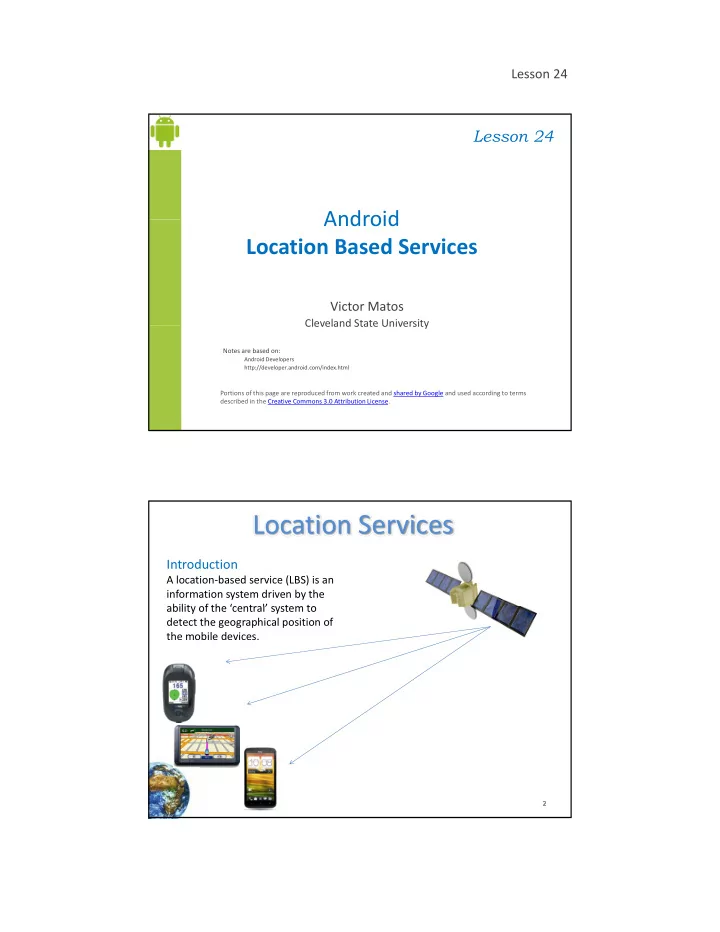
A location-based service (LBS) is an information system driven by the ability of the ‘central’ system to ability of the ‘central’ system to detect the geographical position of the mobile devices.

2

slide-2
SLIDE 2

Lesson 24

Location Services

Introduction

Location Based Services are used in a variety of situations, such as commercial, entertainment entertainment, emergency, health, work, personal life, etc. Examples:

  • Locate the nearest bank, restaurant, gas station, hotel, golf course,

3

g g hospital, police station, etc.

  • Provide transportation information on how to go from ‘here’ to ‘there’.
  • Social networking is used to locate and reach events, friends and family

members.

How the Global Positioning System (GPS) Works?

Originally created by DOD-USA under the name NAVSTAR (Navigation System for Timing and Ranging) but it is

Location Services

(Navigation System for Timing and Ranging) but it is commonly known as Global Positioning System (GPS). The system’s backbone consists of 27 Earth-orbiting satellites (24 in operation and 3 in stand-by mode) Each satellite circles the globe at about 12,000 miles, making two complete rotations every day. g p y y The disposition of orbiting satellites is set so that at any time there are at least four of them in range to any point on earth.

4 Reference:s http://www.kowoma.de/en/gps/orbits.htm

slide-3
SLIDE 3

Lesson 24

Location Services

How the Global Positioning System (GPS) Works?

The image highlights the

  • rbit of satellite

CHINASAT-5A. See: NASA Satellite Tracking

http://science. nasa.gov/realtime /jtrack/3d/ JTrack3D.html/

5

Location Services

How the Global Positioning System (GPS) Works?

2-D Trilateration As an example assume a person is located at the following As an example, assume a person is located at the following relative position:

  • -- Miami

1795 km

  • -- Caracas

1874 km

  • -- Bogota

1251 km STEP1

6

Draw a circle centered in

  • Miami. Scale its radius to

1795 Km. Observe that not enough information is available for a definitive fix to be made, the person could be anywhere on the blue circle.

slide-4
SLIDE 4

Lesson 24

Location Services

How the Global Positioning System (GPS) Works?

2-D Trilateration STEP2 Draw a second circle centered in Caracas, Venezuela. Scale its radius to 1874 Km. Two intersection points appear:

  • ne on the Caribbean Ocean,

7

an another in Central America.

Location Services

How the Global Positioning System (GPS) Works? / Trilateration

  • -- Miami

1795 km

  • -- Caracas 1874 km
  • -- Bogota 1251 km

STEP3 Draw a final circle centered in Bogota, Colombia. Set radius to 1251 Km. The three circles now i h i

8

intersect on the point over Central America. The actual location is: San Jose, Costa Rica.

slide-5
SLIDE 5

Lesson 24

Location Services

3D-Trilateration

Rather than circles three spheres intersect to define your GPS receiver’s location.

9

Reference: http://www.math.tamu.edu/~da llen/physics/gps/gps.htm#refere nces

Three spheres

Location Services

3D-Trilateration

For a visual explanation visit: http://electronics.howstuffworks.com/gadgets/travel/gps.htm

10 10 10 10

slide-6
SLIDE 6

Lesson 24

Location Services

3D-Trilateration

For a visual explanation visit: http://electronics.howstuffworks.com/gadgets/travel/gps.htm

11 11 11 11

Location Services

Cell Tower Triangulation

An alternative method to determine the location of a cell phone is to estimate its distance to three nearby cell towers. Distance of the phone to each antenna could be estimated based upon the lag time between the moment the tower sends a ping to the phone and receives the answering ping back. Quite similar to the 2D-Trilateration

12 12 12 12

Method.

Reference: http://searchengineland.com/cell-phone-triangulation-accuracy-is-all-over-the-map-14790

slide-7
SLIDE 7

Lesson 24

Location Services

Latitude & Longitude

Latitude in GPS-Decimal notation: +90.00000 (North) to -90.000000 (South) Longitude GPS-Decimal notation: +180.000000 (East) to -180.000000 (West)

13 13 13 13

Location Services

Android Location Classes

The Android API provides Location data based on a variety of methods including Cell Tower Triangulation and most commonly GPS chip readings including: Cell Tower Triangulation, and most commonly GPS chip readings. GPS is the most common location provider

  • n the Android based phones.

It offers the most accuracy. Picture: Epson Infineon GPS (2.8 x 2.9mm)

14 14 14 14

Reference: http://gizmodo.com/5152146/

slide-8
SLIDE 8

Lesson 24

Location Services

Android Location Classes

Address A class representing an Address, i.e, a set of strings describing a location. Criteria A class indicating the application criteria for selecting a location provider. Geocoder A class for handling geocoding. GpsSatellite This class represents the current state of a GPS satellite. GpsStatus This class represents the current state of the GPS engine. Location A class representing a geographic location sensed at a

15 15 15 15

particular time (a "fix"). LocationManager This class provides access to the system location services. LocationProvider An abstract superclass for location providers

Location Services

Android Location Interfaces

GpsStatus.Listener Used for receiving notifications when GPS status has changed. GpsStatus.NmeaListener Used for receiving NMEA sentences from the GPS. LocationListener Used for receiving notifications from the LocationManager when the location has changed.

16 16 16 16

slide-9
SLIDE 9

Lesson 24

Location Services

Location Class

  • A class representing a geographic location sensed at a particular time (a

"fix").

  • A location consists of a latitude and longitude a UTC timestamp and
  • A location consists of a latitude and longitude, a UTC timestamp and
  • ptionally information on altitude, speed, and bearing.
  • Information specific to a particular provider or class of providers may be

communicated to the application using getExtras, which returns a Bundle

  • f key/value pairs.
  • Each provider will only provide those entries for which information is

available.

CONSTANTS 17 17 17 17 CONSTANTS

Location.FORMAT_DEGREES Constant used to specify formatting of a latitude or longitude in the form [+-]DDD.DDDDD where D indicates degrees. Location.FORMAT_MINUTES Constant used to specify formatting of a latitude or longitude in the form "[+-]DDD:MM.MMMMM" where D indicates degrees and M indicates minutes of arc (1 minute = 1/60th of a degree). Location.FORMAT_SECONDS Constant used to specify formatting of a latitude or longitude in the form “[+-] DDD:MM:SS.SSSSS" where D indicates degrees, M indicates minutes of arc, and S indicates seconds of arc (1 minute = 1/60th

  • f a degree, 1 second = 1/3600th of a degree).

Location Services

Location Class – Useful Methods

static void distanceBetween (double startLatitude, double startLongitude, double endLatitude, double endLongitude, float[] results) Computes the approximate distance in meters between two locations, and optionally the initial and final bearings of the shortest path between them the shortest path between them. float getAccuracy () Returns the accuracy of the fix in meters. double getAltitude () Returns the altitude of this fix. float getBearing () Returns the direction of travel in degrees East of true North. Bundle getExtras () Returns additional provider-specific information about the location fix as a Bundle. double getLatitude () 18 18 18 18 doub e get at tude () Returns the latitude of this fix. double getLongitude () Returns the longitude of this fix. String getProvider () Returns the name of the provider that generated this fix, or null if it is not associated with a provider. float getSpeed () Returns the speed of the device over ground in meters/second. long getTime () Returns the UTC time of this fix, in milliseconds since January 1, 1970.

slide-10
SLIDE 10

Lesson 24

Location Services

Location Manager

This class provides access to the system location services. These services allow applications These services allow applications 1. To obtain periodic updates of the device's geographical location, 2.

  • r to fire an application-specified Intent when the

device enters the proximity of a given geographical location.

19 19 19 19

You do not instantiate this class directly; instead, retrieve it through Context.getSystemService (Context.LOCATION_SERVICE)

Location Services

Location Manager – Useful Methods

void addProximityAlert (double latitude, double longitude, float radius, long expiration, PendingIntent intent) Sets a proximity alert for the location given by the position (latitude, longitude) and the given radius. String getBestProvider (Criteria criteria boolean enabledOnly) String getBestProvider (Criteria criteria, boolean enabledOnly) Returns the name of the provider that best meets the given criteria. GpsStatus getGpsStatus (GpsStatus status) Retrieves information about the current status of the GPS engine. Location getLastKnownLocation (String provider) Returns a Location indicating the data from the last known location fix obtained from the given provider. LocationProvider getProvider (String name) Returns information associated with the location provider of the given name, or null if no provider exists by that name. List<String> getProviders (Criteria criteria, boolean enabledOnly)

20 20 20 20

g g ( , y) Returns a list of the names of LocationProviders that satisfy the given criteria, or null if none do. void requestLocationUpdates (String provider, long minTime, float minDistance, PendingIntent intent) Registers the current activity to be notified periodically by the named provider. void requestLocationUpdates (String provider, long minTime, float minDistance, LocationListener listener) Registers the current activity to be notified periodically by the named provider. void setTestProviderStatus (String provider, int status, Bundle extras, long updateTime) Sets mock status values for the given provider.
slide-11
SLIDE 11

Lesson 24

Location Services

LocationListener Class

Used for receiving notifications from the LocationManager when the location has changed. These methods are called if the LocationListener has been registered with the location manager service using the method: requestLocationUpdates (Provider, minTime, minDistance, LocationListener)

21 21 21 21

Location Services

LocationListener Class – Useful Methods

abstract void onLocationChanged (Location location) Called when the location has changed. abstract void onProviderDisabled (String provider) Called when the provider is disabled by the user. abstract void onProviderEnabled (String provider) Called when the provider is enabled by the user.

22 22 22 22

abstract void onStatusChanged (String provider, int status, Bundle extras) Called when the provider status changes.

slide-12
SLIDE 12

Lesson 24

Public Methods

abstract int getAccuracy()

Location Services

LocationProvider Class

Constants:

LocationProvider.AVAILABLE LocationProvider.OUT_OF_SERVICE LocationProvider.TEMPORARILY_UNAVAILABLE abstract int getAccuracy() Returns a constant describing horizontal accuracy of this provider. String getName() Returns the name of this provider. abstract int getPowerRequirement() Returns the power requirement for this provider. abstract boolean hasMonetaryCost() true if the use of this provider may result in a monetary charge to the user, false if use is free. boolean meetsCriteria(Criteria criteria) Returns true if this provider meets the given criteria, false otherwise. abstract boolean requiresCell() true access to a cellular network (to make use of cell tower IDs) is needed, false otherwise. ( ) , abstract boolean requiresNetwork() true if the provider requires access to a data network (e.g., the Internet), false otherwise. abstract boolean requiresSatellite() true if access to a satellite-based positioning system (e.g., GPS) is needed, false otherwise. abstract boolean supportsAltitude() Returns true if the provider is able to provide altitude information, false otherwise. abstract boolean supportsBearing() Returns true if the provider is able to provide bearing information, false otherwise. abstract boolean supportsSpeed() Returns true if the provider is able to provide speed information, false otherwise. 23 23 23 23 23

Location Services

LocationProvider Class

An abstract superclass for location providers. A location provider supplies periodic reports on the geographical location of the device. Each provider has a set of criteria under which it may be used; for example, some providers require GPS hardware and visibility to a number of satellites;

  • thers require the use of the cellular radio,
  • r access to a specific carrier's network,
  • r access to the internet

24 24 24 24 24

  • r access to the internet.

They may also have different battery consumption characteristics or monetary costs to the user. The Criteria class allows providers to be selected based on user-specified criteria.

slide-13
SLIDE 13

Lesson 24

Location Services

Example – Obtain Location Coordinates

In this example we request GPS services and display latitude and longitude values on the UI. Additionally we deliver an SMS with this information. Notes

1. Observe the GPS chip is not a synchronous device that will immediately respond to a “give me a GPS reading” call. 1. In order to engineer a good solution that takes into account the potential delays in obtaining location data we place the UI in the main activity and the request for location call in a background service.

25 25 25 25

2. Remember the service runs in the same process space as the main activity, therefore for the sake of responsiveness we must place the logic for location data request in a separate parallel thread. 3. A thread (unlike an Activity) needs the presence of a Looper control to manage IPC message

  • sending. This implies and additional Looper.prepare and Looper.loop methods surrounding

the locationUpdate method.

Location Services

Example – Obtain Location from GPS

26 26 26 26

slide-14
SLIDE 14

Lesson 24

Location Services

Example.

Obtaining & Mapping a Location Using Its Location Using Its Coordinates

In this example we create a background service to gather location data from various sources (Network,

27 27 27 27

GPS chip, wi-fi, …) The user may invoke an Intent to show a Google Map depicting the location Location Services

Example – Mapping and Sharing a Location.

GPS Emulation Use the DDMS > Emulator Control panel to enter test data reflecting Latitude and Longitude. Select emulator 5554. On panel “Location Controls” enter

28 28 28 28 28

Controls” enter coordinates. Press the ‘Send’ button to transmit the data.

slide-15
SLIDE 15

Lesson 24

Location Services

Example – Obtain Location Coordinates – Layout 1 of 2

<?xml version="1.0" encoding="utf-8"?> <LinearLayout xmlns:android="http://schemas.android.com/apk/res/android" android:layout_width="match_parent" android:layout_height="match_parent" android:orientation "vertical" > android:orientation= vertical > <LinearLayout android:layout_width="match_parent" android:layout_height="wrap_content" android:background="#ffeeeeee" > <Button android:id="@+id/btnDrawMap" android:layout_width="wrap_content" android:layout_height="wrap_content" android:layout_gravity="center"

29 29 29 29

android:layout_margin="6dp" android:text="Draw Map" /> <Button android:id="@+id/btnStartService" android:layout_width="wrap_content" android:layout_height="wrap_content" android:layout_gravity="center" android:layout_margin="6dp" android:text="Start Service" />

Location Services

Example – Obtain Location Coordinates – Layout 2 of 3

<Button android:id="@+id/btnStopService" android:layout_width="wrap_content" android:layout_height="wrap_content" android:layout gravity "center" android:layout_gravity= center android:layout_margin="6dp" android:text="Stop Service" /> </LinearLayout> <TextView android:id="@+id/txtTopLine" android:layout_width="match_parent" android:layout_height="wrap_content" android:text="Coordinates" android:textAppearance="?android:attr/textAppearanceSmall" />

30 30 30 30

<ScrollView android:layout_width="match_parent" android:layout_height="wrap_content" android:layout_margin="7dp" android:background="#ffffff66" > <LinearLayout android:layout_width="match_parent" android:layout_height="wrap_content" >

slide-16
SLIDE 16

Lesson 24

Location Services

Example – Obtain Location Coordinates – Layout 3 of 3

<TextView android:id="@+id/txtMsg" android:layout_width="0dip" android:layout height "wrap content" android:layout_height= wrap_content android:layout_margin="3dp" android:textSize="12sp" /> </LinearLayout> </ScrollView> </LinearLayout>

31 31 31 31

Location Services

Example – Obtain Location Coordinates - Manifest

<?xml version="1.0" encoding="utf-8"?> <manifest xmlns:android="http://schemas.android.com/apk/res/android" package="cis493.mappinggps" android:versionCode="1" android:versionName="1.0" > <uses-sdk android:minSdkVersion="8" /> / <uses-permission android:name="android.permission.INTERNET" /> <uses-permission android:name="android.permission.ACCESS_FINE_LOCATION" /> <application android:icon="@drawable/ic_menu_compass" android:label="@string/app_name" android:theme="@android:style/Theme.Holo.Light" > <activity android:name=".MyGPS" android:configChanges="orientation" android:label="@string/app_name" android:screenOrientation="portrait" >

32 32 32 32

android:screenOrientation= portrait > <intent-filter> <action android:name="android.intent.action.MAIN" /> <category android:name="android.intent.category.LAUNCHER" /> </intent-filter> </activity> <service android:name="MyGpsService" > </service> </application> </manifest>

slide-17
SLIDE 17

Lesson 24

Location Services

Example – Obtain Coordinates - Main Activity: MyGps

1

// Request GPS location, show lat & long, optionally draw a map package cis493.mappinggps; import . . . public class MyGPS extends Activity implements OnClickListener { TextView txtMsg; Button btnStopService; Button btnStopService; Button btnDrawGoogleMap; TextView txtTopMsg; ComponentName service; Intent intentMyService; BroadcastReceiver receiver; String GPS_FILTER = "cis470.action.GPS_LOCATION"; double latitude; double longitude; String provider; @O id

33 33 33 33

@Override public void onCreate(Bundle savedInstanceState) { super.onCreate(savedInstanceState); setContentView(R.layout.main); txtMsg = (TextView) findViewById(R.id.txtMsg); txtTopMsg = (TextView) findViewById(R.id.txtTopLine); findViewById(R.id.btnStopService).setOnClickListener(this); findViewById(R.id.btnStartService).setOnClickListener(this); findViewById(R.id.btnDrawMap).setOnClickListener(this);

Location Services

Example – Obtain Coordinates - Main Activity: MyGps

2

getMyLocationServiceStarted(); // register & define filter for local listener IntentFilter myLocationFilter = new IntentFilter(GPS_FILTER); receiver = new MyMainLocalReceiver(); registerReceiver(receiver, myLocationFilter); registerReceiver(receiver, myLocationFilter); }//onCreate // //////////////////////////////////////////////////////////////////// public void getMyLocationServiceStarted(){ // get background service started txtMsg.append("\nMyGpsService started/restarted - (see LogCat)"); intentMyService = new Intent(this, MyGpsService.class); service = startService(intentMyService); } //////////////////////////////////////////////////////////////////////// @Override protected void onDestroy() {

34 34 34 34

protected void onDestroy() { super.onDestroy(); try { stopService(intentMyService); unregisterReceiver(receiver); } catch (Exception e) { Log.e ("MAIN-DESTROY>>>", e.getMessage() ); } Log.e ("MAIN-DESTROY>>>" , "Adios" ); }// onDestroy

slide-18
SLIDE 18

Lesson 24

Location Services

Example – Obtain Coordinates - Main Activity: MyGps

3

// local RECEIVER private class MyMainLocalReceiver extends BroadcastReceiver { @Override public void onReceive(Context localContext, Intent intentFilteredResponse) { latitude = intentFilteredResponse.getDoubleExtra("latitude",-1); l it d i t t ilt d t bl t ("l it d " 1) longitude = intentFilteredResponse.getDoubleExtra("longitude",-1); provider = intentFilteredResponse.getStringExtra("provider"); Log.e ("MAIN>>>", Double.toString(latitude)); Log.e ("MAIN>>>", Double.toString(longitude)); Log.e ("MAIN>>>", provider); String msg = provider + " lat: " + Double.toString(latitude) + " " + " lon: " + Double.toString(longitude);

35 35 35 35

txtMsg.append("\n" + msg); } }//MyMainLocalReceiver

Location Services

Example – Obtain Coordinates - Main Activity: MyGps

4

public void drawGoogleMap(double latitude, double longitude){ // // this looks good on a big screen // String myGeoCode = "https://maps.google.com/maps?q=" // + latitude // + "," // l it d // + longitude // + "(You are here!)&iwloc=A&hl=en"; // this looks better on a small screen String myGeoCode = "geo:" + latitude + "," + longitude + "?z=15"; Intent intentViewMap = new Intent(Intent.ACTION_VIEW, Uri.parse(myGeoCode));

36 36 36 36

startActivity(intentViewMap); }

slide-19
SLIDE 19

Lesson 24

Location Services

Example – Obtain Coordinates - Main Activity: MyGps

5

@Override public void onClick(View v) { // stop service if ( v.getId() == R.id.btnStopService ) { try { t S i ( t t(i t t S i ) ) stopService(new Intent(intentMyService) ); txtMsg.setText("After stopping Service: " + service.getClassName()); btnStopService.setText("Finished"); btnStopService.setClickable(false); } catch (Exception e) { e.printStackTrace(); } // draw a Google map with given coordinates } else if (v.getId() == R.id.btnDrawMap ){ drawGoogleMap(latitude, longitude);

37 37 37 37

// re-start service } else if (v.getId() == R.id.btnStartService ){ getMyLocationServiceStarted(); } } }//MyGPS

Location Services

Example – Obtain Coordinates – MyGpsService

1

// This is the GPS service. Requests location updates // in a parallel thread. sends broadcast using filter. package cis493.mappinggps; Import . . . public class MyGpsService extends Service { String GPS_FILTER = "cis470.action.GPS_LOCATION"; Thread serviceThread; LocationManager lm; GPSListener myLocationListener; boolean isRunning = true; @Override public IBinder onBind(Intent arg0) { return null; }

38 38 38 38

@Override public void onCreate() { super.onCreate(); }

slide-20
SLIDE 20

Lesson 24

Location Services

Example – Obtain Coordinates – MyGpsService

2

@Override public void onStart(Intent intent, int startId) { Log.e("<<MyGpsService-onStart>>", "I am alive-GPS!"); // we place the slow work of the service in a back thread i h d h d( bl () { serviceThread = new Thread(new Runnable() { public void run() { getGPSFix_Version1(); // coarse: network based getGPSFix_Version2(); // fine: gps-chip based }// run }); serviceThread.start(); // get the thread going }// onStart

39 39 39 39

Location Services

Example – Obtain Coordinates – MyGpsService

3

public void getGPSFix_Version1() { // Get a location as soon as possible LocationManager locationManager = (LocationManager) getSystemService(Context.LOCATION_SERVICE); // work with best available provider Criteria criteria = new Criteria(); St i id l ti t t id ( it i f l ) String provider = locationManager.getBestProvider(criteria, false); Location location = locationManager.getLastKnownLocation(provider); if ( location != null ){ // capture location data sent by current provider double latitude = location.getLatitude(); double longitude = location.getLongitude(); // assemble data bundle to be broadcasted Intent intentFilteredResponse = new Intent(GPS_FILTER); intentFilteredResponse.putExtra("latitude", latitude);

40 40 40 40

intentFilteredResponse.putExtra("longitude", longitude); intentFilteredResponse.putExtra("provider", provider); Log.e(">>GPS_Service<<", provider + " =>Lat:" + latitude + " lon:" + longitude); // send the location data out sendBroadcast(intentFilteredResponse); } }

slide-21
SLIDE 21

Lesson 24

Location Services

Example – Obtain Coordinates – MyGpsService

4

public void getGPSFix_Version2() { try { // using: GPS_PROVIDER // more accuracy but needs to see the sky for satellite fixing Looper.prepare(); lm = (LocationManager) getSystemService(Context.LOCATION_SERVICE); // This listener will catch and disseminate location updates myLocationListener = new GPSListener(); // define update frequency for GPS readings long minTime = 0; // best time: 5*60*1000 (5min) float minDistance = 5; // 5 meters // request GPS updates lm.requestLocationUpdates(LocationManager.GPS_PROVIDER, minTime,

41 41 41 41

minDistance, myLocationListener); Looper.loop(); } catch (Exception e) { e.printStackTrace(); } }

Location Services

Example – Obtain Coordinates – MyGpsService

4

@Override public void onDestroy() { super.onDestroy(); Log.e("<<MyGpsService-onDestroy>>", "I am dead-GPS"); try { lm.removeUpdates(myLocationListener); i i f l isRunning = false; } catch (Exception e) { Toast.makeText(getApplicationContext(), e.getMessage(), 1).show(); } }// onDestroy // /////////////////////////////////////////////////////////////////////// private class GPSListener implements LocationListener { public void onLocationChanged(Location location) { // capture location data sent by current provider double latitude = location.getLatitude(); double longitude location getLongitude();

42 42 42 42

double longitude = location.getLongitude(); // assemble data bundle to be broadcasted Intent myFilteredResponse = new Intent(GPS_FILTER); myFilteredResponse.putExtra("latitude", latitude); myFilteredResponse.putExtra("longitude", longitude); myFilteredResponse.putExtra("provider", location.getProvider()); Log.e(">>GPS_Service<<", "Lat:" + latitude + " lon:" + longitude); // send the location data out sendBroadcast(myFilteredResponse); }

slide-22
SLIDE 22

Lesson 24

Location Services

Example – Obtain Coordinates – MyGpsService

5

public void onProviderDisabled(String provider) { } public void onProviderEnabled(String provider) { } public void onStatusChanged(String provider, int status, Bundle extras) { } };// GPSListener class

43 43 43 43

}// MyGpsService

Location Services

JARGON: Bearing

h l ( d) b l ( d ) d h is the angle (East-ward) between a line connecting two points (source, destination) and a north- south line, or meridian.

NMEA (National Marine Electronics Association)

The NMEA 2000 standard contains the requirements for the minimum implementation of a serial-data communications network to interconnect marine electronic equipment onboard

  • vessels. Equipment designed to this standard will have the ability to share data, including

commands and status, with other compatible equipment over a single signaling channel. Reference: http://www.nmea.org/content/nmea standards/white papers.asp

44 44 44

p // g/ / _ / _p p p

UTC - Coordinated Universal Time

Is a time standard based on International Atomic Time (TAI) with leap seconds added at irregular intervals to compensate for the Earth's slowing rotation. Visit: http://www.time.gov/timezone.cgi?Eastern/d/-5/java

slide-23
SLIDE 23

Lesson 24

Location Services

Keyhole Markup Language

Use Eclipse’s DDMS > Emulator Control > KML tab to provide location data to your emulator using a KML file.

Example: File my location data kml contains the following set of placemarks Example: File my_location_data.kml contains the following set of placemarks

<?xml version="1.0" encoding="UTF-8"?> <kml xmlns="http://earth.google.com/kml/2.2"> <Placemark> <name>Station 46027</name> <description>Off the coast of Lake Earl</description> <Point> <coordinates>-124.38,41.85,0</coordinates> </Point> </Placemark> <Placemark> <name>Station 46020</name> <description>Outside the Golden Gate</description> 45 45 45 <description>Outside the Golden Gate</description> <Point> <coordinates>-122.83,37.75,0</coordinates> </Point> </Placemark> <Placemark> <name>Station 46222</name> <description>San Pedro Channel</description> <Point> <coordinates>-118.31,33.61,0</coordinates> </Point> </Placemark> </kml> Example taken from: Unlocking Android by F. Ableson et al. Manning Publications 2009, ISBN 978-1-933988-67-

Location Services

Appendix: Skyhook Location Services

(Excerpts taken from www.skyhookwireless.com) Sk hook's Core En ine is a soft are onl lo ation s stem that q i kl determines Skyhook's Core Engine is a software-only location system that quickly determines device location with 10 to 20 meter accuracy. A mobile device with Skyhook's Core Engine collects raw data from each of the location sources (GPS, towers, wi-fi). The Skyhook client then sends this data to the Location Server and a single location estimate is returned.

46 46 46

The client is optimized so that it communicates with the Location Server only when the location cannot be determined locally. This behavior minimizes the user's data cost while maximizing battery life

slide-24
SLIDE 24

Lesson 24

Location Services

Appendix: Skyhook Location Services

www.skyhookwireless.com

“Skyhook's is a software-only Skyhook s is a software only location system that determines device location with 10 to 20 meter accuracy.” Skyhook’s raw data comes from :

  • Wi-Fi access points,
  • GPS satellites and

47 47 47

GPS satellites and

  • cell towers

Supported platforms include:

  • Android
  • Linux
  • Mac OS X
  • Windows

Location Services

Appendix: Skyhook Location Services www.skyhookwireless.com

PROS:

  • Promises to work well in confined physical spaces (such as very developed
  • Promises to work well in confined physical spaces (such as very developed

urban areas)

  • Better battery life (no need for constant GPS-chip readings)

CONS:

  • Poor documentation available (Dec 2012)
  • Unreliable at times (you may get very inaccurate fixes, or none at all)
  • Not appropriate for rural areas, current coverage focuses mostly on USA and

48 48 48

pp p g y European cities.

  • Vulnerable to spoofing location attacks (the attacker could convince the

device to be in a false location. See http://www.syssec.ch/press/location- spoofing-attacks-on-the-iphone-and-ipod )

slide-25
SLIDE 25

Lesson 24

Location Services

Appendix: Skyhook Location Services www.skyhookwireless.com

Coverage Area (Dec 2012)

49 49 49