Linear Filters Tues, Jan 23, 2018 Announcements Piazza for - - PDF document

linear filters
SMART_READER_LITE
LIVE PREVIEW

Linear Filters Tues, Jan 23, 2018 Announcements Piazza for - - PDF document

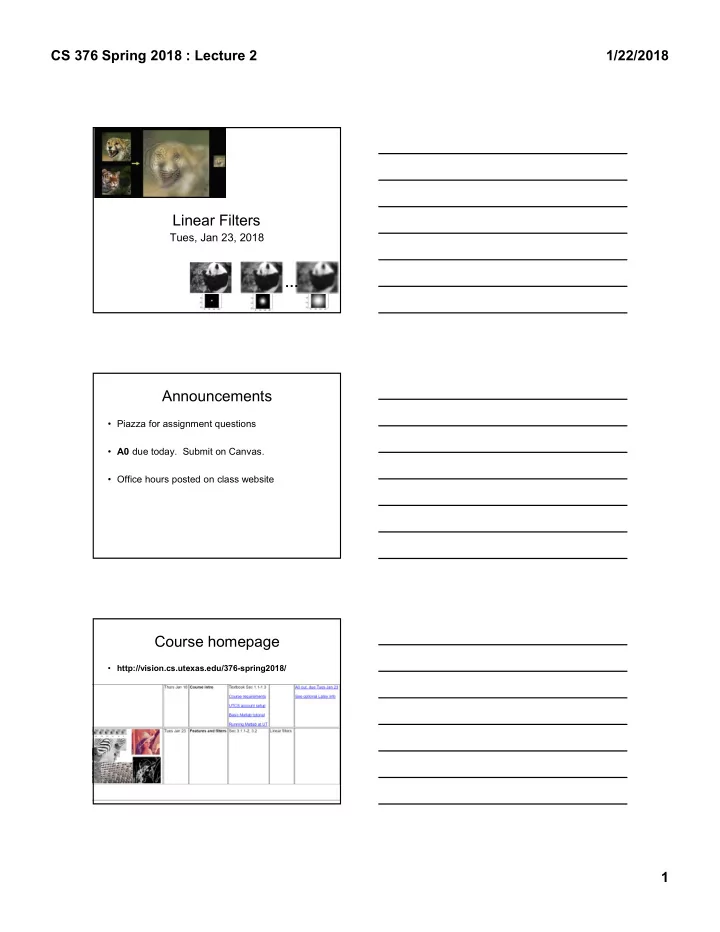
CS 376 Spring 2018 : Lecture 2 1/22/2018 Linear Filters Tues, Jan 23, 2018 Announcements Piazza for assignment questions A0 due today. Submit on Canvas. Office hours posted on class website Course homepage


slide-1
SLIDE 1

CS 376 Spring 2018 : Lecture 2 1/22/2018 1

Linear Filters

Tues, Jan 23, 2018

Announcements

  • Piazza for assignment questions
  • A0 due today. Submit on Canvas.
  • Office hours posted on class website

Course homepage

  • http://vision.cs.utexas.edu/376-spring2018/
slide-2
SLIDE 2

CS 376 Spring 2018 : Lecture 2 1/22/2018 2

Plan for today

  • Image noise
  • Linear filters

– Examples: smoothing filters

  • Convolution / correlation

Images as matrices

The Graduate Kids with Santa Little Leaguer

From: 100 Special Moments, by Jason Salavon (2004) http://salavon.com/SpecialMoments/SpecialMoments.shtml

Newlyweds

Result of averaging 100 similar snapshots

slide-3
SLIDE 3

CS 376 Spring 2018 : Lecture 2 1/22/2018 3

Image Formation

Slide credit: Derek Hoiem

Images as functions

Source: S. Seitz

Images as functions

  • We can think of an image as a function, f, from

R2 to R:

  • f( x, y ) gives the intensity at position ( x, y )
  • Realistically, we expect the image only to be defined over a

rectangle, with a finite range:

– f: [a,b] x [c,d]  [0, 255]

  • A color image is just three functions pasted
  • together. We can write this as a “vector-valued”

function:

Source: S. Seitz

( , ) ( , ) ( , ) ( , ) r x y f x y g x y b x y           

slide-4
SLIDE 4

CS 376 Spring 2018 : Lecture 2 1/22/2018 4 Digital camera

A digital camera replaces film with a sensor array

  • Each cell in the array is light-sensitive diode that converts

photons to electrons

  • http://electronics.howstuffworks.com/digital-camera.htm

Slide by Steve Seitz Slide credit: Derek Hoiem

Digital images Digital images

  • Sample the 2D space on a regular grid
  • Quantize each sample (round to nearest integer)
  • Image thus represented as a matrix of integer values.

Adapted from S. Seitz

2D 1D

slide-5
SLIDE 5

CS 376 Spring 2018 : Lecture 2 1/22/2018 5

Digital color images

R G B

Color images, RGB color space

Digital color images

Images in Matlab

  • Images represented as a matrix
  • Suppose we have a NxM RGB image called “im”

– im(1,1,1) = top-left pixel value in R-channel – im(y, x, b) = y pixels down, x pixels to right in the bth channel – im(N, M, 3) = bottom-right pixel in B-channel

  • imread(filename) returns a uint8 image (values 0 to 255)

– Convert to double format (values 0 to 1) with im2double

0.92 0.93 0.94 0.97 0.62 0.37 0.85 0.97 0.93 0.92 0.99 0.95 0.89 0.82 0.89 0.56 0.31 0.75 0.92 0.81 0.95 0.91 0.89 0.72 0.51 0.55 0.51 0.42 0.57 0.41 0.49 0.91 0.92 0.96 0.95 0.88 0.94 0.56 0.46 0.91 0.87 0.90 0.97 0.95 0.71 0.81 0.81 0.87 0.57 0.37 0.80 0.88 0.89 0.79 0.85 0.49 0.62 0.60 0.58 0.50 0.60 0.58 0.50 0.61 0.45 0.33 0.86 0.84 0.74 0.58 0.51 0.39 0.73 0.92 0.91 0.49 0.74 0.96 0.67 0.54 0.85 0.48 0.37 0.88 0.90 0.94 0.82 0.93 0.69 0.49 0.56 0.66 0.43 0.42 0.77 0.73 0.71 0.90 0.99 0.79 0.73 0.90 0.67 0.33 0.61 0.69 0.79 0.73 0.93 0.97 0.91 0.94 0.89 0.49 0.41 0.78 0.78 0.77 0.89 0.99 0.93 0.92 0.93 0.94 0.97 0.62 0.37 0.85 0.97 0.93 0.92 0.99 0.95 0.89 0.82 0.89 0.56 0.31 0.75 0.92 0.81 0.95 0.91 0.89 0.72 0.51 0.55 0.51 0.42 0.57 0.41 0.49 0.91 0.92 0.96 0.95 0.88 0.94 0.56 0.46 0.91 0.87 0.90 0.97 0.95 0.71 0.81 0.81 0.87 0.57 0.37 0.80 0.88 0.89 0.79 0.85 0.49 0.62 0.60 0.58 0.50 0.60 0.58 0.50 0.61 0.45 0.33 0.86 0.84 0.74 0.58 0.51 0.39 0.73 0.92 0.91 0.49 0.74 0.96 0.67 0.54 0.85 0.48 0.37 0.88 0.90 0.94 0.82 0.93 0.69 0.49 0.56 0.66 0.43 0.42 0.77 0.73 0.71 0.90 0.99 0.79 0.73 0.90 0.67 0.33 0.61 0.69 0.79 0.73 0.93 0.97 0.91 0.94 0.89 0.49 0.41 0.78 0.78 0.77 0.89 0.99 0.93 0.92 0.93 0.94 0.97 0.62 0.37 0.85 0.97 0.93 0.92 0.99 0.95 0.89 0.82 0.89 0.56 0.31 0.75 0.92 0.81 0.95 0.91 0.89 0.72 0.51 0.55 0.51 0.42 0.57 0.41 0.49 0.91 0.92 0.96 0.95 0.88 0.94 0.56 0.46 0.91 0.87 0.90 0.97 0.95 0.71 0.81 0.81 0.87 0.57 0.37 0.80 0.88 0.89 0.79 0.85 0.49 0.62 0.60 0.58 0.50 0.60 0.58 0.50 0.61 0.45 0.33 0.86 0.84 0.74 0.58 0.51 0.39 0.73 0.92 0.91 0.49 0.74 0.96 0.67 0.54 0.85 0.48 0.37 0.88 0.90 0.94 0.82 0.93 0.69 0.49 0.56 0.66 0.43 0.42 0.77 0.73 0.71 0.90 0.99 0.79 0.73 0.90 0.67 0.33 0.61 0.69 0.79 0.73 0.93 0.97 0.91 0.94 0.89 0.49 0.41 0.78 0.78 0.77 0.89 0.99 0.93

R G B row column

Slide credit: Derek Hoiem
slide-6
SLIDE 6

CS 376 Spring 2018 : Lecture 2 1/22/2018 6

Main idea: image filtering

  • Compute a function of the local neighborhood at

each pixel in the image

– Function specified by a “filter” or mask saying how to combine values from neighbors.

  • Uses of filtering:

– Enhance an image (denoise, resize, etc) – Extract information (texture, edges, etc) – Detect patterns (template matching)

Adapted from Derek Hoiem

Motivation: noise reduction

  • Even multiple images of the same static scene will

not be identical.

Common types of noise

– Salt and pepper noise: random occurrences of black and white pixels – Impulse noise: random

  • ccurrences of white

pixels – Gaussian noise: variations in intensity drawn from a Gaussian normal distribution

Source: S. Seitz

slide-7
SLIDE 7

CS 376 Spring 2018 : Lecture 2 1/22/2018 7

Gaussian noise

Fig: M. Hebert

>> noise = randn(size(im)).*sigma; >> output = im + noise;

What is impact of the sigma?

Effect of sigma on Gaussian noise: Image shows the noise values themselves. Effect of sigma on Gaussian noise: Image shows the noise values themselves.

slide-8
SLIDE 8

CS 376 Spring 2018 : Lecture 2 1/22/2018 8

sigma=1 Effect of sigma on Gaussian noise: This shows the noise values added to the raw intensities

  • f an image.

Effect of sigma on Gaussian noise: Image shows the noise values themselves. sigma=16 Effect of sigma on Gaussian noise This shows the noise values added to the raw intensities

  • f an image.
slide-9
SLIDE 9

CS 376 Spring 2018 : Lecture 2 1/22/2018 9

Motivation: noise reduction

  • Even multiple images of the same static scene will

not be identical.

  • How could we reduce the noise, i.e., give an estimate
  • f the true intensities?
  • What if there’s only one image?

First attempt at a solution

  • Let’s replace each pixel with an average of all

the values in its neighborhood

  • Assumptions:
  • Expect pixels to be like their neighbors
  • Expect noise processes to be independent from pixel to pixel

First attempt at a solution

  • Let’s replace each pixel with an average of all

the values in its neighborhood

  • Moving average in 1D:

Source: S. Marschner

slide-10
SLIDE 10

CS 376 Spring 2018 : Lecture 2 1/22/2018 10

Weighted Moving Average

Can add weights to our moving average Weights [1, 1, 1, 1, 1] / 5

Source: S. Marschner

Weighted Moving Average

Non-uniform weights [1, 4, 6, 4, 1] / 16

Source: S. Marschner

Moving Average In 2D

90 90 90 90 90 90 90 90 90 90 90 90 90 90 90 90 90 90 90 90 90 90 90 90 90 90 90 90 90 90 90 90 90 90 90 90 90 90 90 90 90 90 90 90 90 90 90 90 90 90

Source: S. Seitz

slide-11
SLIDE 11

CS 376 Spring 2018 : Lecture 2 1/22/2018 11

Moving Average In 2D

90 90 90 90 90 90 90 90 90 90 90 90 90 90 90 90 90 90 90 90 90 90 90 90 90 10 90 90 90 90 90 90 90 90 90 90 90 90 90 90 90 90 90 90 90 90 90 90 90 90 90

Source: S. Seitz

Moving Average In 2D

90 90 90 90 90 90 90 90 90 90 90 90 90 90 90 90 90 90 90 90 90 90 90 90 90 10 20 90 90 90 90 90 90 90 90 90 90 90 90 90 90 90 90 90 90 90 90 90 90 90 90 90

Source: S. Seitz

Moving Average In 2D

90 90 90 90 90 90 90 90 90 90 90 90 90 90 90 90 90 90 90 90 90 90 90 90 90 10 20 30 90 90 90 90 90 90 90 90 90 90 90 90 90 90 90 90 90 90 90 90 90 90 90 90 90

Source: S. Seitz

slide-12
SLIDE 12

CS 376 Spring 2018 : Lecture 2 1/22/2018 12

Moving Average In 2D

10 20 30 30 90 90 90 90 90 90 90 90 90 90 90 90 90 90 90 90 90 90 90 90 90 90 90 90 90

Source: S. Seitz

Moving Average In 2D

90 90 90 90 90 90 90 90 90 90 90 90 90 90 90 90 90 90 90 90 90 90 90 90 90 10 20 30 30 30 20 10 20 40 60 60 60 40 20 30 60 90 90 90 60 30 30 50 80 80 90 60 30 30 50 80 80 90 60 30 20 30 50 50 60 40 20 10 20 30 30 30 30 20 10 10 10 10

Source: S. Seitz

Correlation filtering

Say the averaging window size is 2k+1 x 2k+1:

Loop over all pixels in neighborhood around image pixel F[i,j] Attribute uniform weight to each pixel

Now generalize to allow different weights depending on neighboring pixel’s relative position:

Non-uniform weights

slide-13
SLIDE 13

CS 376 Spring 2018 : Lecture 2 1/22/2018 13

Correlation filtering

Filtering an image: replace each pixel with a linear combination of its neighbors. The filter “kernel” or “mask” H[u,v] is the prescription for the weights in the linear combination. This is called cross-correlation, denoted

Averaging filter

  • What values belong in the kernel H for the moving

average example?

20 40 60 60 90 90 90 90 90 90 90 90 90 90 90 90 90 90 90 90 90 90 90 90 90 90 90 90 90

1 1 1 1 1 1 1 1 1 “box filter”

?

Smoothing by averaging

depicts box filter: white = high value, black = low value

  • riginal

filtered

What if the filter size was 5 x 5 instead of 3 x 3?

slide-14
SLIDE 14

CS 376 Spring 2018 : Lecture 2 1/22/2018 14

Boundary issues

What is the size of the output?

  • MATLAB: output size / “shape” options
  • shape = ‘full’: output size is sum of sizes of f and g
  • shape = ‘same’: output size is same as f
  • shape = ‘valid’: output size is difference of sizes of f and g

f g g g g f g g g g f g g g g full same valid

Source: S. Lazebnik

Boundary issues

What about near the edge?

  • the filter window falls off the edge of the image
  • need to extrapolate
  • methods:

– clip filter (black) – wrap around – copy edge – reflect across edge

Source: S. Marschner

Boundary issues

What about near the edge?

  • the filter window falls off the edge of the image
  • need to extrapolate
  • methods (MATLAB):

– clip filter (black): imfilter(f, g, 0) – wrap around: imfilter(f, g, ‘circular’) – copy edge: imfilter(f, g, ‘replicate’) – reflect across edge: imfilter(f, g, ‘symmetric’)

Source: S. Marschner

slide-15
SLIDE 15

CS 376 Spring 2018 : Lecture 2 1/22/2018 15

Gaussian filter

90 90 90 90 90 90 90 90 90 90 90 90 90 90 90 90 90 90 90 90 90 90 90 90 90 1 2 1 2 4 2 1 2 1

  • What if we want nearest neighboring pixels to have

the most influence on the output?

  • Removes high-frequency components from the

image (“low-pass filter”). This kernel is an approximation of a 2d Gaussian function:

Source: S. Seitz

Smoothing with a Gaussian Gaussian filters

  • What parameters matter here?
  • Size of kernel or mask

– Note, Gaussian function has infinite support, but discrete filters use finite kernels

σ = 5 with 10 x 10 kernel σ = 5 with 30 x 30 kernel

slide-16
SLIDE 16

CS 376 Spring 2018 : Lecture 2 1/22/2018 16

Gaussian filters

  • What parameters matter here?
  • Variance of Gaussian: determines extent of

smoothing σ = 2 with 30 x 30 kernel σ = 5 with 30 x 30 kernel

Matlab

>> hsize = 10; >> sigma = 5; >> h = fspecial(‘gaussian’ hsize, sigma); >> mesh(h); >> imagesc(h); >> outim = imfilter(im, h); % correlation >> imshow(outim);

  • utim

Smoothing with a Gaussian

for sigma=1:3:10 h = fspecial('gaussian‘, fsize, sigma);

  • ut = imfilter(im, h);

imshow(out); pause; end

Parameter σ is the “scale” / “width” / “spread” of the Gaussian kernel, and controls the amount of smoothing.

slide-17
SLIDE 17

CS 376 Spring 2018 : Lecture 2 1/22/2018 17

More noise  Wider smoothing kernel 

Keeping the two Gaussians in play straight…

Properties of smoothing filters

  • Smoothing

– Values positive – Sum to 1  constant regions same as input – Amount of smoothing proportional to mask size – Remove “high-frequency” components; “low-pass” filter

Filtering an impulse signal

1 a b c d e f g h i

What is the result of filtering the impulse signal (image) F with the arbitrary kernel H?

?

slide-18
SLIDE 18

CS 376 Spring 2018 : Lecture 2 1/22/2018 18

Convolution

  • Convolution:

– Flip the filter in both dimensions (bottom to top, right to left) – Then apply cross-correlation

Notation for convolution

  • perator

F H

Convolution vs. correlation

Convolution Cross-correlation

For a Gaussian or box filter, how will the outputs differ? If the input is an impulse signal, how will the outputs differ?

Predict the outputs using correlation filtering

1

* = ?

1

* = ?

1 1 1 1 1 1 1 1 1 2

  • *

= ?

slide-19
SLIDE 19

CS 376 Spring 2018 : Lecture 2 1/22/2018 19

Practice with linear filters

1 Original

?

Source: D. Lowe

Practice with linear filters

1 Original Filtered (no change)

Source: D. Lowe

Practice with linear filters

1 Original

?

Source: D. Lowe

slide-20
SLIDE 20

CS 376 Spring 2018 : Lecture 2 1/22/2018 20

Practice with linear filters

1 Original Shifted left by 1 pixel with correlation

Source: D. Lowe

Practice with linear filters

Original

?

1 1 1 1 1 1 1 1 1

Source: D. Lowe

Practice with linear filters

Original 1 1 1 1 1 1 1 1 1 Blur (with a box filter)

Source: D. Lowe

slide-21
SLIDE 21

CS 376 Spring 2018 : Lecture 2 1/22/2018 21

Practice with linear filters

Original 1 1 1 1 1 1 1 1 1 2

  • ?

Source: D. Lowe

Practice with linear filters

Original 1 1 1 1 1 1 1 1 1 2

  • Sharpening filter:

accentuates differences with local average

Source: D. Lowe

Filtering examples: sharpening

slide-22
SLIDE 22

CS 376 Spring 2018 : Lecture 2 1/22/2018 22

Convolution

  • Convolution:

– Flip the filter in both dimensions (bottom to top, right to left) – Then apply cross-correlation

Notation for convolution

  • perator

F H

Properties of convolution

  • Shift invariant:

– Operator behaves the same everywhere, i.e. the value of the output depends on the pattern in the image neighborhood, not the position of the neighborhood.

  • Superposition:

– h * (f1 + f2) = (h * f1) + (h * f2)

Properties of convolution

  • Commutative:

f * g = g * f

  • Associative

(f * g) * h = f * (g * h)

  • Distributes over addition

f * (g + h) = (f * g) + (f * h)

  • Scalars factor out

kf * g = f * kg = k(f * g)

  • Identity:

unit impulse e = […, 0, 0, 1, 0, 0, …]. f * e = f

slide-23
SLIDE 23

CS 376 Spring 2018 : Lecture 2 1/22/2018 23

Separability

  • In some cases, filter is separable, and we can factor into

two steps: – Convolve all rows with a 1D filter – Convolve all columns with a 1D filter

Separability

  • In some cases, filter is separable, and we can factor into

two steps: e.g.,

What is the computational complexity advantage for a separable filter of size k x k, in terms of number of

  • perations per output pixel?

f * (g * h) = (f * g) * h g h f

Effect of smoothing filters

Additive Gaussian noise Salt and pepper noise

slide-24
SLIDE 24

CS 376 Spring 2018 : Lecture 2 1/22/2018 24

Median filter

  • No new pixel values

introduced

  • Removes spikes: good

for impulse, salt & pepper noise

  • Non-linear filter

Median filter

Salt and pepper noise Median filtered

Source: M. Hebert

Plots of a row of the image

Matlab: output im = medfilt2(im, [h w]);

Median filter

  • Median filter is edge preserving
slide-25
SLIDE 25

CS 376 Spring 2018 : Lecture 2 1/22/2018 25

Aude Oliva & Antonio Torralba & Philippe G Schyns, SIGGRAPH 2006

Filtering application: Hybrid Images Application: Hybrid Images

Gaussian Filter Laplacian Filter

  • A. Oliva, A. Torralba, P.G. Schyns,

“Hybrid Images,” SIGGRAPH 2006

Gaussian unit impulse Laplacian of Gaussian

Aude Oliva & Antonio Torralba & Philippe G Schyns, SIGGRAPH 2006

slide-26
SLIDE 26

CS 376 Spring 2018 : Lecture 2 1/22/2018 26

Aude Oliva & Antonio Torralba & Philippe G Schyns, SIGGRAPH 2006

Summary

  • Image “noise”
  • Linear filters and convolution useful for

– Enhancing images (smoothing, removing noise)

  • Box filter
  • Gaussian filter
  • Impact of scale / width of smoothing filter

– Detecting features (next time)

  • Separable filters more efficient
  • Median filter: a non-linear filter, edge-preserving

Coming up

  • Thursday:

– Filtering part 2: filtering for features (edges, gradients, seam carving application) – See reading assignment on webpage

  • Today:

– Assignment 0 is due on Canvas 11:59 PM