Overview of Discrete-Time Filters Discrete-Time Filters Overview - - PowerPoint PPT Presentation

overview of discrete time filters discrete time filters
SMART_READER_LITE
LIVE PREVIEW

Overview of Discrete-Time Filters Discrete-Time Filters Overview - - PowerPoint PPT Presentation

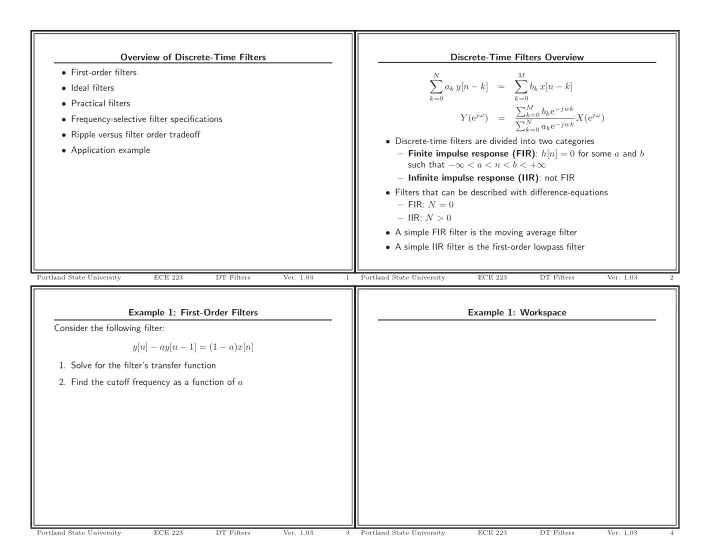
Overview of Discrete-Time Filters Discrete-Time Filters Overview First-order filters N M a k y [ n k ] = b k x [ n k ] Ideal filters k =0 k =0 Practical filters M k =0 b k e jwk Y (e j ) k =0 a k e jwk


slide-1
SLIDE 1

Example 1: First-Order Filters Consider the following filter: y[n] − ay[n − 1] = (1 − a)x[n]

  • 1. Solve for the filter’s transfer function
  • 2. Find the cutoff frequency as a function of a

Portland State University ECE 223 DT Filters

  • Ver. 1.03

3

Overview of Discrete-Time Filters

  • First-order filters
  • Ideal filters
  • Practical filters
  • Frequency-selective filter specifications
  • Ripple versus filter order tradeoff
  • Application example

Portland State University ECE 223 DT Filters

  • Ver. 1.03

1

Example 1: Workspace

Portland State University ECE 223 DT Filters

  • Ver. 1.03

4

Discrete-Time Filters Overview

N

  • k=0

ak y[n − k] =

M

  • k=0

bk x[n − k] Y (ejω) = M

k=0 bke−jwk

N

k=0 ake−jwk X(ejω)

  • Discrete-time filters are divided into two categories

– Finite impulse response (FIR): h[n] = 0 for some a and b such that −∞ < a < n < b < +∞ – Infinite impulse response (IIR): not FIR

  • Filters that can be described with difference-equations

– FIR: N = 0 – IIR: N > 0

  • A simple FIR filter is the moving average filter
  • A simple IIR filter is the first-order lowpass filter

Portland State University ECE 223 DT Filters

  • Ver. 1.03

2

slide-2
SLIDE 2

Example 1: Filtered Signals

50 100 150 200 20 22 24 26 28 30 32 34 36 x[n], y0.1[n], y0.6[n] Time (day) Intel Closing Daily Price Over 1 Year Raw signal Cutoff:0.56 Cutoff:0.11

Portland State University ECE 223 DT Filters

  • Ver. 1.03

7

Example 1: Ωc versus a

0.1 0.2 0.3 0.4 0.5 0.6 0.7 0.8 0.9 1 0.5 1 1.5 2 2.5 3 3.5 ωc (rad/sample) a

Portland State University ECE 223 DT Filters

  • Ver. 1.03

5

Example 1: MATLAB Code

%function [] = FirstOrderApplied(); close all; d = load(’Intel.txt’); % Closing daily price nd = length(d); x = d(nd:-1:1); % Reorder so first element is oldest data n = (0:nd-1)’; % Discrete time index %============================================================================== % Plot the relationship between cutoff frequency and a %============================================================================== a = 0.00001:0.01:1; wc = acos((1-4*a+a.^2)./(-2*a)); figure FigureSet(1,’LTX’); h = plot(a,wc,’LineWidth’,1.0); ylabel(’\omega_c (rad/sample)’); xlabel(’a’); grid on; box off; AxisSet(8); print -depsc FOCutoff; %============================================================================== % Plot the relationship between cutoff frequency and a %============================================================================== a = 0.1:0.1:0.9; w = -pi:0.01:pi; H = zeros(length(a),length(w)); for cnt = 1:length(a) [h,w] = freqz(1-a(cnt),[1 -a(cnt)],w); H(cnt,:) = h;

Portland State University ECE 223 DT Filters

  • Ver. 1.03

8

Example 1: H(ejω) for various a

−3 −2 −1 1 2 3 0.5 1 |H(ejω)| a=0.1 a=0.2 a=0.3 a=0.4 a=0.5 a=0.6 a=0.7 a=0.8 a=0.9 −3 −2 −1 1 2 3 −50 50 ∠ H(ejω) (o) Frequency (rads/sample)

Portland State University ECE 223 DT Filters

  • Ver. 1.03

6

slide-3
SLIDE 3

Ideal Filters

1 Lowpass 1 Highpass 1 Bandpass 1 Bandstop 1 Notch

Ω Ω Ω Ω Ω Ωc Ωc Ωc Ωc1 Ωc1 Ωc2 Ωc2

  • MATLAB can be used to design standard frequency selective

filters that meet user-specified requirements

  • These filters include: lowpass, highpass, bandpass, and bandstop
  • Unlike continuous-time filters, these must have cutoff frequencies

that range between 0 and π

Portland State University ECE 223 DT Filters

  • Ver. 1.03

11

end; figure FigureSet(1,’LTX’); subplot(2,1,1); h = plot(w,abs(H)); xlim([-pi pi]); ylim([0 1.05]); legend(’a=0.1’,’a=0.2’,’a=0.3’,’a=0.4’,’a=0.5’,’a=0.6’,’a=0.7’,’a=0.8’,’a=0.9’,2); ylabel(’|H(e^{j\omega})|’); grid on; box off; subplot(2,1,2); h = plot(w,rem(angle(H)*180/pi,180)); xlim([-pi pi]); ylim([-70 70]); ylabel(’\angle H(e^{j\omega}) (^o)’); xlabel(’Frequency (rads/sample)’); grid on; box off; AxisSet(8); print -depsc FOTransferFunctions; %============================================================================== % Filter & Plot %============================================================================== a = 0.58; % cutoff frequency approximately 0.1 w1 = acos((1-4*a+a.^2)./(-2*a)); y1 = zeros(nd,1); for cnt = 2:nd, y1(cnt) = a*y1(cnt-1) + (1-a)*x(cnt); end; a = 0.90; % cutoff frequency approximately 0.1 w2 = acos((1-4*a+a.^2)./(-2*a)); y2 = zeros(nd,1);

Portland State University ECE 223 DT Filters

  • Ver. 1.03

9

Practical Filters

  • Practical filters are usually designed to meet a set of specifications
  • Lowpass and highpass filters usually have the following

requirements – Passband range – Stopband range – Maximum ripple in the passband – Minimum attenuation in the stopband

  • If we know the specifications, we can ask MATLAB to generate

the filter for us

  • There are four popular types of standard filters

– Butterworth – Chebyshev Type I – Chebyshev Type II – Elliptic

Portland State University ECE 223 DT Filters

  • Ver. 1.03

12

for cnt = 2:nd, y2(cnt) = a*y2(cnt-1) + (1-a)*x(cnt); end; figure FigureSet(1,’LTX’); h = plot(n,x,’b’,n,y1,’r’,n,y2,’g’); set(h,’LineWidth’,0.6); ylabel(’x[n], y_{0.1}[n], y_{0.6}[n]’); xlabel(’Time (day)’); title(’Intel Closing Daily Price Over 1 Year’); xlim([0 nd-1]); ylim([19 36]); box off; grid on; AxisSet(8); legend(’Raw signal’,sprintf(’Cutoff:%4.2f’,w1),sprintf(’Cutoff:%4.2f’,w2),4); print -depsc FOSignalFiltered;

Portland State University ECE 223 DT Filters

  • Ver. 1.03

10

slide-4
SLIDE 4

Example 3: Butterworth Lowpass

0.5 1 1.5 2 2.5 3 0.2 0.4 0.6 0.8 1 |H(ejω)| Butterworth Lowpass Filter Transfer Function Order: 10 Frequency (rad/sample)

Portland State University ECE 223 DT Filters

  • Ver. 1.03

15

Ripple Tradeoff Filter Order Passband Stopband Butterworth Largest Smooth Smooth Chebyshev Type I Moderate Ripple Smooth Chebyshev Type II Moderate Smooth Ripple Elliptic Lowest Ripple Ripple

  • The four popular filter types differ in how they satisfy the

specifications

  • In the passband and stopband, each filter is either smooth or

contains ripple

  • Elliptic filters are also called equiripple filters and Cauer filters

Portland State University ECE 223 DT Filters

  • Ver. 1.03

13

Example 3: Butterworth Lowpass

10 20 30 40 50 60 70 80 90 100 −0.1 −0.05 0.05 0.1 0.15 0.2 0.25 h[n] Time (n) Butterworth Lowpass Filter Impulse Response Order:10

Portland State University ECE 223 DT Filters

  • Ver. 1.03

16

Example 2: Lowpass Filter Specifications Design a lowpass filter that meets the following specifications:

  • The passband ripple is no more than 0.4455 dB

(0.95 ≤ |H(ejω)| ≤ 1)

  • The stopband attenuation is at least 26.02 dB (|H(ejω)| ≤ 0.05)
  • The passband ranges from 0–0.2π rad/sample
  • The stopband ranges from 0.3π–π rad/sample

Plot the magnitude of the resulting transfer function on a linear-linear plot, the impulse response, and the step response. Try the Butterworth, Chebyshev I, Chebyshev II, and elliptic filters.

Portland State University ECE 223 DT Filters

  • Ver. 1.03

14

slide-5
SLIDE 5

Example 3: Chebyshev-I Lowpass

10 20 30 40 50 60 70 80 90 100 −0.1 −0.05 0.05 0.1 0.15 0.2 0.25 h[n] Time (n) Chebyshev−I Lowpass Filter Impulse Response Order:5

Portland State University ECE 223 DT Filters

  • Ver. 1.03

19

Example 3: Butterworth Lowpass

10 20 30 40 50 60 70 80 90 100 0.2 0.4 0.6 0.8 1 1.2 1.4 h[n] Time (n) Butterworth Lowpass Filter Step Response Order:10

Portland State University ECE 223 DT Filters

  • Ver. 1.03

17

Example 3: Chebyshev-I Lowpass

10 20 30 40 50 60 70 80 90 100 0.2 0.4 0.6 0.8 1 1.2 1.4 h[n] Time (n) Chebyshev−I Lowpass Filter Step Response Order:5

Portland State University ECE 223 DT Filters

  • Ver. 1.03

20

Example 3: Chebyshev-I Lowpass

0.5 1 1.5 2 2.5 3 0.2 0.4 0.6 0.8 1 |H(ejω)| Chebyshev−I Lowpass Filter Transfer Function Order: 5 Frequency (rad/sample)

Portland State University ECE 223 DT Filters

  • Ver. 1.03

18

slide-6
SLIDE 6

Example 3: Chebyshev-II Lowpass

10 20 30 40 50 60 70 80 90 100 0.2 0.4 0.6 0.8 1 1.2 1.4 h[n] Time (n) Chebyshev−II Lowpass Filter Step Response Order:5

Portland State University ECE 223 DT Filters

  • Ver. 1.03

23

Example 3: Chebyshev-II Lowpass

0.5 1 1.5 2 2.5 3 0.2 0.4 0.6 0.8 1 |H(ejω)| Chebyshev−II Lowpass Filter Transfer Function Order: 5 Frequency (rad/sample)

Portland State University ECE 223 DT Filters

  • Ver. 1.03

21

Example 3: Elliptic Lowpass

0.5 1 1.5 2 2.5 3 0.2 0.4 0.6 0.8 1 |H(ejω)| Elliptic Lowpass Filter Transfer Function Order: 4 Frequency (rad/sample)

Portland State University ECE 223 DT Filters

  • Ver. 1.03

24

Example 3: Chebyshev-II Lowpass

10 20 30 40 50 60 70 80 90 100 −0.1 −0.05 0.05 0.1 0.15 0.2 0.25 h[n] Time (n) Chebyshev−II Lowpass Filter Impulse Response Order:5

Portland State University ECE 223 DT Filters

  • Ver. 1.03

22

slide-7
SLIDE 7

Example 3: MATLAB Code

%function [] = Lowpass(); clear all; close all; Wp = 0.20; % Passband ends Ws = 0.30; % Stopband begins Rp = -20*log10(0.95); % Maximum deviation from 1 in the passband (dB) Rs = -20*log10(0.05); % Minimum attenuation in the stopband (dB) for cnt = 1:4, if cnt==1, [od,wn] = buttord(Wp,Ws,Rp,Rs); [B,A] = butter(od,wn); stFilter = ’Butterworth’; elseif cnt==2, [od,wn] = ellipord(Wp,Ws,Rp,Rs); [B,A] = ellip(od,Rp,Rs,wn); stFilter = ’Elliptic’; elseif cnt==3, [od,wn] = cheb1ord(Wp,Ws,Rp,Rs); [B,A] = cheby1(od,Rp,wn); stFilter = ’Chebyshev-I’; elseif cnt==4, [od,wn] = cheb2ord(Wp,Ws,Rp,Rs); [B,A] = cheby2(od,Rs,wn); stFilter = ’Chebyshev-II’; else break; end; sys = tf(B,A,-1); wp = Wp*pi; ws = Ws*pi;

Portland State University ECE 223 DT Filters

  • Ver. 1.03

27

Example 3: Elliptic Lowpass

10 20 30 40 50 60 70 80 90 100 −0.1 −0.05 0.05 0.1 0.15 0.2 0.25 h[n] Time (n) Elliptic Lowpass Filter Impulse Response Order:4

Portland State University ECE 223 DT Filters

  • Ver. 1.03

25

%============================================================================== % Plot Magnitude on Linear Scale %============================================================================== ymax = 1.05; pbmax = 1; pbmin = 10^(-Rp/20); sbmax = 10^(-Rs/20); wmax = pi; w = 0:0.001:wmax; [H,w] = freqz(B,A,w); mag = abs(H); phs = angle(H); figure; FigureSet(1,’LTX’); h = patch([0 wp wp 0],[0 0 pbmin pbmin],0.5*[1 1 1]); set(h,’LineWidth’,0.0001); hold on; h = patch([0 ws ws wmax wmax 0],[pbmax pbmax sbmax sbmax ymax ymax],0.5*[1 1 1]); set(h,’LineWidth’,0.0001); h = plot(w,mag,’r’); set(h,’LineWidth’,1.0); hold off; ylim([0 ymax]); xlim([0 wmax]); grid on; ylabel(’|H(e^{j\omega})|’); title(sprintf(’%s Lowpass Filter Transfer Function Order: %d’,stFilter,od)); xlabel(’Frequency (rad/sample)’); box off; AxisSet(8); st = sprintf(’print -depsc Lowpass%s’,stFilter); eval(st); %============================================================================== % Impulse Response %============================================================================== figure;

Portland State University ECE 223 DT Filters

  • Ver. 1.03

28

Example 3: Elliptic Lowpass

10 20 30 40 50 60 70 80 90 100 0.2 0.4 0.6 0.8 1 1.2 1.4 h[n] Time (n) Elliptic Lowpass Filter Step Response Order:4

Portland State University ECE 223 DT Filters

  • Ver. 1.03

26

slide-8
SLIDE 8

Practical Filter Tradeoffs

  • Butterworth
  • Highest order H(ejω)

+ No passband or stopband ripple

  • Chebyshev Type I

+ No stopband ripple

  • Chebyshev Type II

+ No passband ripple

  • Elliptic

+ Lowest order H(ejω)

  • Passband and stopband ripple

Portland State University ECE 223 DT Filters

  • Ver. 1.03

31

FigureSet(1,’LTX’); n = 0:100; [x,t] = impulse(sys,n); h = stem(t,x,’b’); set(h(1),’MarkerFaceColor’,’b’); set(h(1),’MarkerSize’,2); ylabel(’h[n]’); xlabel(’Time (n)’); title(sprintf(’%s Lowpass Filter Impulse Response Order:%d’,stFilter,od)); box off; hold on; h = plot(xlim,[0 0],’k:’); hold off; AxisSet(8); st = sprintf(’print -depsc Lowpass%sImpulse’,stFilter); eval(st); %============================================================================== % Step Response %============================================================================== figure; FigureSet(1,’LTX’); n = 0:100; [x,t] = step(sys,n); h = stem(t,x,’b’); set(h(1),’MarkerFaceColor’,’b’); set(h(1),’MarkerSize’,2); ylabel(’h[n]’); xlabel(’Time (n)’); title(sprintf(’%s Lowpass Filter Step Response Order:%d’,stFilter,od)); box off; hold on; h = plot(xlim,[1 1],’k:’); hold off; AxisSet(8); st = sprintf(’print -depsc Lowpass%sStep’,stFilter); eval(st);

Portland State University ECE 223 DT Filters

  • Ver. 1.03

29

Application Example 1: Microelectrode Recording Filter An engineer wishes to detect action potentials in a microelectrode recording with a simple threshold detector. The signal contains significant baseline drift. Action potentials typically last about 1 ms.

  • What type of filter should the engineer use?
  • What should the filter specifications be?
  • What should the cutoff frequency(ies) be?

Portland State University ECE 223 DT Filters

  • Ver. 1.03

32

end;

Portland State University ECE 223 DT Filters

  • Ver. 1.03

30

slide-9
SLIDE 9

Application Example 1: Frequency-Selective Filters

0.2 0.4 0.6 0.8 1 1.2 1.4 1.6 1.8 2 −0.5 0.5 Time (sec) Microelectrode Recording 0.2 0.4 0.6 0.8 1 1.2 1.4 1.6 1.8 2 −0.5 0.5 Time (sec)

Portland State University ECE 223 DT Filters

  • Ver. 1.03

35

Application Example 1: Frequency-Selective Filters

1 1.2 1.4 1.6 1.8 2 2.2 2.4 2.6 2.8 −0.6 −0.4 −0.2 0.2 0.4 0.6 0.8 Time (sec) Microelectrode Recording

Portland State University ECE 223 DT Filters

  • Ver. 1.03

33

Application Example 1: Frequency-Selective Filters

500 1000 1500 2000 10 20 30 40 50 FT Magnitude 500 1000 1500 2000 10 20 30 40 50 FT Magnitude Filtered

Portland State University ECE 223 DT Filters

  • Ver. 1.03

36

Application Example 1: Frequency-Selective Filters

500 1000 1500 2000 10 20 30 40 50 FT Magnitude 50 100 150 200 250 300 100 200 300 400 500 FT Magnitude

Portland State University ECE 223 DT Filters

  • Ver. 1.03

34

slide-10
SLIDE 10

set(h,’LineWidth’,0.6); xrng = max(x)-min(x); xlim([min(t) max(t)]); ylim([min(x)-0.01*xrng max(x)+0.01*xrng]); AxisLines; xlabel(’Time (sec)’); ylabel(’’); title(’Microelectrode Recording’); box off; subplot(2,1,2); h = plot(t,y,’g’); set(h,’LineWidth’,0.6); xlim([min(t) max(t)]); ylim([min(x)-0.01*xrng max(x)+0.01*xrng]); AxisLines; xlabel(’Time (sec)’); ylabel(’’); box off; AxisSet(8); print -depsc MERSignalFiltered; Y = fft(y,2^12); nY = length(Y); k = 1:floor((length(Y)+1)/2); f = (k-1)*(fs)./(nY+1); figure; FigureSet(1,’LTX’); subplot(2,1,1); h = plot(f,abs(X(k)),’r’); set(h,’LineWidth’,0.6); xlim([min(f) max(f)]); ylim([0 50]); set(gca,’XTick’,[0:500:max(f)]); box off; ylabel(’FT Magnitude’); subplot(2,1,2);

Portland State University ECE 223 DT Filters

  • Ver. 1.03

39

Application Example 1: MATLAB Code

%function [] = MER(); close all; [x,fs,nbits] = wavread(’Henderson2.wav’); x = decimate(x,2); fs = fs/2; k = round(fs*1):round(fs*3); % Look at only 5 s x = x(k); nx = length(x); figure; FigureSet(1,’LTX’); t = (k-1)/fs; h = plot(t,x,’b’); set(h,’LineWidth’,0.6); xrng = max(x)-min(x); xlim([min(t) max(t)]); ylim([min(x)-0.01*xrng max(x)+0.01*xrng]); AxisLines; xlabel(’Time (sec)’); ylabel(’’); title(’Microelectrode Recording’); box off; AxisSet(8); print -depsc MERSignal; X = fft(x,2^12); nX = length(X); k = 1:floor((length(X)+1)/2); f = (k-1)*(fs)./(nX+1); figure; FigureSet(1,’LTX’);

Portland State University ECE 223 DT Filters

  • Ver. 1.03

37

h = plot(f,abs(Y(k)),’g’); set(h,’LineWidth’,0.6); xlim([min(f) max(f)]); ylim([0 50]); set(gca,’XTick’,[0:500:max(f)]); box off; ylabel(’FT Magnitude Filtered’); AxisSet(6); print -depsc MERSpectralDensityFiltered;

Portland State University ECE 223 DT Filters

  • Ver. 1.03

40

subplot(2,1,1); h = plot(f,abs(X(k)),’r’); set(h,’LineWidth’,0.6); xlim([min(f) max(f)]); ylim([0 50]); set(gca,’XTick’,[0:500:max(f)]); box off; ylabel(’FT Magnitude’); subplot(2,1,2); h = plot(f,abs(X(k)),’r’); set(h,’LineWidth’,0.6); xlim([0 300]); ylim([0 500]); %set(gca,’XTick’,[0:500:max(f)]); S box off; ylabel(’FT Magnitude’); AxisSet(6); print -depsc MERSpectralDensity; Wp = 210/(fs/2); % Passband ends Ws = 190/(fs/2); % Stopband begins Rp = -20*log10(0.95); % Maximum deviation from 1 in the passband (dB) Rs = -20*log10(0.05); % Minimum attenuation in the stopband (dB) [od,wn] = ellipord(Wp,Ws,Rp,Rs); [B,A] = ellip(od,Rp,Rs,wn,’high’); stFilter = ’Elliptic’; y = filtfilt(B,A,x); figure; FigureSet(1,’LTX’); k = 1:length(x); t = (k-1)/fs; subplot(2,1,1); t = (k-1)/fs; h = plot(t,x,’b’);

Portland State University ECE 223 DT Filters

  • Ver. 1.03

38