Lab 8 Reading, wri0ng files Modules Excep0on Handling Using lists - - PDF document

lab 8
SMART_READER_LITE
LIVE PREVIEW

Lab 8 Reading, wri0ng files Modules Excep0on Handling Using lists - - PDF document

Lab 8 Reading, wri0ng files Modules Excep0on Handling Using lists to solve problems March 13, 2018 Sprenkle - CSCI111 1 Lab 8: Pair Programming Findley Jordan Jordan Findley Parker Margaret Margaret Parker Ryan Chas Chas


slide-1
SLIDE 1

1

Lab 8

  • Reading, wri0ng files
  • Modules
  • Excep0on Handling
  • Using lists to solve problems

March 13, 2018 Sprenkle - CSCI111 1

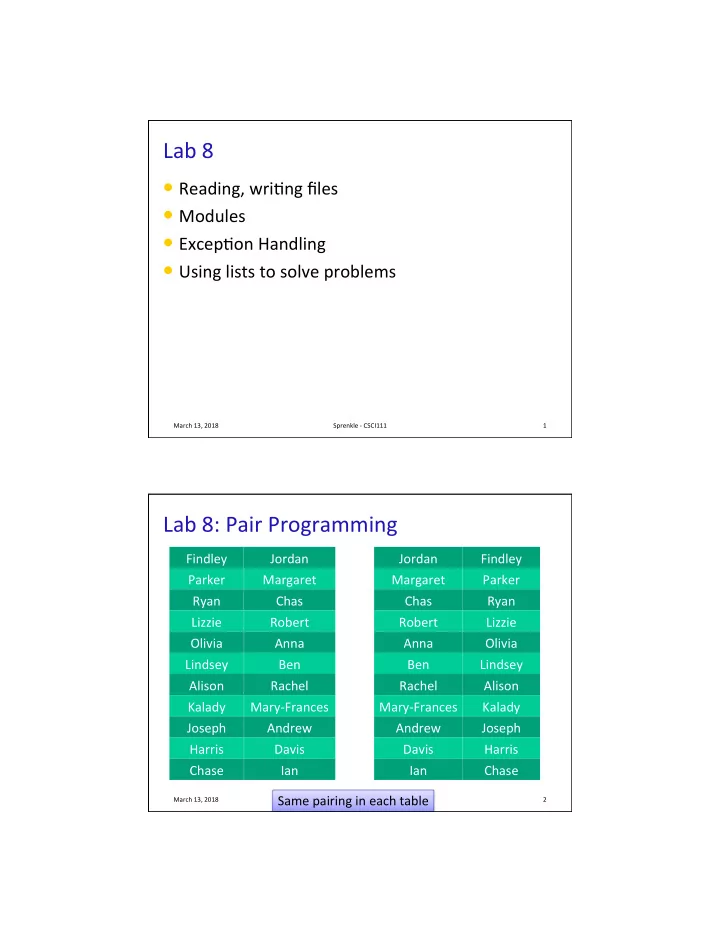
Lab 8: Pair Programming

Findley Jordan Parker Margaret Ryan Chas Lizzie Robert Olivia Anna Lindsey Ben Alison Rachel Kalady Mary-Frances Joseph Andrew Harris Davis Chase Ian

March 13, 2018 Sprenkle - CSCI111 2

Jordan Findley Margaret Parker Chas Ryan Robert Lizzie Anna Olivia Ben Lindsey Rachel Alison Mary-Frances Kalady Andrew Joseph Davis Harris Ian Chase Same pairing in each table

slide-2
SLIDE 2

2

Pair Programming

  • Two of you

Ø double check problem requirements Ø Push each other: beWer tests, beWer comments Ø Iterate

March 13, 2018 Sprenkle - CSCI111 3

Compare Solu0ons

March 13, 2018 Sprenkle - CSCI111 4

words = sentence.split() shorthandList = [] for word in words: shorthandList.append(word[0]) shorthand = "".join(shorthandList) shorthand = shorthand.lower() print("Shorthand is:", shorthand) words = sentence.split() shorthand="" for word in words: shorthand += word[0] shorthand = shorthand.lower() print("Shorthand is:", shorthand)

slide-3
SLIDE 3

3

Compare Solu0ons

March 13, 2018 Sprenkle - CSCI111 5

words = sentence.split() shorthandList = [] for word in words: shorthandList.append(word[0]) shorthand = "".join(shorthandList) shorthand = shorthand.lower() print("Shorthand is:", shorthand) words = sentence.split() shorthand="" for word in words: shorthand += word[0] shorthand = shorthand.lower() print("Shorthand is:", shorthand)

Both are valid solutions. I’m not sure which is more efficient in practice. However, the solution at left has more conceptual complexity (appending to a list and then converting to a string, as opposed to just creating the string). In general, look for less complex solutions.

Comment Example

March 13, 2018 Sprenkle - CSCI111 6

def def encodeLetter(char, key): """Encodes a single character. PRE: Input parameters are a single, lowercase character string (char) and an integer key (between -25 and 25, inclusive) POST: returns the encoded character as a str"""

  • Does not say who called func0on, where parameters came

from, or where returned to

  • Any code can call the func0on and pass in input from

anywhere (e.g., hardcoded, from user input, test func0on, …)

  • Does not say variable name returned
slide-4
SLIDE 4

4

Review Caesar Cipher

  • Consider the following solu0ons

March 13, 2018 Sprenkle - CSCI111 7

for for char in in message: if if char == " ": … else else: … for for char in in message: asciiVal = ord(char) if if asciiVal == 32: … else else: …

Review Caesar Cipher

  • Consider the following solu0ons

March 13, 2018 Sprenkle - CSCI111 8

I know what " " means. I don’t immediately know what 32 means. Lesson: prefer words

  • ver numbers.

for for char in in message: if if char == " ": … else else: … for for char in in message: asciiVal = ord(char) if if asciiVal == 32: … else else: …

slide-5
SLIDE 5

5

Review

  • What are things we can do to lists?
  • How do we work with files?
  • What is the structure we use to do excep0on

handling?

March 13, 2018 Sprenkle - CSCI111 9

CREATING MODULES

March 12, 2018 Sprenkle - CSCI111 10

slide-6
SLIDE 6

6

Where are Func0ons Defined?

  • Func0ons can go inside of program script

Ø Defined before use/called (if no main main() func0on) Ø Or, below the main main() func0on ( )

  • Func0ons can go inside a separate module

March 12, 2018 Sprenkle - CSCI111 11 March 12, 2018 Sprenkle - CSCI111 12

Crea0ng Modules

  • Modules group together related func0ons and

constants

  • Unlike func0ons, no special keyword to define a

module

Ø A module is named by its filename

  • You’ve used modules in the past

Ø graphics.py Ø game.py Just a Python file!

slide-7
SLIDE 7

7

Typical Use of Modules

  • Put your reusable code in a module that can be

shared with others

  • Example: game.py

Ø rollDie(sides) Ø rollMultipleDice(numDice, sides)

  • Call import game in Python interpreter

Ø What happened?

March 12, 2018 Sprenkle - CSCI111 13

March 12, 2018 Sprenkle - CSCI111 14

Crea0ng Modules

  • Then, to call rollDie

rollDie func0on

Ø game.rollDie(6)

  • To access a defined constants

Ø Example: game.SIDES

slide-8
SLIDE 8

8

  • So that our program doesn’t execute code

automa0cally when it is imported in a program, at boWom, add

  • Note the sub-directories now listed in the

directory

if if __name__ == '__main__' : testRollDie() testRollMultipleDice()

March 12, 2018 Sprenkle - CSCI111 15

Crea0ng Modules

Not important how this works; just know when to use

Benefits of Defining Func0ons in Separate Module

  • Reduces code in primary driver script
  • Easier to reuse by impor0ng from a module
  • Maintains the “black box”

Ø Abstrac,on

  • Isolates tes0ng of func0on
  • Write “test driver” scripts to test func0ons

separately from use in script

March 12, 2018 Sprenkle - CSCI111 16

slide-9
SLIDE 9

9

Lab 8 Overview

  • Modules
  • Reading Files
  • Wri0ng Files
  • Excep0on handling
  • Func0ons/Lists

March 13, 2018 Sprenkle - CSCI111 17