Keyframe animation 2. A period of blackness between images - - PowerPoint PPT Presentation

keyframe animation
SMART_READER_LITE
LIVE PREVIEW

Keyframe animation 2. A period of blackness between images - - PowerPoint PPT Presentation

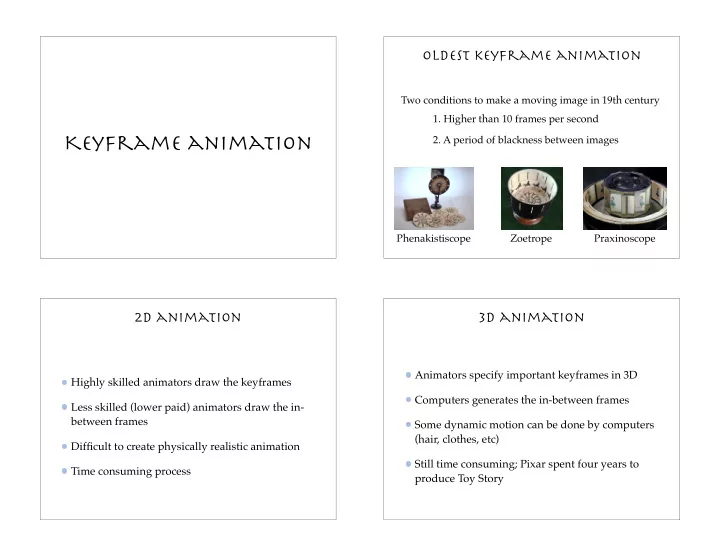
Oldest keyframe animation Two conditions to make a moving image in 19th century 1. Higher than 10 frames per second Keyframe animation 2. A period of blackness between images Phenakistiscope Zoetrope Praxinoscope 2D animation 3D animation


slide-1
SLIDE 1

Keyframe animation

Oldest keyframe animation

Praxinoscope Zoetrope Phenakistiscope

  • 1. Higher than 10 frames per second
  • 2. A period of blackness between images

Two conditions to make a moving image in 19th century

2D animation

Highly skilled animators draw the keyframes Less skilled (lower paid) animators draw the in- between frames Difficult to create physically realistic animation Time consuming process

3D animation

Animators specify important keyframes in 3D Computers generates the in-between frames Some dynamic motion can be done by computers (hair, clothes, etc) Still time consuming; Pixar spent four years to produce Toy Story

slide-2
SLIDE 2

From the making of toy story General pipeline

Story board Keyframes Inbetweens Painting

Storyboards

The film in outline form

specify the key scenes specify the camera moves and edits specify character gross motion

Typically paper and pencil sketches on individual sheets taped on a wall

Story boarding from “a bug’s life”

http://www.pixar.com/featurefilms/abbehind_pop4.html

slide-3
SLIDE 3

The process of keyframing

Specify the keyframes Specify the type of interpolation

linear, cubic, parametric curves

Specify the speed profile of the interpolation

constant velocity, ease-in-ease-out, etc

Computer generates the in-between frames

A keyframe

In 2D animation, a keyframe is usually a single image In 3D animation, each keyframe is defined by a set

  • f parameters

Keyframe parameterization

What are the parameters? Position and orientation in 3D Joint angles of the hierarchy Body deformation Facial features Hair Clothing Scene elements such as lights and cameras

in-between frames

Linear interpolation Cubic curve interpolation

slide-4
SLIDE 4

Linear interpolation

Linearly interpolate the parameters between keyframes

x = x0 + t − t0 t1 − t0 (x1 − x0)

end key start key end time start time

t = 0 t = 5 t = 10 t = 15

Cubic curve interpolation

Qx(t) = axt3 + bxt2 + cxt + dx Qy(t) = ayt3 + byt2 + cyt + dy Qz(t) = azt3 + bzt2 + czt + dz Q(t) = [x(t) y(t) z(t)]

  • r

We can use three cubic functions to represent a 3D curve

0 ≤ t ≤ 1

Each function is defined with the range

bold: a vector or a matrix italic: a scalar a · b : inner product a × b : outer product ab : multiplication vectors matrices A · B : AB : multiplication multiplication

Compact representation

C =     ax ay az bx by bz cx cy cz dx dy dz     T =

  • t3

t2 t 1

  • Q(t) =
  • t3

t2 t 1

   ax ay az bx by bz cx cy cz dx dy dz     = TC d dtQ(t) =

  • 3t2

2t 1

  • C

˙ Q =

Constraints on the cubics

Q(t) = t3 t2 t 1     m11 m12 m13 m14 m21 m22 m23 m24 m31 m32 m33 m34 m41 m42 m43 m44         G1x G1y G1z G2x G2y G2z G3x G3y G3z G4x G4y G4z     = T · M · G

How many constraints do we need to determine a cubic curve?

C = M · G

Redefine C as a product of the basis matrix M and the geometry vector G 4

slide-5
SLIDE 5

Hermite curves

A Hermite curve is determined by

  • 1. endpoints P1 and P4

P1 P4

  • 2. tangent vectors R1 and R4 at the endpoints

R4 R1 Gh =     P1x P1y P1z P4x P4y P4z R1x R1y R1z R4x R4y R4z    

Use these elements to construct the geometry vector

Hermite basis matrix

Given desired constraints:

Q(0) =

  • 1
  • · Mh · Gh = P1

Q(1) =

  • 1

1 1 1

  • · Mh · Gh = P4
  • 1. endpoints meet P1 and P4

Q(1) =

  • 3

2 1

  • · Mh · Gh = R4
  • 2. tangent vectors meet R1 and R4

Q(0) =

  • 1
  • · Mh · Gh = R1

Hermite basis matrix

We can solve for basis matrix Mh

    P1 P4 R1 R4     = Gh =     1 1 1 1 1 1 3 2 1     · Mh · Gh Mh =     1 1 1 1 1 1 3 2 1    

−1

=     2 −2 1 1 −3 3 −2 −1 1 1    

Hermite Blending functions

Let’s define B as a product of T and M

Bh(t) =

  • t3

t2 t 1

   2 −2 1 1 −3 3 −2 −1 1 1    

Bh(t) indicates the weight of each element in Gh

Q(t) = Bh(t) ·     P1 P4 R1 R4     t P1 P4 R4 R1 Bh(t)

slide-6
SLIDE 6

Bézier curves

Indirectly specify tangent vectors by specifying two intermediate points

Gb =     P1 P2 P3 P4    

R4 = 3(P4 − P3) P3 P4 R4 R1 = 3(P2 − P1) P1 P2 R1

Bézier basis matrix

Establish the relation between Hermite and Bezier geometry vectors

Gh =     P1 P4 R1 R4     =     1 1 −3 3 −3 3         P1 P2 P3 P4     = Mhb · Gb

Bézier basis matrix

Q(t) = T · Mh · Gh = T · Mh · (Mhb · Gb) = T · (Mh · Mhb) · Gb = T · Mb · Gb Mb = MhMhb =     −1 3 −3 1 3 −6 3 −3 3 1    

http://www.cs.unc.edu/~mantler/research/bezier/index.html

Bézier blending functions

Bb(t) =

  • t3

t2 t 1

   −1 3 −3 1 3 −6 3 −3 3 1    

Bezier blending functions are also called Bernstein polynomials

Q(t) = Bb(t) ·     P1 P2 P3 P4     t Bb(t) P1 P2 P3 P4

slide-7
SLIDE 7

Complex curves

What if we want to model a curve that passes through these points? Problem with higher order polynomials: Wiggly curves No local control

Splines

A piecewise polynomial function that has locally very simple form, yet be globally flexible and smooth There are three nice properties of splines we’d like to have

Continuity Local control Interpolation

Continuity

Cubic curves are continuous and differentiable We only need to worry about the derivatives at the endpoints when two curves meet

Continuity

C0: points coincide, velocities don’t C1: points and velocities coincide What’s C2? points, velocities and accelerations coincide

slide-8
SLIDE 8

Local control

Bezier and Hermite curves don’t have local control; moving a single control point affects the whole curve We’d like to have each control point on the spline

  • nly affect some well-defined neighborhood around

that point

Interpolation

Bezier curves do not necessarily pass through all the control points We’d like to have a spline interpolating the control points so that the spline always passes through every control points

B-splines

We can join multiple Bezier curves to create B- splines Ensure C2 continuity when two curves meet

Continuity in B-splines

Qv(1) = Qw(0) Q

v(1) = Q w(0)

Q

v(1) = Q w(0)

V3 = W0 V3 − V2 = W1 − W0 V1 − 2V2 + V3 = W0 − 2W1 + W2 W2 = V1 + 4V3 − 4V2

Suppose we want to join two Bezier curves (V0, V1, V2, V3) and (W0, W1, W2, W3) so that C2 continuity is met at the joint

V0 V1 V2 V3 W0 W1 W2 W3

slide-9
SLIDE 9

B1 V0 V1 V2 V3 = W0 W0 = V3 W2

Continuity in B-splines

What does this derived equation mean geometrically?

W2 = V1 + 4V3 − 4V2 = 2(2V3 − V2) − (2V2 − V1) = 2W1 − B1 W1 W3

What is the relationship between a, b and c, if a = 2b - c?

W2 = V1 + 4V3 − 4V2

What is B2?

W1 = 2V3 − V2

de Boor points

These points are called de Boor points and the frames are called A-frames Instead of specifying the Bezier control points, let’s specify the corners of the frames that forms a B-spline

de boor points

What is the relationship between Bezier control points and de Boor points? Verify this by yourself

V1 = B1 + 1 3(B2 − B1) V0 = 1 2

  • B0 + 2

3(B1 − B0) + B1 + 1 3(B2 − B1)

  • V2 = B1 + 2

3(B2 − B1) V3 = 1 2

  • B1 + 2

3(B2 − B1) + B2 + 1 3(B3 − B2)

  • B-spline basis matrix

Mbs = 1 6     −1 3 −3 1 3 −6 3 −3 3 1 4 1     Q(t) =

  • t3

t2 t 1

  • Mbs

    B1 B2 B3 B4    

http://www.engin.umd.umich.edu/CIS/course.des/cis577/projects/BSP/welcome.html

slide-10
SLIDE 10

B-Spline properties

C2 continuity? Local control? Interpolation?

B-Spline properties

C2 continuity? Local control? Interpolation?

Catmull-Rom splines

If we are willing to sacrifice C2 continuity, we can get interpolation and local control If we set each derivative to be a constant multiple of the vector between the previous and the next controls, we get a Catmull-Rom spline

Catmull-Rom splines

Dn = Cn − Cn−1 . . .

C0 C1 C2 C3

D0 = C1 − C0

D0

D1 = 1 2(C2 − C0)

D1

D2 = 1 2(C3 − C1)

D2

slide-11
SLIDE 11

Catmull-Rom Basis matrix

Derive Catmull-Rom basis matrix by yourself

Q(t) =

  • t3

t2 t 1 1 2     −1 3 −3 1 2 −5 4 −1 −1 1 2         P1 P2 P3 P4    

CATmull-Rom properties

C2 continuity? Local control? Interpolation?

CATmull-Rom properties

C2 continuity? Local control? Interpolation?

C2 interpolating splines

How can we keep the C2 continuity of B-splines but get interpolation property as well? Suppose we have a set of Bezier control points, our goal is to find a C2 spline that that passes through all the points

C0 C1 C2 C3

slide-12
SLIDE 12

C2 interpolating splines

C0 C1 C2 C3 D0 D1 D2 D3

Let’s assume we know the first derivative of the spline at these control points If we want to create a Bezier curve between each pair of these points, what are the V’s and W’s control points in terms of C’s and D’s?

Derivatives of splines

V0 = C0 V1 = C0 + 1 3D0 V3 = C1 W0 = C1 W1 = C1 + 1 3D1 W3 = C2 V2 = C1 − 1 3D1 W2 = C2 − 1 3D2 6(V1 − 2V2 + V3) = 6(W0 − 2W1 + W2)

To solve for D’s we apply C2 continuity requirement

D0 + 4D1 + D2 = 3(C2 − C0)

Derivatives of splines

D0 + 4D1 + D2 = 3(C2 − C0) D1 + 4D2 + D3 = 3(C3 − C1) Dm−2 + 4Dm−1 + Dm = 3(Cm − Cm−2) . . .

How many equations do we have? How many variables are we trying to solve?

Boundary conditions

We can impose more conditions on the spline to solve the two extra degrees of freedom Natural C2 interpolating splines require second derivative to be zero at the endpoints

6(V0 − 2V1 + V2) = 0

slide-13
SLIDE 13

Linear system

Collect m+1 equations into a linear system

         2 1 1 4 1 1 4 1 ... 1 4 1 1 2                   D0 D1 D2 . . . Dm−1 Dm          =          3(C1 − C0) 3(C2 − C0) 3(C3 − C1) . . . 3(Cm − Cm−2) 3(Cm − Cm−1)         

Use forward elimination to zero out every thing below the diagonal, then back substitute to compute D’s

Choice of splines

Spline types

Continuity Interpolation Local control

B-Splines C2 No Yes Catmull-Rom Splines C1 Yes Yes C2 interpolating splines C2 Yes No

Displaying Bezier curves

DisplayBezier(V0, V1, V2, V3) begin if (FlatEnough(V0, V1, V2, V3)) Line(V0, V3) else do something

It would be nice if we had an adaptive algorithm that would take into account flatness

V0 V1 V2 V3 V0 V1 V2 V3

Subdivide and Conquer

V V

1

V

2

V V

1

DisplayBezier(V0, V1, V2, V3) begin if (FlatEnough(V0, V1, V2, V3))

  • Line(V0, V3)

else

  • Subdivide(V) -> L, R
  • DisplayBezier(L0, L1, L2, L3)
  • DisplayBezier(R0, R1, R2, R3)
slide-14
SLIDE 14

Flatness Test

V0 V1 V2 V3

Compare total length of control polygon to length of line connecting endpoints:

|V0 − V1| + |V1 − V2| + |V2 − V3| |V0 − V3| < 1 +

Endpoints of B-splines

We can see that B-splines don’t interpolate the de Boor points It would be nice if we could at least control the endpoints of the splines explicitly There’s a trick to make the spline begin and end at the de Boor points by repeating them

Curves in the animation

Each animation parameter is determined by a 2D curve

Q(u) = (x(u), y(u))

Treat this curve as

θ(u) = y(u) t(u) = x(u)

θ

θ(t)

where is a variable you want to animate. We can think

  • f the results as a function:

θ(t)

Apply constraints to make sure that actually is a function

Wrapping the curves

Wrapping is an important feature that makes the animation restart smoothly when looping back to the beginning Create “phantom” control points before and after the first and the last control points

C−1 Cn+1 C0 C1 C2 Cn

t

slide-15
SLIDE 15

Speed control

Simplest form is to have constant velocity along the path

t s

Arclength-Time function

In the linear interpolation case, we can use time (t) as the parameter, increment it a constant amount, and evaluate the new position But there is a problem in the cubic polynomial case

Non-Uniformity in the parameter

The problem is that uniform steps in the parameter (u) don’t correspond to uniform path distances We need a relationship between the parameters (u) and the distance traveled

Arclength reparameterization

We have a function Lengh(u) which evaluates the arclength for a given u, but we also want a way to find u given a particular arclength S Not possible analytically for most curves (e.g. B- splines)

slide-16
SLIDE 16

Finite Differences

Sample the curve at small intervals of the parameter and determine the distance between samples Use theses distances to build a table of arclength for this particular curve

index parametric value arclength

1 2 3 4 0.00 0.05 0.10 0.15 0.20 0.000 0.320 0.080 0.230 0.150

Finite differences

If we want to know S at a particular value of the parameter u = 0.73, spacing of the table is 0.05

Find the entry in the table closest to this u Or take the u before and after it and interpolate linearly Similarly, we can find u for a given S

Speed control recipe

Given a time t, lookup the corresponding arclength S in the speed curve For S, look up the corresponding value of u in the reparameterization table Evaluate the curve at u to obtain the correct interpolated position for the animated object for the given time t

Ease-in Ease-out curve

Assume that the motion slows down at the beginning and end of the motion curve

t s

slide-17
SLIDE 17

Do you know this?

Why does a movie run at 24 frames per second while a TV runs at 30 frames per second?

Open questions

What should the key values be? When should the key values occur? Are there better ways to specify key values? What kind of bad things can occur from interpolation? How do we prevent them?

Invalid configurations (pass through walls) Unnatural motions (painful twists)

What’s next?

What about rotations? Can we interpolate rotations using the these same techniques?