Jing Shi Sprite Display Modules and Driver Mingxin Huo Audio - - PowerPoint PPT Presentation

jing shi sprite display modules and driver mingxin huo
SMART_READER_LITE
LIVE PREVIEW

Jing Shi Sprite Display Modules and Driver Mingxin Huo Audio - - PowerPoint PPT Presentation

Jing Shi Sprite Display Modules and Driver Mingxin Huo Audio Modules and Driver Yifan Li Software for game logic Siwei Su Software for game logic Name Function


slide-1
SLIDE 1

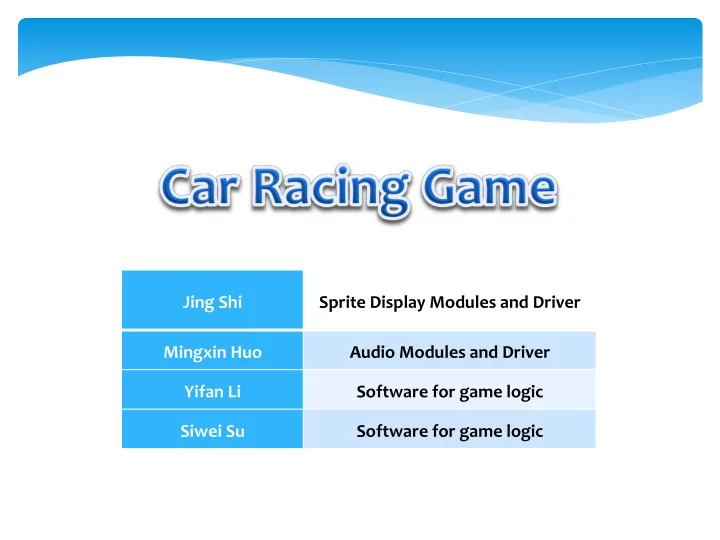
Jing ¡Shi Sprite ¡Display ¡Modules ¡and ¡Driver Mingxin ¡Huo Audio ¡Modules ¡and ¡Driver Yifan ¡Li Software ¡for ¡game ¡logic Siwei ¡Su Software ¡for ¡game ¡logic
slide-2
SLIDE 2
slide-3
SLIDE 3
slide-4
SLIDE 4
slide-5
SLIDE 5

Submodule: ¡ROM ¡ ¡ Parameter: ¡HEIGHT, ¡WIDTH ¡ ¡ Input: ¡hc, ¡vc, ¡clk, ¡(X, ¡Y) ¡ ¡ Output: ¡R, ¡G, ¡B, ¡Valid ¡ ¡ Signals: ¡ROM ¡address, ¡ ¡

  • Name

Function HEIGHT, ¡WIDTH Define ¡the ¡height ¡and ¡width ¡of ¡this ¡ Sprite ¡Picture hc, ¡vc Horizontal ¡Count ¡and ¡Vertical ¡ Count, ¡define ¡current ¡pixel ¡location (X, ¡Y) The ¡coordinate ¡of ¡the ¡Sprite, ¡ determines ¡where ¡to ¡put ¡the ¡Sprite R, ¡G, ¡B The ¡RGB ¡value ¡of ¡the ¡Sprite Valid Whether ¡the ¡VGA ¡scan ¡location ¡(hv, ¡ cv) ¡is ¡within ¡the ¡Sprite ¡region ROM ¡Address Calculate ¡the ¡address ¡of ¡current ¡ pixel ¡RGB ¡value ¡in ¡ROM

slide-6
SLIDE 6
slide-7
SLIDE 7
  • 1. How ¡to ¡debug ¡in ¡hardware ¡
  • 2. Need ¡to ¡handle ¡the ¡positive ¡or ¡negative ¡signed ¡of ¡

calculation ¡

  • 3. Top-­‑to-­‑Down ¡Design ¡Methodology ¡
  • 4. The ¡ importance ¡ of ¡ team ¡ work ¡ especially ¡ when ¡

design ¡the ¡interface ¡of ¡different ¡modules ¡(like ¡the ¡ input/output ¡ports, ¡and ¡timing), ¡otherwise ¡it ¡would ¡ become ¡a ¡nightmare ¡when ¡try ¡to ¡assemble ¡all ¡the ¡ modules

slide-8
SLIDE 8

Original acceleration sample data plot Reassembled acceleration sample data plot Modified acceleration unsigned integer type sample data (partial) plot

slide-9
SLIDE 9
slide-10
SLIDE 10

* Motivated ¡by ¡car ¡racing ¡video ¡games ¡ * Using ¡keyboard ¡to ¡control ¡your ¡car ¡and ¡trying ¡your ¡best ¡to ¡ get ¡first ¡place ¡in ¡the ¡game ¡ ¡ * Play ¡issues: ¡ ¡ ¡ ¡1. ¡Be ¡careful ¡not ¡to ¡hit ¡other ¡cars ¡and ¡road ¡margin, ¡otherwise ¡ you’ll ¡get ¡penalty ¡ ¡ ¡ ¡2. ¡Try ¡your ¡best ¡to ¡eat ¡more ¡coins ¡as ¡much ¡as ¡possible ¡to ¡get ¡ a ¡speedup ¡reward.

Overview

slide-11
SLIDE 11

Game ¡Logic ¡Flowchart

START Leftkey pressed Rightkey pressed Collision No Yes No Player’s car move left Player’s car position reset Speed slow down Collision Yes No Player’s car move right Yes Yes No Upkey pressed Yes No Initializing all game status Cars move Score >= 5 Yes Speed up No Hit coin Score ++ Yes No Cars’s distance within passing range Yes Yes Pass No Timer >= Set time End No Yes

slide-12
SLIDE 12

Movement ¡issues

) )) ( ) ( ( )) ( ) ( ( ) ( ) ( , )) ( ) ( ( )) ( ) ( ( ) ( ) ( ( ) , (

2 2 2 2

y B y A x B x A y B y A y B y A x B x A x B x A y x ab − + − − − + − − = ) )) ( ) ( ( )) ( ) ( ( ) ( ) ( , )) ( ) ( ( )) ( ) ( ( ) ( ) ( ( ) , (

2 2 2 2

y C y A x C x A y C y A y C y A x C x A x C x A y x ac − + − − − + − − =

  • By ¡ calculating ¡ vector ¡

AB ¡ and ¡ AC, ¡ we ¡ could ¡ easily ¡ control ¡ the ¡ location ¡and ¡movement ¡

  • f ¡trees ¡and ¡clouds.
slide-13
SLIDE 13

* ¡Three ¡variables ¡to ¡track ¡how ¡far ¡each ¡car ¡travelled: car1_dist ¡ (player), ¡car2_dist, ¡car3_dist ¡ * ¡ ¡car1_dist ¡=+ ¡car1_speed ¡ ¡ ¡ ¡ ¡ ¡car2_dist ¡=+ ¡car2_speed ¡ ¡ ¡ ¡ ¡ ¡car3_dist ¡=+ ¡car3_speed ¡ * ¡Compare ¡|car1_dist-­‑car2_dist| ¡and ¡|car1_dist-­‑car3_dist| ¡with ¡ a ¡set ¡passing ¡range ¡ * ¡If ¡within ¡passing ¡range, ¡there ¡could ¡be ¡a ¡pass ¡event ¡ * ¡If ¡the ¡player’s ¡car ¡is ¡falling ¡behind ¡and ¡speeding ¡up,it ¡will ¡ pass ¡the ¡opponent ¡car; ¡if ¡it ¡is ¡ahead ¡and ¡not ¡speeding ¡up, ¡it ¡ will ¡be ¡passed ¡by ¡the ¡opponent ¡car. ¡

Pass ¡Event

slide-14
SLIDE 14

* Unable ¡to ¡move ¡the ¡trees ¡with ¡road ¡ * Missing ¡libusb ¡ * Keyboard ¡function ¡not ¡working ¡in ¡main() ¡ * Unable ¡to ¡make ¡the ¡car ¡move ¡continuously ¡ * Unable ¡to ¡define ¡reasonable ¡pass ¡range ¡due ¡to ¡high ¡frame ¡ rate

Problems ¡Encountered

slide-15
SLIDE 15

* Set ¡two ¡vectors ¡that ¡are ¡controlled ¡by ¡one ¡point’s ¡coordinates ¡ * Move ¡everything ¡from ¡lab3 ¡to ¡lab2 ¡ * Create ¡a ¡thread ¡and ¡put ¡the ¡whole ¡keyboard ¡function ¡in ¡it ¡ * Change ¡timeout ¡variable ¡in ¡libusb_interrupt_transfer ¡ * Divide ¡the ¡distance ¡variables ¡by ¡an ¡integer

Solutions

slide-16
SLIDE 16

* Software ¡and ¡hardware ¡design ¡ * Time ¡management ¡ * Teamwork ¡ ¡ * Keyboard ¡control

Lessons ¡Learned