Javascript - - PowerPoint PPT Presentation

javascript
SMART_READER_LITE
LIVE PREVIEW

Javascript - - PowerPoint PPT Presentation

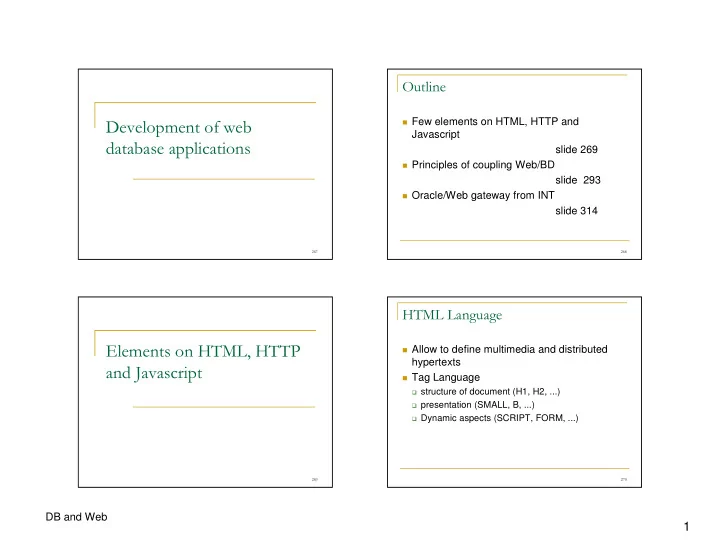
Few elements on HTML, HTTP and Javascript slide 269 Principles of coupling Web/BD slide 293


slide-1
SLIDE 1

1

DB and Web

  • Few elements on HTML, HTTP and

Javascript slide 269

Principles of coupling Web/BD

slide 293

Oracle/Web gateway from INT

slide 314

  • !"

#

$$

Allow to define multimedia and distributed

hypertexts

Tag Language

structure of document (H1, H2, ...) presentation (SMALL, B, ...) Dynamic aspects (SCRIPT, FORM, ...)

slide-2
SLIDE 2

2

DB and Web

%

& $

<html> <head><This is a test</title></head> <body bgcolor="white"> <h1>This is a test</h1> <hr/> This is a list:<p/> <ul> <li>element 1</li> <li>element 2</li> </ul> </body> </html>

  • '"()

a document can reference another one using

a tag A HREF linking to the the target document

<A HREF="toto.html"> points to the file called

toto.html (we can also used fuly qualified URL)

The linked document can be stored on a

remote computer

*

+,-

Uniform Resource Locator UNIQUE and UNIVERSAL address for a file Protocol://web-server/path-to-the-file

http://www-inf.int-evry.fr/~defude/index.html

ask using http to a server called www-inf.int-evry.fr a file located on the root repository of user defude and called index.html

ftp://ftp.int-evry.fr

.

HTML forms

A form allows interactions between client and

server

A form is composed by:

Input area with buttons, choice lists, .. An action attribute specifying the URL of an

executable program on the server

a method attribute defining the transfer mode for

data from the form to the program

slide-3
SLIDE 3

3

DB and Web

/

0,$

<form name="f1" action="http://www-inf.int-evry.fr/prog.cgi" method="get" target="resultat"> ... </form> Form name url of the CGI program invocation mode for CGI

  • ptional name of the

Target window

  • 1- +$

a form includes a set of input variables

defined using INPUT tags <input

type="hidden" or "submit" name="name" value="10"

>

  • ptional

variable name default value

  • 1- +&

<input type="hidden" name="title"

value="Scarface">

attribute called title defined as hidden

<input name="number" value="10">

attribute called number which will be displayed

<input type="submit" value="run">

Button called run allowing to launch CGI

  • 0" &

<html><body> <form name="f1" action="http://www-inf.int-evry.fr/prog.cgi" method="get" target="result"> Give a value for att1 : <input name="att1" value="0"> <input type="hidden" name="att2" value=""> <input type="submit" value="run"> </form> </body></html>

slide-4
SLIDE 4

4

DB and Web

  • !"

Script Language having juste name in common

with Java!

Allow to integrate code inside an HTML page

which will be processed by the browser (if the browser is able to do it or is configure to do it)

Language includes classical statements from

programming languages (variables, conditions, iterations, functions and procedures, ...)

Some restrictions for security reasons (e.g no

access to the local file system)

#

!" & 2%3

<html><head><title>QBE QUERY FOR A TABLE</title></head> <body bgcolor='#ddddfa'><hr> <script language="Javascript"> function modif(attribut){ var i; var temp; temp=""; i=0; if (attribut=="") { return(""); } if (attribut.charAt(0)!='=' &&attribut.charAt(0)!='<' && attribut.charAt(0)!='>' && attribut.charAt(0)!='!'){ attribut='=' + attribut; } while (attribut.charAt(i)=='=' || attribut.charAt(i)=='<' || attribut.charAt(i) == '>' || attribut.charAt(i) == '!') { temp=temp+attribut.charAt(i); i=i+1; } if (attribut.charAt(i)!="'") { temp=temp+"'";} while (i < attribut.length ){ temp=temp+attribut.charAt(i); i=i+1; } if (attribut.charAt(i-1)!="'") { temp=temp+"'" }; return(temp); } %

!" & 23

function check(form){ var nb; nb=0; form.where.value=" where "; if (form.NUM.value!=""){ if (nb==0) { form.where.value+="NUM"+modif(form.NUM.value); else{ form.where.value+=" and "+"NUM"+modif(form.NUM.value); } nb=nb+1; } if (nb==0) { form.where.value=""; } } </script>

  • !" & 2*3

<FORM action="http://www-inf/cgi-bin/bd/prive/multi2.cgi" target="resultat" method="GET" name="fqbe"> <input type="hidden" name="uid" value="citcom/citcom@TANNA"> <input type="hidden" name="mode" value="NOR"> <input type="hidden" name="temp" value="select * from VINS"> <input type="hidden" name="sqlstatement« value=""> <input type="hidden" name="where" value=""> <table border> <caption align="top"><b>QBE LIKE QUERY FOR A TABLE</b></caption> <tr><td>NUM</td></tr> <tr><td><input name="NUM" size="26"></td></tr> </table> <input type="button" value=« query"

  • nClick="check(fqbe);

fqbe.sqlstatement.value = fqbe.temp.value+fqbe.where.value; fqbe.submit();"> <input type="reset" value="erase"> </form> </body></html>

slide-5
SLIDE 5

5

DB and Web

*

WWW – Basic Architecture

W3 Client W3 Server HTML page HTTP HTML pages File system

each page has a URL

.

WWW - W3 client

Software for hypertext navigation: browser

interpret and display HTML text Display flat text without interprétation visualise fix images gif, jpeg and x-bitmap

Can be extended by plug-in or external visualisers

for specific formats

sound, animated image, Postcript, ..

/

WWW - W3 server

Functions

manage connections from W3 clients Ensures protection of static documents (HTML,

images, ..)

Checks query validity and access rights for clients Run client queries

Send back a static document Run an external program

  • WWW - HTTP protocol

HTTP is a simple protocole (GET, EXEC, HEAD,

...)

HTTP is a protocol without session

new version HTTP 1.1 allow to maintain a persistent

connection

HTTP is a protocole with a low level of security

evolution with S-HTTP (Secure) or SSL (Secure

Socket Layer)
slide-6
SLIDE 6

6

DB and Web

  • WWW – document Storage

File system from the server File tree

By default, from the W3 server with a root directory

configured by the administrator

From a user account from the root directory

~/public_html

A file within the W3 storage space has to be in

read mode for all users

  • WWW - document Protection

Standard protections from the file system Specific protections from the Web to access a

document (.htaccess)

access with a user name and a password access from a IP domain access from a specific computer

  • WWW - Extended Architecture

HTTP CGI dedicated protocol

W3 client W3 server CGI script external appli W3 form W3 page File system DB or File system HTML Pages static HTML Pages dynamic

#

451 "$"

CGI Interface defines the way data are send

from the client to the CGI prog. and back

A CGI prog. receives one single argument as

a large string

This string can be splitted in a set of attribute-

value couples

Two invocation modes GET and POST

slide-7
SLIDE 7

7

DB and Web

%

451 "$" 23

CGI Program has to decode the input string

to extract parameters

Send its result back using its standard output

after declaration of the output type (content- type: text/html for example)

Possible Languages: Perl often, but any is

possible

  • 451& 6 "

#!/usr/bin/perl -w use CGI qw (:standard); $ior = param('IOR'); print header; print "<HTML><HEAD>\n"; print "<TITLE>R&eacute;sultat d&eacute;codage IOR</TITLE></HEAD>\n"; print "<H4>IOR d&eacute;cod&eacute;</I></H4><BR>"; print "<HR WIDTH=80%><BR>\n";

  • pen(FILE, "-|") || exec "/inf/QOS_CORBA/Olivier/bin/iordump", "-f", $ior;

while ($LIG=<FILE>) { print "$LIG<br>\n"; } print "<HR WIDTH=80%><BR>\n"; close(FILE); print "</BODY>\n"; print "</HTML>\n";

*

Coupling Web and DBMS

Gateways Principles Java approach (applets, servlets, JSP) Server-side scripting (PHP)

.

76' $ 89

Web is a kind of DB but

Without schema Without query language Without transactions, recovery, … Without powerful authorisation mechanism

DBs store huge amount of data which are

interesting to publish on the web

slide-8
SLIDE 8

8

DB and Web

/

:$

Transform DBs into sets of static web pages

Simple Redundency, problem of consistency Disadvantages of web

Need to generate dynamic web pages

constructed with DB content

  • 5' "

Single-request gateways Multiple-request gateways (transactional)

  • (1) translate HTTP request (mapping

environment variables to SQL statements)

(2) process SQL queries on the DBMS (3) encode SQL results as HTML pages

  • " :;<"

Program written using a DBMS API

DBMS-dependent approach (embedded SQL) DBMS-independent approach (ODBC, JDBC or

DBI for Perl)

Programming languages used

classical : C, C++, Ada, … if embedded SQL Scripting language : Perl (with DBI)

slide-9
SLIDE 9

9

DB and Web

  • $

Generic solution (can be automated):

select : HTML table

  • ther query : string

Specific solution: a specific program for each

query

Within the gateway (one gateway / query !) Within the DBMS (one stored procedure / query)

Intermediate solution:

encoding can be parametrized (update form,

hypertext navigation within the DB ,…)

*##

8 263

Browser (client) HTTP server DBMS url Html result CGI Gateway query string SQL data HTML

*#%

  • <html><body>

<form name="f1" action="http://mica/multi2.cgi" method="get"> <input type="hidden" name="uid" value="citcom/citcom@MICA"> <input type="hidden" name="sqlstatement" value="select * from students where sname="> Give a name : <input name="sname" value=""> <p> <input type="submit" value="run"> </form> </body></html>

*#

8 2( "3

Browser (client) HTTP server DBMS url Html result gateway query string SQL data HTML

slide-10
SLIDE 10

10

DB and Web

*#*

<html><body> <form name="f1" action="http://mica/multi2.cgi" method="get"> <input type="hidden" name="uid" value="citcom/citcom@MICA"> <input type="hidden" name="sqlstatement" value="select * from students where sname="> Give a name : <input name="sname" value=""> <p> <input type="button" value="go"

  • nClick="f1.sqlstatement.value+=f1.sname.value;

f1.submit();"> </form> </body></html>

*#.

8 26 63

Browser (client) + java, TCL program (applet, tclet …) DBMS Specific protocol Specific protocol: JDBC, IIOP (CORBA)

*#/

(1) (2) (3) Simple HTML Client-side script without http Specific CGI DBMS DBMS DBMS gateway or DBMS gateway or DBMS client client

*#

="

DBMS-dependent or independent (native or

ODBC)

Supported query language (SQL or subset,

static vs dynamic)

HTML encoding (generic or specific) efficiency

slide-11
SLIDE 11

11

DB and Web

*#

:"$ $$ 2""(3

Offer a programming language integrated to the web

(ability to have calls from a web page, associated to a HTTP server)

run-time of the language offers session support (and

consequently of transactions)

PHP, servlet - JSP, ASP, XSP (Cocoon) see PHP for more details

*#

  • pensource solution for active server pages

An active page is a server-side script

(generalises CGI and ISAPI)

Supported by an interpretor linked to the

HTTP server

DB interface using a specific API or an

abstract layer

*#

" "" $

Client Server Browser HTTP Decoding Page query Active page PHP PHP Interpretor DB dynamic Page Add HTTP envelop HTTP Encoding

*%#

5" >"6"

Internet HTTP Server PHP Interpreter DBMS API DBMS actives Pages (PHP files) SSinclude

slide-12
SLIDE 12

12

DB and Web

*%%

:"" $

<HTML> <HEAD> … </HEAD> <BODY> <?php …………….. ?> <SCRIPT LANGUAGE=Javascript> … </SCRIPT> <!--#Include … --> <TABLE> … </TABLE> </BODY> </HTML>

Simple HTML Sections Server-side Script Client-side Script SSI (script or HTML in external file) Simple HTML

*%

7"$"$

Client Server

variables Cookies $_COOKIES Forms $_GET, $_POST Environment $_ENV ServerVariables $_SERVER ClientCertificate variables Cookies variables SESSION

*%*

& " $

<?php echo "<h1 align=center>My first PHP program to process forms </h1>"; echo "<br><br><ul>"; echo "<li>Name = ".$_POST["Name"]; echo "<li>First name = ".$_POST["FName"]; echo "<li>City = ".$_POST["City"]; echo "<li>Country = ".$_POST["Countryepartement"]; echo "</ul>"; ?> <br><br>see <a href="display.txt">source</a>

*%.

& 8

<?php include('init-ado.php'); $connection = &ADONewConnection('mysql'); $connection->Connect (dbnode, dbuser, dbpasswd, dbinstance); $reqsql=$_GET[‘reqsql’]; $rs=$connection->Execute($reqsql); if ($rs == false) die("failed"); print '<p>Number of tuples = '.$rs->RecordCount(); print '<p><table border=1><tr>'; for ($i=0; $i<$rs->FieldCount(); $i++) { $ff = $rs->FetchField($i); print '<td>'.$ff->name. '</td>'; } print '</tr>'; while ($arr = $rs->FetchRow()) { print '<tr>'; for ($i=0; $i<$rs->FieldCount(); $i++) { print '<td>'.$arr[$i].'</td>'; } print '</tr>'; } print '</table>'; ?>

slide-13
SLIDE 13

13

DB and Web

*%/

4& $6

URL rewriting sessions Variables Cookies Persistent Connections

*%

78 "$

  • Oracle/Web Gateway from INT

*%

"?75'

Gateway designed and developed at INT Very simple to use Specific to Oracle (CGI written in Pro*C) « Generic » for result presentation

All the work is done on client side (just predefined

variables to set in the client form)

No work to do on server side limited personalisation

*%

5' "

A generic CGI program already exists this CGI is parameterised by predefined variables

(have to be declared and consistently set in forms launching the CGI)

Program an application = write forms setting

consistently predefined variables

slide-14
SLIDE 14

14

DB and Web

*%

5'"

Launched by a form Decode predefined variables to construct

SQL program

Process the SQL program (at least one

statement) on top of Oracle

Format the result in HTML before sending

back (as HTML tables or new forms, …)

*#

5' "$"$

Write HTML forms with predefined variables :

mandatory : uid (Oracle string connection), mode (NOR is the simplest one), sqlstatement (SQL statement(s) to process, may be

empty)

Optionnals : title for example Constraints between variables (a variable can not be used

without another one)

*%

Example

<html><body> <h1>INSERT INTO WINE</h1> <form name=‘f1’ action=‘http://www-inf/execsql.cgi’ mode=‘get’>

<input type=‘hidden’ name=‘uid ’ value=‘toto/titi@MICA’> <input type=‘hidden’ name=‘mode’ value=‘NOR’> NUMBER=<input name=‘vnum’ value=’’><p/> NAME=<input name=’vcru’ value=‘’><p/> YEAR=<input name=‘vannee’ value=‘’><p/> DEGREE=<input name=‘vdegre’ value=‘’><p/> <input type=‘hidden’ name=‘sqlstatement’ value=‘insert into wine values (’> <input type=‘button’ value=‘insert into WINE’

  • nClick=‘f1.sqlstatement.value+=f1.vnum.value+’,’+f1.vname.value+’,’+

f1.vyear.value+’,’+f1.vdegree.value+’)’; f1.submit();’>

</form> </body></html>

*

  • NORmal : HTML table

INSertion : insertion form MAJ : update form SUPpression : delete form QBE : QBE like form HYPertexte : allow an hypertextual navigation

through foreign keys

slide-15
SLIDE 15

15

DB and Web

**

&

<html><body> <h1>GENERATION OF AN INSERTION FORM INTO WINE TABLE</h1> <form name=‘f1’ action=‘http://cgi’ mode=‘get’>

<input type=‘hidden’ name=‘uid ’ value=‘toto/titi@TANNA’> <input type=‘hidden’ name=‘mode’ value=‘INS’> <input type=‘hidden’ name=‘table’ value=‘WINE’> <input type=‘hidden’ name=‘sqlstatement’ value=‘’> <input type=‘button’ value=‘insert into WINE’ onClick=‘f1.submit();’> <P></P>

</form> </body></html>

*.

4 &

<html><body> <h1>Generic Interaction with Oracle Gateway</h1> <form name=‘f1’ action=‘http://www-inf/execsql.cgi’ mode=‘get’>

UID=<input name=‘uid ’ value=‘toto/titi@TANNA’><p/> MODE=<input name=‘mode’ value=‘INS’><p/> SQLSTATEMENT=<input name=‘sqlstatement’ value=‘’><p/> TABLE=<input name=‘table’ value=‘VINS’><p/> <input type=‘button’ value=‘run’ onClick=‘f1.submit();’> <P/>

</form> </body></html>

*/

:""+,

Storage of urls in the DB (for example links

  • n images files)

Gateway has to process urls (represented by

strings) differently

attribute name for storing URLs have a fixed

prefix (URL_ or IMG_)

*

>5""

generator XML Source Application Description HTML Forms to personalise

slide-16
SLIDE 16

16

DB and Web

*

& "@"

<?xml version=« 1.0 »?> <appli> <entete> <uid>titi/toto@MICA</uid> <titre>My App</titre> </entete> <liste_form> <formulaire> <nom_table>STUDENT</nom_table> <mode> <mode_ins></mode_ins> </mode> </formulaire> <formulaire> <nom_table>PROJECT</nom_table> <mode> <mode_qbe></mode_qbe> </mode> </formulaire> </liste_form> </appli>