Java I/O For the next couple of classes we will be Java I/O - - PDF document

java i o
SMART_READER_LITE
LIVE PREVIEW

Java I/O For the next couple of classes we will be Java I/O - - PDF document

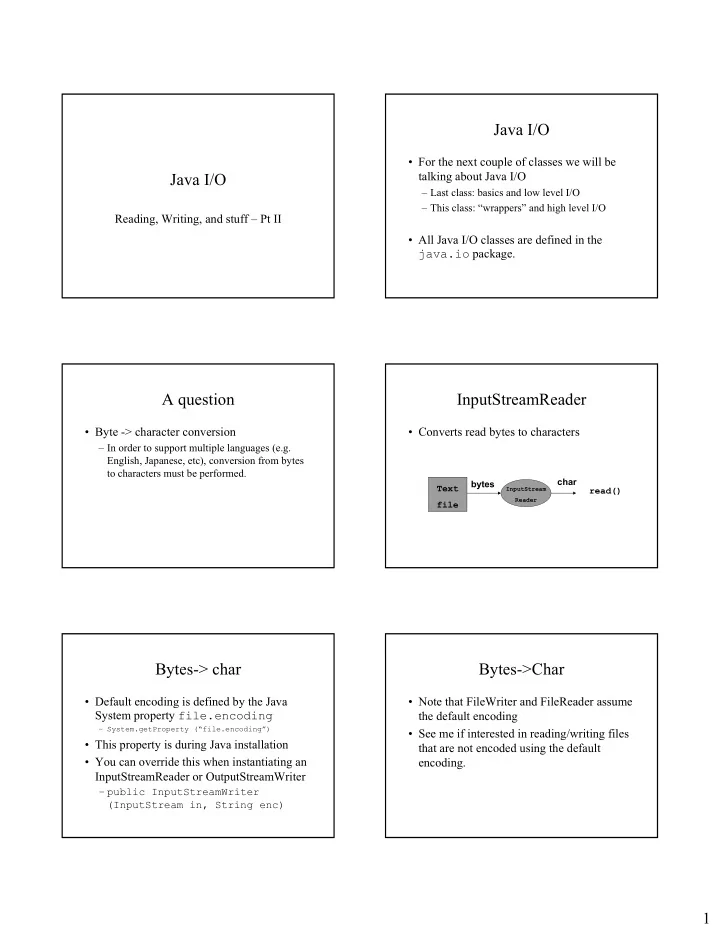
Java I/O For the next couple of classes we will be Java I/O talking about Java I/O Last class: basics and low level I/O This class: wrappers and high level I/O Reading, Writing, and stuff Pt II All Java I/O classes


slide-1
SLIDE 1

1

Java I/O

Reading, Writing, and stuff – Pt II

Java I/O

  • For the next couple of classes we will be

talking about Java I/O

– Last class: basics and low level I/O – This class: “wrappers” and high level I/O

  • All Java I/O classes are defined in the

java.io package.

A question

  • Byte -> character conversion

– In order to support multiple languages (e.g. English, Japanese, etc), conversion from bytes to characters must be performed.

InputStreamReader

  • Converts read bytes to characters

Text file bytes

InputStream Reader

char read()

Bytes-> char

  • Default encoding is defined by the Java

System property file.encoding

– System.getProperty (“file.encoding”)

  • This property is during Java installation
  • You can override this when instantiating an

InputStreamReader or OutputStreamWriter

– public InputStreamWriter (InputStream in, String enc)

Bytes->Char

  • Note that FileWriter and FileReader assume

the default encoding

  • See me if interested in reading/writing files

that are not encoded using the default encoding.

slide-2
SLIDE 2

2

Questions

  • Any other questions from last class?

Java I/O

  • Low level vs high level

– Low level: can only read/write a character or byte at a time – High level: can read/write strings that represent different data types

  • Ex. read/write an int, float,

Streams

  • Basic low level mechanism for I/O in Java

is the stream

Streams

  • Reading from a stream

– Open a stream – While more info

  • Read data

– Close the stream

  • Writing to a stream

– Open a stream – While more info

  • Write data

– Close the stream

Data and Streams

  • Types of data that can be read from/written to

streams

– Bytes (8-bits / bytes)

  • Raw data

– Characters (16-bits / bytes)

  • Text data
  • Basic stream operations

– Read – Write

The 4 base Java I/O classes

READ WRITE CHAR BYTE Each of these are abstract classes Reader Writer InputStream OutputStream

slide-3
SLIDE 3

3

Wrapper classes

  • A class that takes a base class or data item

and provides additional methods to manipulate it.

  • The new class is said to act as a wrapper for

the base class or data item.

Wrapper classes

  • public class myWrapper {

public myWrapper (WrappedClass C) // additional methods for manipulating // objects of type Wrapped Class }

Class being wrapped

Wrapper classes

  • Float, Integer, Double, and

Long

– Are wrapper classes for the basic datatypes of float, int, double, and long. – Float F = new Float (5.4f); int i = F.intValue(); System.out.println (F.toString())

Wrapper classes and I/O classes

  • Many subclasses of the 4 base java.io

classes are wrapper classes:

– Add additional functionality – Convert from one format to another – Filter the data coming in or going out

  • These wrapper subclasses wrap the base

java.io classes.

Wrapper classes and I/O classes

  • Classes wrap both extend base classes and wrap

them.

public class PrintWriter extends Writer{ public PrintWriter (Writer W) { … } }

I/O Wrapper classes

  • Added functionality

– Buffering – Data Conversion – counting (I.e. line numbering) – Pushback

slide-4
SLIDE 4

4

Why not use inheritance?

  • Wrapper classes do not define a strict class

hierarchy.

  • Can use many wrappers dependent on what

extra functionality you may need.

InputStream Wrappers InputStream Wrappers

  • BufferedInputStream

– Buffers input as it reads. – Designed for efficiency

  • DataInputStream

– Allows binary data to be interpreted a basic data type.

  • PushbackInputStream

– Allows one to pushback (or unread) a byte after it’s been read.

A look at DataInputStream

  • public DataInputStream extends

InputStream{

  • public DataInputStream (InputStream in)
  • boolean readBoolean()throws IOException
  • int readInt() throws IOException
  • float readFloat() throws IOException
  • double readDouble() throws IOException
  • short readShort() throws IOException
  • char readChar() throws IOException

Creating wrapped streams

try { // Binary data coming from a file InputStream in = new FileInputStream(“filename”); // Buffer the data for effiency BufferedInputStream bin = new BufferedInputStream (in); // Add “read-by-type” functionality DataInputStream din = new DataInputStream(bin); // read data by type double d = din.getDouble(); int i = din.getInt(); } catch (IOException E) { ... }

OutputStream Wrappers

slide-5
SLIDE 5

5

OutputStream Wrappers

  • BufferedOutputStream

– Buffers output as it writes. – Designed for efficiency

  • DataOutputStream

– Allows basic data types to be written to the stream

  • PrintStream

– Allows character representation of basic data types to be written to the stream.

A look at DataOutputStream

  • public DataOutputStream extends OutputStream{
  • public DataOutputStream (OutputStream out)
  • void writeBoolean(boolean b)throws IOException
  • void writeInt(int i) throws IOException
  • void writeFloat(float f) throws IOException
  • void writeDouble(double d) throws IOException
  • void writeShort(short s) throws IOException
  • void writeChar(char c) throws IOException

A look at PrintOutputStream

  • public PrintWriter extends OutputStream{
  • void print (boolean b)
  • void print (int i)
  • void print (float f)
  • void print (char c)
  • void print (char[] c)
  • void print (double d)
  • void print (String S)
  • void print (Object O)
  • void print (long l)

A look at PrintOutputStream

void println (boolean b) void println (int i) void println (float f) void println (char c) void println (char[] c) void println (double d) void println (String S) void println (Object O) void println (long l)

Reader Wrappers Reader Wrappers

  • BufferedReader

– Buffers input as it reads. – Designed for efficiency

  • LineNumberReader

– Keeps track of number of lines read – Allows you to read text a line at a time

  • PushbackReader

– Allows one to pushback (or unread) a character after it’s been read.

slide-6
SLIDE 6

6

Reader Wrappers

  • Why there isn’t a DataReader?

– Actually, I don’t know…a DataReader would be nice – However, you can always convert text to a basic data type by using valueOf methods:

  • float Float.valueOf (String S)
  • int Integer.valueOf (String S)
  • double Double.valueOf (String S)
  • boolean Boolean.valueOf (String S)

Writer Wrappers Writer Wrappers

  • BufferedWriter

– Buffers output as it writes. – Designed for efficiency

  • PrintWriter

– Allows character representation of basic data types to be written to the stream.

  • Why is there no DataWriter?

PrintWriter - constructors

  • public PrintWriter(Writer out)
  • public PrintWriter(OutputStream out)

– Supplied for convenience – Includes a OutputStreamWriter to convert text data to binary

A look at PrintWriter

  • public PrintWriter extends Writer{
  • void print (boolean b)
  • void print (int i)
  • void print (float f)
  • void print (char c)
  • void print (char[] c)
  • void print (double d)
  • void print (String S)
  • void print (Object O)
  • void print (long l)

A look at PrintWriter

void println (boolean b) void println (int i) void println (float f) void println (char c) void println (char[] c) void println (double d) void println (String S) void println (Object O) void println (long l)

slide-7
SLIDE 7

7

Mixing low level I/O with high level I/O

  • Since PrintWriter extends as well as wraps Writer,

you can use it to do both low and high level I/O:

try { PrintWriter P = new PrintWriter (new FileWriter (“filename”)); int i = 7; char c = ‘a’; P.println (i); P.write (c); } catch (IOException E) { … }

Standard in, out, error

  • System.in

– Defined as a static InputStream – Standard input stream

  • System.out

– Defined as a static PrintStream – Standard output stream

  • System.err

– Defined as a static PrintStream – Standard error stream

Reading lines of text from System.in

// System.in is an InputStream, we want // read characters, not bytes InputStreamReader ir = new InputStreamReader (System.in); // We’ll need the ability to read text // lines at a time BufferedReader br = new BufferedReader (ir); // Now we can read lines of text String curline = br.readLine();

Summary

  • Wrapper classes
  • Uses for wrapper classes

– High level data I/O

  • Wrappers available for Reader, Writer,

InputStream, OutputStream

  • System.in, System.out, System.err

Something to think about for next time

/** * A test program for the Payroll Class */ static public void main (String args[]) { // Create a payroll Payroll pay = new Payroll(); // Create some actors, define the number of // performances for each then add them to the payroll Actor A = new Actor ("Nathan Lane"); A.perform (8); pay.addPerformer (A); ... // Calculate and print out the total weekly pay System.out.println ("The total weekly pay for this week is " + pay.calculateTotalPay()); }

Something to think about for next time

  • Change the Payroll app testing function so

that Performers are read in from a text file

  • r from standard input:

– Format of input (1 line for each):

  • Name
  • Type (A for actor, G for Guitarist, D for Drummer)
  • # of performance
slide-8
SLIDE 8

8

Something to think about for next time

  • Usage:

– java Payroll

  • will take input from standard in

– Java Payroll infile

  • Will take input from input file infile

Questions?