Introduction to Cataloging Kentucky Department for Libraries and - - PowerPoint PPT Presentation

introduction to cataloging
SMART_READER_LITE
LIVE PREVIEW

Introduction to Cataloging Kentucky Department for Libraries and - - PowerPoint PPT Presentation

Introduction to Cataloging Kentucky Department for Libraries and Archives April 2019 Why do we catalog? What do you have? Where do I find it? What is a catalog? History of Cataloging Rules Worldwide perspective Shared cataloging


slide-1
SLIDE 1

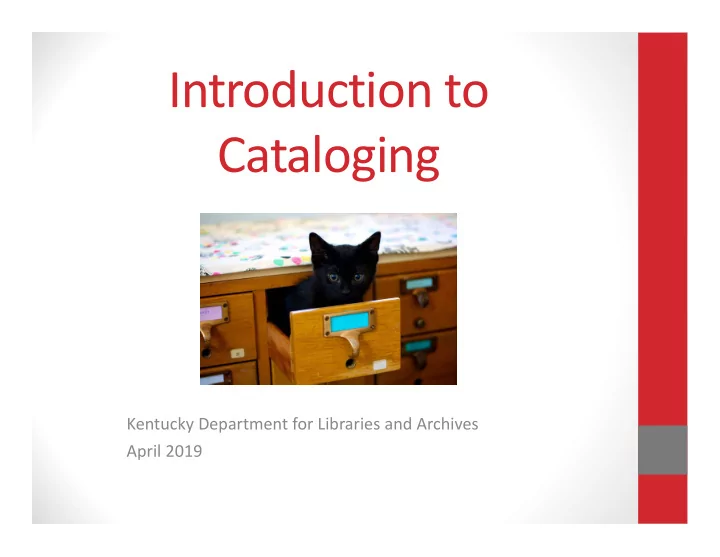
Introduction to Cataloging

Kentucky Department for Libraries and Archives April 2019
slide-2
SLIDE 2

Why do we catalog?

What do you have? Where do I find it?

slide-3
SLIDE 3

What is a catalog?

slide-4
SLIDE 4

History of Cataloging Rules

  • Worldwide perspective
  • Shared cataloging
  • Standardized searching by author, title, or

subject.

CONSISTENCY & SHARED EFFORT

slide-5
SLIDE 5

Cataloging Rules

slide-6
SLIDE 6

AACR2

  • From print  Digital, non‐print
slide-7
SLIDE 7

RDA

  • Resource Description & Access
  • Published in 2010
  • Implemented by LC in 2013
  • Online resource: RDA Toolkit
slide-8
SLIDE 8

Bob the Book

slide-9
SLIDE 9

Original vs. Copy Cataloging

  • Original:
  • Creating new record from scratch
  • Copy:
  • Reviewing existing record; make sure it

matches what you have in hand

slide-10
SLIDE 10
  • Online Computer Library Center
  • Global library cooperative
  • Requires membership ($$$)
  • WorldCat
  • Download records into your system
  • 434 million+ records
slide-11
SLIDE 11
  • Download their records for free
  • 17 million+ records
  • OCLC vs. LC
slide-12
SLIDE 12

Other Sources for Catalog Records

  • Vendors
  • Z39.50 sites
  • Free on the Internet
  • Includes Library of Congress
  • https://www.loc.gov/z3950/gateway.html
  • Search and retrieve records from other libraries
slide-13
SLIDE 13

Description

slide-14
SLIDE 14

Description

  • Abbreviations
  • Capitalization
  • Punctuation
  • Language
  • Transcription
  • Preferred Source of Information
  • Title page for a book
slide-15
SLIDE 15

Description

  • Title and Statement of Responsibility
  • What’s the name of the item?
  • Who wrote it?
  • Editions
  • What edition? 1st edition? Revised edition?
slide-16
SLIDE 16

Description

  • Publication Information
  • Where was it published?
  • Who published it?
  • When was it published?
  • Physical Description
  • How many pages long?
  • Are there illustrations?
  • What size is the item?
slide-17
SLIDE 17

Description

  • Series
  • Is this part of a series?
  • Notes
  • Summaries, contents, audience level,

language information, series, library specific information, etc.

  • Standard Numbers
  • ISBN (International Standard Book Number)
slide-18
SLIDE 18

Access

slide-19
SLIDE 19

Access Points

  • Helps to retrieve catalog record
  • Types of access points
  • Names of people
  • Names of corporate bodies
  • Titles
  • Name‐Title combinations
  • Access = Naming things
slide-20
SLIDE 20

Authority Control

slide-21
SLIDE 21

Authority Control = Access

  • Consistent forms of terms
  • Names, subjects, titles, etc.
  • Why? Disambiguation
  • How? Creating a single, authorized form
  • Authorized Access Point
slide-22
SLIDE 22
  • 1. Why is Authority Control Important?
  • Bring together all versions of name!!!
slide-23
SLIDE 23

Stephen King 1931-2006 Stephen King 1947- Stephen King 1962- Stephen King Stephen A. King 1964-

Collocation

  • 2. Why is Authority Control Important?
  • Help to distinguish between two or more entities

with the same name

slide-24
SLIDE 24

Authority Control

  • Main file at LC
  • http://authorities.loc.gov/
  • Can have local headings too
slide-25
SLIDE 25

Subject Headings

  • Controlled vocabulary
  • Opposite is keyword – natural language
  • What something is about
  • Controlled vocabulary
  • Fewer changes in terminology
  • Fewer searches necessary and larger results than

natural language

slide-26
SLIDE 26

Controlled Vocabulary vs. Natural Language

Refuse and refuse disposal Garbage Rubbish Trash

slide-27
SLIDE 27

Subject Cataloging

  • Find items on multiple topics
  • Agrarian Kentucky by Thomas D. Clark
  • Agriculture – Kentucky – History.
  • Kentucky – History – 1792‐1865.
  • Kentucky – History – 1865‐ .
slide-28
SLIDE 28

Subject Cataloging

slide-29
SLIDE 29

Subject Cataloging

  • LCSH
  • Sears
  • BISAC
  • Consistency is key
slide-30
SLIDE 30

Genre/Form Headings

  • Subject Heading = What something is about
  • Genre/Form Heading = What something is
  • Genre – works sharing similar plots/settings
  • Mystery, romance, etc.
  • Form – works sharing similar format/purpose
  • Large type books, graphic novels, etc.
slide-31
SLIDE 31

Genre/Form Headings

  • LCGFT ‐ Library of Congress Genre/Form Terms
  • GSAFD ‐ Guidelines on Subject Access to Individual

Works of Fiction, Drama, etc.

slide-32
SLIDE 32

Bob’s Access Points

Name Access

  • Bogart, Charles H.

Subject Access

  • Louisville and Nashville Railroad Company – History – Pictorial works.
  • Railroads – Southern States – History – Pictorial works.
slide-33
SLIDE 33

Classification

slide-34
SLIDE 34

Classification

  • How to find items in library
  • Grouping similar items or items on similar topic

together

  • Call number
  • Alpha, Numerical or Alphanumerical combo
  • FIC = this item is fiction
  • 636.8 = this item is about cats
  • LCC = Library of Congress Classification

DDC = Dewey Decimal Classification

slide-35
SLIDE 35

Classification

000 Computer science, information & general works 100 Philosophy & psychology 200 Religion 300 Social sciences 400 Language 500 Science 600 Technology 700 Arts & recreation 800 Literature 900 History & geography

385.0976

slide-36
SLIDE 36

Bob’s Classification Number

385 = Railroad transportation

.09 = History, geographic treatment, biography ‐‐ 76 = South central United States (Kentucky, Tennessee, etc.)

385.0976

slide-37
SLIDE 37

Cutter

  • Use to differentiate books with same call number
  • Author or title
  • date of publication
  • Dewey Cutter Program – OCLC
  • Bogart = B6743
  • Bob’s number = 385.0976 B6743
  • Can use 1st 3‐4 letters of author’s last name
  • Easier for browsing, not as good for organizing.
slide-38
SLIDE 38

To Dewey or Not to Dewey

  • Fiction, Biography, and Graphic Novels
  • Fiction = F or FIC, MYS, ROM
  • FIC Kidd
  • MYS Graf
  • Biography = B or BIO
  • B Linc
  • BIO Monr
  • Graphic Novels = GN
  • GN Batm
  • GN Aven
slide-39
SLIDE 39

Bob’s Call Number

385.0976 Boga

slide-40
SLIDE 40

What About Bob?

Description Access Points Call Number

What do we do with Bob’s Information?

slide-41
SLIDE 41
slide-42
SLIDE 42

MARC Records

  • MARC – MAchine Readable Cataloging
  • It’s how computers find library materials.
  • It’s not a cataloging standard.
  • Encoding standard
  • It’s what we see on the backside.
slide-43
SLIDE 43
slide-44
SLIDE 44
slide-45
SLIDE 45

Into the future…

  • Replacement for MARC
  • Library data stuck in silos (library catalogs)
  • What is linked data?!
  • Data that’s linked through relationships
  • Accessible by web tools
  • BIBFRAME
  • Bibliographic Framework
  • https://www.loc.gov/bibframe/
slide-46
SLIDE 46

Bob is ready to go!

slide-47
SLIDE 47

WHY CATALOGING IS

slide-48
SLIDE 48

Why is Cataloging Important?

Cataloging records unlock your collection…

  • What do you have?
  • Where do I find it?
slide-49
SLIDE 49

Importance of “Good” Catalog Records

  • Your catalog is only as good

as the records you put in it

  • Library systems can’t make

up for “bad” records. Garbage in Garbage out

slide-50
SLIDE 50

“Good” Catalog Records

Include:

  • Authors
  • Titles
  • Editions
  • Publication Information
  • Dates
  • Format (or physical description)
  • Subjects
  • Summaries
slide-51
SLIDE 51

Searching in the Catalog

  • Coding of information affects public catalog

displays and searching

  • Searchable Indexes
  • Authors/Names
  • Titles
  • Subjects
  • Keywords
slide-52
SLIDE 52

The Patron View

slide-53
SLIDE 53

The Patron View

slide-54
SLIDE 54

HOW THE CATALOG CAN HELP YOU!

slide-55
SLIDE 55

Reference

  • Understanding how the catalog works helps you

to serve your patrons

  • Subject headings pull together resources with

same topics

slide-56
SLIDE 56

Readers’ or Viewers’ Advisory

“I want to watch a movie about World War II, can you suggest one?” Subject Headings !! Filters and Facets!!!

slide-57
SLIDE 57

Getting the Right Version!

“I want the version of King Kong from 1933, not the one from 2005.” Notes!

slide-58
SLIDE 58

Getting the Right Format!

“I want the DVD of that movie, not the Blu‐Ray version.” Physical description!! Coding!!

slide-59
SLIDE 59

Collection Management

  • Answers question: what do you have?
  • Having a full description of the item helps:
  • To identify the item for an inventory
  • To identify the item if you need to charge for

replacement costs.

  • Having an accurate inventory is good fiscal

management!

slide-60
SLIDE 60

“With Great Power…..”

Use your cataloging powers wisely!!

slide-61
SLIDE 61

Cataloging Resources

  • Weihs, Jean and Sheila S. Intner. Beginning Cataloging. 2nd ed.

Libraries Unlimited, 2017. Kelsey, Marie. Cataloging for School Librarians. 2nd ed. Rowman & Littlefield. 2018. Shaw, Marie Keen. Cataloging Library Resoures. Rowman &

  • Littlefield. 2017.

Hart, Amy. The RDA Primer: A Guide for the Occasional

  • Cataloger. Linworth, 2010.
  • Kaplan, Allison G. Crash Course in Cataloging for Non‐

Catalogers: A Casual Conversation on Organizing Information. Libraries Unlimited, 2009. Available in Kentucky Libraries Unbound.

slide-62
SLIDE 62

Thank you to the Institute of Museum and Library Services (IMLS) for sponsorship of this webinar.

slide-63
SLIDE 63

Thank you for attending!

Cathy Crum Cataloger 502‐564‐8373 Cathy.Crum@ky.gov

  • CE Events Calendar
  • KDLA Archived Webinars