Introduction to 8085 Introduction to 8085 PIN DIAGRAM OF PIN - - PDF document

introduction to 8085 introduction to 8085 pin diagram of
SMART_READER_LITE
LIVE PREVIEW

Introduction to 8085 Introduction to 8085 PIN DIAGRAM OF PIN - - PDF document

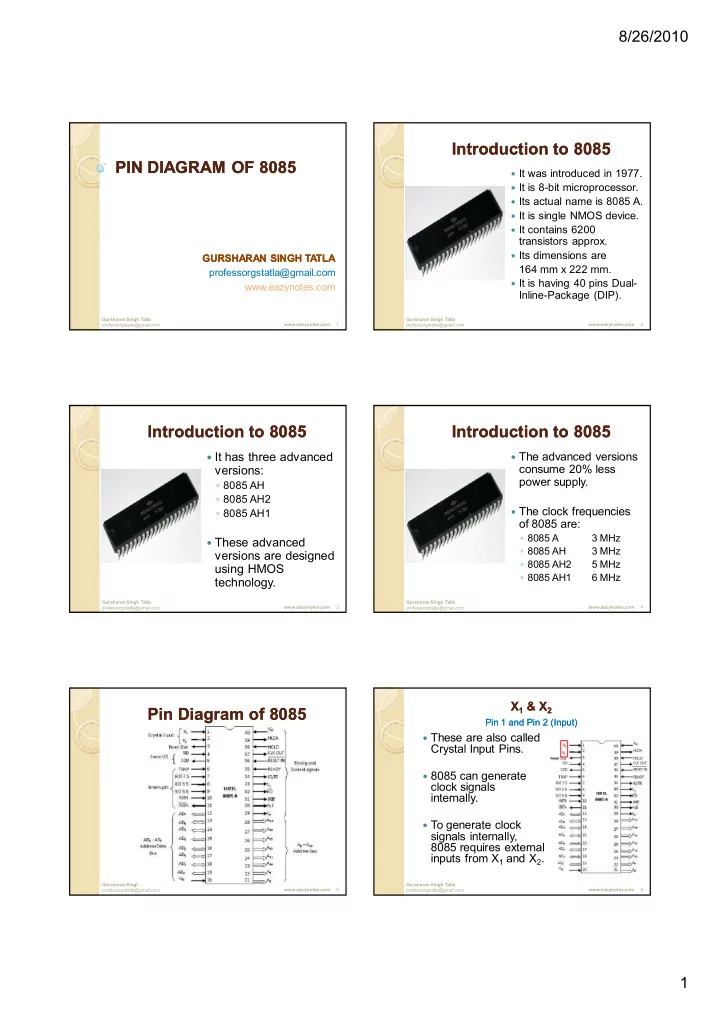
8/26/2010 Introduction to 8085 Introduction to 8085 PIN DIAGRAM OF PIN DIAGRAM OF 8085 8085 It was introduced in 1977. It is 8-bit microprocessor. Its actual name is 8085 A. It is single NMOS device. It contains 6200


slide-1
SLIDE 1

8/26/2010 1

PIN DIAGRAM OF PIN DIAGRAM OF 8085 8085

GURSHARAN SINGH TA TLA GURSHARAN SINGH TA TLA professorgstatla@gmail.com www.eazynotes.com

Gursharan Singh Tatla professorgstatla@gmail.com 1 www.eazynotes.com

Introduction to 8085 Introduction to 8085

 It was introduced in 1977.  It is 8-bit microprocessor.  Its actual name is 8085 A.  It is single NMOS device.  It contains 6200

transistors approx.

 Its dimensions are

164 mm x 222 mm.

 It is having 40 pins Dual-

Inline-Package (DIP).

Gursharan Singh Tatla professorgstatla@gmail.com 2 www.eazynotes.com

Introduction to 8085 Introduction to 8085

 It has three advanced

versions:

  • 8085 AH
  • 8085 AH2
  • 8085 AH1

 These advanced

versions are designed using HMOS technology.

Gursharan Singh Tatla professorgstatla@gmail.com 3 www.eazynotes.com

Introduction to 8085 Introduction to 8085

 The advanced versions

consume 20% less power supply.

 The clock frequencies

  • f 8085 are:
  • 8085 A

3 MHz

  • 8085 AH

3 MHz

  • 8085 AH2

5 MHz

  • 8085 AH1

6 MHz

Gursharan Singh Tatla professorgstatla@gmail.com 4 www.eazynotes.com

Pin Diagram of 8085 Pin Diagram of 8085

Gursharan Singh Tatla professorgstatla@gmail.com 5 www.eazynotes.com

X X1 & X & X2

Pin 1 and Pin 2 (Input) Pin 1 and Pin 2 (Input)

Gursharan Singh Tatla professorgstatla@gmail.com 6

 These are also called

Crystal Input Pins.

 8085 can generate

clock signals internally.

 To generate clock

signals internally, 8085 requires external inputs from X1 and X2.

www.eazynotes.com

slide-2
SLIDE 2

8/26/2010 2

RESET IN and RESET OUT RESET IN and RESET OUT

Pin 36 (Input) and Pin 3 (Output) Pin 36 (Input) and Pin 3 (Output)

Gursharan Singh Tatla professorgstatla@gmail.com 7

 RESET IN:

  • It is used to reset the

microprocessor.

  • It is active low signal.
  • When the signal on this

pin is low for at least 3 clocking cycles, it forces the microprocessor to reset itself.

www.eazynotes.com

RESET IN and RESET OUT RESET IN and RESET OUT

Pin 36 (Input) and Pin 3 (Output) Pin 36 (Input) and Pin 3 (Output)

Gursharan Singh Tatla professorgstatla@gmail.com 8

 Resetting the

microprocessor means:

  • Clearing the PC and IR.
  • Disabling all interrupts

(except TRAP).

  • Disabling the SOD pin.
  • All the buses (data,

address, control) are tri- stated.

  • Gives HIGH output to

RESET OUT pin.

www.eazynotes.com

RESET IN and RESET OUT RESET IN and RESET OUT

Pin 36 (Input) and Pin 3 (Output) Pin 36 (Input) and Pin 3 (Output)

Gursharan Singh Tatla professorgstatla@gmail.com 9

 RESET OUT:

  • It is used to reset the

peripheral devices and other ICs on the circuit.

  • It is an output signal.
  • It is an active high signal.
  • The output on this pin goes

high whenever RESET IN is given low signal.

  • The output remains high as

long as RESET IN is kept low.

www.eazynotes.com

SID and SOD SID and SOD

Pin 4 (Input) and Pin 5 (Output) Pin 4 (Input) and Pin 5 (Output)

Gursharan Singh Tatla professorgstatla@gmail.com 10

 SID (Serial Input

Data):

  • It takes 1 bit input from

serial port of 8085.

  • Stores the bit at the 8th

position (MSB) of the Accumulator.

  • RIM (Read Interrupt

Mask) instruction is used to transfer the bit.

www.eazynotes.com

SID and SOD SID and SOD

Pin 4 (Input) and Pin 5 (Output) Pin 4 (Input) and Pin 5 (Output)

Gursharan Singh Tatla professorgstatla@gmail.com 11

 SOD (Serial Output

Data):

  • It takes 1 bit from

Accumulator to serial port

  • f 8085.
  • Takes the bit from the 8th

position (MSB) of the Accumulator.

  • SIM (Set Interrupt Mask)

instruction is used to transfer the bit.

www.eazynotes.com

Interrupt Pins Interrupt Pins

Gursharan Singh Tatla professorgstatla@gmail.com 12

 Interrupt:

  • It means interrupting the normal execution of the

microprocessor.

  • When microprocessor receives interrupt signal, it

discontinues whatever it was executing.

  • It starts executing new program indicated by the interrupt

signal.

  • Interrupt signals are generated by external peripheral

devices.

  • After execution of the new program, microprocessor goes

back to the previous program.

www.eazynotes.com

slide-3
SLIDE 3

8/26/2010 3

Sequence of Steps Whenever There Sequence of Steps Whenever There is an Interrupt is an Interrupt

Gursharan Singh Tatla professorgstatla@gmail.com 13

 Microprocessor completes execution of current

instruction of the program.

 PC contents are stored in stack.  PC is loaded with address of the new program.  After executing the new program, the

microprocessor returns back to the previous program.

 It goes to the previous program by reading the

top value of stack.

www.eazynotes.com

Five Hardware Interrupts in 8085 Five Hardware Interrupts in 8085

Gursharan Singh Tatla professorgstatla@gmail.com 14

 TRAP  RST 7.5  RST 6.5  RST 5.5  INTR

www.eazynotes.com

Classification of Interrupts Classification of Interrupts

Gursharan Singh Tatla professorgstatla@gmail.com 15

 Maskable and Non-Maskable  Vectored and Non-Vectored  Edge Triggered and Level Triggered  Priority Based Interrupts

www.eazynotes.com

Maskable Interrupts Maskable Interrupts

Gursharan Singh Tatla professorgstatla@gmail.com 16

 Maskable interrupts are those

interrupts which can be enabled or disabled.

 Enabling and Disabling is done by

software instructions.

www.eazynotes.com

Maskable Interrupts Maskable Interrupts

Gursharan Singh Tatla professorgstatla@gmail.com 17

 List of Maskable Interrupts:

  • RST 7.5
  • RST 6.5
  • RST 5.5
  • INTR

www.eazynotes.com

Non Non-

  • Maskable Interrupts

Maskable Interrupts

Gursharan Singh Tatla professorgstatla@gmail.com 18

 The interrupts which are always in

enabled mode are called non- maskable interrupts.

 These interrupts can never be

disabled by any software instruction.

 TRAP is a non-maskable interrupt.

www.eazynotes.com

slide-4
SLIDE 4

8/26/2010 4

Vectored Interrupts Vectored Interrupts

Gursharan Singh Tatla professorgstatla@gmail.com 19

 The interrupts which have fixed

memory location for transfer of control from normal execution.

 Each vectored interrupt points to the

particular location in memory.

www.eazynotes.com

Vectored Interrupts Vectored Interrupts

Gursharan Singh Tatla professorgstatla@gmail.com 20

 List of vectored interrupts:

  • RST 7.5
  • RST 6.5
  • RST 5.5
  • TRAP

www.eazynotes.com

Vectored Interrupts Vectored Interrupts

Gursharan Singh Tatla professorgstatla@gmail.com 21

 The addresses to which program

control goes:

 Absolute address is calculated by

multiplying the RST value with 0008 H.

Name Vectored Address RST 7.5 003C H (7.5 x 0008 H) RST 6.5 0034 H (6.5 x 0008 H) RST 5.5 002C H (5.5 x 0008 H) TRAP 0024 H (4.5 x 0008 H)

www.eazynotes.com

Non Non-

  • Vectored Interrupts

Vectored Interrupts

Gursharan Singh Tatla professorgstatla@gmail.com 22

 The interrupts which don't have fixed

memory location for transfer of control from normal execution.

 The address of the memory location

is sent along with the interrupt.

 INTR is a non-vectored interrupt.

www.eazynotes.com

Edge Triggered Interrupts Edge Triggered Interrupts

Gursharan Singh Tatla professorgstatla@gmail.com 23

 The interrupts which are triggered at

leading or trailing edge are called edge triggered interrupts.

 RST 7.5 is an edge triggered

interrupt.

 It is triggered during the leading

(positive) edge.

www.eazynotes.com

Level Triggered Interrupts Level Triggered Interrupts

Gursharan Singh Tatla professorgstatla@gmail.com 24

 The interrupts which are triggered at

high or low level are called level triggered interrupts.

 RST 6.5  RST 5.5  INTR  TRAP is edge and level triggered

interrupt.

www.eazynotes.com

slide-5
SLIDE 5

8/26/2010 5

Priority Based Interrupts Priority Based Interrupts

Gursharan Singh Tatla professorgstatla@gmail.com 25

 Whenever there exists a

simultaneous request at two or more pins then the pin with higher priority is selected by the microprocessor.

 Priority is considered only when there

are simultaneous requests.

www.eazynotes.com

Priority Based Interrupts Priority Based Interrupts

Gursharan Singh Tatla professorgstatla@gmail.com 26

 Priority of interrupts:

Interrupt Priority TRAP 1 RST 7.5 2 RST 6.5 3 RST 5.5 4 INTR 5

www.eazynotes.com

TRAP TRAP

Pin 6 (Input) Pin 6 (Input)

Gursharan Singh Tatla professorgstatla@gmail.com 27

 It is a non-maskable interrupt.  It has the highest priority.  It cannot be disabled.  It is both edge and level

triggered.

 It means TRAP signal must go

from low to high.

 And must remain high for a

certain period of time.

 TRAP is usually used for

power failure and emergency shutoff.

www.eazynotes.com

RST 7.5 RST 7.5

Pin 7 (Input) Pin 7 (Input)

Gursharan Singh Tatla professorgstatla@gmail.com 28

 It is a maskable

interrupt.

 It has the second

highest priority.

 It is positive edge

triggered only.

 The internal flip-flop is

triggered by the rising edge.

 The flip-flop remains

high until it is cleared by RESET IN.

www.eazynotes.com

RST 6.5 RST 6.5

Pin 8 (Input) Pin 8 (Input)

Gursharan Singh Tatla professorgstatla@gmail.com 29

 It is a maskable interrupt.  It has the third highest

priority.

 It is level triggered only.  The pin has to be held

high for a specific period of time.

 RST 6.5 can be enabled

by EI instruction.

 It can be disabled by DI

instruction.

www.eazynotes.com

RST 5.5 RST 5.5

Pin 9 (Input) Pin 9 (Input)

Gursharan Singh Tatla professorgstatla@gmail.com 30

 It is a maskable

interrupt.

 It has the fourth

highest priority.

 It is also level

triggered.

 The pin has to be held

high for a specific period of time.

 This interrupt is very

similar to RST 6.5.

www.eazynotes.com

slide-6
SLIDE 6

8/26/2010 6

INTR INTR

Pin 10 (Input) Pin 10 (Input)

Gursharan Singh Tatla professorgstatla@gmail.com 31

 It is a maskable interrupt.  It has the lowest priority.  It is also level triggered.  It is a general purpose

interrupt.

 By general purpose we

mean that it can be used to vector microprocessor to any specific subroutine having any address.

www.eazynotes.com

INTA INTA

Pin 11 (Output) Pin 11 (Output)

Gursharan Singh Tatla professorgstatla@gmail.com 32

 It stands for interrupt

acknowledge.

 It is an out going

signal.

 It is an active low

signal.

 Low output on this pin

indicates that microprocessor has acknowledged the INTR request.

www.eazynotes.com

Address and Data Pins Address and Data Pins

Gursharan Singh Tatla professorgstatla@gmail.com 33

 Address Bus:

  • The address bus is used to send

address to memory.

  • It selects one of the many locations in

memory.

  • Its size is 16-bit.

www.eazynotes.com

Address and Data Pins Address and Data Pins

Gursharan Singh Tatla professorgstatla@gmail.com 34

 Data Bus:

  • It is used to transfer data between

microprocessor and memory.

  • Data bus is of 8-bit.

www.eazynotes.com

AD AD0 – AD AD7

7

Pin 19 Pin 19-

  • 12 (Bidirectional)

12 (Bidirectional)

Gursharan Singh Tatla professorgstatla@gmail.com 35

 These pins serve the dual

purpose of transmitting lower

  • rder address and data byte.

 During 1st clock cycle, these

pins act as lower half of address.

 In remaining clock cycles,

these pins act as data bus.

 The separation of lower order

address and data is done by address latch.

www.eazynotes.com

A8 – A15

15

Pin 21 Pin 21-

  • 28 (Unidirectional)

28 (Unidirectional)

Gursharan Singh Tatla professorgstatla@gmail.com 36

 These pins carry the

higher order of address bus.

 The address is sent from

microprocessor to memory.

 These 8 pins are switched

to high impedance state during HOLD and RESET mode.

www.eazynotes.com

slide-7
SLIDE 7

8/26/2010 7

ALE ALE

Pin 30 (Output) Pin 30 (Output)

Gursharan Singh Tatla professorgstatla@gmail.com 37

 It is used to enable Address

Latch.

 It indicates whether bus

functions as address bus or data bus.

 If ALE = 1 then

  • Bus functions as address bus.

 If ALE = 0 then

  • Bus functions as data bus.

www.eazynotes.com

S0 and S and S1

Pin 29 (Output) and Pin 33 (Output) Pin 29 (Output) and Pin 33 (Output)

Gursharan Singh Tatla professorgstatla@gmail.com 38

 S0 and S1 are called Status

Pins.

 They tell the current

  • peration which is in

progress in 8085.

S0 S1 Operation Halt 1 Write 1 Read 1 1 Opcode Fetch

www.eazynotes.com

IO/M IO/M

Pin 34 (Output) Pin 34 (Output)

Gursharan Singh Tatla professorgstatla@gmail.com 39

 This pin tells whether I/O

  • r memory operation is

being performed.

 If IO/M = 1 then

  • I/O operation is being

performed.

 If IO/M = 0 then

  • Memory operation is

being performed.

www.eazynotes.com

IO/M IO/M

Pin 34 (Output) Pin 34 (Output)

Gursharan Singh Tatla professorgstatla@gmail.com 40

 The operation being performed is indicated

by S0 and S1.

 If S0 = 0 and S1 = 1 then

  • It indicates WRITE operation.

 If IO/M = 0 then

  • It indicates Memory operation.

 Combining these two we get Memory Write

Operation.

www.eazynotes.com

Table Showing IO/M, S Table Showing IO/M, S0

0, S

, S1

1 and

and Corresponding Operations Corresponding Operations

Gursharan Singh Tatla professorgstatla@gmail.com 41

Operations IO/M S0 S1 Opcode Fetch 1 1 Memory Read 1 Memory Write 1 I/O Read 1 1 I/O Write 1 1 Interrupt Ack. 1 1 1 Halt High Impedance

www.eazynotes.com

RD RD

Pin 32 (Output) Pin 32 (Output)

Gursharan Singh Tatla professorgstatla@gmail.com 42

 RD stands for Read.  It is an active low signal.  It is a control signal used

for Read operation either from memory or from Input device.

 A low signal indicates that

data on the data bus must be placed either from selected memory location

  • r from input device.

www.eazynotes.com

slide-8
SLIDE 8

8/26/2010 8

WR WR

Pin 31 (Output) Pin 31 (Output)

Gursharan Singh Tatla professorgstatla@gmail.com 43

 WR stands for Write.  It is also active low signal.  It is a control signal used

for Write operation either into memory or into output device.

 A low signal indicates that

data on the data bus must be written into selected memory location or into

  • utput device.

www.eazynotes.com

READY READY

Pin 35 (Input) Pin 35 (Input)

Gursharan Singh Tatla professorgstatla@gmail.com 44

 This pin is used to

synchronize slower peripheral devices with fast microprocessor.

 A low value causes the

microprocessor to enter into wait state.

 The microprocessor

remains in wait state until the input at this pin goes high.

www.eazynotes.com

HOLD HOLD

Pin 38 (Input) Pin 38 (Input)

Gursharan Singh Tatla professorgstatla@gmail.com 45

 HOLD pin is used to request

the microprocessor for DMA transfer.

 A high signal on this pin is a

request to microprocessor to relinquish the hold on buses.

 This request is sent by DMA

controller.

 Intel 8257 and Intel 8237 are

two DMA controllers.

www.eazynotes.com

HLDA HLDA

Pin 39 (Output) Pin 39 (Output)

Gursharan Singh Tatla professorgstatla@gmail.com 46

 HLDA stands for Hold

Acknowledge.

 The microprocessor uses this

pin to acknowledge the receipt

  • f HOLD signal.

 When HLDA signal goes high,

address bus, data bus, RD, WR, IO/M pins are tri-stated.

 This means they are cut-off

from external environment.

www.eazynotes.com

HLDA HLDA

Pin 39 (Output) Pin 39 (Output)

Gursharan Singh Tatla professorgstatla@gmail.com 47

 The control of these

buses goes to DMA Controller.

 Control remains at

DMA Controller until HOLD is held high.

 When HOLD goes

low, HLDA also goes low and the microprocessor takes control of the buses.

www.eazynotes.com

VSS

SS and V

and VCC

CC

Pin 20 (Input) and Pin 40 (Input) Pin 20 (Input) and Pin 40 (Input)

Gursharan Singh Tatla professorgstatla@gmail.com 48

 +5V power supply is

connected to VCC.

 Ground signal is

connected to VSS.

www.eazynotes.com