Introduction slide 3 Example DB slide 6 - - PowerPoint PPT Presentation

introduction slide 3 example db slide 6
SMART_READER_LITE
LIVE PREVIEW

Introduction slide 3 Example DB slide 6 - - PowerPoint PPT Presentation

Introduction slide 3 Example DB slide 6 Data Definition slide 8 Data Manipulation slide 14 Retrieval slide


slide-1
SLIDE 1

DBMS SQL - 1

  • 2
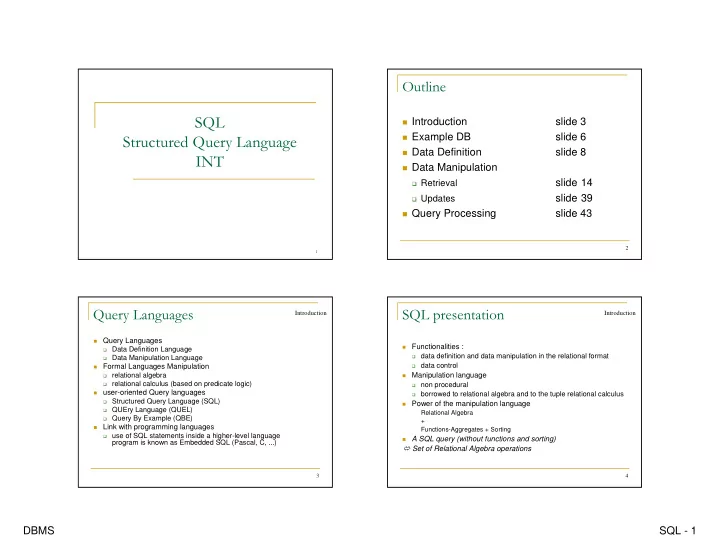
  • Introduction

slide 3

Example DB

slide 6

Data Definition

slide 8

Data Manipulation

Retrieval

slide 14

Updates

slide 39

Query Processing

slide 43

3

  • Query Languages

Data Definition Language Data Manipulation Language

Formal Languages Manipulation

relational algebra relational calculus (based on predicate logic)

user-oriented Query languages

Structured Query Language (SQL) QUEry Language (QUEL) Query By Example (QBE)

Link with programming languages

use of SQL statements inside a higher-level language

program is known as Embedded SQL (Pascal, C, ...)

Introduction

4

  • Functionalities :

data definition and data manipulation in the relational format data control

Manipulation language

non procedural borrowed to relational algebra and to the tuple relational calculus

Power of the manipulation language

Relational Algebra + Functions-Aggregates + Sorting

A SQL query (without functions and sorting)

Set of Relational Algebra operations

Introduction

slide-2
SLIDE 2

DBMS SQL - 2

5

  • History

SEQUEL language of the SYSTEM/R relational DBMS

prototype (74-76)

IBM research lab at San José

Normalization at ISO

The SQL1 norm (1986, 1989) The SQL2 norm (1992) The SQL3 norm

Query language of (quite) all relational DBMSs

ORACLE (Oracle Corporation - 1977) INGRES (Ingres Technology - 1980) DB2 (IBM - 1984) INFORMIX (Informix Inc - 1981) SYBASE (Sybase Inc - 1984) MySQL (1995)

Introduction

6

!"# !

Employee(ESSN, LastName, FirstName, BirthDate, Address,

Sex, Salary, BonusAmount, SupervSSN, DepNumber)

Department(DepNumber, DepName, MgrSSN,

MgrStartDate)

Dept_locat(DepNumber, DLocation) Project(ProjNumber, ProjName, PLocation, DepNumber) Work_on(ProjNumber, ESSN, Nbh)

DB Example

E D DL P W

7

$%&#'

DB Example

(1,1) 0,1 0,1 0,n 0,n

Project ProjNumber ProjName PLocation Dept-Locat DLocation Control Departement DepNumber DepName MgrStartDate Work_on nbh Employee ESSN LastName FirstName BirthDate Address Sex Salary BonusAmount

0,n

Supervise supervises

1,1 supervised_by 0,1

Locate Works_for

0,n

Manages

0,n 0,1 0,n

8

Employee ENSS LastName FirstName BirthDate Address Sex Salary BonusAmount SupervSSN dDpNumber 123456789 Smith John 1967-01-09 731 Fondren, Houston, TX M 300000 10000 333445555 5 333445555 Wong Franklin 1955-12-08 638 Voss, Houston, TX M 400000 5000 888665555 5 999887777 Zelaya Alicia 1968-07-19 3321 Castel, Spring, TX F 250000 2000 987654321 4 967654321 Wallace Jennifer 1941-06-20 291 Berry, Bellaire, TX F 430000 9000 888665555 4 666884444 Narayan Ramesh 1962-09-15 975 Fire Oak, Humble, TX M 380000 15000 333445555 5 453453453 English Joyce 1972-07-31 5631 Rice, Houston, TX F 250000 2500 333445555 5 987987987 Jabbar Ahmad 1969-03-29 980 Dallas, Houston, TX M 250000 12000 987654321 4 888665555 Borg James 1937-11-10 450 Stone, Houston, TX M 550000 8000 null 1

'

Project ProjNumber ProjName PLocation DepNumber 1 productx Bellaire 5 2 producty Sugarland 5 3 productz Houston 5 10 computerization Stanford 4 20 reorganization Houston 1 30 newbenefits Stanford 4 Work_on ProjNumber ESSN Nbh 1 123456789 32.5 2 123456789 7.5 3 666884444 40.0 1 453453453 20.0 2 453453453 20.0 2 333445555 10.0 3 333445555 10.0 10 333445555 10.0 20 333445555 10.0 30 999887777 30.0 10 999887777 10.0 10 987987987 35.0 30 987987987 5.0 30 987654321 20.0 20 987654321 15.0 20 888665555 null

slide-3
SLIDE 3

DBMS SQL - 3

9

'

Dept_Locat DepNumber DLocation 1 Houston 4 Stanford 5 Bellaire 5 Sugarland 5 Houston

Department DepNumber DepName MgrSSN MgrStarDate 5 R&D 333445555 1988-05-22 4 Administration 987654321 1995-01-01 1 Headquarters 888665555 1981-06-19

10

&

Relation Schema Definition Relational View Definition Integrity Constraint Definition Right Definition Validation Process data storage and index definition

(not normalized => DBMS dependent !!)

Data Definition

11

!

Numeric :

  • INTEGER, SMALLINT
  • DECIMAL (m,n), NUMBER(m,n)
  • FLOAT, REAL

String : CHAR (n), VARCHAR(n) Temporal : DATE (SQL2 ! norm ) Specific DBMS have their own domains NULL : missing value Data Definition 12

$(

Creation

CREATE TABLE Project ( ProjNumber Integer , ProjName Char(20), PLocation Char(40) )

Evolution

  • add an attribute (SQL2 ! norm)

ALTER TABLE Project ADD COLUMN DepNumber Integer

Delete (SQL2 ! norm )

DROP TABLE Project

Data Definition

slide-4
SLIDE 4

DBMS SQL - 4

13

#

Rule that defines data consistency in the DB Constraints defined in SQL

not null condition of an attribute value uniqueness of the value of an attribute or a set of attributes default value for an attribute domain constraint primary key (an attribute or a set of attributes) minimal referential integrity

CREATE TABLE Project ( ProjNumber integer PRIMARY KEY, ProjName char (20) NOT NULL, PLocation char (40) CONSTRAINT CPLocation CHECK (PLocation in ('Bellaire', 'Sugarland', 'Houston',

'Stanford')),

DepNumber integer CONSTRAINT CDepNumber CHECK (DepNumber between 1 and 5))

Data Definition

14

)*$ %

A finite set of domains

  • ptional key:

Duplicate rows The projection operator is different (

DISTINCT)

A Relation is not a set 15

)

General retrieval syntax

slide 16

Selection and projection

slide 17

Join operator

slide 21

Set-Theoretical Operations

slide 24

Aggregate functions

slide 25

Table grouping

slide 29

Predicates and division

slide 33

Summary

slide 38

Complete example

slide 40

Data Retrieval

16

+& $)

Syntax SELECT <set of projected attributes > FROM <set of relations> [WHERE <set of restrictions and join criteria>]

How to fill the clauses ? which result the user wants to see, schema result? Where are the attributes that I need? Are there conditions on the values used in my rule? Do I have several relations in my FROM clause? Data Retrieval

slide-5
SLIDE 5

DBMS SQL - 5

17

,

" Retrieve all employees who are involved on a

project for more than 20 hours"

SELECT ESSN, ProjNumber FROM Work_on WHERE Nbh > 20;

Number of output tuples : 4

35 26 19879 30 27 29998 40 3 16668 32.5 1 11234 Nbh ProjNumber ESSN

Data Retrieval

18

,

  • " Find all the informations registered on the

Project records"

SELECT * FROM Project

Wild-card character instead

  • f listing all columns

Result ProjNumber ProjName PLocation DepNumber 1 productx Bellaire 5 2 producty Sugarland 5 3 productz Houston 5 10 computerization Stanford 4 20 reorganization Houston 1 30 newbenefits Stanford 4

Data Retrieval

19

,

"Determine all the project locations"

SELECT DISTINCT PLocation FROM Project

To discard duplicate values

  • f tuples

Result PLocation Bellaire Sugarland Houston Stanford

20

  • "Find all the employees who work for a department

whose number is between 1 and 4"

SELECT * FROM Employee WHERE DepNumber >=1 AND DepNumber <=4 SELECT * FROM Employee WHERE DepNumber BETWEEN 1 AND 4 SELECT * FROM Employee WHERE DepNumber IN (1, 2, 3, 4)

Data Retrieval

slide-6
SLIDE 6

DBMS SQL - 6

21 "Find all the employees whose lastname begins with

'b' or 'B' "

SELECT * FROM Employee WHERE LastName LIKE ‘b%’ OR LastName LIKE ‘B%’

" Retrieve the list of women ordered by their salary"

SELECT * FROM Employee WHERE Sex ='F' ORDER BY Salary Data Retrieval

22

(,

" Retrieve the ESSN values for all the employees

working in the 'R&D' department at Houston"

SELECT E.ESSN FROM Employee E, Department D, Dep_Locat DL WHERE E.DepNumber = D.DepNumber AND D.DepNumber=DL.DepNumber AND D.DLocation ='Houston' AND E.DepName = ‘R&D’

Cartesian Product join conditions attribute name non ambiguous

Data Retrieval

23

  • SELECT ESSN

FROM Employee WHERE DepNumber IN ( SELECT DepNumber FROM Department WHERE DepName = 'R&D' and DepNumber IN ( SELECT DepNumber FROM Dep_Locat WHERE DLocation = ‘Houston'))

Data Retrieval

24

./,

Join a relation with itself

synonyms "Employees who earn more than their supervisor"

SELECT EmpName FROM Employee E, Employee SUP WHERE E.supervSSN = SUP.ESSN AND E.Salary > SUP.Salary

Data Retrieval

slide-7
SLIDE 7

DBMS SQL - 7

25

SQL2 introduces a new syntax closest to

relational algebra (joins are expressed within the FROM clause)

Supported by several DBMSs (>= Oracle 9,

MySQL, SQLServer, …)

26

,

Cross Product

SELECT * FROM Employee CROSS JOIN project

Jointure

SELECT E.ESSN FROM Employee E JOIN Department D ON (E.DepNumber = D.DepNumber) JOIN Dep_Locat DL ON (D.DepNumber=DL.DepNumber) WHERE D.DLocation ='Houston' AND E.DepName = ‘R&D’

« natural » join

Explicit equality on attributes with same name can be replaced by

implicite one using NATURAL JOIN, ou JOIN … USING (attrs)

27

/(

Union (SQL1 norm ) automatic elimination of

doubles "List of expenses of the staff costs (salary and bonus)"

SELECT Salary FROM Employee UNION SELECT BonusAmount FROM Employee

Intersection (SQL2 norm !)

"Employees who supervise other employees and work on at least

  • ne project"

SELECT SupervSSN FROM Employee INTERSECT SELECT ENSS FROM Work_on Data Retrieval

Difference (SQL2 norm !) "Employees who are not supervisors"

SELECT ENSS FROM Employee MINUS SELECT supervSSN FROM Employee

28

. &

5 predefined functions : COUNT, SUM, MIN, MAX,

AVG

Principle :

applied to all values in a column of a relation Produces a unique value Rule without grouping (later) :

  • nly in the SELECT, never in the WHERE
  • do not mix in the SELECT functions and attributes!

Data Retrieval

slide-8
SLIDE 8

DBMS SQL - 8

29

0( &

" Find the maximum salary, the minimum salary, and

the average salary among all employees."

SELECT MAX(Salary), MIN(Salary), AVG(Salary) FROM Employee

"Find the total salary amount and the total bonus

received by the employees" SELECT SUM(Salary), SUM(BonusAmount) FROM Employee

Data Retrieval

30

0( &

"Retrieve the number of employees in the 'R&D'

department"

SELECT COUNT (ESSN) FROM Employee E, Department D WHERE E.DepNumber=D.DepNumber AND DepName='R&D’

" Retrieve the total number of employees in the

company"

SELECT COUNT (*) FROM Employee

Data Retrieval

31

0( & 1

"Employees whose salary is greater than the

average salary"

SELECT ENSS FROM Employee WHERE salary > ( SELECT AVG(salary) FROM Employee)

Data Retrieval

32

+

Principle

Horizontal subgroups of tuples based on the value of

an attribute or a group of attributes, specified in the GROUP BY clause

The relation is (logically) fragmented in groups of

tuples, where all the tuples of each group have the same value for the grouping attribute(s)

The function is applied to each subgroup

independently

Selection on the groups: Having clause

  • to retrieve the values of these functions for only those

groups that satisfy a given condition

the Having clause is used for specifying a selection

condition on groups (rather than on individual tuples)

Data Retrieval

slide-9
SLIDE 9

DBMS SQL - 9

33

+

" Find the average salary for each department " SELECT DepNumber, AVG(Salary) FROM Department GROUP BY DepNumber " … ordered by descending department number " SELECT DepNumber, AVG(Salary) FROM Department GROUP BY DepNumber ORDER BY 1 DESC " … only if the department has more than 4

employees"

SELECT DepNumber, AVG(Salary) FROM Department GROUP BY DepNumber HAVING COUNT(*)>=4 ORDER BY 1 DESC Data Retrieval

34

  • Sort the relation on the grouping

attributes Create a sub-relation for each group having the same value of the attribute on all the grouping attributes, here « depNumber » Apply the SELECT clause on each group (in the example the department number and the average salary on the group) Unify the results Apply the HAVING clause

  • and
  • and
  • initial

Data Retrieval

Employee Salary DepNumber 300000 5 400000 5 250000 4 430000 4 380000 5 250000 5 250000 4 550000 1 Employee Salary DepNumber 300000 5 400000 5 380000 5 250000 5 250000 4 430000 4 250000 4 550000 1 Employee avg(Salary) DepNumber 332500 5 310000 4 550000 1 Employee avg(Salary) DepNumber 332500 5

35

&02

SELECT DepNumber, ESSN, AVG(Salary) FROM Employee GROUP BY DepNumber

Expected result Problem

ESSN is multivalued / DepNumber

  • ne value per cell (1st normal form)

Data Retrieval

Result DepNumber ESSN avg(Salary) 5 {123456789, 333445555, 666884444, 453453453} 332500 4 {987987987, 999887777, 967654321} 310000 1 {88866555} 550000

36

".3.435

ALL

Tests if the value of an attribute satisfies a

comparison criteria with all the results of a sub- query

"Employees who have the best salary"

SELECT ENSS FROM Employee WHERE Salary >= ALL (SELECT Salary FROM Employee)

Data Retrieval

slide-10
SLIDE 10

DBMS SQL - 10

37

  • ANY :

Tests if the value of an attribute satisfies a

comparison criteria with at least one result of a sub-query "Retrieve the employees who work on at least

  • ne of the projects of the employee whose

ENSS=13334"

SELECT ENSS FROM Work_on WHERE ProjNumber = ANY (SELECT ProjNumber FROM Work_on WHERE ENSS =13334)

Data Retrieval

38

1

EXISTS :

Tests if the answer to a sub-query is empty

"Retrieve the employees' lastname who work at least on a project"

SELECT EmpName FROM Employee E WHERE EXISTS (SELECT ProjNumber FROM Work_on W WHERE W.ENSS = E.ENSS);

Data Retrieval

39

) 5

"Which departments are

distributed on all the sites?"

A department is kept if

there is no site in which it is not located.

=> Double negation

SELECT DepNumber FROM Department D WHERE NOT EXISTS (SELECT DLocation FROM Dept_locat L1 WHERE NOT EXIST (SELECT L2.* FROM Dept_locat L2 WHERE L2.DLocation = L1.DLocation AND L2.DepNumber = D.DepNumber) )

Data Retrieval

40

)0( 5

SELECT D.* FROM Department D WHERE D.DepNumber IN ( SELECT DL.DepNumber FROM Dept_Locat DL GROUP BY DL.DepNumber HAVING COUNT(*) = ( SELECT COUNT(DISTINCT DLocation) FROM Dept_Locat) )

slide-11
SLIDE 11

DBMS SQL - 11

41

  • Sorting of tuples obtained in (4)

according to Al values <list of attributes Al or order number in the SELECT> ORDER BY 5 Selection of groups obtained in (3) verifying the C2 condition <condition on groups - functions> : C2 HAVING 4 Partition of the set obtained in (2) according to Ak values <list attributes Ak ⊇ Aj> GROUP BY 3 Selection of tuples of (1) respecting the C1condition <Conditions on the tuples> : C1 WHERE 2 Cartesian Product of Ri relations <list of Ri relations > FROM 1 Projection of the set obtained in (5) on the Aj, expressions computation, functions computation (applied to groups if there is any) on Ap <list of attributes expressions Aj and/or functions on attributes Ap> SELECT 6

Data Retrieval

42 Search condition :

WHERE (selection of

tuples), HAVING (selection of groups)

Composition of

elementary conditions (AND, OR, NOT)

valued to True or False

Elementary condition :

valued to true or False Predicate :

  • Comparison : =, <, <=, >,

>=, <>

  • Attribute/value
  • Attribute/attribute
  • Interval :BETWEEN
  • String : LIKE
  • Nullity : IS NULL
  • Belonging : IN
  • Quantification : EXISTS,

ANY, ALL Data Retrieval

43

#

"List of departments with the number of employees

who doesn't receive any bonus and are involved in at least one project ascending ordered by department“

SELECT D.LastName, D.DepNumber, COUNT(*) FROM Department D, Employee E, Work_on T WHERE E.BonusAmount=0 AND D.DepNumber =E.DepNumber AND E.ENSS = T.ENSS GROUP BY D.DepNumber HAVING COUNT(*) > 1 ORDER BY D.DepNumber;

Data Retrieval

44

6

Insert Delete Modification

Update

slide-12
SLIDE 12

DBMS SQL - 12

45

  • Insert of only one tuple

"Create the new department 'Distribution' number 6, managed by the employee 18886 since the 15/09/96"

INSERT INTO Department VALUES (6, 'Distribution', 18886, '1996-09-15');

"Create the new department 'Distribution' number 6, managed by the employee 18886. The start date is unknown for the moment"

INSERT INTO Department (DepNumber, DepName, MgrSSN) VALUES (6, 'Distribution', 18886); Update 46

  • Insert of a set of tuples

CREATE TABLE WemanEmployees(ESSN Integer, LastName Char(40), FirstName Char(40)) INSERT INTO WemanEmployees SELECT ESSN, LastName, FirstName FROM Employee WHERE Sex = 'F' CREATE TABLE WemanEmployees AS SELECT ESSN, LastName, FirstName FROM Employee WHERE Sex = 'F'

47

  • "Process the end of the project ProductY"

DELETE FROM Work_on WHERE ProjName = 'ProductY';

"Delete all the employees of the 'R&D' department"

DELETE FROM Employee E WHERE E.DepNumber IN (SELECT D.DepNumber FROM Department D WHERE D.DepName='R&D')

Update

48

6

"Increase 10 % of the salary to all the employees who have no bonus"

UPDATE Employee SET Salary = Salary *1.1 WHERE BonusAmount = 0;

Update

slide-13
SLIDE 13

DBMS SQL - 13

49

$

SELECT Lastname, FirstName FROM Employee WHERE Salary >300k Syntactic Analysis Verification Optimisation Access plan generation Query execution form Execution

DB DD

Schemas Rights Views placing, index IC Statistics