SLIDE 1 Security & Knowledge Management – a.a. 2019/20 1
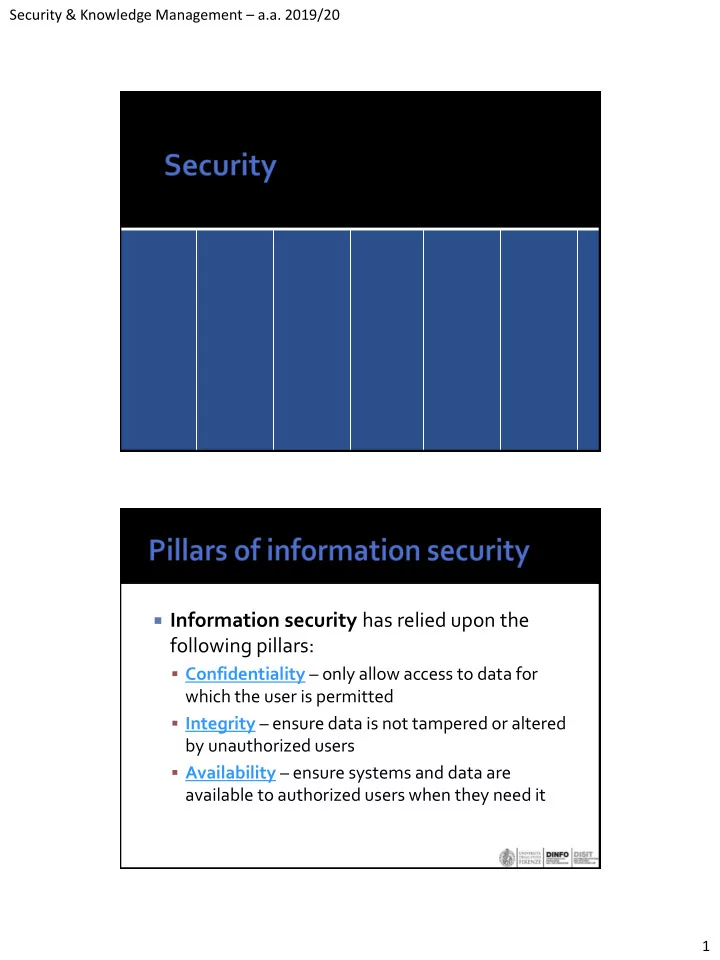
Information security has relied upon the
following pillars:
- Confidentiality – only allow access to data for
which the user is permitted
- Integrity – ensure data is not tampered or altered
by unauthorized users
- Availability – ensure systems and data are
available to authorized users when they need it
SLIDE 2 Security & Knowledge Management – a.a. 2019/20 2
Information systems are subject to
"security vulnerabilities"
A vulnerability allows to break one of the
pillars.
Generally a vulnerability is a bug or a
misconfiguration that could be used by a malicious user (hacker) to break the system
a security attack is the action performed by a
hacker to exploit a vulnerability
most security attack are performed using:
- direct network protocols (e.g. ssh, http)
- emails
- usb memory sticks
In many cases the "human" plays a major role
in the activation of a security problem (e.g.
- pening an email attachment)
SLIDE 3 Security & Knowledge Management – a.a. 2019/20 3
What to attack?
OS Application Application Network User Application Application Application Application
Many ways are available to compromise a
system
▪ Buffer Overflow ▪ Sniffing traffic ▪ Man in the middle ▪ ...
SLIDE 4
Security & Knowledge Management – a.a. 2019/20 4
aka Buffer Overrun a parameter has a larger size than the size of
the destination buffer
if the buffer is stored on the stack, part of the
stack can be overwritten with arbitrary data
it can lead to a segmentation fault or to the
execution of malicious code
it can happen only with low level languages
as C or C++
example:
void f(char* b) { char buffer[12]; strcpy(buffer, b); } ... f("012345678901xxxxyyyy");
addr Word (4 byte) buffer[0..3] buffer[4..7] buffer[8..11] FP IP
SLIDE 5 Security & Knowledge Management – a.a. 2019/20 5
Is it possible to inject assembler code to
perform arbitrary actions, for example make a system call to execute /bin/sh
The code is executed at the same security
level as the running process
For this reason it is better to run a server
process at the lowest possible security level (depending on the needs of the process)
Buffer overflows can be avoided using high
level languages (Java, go, python, php, ...) or properly checking the access within array bounds.
gcc makes a check of the stack integrity
before returning from a function
Buffer Overflow may affect also heap based
buffers, in this case the function pointers if
- verwritten can lead to seg. fault or
execution of arbitrary code.
SLIDE 6 Security & Knowledge Management – a.a. 2019/20 6
The attacker sniffs the packets travelling over
the network, particularly for wifi connections
In this way any unprotected connection can
be analyzed and any personal information can be acquired (passwords, credit cards numbers, ...)
An intermediary intercepts and modify the
communication between two party
at network level
- the "Man" is on the local network or outside
- e.g. DNS hijacking, the attacker changes the default DNS
server with a DNS under control of the attacker, in this way every request can be controlled and possibly changed to another IP where a fake version of the same site is running and can acquire personal information
at system level
- the "Man" is a process running on the same computer (e.g.
a malware)
SLIDE 7 Security & Knowledge Management – a.a. 2019/20 7
Using https (TLS/SSL) with trusted
certificates guarantee the identity of the server and client
However a compromized web browser can
still have access to any personal information
Malicious software
- Virus – a program that copies itself on other programs
- Trojan – a "good" program that hides the installation of a
malicious program
- Worm – a program that transmit itself over the network
- Rootkit – used to hide the presence of a malware on a system
- Spyware – programs used to find personal information on the
computer
- Backdoor – a program allowing remote access to the computer
- Keylogger – listen for the key pressed to identify passwords or
credit card numbers
- Ransomware – encrypts files on the computer and asks for a
ransom
SLIDE 8 Security & Knowledge Management – a.a. 2019/20 8
We will focus on the development of web
applications without security vulnerabilities that can be used to:
- access to unauthorized information or
- get complete access to a system.
a web server or application server responds to
web requests performed by external users using the HTTP/HTTPS protocol
WebServer Web Browser javascript executor http/https
SLIDE 9
Security & Knowledge Management – a.a. 2019/20 9
One of the easiest way to compromise a web
application is the DenyOfService (DoS) attack, flood the server with requests in order to not allow legitimate requests
Breaks the Availability pillar If all attack traffic is from a single source it
can be easily blocked, if requests are coming from many different machines it is more difficult to identify that an attack is running
The attacker gets "access" to thousands of
machines and coordinate the attack to a server
SLIDE 10
Security & Knowledge Management – a.a. 2019/20 10
a network of compromized computers (e.g.
via trojans) that can be used for DDoS or spam sending
all controlled by a botmaster can have size of millions of computers Another possibility is to make POST requests
that provide a very big payload very slowly thus keeping active the socket connection for a long time, in this way the server can quickly exaust the available sockets and block the access to the system.
SLIDE 11
Security & Knowledge Management – a.a. 2019/20 11
SQL injection Session hijack javascript injection Based on a vulnerability of SQL query code Example PHP
$user = $_GET['user']; $pwd = $_GET['pwd']; $query= "SELECT * FROM users WHERE user='$user' AND passw='$pwd' "
if the request is
http://.../login.php?user=me&pwd=x'OR'1
the query becomes:
SELECT * FROM users WHERE user='me' AND passw='x'OR'1'
that selects all users
SLIDE 12 Security & Knowledge Management – a.a. 2019/20 12 is very dangerous
- in 2002 a hacker found that Guess.com was vulnerable
to SQL injection attack, allowing to get 200 000 credit cards numbers.
How to avoid?
- use escaping functions that escape special characters
as ' or " or use prepared statements that replace placeholders with parameters value
$user=mysql_real_escape($_GET['user']); $pwd=mysql_real_escape($_GET['passw']);
never, Never, NEVER! store plain password on a
database, store the HASH (MD5, SHA1) of the password
if an hacker is able to access to the users table
he will not have access to the plain password... that is typically used in many other sites...
send the password in a POST request and never
in a GET request (and send it on an https connection)
GET requests may be logged in web server log
files where the password will be visible...
SLIDE 13
Security & Knowledge Management – a.a. 2019/20 13
A web request is stateless cookies are used to store on the client a
session identificator that is resent in the following requests
This identifier is used to identify the session
information of the specific user (stored on a file or DB)
Session is normally used when login is
performed to store the user information and is used to perform all the following requests that normally fail if the user is not logged in.
The session is kept until user logout or the
session expires after a predefined period.
SLIDE 14 Security & Knowledge Management – a.a. 2019/20 14 Login request (user=jdoe, password=secret) reply with cookie SESSID=abd564s5 Cookie SESSID=abd564s5 is stored on the web browser request transaction list (SESSID=abd564s5) check if the session refers to a logged user and sends the transaction list
Client Server
If a maliciuos user is able to find the session id
he will be able to perform any request the user is able to do...
How?
- Sniffing the network he will be able to find any
session running on an unprotected network
- using javascript injection (see after)
- or using brute force attack to find a valid session
identifier (can be feasible if the id length is limited)
SLIDE 15 Security & Knowledge Management – a.a. 2019/20 15
if a site allows to write comments and allows
to write full HTML it will be subject to html & javascript injection
if you write a comment like:
hi!<script>alert('Injected!')</script>
and a dialog displaying "Injected!" appears...
the site is subject to javascript and html injections
If the script is stored on a comment ANYONE
that see the comment is vulnerable to javascript injection that for example can:
- access to the session id and send to a server
- run a javascript keylogger that sends all keys
pressed to a server
- modify the web page
- change a form to be submitted (e.g. reduce the
price of an order)
SLIDE 16 Security & Knowledge Management – a.a. 2019/20 16 The same can happen if a url query parameter is
written back on the result page
Example:
- http://.../search?query=puppy
- and the query value is written back on the page
without modifications
- then using something like:
▪ ...query=puppy<script src='http://.../bad.js'></script>
- the script will be executed in the web page
- This link could be sent via email to a potential victim
also html can be injected, for example an
iframe can be used to substitute the login form.
Is also called XSS cross-site scripting can be solved my escaping or removing some
tags as <script>, <iframe>
SLIDE 17 Security & Knowledge Management – a.a. 2019/20 17
never trust any validation done on the web
browser (e.g. via javascript)
redo all validations on the server the request may be done from a fake client
that can send malicious requests to bypass the checks
Example
- http://.../documents/add.php - adds a new document
- http://..../documents/count.php - returns the count of
documents
- The button to add a new document is disabled if
the count is 5
- however the check on document count needs to
be performed also on the server in add.php
SLIDE 18 Security & Knowledge Management – a.a. 2019/20 18
allow access to file system files Example (PHP but not only ):
... include($_GET['page']); ...
used:
- http://.../service.php?page=p1.php
but it can be used like:
- http://.../service.php?page=../../../../../../etc/passd
Used to perform unintended action on a third
party site (with an open session)
Easily exploited when a GET request is used to
modify state
Example
- Site A allows to change password with:
▪ http://siteA/change-pwd?new=safepassword
▪ <img src="http://siteA/change-pwd?new=abcd">
- if an user with an active session on siteA visits siteB or
receives an html email
SLIDE 19 Security & Knowledge Management – a.a. 2019/20 19 How to avoid:
- use POST requests to modify state, its more difficult
to exploit
- check the referer header
- use a random token to identify that the call is coming
from the legitimate site (the token is written in the page generating the call), when receiving the call the token is checked, can be a
▪ per call token (problem with app open in more tabs) ▪ per session token ▪ example:
▪ POST http://.../change-pwd?new=xyz&token=ads5a43t6ddgs53
SLIDE 20
Security & Knowledge Management – a.a. 2019/20 20
Application for WebApplication security
testing
A linux distribution with MANY security
analysis tools
SLIDE 21 Security & Knowledge Management – a.a. 2019/20 21
There are a lot of vulnerabilities Which are the most exploited? OWASP (open web application security
project) classified in 2017 (and in 2013) the most frequently exploited vulnerabilities
When designing (web) applications follow the following
principles :
1.
Minimize attack surface area
2.
Establish secure defaults
3.
Principle of Least privilege
4.
Principle of Defense in depth
5.
Fail securely
6.
Don’t trust services
7.
Separation of duties
8.
Avoid security by obscurity
9.
Keep security simple
- 10. Fix security issues correctly
source: OWASP (open web application security project) https://www.owasp.org
SLIDE 22 Security & Knowledge Management – a.a. 2019/20 22
Every feature that is added to an application adds a certain
amount of risk to the overall application. The aim for secure development is to reduce the overall risk by reducing the attack surface area.
For example, a web application implements online help with a
search function. The search function may be vulnerable to SQL injection attacks.
- If the help feature was limited to authorized users, the attack
likelihood is reduced.
- If the help feature’s search function was gated through centralized
data validation routines, the ability to perform SQL injection is dramatically reduced.
- However, if the help feature was re-written to eliminate the search
function (through better user interface, for example), this almost eliminates the attack surface area, even if the help feature was available to the Internet at large.
There are many ways to deliver an “out of the
box” experience for users. However, by default, the experience should be secure, and it should be up to the user to reduce their security – if they are allowed.
For example, by default, password aging and
complexity should be enabled. Users might be allowed to turn these two features off to simplify their use of the application and increase their risk.
SLIDE 23 Security & Knowledge Management – a.a. 2019/20 23
The principle of least privilege recommends that
accounts have the least amount of privilege required to perform their business processes. This encompasses user rights, resource permissions such as CPU limits, memory, network, and file system permissions.
For example, if a middleware server only requires
access to the network, read access to a database table, and the ability to write to a log, this describes all the permissions that should be granted. Under no circumstances should the middleware be granted administrative privileges.
The principle of defense in depth suggests that where one
control would be reasonable, more controls that approach risks in different fashions are better. Controls, when used in depth, can make severe vulnerabilities extraordinarily difficult to exploit and thus unlikely to
With secure coding, this may take the form of tier-based
validation, centralized auditing controls, and requiring users to be logged on all pages.
For example, a flawed administrative interface is unlikely
to be vulnerable to anonymous attack if it correctly gates access to production management networks, checks for administrative user authorization, and logs all access.
SLIDE 24 Security & Knowledge Management – a.a. 2019/20 24
Applications regularly fail to process transactions for
many reasons. How they fail can determine if an application is secure or not.
For example:
isAdmin = true; try { codeWhichMayFail(); isAdmin = isUserInRole( “Administrator” ); } catch (Exception ex) { log.write(ex.toString()); }
If either codeWhichMayFail() or isUserInRole fails or
throws an exception, the user is an admin by default. This is obviously a security risk.
Many organizations utilize the processing capabilities of
third party partners, who more than likely have differing security policies and posture than you. It is unlikely that you can influence or control any external third party, whether they are home users or major suppliers or partners.
Therefore, implicit trust of externally run systems is not
- warranted. All external systems should be treated in a
similar fashion.
For example, a loyalty program provider provides data
that is used by Internet Banking, providing the number of reward points and a small list of potential redemption
- items. However, the data should be checked to ensure
that it is safe to display to end users, and that the reward points are a positive number, and not improbably large.
SLIDE 25 Security & Knowledge Management – a.a. 2019/20 25
A key fraud control is separation of duties. For example,
someone who requests a computer cannot also sign for it, nor should they directly receive the computer. This prevents the user from requesting many computers, and claiming they never arrived.
Certain roles have different levels of trust than normal
- users. In particular, administrators are different to normal
- users. In general, administrators should not be users of the
application.
For example, an administrator should be able to turn the
system on or off, set password policy but shouldn’t be able to log on to the storefront as a super privileged user, such as being able to “buy” goods on behalf of other users.
Security through obscurity is a weak security control, and
nearly always fails when it is the only control. This is not to say that keeping secrets is a bad idea, it simply means that the security of key systems should not be reliant upon keeping details hidden.
For example, the security of an application should not rely
upon knowledge of the source code being kept secret. The security should rely upon many other factors, including reasonable password policies, defense in depth, business transaction limits, solid network architecture, and fraud and audit controls.
A practical example is Linux. Linux’s source code is widely
available, and yet when properly secured, Linux is a hardy, secure and robust operating system.
SLIDE 26 Security & Knowledge Management – a.a. 2019/20 26
Attack surface area and simplicity go hand in hand.
Certain software engineering fads prefer overly complex approaches to what would otherwise be relatively straightforward and simple code.
Developers should avoid the use of double negatives
and complex architectures when a simpler approach would be faster and simpler.
For example, although it might be fashionable to have
a slew of singleton entity beans running on a separate middleware server, it is more secure and faster to simply use global variables with an appropriate mutex mechanism to protect against race conditions.
Once a security issue has been identified, it is
important to develop a test for it, and to understand the root cause of the issue. When design patterns are used, it is likely that the security issue is widespread amongst all code bases, so developing the right fix without introducing regressions is essential.
For example, a user has found that they can see
another user’s balance by adjusting their cookie. The fix seems to be relatively straightforward, but as the cookie handling code is shared among all applications, a change to just one application will trickle through to all other applications. The fix must therefore be tested
- n all affected applications.
SLIDE 27 Security & Knowledge Management – a.a. 2019/20 27
Symmetric key
- the same key used by the sender and receiver
- the parties need to share the same secret
Problem:
SLIDE 28 Security & Knowledge Management – a.a. 2019/20 28
Asymmetric key
- public key
- private key
- message encrypted with the public key can be
decrypted only with the private key
- message encrypted with the private key can be
decrypted with the corresponding public key
Bob wants to write a secure message for Alice
- Alice sends her public key pkA to Bob
- Bob encrypts the message with pkA
- Alice decrypts the message using her private key
Problems:
- Bob can trust that pkA is really the public key of Alice?
- Alice can trust that the message is really coming from
Bob?
Solution uses Digital Signature
SLIDE 29 Security & Knowledge Management – a.a. 2019/20 29
how can we certify that a message is produced by X? X has private key privKeyX and public key pubKeyX signatureX(msg) = enc(H(msg),privKeyX)
we send msg and signatureX(msg) how can the receiver verify that the message is really
from X?
- receive msg, signX
- check if dec(signX, pubKeyX) = H(msg)
- if it is true the message is really coming from X (unless the
private key was compromized...)
A Certification Authority (CA) produces a
digital certificate of the public key of someone, this certificate is signed with the private key of the CA
The CA produces the certificate after an user
identity verification made off-line
There are some Root CAs public keys that are
pre-installed on the OS or in the browser are ALWAYS TRUSTED
SLIDE 30 Security & Knowledge Management – a.a. 2019/20 30
Mid level CAs:
- generate certificates that are trustable only if
using a Root CA public key we are able to verify the public key of the Mid level CA
Certificates are used in the SSL/TLS protocol
to trust a web server
Certificates contains the public key but also
SLIDE 31
Security & Knowledge Management – a.a. 2019/20 31
Some file formats are used for storing and
exchanging certificates e.g. der, cer, pem, p12
X.509 is a standard for certificate
representation
in some cases a certificate file can contain
also the private key, typically protected with a password, however in this case is ONLY for backup and should not be sent to anyone...
The SSL/TSL allows to
require a certificate also for the client
It guarantees to the server
the identity of the client
In this case the private key
can be stored on a smart card but it needs a specific reader.
the private key is stored
inside the card and it is not accessible from outside.
SLIDE 32 Security & Knowledge Management – a.a. 2019/20 32
How to ask for a certificate to a CA?
- private and public key are generated on the client
- the CSR is built with the public key and other
details of the certificate, then the CSR is signed using the private key and sent to the CA
- the CA can check the CSR and produce the
certificate when the identity check has been performed
What happen when a private key is stolen?
- the certificate is revoked thus certificate serial
number and revocation date is put on the CRL of the CA (signed by the CA)
- the client should check if the certificate to be
validated is on the CRL of the CA
SLIDE 33 Security & Knowledge Management – a.a. 2019/20 33
an opensource tool for certificate generation command line tool for windows and linux generate a self-signed certificate
- openssl req -newkey rsa:2048 -nodes -keyout
key.pem -x509 -days 365 -out certificate.pem
review it
- openssl x509 -text -noout -in certificate.pem
generate a pkcs12 certificate
- openssl pkcs12 -inkey key.pem -in certificate.pem
- export -out certificate.p12
generate a CSR
- openssl req -newkey rsa:2048 -nodes -keyout
domain.key -out domain.csr
verify a CSR
- openssl req -text -noout -verify -in domain.csr
SLIDE 34 Security & Knowledge Management – a.a. 2019/20 34
create CA private key
- openssl genrsa -out ca.key 2048
create CA certificate
- openssl req -new -x509 -key ca.key -out ca.crt
produce a certificate from a CSR
- openssl x509 -req -in domain.csr -CA ca.crt
- CAkey ca.key -CAcreateserial -out domain.crt
SLIDE 35 Security & Knowledge Management – a.a. 2019/20 35
Authentication
- allows a user to access a service
- based on:
▪ something you know (e.g. password) ▪ something you have (e.g. token generator) ▪ something you are (e.g. fingerprint)
- two factor authentication
Authorization
- allows an authenticated user to access a
functionality or data (e.g. read only access)
HTTP "Authorization" header
GET http://... Authorization: Basic xyz
where xyz is base64 encode of
"username:password"
Pro: very simple and managed by the
browser
Cons: credentials can be easily sniffed on the
network if connection is not encrypted
SLIDE 36 Security & Knowledge Management – a.a. 2019/20 36
Use SSL/TLS protocol client certificate installed on the browser
used to identify the client
the server receives the client certificate the certificate may be associated with a
private key stored on a smart card
provide authentication using a common user identity source
(e.g. facebook, google, github)
external services can use the user identities (and associated
data) from big social media (or corporate user directory)
the user should authenticate providing username and
password to the identity provider and NOT to the service
single sign-on, many services share the same IDP
Identity provider Service User Agent
- web browser
- mobile app
- ne page app
SLIDE 37 Security & Knowledge Management – a.a. 2019/20 37
OAuth2.0 one of the most used
authentication protocols for web applications
standardized by IETF used by many big social networks (Facebook,
google, twitter, github, ...)
Different cases:
▪ browser client and application running on server side
▪ application running on the browser, no specific server side code
▪ application running on mobile, no specific server side code
SLIDE 38 Security & Knowledge Management – a.a. 2019/20 38
First step: register Client Application
- client_id
- client_secret
- valid redirect_uri
web browser opens the url
http://mysite.com/login
which generates a random state string (saved
in the session) and redirects to
http://auth.server.com/auth? response_type=code& client_id=....& redirect_uri=...& scope=...& state=....
SLIDE 39
Security & Knowledge Management – a.a. 2019/20 39
the auth server checks client_id and
redirect_uri
user can login (if not already done), user is
requested permission for the app and if authentication succeeds and user give permission the auth server redirects to redirect_uri?code=...&state=...
code is used to get an access token state is used to check that the call was
performed by this site
the web app receives the code and state checks the state is the same as the one originally
sent
and uses the code to get an access token,
making a server side request to
POST http://api.auth.server/auth grant_type=authorization_code& code=...& redirect_uri=...& client_id=...& client_secret=...
SLIDE 40 Security & Knowledge Management – a.a. 2019/20 40
the web server app receives the access token
{ "access_token":"RsT5OjbzRn430zqMLgV3Ia", "expires_in":3600 }
The app can now make a request to the api to
get information about the user
Identity provider Service Web browser
- 1. login
- 2. auth(state,client_id,
redirect_uri,scope)
4.auth(code,redirect_uri, client_id, client_secret) 5.return accessToken
SLIDE 41 Security & Knowledge Management – a.a. 2019/20 41
In this case the app is running on the web
browser, the client secret cannot be used to get the access token
POST http://api.auth.server/auth grant_type=authorization_code& code=...& redirect_uri=...& client_id=...
Identity provider Web Browser Single page app
redirect_uri,scope)
3.auth(code,redirect_uri, client_id) 4.return accessToken
SLIDE 42 Security & Knowledge Management – a.a. 2019/20 42 Authentication made via fb app or browser Not using client_secret When made via fb app, custom urls are used to
activate the app
response_type=code& client_id=...& redirect_uri=...& scope=...& state=...
- the redirect_uri should activate the mobile app again
the app will receive the code via redirect:
- myapp://authorize?code=...&state=....
and then use the code to get the access token
POST http://api.auth.server/auth grant_type=authorization_code& code=...& redirect_uri=...& client_id=...
however...
SLIDE 43 Security & Knowledge Management – a.a. 2019/20 43
Identity provider (Facebook) MyApp
redirect_uri,scope)
3.auth(code,redirect_uri, client_id) 4.return accessToken
Facebook App
A malicious app can register to be called on
the same url scheme, in this way it gets the code, and then get an access token using the code.
Proof Key for Code Exchange PKCE Extension
1.
The app generates a key
- 2. the hash of the key is sent to the server
- 3. and the key is sent when requesting the access
token
SLIDE 44 Security & Knowledge Management – a.a. 2019/20 44
Identity provider (Facebook) MyApp
redirect_uri,scope, code_challenge, code_challenge_method)
3.auth(code,redirect_uri, client_id,code_verifier) 4.return accessToken
Facebook App
code_challenge, code_challenge_method
hash of key is sent with hash method
fbauth2://authorize? response_type=code& client_id=...& redirect_uri=...& scope=...& state=...& code_challenge=...& code_challenge_method=S256
the hash is sent to the authorization service
SLIDE 45
Security & Knowledge Management – a.a. 2019/20 45
then when requesting token the original key
is sent:
▪ POST https://api.authorization-server.com/token grant_type=authorization_code& code=...& redirect_uri=...& client_id=...& code_verifier=...
the key received is hashed and compared
with the previously sent hash
implicit flow allows to get directly the access
token avoiding the intermediate code (faster authorization)
It was originally introduced for single page
apps
But best practice suggests to use the code
authorization also in this context and avoid implict flow.
SLIDE 46
Security & Knowledge Management – a.a. 2019/20 46
Once the access token is expired, the access
token can be used to request another fresh access token
Access tokens are typically of short duration
(1-5 minutes)
While refresh tokens have longer durations
extension of OAuth2.0 that use JWT (JSON WebToken) JWT tokens store the claims of the connected user Example of JWT:
eyJhbGciOiJIUzI1NiIsInR5cCI6IkpXVCJ9.eyJzdWIiOiIxMjM0NTY3ODk wIiwibmFtZSI6IkpvaG4gRG9lIiwiaWF0IjoxNTE2MjM5MDIyfQ.SflKxwRJSMeKK F2QT4fwpMeJf36POk6yJV_adQssw5c
SLIDE 47 Security & Knowledge Management – a.a. 2019/20 47
header.payload.signature
base64({"alg":"HS256","typ":"JWT"})
base64({"sub":"1234567890","name":"John Doe","iat":1516239022})
▪ hashAlg(header+"."+payload,secret) ▪ or signed with a private key, verifiable with a public key
see http://jwt.io The JSON payload contain some predefined
attributes:
- "iss": issuer
- "sub": subject
- "aud": audience
- "exp": expiration time
- "nbf": not before
- "iat": issued at
- "jti": JWT ID
SLIDE 48 Security & Knowledge Management – a.a. 2019/20 48
Once the app has obtained an access token for a user
(using the authentication procedure) it can send the AT to APIs to perform services for an user
APIs must check the signature, the temporal valididity
and (if ok) get username and roles directly from the token and perform the action requested
API1 API2 API3 Web App IDP
Access token can be sent in GET, POST or in
the header:
- Authorization: Bearer <access token>
and should be sent always over a protected
channel!
If a malicious user is able to get an access
token he can use any API with this token on behalf of the user... for this reason the token does not have a long duration.
SLIDE 49
Security & Knowledge Management – a.a. 2019/20 49
Security Assertion Markup Language Is another authentication protocol, similar to
OAuth2, it uses XML (much more verbose) to represent assertions about a subject
In business environments identities are
managed in a central repository
Lightweight Directory Access Protocol
(LDAP) is an open, vendor-neutral, industry standard application protocol for accessing and maintaining distributed directory information services.
Active Directory implements the LDAP protocol Specified by IETF
SLIDE 50 Security & Knowledge Management – a.a. 2019/20 50
An entry consists of a set of attributes. An attribute has a name (an attribute type or attribute
description) and one or more values. The attributes are defined in a schema.
Each entry has a unique identifier: its Distinguished
Name (DN). This consists of its Relative Distinguished Name (RDN), constructed from some attribute(s) in the entry, followed by the parent entry's DN.
A DN may change over the lifetime of the entry, for
instance, when entries are moved within a tree.
The DNs build a hierarchy
dn: cn=John Doe,dc=example,dc=com cn: John Doe givenName: John sn: Doe telephoneNumber: +1 888 555 6789 telephoneNumber: +1 888 555 1232 mail: john@example.com manager: cn=Barbara Doe,dc=example,dc=com
- bjectClass: inetOrgPerson
- bjectClass: organizationalPerson
- bjectClass: person
- bjectClass: top
SLIDE 51 Security & Knowledge Management – a.a. 2019/20 51
LDAP provides the following operations:
- BIND – to connect
- ADD – add a new entry
- DELETE – to remove an entry given its DN
- MODIFY – to replace/add/remove some attributes
- SEARCH – to search for entries
arguments:
- baseObject the name of the base object entry (or possibly the root)
relative to which the search is to be performed.
- scope what elements below the baseObject to search. Can
be BaseObject (search just the named entry, typically used to read one entry), singleLevel (entries immediately below the base DN),
- r wholeSubtree (the entire subtree starting at the base DN).
- filter criteria to use in selecting elements within scope. For example,
the filter (&(objectClass=person)(|(givenName=John)(mail=john*))) will select "persons" with givenName John or email starting with john
- derefAliases whether and how to follow alias entries (entries that
refer to other entries),
- attributes which attributes to return in result entries.
- sizeLimit, timeLimit maximum number of entries to return, and
maximum time to allow search to run.
- typesOnly return attribute types only, not attribute values.
SLIDE 52 Security & Knowledge Management – a.a. 2019/20 52 is an open source project for authentication
management, providing:
- integration of user identities from LDAP and Active
Directory servers
- OpenID Connect and SAML2.0 protocols
- Social login
- Single-Sign-On (SSO)
- double factor authentication using One Time
Password (OTP) with google authenticator app or Open OTP app
- multi tentant configuration
application functionalities available to users
- n the basis of authorization level
typically associating users with roles and
roles with functionalities
the application should enforce role checking
and ensure it cannot be bypassed...