If you cant read - - PDF document

if you can t read this go to http uid csail mit edu 6 831
SMART_READER_LITE
LIVE PREVIEW

If you cant read - - PDF document

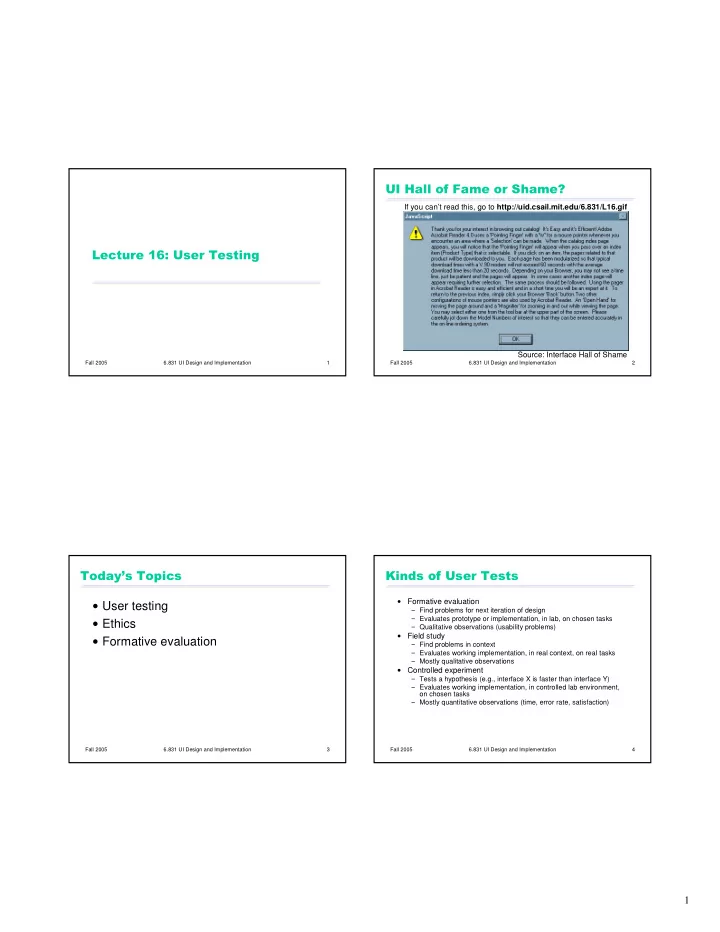
If you cant read this, go to http://uid.csail.mit.edu/6.831/L16.gif Source: Interface Hall of


slide-1
SLIDE 1

1

Fall 2005 6.831 UI Design and Implementation 1

  • Fall 2005

6.831 UI Design and Implementation 2

  • Source: Interface Hall of Shame

If you can’t read this, go to http://uid.csail.mit.edu/6.831/L16.gif

Fall 2005 6.831 UI Design and Implementation 3

  • User testing

Ethics Formative evaluation

Fall 2005 6.831 UI Design and Implementation 4

  • Formative evaluation

Find problems for next iteration of design Evaluates prototype or implementation, in lab, on chosen tasks Qualitative observations (usability problems)

  • Field study

Find problems in context Evaluates working implementation, in real context, on real tasks Mostly qualitative observations

  • Controlled experiment

Tests a hypothesis (e.g., interface X is faster than interface Y) Evaluates working implementation, in controlled lab environment,

  • n chosen tasks

Mostly quantitative observations (time, error rate, satisfaction)

slide-2
SLIDE 2

2

Fall 2005 6.831 UI Design and Implementation 5

!

Users are human beings

Human subjects have been seriously abused in the past

Nazi concentration camps Tuskegee syphilis study MIT Fernald School study: feeding radioactive isotopes to mentally retarded children Yale electric shock study

Research involving user testing is now subject to close scrutiny

MIT Committee on Use of Humans as Experimental Subjects (COUHES) must approve research-related user studies

Fall 2005 6.831 UI Design and Implementation 6

" Performance anxiety Feels like an intelligence test Comparing self with other subjects Feeling stupid in front of observers Competing with other subjects

Fall 2005 6.831 UI Design and Implementation 7

#$

Time

Dont waste it

Comfort

Make the user comfortable

Informed consent

Inform the user as fully as possible

Privacy

Preserve the users privacy

Control

The user can stop at any time

Fall 2005 6.831 UI Design and Implementation 8

%

Time

Pilot-test all materials and tasks

Comfort

Were testing the system; were not testing you. Any difficulties you encounter are the systems fault. We need your help to find these problems.

Privacy

Your test results will be completely confidential.

Information

Brief about purpose of study Inform about audiotaping, videotaping, other observers Answer any questions beforehand (unless biasing)

Control

You can stop at any time.

slide-3
SLIDE 3

3

Fall 2005 6.831 UI Design and Implementation 9

&

  • Time

Eliminate unnecessary tasks

  • Comfort

Calm, relaxed atmosphere Take breaks in long session Never act disappointed Give tasks one at a time First task should be easy, for an early success experience

  • Privacy

Users boss shouldnt be watching

  • Information

Answer questions (again, where they wont bias)

  • Control

User can give up a task and go on to the next User can quit entirely

Fall 2005 6.831 UI Design and Implementation 10

' Comfort

Say what theyve helped you do

Information

Answer questions that you had to defer to avoid biasing the experiment

Privacy

Dont publish user-identifying information Dont show video or audio without users permission

Fall 2005 6.831 UI Design and Implementation 11

(!( Find some users

Should be representative of the target user class(es), based on user analysis

Give each user some tasks

Should be representative of important tasks, based on task analysis

Watch user do the tasks

Fall 2005 6.831 UI Design and Implementation 12

$(!( User Facilitator Observers

slide-4
SLIDE 4

4

Fall 2005 6.831 UI Design and Implementation 13

$

User should think aloud

What they think is happening What theyre trying to do Why they took an action

Problems

Feels weird Thinking aloud may alter behavior Disrupts concentration

Another approach: pairs of users

Two users working together are more likely to converse naturally Also called co-discovery, constructive interaction

Fall 2005 6.831 UI Design and Implementation 14

$ Does the briefing Provides the tasks Coaches the user to think aloud by asking questions

What are you thinking? Why did you try that?

Controls the session and prevents interruptions by observers

Fall 2005 6.831 UI Design and Implementation 15

)*($

Be quiet!

Dont help, dont explain, dont point out mistakes Sit on your hands if it helps

Take notes

Watch for critical incidents: events that strongly affect task performance or satisfaction Usually negative

Errors Repeated attempts Curses

May be positive

Cool! Oh, now I see.

Fall 2005 6.831 UI Design and Implementation 16

$)*(

Pen & paper notes

Prepared forms can help

Audio recording

For think-aloud

Video recording

Usability labs often set up with two cameras, one for users face, one for screen User may be self-conscious Good for closed-circuit view by observers in another room Generates too much data Retrospective testing: go back through the video with the user, discussing critical incidents

Screen capture & event logging

Cheap and unobtrusive Camtasia, CamStudio