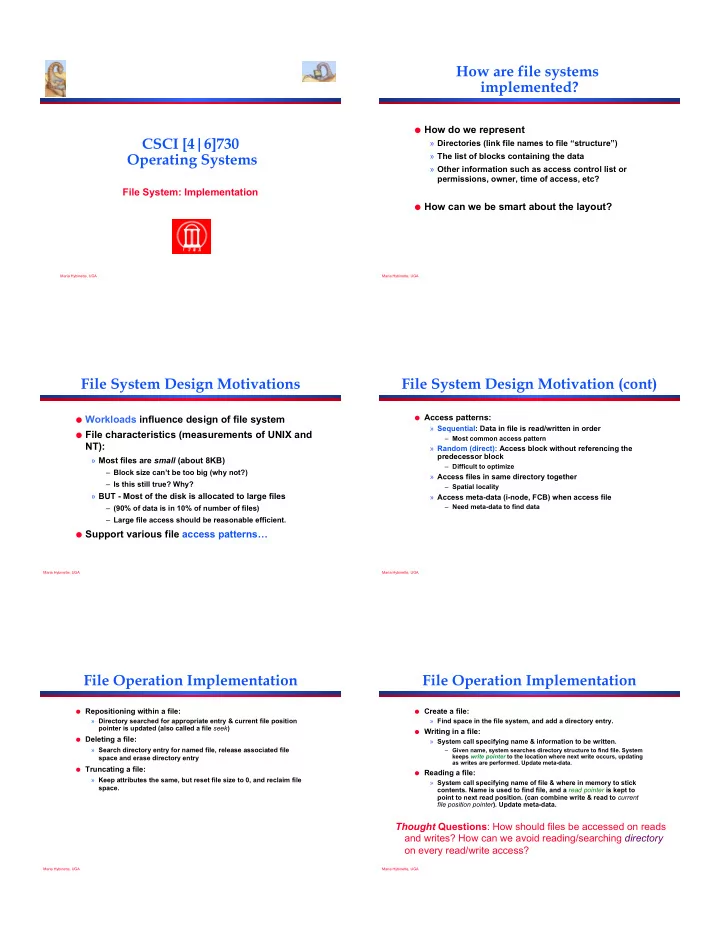
How are file systems implemented? ! How do we represent CSCI - - PDF document

how are file systems implemented
SMART_READER_LITE
LIVE PREVIEW

How are file systems implemented? ! How do we represent CSCI - - PDF document

How are file systems implemented? ! How do we represent CSCI [4|6]730 Directories (link file names to file structure) Operating Systems The list of blocks containing the data Other information such as access control list or


slide-1
SLIDE 1

Maria Hybinette, UGA

CSCI [4|6]730 Operating Systems

File System: Implementation

Maria Hybinette, UGA

How are file systems implemented?

! How do we represent

» Directories (link file names to file “structure”) » The list of blocks containing the data » Other information such as access control list or permissions, owner, time of access, etc?

! How can we be smart about the layout?

Maria Hybinette, UGA

File System Design Motivations

! Workloads influence design of file system ! File characteristics (measurements of UNIX and

NT):

» Most files are small (about 8KB)

– Block size can’t be too big (why not?) – Is this still true? Why?

» BUT - Most of the disk is allocated to large files

– (90% of data is in 10% of number of files) – Large file access should be reasonable efficient. ! Support various file access patterns!

Maria Hybinette, UGA

File System Design Motivation (cont)

! Access patterns:

» Sequential: Data in file is read/written in order

– Most common access pattern

» Random (direct): Access block without referencing the predecessor block

– Difficult to optimize

» Access files in same directory together

– Spatial locality

» Access meta-data (i-node, FCB) when access file

– Need meta-data to find data

Maria Hybinette, UGA

File Operation Implementation

! Repositioning within a file:

» Directory searched for appropriate entry & current file position pointer is updated (also called a file seek)

! Deleting a file:

» Search directory entry for named file, release associated file space and erase directory entry

! Truncating a file:

» Keep attributes the same, but reset file size to 0, and reclaim file space.

Maria Hybinette, UGA

File Operation Implementation

! Create a file:

» Find space in the file system, and add a directory entry.

! Writing in a file:

» System call specifying name & information to be written.

– Given name, system searches directory structure to find file. System keeps write pointer to the location where next write occurs, updating as writes are performed. Update meta-data. ! Reading a file:

» System call specifying name of file & where in memory to stick

  • contents. Name is used to find file, and a read pointer is kept to

point to next read position. (can combine write & read to current file position pointer). Update meta-data.

Thought Questions: How should files be accessed on reads and writes? How can we avoid reading/searching directory

  • n every read/write access?
slide-2
SLIDE 2

Maria Hybinette, UGA

! Need to caches open file pointers

» HINT: we have file descriptors in UNIX, it is a reason for this.

! How do we do this procedurally?

Maria Hybinette, UGA

Opening Files

! Observation: Expensive to access files with full pathnames

» On every read/write operation:

– Traverse directory structure – Check access permissions ! Idea!: open() file before first access

» User specifies mode: read and/or write » Search directories once for filename and check permissions » Copy relevant meta-data to system wide open file table in memory » Return index in open file table to process (file descriptor) » Process uses file descriptor to read/write to file

! Multi-process support: via a separate per-process-open file table

where each process maintains

» Current file position in file (offset for read/write) » Open mode

Maria Hybinette, UGA

Multi-Process File Access Support

! Two level of internal tables:

» Per-process open file table

– Tracks all files open by a process (process- centric information):

! Current position pointer (read/write), access

Rights

! Index in system-wide table

» System-wide open file table

– Process Independent information

! Location of file on disk ! Access dates, file size ! File open count (# processes accessing file)

Maria Hybinette, UGA

Example: Accessing Files (Steps via Open)

  • 1. Search directory structure

(part may be cached in memory)

  • 2. Get meta-data, copy (if

needed) into system-wide

  • pen file table
  • 3. Adjust count of #processes

that have file open

  • 4. Entry made in per-process
  • pen file table, w/ pointer

to system wide table

  • 5. Return pointer to entry in

per-process file table to application

  • pen( *filename )

user space kernel space disk space

‘in-core’ directory structure file meta-data directory structure read( fd ) system-wide

  • pen file table

per-process

  • pen file table

file data blocks file meta data

user space kernel space disk space

Maria Hybinette, UGA

Goals

! OS allocates logical block numbers (LBN) to meta-data,

file data, and directory data

» Workload items accessed together should be close in LBN space

! Implications

» Large files should be allocated sequentially » Files in same directory should be allocated near each other » Data should be allocated near its meta-data

! Meta-Data: Where is it (or should it be) stored on disk?

» Embedded within each directory entry » In data structure separate from directory entry

– Directory entry points to meta-data

Maria Hybinette, UGA

Allocation Strategies

! Progression of different approaches (reminiscent of

memory structure ‘progression’ of approaches)

» Contiguous » Extent-based » Linked » File-allocation Tables » Indexed » Multi-level Indexed

! Questions

» Amount of fragmentation (internal and external)? » Ability to grow file over time? » Seek cost for sequential accesses? » Speed to find data blocks for random accesses? » Wasted space for pointers to data blocks?

slide-3
SLIDE 3

Maria Hybinette, UGA

Contiguous Allocation

! Allocate each file to contiguous blocks on disk

» Meta-data: Starting block and size of file (base & bound) » OS allocates by finding sufficient free space

– Must predict future size of file; Should space be reserved?

» Examples: IBM OS/360, CDROMS, DVDs.

! Advantages: » Little overhead for meta-data » Excellent performance for sequential accesses » Simple to calculate random addresses

! Disadvantages:

» Horrible external fragmentation (Requires periodic compaction) » May not be able to grow file without moving it – Solution: Extends -- pointer to extent(s) in inode

A A A E B E B B B C C C A A A B B B B C C C

Free E

Maria Hybinette, UGA

Extent-Based Allocation

! Allocate multiple contiguous regions (extents) per file (e.g.,

Veritas File System).

» Meta-data: Small array (2-6) designating each extent

– Each entry: starting block and size

! Improves contiguous allocation

» File can grow over time (until run out of extents) » Helps with external fragmentation

! Advantages:

» Limited overhead for meta-data » Very good performance for sequential accesses » Simple to calculate random addresses

! Disadvantages (Small number of extents):

» External fragmentation can still be a problem » Not able to grow file when run out of extents

D A A A D B D B B B C C C B B

Maria Hybinette, UGA

Linked Allocation

! Allocate linked-list of fixed-sized blocks

» Meta-data: Location of first (fixed size) block of file

– Each block also contains pointer to next block

» Examples: TOPS-10, Alto

! Advantages:

» No external fragmentation » Files can be easily grown, with no limit

! Disadvantages:

» Cannot calculate random addresses w/o reading previous blocks » Sequential bandwidth may not be good

– Try to allocate blocks of file contiguously for best performance

» Reliability - loose pointer (1) cluster blocks (2) user double linked list

! Trade-off: Block size (does not need to equal sector size)

» Larger ! ?? , Smaller ! ??

D A A A B B B B C C C B B D D D D B

Maria Hybinette, UGA

File-Allocation Table (FAT)

! Variation of Linked allocation (e.g., MS-

DOS, OS/2)

» Keep linked-list information for all files in

  • n-disk FAT table

» Meta-data: Location of first block of file

– And, FAT table itself

» FAT located at beginning of each partition

– indexed by block number – entry contains block number of next entry ! Comparison to Linked Allocation

» Advantage: Random access improved because disk head can read location in FAT » Disadvantage: Read from two disk locations for every data read (FAT + actual block) » Optimization: Cache FAT in main memory

– Advantage: Greatly improves random accesses – Still very hard to access random file blocks ):

3 10 11 7

10 2 7 4 12

2 12 14

  • 1
  • 1

11 3 6 14

2 3 4 5 6 7 1 8 10 11 12 13 14 15 9 File A: Links of Physical Blocks File B: Links of Physical Blocks File A starts here File B starts here Maria Hybinette, UGA

Indexed Allocation

! Allocate fixed-sized blocks for each file

» Meta-data: Fixed-sized array of block pointers

– Allocate space for ptrs at file creation time

» Directory Entry: Address of index block

! Advantages:

» no external fragmentation (fixed sized blocks) » supports random access

! Disadvantages:

» waste of space (pointer), space wise worse than linked list

– A file of one block need the ENTIRE additional block for the index block – Need to know file size priory ! Implementation Issues:

» How big should an index block be?

– not too small: limits file size – too big: lots of wasted ointers

» How do we accommodate very large files?

– linked, multileveled, combined

1 2 3 4 5 6 7 8 9 10 11 12 13 14 15 16 17 18 19 20 21 22 23 24 25 26 27 directory jeep 19 file index block 9 16 1 10 25

  • 1
  • 1
  • 1

19 Maria Hybinette, UGA

Multi-Level Indexed Files

! Variation of Indexed Allocation

» Dynamically allocate hierarchy of pointers to blocks as needed » Meta-data: Small number of pointers allocated statically

– Additional pointers to blocks of pointers

» Examples: UNIX FFS-based file systems

! Comparison to Indexed Allocation

» Advantage: Does not waste space for unneeded pointers

– Still fast access for small files – Can grow to what size??

» Disadvantage: Need to read indirect blocks of pointers to calculate addresses (extra disk read)

– Keep indirect blocks cached in main memory triple indirect double indirect single indirect direct blocks size block count time stamps(3)

  • wners (2)

mode data data data data data data data data data data

i-node contains 15 pointers

12 direct blocks

Intuition: most files are small

slide-4
SLIDE 4

Maria Hybinette, UGA

Unix i-nodes

! If data blocks are 4K !

» First 48K reachable from the inode » Next 4MB available from single-indirect » Next 4GB available from double-indirect » Next 4TB available through the triple-indirect block

! Any block can be found with at most 3 disk

accesses

Maria Hybinette, UGA

Free-Space Management

! Motivation: Need to re-claim space from

deleted files, keep a free space list, indexed by blocks.

! Two main approaches to implement the free

‘list’:

» Bit Vector » Linked Lists

Maria Hybinette, UGA

Bit Vector

! Represent the list of free blocks as a bit vector, 1 bit

representing one block : 111111111111111001110101011101111...

» If bit i = 0 then block i is free, if i = 1 then it is allocated

! Advantages: Simple to use. ! Disadvantages: The vector can be large, 17.5 million

elements for a 9 GB disk (2.2 MB worth of bits)

! Justification: if free sectors are uniformly distributed

across the disk then the expected number of bits that must be scanned before finding a “0” is n/r where

» n = total number of blocks on the disk » r = number of free blocks

If a disk is 90% full, then the average number of bits to be scanned is 10, independent of the size of the disk

Not likely, if they were I/O would be poor

Maria Hybinette, UGA

Linked List Representations

! In-situ linked lists (no wasted space) ! Grouped lists (to find blocks quicker) D!

Next! group! block!

G! D! Free block! Allocated block!

Maria Hybinette, UGA

File System Consistency

! Motivation: Recover from a system crash before modified files

written back

» Leads to inconsistency in FS » fsck (UNIX) & scandisk (Windows) check FS consistency

! Approach:

» Check both (1) blocks (block consistency) and (2) files (consistency) separately.

! Algorithm 1: Block Consistency:

» Build 2 tables, each containing counter for all blocks (init to 0)

– 1st table checks how many times a block is in a file – 2nd table records how often block is present in the free list

! >1 not possible if using a bitmap

» Read all i-nodes, and modify table 1 » Read free-list and modify table 2 » Consistent state if block is either in table 1 or 2, but not both

! Algorithm 2: File Consistency:

» Use a file counter instead of a block counter (appear in directories, compare with link count stored in inode)

Maria Hybinette, UGA

Examples: Inconsistent States

! File system states (a) Consistent (b) missing block - no harm but wasted space (c) duplicate block in free list - ok, just add to free list (d) duplicate data block 5 - if either files are removed block will be on free list, leading to situations where block is in both free list and USE list, if both are removed, block in free list twice

ACTION: allocate new block to copy block 5 into it, insert copy in one of the files