File Systems: Semantics & Structure What is a File a file is a - - PDF document

file systems semantics structure what is a file
SMART_READER_LITE
LIVE PREVIEW

File Systems: Semantics & Structure What is a File a file is a - - PDF document

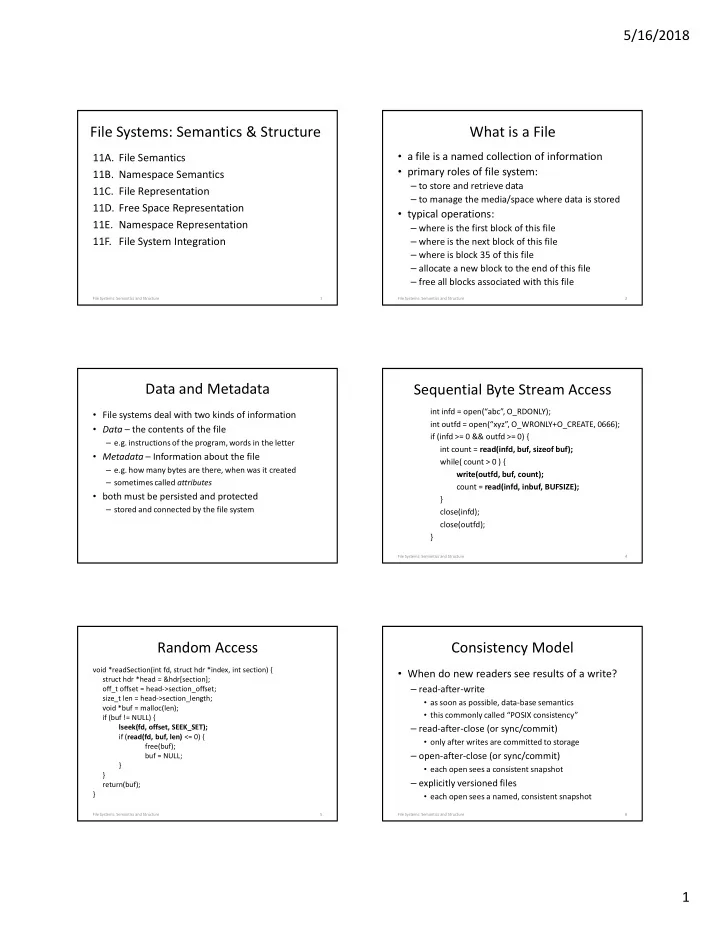
5/16/2018 File Systems: Semantics & Structure What is a File a file is a named collection of information 11A. File Semantics primary roles of file system: 11B. Namespace Semantics to store and retrieve data 11C. File


slide-1
SLIDE 1

5/16/2018 1

File Systems: Semantics & Structure

  • 11A. File Semantics
  • 11B. Namespace Semantics
  • 11C. File Representation
  • 11D. Free Space Representation
  • 11E. Namespace Representation
  • 11F. File System Integration

File Systems: Semantics and Structure 1

What is a File

  • a file is a named collection of information
  • primary roles of file system:

– to store and retrieve data – to manage the media/space where data is stored

  • typical operations:

– where is the first block of this file – where is the next block of this file – where is block 35 of this file – allocate a new block to the end of this file – free all blocks associated with this file

2 File Systems: Semantics and Structure

Data and Metadata

  • File systems deal with two kinds of information
  • Data – the contents of the file

– e.g. instructions of the program, words in the letter

  • Metadata – Information about the file

– e.g. how many bytes are there, when was it created – sometimes called attributes

  • both must be persisted and protected

– stored and connected by the file system

Sequential Byte Stream Access

int infd = open(“abc”, O_RDONLY); int outfd = open(“xyz”, O_WRONLY+O_CREATE, 0666); if (infd >= 0 && outfd >= 0) { int count = read(infd, buf, sizeof buf); while( count > 0 ) { write(outfd, buf, count); count = read(infd, inbuf, BUFSIZE); } close(infd); close(outfd); }

File Systems: Semantics and Structure 4

Random Access

void *readSection(int fd, struct hdr *index, int section) { struct hdr *head = &hdr[section];

  • ff_t offset = head->section_offset;

size_t len = head->section_length; void *buf = malloc(len); if (buf != NULL) { lseek(fd, offset, SEEK_SET); if (read(fd, buf, len) <= 0) { free(buf); buf = NULL; } } return(buf); }

File Systems: Semantics and Structure 5

Consistency Model

  • When do new readers see results of a write?

– read-after-write

  • as soon as possible, data-base semantics
  • this commonly called “POSIX consistency”

– read-after-close (or sync/commit)

  • only after writes are committed to storage

– open-after-close (or sync/commit)

  • each open sees a consistent snapshot

– explicitly versioned files

  • each open sees a named, consistent snapshot

File Systems: Semantics and Structure 6

slide-2
SLIDE 2

5/16/2018 2

File Attributes – basic properties

  • thus far we have focused on a simple model

– a file is a "named collection of data blocks"

  • in most OS files have more state than this

– file type (regular file, directory, device, IPC port, ...) – file length (may be excess space at end of last block)) – ownership and protection information – system attributes (e.g. hidden, archive) – creation time, modification time, last accessed time

  • typically stored in file descriptor structure

7 File Systems: Semantics and Structure

Extended File Types and Attributes

  • extended protection information

– e.g. access control lists

  • resource forks

– e.g. configuration data, fonts, related objects

  • application defined types

– e.g. load modules, HTML, e-mail, MPEG, ...

  • application defined properties

– e.g. compression scheme, encryption algorithm, ...

8 File Systems: Semantics and Structure

Databases

  • a tool managing business critical data
  • table is equivalent of a file system
  • data organized in rows and columns

– row indexed by unique key – columns are named fields within each row

  • support a rich set of operations

– multi-object, read/modify/write transactions – SQL searches return consistent snapshots – insert/delete row/column operations

File Systems: Semantics and Structure 9

Object Stores

  • simplified file systems, cloud storage

– optimized for large but infrequent transfers

  • bucket is equivalent of a file system

– a bucket contains named, versioned objects

  • objects have long names in a flat name space

– object names are unique within a bucket

  • an object is a blob of immutable bytes

– get … all or part of the object – put … new version, there is no append/update – delete

File Systems: Semantics and Structure 10

Key-Value Stores

  • smaller and faster than an SQL database

– optimized for frequent small transfers

  • table is equivalent of a file system

– a table is a collection of key/value pairs

  • keys have long names in a flat name space

– key names are unique within a table

  • value is a (typically 64-64MB) string

– get/put (entire value) – delete

File Systems: Semantics and Structure 11

File Names and Name Binding

  • file system knows files by internal descriptors
  • users know files by names

– names more easily remembered than disk addresses – names can be structured to organize millions of files

  • file system responsible for name-to-file mapping

– associating names with new files – changing names associated with existing files – allowing users to search the name space

  • there are many ways to structure a name space

12 File Systems: Semantics and Structure

slide-3
SLIDE 3

5/16/2018 3

What is in a Name?

  • suffixes and file types

– file-to-application binding often based on suffix

  • defined by system configuration registry
  • configured per user, or per directory

– suffix may define the file type (e.g. Windows) – suffix may only be a hint (magic # defines type)

File Systems: Semantics and Structure 13

/home/mark/TODO.txt

base name suffix directory separator

Flat Name Spaces

  • there is one naming context per file system

– all file names must be unique within that context

  • all files have exactly one true name

– these names are probably very long

  • file names may have some structure

– e.g. CAC101.CS111.SECTION1.SLIDES.LECTURE_13 – this structure may be used to optimize searches – the structure is very useful to users – the structure has no meaning to the file system

14 File Systems: Semantics and Structure

Hierarchical Namespaces

  • directory

–a file containing references to other files –it can be used as a naming context

  • each process has a current working directory
  • names are interpreted relative to directory
  • nested directories can form a tree

–file name is a path through that tree –directory tree expands from a root node

  • fully qualified names begin from the root

–may actually form a directed graph

15 File Systems: Semantics and Structure

A rooted directory tree

root user_1 user_2 user_3 file_a

(/user_1/file_a)

file_b

(/user_2/file_b)

file_c

(/user_3/file_c)

dir_a

(/user_1/dir_a)

dir_a

(/user_3/dir_a)

file_a

(/user_1/dir_a/file_a)

file_b

(/user_3/dir_a/file_b)

16 File Systems: Semantics and Structure

True Names vs. Path Names

  • Some file systems have “true names”
  • DOS and ISO9660 have a single “path name”

– files are described by directory entries – data is referred to by exactly one directory entry – each file has only one (character string) name

  • Unix (and Linux) … have named links

– files are described by I-nodes (w/unique I#) – directories associate names with I-node numbers – many directory entries can refer to same I-node

File Systems: Semantics and Structure 17

Hard Links: example

root user_1 user_3 dir_a file_c file_a file_b ln /user_3/dir_a/file_b /user_1/file_a

Both names now refer to the same I-node

18 File Systems: Semantics and Structure

slide-4
SLIDE 4

5/16/2018 4

Unix-style Hard Links

  • all protection information is stored in the file

– file owner sets file protection (e.g. read-only) – all links provide the same access to the file – anyone with read access to file can create new link – but directories are protected files too

  • not everyone has read or search access to every directory
  • all links are equal

– there is nothing special about the owner‘s link – file is not deleted until no links remain to file – reference count keeps track of references

19 File Systems: Semantics and Structure

Symbolic Links: example

root user_1 user_3 dir_a file_c file_a file_b ln –s /user_3/dir_a/file_b /user_1/file_a

/user_1/file_a is now a macro for /user_3/dir_a/file_b

20 File Systems: Semantics and Structure

/user_3/dir_a/file_b

Symbolic Links

  • another type of special file

– an indirect reference to some other file – contents is a path name to another file

  • Operating System recognizes symbolic links

– automatically opens associated file instead – if file is inaccessible or non-existent, the open fails

  • symbolic link is not a reference to the I-node

– symbolic links will not prevent deletion – do not guarantee ability to follow the specified path – Internet URLs are similar to symbolic links

21 File Systems: Semantics and Structure

Generalized Directories: Issues

  • Can there be multiple links to a single file?

– who can create new references to a file? – if one reference is deleted, does the file go away? – can the file's owner cancel other peoples' access?

  • Can clients work their way back up the tree?
  • Is the namespace truly a tree

– or is it an a-cyclic directed graph – or an arbitrary directed graph

  • Does namespace span multiple file systems?

22 File Systems: Semantics and Structure

File System Goals

  • ensure the privacy and integrity of all files
  • efficiently implement name-to-file binding

– find file associated with this name – list the file names in this part of the name space

  • efficiently manage data associated w/each file

– return data at offset X in file Y – write data Z at offset X in file Y

  • manage attributes associated w/each file

– what is the length of file Y – change owner/protection of file Y to be X

File Systems: Semantics and Structure 23

File System Structure

  • disk volumes are divided into fixed-sized blocks

– many sizes are used: 512, 1024, 2048, 4096, 8192 ...

  • most of them will store user data
  • some will store organizing “meta-data”

– description of the file system (e.g. layout and state) – file control blocks to describe individual files – lists of free blocks (not yet allocated to any file)

  • all operating systems have such data structures

– different OS and FS often have very different goals – these result in very different implementations

24 File Systems: Semantics and Structure

slide-5
SLIDE 5

5/16/2018 5

Unix System 5 – Volume Structure

boot block super block I-nodes available blocks block 0 block 1 block 2 block size and number of I-nodes are specified in super block I-node #1 (traditionally) describes the root directory data blocks begin immediately after the end of the I-nodes.

25 File Systems: Semantics and Structure

File Descriptor Structures

  • all file systems have file descriptor structures
  • contain all info about file

– type (e.g. file, directory, pipe) – ownership and protection – size (in bytes) – other attributes – location of data blocks

  • descriptor location/# is file’s true name

File Systems: Semantics and Structure 26

# links

  • wner

group file size last access time last written time last I-node update time data block pointers …

UNIX I-node

type protection

Ways to Manage Allocated Space

  • a single large, contiguous extent

– one pointer per file, very efficient I/O – hard to extend, external fragmentation, coalescing

  • a linked lists of blocks

– one pointer per file, one per extent – potentially long searches

  • N block pointers per file

– limits maximum file size to N blocks – but maybe some blocks contain pointers

File Systems: Semantics and Structure 27

Unix I-nodes and block pointers

1st 2nd 10th 11th 1034th 1035th

... ... ...

2058th 2059th

... ...

Indirect blocks data blocks 1st block pointers (in I-node) tripple double-Indirect

... ...

2nd 10th 11th 12th 13th 3rd 4th 5th 6th 7th 8th 9th

...

F1

28 File Systems: Semantics and Structure

(Unix I-node block mapping)

  • I-node contains 13 block pointers

– first 10 point to first 10 blocks of file – 11th points to an indirect block (e.g. 4k bytes = 1k blocks) – 12th points to a double indirect block (w/1k indirect blocks) – 13th points to a triple indirect block (w/1k double indirs)

  • assuming 4k bytes per block and 4-bytes per pointer

– 10 direct blocks = 10 * 4K bytes = 40K bytes – indirect block = 1K * 4K = 4M bytes – double indirect = 1K * 4M = 4G bytes – triple indirect = 1K * 4G = 4T bytes (finite, but large)

29 File Systems: Semantics and Structure

I-nodes – performance

  • I-node is in memory whenever file is open
  • first ten blocks can be found with no I/O
  • after that, we must read indirect blocks

– the real pointers are in the indirect blocks – sequential file processing will keep referencing it – block I/O will keep it in the buffer cache

  • 1-3 extra I/O operations per thousand pages

– any block can be found with 3 or fewer reads

  • index blocks can support "sparse" files
  • block # width determines max file system size

30 File Systems: Semantics and Structure

slide-6
SLIDE 6

5/16/2018 6

DOS FAT – Volume Structure

boot block BIOS parameter block (BPB) File Allocation Table (FAT) cluster #1 (root directory) cluster #2 … block 0512 block 1512 block 2512 cluster size and FAT length are specified in the BPB data clusters begin immediately after the end of the FAT root directory begins in the first data cluster

31 File Systems: Semantics and Structure

Clusters in a DOS FAT File

directory entry

name: myfile.txt length: 1500 bytes 1st cluster: 3

File Allocation Table

x 1 2 3 4 5 6 x 5

  • 1

4

cluster #3 cluster #4 cluster #5

first 512 bytes of file second 512 bytes of file last 476 bytes of file

Each FAT entry corresponds to a cluster, and contains the number of the next cluster.

  • 1 = End of File

0 = free cluster

32 File Systems: Semantics and Structure

(DOS FAT File Systems – Overview)

  • DOS file systems divide space into "clusters"

– cluster size (multiple of 512) fixed for each file system – clusters are numbered 1 though N

  • File control structure points to first cluster of file
  • File Allocation Table (FAT), one entry per cluster

– has number of next cluster in file – 0 -> cluster is not allocated – -1 -> end of file

33 File Systems: Semantics and Structure

FAT – Performance/Capabilities

  • to find a particular block of a file

– get number of first cluster from directory entry – follow chain of pointers through FAT

  • entire File Allocation Table is kept in memory

– no disk I/O is required to find a cluster – for very large files the search can still be long

  • no support for "sparse" files

– if a file has a block n, it must have all blocks < n

  • width of FAT determines max file system size

34 File Systems: Semantics and Structure

Free Space Maintenance

  • file system manager manages the free space
  • get/release chunk should be fast operations

– they are extremely frequent – we'd like to avoid doing I/O as much as possible

  • unlike memory, it matters what chunk we choose

– best to allocate new space in same cylinder as file – user may ask for contiguous storage

  • file system free-list organization must address

– speed of allocation and de-allocation – ability to allocate contiguous or near-by space – ability to coalesce and de-fragment

35 File Systems: Semantics and Structure

Bit Map Free Lists

block #1 (in use) block #2 (in use) block #3 (free) block #4 (in use) block #5 (free) block #6 (free)

free block bit map: one bit per block

1 1 1

actual data blocks BSD file systems use bit-maps to keep track

  • f both free blocks and free I-nodes in each

cylinder group

36 File Systems: Semantics and Structure

slide-7
SLIDE 7

5/16/2018 7

(free space bit-maps)

  • fixed sized blocks simplify free-lists

– equal sized blocks do not require size information – all blocks are fungible (modulo performance)

  • bit maps are a very efficient representation

– minimal space to store the map – very code and cache efficient to search

  • bit maps enable efficient allocation

– easy to find chunks in a desired area – easy to coalesce adjacent chunks

37 File Systems: Semantics and Structure

FFS I-nodes and Free Lists

1st 2nd 10th 11th 1034th 1035th

... ... ...

2058th 2059th

... ...

1st block pointers (in I-node)

... ...

2nd 10th 11th 12th 13th 3rd 4th 5th 6th 7th 8th 9th

...

C.G. summary free I-node map free block map

38 File Systems: Semantics and Structure

FFS create(/foo/bar)

data bitmap I-node bitmap root I-node foo I-node bar I-node root data foo data bar data[0] bar data[1] bar data[2]

search / read search / read search foo read search foo read new I-node read new I-node write update foo write new I-node read new I-node write update foo write

File Systems: Semantics and Structure 39

FFS 3 x write(bar, one block)

data bitmap I-node bitmap root I-node foo I-node bar I-node root data foo data bar data[0] bar data[1] bar data[2]

find bar[0] read new block read new block write write bar[1] write update I-node write find bar[1] read new block read new block write write data write update I-node write find bar[2] read new block read new block write write bar[2] write update I-node write

File Systems: Semantics and Structure 40

FAT Free Space

boot block File Allocation Table data clusters BIOS parms

## ## ## ## ##

##

Each FAT entry corresponds to a cluster, and contains the number of the next cluster. A value of zero indicates a cluster that is not allocated to any file, and is therefore free.

  • 1

41 File Systems: Semantics and Structure

FAT Free Space

  • can search for free clusters in desired cylinder

– we can map clusters to cylinders

  • the BIOS Parameter Block describes the device geometry

– look at first-cluster of file to choose desired cylinder – start search at first cluster of desired cylinder – examine each FAT entry until we find a free one

  • if no free clusters, we must garbage collect

– recursively search all directories for existing files – enumerate all of the clusters in each file – any clusters not found in search can be marked as free

42 File Systems: Semantics and Structure

slide-8
SLIDE 8

5/16/2018 8

Clusters in a DOS FAT File

directory entry

name: myfile.txt length: 1500 bytes 1st cluster: 3

File Allocation Table

x 1 2 3 4 5 6 x 5

  • 1

4

cluster #3 cluster #4 cluster #5

first 512 bytes of file second 512 bytes of file last 476 bytes of file

Each FAT entry corresponds to a cluster, and contains the number of the next cluster.

  • 1 = End of File

0 = free cluster

43 File Systems: Semantics and Structure

(Extending a DOS/FAT file)

  • note cluster number of current last cluster in file
  • search FAT to find a free cluster

– free clusters are indicated by a FAT entry of zero – look for a cluster in same cylinder as previous cluster – put -1 in FAT entry to indicate that this is the new EOF – this has side effect of marking new cluster as not free

  • chain new cluster on to end of the file

– put number of new cluster into FAT entry for last cluster

44 File Systems: Semantics and Structure

Directories are usually files

  • directories are a special type of file

– used by OS to map file names into the associated files

  • a directory contains multiple directory entries

– each directory entry describes one file and its name

  • user applications are allowed to read directories

– to get information about each file – to find out what files exist

  • only Operating System is allowed to write them

– the file system depends on the integrity of directories

A2

45 File Systems: Semantics and Structure

UNIX Directories

user_1 9 file name I-node # user_2 31 user_3 114

directory /user_3, I-node #114

dir_a file_c . 1 .. 1

root directory, I-node #1

194 307 . 114 .. 1 file name I-node #

46 File Systems: Semantics and Structure

(Example: UNIX Directories)

  • file names separated by slashes

– e.g. /user_3/dir_a/file_b

  • the actual file descriptors are the I-nodes

– directory entries only point to I-nodes – association of a name with an I-node is called a "link" – multiple directory entries can point to the same I- node

  • contents of a Unix directory entry

– name (relative to this directory) – pointer to the I-node of the associated file

47 File Systems: Semantics and Structure

Hard Links - example

user_1 9 user_2 31 user_3 114

I-node #9, directory

dir_a file_c . 1 .. 1

I-node #1, root directory

194 29 . 114 .. 1

I-node #114, directory

dir_a file_a 118 29 . 9 .. 1

I-node #29, file

48 File Systems: Semantics and Structure

slide-9
SLIDE 9

5/16/2018 9

Hard Links and De-allocation

  • there can be many links to a single I-node

– all links are equivalent – no link enjoys a preferential (e.g. master) status

  • file exists as long as at least one link exists
  • most easily implemented w/reference counts

– increment with every link operation – decrement with every unlink operation – delete file when reference count goes to zero

  • could be implemented with garbage collection

Symbolic Links - example

user_1 9 user_2 31 user_3 114

I-node #9, directory

dir_a file_c . 1 .. 1

I-node #1, root directory

194 29 . 114 .. 1

I-node #114, directory

dir_a file_a 118 46 . 9 .. 1

I-node #29, file /user_3/file_c I-node #46, symlink

50 File Systems: Semantics and Structure

DOS Directories

user_1 256 bytes 9 DIR …

root directory, starting in cluster #1

file name length 1st cluster type … user_2 512 bytes 31 DIR … user_3 284 bytes 114 DIR …

Directory /user_3, starting in cluster #114

file name length 1st cluster type … .. 256 bytes 1 DIR … dir_a 512 bytes 62 DIR … file_c 1824 bytes 102 FILE …

51 File Systems: Semantics and Structure

(Example: DOS Directories)

  • File & directory names separated by back-slashes

– e.g. \user_3\dir_a\file_b

  • directory entries are the file descriptors

– as such, only one entry can refer to a particular file

  • contents of a DOS directory entry

– name (relative to this directory) – type (ordinary file, directory, ...) – location of first cluster of file – length of file in bytes – other privacy and protection attributes

52 File Systems: Semantics and Structure

Unix File System Mounts

  • goal

– make many file systems appear to be one giant – users need not be aware of file system boundaries

  • mechanism

– mount device on directory – creates a warp from the named directory to the top of the file system on the specified device – any file name beneath that directory is interpreted relative to the root of the mounted file system

53 File Systems: Semantics and Structure

Unix - Mounted File Systems

file system 4 file system 2 file system 3 root file system /bin /opt /export user1 user2 mount filesystem2 on /export/user1 mount filesystem3 on /export/user2 mount filesystem4 on /opt

54 File Systems: Semantics and Structure

slide-10
SLIDE 10

5/16/2018 10

Open Files – Levels of Indirection

  • n-disk file descriptors

(UNIX struct dinode)

  • pen-file references

(UNIX user file descriptor) in process descriptor I-node I-node I-node I-node I-node I-node I-node I-node I-node

  • ffset
  • ptions

I-node ptr stdout stderr stdin stdout stderr stdin stdout stderr stdin

  • ffset
  • ptions

I-node ptr

  • ffset
  • ptions

I-node ptr

  • ffset
  • ptions

I-node ptr

  • ffset
  • ptions

I-node ptr

in-memory file descriptors (UNIX struct inode)

  • pen file instance

descriptors

B2 B1

55 File Systems: Semantics and Structure

(Open Files – Levels of Indirection)

  • open file references (UNIX user file descriptors)

– array to associate open file index numbers w/files

  • open file descriptors (UNIX file structures)

– describes an open instance (session) of a file

  • current offset, access (read/write), lock status
  • in-memory file descriptors (UNIX I-nodes)

– copy of on-disk file description

  • on-disk file descriptors (UNIX dinodes)

– file description (ownership, protection, etc) – location (on disk) of the file's data

56 File Systems: Semantics and Structure

File Systems

  • file systems implemented on top of block I/O

– should be independent of underlying devices

  • all file systems perform same basic functions

– map names to files – map <file, offset> into <device, block> – manage free space and allocate it to files – create and destroy files – get and set file attributes – manipulate the file name space

  • different implementations and options

57 File Systems: Semantics and Structure

Files: Layers of implementation

system calls

UNIX FS DOS FS CD FS

block I/O

CD drivers disk drivers diskette drivers

device driver interfaces (disk-ddi)

flash drivers EXT3 FS virtual file system integration layer file

  • perations

directory

  • perations

file I/O device I/O socket I/O

… …

58 File Systems: Semantics and Structure

Virtual File System (integration) Layer

  • federation layer to generalize file systems

– permits rest of OS to treat all file systems as the same – support dynamic addition of new file systems

  • plug-in interface or file system implementations

– DOS FAT, Unix, EXT3, ISO 9660, network, etc. – each file system implemented by a plug-in module – all implement same basic methods

  • create, delete, open, close, link, unlink,
  • get/put block, get/set attributes, read directory, etc
  • implementation is hidden from higher level clients

– all clients see are the standard methods and properties

59 File Systems: Semantics and Structure

Device Independent Block I/O

  • simplifying abstraction – better than generic disks
  • an LRU buffer cache for disk data

– hold frequently used data until it is needed again – hold pre-fetched read-ahead data until it is requested

  • buffers for data re-blocking

– adapting file system block size to device block size – adapting file system block size to user request sizes

  • automatic buffer management

– allocation, deallocation – automatic write-back of changed buffers

60 File Systems: Semantics and Structure

slide-11
SLIDE 11

5/16/2018 11

Assignments

  • For next lecture

– AD 41 FFS Implementation – AD 42 Crash Consistency – AD 43 Logging File Systems – AD 44 Data Integrity – AD appx I.6-10 (SSD)

  • Lab

– start on 4C as soon as you finish 4B, server communication and SSL can be hard to debug

File Systems: Semantics and Structure 61

Supplementary Slides

62 File Systems: Semantics and Structure

Indexed Sequential Files

  • record structured files for database like use

– records may be fixed or variable length

  • all records have one or more keys

– records can be accessed by their key – sample key: student ID number

  • new file update operations

– insert record, delete record

  • performance challenges

– efficient insertion, key searches

63 File Systems: Semantics and Structure

What is an Index

  • a table of contents for another file

– lists keys, and pointers to associated records – built by examining the real data file

  • enables much faster access to desired records

– search for records in index rather than file – index is much shorter, and sorted by key(s)

  • index is sometimes called an inverted file

– files are accessed by record location, to find the data – index is accessed by data key, to find record location

64 File Systems: Semantics and Structure

Name Space Structure

  • how many files can have the same name?

– one per file system ... flat name spaces – one per directory ... hierarchical name spaces

  • how many different names can one file have?

– a single “true name” – only one “true name”, but aliases are allowed – arbitrarily many

  • do different names have different privileges?

– does deleting one name make others disappear too? – do all names see the same access permissions?

65 File Systems: Semantics and Structure

Unix File Extension

1st 2nd 10th 11th 1034th 1035th

... ... ...

2058th 2059th

... ...

1st block pointers (in I-node)

... ...

2nd 10th 11th 12th 13th 3rd 4th 5th 6th 7th 8th 9th

...

C.G. summary free I-node map free block map

66 File Systems: Semantics and Structure

slide-12
SLIDE 12

5/16/2018 12

(Extending a BSD/UNIX file)

  • note the cylinder group for the file's i-node
  • note the cylinder for the previous block in the file
  • find a free block in the desired cylinder

– search the free-block bit-map for free block in right cyl – update bit-map to show the block has been allocated

  • update the I-node to point to the new block

– go to appropriate block pointer in I-node/indirect block – if new indirect block is needed, allocate/assign it first – update I-node/indirect to point to new block

67 File Systems: Semantics and Structure

Block Device Drivers

  • generalizing abstraction – make all disks look

same

  • implement standard operations on their devices

– asynchronous read (physical block #, buffer, bytecount) – asynchronous write (physical block #, buffer, bytecount)

  • map logical block numbers to device addresses

– e.g. logical block number to <cylinder, head, sector>

  • encapsulate all the particulars of device support

– I/O scheduling, initiation, completion, error handlings – size and alignment limitations

A2

68 File Systems: Semantics and Structure

File Systems and Disks

  • independence of multiple disks

– they can be turned on and off independently – they can be backed-up and restored independently – some are physically removable (diskette, CD, Flash)

  • file system spanning multiple (non RAID) disks is risky

– losing one disk could lose parts of many files – better to lose all of some files and none of others – disks can be checked, repaired, restored independently

  • people do put multiple file systems on a single disk

– partitioning a physical disk into multiple logical disks

69 File Systems: Semantics and Structure

Logical Disk Partitioning

  • divide physical disk into multiple logical disks

– perhaps in disk driver, perhaps through meta-driver – rest of system sees partitions as separate devices

  • typical motivations

– permit multiple OS to coexist on a single disk

  • e.g. a notebook that can boot either Windows or Linux

– fire-walls for installation, back-up and recovery

  • e.g. separate personal files from the installed OS file system

– fire-walls for free-space

  • running out of space on one file system doesn't affect others

70 File Systems: Semantics and Structure

Disk Partitioning Mechanisms

  • some designed for use by a particular OS

– e.g. Linux LVM partitions, understood by GRUB

  • some designed to support multiple OS

– e.g. DOS FDISK partitions, understood by BIOS

  • there may be hierarchical partitioning

– e.g. logical volumes within an FDISK partition

  • should be possible to boot from any partition

– direct from BIOS, or w/help from L2 bootstrap

71 File Systems: Semantics and Structure

example: FDISK Disk Partitioning

disk bootstrap program physical sector 0 (Master Boot Record)

149:7:63 99:7:63 199:7:63 100:1:00 00:01:00 150:1:00 NTFS linux OS X 1 end start type A

FDISK partition table linux partition Windows partition OS X partition

PBR PBR PBR

Note that the first sector of each logical partition also contains a Partition Boot Record, which will be used to boot the

  • perating system for that partition.

99:7:63 00:01:00 149:7:63 100:1:00 199:7:63 150:1:00

E1

72 File Systems: Semantics and Structure

slide-13
SLIDE 13

5/16/2018 13

A Simple Bootstrap Procedure

  • 1. BIOS tries designated devices in a configurable
  • rder
  • 2. Read MBR (Block 0) from chosen device and

check for validity, and branch to it.

  • 3. Scan FDISK table to find ACTIVE partition, read

PBR (block 0) from chosen partition, and branch to it.

  • 4. PBR loader finds and loads 2nd level bootstrap

(e.g. GRUB), and branches to it.

  • 5. 2nd level bootstrap (often a very sophisticated

program) finds and loads operating system.

  • 6. all early-stage loading is done by calls to BIOS

Working with multiple file systems

  • finding files is easy if there is only one file system

– any file we want must be on that one file system – directories enable us to name files within a file system

  • what if there are multiple file systems available?

– somehow, we have to say which one our file is on

  • how do we specify which file system to use?

– one way or another, it must be part of the file name – it may be implicit (e.g. same as current directory) – we need some way of specifying which file system

74 File Systems: Semantics and Structure

Specifying Which File System

  • we could specify the physical device it resides on

– e.g. "/devices/pci/pci1000,4/disk/lun1/partition2"

  • that would get old real quick
  • we could assign logical names to our partitions

– e.g. "A:", "C:", "D:"

  • you only have to think physical when you set them up
  • but you still have to be aware multiple volumes exist
  • we could weave a multi-file-system name space

– e.g. Unix mounts

75 File Systems: Semantics and Structure