Hands-On Getting ready... Run a task that accesses ESD Locally - - PowerPoint PPT Presentation

hands on
SMART_READER_LITE
LIVE PREVIEW

Hands-On Getting ready... Run a task that accesses ESD Locally - - PowerPoint PPT Presentation

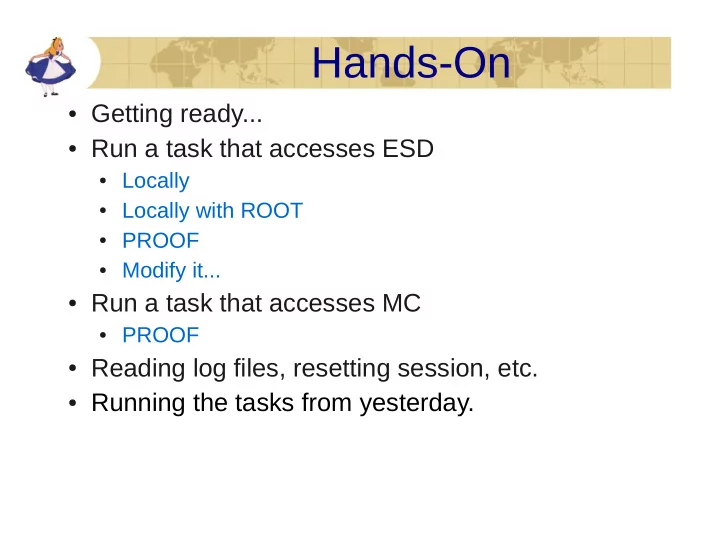
Hands-On Getting ready... Run a task that accesses ESD Locally Locally with ROOT PROOF Modify it... Run a task that accesses MC PROOF Reading log files, resetting session, etc. Running the tasks from


slide-1
SLIDE 1
  • Getting ready...
  • Run a task that accesses ESD
  • Locally
  • Locally with ROOT
  • PROOF
  • Modify it...
  • Run a task that accesses MC
  • PROOF
  • Reading log files, resetting session, etc.
  • Running the tasks from yesterday.

Hands-On

slide-2
SLIDE 2

http://aliceinfo.cern.ch/Offline/AliRoot/Manual.html

Download files for proof tutorial

Download & unpack files:

wget http://aliceinfo.cern.ch/secure/Offline/sites/aliweb.cern.ch.Offline/files/uploads/AnalysisTrain/proof-tutorial.tgz

tar xzvf proof-tutorial.tgz Change files.txt content so it would point to existing path. /afs/cern.ch/user/m/majanik/public/2011/AliESDs.root Run runLocal.C with aliroot: $ aliroot root [0] .x runLocal.C

slide-3
SLIDE 3

Running Aliroot tasks with ROOT

  • Start ROOT
  • Try the following lines and once they work add them to

a macro run.C (enclose in {})

  • Load needed libraries
  • gSystem->Load("libTree.so");
  • gSystem->Load("libGeom.so");
  • gSystem->Load("libVMC.so");
  • gSystem->Load( ''libPhysics.so'');
  • gSystem->Load( ''libMinuit.so'');
  • gSystem->Load("libSTEERBase.so");
  • gSystem->Load("libESD.so");
  • gSystem->Load("libAOD.so");
  • gSystem->Load("libANALYSIS.so");
  • gSystem->Load("libANALYSISalice.so");
  • Add the AliRoot include path (only needed for local

case)

  • gROOT->ProcessLine(".include $ALICE_ROOT/include");
slide-4
SLIDE 4

Run a task locally (2)

  • Create the analysis manager
  • mgr = new AliAnalysisManager(“testAnalysis");
  • Create the analysis task and add it to the

manager

  • gROOT->LoadMacro("AliAnalysisTaskPt.cxx++g");

– "+" means compile; "g" means debug

  • task = new AliAnalysisTaskPt(“TaskPt”);
  • mgr->AddTask(task);
  • Add the ESD handler (to access the ESD)
  • esdH = new AliESDInputHandler;
  • mgr->SetInputEventHandler(esdH);
  • Add the lines to the macro run.C
slide-5
SLIDE 5

Run a task locally (3)

  • Create a chain
  • gROOT->LoadMacro(“$ALICE_ROOT/PWGUD/macros/CreateESDChain.C");
  • chain = CreateESDChain(“files.txt");
  • Attach the input (the chain)
  • cInput = mgr->GetCommonInputContainer();
  • mgr->ConnectInput(task, 0, cInput);
  • Create a place for the output (a histogram: TH1)
  • cOutput = mgr->CreateContainer("cOutput", TList::Class(),

AliAnalysisManager::kOutputContainer, "Pt1.root");

  • mgr->ConnectOutput(task, 1, cOutput);
  • Enable debug (optional)
  • mgr->SetDebugLevel(2);
  • Add the lines to the macro run.C
slide-6
SLIDE 6

Run a task locally (4)

  • Initialize the manager
  • mgr->InitAnalysis();
  • Print the status (optional)
  • mgr->PrintStatus();
  • Run the analysis
  • mgr->StartAnalysis("local"

, chain);

  • Add the lines to

the macro run.C

  • After running look

at the output and check the content

  • f the file Pt1.root
slide-7
SLIDE 7

Looking at the output

  • Start root
  • root
  • Root[0] new TBrowser
  • Find Pt.ESD.1.root file
  • Start root with the file specified
  • root Pt.ESD.1.root
  • Start the TBrowser again.

What is the difference?

  • Try:

Change markers and colors

slide-8
SLIDE 8

Connecting to PROOF

  • Connecting to the PROOF cluster
  • gEnv->SetValue("XSec.GSI.DelegProxy", "2");
  • TProof::Open("username@alice-caf.cern.ch");
  • Try it!
slide-9
SLIDE 9

9

PROOF datasets

  • A dataset represents a list of files (e.g. physics run X)
  • Correspondence between AliEn collection and PROOF dataset
  • Users register datasets
  • The files contained in a dataset are automatically staged from

AliEn (and kept available)

  • Datasets are used for processing with PROOF

Contain all relevant information to start processing (location of files, abstract description of content of files)

  • Datasets are public for reading, common datasets are

available (for data of common interest)

slide-10
SLIDE 10

10

Datasets in Practice

Check status

gProof->ShowDataSets();

slide-11
SLIDE 11

Show Datasets

  • Try it!

gProof->ShowDataSets(); Or gProof->ShowDataSets(“/alice/*”);

  • If connection ended, try again:
  • gEnv->SetValue("XSec.GSI.DelegProxy", "2");
  • TProof::Open("username@alice-caf.cern.ch");
slide-12
SLIDE 12

PROOF with AliRoot

// Lets enable aliroot + extra libs on proof cluster

gProof->EnablePackage("VO_ALICE@AliRoot::v5-04-25-AN");

http://aaf.cern.ch/node/84

Try it in console.

slide-13
SLIDE 13

Running a task in PROOF

  • Copy run.C to runproof.C
  • Add connecting to the cluster
  • gEnv->SetValue("XSec.GSI.DelegProxy", "2");
  • TProof::Open(”username@alice-caf.cern.ch");
  • Replace the loading of the libraries with uploading

the packages

  • gProof->EnablePackage("VO_ALICE@AliRoot::v5-24-05-AN");
  • Replace the loading of the task with
  • gProof->Load("AliAnalysisTaskPt.cxx++g");
slide-14
SLIDE 14

Running a task in PROOF (2)

  • Replace in StartAnalysis
  • "local" with "proof”
  • The chain with dataset “/alice/sim/test”
  • Change output file name to

Pt2.root

  • Add only 10000 entries to be

processed

  • As last parameter of StartAnalysis()
  • Run it!

20 files 1850 files

slide-15
SLIDE 15

Progress dialog

Query statistics Abort query and view results up to now Abort query and discard results Show log files Show processing rate New ROOT has a fancy speedometer

slide-16
SLIDE 16

Looking at the task

Constructor

Called once when the task is created Input/Output is connected

UserCreateOutputObjects

Called once per slave Create histograms

UserExec

Called once per event Track loop, tracks are counted, histogram filled, output "posted"

Terminate

Called once on the client (your laptop/PC) Histogram read back from the output stream, visualized, saved to disk

slide-17
SLIDE 17

Reading log files

  • When your task crashes
  • You can access the output of the last query by

clicking on the “Show Log” button in the PROOF progress window

  • You can retrieve the output from any previous

query

  • Open ROOT
  • Get a PROOF manager object

mgr = TProof::Mgr(”alicecaf")

  • Get the log files from the last session

logs = mgr->GetSessionLogs(0) // 0=last query

  • Display them

logs->Display()

  • Search for a special word (e.g. segmentation violation)

logs->Grep("segmentation violation")

  • Save them to a file

logs->Save("*", "logs.txt")

slide-18
SLIDE 18
  • Resetting environment
  • TProof::Reset(”username@alice-caf.cern.ch")
  • TProof::Reset(”username@alice-caf.cern.ch", kTRUE)
  • Compile with debug
  • Load("<task>+g")
  • Create a package from AliROOT
  • make ESD.par
  • Clear packages
  • gProof->ClearPackages()

Some Goodies...

slide-19
SLIDE 19

Run dE/dx vs Momentum (task from yesterday) on Proof. Finish the tasks from yesterday – try running them on the Proof.

And finally...