Guiding Visual Search Tasks Using Gaze-Contingent Auditory Feedback - - PowerPoint PPT Presentation

guiding visual search tasks using gaze contingent
SMART_READER_LITE
LIVE PREVIEW

Guiding Visual Search Tasks Using Gaze-Contingent Auditory Feedback - - PowerPoint PPT Presentation

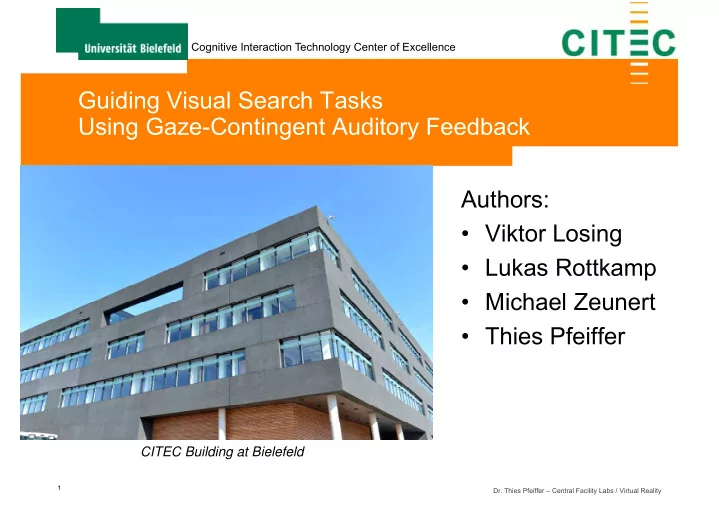
Cognitive Interaction Technology Center of Excellence Guiding Visual Search Tasks Using Gaze-Contingent Auditory Feedback Authors: Viktor Losing Lukas Rottkamp Michael Zeunert Thies Pfeiffer CITEC Building at Bielefeld 1


slide-1
SLIDE 1

1

Cognitive Interaction Technology Center of Excellence

  • Dr. Thies Pfeiffer – Central Facility Labs / Virtual Reality

Guiding Visual Search Tasks Using Gaze-Contingent Auditory Feedback Authors:

  • Viktor Losing
  • Lukas Rottkamp
  • Michael Zeunert
  • Thies Pfeiffer

CITEC Building at Bielefeld

slide-2
SLIDE 2

2

Cognitive Interaction Technology Center of Excellence

  • Dr. Thies Pfeiffer – Central Facility Labs / Virtual Reality

Searching is part of our live…

Shopping Shopping Work Work Medical Diagnosis Medical Diagnosis

slide-3
SLIDE 3

3

Cognitive Interaction Technology Center of Excellence

  • Dr. Thies Pfeiffer – Central Facility Labs / Virtual Reality

Sometimes it is important not to miss something…

Control room Control room Traffic Traffic Traffic Traffic

slide-4
SLIDE 4

4

Cognitive Interaction Technology Center of Excellence

  • Dr. Thies Pfeiffer – Central Facility Labs / Virtual Reality

Motivation

  • Cognitive Assistance Technology
  • detects events of interest (EoI)
  • monitors the attention of the user
  • alerts user if necessary
  • guides user’s attention towards the

EoI ← Focus of this talk

slide-5
SLIDE 5

5

Cognitive Interaction Technology Center of Excellence

  • Dr. Thies Pfeiffer – Central Facility Labs / Virtual Reality

Target Examples: Decision Support for Stone-and-Mortar Shopping

slide-6
SLIDE 6

6

Cognitive Interaction Technology Center of Excellence

  • Dr. Thies Pfeiffer – Central Facility Labs / Virtual Reality

Target Examples: Tutoring System for Chess

slide-7
SLIDE 7

7

Cognitive Interaction Technology Center of Excellence

  • Dr. Thies Pfeiffer – Central Facility Labs / Virtual Reality

Conventional Approaches for Guiding Attention

Common visual approaches

  • Signs, Arrows
  • Signal colors (red)
  • Animations (flashing, shaking screen)

But sometimes visual signals are not possible or wanted:

  • visual augmentation might be impossible
  • no display, black-box target systems, real-world
  • visual augmentations might occlude relevant content
  • medical images, driving
slide-8
SLIDE 8

8

Cognitive Interaction Technology Center of Excellence

  • Dr. Thies Pfeiffer – Central Facility Labs / Virtual Reality

Solution: Cross-Modal Guidance

  • Possible Solution:
  • Cross-modal guidance
  • Questions
  • How can cross-modal guidance be realized?
  • Can people make us of this cross-modal feedback?
  • How easy is it to use and learn?
  • What is the precision one can achieve?
  • What performance increases can be achieved?
slide-9
SLIDE 9

9

Cognitive Interaction Technology Center of Excellence

  • Dr. Thies Pfeiffer – Central Facility Labs / Virtual Reality

Idea: Auditory Feedback “Topfschlagen” / Hit-A-Pot

slide-10
SLIDE 10

10

Cognitive Interaction Technology Center of Excellence

  • Dr. Thies Pfeiffer – Central Facility Labs / Virtual Reality

Related Work

  • n Sonification

Watson, M., and Sanderson, P. Sonication supports eyes-free respiratory monitoring and task time-sharing. Human Factors: The Journal of the Human Factors and Ergonomics Society 46, 3 (2004), 497-517.

  • Sonification of medial

data as replacement or addition to visualizations

  • Idea: during other tasks,

doctors could maintain auditory monitoring

  • Sonification helps

to timeshare

  • Sonification of state
  • r state changes
slide-11
SLIDE 11

11

Cognitive Interaction Technology Center of Excellence

  • Dr. Thies Pfeiffer – Central Facility Labs / Virtual Reality

Related Work

  • n Sonification
  • Sonification of distances (1-dimensional)
  • Human/car in the loop
slide-12
SLIDE 12

12

Cognitive Interaction Technology Center of Excellence

  • Dr. Thies Pfeiffer – Central Facility Labs / Virtual Reality

Related Work Interactive Sonificiation for the Blind

  • Deville, B., Bologna, G., Vinckenbosch, M., and Pun, T. Guiding the focus of attention of blind people with visual saliency (2008).
  • Hunt, A., Hermann, T., and Pauletto, S. Interacting with sonication systems: closing the loop. In Information Visualisation, 2004. IV
  • 2004. Proceedings. Eighth International Conference on, IEEE (2004), 879-884.
  • Hermann, T., Höner, O., and Ritter, H. Acoumotion an interactive sonification system for acoustic motion control. In Gesture in

Human-Computer Interaction and Simulation. Springer, 2006, 312-323.

  • 2D sonification, human in the loop, touch interaction, guidance
slide-13
SLIDE 13

13

Cognitive Interaction Technology Center of Excellence

  • Dr. Thies Pfeiffer – Central Facility Labs / Virtual Reality

Related Work Gaze (or better Eye Movements) and Sonification

  • Twardon, L., Koesling, H., Finke, A., and Ritter, H. Gaze-contingent audio-visual substitution for the blind and visually
  • impaired. In Proceedings of the 7th International Conference on Pervasive Computing Technologies for Healthcare,

ICST (Institute for Computer Sciences, Social-Informatics and Telecommunications Engineering) (2013), 129-136.

  • 2D sonification, human in the loop, eye movement interaction, no guidance
slide-14
SLIDE 14

14

Cognitive Interaction Technology Center of Excellence

  • Dr. Thies Pfeiffer – Central Facility Labs / Virtual Reality

Our approach

  • Gaze-contingent guidance
  • f visual attention
  • Auditory feedback
  • Sonification of distance

to the target in 2D

Test scenario with a mobile remote eyetracker, display shows fixated area for demonstration purposes.

slide-15
SLIDE 15

15

Cognitive Interaction Technology Center of Excellence

  • Dr. Thies Pfeiffer – Central Facility Labs / Virtual Reality

Our approach

1. Measure gaze direction

(MyGaze system, 30Hz, 0.5°)

2. Calculate d to target 3. Map to sound

Test scenario with a mobile remote eyetracker, display shows fixated area for demonstration purposes.

slide-16
SLIDE 16

16

Cognitive Interaction Technology Center of Excellence

  • Dr. Thies Pfeiffer – Central Facility Labs / Virtual Reality

Mapping Distance/Error to Sound

  • Pilot Study:
  • tried linear mapping, capped

exponential, bell-curved over the whole screen real-estate

  • Rejected, either to little

information (linear) or unnatural impression (user feedback)

  • Final approach:
  • Localized Linear mapping
  • good slope to produce audible

differences

  • requires “probing”

Linear mapping in 1/4th of the screen real- estate, constant sound everywhere else.

slide-17
SLIDE 17

17

Cognitive Interaction Technology Center of Excellence

  • Dr. Thies Pfeiffer – Central Facility Labs / Virtual Reality

The Study

  • 10 Participants (yes, academics)
  • Procedure
  • Eye-Tracking Setup (MyGaze)
  • 5-point calibration + verification until satisfying
  • Headphone adjustment
  • volume adjustment according to personal preferences
slide-18
SLIDE 18

18

Cognitive Interaction Technology Center of Excellence

  • Dr. Thies Pfeiffer – Central Facility Labs / Virtual Reality

The Study Trials

  • Training: 10 training trials

Identify the target point based on acoustic guidance alone

  • Visual search tasks
  • 20 Shape Trials, 20 Number Trials, 9 Cartoon

Trials

  • User clicks on target item to complete trial
  • Presentation either with or without acoustic

guidance

  • Half of the participants got acoustic guidance on

even trias, the other on odd trials

  • Time per trial restricted to 90 seconds

Training Shapes Numbers Cartoons

slide-19
SLIDE 19

19

Cognitive Interaction Technology Center of Excellence

  • Dr. Thies Pfeiffer – Central Facility Labs / Virtual Reality

Training Set

slide-20
SLIDE 20

20

Cognitive Interaction Technology Center of Excellence

  • Dr. Thies Pfeiffer – Central Facility Labs / Virtual Reality

Shapes Task: Search for Circle in Squares

slide-21
SLIDE 21

21

Cognitive Interaction Technology Center of Excellence

  • Dr. Thies Pfeiffer – Central Facility Labs / Virtual Reality

Shapes Task: Search for Circle in Squares

slide-22
SLIDE 22

22

Cognitive Interaction Technology Center of Excellence

  • Dr. Thies Pfeiffer – Central Facility Labs / Virtual Reality

Numbers Task: Search for 9 in 8s

slide-23
SLIDE 23

23

Cognitive Interaction Technology Center of Excellence

  • Dr. Thies Pfeiffer – Central Facility Labs / Virtual Reality

Numbers Task: Search for 9 in 8s

slide-24
SLIDE 24

24

Cognitive Interaction Technology Center of Excellence

  • Dr. Thies Pfeiffer – Central Facility Labs / Virtual Reality
slide-25
SLIDE 25

25

Cognitive Interaction Technology Center of Excellence

  • Dr. Thies Pfeiffer – Central Facility Labs / Virtual Reality
slide-26
SLIDE 26

26

Cognitive Interaction Technology Center of Excellence

  • Dr. Thies Pfeiffer – Central Facility Labs / Virtual Reality

Does acoustic guidance increase performance?

slide-27
SLIDE 27

27

Cognitive Interaction Technology Center of Excellence

  • Dr. Thies Pfeiffer – Central Facility Labs / Virtual Reality

Does acoustic guidance increase performance?

  • Trend to

increase performance

  • Significant for

number task

slide-28
SLIDE 28

28

Cognitive Interaction Technology Center of Excellence

  • Dr. Thies Pfeiffer – Central Facility Labs / Virtual Reality

Scanpath for example trial without acoustic guidance

slide-29
SLIDE 29

29

Cognitive Interaction Technology Center of Excellence

  • Dr. Thies Pfeiffer – Central Facility Labs / Virtual Reality

Scanpath for example trial with acoustic guidance

slide-30
SLIDE 30

30

Cognitive Interaction Technology Center of Excellence

  • Dr. Thies Pfeiffer – Central Facility Labs / Virtual Reality

Heatmap for example trial without acoustic guidance

slide-31
SLIDE 31

31

Cognitive Interaction Technology Center of Excellence

  • Dr. Thies Pfeiffer – Central Facility Labs / Virtual Reality

Heatmap for example trial with acoustic guidance

slide-32
SLIDE 32

32

Cognitive Interaction Technology Center of Excellence

  • Dr. Thies Pfeiffer – Central Facility Labs / Virtual Reality

Participant feedback

  • Participants noticed no audio delay (~150ms)
  • Most participants reported no problem with accuracy
  • Participants strategy (according their own words):
  • Use acoustic guidance for localizing area
  • Without guidance following a row- or column-wise search pattern
  • All participants reported the system to be helpful and well-

functioning

  • Some participants suggested to improve the sonification

tone, e.g. by using more natural sounds

slide-33
SLIDE 33

33

Cognitive Interaction Technology Center of Excellence

  • Dr. Thies Pfeiffer – Central Facility Labs / Virtual Reality

Conclusion

  • Promising first results
  • Even with simple mapping approach
  • Improvement even in very simple tasks
  • Interesting strategy
  • Global orientation using acoustic guidance
  • Localized search using vision
  • => Switching from one modality to the other
  • However: Strategy most likely depends on the context and mapping
slide-34
SLIDE 34

34

Cognitive Interaction Technology Center of Excellence

  • Dr. Thies Pfeiffer – Central Facility Labs / Virtual Reality

Possible next steps

  • Potential for improvements
  • Here we used a mapping from 2D (position) to 1D (volume)
  • Could also use other parameters (pitch, 2D or 3D position)
  • Different sounds (samples (Hot/Cold ;-) )
  • Instead of absolute location: relative location, directional
  • Multiple targets encoded differently (samples)
  • Validation
  • Comparing with visual feedback/guidance
  • New target area
  • 3D mobile eye tracking (shopping, chess, infoviz)