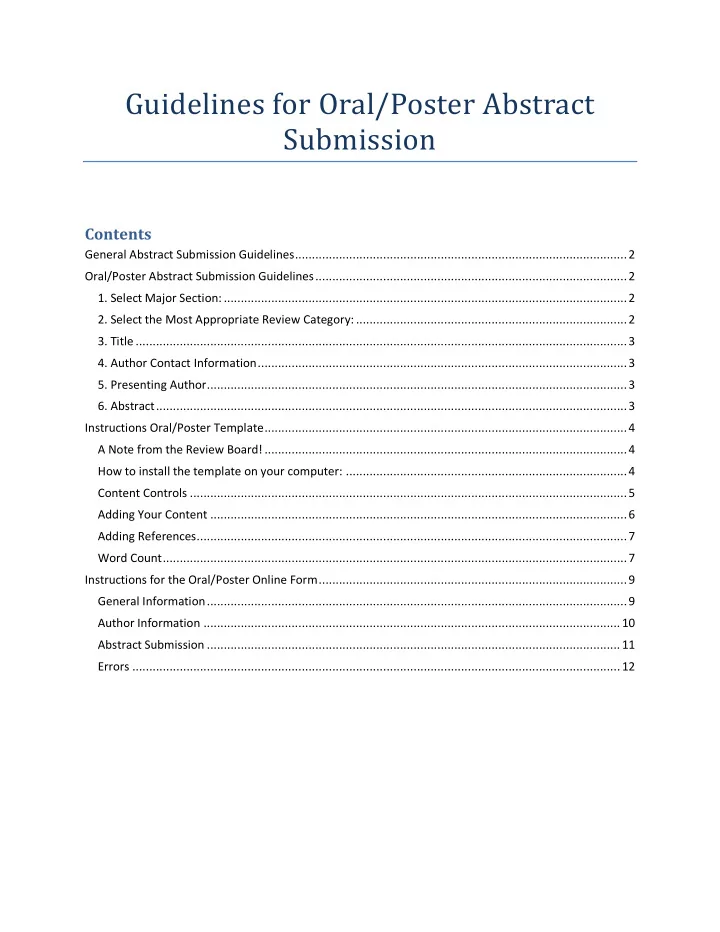
Guidelines for Oral/Poster Abstract Submission Contents General - - PDF document

guidelines for oral poster abstract submission
SMART_READER_LITE
LIVE PREVIEW

Guidelines for Oral/Poster Abstract Submission Contents General - - PDF document

Guidelines for Oral/Poster Abstract Submission Contents General Abstract Submission Guidelines .................................................................................................. 2 Oral/Poster Abstract Submission Guidelines


slide-1
SLIDE 1

Guidelines for Oral/Poster Abstract Submission

Contents

General Abstract Submission Guidelines .................................................................................................. 2 Oral/Poster Abstract Submission Guidelines ............................................................................................ 2

  • 1. Select Major Section: ....................................................................................................................... 2
  • 2. Select the Most Appropriate Review Category: ................................................................................ 2
  • 3. Title ................................................................................................................................................. 3
  • 4. Author Contact Information

............................................................................................................. 3

  • 5. Presenting Author

............................................................................................................................ 3

  • 6. Abstract ........................................................................................................................................... 3

Instructions Oral/Poster Template ........................................................................................................... 4 A Note from the Review Board! ........................................................................................................... 4 How to install the template on your computer: ................................................................................... 4 Content Controls ................................................................................................................................. 5 Adding Your Content ........................................................................................................................... 6 Adding References ............................................................................................................................... 7 Word Count ......................................................................................................................................... 7 Instructions for the Oral/Poster Online Form ........................................................................................... 9 General Information ............................................................................................................................ 9 Author Information ........................................................................................................................... 10 Abstract Submission .......................................................................................................................... 11 Errors ................................................................................................................................................ 12

slide-2
SLIDE 2

General Abstract Submission Guidelines

 Each abstract should be no more than 750 words and should clearly and concisely summarize the content of the presentation, identify questions or issues addressed and outline the results or conclusions.  All information should be presented in a clear and concise manner using the following headings where possible; Purpose, Method, Results, Discussion, Practical Application/ Clinical relevance.  All subheadings should be in bold.  Graphics ( i.e., graphs, tables, images, etc.) must be cited in the abstract text. The abstracts themselves must be in text, not table format. All figures should be cited in the text of the abstract.  Arial 10 point font should be used for the abstract text. Formatting is preserved (italics, bold, superscripting, subscripting, underlining) and symbol characters (ie ± , µ, ß) may be used.  Abstracts must be free of typographical and grammatical errors.  Standard abbreviations may be used for common terms only. Otherwise, any abbreviation should be given in brackets after the first full use of the word. Abbreviations may be used in the title, provided the name in full is outlined in the body of the abstract.  The WSCG Congress uses APA (American Psychological Association) formatting.  You will be asked to provide a short biography (up to 150 words) with your submission  Submit as a Microsoft Word document or Adobe .pdf. Before you submit an abstract, please review and ensure that you have followed each of the stated guidelines

Oral/Poster Abstract Submission Guidelines

  • 1. Select Major Section:

 The Golfer  Equipment & Technology  The Golf Course

  • 2. Select the Most Appropriate Review Category:

 Biomechanics  Exercise Physiology, Fitness, and Golf  Interdisciplinary  Leisure and Recreation  Measurement  Golf Instruction/Pedagogy and Coaching  Golf Psychology  Sociocultural Aspects of Golf  Golf and Special Populations  Golf Management/Administration  Turfgrass Science  Conservation and Golf  Equipment Design Considerations

slide-3
SLIDE 3

 Golf Technology  Other (Add your own Category)

  • 3. Title

Capitalize the first letter of each word in the title except for prepositions of less than four letters and articles that do not begin the title (i.e., do NOT capitalize a, an, the, in, out, by, of, for; DO capitalize With, Among, About ). Titles may not exceed 15 words.

  • 4. Author Contact Information

For each author, please list mailing address, telephone number, and email address.

  • 5. Presenting Author

You will need to indicate which author will take primary responsibility for presenting at the conference

  • 6. Abstract

The abstract must be 750 words or less. Please be careful to check spelling and ensure the abstract is as clean as possible before submission. Abstracts should contain the following sections: (a) Purpose – briefly outline the background for your research and guiding research questions, (b) Method – describe participants/objects/events, measures, and procedures, (d) Analysis/Results – present any statistical or analytical methods and your findings, and (e) Conclusions – place your findings in context and indicate their potential impact on the field.

ALL PRESENTATIONS ARE REQUIRED TO USE THE WSCG 2016 WORKSHOP PRESENTATION TEMPLATE.

slide-4
SLIDE 4

Instructions Oral/Poster Template

The 2016 World Scientific Congress of Golf VII Abstract Template for Oral/Poster submissions has been created to assist submitting a properly formatted Abstract. The formatting includes correct margins, correct font size, correct spacing, and, proper subheadings as defined in the APA (American Psychological Association) Style Guide. The template has been created for Microsoft Word 2007 and formatted for you using Content Controls and Placeholder Text.

A Note from the Review Board!

 The Abstract is limited to 750 words.  The best way to submit your paper to get accepted is to have great research and use APA format.  Use this Template.

Following ALL of the directions for this template while editing your work will give you the best opportunity to present in the WSCG 2016.

How to install the template on your computer:

  • 1. Download the template.
  • 2. Save it to a location you will remember
  • 3. Copy the template to C:\Users\user name\AppData\Roaming\Microsoft\Templates
  • 4. Click on the round Office button and choose New
  • 5. Choose My Templates
  • 6. Choose the WSCG template
slide-5
SLIDE 5

Content Controls

Content controls have been created for the following areas: Abstract Title, Authors & Affiliations, Purpose, Method, Analysis/Results, Conclusion. There are 2 types of Content Controls in the Abstract Template:

  • 1. Section Titles(Figure 1 Section Titles)
  • Section Titles contain the titles for each required section and cannot be modified.

Figure 1 Section Titles

slide-6
SLIDE 6
  • 2. Section Content (Figure 2 Section Content)
  • Section Content contain Placeholder Text (Figure 3 Placeholder Text) surrounded by

square brackets [ ] which is highlighted by a blue box when it is clicked on or the mouse rolls over.

  • Placeholder Text contains instructions for that particular section and is formatted

according to the guidelines.

  • Placeholder Text disappears when you enter or copy your information.

Figure 2 Section Content Figure 3 Placeholder Text

Adding Your Content

All formatting should be removed from the original text before adding it to the Abstract Template.

  • 1. To add your content directly to the Abstract Template :

 Click on the Placeholder Text location in the Abstract Template.  Type your content directly. The Placeholder Text will disappear and be replaced with your content and will be formatted.

  • 2. To add formatted content:

 Paste your text into Notepad  Choose Edit -> Select All (This will highlight all text)  Choose Edit -> Copy  Click on the Placeholder Text location in the Abstract Template  Click on the Paste button in the Clipboard group. The Placeholder Text will disappear and be replaced with your content and will be formatted.

slide-7
SLIDE 7

Adding References

The References section does not contain any Placeholder Text. You will need to add this information. References can be added to your abstract can be added a few different ways:

  • 1. Using Microsoft Word:

 Click on the References  Click on the drop down arrow next to Style and choose APA  Click on the Insert Citation in the Citations and Bibliography group  Use the following link as a guide to adding references in MS Word:  Use the following link as a guide to adding references in MS Word: https://support.office.com/en-us/article/Create-a-bibliography-3403c027-96c8-40d3-a386- bfd5c413ddbb

  • 2. Sites that have information on American Psychological Association Formatting

 http://www.apastyle.org/  https://owl.english.purdue.edu/owl/resource/560/02/

  • 3. Applications you can purchase:

 http://www.eazypaper.com/index.cfm  http://www.styleease.com/APAFormat.html  https://www.perrla.com/APADetails.aspx

  • 4. Free online sources:

 http://www.bibme.org/  http://www.citationmachine.net/  http://www.citefast.com/  http://www.citationcreation.com/  https://www.citethisforme.com/  http://www.easybib.com/  http://www.workscited4u.com/

Word Count

Keep an eye on the word count in your document. The abstract must be 750 words or less. There are 2 ways to determine the word count:  Using the Review tab

  • Click on the Review tab
slide-8
SLIDE 8
  • Click on Word Count
  • A box appears with your statistics for your document

 Using the Status Bar:

  • Right click on the status bar at the bottom of the page
  • Click Word Count to display the word count at the bottom left corner of your document.

Once you have created your Oral/Poster Abstract submission, save it as a word document (not template)

  • r a pdf in a place you will remember.
slide-9
SLIDE 9

Instructions for the Oral/Poster Online Form

The form for Oral/Poster will display up to 8 screens. Each screen contains a progress bar to let you know where you are in the process of filling out the form. Required fields are noted with an asterisk (*). You can move forward through the form by clicking on the ‘Next’ button. You can always click the ‘Previous’ button to go back to preceding pages. Filling out this form is easy. You choose the Major Section, Review Category, and add the Abstract Title.. Add the author(s) information, indicate if this s the Presenting Author and upload the Abstract.

General Information

Page 1 contains fields for general information:

  • 1. Select Major Section
  • 2. Select the Most Appropriate Review Category
  • 3. Abstract Title
slide-10
SLIDE 10

Author Information

Pages 2 through 7 contain fields for Author Information. You can add up to 6 Authors. Pages 2 through 7 contain the following sections:

  • 1. Name

 Prefix  First Name  Last Name  Suffix

  • 2. Address

 Street Address  City  State/Province/Region  Zip/Postal Code  Country (The default country is United States)

  • 3. Phone – Phone numbers can be Canada/United States or International format
  • 4. Email- Please enter a valid email address
  • 5. Presenting Author – Check yes if this is the Presenting Author, the default is ‘No’.
slide-11
SLIDE 11
  • 6. Add another Author –Check yes to add another Author. The default is ‘No’.

Click the ‘Next’ button. If you are adding another Author you will be taken to another screen to enter the next Author’s information. If you checked ‘No’ to add another Author you will be taken to the final screen to upload the abstract for this Oral/Poster.

Abstract Submission

Page 8 is the final page for Oral/Poster Presentation Abstract. It contains the following sections:  Additional Information for the Review Committee  A button to allow you to upload your Abstract for this Oral/Poster.  A Submit button to complete this form.

slide-12
SLIDE 12

Errors

If you neglect to fill out a required field the form will display the error section or sections with the display background in red. You cannot move forward until the problem has been fixed. The top of the page will say ‘There was a problem with your submission. Errors have been highlighted below.’ Here is an example of a field button not checked. Another type of error is if you try to upload the wrong type of file. To correct this problem first click on the X in the red circle to remove the incorrect file type. Then upload the correct file.