GPU Architecture and chitecture and GPU Ar The good The good - - PowerPoint PPT Presentation

gpu architecture and chitecture and gpu ar
SMART_READER_LITE
LIVE PREVIEW

GPU Architecture and chitecture and GPU Ar The good The good - - PowerPoint PPT Presentation

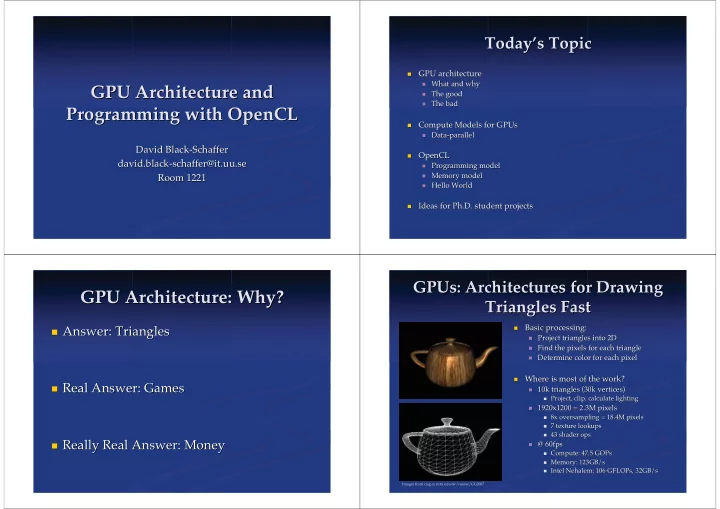
Today s Topic s Topic Today GPU architecture GPU architecture What and why What and why GPU Architecture and chitecture and GPU Ar The good The good The bad The bad Programming with OpenCL


slide-1
SLIDE 1

GPU Ar GPU Architecture and chitecture and Programming with Programming with OpenCL OpenCL

David Black-Schaffer David Black-Schaffer david david. .black-schaffer@it black-schaffer@it. .uu uu.se .se Room 1221 Room 1221

Today Today’ ’s Topic s Topic

  • GPU architecture

GPU architecture

  • What and why

What and why

  • The good

The good

  • The bad

The bad

  • Compute Models for

Compute Models for GPUs GPUs

  • Data-parallel

Data-parallel

  • OpenCL

OpenCL

  • Programming model

Programming model

  • Memory

Memory model model

  • Hello World

Hello World

  • Ideas for Ph.D. student projects

Ideas for Ph.D. student projects

GPU Architecture: Why? GPU Architecture: Why?

  • Answer: Triangles

Answer: Triangles

  • Real Answer: Games

Real Answer: Games

  • Really Real Answer: Money

Really Real Answer: Money

GPUs GPUs: Architectures for Drawing : Architectures for Drawing Triangles Fast Triangles Fast

  • Basic processing:

Basic processing:

  • Project triangles into 2D

Project triangles into 2D

  • Find the pixels for each triangle

Find the pixels for each triangle

  • Determine color for each pixel

Determine color for each pixel

  • Where is most of the work?

Where is most of the work?

  • 10k triangles (30k vertices)

10k triangles (30k vertices)

  • Project, clip, calculate lighting

Project, clip, calculate lighting

  • 1920x1200 = 2.3M pixels

1920x1200 = 2.3M pixels

  • 8x

8x oversampling

  • versampling = 18.4M pixels

= 18.4M pixels

  • 7 texture lookups

7 texture lookups

  • 43

43 shader shader ops

  • ps
  • @ 60fps

@ 60fps

  • Compute: 47.5

Compute: 47.5 GOPs GOPs

  • Memory: 123GB/s

Memory: 123GB/s

  • Intel Nehalem: 106

Intel Nehalem: 106 GFLOPs GFLOPs, , 32GB/s 32GB/s

Images from caig.cs.nctu.edu.tw/course/CG2007

slide-2
SLIDE 2

Example Example Shader Shader: Water : Water

From http://www2.ati.com/developer/gdc/D3DTutorial10_Half-Life2_Shading.pdf

  • Vectors

Vectors

  • Texture lookups

Texture lookups

  • Complex math

Complex math

  • Function

Function calls calls

  • Control flow

Control flow

  • No loops

No loops

GPGPU: General Purpose GPGPU: General Purpose GPUs GPUs

  • Question:

Question: Can we use Can we use GPUs GPUs for non-graphics tasks? for non-graphics tasks?

  • Answer:

Answer: Yes! Yes!

  • They

They’ ’re incredibly fast and awesome re incredibly fast and awesome

  • Answer:

Answer: Maybe Maybe

  • They

They’ ’re fast, but hard to program re fast, but hard to program

  • Answer:

Answer: Not really Not really

  • My algorithm runs slower on the GPU than on the CPU

My algorithm runs slower on the GPU than on the CPU

  • Answer:

Answer: No No

  • I need more precision/memory/synchronization/other

I need more precision/memory/synchronization/other

Why Should You Care? Why Should You Care?

130W, 263mm2 32 GB/s BW, 106 GFLOPs (SP) Big caches (8MB) Out-of-order 0.8 GFLOPs/W 188W, 334mm2 154 GB/s BW, 2720 GFLOPs (SP) Small caches (<1MB) Hardware thread scheduling 14.5 GFLOPs/W

Intel Intel Nehalem 4-core Nehalem 4-core AMD AMD Radeon Radeon 5870 5870

GPU Design GPU Design

1) Process pixels in parallel 1) Process pixels in parallel

  • Data-parallel:

Data-parallel:

  • 2.3M

2.3M pixels per frame pixels per frame => lots of work => lots of work

  • All pixels are independent

All pixels are independent => no synchronization => no synchronization

  • Lots of spatial locality

Lots of spatial locality => regular memory access => regular memory access

  • Great speedups

Great speedups

  • Limited only by the

Limited only by the amount of hardware amount of hardware

slide-3
SLIDE 3

GPU Design GPU Design

2) Focus on throughput, not latency 2) Focus on throughput, not latency

  • Each pixel can take a long time

Each pixel can take a long time… … … …as long as as long as we process many at the same time. we process many at the same time.

  • Great scalability

Great scalability

  • Lots of simple parallel processors

Lots of simple parallel processors

  • Low clock speed

Low clock speed

Latency-optimized (fast, serial) Throughput-optimized (slow, parallel)

CPU CPU vs

  • vs. GPU

. GPU Philosophy: Philosophy: Performance Performance

L2 L2

BP BP L1 L1

LM LM I$ I$

L2 L2

BP BP L1 L1

L2 L2

BP BP L1 L1

L2 L2

BP BP L1 L1

4 Massive CPU Cores: 4 Massive CPU Cores: Big caches, Big caches, branch branch predictors, o predictors, out-of-order, multiple-issue, ut-of-order, multiple-issue, speculative execution, double-precision speculative execution, double-precision… … About 2 IPC per core, About 2 IPC per core, 8 IPC total @3GHz 8 IPC total @3GHz

LM LM I$ I$ LM LM I$ I$ LM LM I$ I$ LM LM I$ I$ LM LM I$ I$ LM LM I$ I$ LM LM I$ I$

8*8 Wimpy GPU Cores: 8*8 Wimpy GPU Cores: No caches No caches, in- , in-

  • rder, single-issue, single-precision
  • rder, single-issue, single-precision…

… About 1 IPC per core, About 1 IPC per core, 64 IPC total @1.5GHz 64 IPC total @1.5GHz

Example Example GPUs GPUs

Nvidia G80 AMD 5870

Lots of Memory Controllers Very Small Caches Lots of Memory Controllers Very Small Caches Lots of Small Parallel Processors Limited Interconnect Limited Memory Lots of Small Parallel Processors Limited Interconnect Limited Memory Fixed-function Logic Fixed-function Logic

CPU Memory Philosophy CPU Memory Philosophy

g= g= f f+1 +1 f f= =ld ld( (e e) ) d= d= d+1 d+1 e e= =ld ld( (d d) ) c= c= b b+a +a b b= = a+1 a+1 Instructions Instructions

slide-4
SLIDE 4

CPU Memory Philosophy CPU Memory Philosophy

Cycle 0 Cycle 0

+ + ld/st ld/st

g= g= f f+1 +1 f f= =ld ld( (e e) ) d= d= d+1 d+1 e e= =ld ld( (d d) ) c= c= b b+a +a b b= = a+1 a+1 Instructions Instructions

CPU Memory Philosophy CPU Memory Philosophy

Cycle 0 Cycle 0

+ + ld/st ld/st

g= g= f f+1 +1 f f= =ld ld( (e e) ) d= d= d+1 d+1 e e= =ld ld( (d d) ) c= c= b b+a +a b b= = a+1 a+1 Instructions Instructions

CPU Memory Philosophy CPU Memory Philosophy

Cycle 0 Cycle 0

+ + ld/st ld/st

g= g= f f+1 +1 f f= =ld ld( (e e) ) d= d= d+1 d+1 e e= =ld ld( (d d) ) c= c= b b+a +a b b= = a+1 a+1 Instructions Instructions

Memory access will take ~100 cycles Memory access will take ~100 cycles… …

CPU Memory Philosophy CPU Memory Philosophy

Cycle 0 Cycle 0

+ + ld/st ld/st

g= g= f f+1 +1 f f= =ld ld( (e e) ) d= d= d+1 d+1 e e= =ld ld( (d d) ) c= c= b b+a +a b b= = a+1 a+1 Instructions Instructions

L1 L1 Cache Cache Hit! Hit!

slide-5
SLIDE 5

CPU Memory Philosophy CPU Memory Philosophy

Cycle 1 Cycle 1

+ + ld/st ld/st

g= g= f f+1 +1 f f= =ld ld( (e e) ) d= d= d+1 d+1 e e= =ld ld( (d d) ) c= c= b b+a +a b b= = a+1 a+1 Instructions Instructions

L1 L1 Cache Cache

CPU Memory Philosophy CPU Memory Philosophy

Cycle 1 Cycle 1

+ + ld/st ld/st

g= g= f f+1 +1 f f= =ld ld( (e e) ) d= d= d+1 d+1 e e= =ld ld( (d d) ) c= c= b b+a +a b b= = a+1 a+1 Instructions Instructions

L1 L1 Cache Cache

CPU Memory Philosophy CPU Memory Philosophy

Cycle 1 Cycle 1

+ + ld/st ld/st

g= g= f f+1 +1 f f= =ld ld( (e e) ) d= d= d+1 d+1 e e= =ld ld( (d d) ) c= c= b b+a +a b b= = a+1 a+1 Instructions Instructions

L1 L1 Cache Cache

CPU Memory Philosophy CPU Memory Philosophy

Cycle 2 Cycle 2

+ + ld/st ld/st

g= g= f f+1 +1 f f= =ld ld( (e e) ) d= d= d+1 d+1 e e= =ld ld( (d d) ) c= c= b b+a +a b b= = a+1 a+1 Instructions Instructions

L1 L1 Cache Cache

slide-6
SLIDE 6

CPU Memory Philosophy CPU Memory Philosophy

Cycle 3 Cycle 3

+ + ld/st ld/st

g= g= f f+1 +1 f f= =ld ld( (e e) ) d= d= d+1 d+1 e e= =ld ld( (d d) ) c= c= b b+a +a b b= = a+1 a+1 Instructions Instructions

L1 L1 Cache Cache Miss!

CPU Memory Philosophy CPU Memory Philosophy

Cycle 3 Cycle 3

+ + ld/st ld/st

g= g= f f+1 +1 f f= =ld ld( (e e) ) d= d= d+1 d+1 e e= =ld ld( (d d) ) c= c= b b+a +a b b= = a+1 a+1 Instructions Instructions

L1 L1 Cache Cache Hit! L2 L2 Cache Cache

Now we stall the processor for Now we stall the processor for 20 cycles waiting on the L2 20 cycles waiting on the L2… …

Miss!

CPU Memory Philosophy CPU Memory Philosophy

Cycle Cycle 23 23

+ + ld/st ld/st

g= g= f f+1 +1 f f= =ld ld( (e e) ) d= d= d+1 d+1 e e= =ld ld( (d d) ) c= c= b b+a +a b b= = a+1 a+1 Instructions Instructions

L1 L1 Cache Cache L2 L2 Cache Cache

CPU Memory Philosophy CPU Memory Philosophy

Cycle Cycle 24 24

+ + ld/st ld/st

g= g= f f+1 +1 f f= =ld ld( (e e) ) d= d= d+1 d+1 e e= =ld ld( (d d) ) c= c= b b+a +a b b= = a+1 a+1 Instructions Instructions

L1 L1 Cache Cache L2 L2 Cache Cache

slide-7
SLIDE 7

CPU Memory Philosophy CPU Memory Philosophy

Cycle Cycle 25 25

+ + ld/st ld/st

g= g= f f+1 +1 f f= =ld ld( (e e) ) d= d= d+1 d+1 e e= =ld ld( (d d) ) c= c= b b+a +a b b= = a+1 a+1 Instructions Instructions

L1 L1 Cache Cache L2 L2 Cache Cache

CPU Memory Philosophy CPU Memory Philosophy

Cycle Cycle 25 25

+ + ld/st ld/st

g= g= f f+1 +1 f f= =ld ld( (e e) ) d= d= d+1 d+1 e e= =ld ld( (d d) ) c= c= b b+a +a b b= = a+1 a+1 Instructions Instructions

L1 L1 Cache Cache L2 L2 Cache Cache

CPU Memory Philosophy CPU Memory Philosophy

Cycle Cycle 25 25

+ + ld/st ld/st

g= g= f f+1 +1 f f= =ld ld( (e e) ) d= d= d+1 d+1 e e= =ld ld( (d d) ) c= c= b b+a +a b b= = a+1 a+1 Instructions Instructions

  • Big caches + instruction window + out-of-

Big caches + instruction window + out-of-

  • rder + multiple-issue
  • rder + multiple-issue
  • Approach

Approach

  • Reduce

Reduce memory latencies memory latencies with caches with caches

  • Hide

Hide memory latencies memory latencies with with

  • ther
  • ther

instructions instructions

  • As long as you

As long as you hit in the cache hit in the cache you get you get good performance good performance

GPU Memory Philosophy GPU Memory Philosophy

Cycle 0 Cycle 0

+ + ld/st ld/st

g= g= f f+1 +1 f f= =ld ld( (e e) ) d= d= d+1 d+1 e e= =ld ld( (d d) ) c= c= b b+a +a b b= = a+1 a+1 Instructions Instructions

slide-8
SLIDE 8

GPU Memory Philosophy GPU Memory Philosophy

Cycle 0 Cycle 0

+ + ld/st ld/st

g= g= f f+1 +1 f f= =ld ld( (e e) ) d= d= d+1 d+1 e e= =ld ld( (d d) ) c= c= b b+a +a b b= = a+1 a+1 Instructions Instructions

GPU Memory Philosophy GPU Memory Philosophy

Cycle 1 Cycle 1

+ + ld/st ld/st

g= g= f f+1 +1 f f= =ld ld( (e e) ) d= d= d+1 d+1 e e= =ld ld( (d d) ) c= c= b b+a +a b b= = a+1 a+1 Instructions Instructions

GPU Memory Philosophy GPU Memory Philosophy

Cycle 2 Cycle 2

+ + ld/st ld/st

g= g= f f+1 +1 f f= =ld ld( (e e) ) d= d= d+1 d+1 e e= =ld ld( (d d) ) c= c= b b+a +a b b= = a+1 a+1 Instructions Instructions

Memory Memory

No cache ~ 100+ cycles No cache ~ 100+ cycles

Solution: Give Up Solution: Give Up

GPU Memory Philosophy GPU Memory Philosophy

Cycle 2 Cycle 2

+ + ld/st ld/st

Instructions Instructions

Memory Memory

g= g= f f+1 +1 f f= =ld ld( (e e) ) d= d= d+1 d+1 e e= =ld ld( (d d) ) c= c= b b+a +a b b= = a+1 a+1 g= g= f f+1 +1 f f= =ld ld( (e e) ) d= d= d+1 d+1 e e= =ld ld( (d d) ) c= c= b b+a +a b b= = a+1 a+1

slide-9
SLIDE 9

GPU Memory Philosophy GPU Memory Philosophy

Cycle 3 Cycle 3

+ + ld/st ld/st

Instructions Instructions

Memory Memory

g= g= f f+1 +1 f f= =ld ld( (e e) ) d= d= d+1 d+1 e e= =ld ld( (d d) ) c= c= b b+a +a b b= = a+1 a+1 g= g= f f+1 +1 f f= =ld ld( (e e) ) d= d= d+1 d+1 e e= =ld ld( (d d) ) c= c= b b+a +a b b= = a+1 a+1

GPU Memory Philosophy GPU Memory Philosophy

Cycle 4 Cycle 4

+ + ld/st ld/st

Instructions Instructions

Memory Memory

g= g= f f+1 +1 f f= =ld ld( (e e) ) d= d= d+1 d+1 e e= =ld ld( (d d) ) c= c= b b+a +a b b= = a+1 a+1 g= g= f f+1 +1 f f= =ld ld( (e e) ) d= d= d+1 d+1 e e= =ld ld( (d d) ) c= c= b b+a +a b b= = a+1 a+1

GPU Memory Philosophy GPU Memory Philosophy

Cycle 5 Cycle 5

+ + ld/st ld/st

Instructions Instructions

Memory Memory

g= g= f f+1 +1 f f= =ld ld( (e e) ) d= d= d+1 d+1 e e= =ld ld( (d d) ) c= c= b b+a +a b b= = a+1 a+1 g= g= f f+1 +1 f f= =ld ld( (e e) ) d= d= d+1 d+1 e e= =ld ld( (d d) ) c= c= b b+a +a b b= = a+1 a+1

GPU Memory Philosophy GPU Memory Philosophy

Cycle 5 Cycle 5

+ + ld/st ld/st

Instructions Instructions

Memory Memory

g= g= f f+1 +1 f f= =ld ld( (e e) ) d= d= d+1 d+1 e e= =ld ld( (d d) ) c= c= b b+a +a b b= = a+1 a+1 g= g= f f+1 +1 f f= =ld ld( (e e) ) d= d= d+1 d+1 e e= =ld ld( (d d) ) c= c= b b+a +a b b= = a+1 a+1 g= g= f f+1 +1 f f= =ld ld( (e e) ) d= d= d+1 d+1 e e= =ld ld( (d d) ) c= c= b b+a +a b b= = a+1 a+1

slide-10
SLIDE 10

GPU Memory Philosophy GPU Memory Philosophy

Cycle Cycle 6 6

+ + ld/st ld/st

Instructions Instructions

Memory Memory

g= g= f f+1 +1 f f= =ld ld( (e e) ) d= d= d+1 d+1 e e= =ld ld( (d d) ) c= c= b b+a +a b b= = a+1 a+1 g= g= f f+1 +1 f f= =ld ld( (e e) ) d= d= d+1 d+1 e e= =ld ld( (d d) ) c= c= b b+a +a b b= = a+1 a+1 g= g= f f+1 +1 f f= =ld ld( (e e) ) d= d= d+1 d+1 e e= =ld ld( (d d) ) c= c= b b+a +a b b= = a+1 a+1

GPU Memory Philosophy GPU Memory Philosophy

Cycle Cycle 102 102

+ + ld/st ld/st

Instructions Instructions

Memory Memory

g= g= f f+1 +1 f f= =ld ld( (e e) ) d= d= d+1 d+1 e e= =ld ld( (d d) ) c= c= b b+a +a b b= = a+1 a+1 g= g= f f+1 +1 f f= =ld ld( (e e) ) d= d= d+1 d+1 e e= =ld ld( (d d) ) c= c= b b+a +a b b= = a+1 a+1 g= g= f f+1 +1 f f= =ld ld( (e e) ) d= d= d+1 d+1 e e= =ld ld( (d d) ) c= c= b b+a +a b b= = a+1 a+1 g= g= f f+1 +1 f f= =ld ld( (e e) ) d= d= d+1 d+1 e e= =ld ld( (d d) ) c= c= b b+a +a b b= = a+1 a+1 g= g= f f+1 +1 f f= =ld ld( (e e) ) d= d= d+1 d+1 e e= =ld ld( (d d) ) c= c= b b+a +a b b= = a+1 a+1

First load First load ready! ready!

g= g= f f+1 +1 f f= =ld ld( (e e) ) d= d= d+1 d+1 e e= =ld ld( (d d) ) c= c= b b+a +a b b= = a+1 a+1

GPU Memory Philosophy GPU Memory Philosophy

Cycle Cycle 103 103

+ + ld/st ld/st

Instructions Instructions

Memory Memory

g= g= f f+1 +1 f f= =ld ld( (e e) ) d= d= d+1 d+1 e e= =ld ld( (d d) ) c= c= b b+a +a b b= = a+1 a+1 g= g= f f+1 +1 f f= =ld ld( (e e) ) d= d= d+1 d+1 e e= =ld ld( (d d) ) c= c= b b+a +a b b= = a+1 a+1 g= g= f f+1 +1 f f= =ld ld( (e e) ) d= d= d+1 d+1 e e= =ld ld( (d d) ) c= c= b b+a +a b b= = a+1 a+1 g= g= f f+1 +1 f f= =ld ld( (e e) ) d= d= d+1 d+1 e e= =ld ld( (d d) ) c= c= b b+a +a b b= = a+1 a+1 g= g= f f+1 +1 f f= =ld ld( (e e) ) d= d= d+1 d+1 e e= =ld ld( (d d) ) c= c= b b+a +a b b= = a+1 a+1

First load First load ready! ready!

g= g= f f+1 +1 f f= =ld ld( (e e) ) d= d= d+1 d+1 e e= =ld ld( (d d) ) c= c= b b+a +a b b= = a+1 a+1 g= g= f f+1 +1 f f= =ld ld( (e e) ) d= d= d+1 d+1 e e= =ld ld( (d d) ) c= c= b b+a +a b b= = a+1 a+1 g= g= f f+1 +1 f f= =ld ld( (e e) ) d= d= d+1 d+1 e e= =ld ld( (d d) ) c= c= b b+a +a b b= = a+1 a+1 g= g= f f+1 +1 f f= =ld ld( (e e) ) d= d= d+1 d+1 e e= =ld ld( (d d) ) c= c= b b+a +a b b= = a+1 a+1 g= g= f f+1 +1 f f= =ld ld( (e e) ) d= d= d+1 d+1 e e= =ld ld( (d d) ) c= c= b b+a +a b b= = a+1 a+1 g= g= f f+1 +1 f f= =ld ld( (e e) ) d= d= d+1 d+1 e e= =ld ld( (d d) ) c= c= b b+a +a b b= = a+1 a+1 g= g= f f+1 +1 f f= =ld ld( (e e) ) d= d= d+1 d+1 e e= =ld ld( (d d) ) c= c= b b+a +a b b= = a+1 a+1

GPU Memory Philosophy GPU Memory Philosophy

Cycle Cycle 103 103

+ + ld/st ld/st

Instructions Instructions

Memory Memory

g= g= f f+1 +1 f f= =ld ld( (e e) ) d= d= d+1 d+1 e e= =ld ld( (d d) ) c= c= b b+a +a b b= = a+1 a+1

First load First load ready! ready!

slide-11
SLIDE 11

GPU Memory Philosophy GPU Memory Philosophy

Cycle Cycle 104 104

+ + ld/st ld/st

Instructions Instructions

Memory Memory

g= g= f f+1 +1 f f= =ld ld( (e e) ) d= d= d+1 d+1 e e= =ld ld( (d d) ) c= c= b b+a +a b b= = a+1 a+1 g= g= f f+1 +1 f f= =ld ld( (e e) ) d= d= d+1 d+1 e e= =ld ld( (d d) ) c= c= b b+a +a b b= = a+1 a+1 g= g= f f+1 +1 f f= =ld ld( (e e) ) d= d= d+1 d+1 e e= =ld ld( (d d) ) c= c= b b+a +a b b= = a+1 a+1 g= g= f f+1 +1 f f= =ld ld( (e e) ) d= d= d+1 d+1 e e= =ld ld( (d d) ) c= c= b b+a +a b b= = a+1 a+1 g= g= f f+1 +1 f f= =ld ld( (e e) ) d= d= d+1 d+1 e e= =ld ld( (d d) ) c= c= b b+a +a b b= = a+1 a+1 g= g= f f+1 +1 f f= =ld ld( (e e) ) d= d= d+1 d+1 e e= =ld ld( (d d) ) c= c= b b+a +a b b= = a+1 a+1 g= g= f f+1 +1 f f= =ld ld( (e e) ) d= d= d+1 d+1 e e= =ld ld( (d d) ) c= c= b b+a +a b b= = a+1 a+1

GPU Memory Philosophy GPU Memory Philosophy

  • Thousands of hardware threads

Thousands of hardware threads

  • 1 cycle context switching

1 cycle context switching

  • Hardware thread scheduling

Hardware thread scheduling

  • As long as there

As long as there is is enough work enough work in in

  • ther threads
  • ther threads to cover latency

to cover latency you you get get high throughput high throughput. .

g= g= f f+1 +1 f f= =ld ld( (e e) ) d= d= d+1 d+1 e e= =ld ld( (d d) ) c= c= b b+a +a b b= = a+1 a+1 g= g= f f+1 +1 f f= =ld ld( (e e) ) d= d= d+1 d+1 e e= =ld ld( (d d) ) c= c= b b+a +a b b= = a+1 a+1 g= g= f f+1 +1 f f= =ld ld( (e e) ) d= d= d+1 d+1 e e= =ld ld( (d d) ) c= c= b b+a +a b b= = a+1 a+1 g= g= f f+1 +1 f f= =ld ld( (e e) ) d= d= d+1 d+1 e e= =ld ld( (d d) ) c= c= b b+a +a b b= = a+1 a+1 g= g= f f+1 +1 f f= =ld ld( (e e) ) d= d= d+1 d+1 e e= =ld ld( (d d) ) c= c= b b+a +a b b= = a+1 a+1 g= g= f f+1 +1 f f= =ld ld( (e e) ) d= d= d+1 d+1 e e= =ld ld( (d d) ) c= c= b b+a +a b b= = a+1 a+1

Notes:

  • GPUs have caches for textures
  • GPUs will soon have data caches

GPU Instruction Bandwidth GPU Instruction Bandwidth

  • GPU

GPU compute units fetch 1 instruction per compute units fetch 1 instruction per cycle cycle… … … …and share it with 8 processor cores. and share it with 8 processor cores.

  • What if they don

What if they don’ ’t all want the same instruction? t all want the same instruction? ( (divergent execution divergent execution) ) LM LM I$ I$

Divergent Execution Divergent Execution

1 1 2 2 if if 3 3 el el 4 4 5 5

Thread Thread Instructions Instructions

if ( if (… …) ) do 3 do 3 else else do do 4 4

1 1 1 1 1 1 1 1 1 1 1 1 1 1 1 1 1 1 2 2 2 2 2 2 2 2 2 2 2 2 2 2 2 2 2 2 if if if if if if if if if if if if if if if if if if 3 3 3 3 3 3 3 3 3 3 3 3 3 3 3 3 el el el el 5 5 5 5 5 5 5 5 5 5 5 5 5 5 5 5 4 4 4 4 6 6 6 6 6 6 6 6 6 6 6 6 6 6 6 6 6 6 5 5 5 5

Cycle 0 Cycle 0 Fetch: Fetch: Cycle 1 Cycle 1 Fetch: Fetch: Cycle 2 Cycle 2 Fetch: Fetch: Cycle 3 Cycle 3 Fetch: Fetch: Cycle 4 Cycle 4 Fetch: Fetch: Cycle 5 Cycle 5 Fetch: Fetch: Cycle 6 Cycle 6 Fetch: Fetch: Cycle 7 Cycle 7 Fetch: Fetch: Cycle 8 Cycle 8 Fetch: Fetch: t0 t0 t1 t1 t2 t2 t3 t3 t4 t4 t5 t5 t6 t6 t7 t7 thread thread t7 stalls t7 stalls

Divergent execution can Divergent execution can dramatically hurt dramatically hurt

  • performance. Avoid it on
  • performance. Avoid it on GPUs

GPUs today. today.

slide-12
SLIDE 12

Divergent Execution for Real Divergent Execution for Real

Per-pixel Mandelbrot calculation: Per-pixel Mandelbrot calculation:

while (x*x + y*y <= (4.0f) && iteration < max_iterations) { float xtemp = x*x - y*y + x0; y = 2*y*x + y0; x = xtemp; iteration++; } color = iteration;

Color determined by iteration count Color determined by iteration count… … … …each color took a different number of iterations. each color took a different number of iterations. Every different color is a divergent Every different color is a divergent execution of a work-item. execution of a work-item.

Instruction Divergence Instruction Divergence

  • Some architectures are worse

Some architectures are worse… …

  • AMD

AMD’ ’s s GPUs GPUs are are 4-way SIMD 4-way SIMD If you don If you don’ ’t process 4-wide vectors you lose. t process 4-wide vectors you lose.

  • Intel

Intel’ ’s s Larabee Larabee is(was?) is(was?) 16-way SIMD 16-way SIMD Theoretically the compiler can handle this. Theoretically the compiler can handle this.

  • Some architectures are getting better

Some architectures are getting better… …

  • Nvidia

Nvidia Fermi can Fermi can fetch 2 instructions per cycle fetch 2 instructions per cycle

  • But it has

But it has twice as many twice as many cores cores

  • In general:

In general:

  • Data-parallel will always be fastest

Data-parallel will always be fastest

  • Penalty for control-flow varies from none to huge

Penalty for control-flow varies from none to huge

CPU and GPU Architecture CPU and GPU Architecture

  • GPUs

GPUs are throughput-optimized are throughput-optimized

  • Each thread may take a long time, but thousands of threads

Each thread may take a long time, but thousands of threads

  • CPUs

CPUs are latency-optimized are latency-optimized

  • Each thread runs as fast as possible, but only a few threads

Each thread runs as fast as possible, but only a few threads

  • GPUs

GPUs have hundreds of wimpy cores have hundreds of wimpy cores

  • CPUs

CPUs have a few massive cores have a few massive cores

  • GPUs

GPUs excel at regular math-intensive work excel at regular math-intensive work

  • Lots of

Lots of ALUs ALUs for math, little hardware for control for math, little hardware for control

  • CPUs

CPUs excel at irregular control-intensive work excel at irregular control-intensive work

  • Lots of hardware for control,

Lots of hardware for control, few few ALUs ALUs

OpenCL OpenCL

slide-13
SLIDE 13

What is What is OpenCL OpenCL? ?

Low-level language for high-performance Low-level language for high-performance heterogeneous data-parallel computation. heterogeneous data-parallel computation.

  • Access to all compute devices in

Access to all compute devices in your system: your system:

  • CPUs

CPUs

  • GPUs

GPUs

  • Accelerators (e.g., CELL)

Accelerators (e.g., CELL)

  • Based on C99

Based on C99

  • Portable across devices

Portable across devices

  • Vector

Vector intrinsics intrinsics and math libraries and math libraries

  • Guaranteed precision for operations

Guaranteed precision for operations

  • Open standard

Open standard Demo Demo

What is What is OpenCL OpenCL Good For? Good For?

  • Anything that is:

Anything that is:

  • Computationally intensive

Computationally intensive

  • Data-parallel

Data-parallel

  • Single-precision

Single-precision*

*

Note: I am going to focus on the GPU Note: I am going to focus on the GPU

*This is changing, the others are not. *This is changing, the others are not.

Computational Intensity Computational Intensity

  • Proportion of

Proportion of math math ops :

  • ps : memory

memory ops

  • ps

Remember: memory is slow, math is fast Remember: memory is slow, math is fast

  • Loop body: Low-intensity:

Loop body: Low-intensity:

A A[i] [i] = B = B[i] [i] + + C C[i] [i] 1:3 1:3 A A[i] [i] = B = B[i] [i] + + C C[i] [i] * * D D[i] [i] 2:4 2:4 A A[i] [i]++ ++ 1:2 1:2

  • Loop body: High(

Loop body: High(er er)-intensity: )-intensity:

Temp Temp+ += A = A[i] [i]* *A[i] A[i] 2:1 2:1 A A[i] [i] = = exp exp(temp) (temp)* *erf erf(temp) (temp) X:1 X:1

slide-14
SLIDE 14

Data-Parallelism Data-Parallelism

  • Same

Same independent independent operations on lots of data

  • perations on lots of data*

*

  • Examples:

Examples:

  • Modify every pixel in an image with

Modify every pixel in an image with the same the same filter filter

  • Update every point in a grid using

Update every point in a grid using the same the same formula formula

*Performance may fall off a cliff if not exactly the same. *Performance may fall off a cliff if not exactly the same.

Single Precision Single Precision

32 bits should be enough for anything 32 bits should be enough for anything… …

Single Precision Single Precision Double Precision Double Precision This is changing. Expect double precision everywhere in 2 years. This is changing. Expect double precision everywhere in 2 years.

OpenCL OpenCL Compute Model Compute Model

  • Parallelism is

Parallelism is defined by the 1D, 2D, or 3D defined by the 1D, 2D, or 3D global dimensions global dimensions for each kernel execution for each kernel execution

  • A

A work-item work-item is executed for every point in the global is executed for every point in the global dimensions dimensions

  • Examples

Examples

1k audio: 1k audio: 1024 1024 1024 work-items 1024 work-items HD video: HD video: 1920x1080 1920x1080 2M work-items 2M work-items 3D MRI: 3D MRI: 256x256x256 256x256x256 16M work-items 16M work-items HD per line: HD per line: 1080 1080 1080 work-items 1080 work-items HD per 8x8 block: HD per 8x8 block: 240x135 240x135 32k work-items 32k work-items

Local Dimensions Local Dimensions

  • The global dimensions are broken down into

The global dimensions are broken down into local work-groups local work-groups

  • Each work-group is

Each work-group is logically executed together on one logically executed together on one compute unit compute unit

  • Synchronization is

Synchronization is only

  • nly allowed between

allowed between work-items in work-items in the same work-group the same work-group This is important. This is important.

slide-15
SLIDE 15

Local Dimensions and Local Dimensions and Synchronization Synchronization

Global domain: Global domain: 20x20 20x20 Work-group size: Work-group size: 4x4 4x4 Synchronization OK. Same work-group No Synchronization. Different work-groups Work-group size limited by Work-group size limited by

  • hardware. (~512)
  • hardware. (~512)

Implications for algorithms: Implications for algorithms: e.g., reduction size. e.g., reduction size.

Synchronization Example: Synchronization Example: Reduction Reduction

+

3

+

7

+

11

+

15

+

9

+

3

+

11

+

7 1 2 3 4 5 6 7 8 9 1 2 3 4 5 6 Input Data Input Data 1st Reduction 1st Reduction

+

10

+

26

+

12

+

18 2nd Reduction 2nd Reduction

+

36

+

30 3rd Reduction 3rd Reduction

+

66 4th Reduction 4th Reduction

Synchronization Example: Synchronization Example: Reduction Reduction

+

3

+

7

+

11

+

15

+

9

+

3

+

11

+

7 1 2 3 4 5 6 7 8 9 1 2 3 4 5 6 Input Data Input Data

+

10

+

26

+

12

+

18

+

36

+

30

+

66

+

3

+

7

1

+

11

2

+

15

3

+

9

4

+

3

5

+

7

6

+

11

7

Thread Thread Assignment Assignment

+

10 Need a Need a barrier barrier to prevent to prevent thread 0 from thread 0 from continuing continuing before thread 1 is done. before thread 1 is done.

+

26

1

+

12

2

+

18

3

+

36

+

30

1

+

66

Synchronization Example: Synchronization Example: Reduction Reduction

+

3

+

7

+

11

+

15

+

9

+

3

+

11

+

7 1 2 3 4 5 6 7 8 9 1 2 3 4 5 6 Input Data Input Data

+

10

+

26

+

12

+

18

+

36

+

30

+

66

+

3

+

7

1

+

11

2

+

15

3

+

9

4

+

3

5

+

7

6

+

11

7

Thread Thread Assignment Assignment

+

10

1

+

12

2

+

18

3

+

30

1

66 Work-group size = Work-group size = 4 4 Work-group size = Work-group size = 4 4

+

26

1

+

1

+

36

+ +

66

+

6

Invalid Synchronization Invalid Synchronization Thread 2 is waiting for threads 4 and 5. Thread 2 is waiting for threads 4 and 5. But 4 and 5 are in But 4 and 5 are in a different work-group. a different work-group.

slide-16
SLIDE 16

Why Limited Synchronization? Why Limited Synchronization?

  • Scales well in hardware

Scales well in hardware

  • Only work-items within a work-group need to communicate

Only work-items within a work-group need to communicate

  • GPUs

GPUs run run 32-128 work-groups in parallel 32-128 work-groups in parallel

Cheap Expensive

Choosing Local and Global Choosing Local and Global Dimensions Dimensions

  • Global dimensions

Global dimensions

  • Natural division for the problem

Natural division for the problem

  • Too few: no latency hiding

Too few: no latency hiding

  • Too many: (too little work each) too much overhead

Too many: (too little work each) too much overhead

  • In general:

In general:

  • GPU: >2000

GPU: >2000

  • CPU: ~2*#CPU cores

CPU: ~2*#CPU cores

  • Local dimensions

Local dimensions

  • May be determined by the algorithm

May be determined by the algorithm

  • Optimize for best processor utilization

Optimize for best processor utilization (hardware-specific) (hardware-specific) Device Device

OpenCL OpenCL Memory Model Memory Model

Private Private Private Private Private Private Private Private

… …

Compute unit Compute unit

work work item item work work item item

… …

Compute unit Compute unit

work work item item work work item item

… … Local Local Local Local

Global Memory Global Memory

Host Host

Host Memory Host Memory

1-16GB 1-16GB 0.25-4GB 0.25-4GB 16-32kB 16-32kB 10x Global BW 10x Global BW Registers Registers PCIe PCIe (slow) (slow) Device Device

Global Memory Global Memory

OpenCL OpenCL Memory Model Memory Model

Private Private Private Private Private Private Private Private

… …

Compute unit Compute unit

work work item item work work item item

… …

Compute unit Compute unit

work work item item work work item item

… … Local Local Local Local

Host Host

Host Memory Host Memory

~5GB/s ~5GB/s data data

ute u

Lo L Lo Lo al l al al c

50-200GB/s 50-200GB/s data data

slide-17
SLIDE 17

Device Device

Global Memory Global Memory

data data

OpenCL OpenCL Memory Model Memory Model

Private Private Private Private Private Private Private Private

… …

Compute unit Compute unit

work work item item work work item item

… …

Compute unit Compute unit

work work item item work work item item

… … Local Local Local Local

Host Host

Host Memory Host Memory

data data

m

l

  • m
  • m~1000GB/s

~1000GB/s Hos H Hos Host st H Hos Host st ~5GB/s ~5GB/s

Co C

ca ca ca Loc L Loc Loc L L L L

50-200GB/s 50-200GB/s

Moving Data Moving Data

  • No automatic data movement

No automatic data movement

  • You must explicitly:

You must explicitly:

  • Allocate

Allocate global data global data

  • Write

Write to it from the host to it from the host

  • Allocate

Allocate local data local data

  • Copy

Copy data from global to local (and back) data from global to local (and back)

  • But

But… …

  • You get full control for performance!

You get full control for performance! (Isn (Isn’ ’t this great?) t this great?)

Host Host Context Context

OpenCL OpenCL Execution Model Execution Model

float4[] float4[] float4[] float4[] float4[] float4[]

Queue Queue Queue Queue Queue Queue

Devices Devices Memory Memory Objects Objects

Your Your Application Application Your Your OpenCL OpenCL Computation Computation

OpenCL OpenCL Execution Model Execution Model

  • Devices

Devices

  • CPU, GPU, Accelerator

CPU, GPU, Accelerator

  • Contexts

Contexts

  • A collection of devices that share data

A collection of devices that share data

  • Queues

Queues

  • Submit (

Submit (enqueue enqueue) work to devices ) work to devices

  • Notes:

Notes:

  • Queues are asynchronous with respect to each other

Queues are asynchronous with respect to each other

  • No automatic distribution of work across devices

No automatic distribution of work across devices

slide-18
SLIDE 18

OpenCL OpenCL Kernels Kernels

  • A unit of code that is executed in parallel

A unit of code that is executed in parallel

  • C99 syntax (no recursion or function

C99 syntax (no recursion or function ptrs ptrs) )

  • Think of the kernel as the

Think of the kernel as the “ “inner loop inner loop” ”

Regular C: void calcSin(float *data) { for (int id=0; id<1023; id++) data[id] = sin(data[id]); } OpenCL Kernel: void kernel calcSin(global float *data) { int id = get_global_id(0); data[id] = sin(data[id]); }

An An OpenCL OpenCL Program Program

1. 1.

Get the devices Get the devices

2. 2.

Create contexts and queues Create contexts and queues

3. 3.

Create programs and kernels Create programs and kernels

4. 4.

Create memory objects Create memory objects

5. 5.

Enqueue Enqueue writes writes to initialize memory objects to initialize memory objects

6. 6.

Enqueue Enqueue kernel kernel executions executions

7. 7.

Wait Wait for them to finish for them to finish

8. 8.

Enqueue Enqueue reads reads to get back data to get back data

9. 9.

Repeat Repeat 5-8 5-8

OpenCL OpenCL Hello World Hello World

  • Get the device

Get the device

  • Create a context

Create a context

  • Create a command queue

Create a command queue

clGetDeviceIDs(NULL, CL_DEVICE_TYPE_DEFAULT, 1, &device, NULL); context = clCreateContext(NULL, 1, &device, NULL, NULL, NULL); queue = clCreateCommandQueue(context, device, (cl_command_queue_properties)0, NULL);

This example has no error checking. This is very foolish. This example has no error checking. This is very foolish.

OpenCL OpenCL Hello World Hello World

  • Create a program with the source

Create a program with the source

  • Build

Build the program and create a kernel the program and create a kernel

char *source = { "kernel calcSin(global float *data) { \n” " int id = get_global_id(0); \n” " data[id] = sin(data[id]); \n” "} \n"}; program = clCreateProgramWithSource(context, 1, (const char**)&source, NULL, NULL); clBuildProgram(program, 0, NULL, NULL, NULL, NULL); kernel = clCreateKernel(program, "calcSin", NULL);

slide-19
SLIDE 19

OpenCL OpenCL Hello World Hello World

  • Create and initialize the input

Create and initialize the input

buffer = clCreateBuffer(context, CL_MEM_COPY_HOST_PTR, sizeof(cl_float)*10240, data, NULL);

Note that the buffer specifies the Note that the buffer specifies the context context so so OpenCL OpenCL knows knows which devices may share it. which devices may share it.

OpenCL OpenCL Hello World Hello World

  • Set the kernel arguments

Set the kernel arguments

  • Enqueue

Enqueue the kernel the kernel

clSetKernelArg(kernel, 0, sizeof(buffer), &buffer); size_t global_dimensions[] = {LENGTH,0,0}; clEnqueueNDRangeKernel(queue, kernel, 1, NULL, global_dimensions, NULL, 0, NULL, NULL);

Local dimensions are NULL. Local dimensions are NULL. OpenCL OpenCL will pick reasonable will pick reasonable

  • nes automatically. (Or so you hope
  • nes automatically. (Or so you hope…

…) )

OpenCL OpenCL Hello World Hello World

  • Read back the results

Read back the results

clEnqueueReadBuffer(queue, buffer, CL_TRUE, 0, sizeof(cl_float)*LENGTH, data, 0, NULL, NULL);

The The CL_TRUE CL_TRUE argument specifies that the call should argument specifies that the call should block block until the read is complete. Otherwise you would have to until the read is complete. Otherwise you would have to explicitly wait for explicitly wait for it to finish. it to finish.

OpenCL OpenCL Hello World Hello World

The Demo The Demo

slide-20
SLIDE 20

More More OpenCL OpenCL

  • Querying Devices

Querying Devices

  • Images

Images

  • Events

Events

Querying Devices Querying Devices

  • Lots of information via

Lots of information via clGetDeviceInfo clGetDeviceInfo() ()

  • CL_DEVICE_MAX_COMPUTE_UNITS

CL_DEVICE_MAX_COMPUTE_UNITS* * Number of compute units that can run work-groups in parallel Number of compute units that can run work-groups in parallel

  • CL_DEVICE_MAX_CLOCK_FREQUENCY

CL_DEVICE_MAX_CLOCK_FREQUENCY* *

  • CL_DEVICE_GLOBAL_MEM_SIZE

CL_DEVICE_GLOBAL_MEM_SIZE* * Total global memory available on the device Total global memory available on the device

  • CL_DEVICE_IMAGE_SUPPORT

CL_DEVICE_IMAGE_SUPPORT Some Some GPUs GPUs don don’ ’t support images today t support images today

  • CL_DEVICE_EXTENSIONS

CL_DEVICE_EXTENSIONS double precision, atomic operations, double precision, atomic operations, OpenGL integration OpenGL integration *Unfortunately this doesn *Unfortunately this doesn’ ’t tell you how much memory is available right t tell you how much memory is available right now or which device will run your kernel fastest. now or which device will run your kernel fastest.

Images Images

  • 2D and 3D Native Image Types

2D and 3D Native Image Types

  • R, RG, RGB, RGBA, INTENSITY, LUMINANCE

R, RG, RGB, RGBA, INTENSITY, LUMINANCE

  • 8/16/32 bit signed/unsigned, float

8/16/32 bit signed/unsigned, float

  • Linear interpolation, edge wrapping

Linear interpolation, edge wrapping and clamping and clamping

  • Why?

Why?

  • Hardware accelerated access on

Hardware accelerated access on GPUs GPUs

  • Want to enable this fast

Want to enable this fast path path

  • GPUs

GPUs cache texture lookups today cache texture lookups today

  • But

But… …

  • Slow on the CPU (which is why

Slow on the CPU (which is why Larabee Larabee does this in HW) does this in HW)

  • Not all formats supported on all devices (check first)

Not all formats supported on all devices (check first)

  • Writing to images is not fast, and can be very slow

Writing to images is not fast, and can be very slow

Events Events

  • Subtle point made earlier:

Subtle point made earlier:

Queues for Queues for different devices different devices are are asynchronous asynchronous with respect to each other with respect to each other

  • Implication:

Implication:

  • You must

You must explicitly synchronize explicitly synchronize operations

  • perations

between between devices devices

(Also applies to out-of-order queues) (Also applies to out-of-order queues)

slide-21
SLIDE 21

Events Events

  • Every

Every clEnqueue clEnqueue() command can: () command can:

  • Return an

Return an event event to track it to track it

  • Accept an

Accept an event wait-list event wait-list

  • Events can also report profiling information

Events can also report profiling information

  • Enqueue-

Enqueue->Submit->Start->End >Submit->Start->End

clEnqueueNDRangeKernel(queue, kernel, 1, NULL, global_dimensions, NULL, numberOfEventsInList, &waitList, eventReturned);

Event Example Event Example

  • Kernel A

Kernel A output ->

  • utput -> Kernel B

Kernel B input input

  • Kernel A

Kernel A runs on the CPU runs on the CPU

  • Kernel B

Kernel B runs on the GPU runs on the GPU

  • Need to ensure that

Need to ensure that B B waits for waits for A A to finish to finish

clEnqueueNDRangeKernel(CPU_queue, kernelA, 1, NULL, global_dimensions, NULL, 0, NULL, kernelA_event); clEnqueueNDRangeKernel(GPU_queue, kernelB, 1, NULL, global_dimensions, NULL, 1, &kernelA_event, NULL);

Performance Optimizations Performance Optimizations

  • Host-Device Memory (

Host-Device Memory (100x 100x) )

  • PCIe

PCIe is slow and has a large overhead is slow and has a large overhead

  • Do a lot of compute for every transfer

Do a lot of compute for every transfer

  • Keep data on the device as long as possible

Keep data on the device as long as possible

  • Memory Accesses (

Memory Accesses (~10x ~10x) )

  • Ordering matters for coalescing

Ordering matters for coalescing

  • Addresses should be sequential across threads

Addresses should be sequential across threads

  • Newer hardware is more forgiving

Newer hardware is more forgiving

  • Local Memory (

Local Memory (~10x ~10x) )

  • Much larger bandwidth

Much larger bandwidth

  • Must manually manage

Must manually manage

  • Look out for bank conflicts

Look out for bank conflicts

  • Divergent execution (up to

Divergent execution (up to 8x 8x) )

  • Vectors (

Vectors (2-4x 2-4x on today

  • n today’

’s hardware) s hardware)

  • On vector HW this is critical (AMD

On vector HW this is critical (AMD GPUs GPUs, CPUs) , CPUs)

  • OpenCL

OpenCL will will scalarize scalarize automatically if needed automatically if needed

  • Math (

Math (2x 2x on intensive workloads)

  • n intensive workloads)
  • fast_ and native_

fast_ and native_ variants may be faster (at reduced precision) variants may be faster (at reduced precision)

Debugging (Or Not) Debugging (Or Not)

  • Very little debugging support on

Very little debugging support on GPUs GPUs

  • Start on the

Start on the CPU CPU

  • At least you can use

At least you can use printf printf() ()… …

  • Watch out for system watchdog timers

Watch out for system watchdog timers

  • Long-running kernels will lock the screen

Long-running kernels will lock the screen

  • Your kernel will be killed after a few seconds

Your kernel will be killed after a few seconds

  • Your app will crash

Your app will crash

  • Your users will be

Your users will be sad sad

slide-22
SLIDE 22

GPU GPU Projects Projects

Approaches Approaches

  • Data-parallel

Data-parallel

  • Simplest mapping

Simplest mapping

  • Just need right compute-to-memory ratio

Just need right compute-to-memory ratio

  • Thread-parallel

Thread-parallel

  • Generally a bad mapping

Generally a bad mapping

  • Threads that don

Threads that don’ ’t do the same thing pay a big penalty t do the same thing pay a big penalty

  • Only cheap local synchronization

Only cheap local synchronization

  • Reduction

Reduction

  • Require synchronization between stages

Require synchronization between stages

  • Tricky across work-groups

Tricky across work-groups

  • Scan-based

Scan-based

  • Handles variable length data

Handles variable length data

  • Brute-force, but fully data-parallel

Brute-force, but fully data-parallel

Scan Algorithms Scan Algorithms

Image from http://en.wikipedia.org/wiki/Prefix_sum

Simple Scan Simple Scan

  • Produces all

Produces all sums of the elements sums of the elements

  • Also works with min, max, or, etc.

Also works with min, max, or, etc.

  • Log scaling with the number of elements

Log scaling with the number of elements

  • Data-parallel

Data-parallel

  • Can do conditional operations too

Can do conditional operations too

  • Pass in a second array of flags

Pass in a second array of flags

  • Conditionally propagate

Conditionally propagate data based on flags data based on flags

  • Allows for

Allows for data-parallel execution of variable-length data-parallel execution of variable-length

  • perations
  • perations (this is awesome)

(this is awesome)

http://mgarland.org/files/papers/nvr-2008-003.pdf http://developer.download.nvidia.com/compute/cuda/sdk/website/projects/scan/doc/scan.pdf

slide-23
SLIDE 23

Project Ideas Project Ideas

  • JPEG zero-run encoding

JPEG zero-run encoding performance for performance for varying sizes varying sizes

  • 64 quantized coefficients; need to count zeros and

64 quantized coefficients; need to count zeros and then Huffman encode then Huffman encode

  • Parallel scan

Parallel scan vs

  • vs. serial for

. serial for RLE RLE

  • Variable length

Variable length processing processing

  • Serial scan has nearly 2x the data bandwidth

Serial scan has nearly 2x the data bandwidth

  • But it

But it’ ’s fully parallel s fully parallel

  • At what level does

At what level does it make sense? it make sense?

  • Local memory

Local memory

  • Global memory

Global memory