SLIDE 1 1
1/15/99 CSE378 Instr. encoding. (ct’d) 1
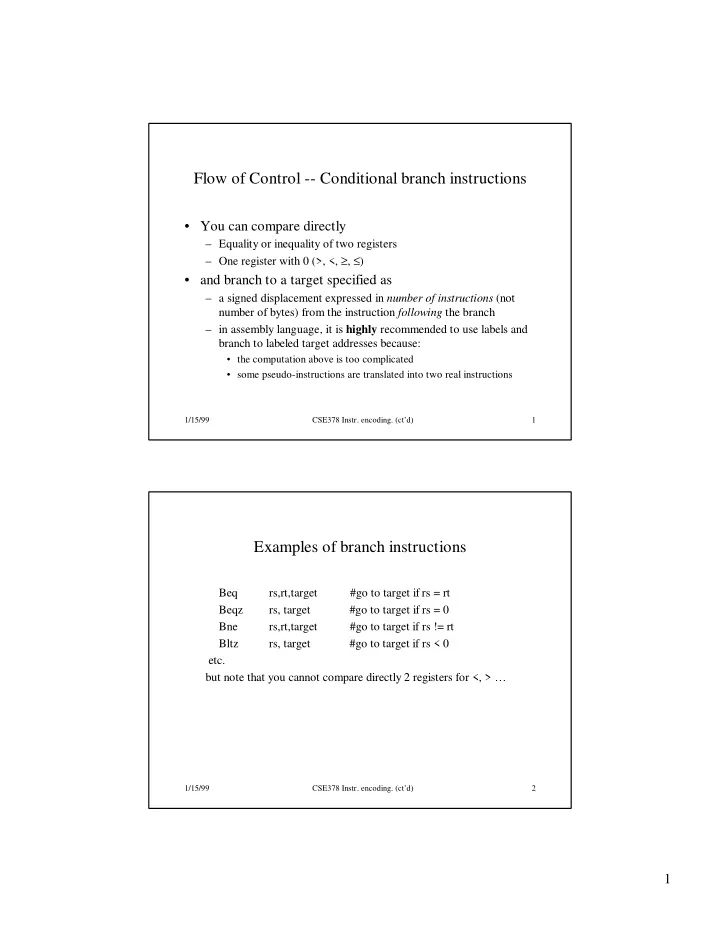
Flow of Control -- Conditional branch instructions
– Equality or inequality of two registers – One register with 0 (>, <, ≥, ≤)
- and branch to a target specified as
– a signed displacement expressed in number of instructions (not number of bytes) from the instruction following the branch – in assembly language, it is highly recommended to use labels and branch to labeled target addresses because:
- the computation above is too complicated
- some pseudo-instructions are translated into two real instructions
1/15/99 CSE378 Instr. encoding. (ct’d) 2
Examples of branch instructions
Beq rs,rt,target #go to target if rs = rt Beqz rs, target #go to target if rs = 0 Bne rs,rt,target #go to target if rs != rt Bltz rs, target #go to target if rs < 0 etc. but note that you cannot compare directly 2 registers for <, > …
SLIDE 2 2
1/15/99 CSE378 Instr. encoding. (ct’d) 3
Comparisons between two registers
- Use an instruction to set a third register
slt rd,rs,rt #rd = 1 if rs < rt else rd = 0 sltu rd,rs,rt #same but rs and rt are considered unsigned
- Example: Branch to Lab1 if $5 < $6
slt $10,$5,$6 #$10 = 1 if $5 < $6 otherwise $10 = 0 bnez $10,Lab1 # branch if $10 =1, I.e., $5<$6
- There exist pseudo instructions to help you!
blt $5,$6,Lab1 # pseudo instruction translated into # slt $1,$5,$6 # bne $1,$0,Lab1 Note the use of register 1 by the assembler
1/15/99 CSE378 Instr. encoding. (ct’d) 4
Unconditional transfer of control
- Can use “beqz $0, target” but limited range (±32K instr.)
- Use of Jump instructions
jump target #special format for target byte address (26 bits) jr $rs #jump to address stored in rs (good for switch #statements and transfer tables)
- To call/return functions and procedures
jal target #jump to target address; save PC of #following instruction in $31 (aka $ra) jr $31 # jump to address stored in $31 (or $ra)
Also possible to use jalr rs,rd # jump to address stored in rs; rd = PC of # following instruction in rd
SLIDE 3 3
1/15/99 CSE378 Instr. encoding. (ct’d) 5
Branch addressing format
- Need Opcode, one or two registers, and an offset
– No base register since offset added to PC
- When using one register, can use the second register field
to expand the opcode
– similar to function field for arith instructions beq $4,$5,1000 bgtz $4,1000 Opc rs rt/func target offset
1/15/99 CSE378 Instr. encoding. (ct’d) 6
How to address operands
- The ISA specifies addressing modes
- MIPS, as a RISC machine has very few addressing modes
– register mode. Operand is in a register – base or displacement or indexed mode
- Operand is at address “register + 16-bit signed offset”
– immediate mode. Operand is a constant encoded in the instruction – PC-relative mode. As base but the register is the PC
SLIDE 4 4
1/15/99 CSE378 Instr. encoding. (ct’d) 7
Some interesting instructions. Multiply
- Multiplying 2 32-bit numbers yields a 64-bit result
– Use of HI and LO registers Mult rs,rt #HI/LO = rs*rt Multu rs,rt Then need to move the HI or LO or both to regular registers mflo rd #rd = LO mfhi rd #rd = HI Once more the assembler can come to the rescue with a pseudo inst mul rd,rs,rt #generates mult and mflo #and mfhi if necessary
1/15/99 CSE378 Instr. encoding. (ct’d) 8
Some interesting instructions. Divide
- Similarly, divide needs two registers
– LO gets the quotient – HI gets the remainder
- If an operand is negative, the remainder is not specified by
the MIPS ISA.
SLIDE 5 5
1/15/99 CSE378 Instr. encoding. (ct’d) 9
Logic instructions
- Used to manipulate bits within words, set-up masks etc.
- A sample of instructions
and rd,rs,rt #rd=AND(rs,rt) andi rd,rs,immed
rd,rs,rt xor rd,rs,rt
- Immediate constant limited to 16 bits. If more use Lui.
- There is a pseudo-instruction NOT
not rt,rs #does 1’s complement (bit by bit #complement of rs in rt)
1/15/99 CSE378 Instr. encoding. (ct’d) 10
Example of use of logic instructions
- Create a mask of all 1’s for the low-order byte of $6. Don’t
care about the other bits.
$6,$6,0x00ff #$6[7:0] set to 1’s
- Clear high-order byte of register 7 but leave the 3 other
bytes unchanged
lui $5,0x00ff #$5 = 0x00ff0000
$5,$5,0xffff #$5 = 0x00ffffff and $7,$7,$5 #$7 =0x00…… (…whatever was #there before)
SLIDE 6 6
1/15/99 CSE378 Instr. encoding. (ct’d) 11
Shift instructions
- Logical shifts -- Zeroes are inserted
sll rd,rt,shm #left shift of shm bits; inserting 0’s on #the right srl rd,rt,shm #right shift of shm bits; inserting 0’s #on the left
- Arithmetic shifts (useful only on the right)
– sra rd,rt,shm # Sign bit is inserted on the left
- Example let $5 = ff00 0000
sll $6,$5,3 #$6 = 0xf800 0000 srl $6,$5,3 #$6 = 0x1fe0 0000 sra $6,$5,3 #$6 = 0xffe0 0000
1/15/99 CSE378 Instr. encoding. (ct’d) 12
Example -- High-level language
int a[100]; int i; for (i=0;i<100;i++){ a[i] = 5; }
SLIDE 7
7
1/15/99 CSE378 Instr. encoding. (ct’d) 13
Assembly language version
Assume: start address of array a in r15. We use r8 to store the value of i and r9 for the value 5 add $8,$0,$0 #initialize i li $9,5 #r9 has the constant 5 Loop: mul $10,$8,4 #r10 has i in bytes #could use a shift left by 2 addu $14,$10,$15 #address of a[i] sw $9,0($14) #store 5 in a[i] addiu $8,$8,1 #increment i blt $8,100,Loop #branch if loop not finished #taking lots of liberty here!
1/15/99 CSE378 Instr. encoding. (ct’d) 14
Machine language version (generated by SPIM)
[0x00400020] 0x00004020 add $8, $0, $0 ; 1: add $8,$0,$0 [0x00400024] 0x34090005 ori $9, $0, 5 ; 2: li $9,5 [0x00400028] 0x34010004 ori $1, $0, 4 ; 3: mul $10,$8,4 [0x0040002c] 0x01010018 mult $8, $1 [0x00400030] 0x00005012 mflo $10 [0x00400034] 0x014f7021 addu $14, $10, $15 ; 4: addu $14,$10,$15 [0x00400038] 0xadc90000 sw $9, 0($14) ; 5: sw $9,0($14) [0x0040003c] 0x25080001 addiu $8, $8, 1 ; 6: addiu $8,$8,1 [0x00400040] 0x29010064 slti $1, $8, 100 ; 7: blt $8,100,Loop [0x00400044] 0x1420fff9 bne $1, $0, -28 [Loop-0x00400044]