Explicit Instruction Webinar #2 Designing Lessons - Skills and - - PDF document

explicit instruction webinar 2 designing lessons skills
SMART_READER_LITE
LIVE PREVIEW

Explicit Instruction Webinar #2 Designing Lessons - Skills and - - PDF document

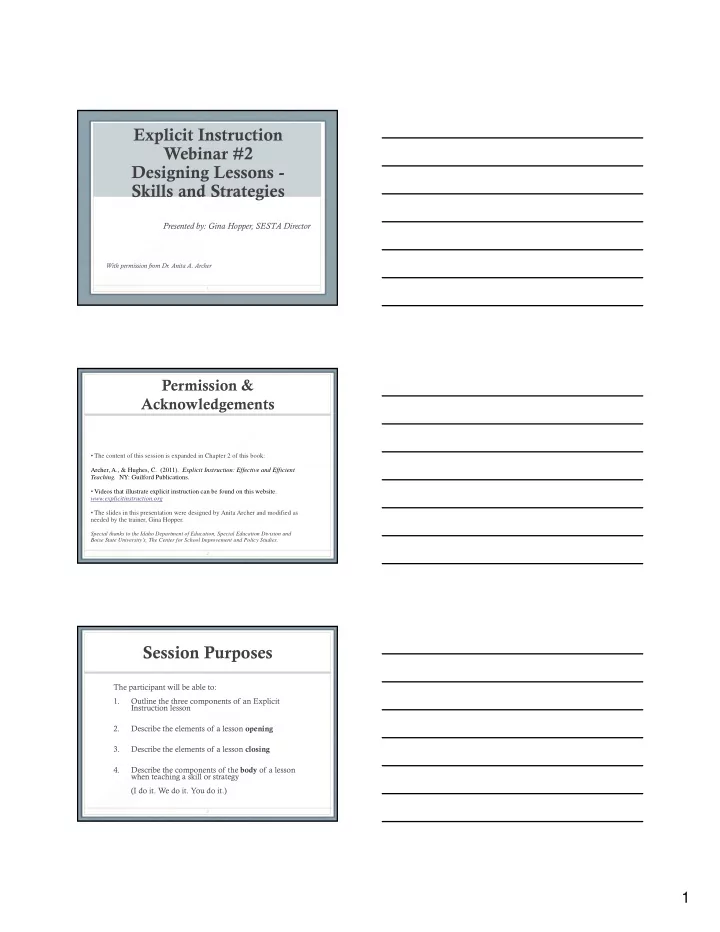
Explicit Instruction Webinar #2 Designing Lessons - Skills and Strategies Presented by: Gina Hopper, SESTA Director With permission from Dr. Anita A. Archer 1 Permission & Acknowledgements The content of this session is expanded in


slide-1
SLIDE 1

1

Explicit Instruction Webinar #2 Designing Lessons - Skills and Strategies

Presented by: Gina Hopper, SESTA Director

With permission from Dr. Anita A. Archer

1

  • The content of this session is expanded in Chapter 2 of this book:

Permission & Acknowledgements

Archer, A., & Hughes, C. (2011). Explicit Instruction: Effective and Efficient

  • Teaching. NY: Guilford Publications.
  • Videos that illustrate explicit instruction can be found on this website.

www.explicitinstruction.org

  • The slides in this presentation were designed by Anita Archer and modified as

needed by the trainer, Gina Hopper.

Special thanks to the Idaho Department of Education, Special Education Division and Boise State University’s, The Center for School Improvement and Policy Studies.

2

Session Purposes

The participant will be able to: 1. Outline the three components of an Explicit Instruction lesson 2. Describe the elements of a lesson opening 3. Describe the elements of a lesson closing 4. Describe the components of the body of a lesson when teaching a skill or strategy (I do it. We do it. You do it.)

3

slide-2
SLIDE 2

2

Design of Instruction

Focus on:

  • General lesson design
  • Lesson design when teaching skills and strategies

4

Review

Elements of Explicit Instruction

Let’s get started…

5

Elements of Explicit Instruction

Design of Instruction

Lessons 1. Are organized and focused 2. Begin with a statement of goals 3. Provide review of prior skills and knowledge

6

slide-3
SLIDE 3

3

Elements of Explicit Instruction

Design of Instruction

4. Provide step-by-step demonstrations 5 Use clear and concise language 5. Use clear and concise language 6. Provide a range of examples and non-examples 7. Provide guided and supported practice

7

General Lesson Design

  • Opening
  • Attention
  • Review
  • Preview
  • Preview
  • Body
  • Closing
  • Review
  • Preview
  • Independent Work

8

General Lesson Design

Lesson Opening - Attention

Attention

  • Provide a verbal cue such as
  • “Listening”
  • “We are going to begin”
  • “Eyes and ears on me”
  • Follow the verbal cue with silence
  • Regain attention throughout the lesson

9

slide-4
SLIDE 4

4

General Lesson Design

Lesson Opening - Review

Review

  • Review content of previous lessons
  • Review necessary prerequisite skills (preskills) for

Review necessary prerequisite skills (preskills) for target skill being taught

  • Review background knowledge needed for today’s

lesson

  • Review must be interactive
  • Request responses during review

10

General Lesson Design

Lesson Opening - Review

What are the benefits of an interactive review?

Benefits to students Benefits to teacher

11

General Lesson Design

Lesson Opening - Preview

Preview

  • State goal of lesson
  • Use student-friendly language
  • Discuss relevance of target skill

(or larger goal)

3 W’s

  • Where?
  • Why?
  • When?

12

slide-5
SLIDE 5

5

General Lesson Design

Lesson Opening

  • Attention
  • Provide a verbal _________such as “Listening” or “We are going to

begin”

  • Follow the verbal cue with ____________________
  • Review

Review

  • Review content of previous lessons
  • Review necessary _____________________ for target skill being taught
  • Review ___________ _______________ needed for today’s lesson
  • Review must be ____________________________
  • Preview
  • State _________________ of lesson
  • Discuss _______________ of target skill (or larger goal)
  • 3 W’s __________ ___________ ____________

13

General Lesson Design

Lesson Closing

  • Review
  • Review critical content
  • Review must be interactive
  • Preview
  • Preview content of next lesson
  • Independent Work
  • Assign independent work
  • Review assignments, quizzes, projects, performances due

in future

14

General Lesson Design

Lesson Closing

  • Review
  • Review _____________ content
  • Review must be _______________________
  • Preview
  • Preview ______________ of next lesson
  • Independent Work
  • Assign __________________ work
  • Review assignments, quizzes, projects, performances due

in the ____________

15

slide-6
SLIDE 6

6

General Lesson Design

  • Opening
  • Attention
  • Review
  • Preview

Preview

  • Body
  • Closing
  • Review
  • Preview
  • Independent Work

16

General Lesson Design

Body of Lesson Varies across subjects and grades May include instruction on: May include instruction on:

  • Skills and strategies (How to do something)
  • Vocabulary and concepts (What something is)
  • Rules (If ______ then ______ )
  • Facts

17

General Lesson Design

Are you teaching a:

  • Skill or strategy
  • Vocabulary or concept

R l

  • Rule
  • Fact

Students are preparing for reading a passage about the United Nations.

18

slide-7
SLIDE 7

7

General Lesson Design

The teacher:

  • 1. ______________ introduces the meaning of

humanitarian, disarmament, non-proliferation.

  • 2. ______________ tells students that there are 193

member states in the United Nations.

  • 3. ______________ demonstrates how to take Cornell

notes on passage content.

  • 4. ______________ introduces procedure for writing a

summary on the passage.

19

Body - Skill or Strategy

How to do something

  • Sound out word
  • Determine meaning of

word using context clues

  • Determine meaning of

word using root and

  • Take notes on

information text*

  • Write a summary of

content* W it i i i * g affixes

  • Spell an unknown word
  • Determines cause and

effect*

  • Make Inferences*
  • Write an opinion piece*
  • Solve an equation
  • Write up a science

experiment *=aligns to Marzano’s research

20

Body - Skill or Strategy

How to do something

What are some of the skills or strategies that you teach?

21

slide-8
SLIDE 8

8

Body - Skill or Strategy

  • The Three Components
  • Model

I do it

  • Model

I do it

  • Prompt

We do it

  • Check

You do it

Anita Archer, 1977

22

Body - Skill or Strategy

Simple skill or strategy

  • Model I do it

Teacher performs Students watch

W d i

  • Prompt We do it

Teacher performs Students perform

  • Check You do it

Teacher watches Students perform

23

Body - Skill or Strategy Simple Examples

Example A. Letter/sound association

  • 1. (Writes letter m) This

sound is /mmmmmm/

Example B. Counting by fives

  • 1. Listen as I count by 5’s.

5, 10, 15, 20

  • 2. Say the sound with me.

/mmmmmmm/

  • 3. What sound? /mmmmm/
  • 2. Count by 5’s with me.

5, 10, 15, 20 3.Again. 5, 10, 15, 20.

  • Again. 5, 10, 15, ____.

Again 5, 10, ___ ___. Again. 5, ___ ___ ___. 4.Count by 5’s on your own. 5, 10, 15, 20

24

slide-9
SLIDE 9

9 Body - Skill or Strategy

Simple Examples

Example C. Reading difficult to pronounce words

  • 1. (Writes fastidious) This word is

f tidi

Example D. Segmenting long word for spelling

  • 1. When you spell a long word, it is

useful to break the word into parts. Let’s practice that skill. My turn. The word is convention. I slow it fastidious

  • 2. Say the word with me. fastidious
  • Again. fastidious
  • 3. What word? /fastidious/

down, and tap and say the parts. con ven tion

  • 2. The next word is demonstrate.

What word? Say and tap the parts with me. dem on strate (Do the following words with students: represent, lovely).

  • 3. Your turn. The word is
  • unproductive. Say the parts. un pro

duc tive

25

Model (I do it)

  • Show

(Demonstrating)

  • Proceed step-by-step
  • Exaggerate the steps

Body - Skill or Strategy

I do it More complex skills and strategies

  • Exaggerate the steps
  • Tell

(Describing)

  • Tell students what you are doing
  • Tell students what you are thinking
  • Gain Responses
  • Ask for responses
  • What they already know
  • What you have told them

26

Body - Skill or Strategy

I do it More complex skills and strategies

  • The 3 C’s
  • The model should be:
  • Clear
  • Clear
  • Consistent
  • Concise

27

slide-10
SLIDE 10

10

Body - Skill or Strategy

I do it More complex skills and strategies Paragraph Shrinking 1. Name the who or what. (The main person animal or thing ) (The main person, animal, or thing.) 2. Tell the most important thing about the who or what. 3. Say the main idea in 10 words or less.

(From the PALS program by Fuchs, Mathes, and Fuchs)

28

Body - Skill or Strategy

I do it Video Activity Complete this activity independently or in a group at your school. Review the 8th grade Social Studies Video found on wwwexplicitinstruction org www.explicitinstruction.org Look for good practices—use following slide to monitor what was observed Record the good practices Share out

29

Body - Skill or Strategy

I do it Video Activity

Did the teacher: ____ Show students how to perform the skill or strategy ____ Proceed step-by-step ____ Exaggerate the steps ____ Tell students how to perform the skill or strategy ____ Tell students what he/she was doing ____ Tell students what he/she was thinking ____ Gain responses ____ What they already know ____ What you have told them ____ Presented models that were clear, consistent, concise

30

slide-11
SLIDE 11

11

Body - Skill or Strategy

I do it More complex skills and strategies Before modeling a. Ask yourself, what are common errors that students might make? b. Precorrect those errors as you model.

31

Body - Skill or Strategy

I do it

Video Activity

As you watch Grade 6 video “Pronunciation of Multisyllabic Words”, determine the potential errors that the teacher is anticipating.

32

Body - Skill or Strategy

We do it More complex skills and strategies

  • Purposes of guided practice
  • Promote high level of success
  • Build confidence

Types of prompts Types of prompts

  • Prompt physically
  • Prompt visually
  • Prompt verbally

Step - do - Step - do - Step - do - Step - do Three C’s = clear, consistent, concise

33

slide-12
SLIDE 12

12

Body - Skill or Strategy

We do it More complex skills and strategies

Levels of Prompts Tell them what to do Ask them what to do Ask them what to do Remind them what to do Gradually fade prompts.

34

Body - Skill or Strategy

We do it Video Activity Complete this activity independently or in a group at your school as a continuation of the video already previewed.

35

Review the Social Studies video of Mrs. Lee and Class, part I. Paragraph shrinking—secondary Look for good practices—use following slide to monitor what was observed during the “we do” portion Record the good practices Share out

Body - Skill or Strategy

We do it Video Activity Did the teacher: ___ Guide students in performing the skill/strategy G id th t d t t b t ___ Guide the students step-by-step ___ Use language that was clear, consistent, concise ___ Gradually fade the prompting

36

slide-13
SLIDE 13

13

Body - Skill or Strategy You do it

  • Check for understanding
  • Unprompted practice
  • Verify students’ understanding before independent

Verify students understanding before independent work is given

  • Carefully monitor students’ responses
  • Continue until students are consistently accurate

37

Opening Body Closing

Reflection Activity (to be completed on your own or with a training group) Using one of Anita’s many videos found on www.explicitinstruction.org, look for critical elements in the Opening, Body, and Closing of the lesson. What did you notice?

38

Final Thoughts

Not a static procedure D d h t t hi

  • Depends on what you are teaching

(e.g., complexity, familiarity)

  • Depends on who you are teaching

(e.g., prior knowledge, learning history)

39

slide-14
SLIDE 14

14

Questions

Special Education Statewide Technical Assistance (SESTA)

Center for School Improvement & Policy Studies, BSU

Gina Hopper Director i ho e @boisest te ed Katie Bubak Coordinator ginahopper@boisestate.edu Sydney Fox Program Manager sydneyfox@boisestate.edu katiebubak@boisestate.edu David Klungle Program Coordinator davidklungle@boisestate.edu

www.idahotc.com

Find the following on the ITC:

  • Statewide Calendar
  • Online Training Registration

Online Communities

Cari Murphy

Project Director

Shawn Wright

  • Online Communities
  • Webinars
  • Resource Links
  • In-service Credit Offerings

Shawn Wright

Webmaster/ISD

Jesse Hewitt

Web Specialist

Ben Troka

Web Specialist

Email: itc@uidaho.edu

Housed at: Center on Disabilities and Human Development, University of Idaho

slide-15
SLIDE 15

15

Autism Supports

Barbara Broyles

bbroyles@uidaho.edu

Professional Development

Robin Greenfield

rgreen@uidaho.edu

Idaho Training Clearinghouse

Cari Murphy

carilee@uidaho.edu

Assistive Technology Technical Assistance

Janice Carson

janicec@uidaho.edu