Example Application Domains Autonomous delivery robot roams around - - PowerPoint PPT Presentation

example application domains
SMART_READER_LITE
LIVE PREVIEW

Example Application Domains Autonomous delivery robot roams around - - PowerPoint PPT Presentation

Example Application Domains Autonomous delivery robot roams around an office environment and delivers coffee, parcels, Diagnostic assistant helps a human troubleshoot problems and suggests repairs or treatments. E.g., electrical


slide-1
SLIDE 1

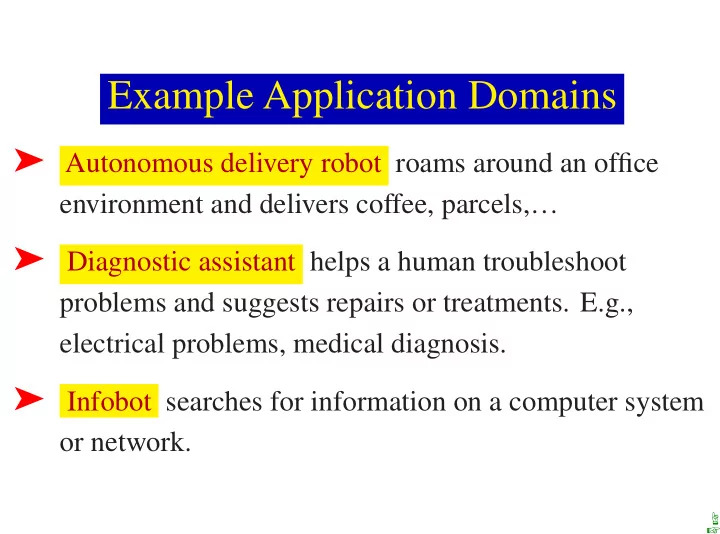
Example Application Domains

➤ Autonomous delivery robot roams around an office

environment and delivers coffee, parcels,…

➤ Diagnostic assistant helps a human troubleshoot

problems and suggests repairs or treatments. E.g., electrical problems, medical diagnosis.

➤ Infobot searches for information on a computer system

  • r network.

☞ ☞

slide-2
SLIDE 2

Domain for Delivery Robot

lab4 stairs lab1 lab2 lab3 r101 r103 r105 r107 r109 r111 r113 r115 r117 r119 r121 r123 r125 r127 r129 r131

☞ ☞ ☞

slide-3
SLIDE 3

Autonomous Delivery Robot

Example inputs:

➤ Prior knowledge: its capabilities, objects it may

encounter, maps.

➤ Past experience: which actions are useful and when,

what objects are there, how its actions affect its position.

➤ Goals: what it needs to deliver and when, tradeoffs

between acting quickly and acting safely.

➤ Observations: about its environment from cameras,

sonar, sound, laser range finders, or keyboards.

☞ ☞ ☞

slide-4
SLIDE 4

What does the Delivery Robot need to do?

Determine where Craig’s office is. Where coffee is… Find a path between locations. Plan how to carry out multiple tasks. Make default assumptions about where Craig is. Make tradeoffs under uncertainty: should it go near the stairs? Learn from experience. Sense the world, avoid obstacles, pickup and put down coffee.

☞ ☞ ☞

slide-5
SLIDE 5

Domain for Diagnostic Assistant

light two-way switch switch

  • ff
  • n

power

  • utlet

circuit breaker

  • utside power

l1 l2 w1 w0 w2 w4 w3 w6 w5 p2 p1 cb2 cb1

☞ ☞ ☞

slide-6
SLIDE 6

Diagnostic Assistant

Example inputs:

➤ Prior knowledge: how switches and lights work, how

malfunctions manifest themselves, what information tests provide, the side effects of repairs.

➤ Past experience: the effects of repairs or treatments, the

prevalence of faults or diseases.

➤ Goals: fixing the device and tradeoffs between fixing or

replacing different components.

➤ Observations: symptoms of a device or patient.

☞ ☞ ☞

slide-7
SLIDE 7

Subtasks for the diagnostic assistant

Derive the effects of faults and interventions. Search through the space of possible fault complexes. Explain its reasoning to the human who is using it. Derive possible causes for symptoms; rule out other causes. Plan courses of tests and treatments to address the problems. Reason about the uncertainties/ambiguities given symptoms. Trade off alternate courses of action. Learn about what symptoms are associated with the faults, the effects of treatments, and the accuracy of tests.

☞ ☞ ☞

slide-8
SLIDE 8

Infobot

Infobot interacts with an information environment:

➤ It takes in high-level, perhaps informal, queries. ➤ It finds relevant information. ➤ It presents the information in a meaningful way.

☞ ☞ ☞

slide-9
SLIDE 9

Infobot inputs

➤ Prior knowledge: the meaning of words, the types of

information sources, and how to access information.

➤ Past experience: where information can be obtained, the

relative speed of various servers, and information about the preferences of the user.

➤ Goals: the information it needs to find out; tradeoffs

between the volume and quality of information and the expense involved.

➤ Observations: what information is at the current sites;

what links are available; the load on various connections.

☞ ☞ ☞

slide-10
SLIDE 10

Example subtasks for the Infobot

Derive information that is only implicit in a knowledge base. Interact in natural language. Find good representations of knowledge. Explain how an answer was derived and why some information was unavailable. Make conclusions about the lack of knowledge or conflicting knowledge. Make default inferences about where to find information. Make tradeoffs between information quality and cost. Learn the preferences of users.

☞ ☞ ☞

slide-11
SLIDE 11

Common Tasks of the Domains

➤ Modeling the environment Build models of the physical

environment, patient, or information environment.

➤ Evidential reasoning or perception Given observations,

determine what the world is like.

➤ Action Given a model of the world and a goal,

determine what should be done.

➤ Learning from past experiences Learn about the specific

case and the population of cases.

☞ ☞ ☞

slide-12
SLIDE 12

Our approach to teaching CI

➤ Our goal is to study these four tasks. ➤ We build the tools needed from the bottom up. ➤ We start with some restrictive simplifying assumptions

and lift them as we get more sophisticated representations and more powerful reasoning strategies.

➤ The theory and practice are built from solid foundations.

☞ ☞