
SLIDE 1
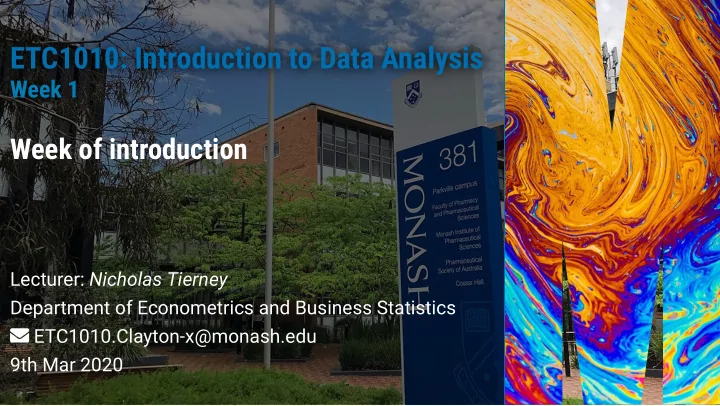
ETC1010: Introduction to Data Analysis ETC1010: Introduction to Data Analysis
Week 1 Week 1
Week of introduction
Lecturer: Nicholas Tierney Department of Econometrics and Business Statistics ETC1010.Clayton-x@monash.edu 9th Mar 2020
ETC1010: Introduction to Data Analysis ETC1010: Introduction to Data - - PowerPoint PPT Presentation
ETC1010: Introduction to Data Analysis ETC1010: Introduction to Data Analysis Week 1 Week 1 Week of introduction Lecturer: Nicholas Tierney Department of Econometrics and Business Statistics ETC1010.Clayton-x@monash.edu 9th Mar 2020 2/52
Week 1 Week 1
Lecturer: Nicholas Tierney Department of Econometrics and Business Statistics ETC1010.Clayton-x@monash.edu 9th Mar 2020
2/52
This is a course on introduction to data analysis. You can also think of it as introduction to data science. Q - What data analysis background does this course assume? A - None. Q - Is this an intro stat course? A - Statistics data science. BUT they are closely related. This course is a great way to get started with statistics. But is not your typical high school statistics course. Q - Will we be doing computing? A - Yes.
≠
3/52
Q - Is this an intro Computer Science course? A - No, but there are some shared themes. Q - What computing language will we learn? A - R. Q: Why not language X? A: We can discuss that over ☕. Taught as a lectorial (Lecture + Tutorial) It is not (typically) recorded because you are doing work You have to show up to class to practice!
4/52
This course is brought to you today by the letter "R"! Grover image sourced from https://en.wikipedia.org/wiki/Grover.
5/52
R is a language for data analysis. If R seems a bit confusing, disorganized, and perhaps incoherent at times, in some ways that's because so is data analysis.
6/52
Free Powerful: Over 15000 contributed packages on the main
repository (CRAN), as of March 2020, provided by top international researchers and programmers.
Flexible: It is a language, and thus allows you to create your
Community: Large global community friendly and helpful, lots
7/52
R Consortium conducted a survey of users 2017. These are the locations
Consortium survey conducted in 2017. 8% of R users are between 18-24 BUT 45% of R users are between 25-34!
8/52
ABS, CSIRO, ATO, Microsoft, Energy Qld, Auto and General, Bank of Qld, BHP , AEMO, Google, Flight Centre, Youi, Amadeus Investment Partners, Yahoo, Sydney Trains, Tennis Australia, Rio Tinto, Reserve Bank of Australia, PwC, Oracle, Netix, NOAA Fisheries, NAB, Menulog, Macquarie Bank, Honeywell, Geoscience Australia, DFAT, DPI, CBA, Bank of Italy, Australian Red Cross Blood Service, Amazon, Bunnings.
9/52
10/52
R is a statistical programming language
RStudio is a convenient interface for R (an integrated development environment, IDE) If R were an airplane, RStudio would be the airport, providing many, many supporting services that make it easier for you, the pilot, to take off and go to awesome places. Sure, you can y an airplane without an airport, but having those runways and supporting infrastructure is a game-changer
11/52
12/52
13/52
14/52
15/52
Go to http://bit.ly/etc1010-s1-2020 to log in to RStudio cloud. Log in with Google / GitHub / other credentials.
This section is based on an exercise from data science in a box by Mine Çetinkaya-Rundel
16/52
Once you log on to RStudio Cloud, click on this course's
workspace "ETC1010 2020 semester 1"
You should see a project called "UN Votes", click on the icon
to create a copy of the project, and launch it.
In the Files pane in the bottom right corner, open the le
called unvotes.Rmd. Then click on the "Knit" button.
Go back to the le and change your name on top (in the yaml
Change the country names to those you're interested in.
Spelling and capitalization should match the data so take a peek at the Appendix to see how the country names are spelled. Knit
17/52
18/52
19/52
Functions are (most often) verbs, followed by what they will
be applied to in parentheses:
do_this(to_this) do_that(to_this, to_that, with_those)
For example:
mean(c(1,2,1,2)) ## [1] 1.5
20/52
Columns (variables) in data frames are accessed with $:
dataframe$var_name
For example:
starwars$name ## [1] "Luke Skywalker" "C-3PO" "R2-D2" ## [4] "Darth Vader" "Leia Organa" "Owen Lars" ## [7] "Beru Whitesun lars" "R5-D4" "Biggs Darklighter" ## [10] "Obi-Wan Kenobi" "Anakin Skywalker" "Wilhuff Tarkin" ## [13] "Chewbacca" "Han Solo" "Greedo" ## [16] "Jabba Desilijic Tiure" "Wedge Antilles" "Jek Tono Porkins" ## [19] "Yoda" "Palpatine" "Boba Fett" ## [22] "IG-88" "Bossk" "Lando Calrissian" ## [25] "Lobot" "Ackbar" "Mon Mothma" ## [28] "Arvel Crynyd" "Wicket Systri Warrick" "Nien Nunb" ## [31] "Qui-Gon Jinn" "Nute Gunray" "Finis Valorum" ## [34] "Jar Jar Binks" "Roos Tarpals" "Rugor Nass" ## [37] "Ric Olié" "Watto" "Sebulba"
21/52
Packages are installed with the install.packages
function and loaded with the library function, once per session:
install.packages("package_name") library(package_name)
22/52
Some of our best nal projects:
instagram babynames oztourism salary gaps FantasyAFL
23/52
Data preparation accounts for about 80% of the work of data scientists
One of the least taught parts of data science, and business
analytics, and yet it is what data scientists spend most of their time on.
By the end of this semester, you will have the tools to be
more ecient and effective in this area, so that you have more time to spend on your mining and modeling.
24/52
The learning goals associated with this unit are to:
wrangling techniques
relationships between variables, and make decisions with data
25/52
If you feed a person a sh, they eat for a day. If you teach a person to sh, they eat for a lifetime. Whatever I do in the data analysis that is shown to you during the class, you can do it, too.
26/52
"ida" = Introduction to Data Analysis "numbat" = Non-Uniform-Monash-Business-Analyics-Team unit guide (authority on course structure). Lecture notes for each class Assignment and project instructions Textbook + other online resources related to topics Consultation times (7 x 1Hr consultations) demo
27/52
We will start out using the rstudio cloud server.
In the future we will have R and Rstudio installed locally.
This course is also set up as a "MoVE unit", which means you can borrow a laptop from the university for class hours.
It is also possible to set up R and RStudio onto a USB stick to use with your borrowed laptop.
28/52
Reading Quiz 5% Complete prior to each class, for the rst 8 weeks on ED. Quiz needs to be completed by class time. No mulligans. One can be missed without penalty. Lab Exercise 5% Each class period will have a quiz to be completed individually. Two can be missed without penalty. Assessment Weight Task
29/52
Before 12pm (noon) on Wednesday, you need to complete
the 5 question reading quiz on ED
Before 4pm next Monday You need to complete the 5
question reading quiz on ED.
30/52
There is time at the end of class to complete lab exercise on ED:
Before 6pm Next Monday (16th March), you need to
complete the 10 question Lab Exercise on ED
Before 4pm Mext Wednesday (18th March) you need to
complete the 10 question Lab Exercise on ED.
31/52
Assignment 12% Teamwork, data analysis challenge, due in weeks 4, and 8 Mid-Sem Theory + Concept exam 8% Due week 6 Data Analysis Exam 10% Due week 11 Project 10% Due week 11 Final Exam 50% TBA Assessment Weight Task
32/52
Free Written by authors of
Tidyverse R packages
33/52
Online quizzes Conduct discussions Ask questions about the course material and exercises, and
turn in assignments and project. Only your name and email address are recorded in the ED systems. (DEMO)
34/52
35/52
First search existing discussion for answers. If the question has already been answered, you're done! If it has already been asked but you're not satised with the answer, add to the thread.
Give your question context from course concepts not course assignments.
Good context: "I have a question on ltering data" Bad context: "I have a question on Assignment 1"
36/52
Be precise in your description:
Good description: "I am getting the following error and I'm
not sure how to resolve it - Error: could not find function "ggplot""
Bad description: "R giving errors, help me! Aaaarrrrrgh!"
Remember: you can edit a question after posting it.
37/52
Do the reading prior to each class period.
Participate actively in this class.
Ask questions on the ed.
38/52
Come to consultation if you have questions.
Practice the materials taught in each lectorial by doing more exercises from the textbook.
Be curious, be positive, be engaged.
39/52
All information is on the website 😅 Post questions on ED instead of questions over email
40/52
Intent: Students from all diverse backgrounds and perspectives be well-served by this course, that students' learning needs be addressed both in and out of class, and that the diversity that the students bring to this class be viewed as a resource, strength and benet.
It is my intent to present materials and activities that are respectful of diversity: gender identity, sexuality, disability, age, socioeconomic status, ethnicity, race, nationality, religion, and culture. Let me know ways to improve the effectiveness
student groups.
41/52
If you have a name and/or set of pronouns that differ from those that appear in your ocial Monash records, please let me know!
If you feel like your performance in the class is being impacted by your experiences outside of class, please don't hesitate to come and talk with me. I want to be a resource for
course, talk to Di Cook, or look at the services available to you in the Monash student support services.
42/52
I (like many people) am still in the process of learning about
diverse perspectives and identities. If something was said in class (by anyone) that made you feel uncomfortable, please talk to me about it.
43/52
I am well aware that a huge volume of code is available on
the web to solve any number of problems.
Unless I explicitly tell you not to use something the course's
policy is that you may make use of any online resources (e.g. StackOverow) but you must explicitly cite where you obtained any code you directly use (or use as inspiration). This can be as simple as pasting the link in a references section.
44/52
Any recycled code not explicitly cited will be treated as
plagiarism.
Assignment groups may not directly share code with another
group.
You are welcome to discuss the problems together and ask
for advice, but you may not make direct use of code from another team.
45/52
What we expect:
Conducted according to the Monash policies.
Each member of the group completes the entire assignment, as best they can.
Group members compare answers and combine it into one
document for the nal asubmission.
25% of the assignment grade will come from peer evaluation. Peer evaluation is an important learning tool.
46/52
Each student will be randomly assigned another team's submission to provide feedback on three things:
47/52
Conicts can arise in group work.
They can be both productive and destructive.
Teams need to work on managing conicts and building on the strengths of all team members.
48/52
For each assignment, you will be given the option to comment
If a team member has not contributed to an assignment submission, they might score a 0.
In this situation the team will need to discuss team function and dysfunction with the instructor.
49/52
Assignment 1 will be announced at class on Monday Week 2
50/52
How to edit R code Creating Data
Visualisations
R RStudio Console Using R as a calculator Environment Loading and viewing a
data frame
Accessing a variable in
a data frame
R functions
51/52
This work is licensed under a Creative Commons Attribution-NonCommercial-ShareAlike 4.0 International License. Lecturer: Nicholas Tierney Department of Econometrics and Business Statistics ETC1010.Clayton-x@monash.edu 9th Mar 2020