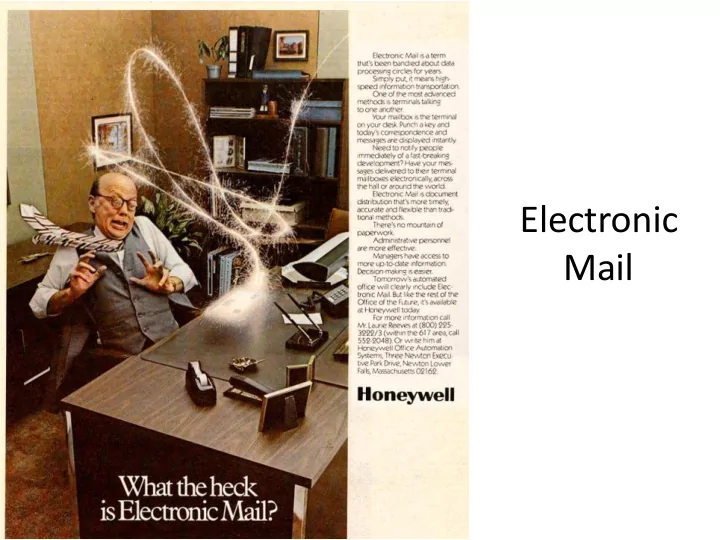
Electronic Mail Overview Electronic mail History Format of email - - PowerPoint PPT Presentation
Electronic Mail Overview Electronic mail History Format of email RFC 822, MIME, email addresses Sending email SMTP, DNS Retrieving email POP, IMAP, Web-based 2 Flashback to the 70s ARPANET just recently came
Overview
- Electronic mail
– History – Format of email
- RFC 822, MIME, email addresses
– Sending email
- SMTP, DNS
– Retrieving email
- POP, IMAP, Web-based
2
Flashback to the 70s
- ARPANET just recently came alive
- July 1971, RFC-196: A Mail Box Protocol
– Send documents to teletype printers
- Late 1971, Ray Tomlinson
– Let the user decide whether to print or not
3
October 29, 1969: First message sent on the ARPANET between UCLA and Stanford. Attempted to type "login", crashed after "lo".
First email
- Sent between two TENEX systems
– Each machine had a MAILBOX file in a user's directory – Sender specified address of recipient
- @ sign between user account name and the
host name
– If on remote system, opened a connection – Message appended to MAILBOX file
- Email client:
– To read email: TYPE MAILBOX – To delete email: delete lines from MAILBOX
4
Email format
- Email format
– Defined in RFC 822, Revised in RFC 5322, MIME – Made up of two parts: header and body – Everything in 7-bit ASCII text
- Header
– Lines with "type: value" pairs – "To: user@mtech.edu" – "Subject: meeting"
- Body
– The text of the message – No particular structure
5
header body blank line
Example email
6
Received: from mtmail8b.butte.campus ([10.34.34.212]) by mtmail8a.butte.campus ([10.34.34.211]) with mapi; Wed, 9 Nov 2011 15:53:59 -0700 From: "Evenson, Shaela" <SEvenson@mtech.edu> To: All Faculty <all_faculty_users@mtech.edu> Date: Wed, 9 Nov 2011 15:51:22 -0700 Subject: Volleyball Excuse List Thread-Topic: Volleyball Excuse List Thread-Index: AQHMnzJ3kOLNFJy+q0SZzTt4MMegZg== Message-ID: <AEC2139945463246967DF069BB2FA52153C220898F@mtmail8b.butte.campus> Accept-Language: en-US Content-Language: en-US X-MS-Exchange-Organization-AuthAs: Internal X-MS-Exchange-Organization-AuthMechanism: 04 X-MS-Exchange-Organization-AuthSource: mtmail8a.butte.campus Content-Type: text/plain; charset="us-ascii" Content-Transfer-Encoding: quoted-printable MIME-Version: 1.0 Please excuse the following student athletes from class this Thursday, Nove= mber 10th at 3:00pm and all day Friday, November 11th. …
Some RFC 5322 header fields
7
Sending more complex things
- Users often want to send multiple things
– A message plus multiple attachments – A message in different forms: plaintext and HTML version – A mailing list digest, messages from many people
- Users may want to send non-ASCII
– ¿Qué pasa si usted quiere hablar español? – Binary files
- Message body can contain anything
– Use some sort of known separator between parts – Need a standard to ensure interoperability
8
MIME
- Multipurpose Internet Mail Extensions (MIME)
– A series of RFCs, 2045-2047, 4288, 4289, 2049
- Addresses a number of issues:
– Sending non-ASCII data
- Other languages
- Binary files, e.g. images, PDFs, videos
– Sending multiple parts
9
Additional message headers defined by MIME.
Sending non-text data
- Problem: Email body, 7-bit US ASCII
- Solution: Convert non-ASCII to ASCII
- Base64 encoding (uuencode):
– Group data in blocks of three bytes – Split each block into four 6-bit chunks – 0->A, 1->B, …, 51->z, 52->0, 53->1, …, 62->+, 63->/ – If needed, pad last block with = signs to make four chunks
10
Example base64 email
11
From: Keith Vertanen <kvertanen@mtech.edu> To: "Vertanen, Keith" <KVertanen@mtech.edu> Date: Tue, 29 Nov 2011 08:49:57 -0700 Subject: image Message-ID: <4ED4FF25.9010309@mtech.edu> Content-Type: multipart/mixed; boundary="_002_4ED4FF259010309mtechedu_" MIME-Version: 1.0
- -_002_4ED4FF259010309mtechedu_
Content-Type: image/png; name="girl.png" Content-Description: girl.png Content-Disposition: attachment; filename="girl.png"; size=2234; creation-date="Tue, 29 Nov 2011 15:49:52 GMT"; modification-date="Tue, 29 Nov 2011 15:49:52 GMT" Content-Transfer-Encoding: base64 iVBORw0KGgoAAAANSUhEUgAAACAAAAAgCAYAAABzenr0AAAABGdBTUEAALGPC/xhBQAAAAFzUkdC AK7OHOkAAAAgY0hSTQAAeiYAAICEAAD6AAAAgOgAAHUwAADqYAAAOpgAABdwnLpRPAAAAAZiS0dE …. AAAAJXRFWHRkYXRlOm1vZGlmeQAyMDExLTEwLTMwVDIyOjM1OjM0LTA2OjAwXfqg4wAAAABJRU5E rkJggg==
- -_002_4ED4FF259010309mtechedu_--
MIME types
- Each part identified by type/subtype
– Originally 7 types, now 9 with hundreds of subtypes
– http://www.iana.org/assignments/media-types/index.html
12
MIME content types and some example subtypes.
multipart/mixed
- Each part a different type
– e.g. multiple attachments
13
14
… Content-Type: multipart/mixed; boundary="_004_4ED508B68000103mtechedu_" MIME-Version: 1.0
- -_004_4ED508B68000103mtechedu_
Content-Type: text/plain; charset="iso-8859-1" Content-Transfer-Encoding: quoted-printable Here is an image and a Java source file and class file.
- -_004_4ED508B68000103mtechedu_
Content-Type: image/png; name="girl.png" Content-Description: girl.png Content-Disposition: attachment; filename="girl.png"; size=2234; Content-Transfer-Encoding: base64 iVBORw0KGgoAAAANSUhEUgAAACrkJggg==
- -_004_4ED508B68000103mtechedu_
Content-Type: text/plain; name="AudioFile.java" Content-Description: AudioFile.java Content-Disposition: attachment; filename="AudioFile.java"; size=2968; Content-Transfer-Encoding: base64 Ly8gT2JqZWN0IHRoYXQgbG9hZHMgYW5kIHBsYXlzIHNvdW5kIGZpbGVzLiAgQWZ0ZXIgY3JlYXRp …
multipart/alternative
- Parts are different forms of the same content
15
16
… Subject: CYBER MONDAY BLOWOUT | Buy.com at eBay MIME-Version: 1.0 Content-Type: multipart/alternative; boundary="----00000000000000000000000000000"
- ----- 00000000000000000000000000000
Content-Type: text/plain; charset="utf-8" Content-Transfer-Encoding: 8bit Join us on: View In Browser http://enews.buy.com/cgi-bin5/DM/t/m8mC0PAyg80SY50VJdG0Hl
- ----- 00000000000000000000000000000
Content-Type: text/html; charset="utf-8" Content-Transfer-Encoding: 8bit <HTML><HEAD><TITLE></TITLE><STYLE type=text/css> <!-- a:link {text-decoration: none} …
multipart/digest
- Combine messages in a mailing list
17
18
… MIME-Version: 1.0 Content-Type: multipart/digest; boundary="LZQGCUJHLICPcMVULTPFREXCMLdADY"
- -LZQGCUJHLICPcMVULTPFREXCMLdADY
Date: Mon, 7 Nov 2011 00:00:28 -0500 From: ACOLUG automatic digest system <LISTSERV@LISTSERV.TEMPLE.EDU> Subject: ACOLUG Digest - 5 Nov 2011 to 6 Nov 2011 (#2011-200) To: ACOLUG@LISTSERV.TEMPLE.EDU Message-ID: <ACOLUG%201111070000287422.2EEF@LISTSERV.TEMPLE.EDU> List-Unsubscribe: <mailto:ACOLUG-unsubscribe-request@LISTSERV.TEMPLE.EDU> List-Subscribe: <mailto:ACOLUG-subscribe-request@LISTSERV.TEMPLE.EDU> There are 4 messages totalling 217 lines in this issue.
- 1. <No subject given> (2)
- 2. AAC Group In LaCrosse (2)
- -LZQGCUJHLICPcMVULTPFREXCMLdADY
Date: Sun, 6 Nov 2011 14:41:10 -0500 ...
Email addresses
- username@company.tld
– Local mailbox on the left of @ – Domain name on the right of @
- Domain name may not be same as mail server
– Mail may live on different server than web server – Multiple mail servers for failover
19
valid email invalid email
niceandsimple@example.com Abc.example.com a.little.unusual@example.com A@b@c@example.com much."more\ unusual"@example.com "(),:;<>[\]@example.com very.unusual."@".unusual.com@example.com just"not"right@example.com very."(),:;<>[]".VERY."very\\\ \@\"very".unusual@strange.example.com this\ is\"really\"not\\allowed@example.com
Email addresses
- Mapping domain to mail server
– Make DNS query for MX record (Mail eXchange)
- e.g. nslookup -q=mx keithv.com
20
Mail servers and user agents
- Mail servers
– Mail Transfer Agent (MTA), mail daemon – Always on – Transfer email to and from other servers
- User agents
– Sometimes on – Intuitive user interface
21
SMTP
- Simple Mail Transfer Protocol (SMTP)
– Used to exchange email messages – Plaintext protocol running over TCP typically on port 25 – Store-and-forward protocol
- Messages sent through a series of servers
- Servers queue messages and will retry on failure
- Each hop adds its identity to the message "Received:"
header
22
user agent mail server user agent mail server
Email with received header
23
Received: from hermes.umt.edu (10.10.7.32) by mtmail8e.butte.campus (10.34.34.215) with Microsoft SMTP Server id 8.3.137.0; Mon, 28 Nov 2011 14:43:39 -0700 Received: from umont01.umt.edu (umont01.umt.edu [10.249.8.16]) by hermes.umt.edu (8.13.8/8.13.8) with ESMTP id pASLhdt9003244 for <kvertanen@mtech.edu>; Mon, 28 Nov 2011 14:43:39 -0700 Received: from precisionconference.com ([204.232.241.168]) by umont01.umt.edu with ESMTP; 28 Nov 2011 14:43:39 -0700 Received: by precisionconference.com (Postfix, from userid 48) id 58ED92DF80AC; Mon, 28 Nov 2011 16:43:38 -0500 (EST) From: "do_not_reply@precisionconference.com" <do_not_reply@precisionconference.com> To: "Vertanen, Keith" <KVertanen@mtech.edu> Date: Mon, 28 Nov 2011 14:43:38 -0700 Subject: [IUI 2012 Short and Long Papers #319] Additional references
Multiple server hops
- Usually at least two server hops
– Sending and receiving mail servers
- But sometimes more. Why?
– Separate mail servers for different functions
- e.g. Spam filtering, virus scanning
– Servers may redirect message
- e.g. Forwarding old email address to a new one
– Electronic mailing lists
- Mail delivered to a mailing list's server
- Sent off to all the subscribers of the list
24
SMTP protocol
- Client-server protocol
– Client is the sending machine – Server is the receiving machine
- Reliable data transfer
– ASCII protocol running over TCP (port 25)
- Push protocol
– Sending machine pushes the data to the receiver – Instead of having receiver periodically poll for data
25
user agent mail server user agent mail server
SMTP SMTP access protocol
SMTP
- Command/response protocol
– Commands are 4-letter ASCII commands and usually some argument – Response numeric code plus freeform human text
- Synchronous
– Sender fire command and then waits for response – Pipelining added later (RFC 2920)
- Process:
– Handshake – Transfer message(s) – Close connection
26
27
S: 220 smtp.example.com ESMTP Postfix C: HELO relay.example.org S: 250 Hello relay.example.org, I am glad to meet you C: MAIL FROM:<bob@example.org> S: 250 Ok C: RCPT TO:<alice@example.com> S: 250 Ok C: RCPT TO:<theboss@example.com> S: 250 Ok C: DATA S: 354 End data with <CR><LF>.<CR><LF> C: From: "Bob Example" <bob@example.org> C: To: "Alice Example" <alice@example.com> C: Cc: theboss@example.com C: Date: Tue, 15 Jan 2008 16:02:43 -0500 C: Subject: Test message C: C: This is a test message. C: . S: 250 Ok: queued as 12345 C: QUIT S: 221 Bye
Trying SMTP for yourself
- Running SMTP
– "telnet popmail.mtech.edu 25" at UNIX prompt – You'll get 220 reply from server – Enter HELO, MAIL FROM, RECPT TO, DATA commands
- Spoofing?
– Yes, put whatever you like in "MAIL FROM" – Original SMTP didn't include sender authentication – Caused big spam issues in the 90s
- Now AUTH extension to SMTP
– 9 out of 10 email messages are spam (McAfee 2010)
28
Manually sending an email
29
Retrieving your email
- Mail server stores email by mailbox
– Based on the "From:" field in the message
- User agent needs to retrieve
– At some later point, not when message was sent – View the message, reply, organize and store
- In the olden days:
– Telnet to main machine at work – Mail client read the mailbox directly
30
user agent mail server user agent mail server
SMTP SMTP access protocol
Modern email retrieval
- People access same email account from:
– Desktop at work – Laptop at home – Smart phone
- Problems:
– No single device – Devices are not always-on
- Led to the Post Office Protocol (POP)
– Retrieve email when connected to network – Allow users to view/manipulate messages offline – TCP on port 110
31
Post Office Protocol (POP)
- Typical POP interaction:
– Connect to server – Retrieve all email messages – Store messages on user's machine as new messages – Delete all the messages from the server – Disconnect from server
- User agent still uses SMTP to send messages
32
user agent mail server user agent mail server
SMTP SMTP POP3 SMTP
POP3 example
33
Authorization phase
- Client commands:
– user: declare username – pass: password
- Server responses
– +OK – -ERR
Transaction phase
- list: list message numbers
- retr: retrieve message by number
- dele: delete
- quit
C: list
S: 1 498 S: 2 912 S: . C: retr 1 S: <message 1 contents> S: . C: dele 1 C: retr 2 S: <message 1 contents> S: . C: dele 2 C: quit S: +OK POP3 server signing off S: +OK POP3 server ready C: user bob S: +OK C: pass hungry S: +OK user successfully logged on
POP3 problems
- Not designed to keep messages on server
– No way to track "read" state of messages across multiple client mail programs
- Does not handle multiple folders
– Everything in one folder
- High bandwidth required
– You can list message IDs and size – No search ability – Download entire message – TOP to view certain number of lines at top of message
34
IMAP
- Internet Message Access Protocol (IMAP)
– Plaintext protocol, TCP port 143
- Multiple client programs can connect at once
– Server tracks message state
- read, replied to, deleted
– Server can synch changes between clients
- Access to MIME parts and partial fetch
– Retrieve only parts of a message – e.g. Get the message but not any attachments
- Support creating/renaming/deleting folders
- Search messages on server-side
35
IMAP commands
36
telnet popmail.mtech.edu 143
37
S: * OK The Microsoft Exchange IMAP4 service is ready. C: ? CAPABILITY S: * CAPABILITY IMAP4 IMAP4rev1 AUTH=NTLM AUTH=GSSAPI AUTH=PLAIN STARTTLS IDLE NAMESPACE LITERAL+ C: ? list "" "*" S: * LIST (\HasNoChildren) "/" "Deleted Items" S: * LIST (\HasNoChildren) "/" Drafts S: * LIST (\Marked \HasNoChildren) "/" INBOX S: * LIST (\HasNoChildren) "/" Sent C: ? SELECT INBOX S: * 1251 EXISTS S: * 0 RECENT S: * FLAGS (\Seen \Answered \Flagged \Deleted \Draft $MDNSent) S: * OK [PERMANENTFLAGS (\Seen \Answered \Flagged \Deleted \Draft $MDNSent)] Permanent flags S: * OK [UIDVALIDITY 535045] UIDVALIDITY value S: * OK [UIDNEXT 1422] The next unique identifier value
38
C: ? FETCH 1250:1251 flags S: * 1250 FETCH (FLAGS (\Seen \Deleted)) S: * 1251 FETCH (FLAGS (\Seen)) C: ? FETCH 1251 rfc822.header S: * 1251 FETCH (RFC822.HEADER {736} S: MIME-Version: 1.0 S: Received: from evilgenius.com (10.33.73.166) by mtmail8a.butte.campus (10.34.34.211) with Microsoft SMTP Server id 8.3.137.0; Tue, 29 Nov 2011 11:33:32 -0700 S: From: "president@whitehouse.gov" <president@whitehouse.gov> S: Date: Tue, 29 Nov 2011 11:33:32 -0700 S: Subject: URGENT S: Content-Type: text/plain; charset="iso-8859-1" S: Content-Transfer-Encoding: quoted-printable C: ? FETCH 1251 rfc822.header S: * 1251 FETCH (RFC822.TEXT {24} S: Launch the missiles! S: FLAGS (\Seen)) C: ? LOGOUT S: * BYE Microsoft Exchange Server 2007 IMAP4 server signing off.
telnet popmail.mtech.edu 143
Web-based email
- User agent is a web browser
– Network protocol is HTTP – e.g. Gmail, Yahoo mail, Hotmail
- Reading email
– Web page displays folders and messages – HTTP "GET" request to retrieve pages
- Sending email
– Web form that does a "POST" to submit message – Webmail provider sends message via SMTP
39
Summary
- Application protocols we've seen so far:
– Web: HTTP – Email: SMTP, POP3, IMAP4
- Electronic email
– Message format specified originally by RFC 822 – MIME allows multiple parts, binary data – SMTP for sending email – POP3, IMAP4, or HTTP for retrieving to mail
40