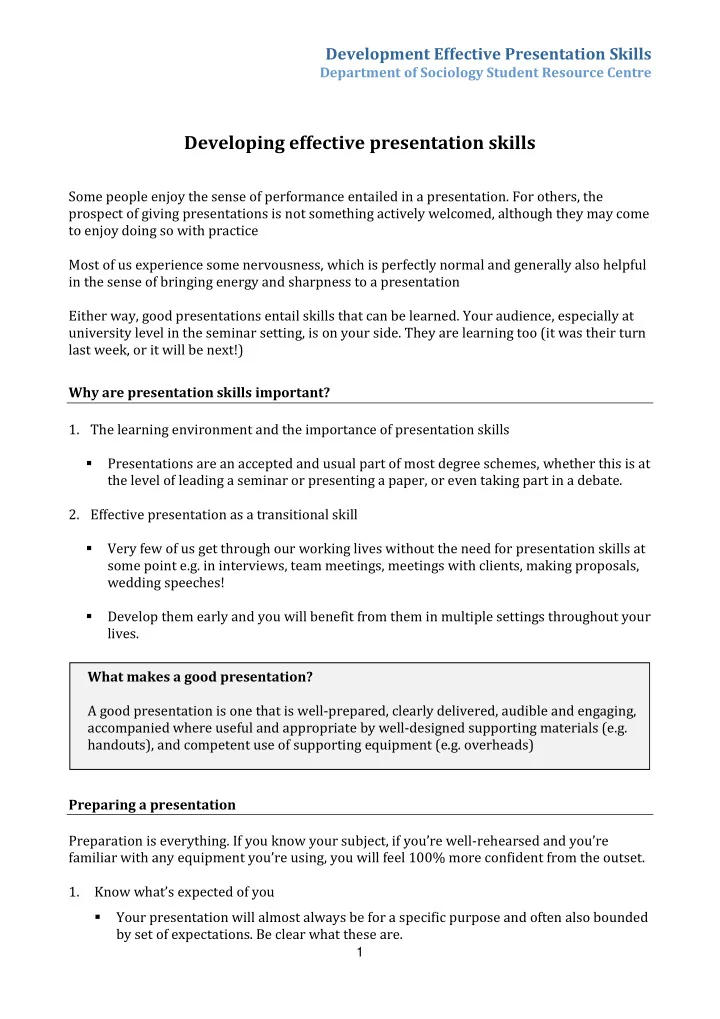
Developing effective presentation skills Some people enjoy the sense - - PDF document

developing effective presentation skills
SMART_READER_LITE
LIVE PREVIEW

Developing effective presentation skills Some people enjoy the sense - - PDF document

Development Effective Presentation Skills Department of Sociology Student Resource Centre Developing effective presentation skills Some people enjoy the sense of performance entailed in a presentation. For others, the prospect of giving


slide-1
SLIDE 1

Development Effective Presentation Skills

Department of Sociology Student Resource Centre

1

Developing effective presentation skills

Some people enjoy the sense of performance entailed in a presentation. For others, the prospect of giving presentations is not something actively welcomed, although they may come to enjoy doing so with practice Most of us experience some nervousness, which is perfectly normal and generally also helpful in the sense of bringing energy and sharpness to a presentation Either way, good presentations entail skills that can be learned. Your audience, especially at university level in the seminar setting, is on your side. They are learning too (it was their turn last week, or it will be next!) Why are presentation skills important?

  • 1. The learning environment and the importance of presentation skills
  • Presentations are an accepted and usual part of most degree schemes, whether this is at

the level of leading a seminar or presenting a paper, or even taking part in a debate.

  • 2. Effective presentation as a transitional skill
  • Very few of us get through our working lives without the need for presentation skills at

some point e.g. in interviews, team meetings, meetings with clients, making proposals, wedding speeches!

  • Develop them early and you will benefit from them in multiple settings throughout your

lives. Preparing a presentation Preparation is everything. If you know your subject, if you’re well-rehearsed and you’re familiar with any equipment you’re using, you will feel 100% more confident from the outset.

  • 1. Know what’s expected of you
  • Your presentation will almost always be for a specific purpose and often also bounded

by set of expectations. Be clear what these are. What makes a good presentation? A good presentation is one that is well-prepared, clearly delivered, audible and engaging, accompanied where useful and appropriate by well-designed supporting materials (e.g. handouts), and competent use of supporting equipment (e.g. overheads)

slide-2
SLIDE 2

Development Effective Presentation Skills

Department of Sociology Student Resource Centre

2

  • Ask yourself the following questions: What is asked of me? How long am I expected to

talk for? What guidance have I been given on structure? How much flexibility do I have here? Am I expected to take questions? Am I required to produce a handout?

  • In the seminar setting, your class teacher is your first point of reference in

determining what’s expected of you. By all means seek help in improving your presentation skills from others (e.g. the Student Resource Centre). You are encouraged to do so! But beyond general advice and support, the starting question will always be: What is the purpose of the presentation? And what specific guidance have you been given?

  • If you are concerned that you’ve been given little in the way of guidance, it’s ok to ask!

It may simply be that you have scope to structure your presentation as you wish.

  • 2. Structure
  • Be clear about aims – have a clear set of aims
  • Ensure your presentation has an obvious sense of progression i.e. from an introduction

and any necessary background, through its main points, towards a summary/conclusion (just as your essays would)

  • It’s generally helpful to give a brief overview at the very outset of what your

presentation is about and how you intend to structure it. This acts as a conceptual framework for your audience, allowing them to understand and retain the material you present with greater ease

  • 3. Your notes
  • Should act as prompts: try to avoid writing out an essay or a speech, since this will

mean (unless you know it by heart) that you will have no option but to read it from beginning to end. Such practice has a tendency to disengage your audience (and they could after all read it for themselves)

  • If it reassures you to write out what you want to say in full, do so under headings and

subheadings so that these act as clear reminders at a glance

  • Become as familiar as you can with your subject matter and supporting material (e.g.

your notes and overheads). For example, make sure you know where each section falls

  • n a page (if you are working through notes), or at which point you need to move on

to the next slide or transparency.

  • 4. Timing and rehearsal
  • If you have guidelines on length, stick to them (running over will not win you extra

points – in an interview situation it may even lose you the job)

  • Make sure you allow time for discussion/questions etc
slide-3
SLIDE 3

Development Effective Presentation Skills

Department of Sociology Student Resource Centre

3

  • Audio-taping: record your presentation and play it back to yourself. This will help you

memorise it, slow down your speech, and keep to any time limits.

  • Rehearse with a friend – try a practice run. Get them to time you. Ask them for

feedback on your delivery, pace etc.

  • 5. Equipment (see also ‘Tools to aid delivery’)
  • Think about what materials/aids you want to use, check their availability well in

advance, book them if necessary, and – very important indeed - check how they work and if they work!

  • 6. On the day
  • Get there in good time, particularly if there is equipment to set up or check, or

photocopying to be done.

  • Being rushed at the last minute gives your audience an unfavourable impression at the
  • utset, and wont help at all if you’re already feeling nervous.

Delivery and body language

  • 1. Voice projection
  • Speak up and out towards your audience
  • If you need to refer to your notes, check them, look up and continue speaking.
  • 2. Posture
  • Preferably stand – it sets you apart from your audience both visually (from their

perspective), and conceptually (from yours)

  • Standing contributes to the sense of ‘performance’, with a clear beginning and end (i.e.

you sit down again!)

  • 3. Eye contact
  • Look up and out towards your audience and make eye contact – intermittently at least –

with all audience members. Don’t forget about people at the sides of the room

  • Find a friendly face in the audience (someone who looks interested and not puzzled!)

and connect with them occasionally for reassurance, BUT…

  • Don’t stare fixedly in one direction or at one person!
  • 4. Pace
  • Speak slowly! The pace of delivery should be considerably slower than in your usual

conversational speech (it might feel odd to you, but it wont sound too slow to your audience). Nerves may sometimes cause you to speed up – watch out for this!

slide-4
SLIDE 4

Development Effective Presentation Skills

Department of Sociology Student Resource Centre

4

  • Vary your pace a little to keep it sounding vibrant and interesting. A steady monotone

can have a tendency to make an audience sleepy!

  • 5. Use of prepared notes
  • DO keep them to hand (in hand or on a table etc), and freely refer to them, if you need
  • DON’T hold them high up in front of you, blocking yourself from your audience, and/or

read aloud from them for long periods without a break

  • 6. Tips to overcome nerves
  • Movement can be calming and helps to keep your body relaxed. Shift your weight or

walk a little if you find it helpful (but avoid constant pacing up and down and don’t turn your back on your audience)

  • The use of overheads/videos etc directs your audience’s attention away from you

temporarily; you become the ‘voice-over’. In this way they give you a breathing space and can be a useful antidote if you’re nervous (at the same time -used well- giving visual interest to your presentation). Handouts

  • 1. Should NOT be a verbatim account of your presentation; presented essay-style or lengthy
  • 2. But RATHER a synopsis of your main points, presented in note form; concise, clear, with

appropriate headings and sub-headings, and preferably typed

  • 3. Handouts and Timing
  • Given out in advance, handouts provide a conceptual framework for your presentation,

and are particularly useful if for example you have non-native speaker students in your

  • audience. Some students with specific disabilities may also prefer advance sight of

handouts.

  • On the other hand though, given out in advance, handouts can distract attention from

the content of your presentation, by encouraging your audience to focus on reading rather than listening.

  • 4. Handouts and Note-taking
  • Handouts mean there is less need for your audience to take extensive notes (which

again, might otherwise prevent them fully absorbing your presentation). SO, if you do choose to give them out at the end of your presentation, it is probably useful to let your audience know this in advance.

slide-5
SLIDE 5

Development Effective Presentation Skills

Department of Sociology Student Resource Centre

5

Discussion and Questions

  • 1. It is the expectation of most presentations that there will be an opportunity discussion

and questions at some point.

  • 2. Often this is at the conclusion of the presentation, hence the importance of timing to allow

for this.

  • 3. If questions are taken at the end of the spoken part of your presentation, remember that

your ‘performance’ really continues until the final question is concluded:

  • Make sure the overall flow is not lost between the spoken, ‘formal’ part of your

presentation, and question time afterwards

  • Take control of the question time yourself by introducing it and opening your topic up

to your audience.

  • 4. In class presentations, your tutor may give you guidance on when to take questions and

how much time you should allow. But, on other occasions, you may have the discretion to

  • rganise questions as you wish, for example to invite questions throughout your

presentation, rather than separately at the end. It is for you to guide your audience on this at the outset.

  • 5. Questions can seem daunting because it’s difficult to rehearse for them.

BUT they also encourage spontaneity and can bring out the best in your presentation skills, if you are comfortable with your subject.

  • 6. Strategies for dealing with tricky questions!

Don’t be afraid to…

  • Ask for a question to be repeated or rephrased if you didn’t understand it or hear it

fully the first time

  • Acknowledge a ‘good question’! And perhaps say (if you are unable to answer it

immediately) that you’ll come back to it a later point e.g. in time for the next meeting or class, or even simply in your own research

  • Practice the art of deflection! Pass a tricky question back to the person asking it.

Perhaps, for example, say ‘I’m afraid I don’t know the answer to that, what do you think? Or alternatively put it to the whole audience for their thoughts

  • All of these strategies also allow you a little more time to simply think through the

question and respond in a considered way.

slide-6
SLIDE 6

Development Effective Presentation Skills

Department of Sociology Student Resource Centre

6

Tools to Aid Delivery:

  • 1. Overhead projectors, TV/Video, Computer Projection.
  • It sounds obvious but, be sure a projector (or other equipment) is actually available

before you invest time in transparencies etc; be sure it works; be sure you know how it works!

  • Use pictures as overheads or slides (where appropriate) to break up text-based

presentation

  • Beware of overdependence on slides i.e. too many, or too much info on them
  • 2. Handouts (see also above)
  • Prepare in advance and keep them brief – headings and main points only, facts and

figures etc.

  • 4. PowerPoint presentations

PowerPoint is a potentially fantastic resource and you are encouraged over the course of your studies to experiment in its use and learn at least the basics:

  • It can give your presentation a very professional look and feel
  • It enables you to present a mixture of media/forms in an integrated whole (e.g. text,

pictures, audio etc)

  • HOWEVER, many the cautionary points above are especially applicable here:
  • It’s easy to get carried away in PowerPoint, e.g. making your entire presentation a

software-driven screen production!

  • Despite its professional appeal, it’s easy to create a presentation that looks

‘unprofessional’ because of the scope for over-use of special effects

  • You may find that your tutor (for all the reasons given) suggests that you AVOID using

PowerPoint, especially in your early class presentations