UCSD CSE132B Slide 52/76
Data Definition Language Data Definition Language Allows the - - PowerPoint PPT Presentation
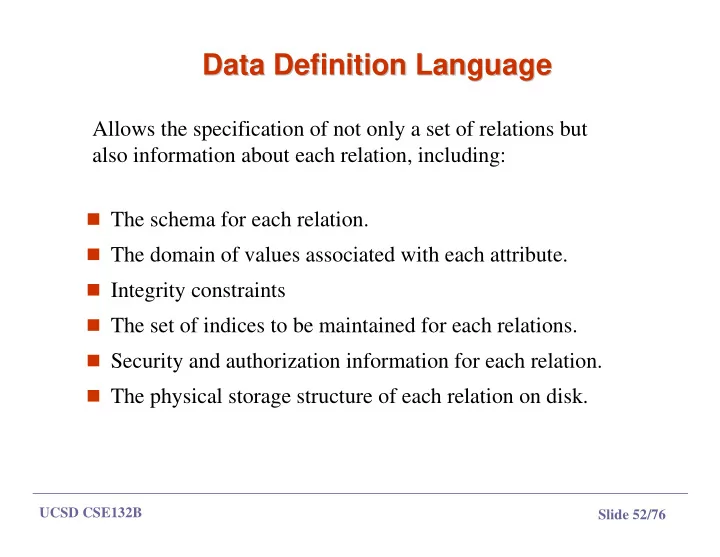
Data Definition Language Data Definition Language Allows the specification of not only a set of relations but also information about each relation, including: The schema for each relation. The domain of values associated with each
UCSD CSE132B Slide 53/76
Domain Types in SQL Domain Types in SQL
char(n). Fixed length character string, with user-specified length n. varchar(n). Variable length character strings, with user-specified
maximum length n.
- int. Integer (a finite subset of the integers that is machine-
dependent).
- smallint. Small integer (a machine-dependent subset of the integer
domain type).
numeric(p,d). Fixed point number, with user-specified precision of
p digits, with n digits to the right of decimal point.
real, double precision. Floating point and double-precision
floating point numbers, with machine-dependent precision.
float(n). Floating point number, with user-specified precision of at
least n digits.
UCSD CSE132B Slide 54/76
Create Table Construct Create Table Construct
An SQL relation is defined using the create table command:
create table r (A1 D1, A2 D2, ..., An Dn, (integrity-constraint1), ..., (integrity-constraintk))
r is the name of the relation each Ai is an attribute name in the schema of relation r Di is the data type of values in the domain of attribute Ai
Example:
create table branch (branch_name char(15) not null, branch_city char(30), assets integer)
UCSD CSE132B Slide 55/76
CREATE TABLE CREATE TABLE
In SQL2, can use the CREATE TABLE command for
specifying the primary key attributes, secondary keys, and referential integrity constraints (foreign keys).
Key attributes can be specified via the PRIMARY KEY and
UNIQUE phrases
CREATE TABLE DEPT ( DNAME VARCHAR(10) NOT NULL, DNUMBER INTEGER NOT NULL, MGRSSN CHAR(9), MGRSTARTDATE CHAR(9), PRIMARY KEY (DNUMBER), UNIQUE (DNAME), FOREIGN KEY (MGRSSN) REFERENCES EMP );
UCSD CSE132B Slide 56/76
Integrity Constraints in Create Table Integrity Constraints in Create Table
not null primary key (A1, ..., An )
Example: Declare branch_name as the primary key for branch and ensure that the values of assets are non-negative. create table branch (branch_name char(15), branch_city char(30), assets integer, primary key (branch_name))
primary key declaration on an attribute automatically ensures not null in SQL- 92 onwards, needs to be explicitly stated in SQL-89
UCSD CSE132B Slide 57/76
DROP TABLE DROP TABLE
Used to remove a relation (base table) and its
definition
The relation can no longer be used in queries,
updates, or any other commands since its description no longer exists
Example:
DROP TABLE DEPENDENT;
UCSD CSE132B Slide 58/76
Drop and Alter Table Constructs Drop and Alter Table Constructs
The drop table command deletes all information about the
dropped relation from the database.
The alter table command is used to add attributes to an existing
relation: alter table r add A D where A is the name of the attribute to be added to relation r and D is the domain of A.
All tuples in the relation are assigned null as the value for the
new attribute.
The alter table command can also be used to drop attributes of a
relation: alter table r drop A where A is the name of an attribute of relation r
Dropping of attributes not supported by many databases
UCSD CSE132B Slide 59/76
ALTER TABLE ALTER TABLE
Used to add an attribute to one of the base relations The new attribute will have NULLs in all the tuples of the relation
right after the command is executed; hence, the NOT NULL constraint is not allowed for such an attribute
Example:
ALTER TABLE EMPLOYEE ADD JOB VARCHAR(12);
The database users must still enter a value for the new attribute
JOB for each EMPLOYEE tuple. This can be done using the UPDATE command.
UCSD CSE132B Slide 60/76
Integrity Constraints Integrity Constraints
Integrity constraints guard against accidental damage
to the database, by ensuring that authorized changes to the database do not result in a loss of data consistency.
A checking account must have a balance greater
than $10,000.00
A salary of a bank employee must be at least $4.00
an hour
A customer must have a (non-null) phone number
UCSD CSE132B Slide 61/76
Constraints on a Single Relation Constraints on a Single Relation
not null primary key unique check (P ), where P is a predicate
UCSD CSE132B Slide 62/76
Not Null Constraint Not Null Constraint
Declare branch_name for branch is not null
branch_name char(15) not null
Declare the domain Dollars to be not null
create domain Dollars numeric(12,2) not null
UCSD CSE132B Slide 63/76
The Unique Constraint The Unique Constraint
unique ( A1, A2, …, Am)
The unique specification states that the attributes A1, A2, … Am Form a candidate key. Candidate keys are permitted to be null (in contrast to primary keys).
UCSD CSE132B Slide 64/76
The check clause The check clause
check (P ), where P is a predicate
Declare branch_name as the primary key for branch and ensure that the values of assets are non-negative. create table branch (branch_name char(15), branch_city char(30), assets integer, primary key (branch_name), CHECK (assets >= 0))
UCSD CSE132B Slide 65/76
The check clause The check clause (Cont.)
(Cont.)
The check clause permits domains to be restricted:
Use check clause to ensure that an hourly_wage domain
allows only values greater than a specified value. create domain hourly_wage numeric (5,2) constraint value_test check(value > = 4.00)
The domain has a constraint that ensures that the
hourly_wage is greater than 4.00
The clause constraint value_test is optional; useful to
indicate which constraint an update violated.
UCSD CSE132B Slide 66/76
Referential Integrity Referential Integrity
Ensures that a value that appears in one relation for a given set of
attributes also appears for a set of attributes in another relation.
Example: If “Perryridge” is a branch name appearing in one
- f the tuples in the account relation, then there exists a tuple in
the branch relation for branch “Perryridge”.
Primary and candidate keys and foreign keys can be specified as
part of the SQL create table statement:
The primary key clause lists primary key (PK) attributes. The unique key clause lists candidate key attributes The foreign key clause lists foreign key (FK) attributes and the
name of the relation referenced by the FK. By default, a FK references PK attributes of the referenced table.
UCSD CSE132B Slide 67/76
Referential Integrity in SQL Referential Integrity in SQL – – Example Example
create table customer (customer_name char(20), customer_street char(30), customer_city char(30), primary key (customer_name )) create table branch (branch_name char(15), branch_city char(30), assets numeric(12,2), primary key (branch_name ))
UCSD CSE132B Slide 68/76
Referential Integrity in SQL Referential Integrity in SQL – – Example Example (Cont.)
(Cont.)
create table account (account_number char(10), branch_name char(15), balance integer, primary key (account_number), foreign key (branch_name) references branch ) create table depositor (customer_name char(20), account_number char(10), primary key (customer_name, account_number), foreign key (account_number ) references account, foreign key (customer_name ) references customer )
UCSD CSE132B Slide 69/76
Assertions Assertions
An assertion is a predicate expressing a condition that we wish
the database always to satisfy.
An assertion in SQL takes the form
create assertion <assertion-name> check <predicate>
When an assertion is made, the system tests it for validity, and
tests it again on every update that may violate the assertion
This testing may introduce a significant amount of overhead;
hence assertions should be used with great care.
Asserting
for all X, P(X) is achieved in a round-about fashion using not exists X such that not P(X)
UCSD CSE132B Slide 70/76
Using General Assertions Using General Assertions
Specify a query that violates the condition;
include inside a NOT EXISTS clause
Query result must be empty
if the query result is not empty, the assertion
has been violated
UCSD CSE132B Slide 71/76
Assertion Example Assertion Example
Every loan has at least one borrower who maintains an account
with a minimum balance or $1000.00 create assertion balance_constraint check (not exists (select * from loan where not exists (select * from borrower, depositor, account where loan.loan_number = borrower.loan_number and borrower.customer_name = depositor.customer_name and depositor.account_number = account.account_number and account.balance >= 1000)))
UCSD CSE132B Slide 72/76
Assertion Example Assertion Example
The sum of all loan amounts for each branch must be less than
the sum of all account balances at the branch. create assertion sum_constraint check (not exists (select * from branch where (select sum(amount ) from loan where loan.branch_name = branch.branch_name ) >= (select sum (amount ) from account where loan.branch_name = branch.branch_name )))
UCSD CSE132B Slide 73/76
Assertions: Another Example Assertions: Another Example
“The salary of an employee must not be greater than the salary
- f the manager of the department that the employee works for’’
CREAT ASSERTION SALARY_CONSTRAINT CHECK (NOT EXISTS (SELECT * FROM EMPLOYEE E, EMPLOYEE M, DEPARTMENT D WHERE E.SALARY > M.SALARY AND E.DNO=D.NUMBER AND D.MGRSSN=M.SSN))
UCSD CSE132B Slide 74/76
SQL Triggers SQL Triggers
Objective: to monitor a database and take action
when a condition occurs
Triggers are expressed in a syntax similar to
assertions and include the following:
event (e.g., an update operation) condition action (to be taken when the condition is
satisfied)
UCSD CSE132B Slide 75/76
SQL Triggers: An Example SQL Triggers: An Example
A trigger to compare an employee’s salary to his/her supervisor
during insert or update operations: CREATE TRIGGER INFORM_SUPERVISOR BEFORE INSERT OR UPDATE OF SALARY, SUPERVISOR_SSN ON EMPLOYEE FOR EACH ROW WHEN (NEW.SALARY > (SELECT SALARY FROM EMPLOYEE WHERE SSN=NEW.SUPERVISOR_SSN)) INFORM_SUPERVISOR (NEW.SUPERVISOR_SSN,NEW.SSN;
UCSD CSE132B Slide 76/76
Summary Summary
- Assertions provide a means to specify
additional constraints
- Triggers are a special kind of assertions; they
define actions to be taken when certain conditions occur
- Views are a convenient means for creating