Goals SQL: Data Definition Language CREATE ALTER DROP SQL: Data - - PDF document

goals
SMART_READER_LITE
LIVE PREVIEW

Goals SQL: Data Definition Language CREATE ALTER DROP SQL: Data - - PDF document

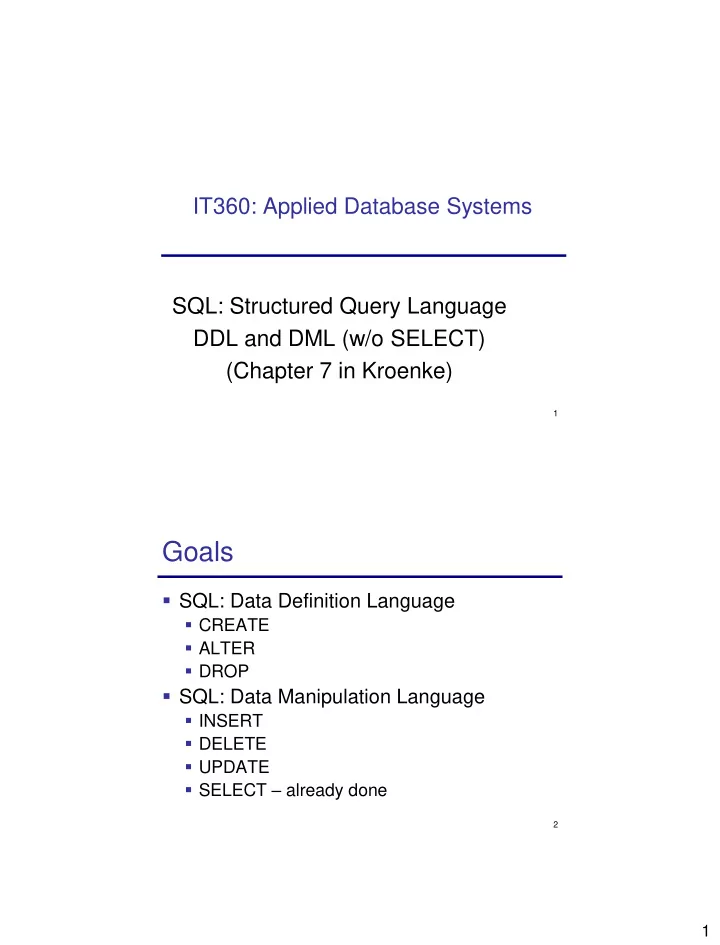
IT360: Applied Database Systems SQL: Structured Query Language DDL and DML (w/o SELECT) (Chapter 7 in Kroenke) 1 Goals SQL: Data Definition Language CREATE ALTER DROP SQL: Data Manipulation Language INSERT DELETE


slide-1
SLIDE 1

1

1

IT360: Applied Database Systems SQL: Structured Query Language DDL and DML (w/o SELECT) (Chapter 7 in Kroenke)

2

Goals

  • SQL: Data Definition Language
  • CREATE
  • ALTER
  • DROP
  • SQL: Data Manipulation Language
  • INSERT
  • DELETE
  • UPDATE
  • SELECT – already done
slide-2
SLIDE 2

2

3

SQL DDL and DML

  • SQL statements can be divided into two

categories:

  • Data definition language (DDL) statements
  • Used for creating and modifying tables, views, and
  • ther structures
  • CREATE, DROP, ALTER
  • Data manipulation language (DML)

statements.

  • Used for queries and data modification
  • INSERT, DELETE, UPDATE, SELECT

4

Creating Tables

CREATE TABLE table_name( column_name1 column_type1 [constraints1], …, [[CONSTRAINT constraint_name] table_constraint] ) Table constraints:

  • NULL/NOT NULL
  • PRIMARY KEY (columns)
  • UNIQUE (columns)
  • CHECK (conditions)
  • FOREIGN KEY (local_columns) REFERENCES foreign_table

(foreign_columns) [ON DELETE action_d ON UPDATE action_u] Specify surrogate key in SQL Server: column_name int_type IDENTITY (seed, increment) Specify surrogate key in MySQL: column_name int_type AUTO_INCREMENT

slide-3
SLIDE 3

3

5

CREATE TABLE Example

  • CREATE TABLE Students

(StudentNumber integer NOT NULL, StudentLastName varchar(18) NOT NULL, StudentFirstName varchar(18) NOT NULL, Email varchar(50), PhoneNumber char(18), MajorDepartmentName char(18), CONSTRAINT PK_Students PRIMARY KEY (StudentNumber), CONSTRAINT U_Email UNIQUE (Email), CONSTRAINT FK_Dept FOREIGN KEY(MajorDepartmentName) REFERENCES DEPARTMENTS(DepartmentName) ON DELETE NO ACTION ON UPDATE CASCADE )

6

Modifying Tables

  • ALTER TABLE table_name clause

Clauses: – some are DBMS specific! ADD COLUMN column_name column_type [constraints] DROP COLUMN column_name ALTER COLUMN / MODIFY ADD CONSTRAINT constraint DROP CONSTRAINT constraint_name

slide-4
SLIDE 4

4

7

ALTER TABLE Examples

  • ALTER TABLE Students ADD COLUMN BirthDate

datetime NULL

  • ALTER TABLE Students DROP COLUMN BirthDate
  • ALTER TABLE Student ADD CONSTRAINT

FK_Department

FOREIGN KEY (MajorDepartmentName) REFERENCES Departments (DepartmentName) ON DELETE NO ACTION ON UPDATE CASCADE

8

Removing Tables

  • DROP TABLE table_name

DROP TABLE Departments;

  • If there are constraints dependent on table:
  • Remove constraints
  • Drop table

ALTER TABLE Students DROP CONSTRAINT FK_Department; DROP TABLE Departments;

slide-5
SLIDE 5

5

9

SQL DDL and DML

  • Data definition language (DDL)

statements

  • Used for creating and modifying tables, views, and
  • ther structures
  • CREATE, ALTER, DROP
  • Data manipulation language (DML)

statements.

  • Used for queries and data modification
  • INSERT, DELETE, UPDATE, SELECT

10

SQL DML

  • Data manipulation language (DML)

statements.

  • Used for queries and data modification
  • INSERT
  • DELETE
  • UPDATE
  • SELECT
slide-6
SLIDE 6

6

11

INSERT Statement

INSERT INTO table_name [ (column_list) ] VALUES (data_values) INSERT INTO table_name [ (column_list) ] select_statement

INSERT command:

INSERT INTO Students (StudentNumber, StudentLastName, StudentFirstName) VALUES (190, ‘Smith', ‘John’); INSERT INTO Students VALUES(190, ‘Smith’, ‘John’, ‘jsmith@usna.edu’, ‘410-431-3456’)

  • Bulk INSERT:

INSERT INTO Students (StudentNumber, StudentLastName, StudentFirstName, Email, PhoneNumber) SELECT * FROM Second_Class_Students; 12

UPDATE Statement

UPDATE table_name SET column_name1 = expression1 [ ,column_name2 = expression2,… ] [ WHERE search_condition ]

  • UPDATE command:

UPDATE Students SET PhoneNumber = ‘410-123-4567’ WHERE StudentNumber = 673;

  • BULK UPDATE command:

UPDATE Students SET PhoneNumber = ‘410-123-4567’ WHERE StudentLastName = ‘Doe’;

Student Number Student LastName Student FirstName Email PhoneNumber

190 Smith John jsmith@usna.edu 410-431-3456 673 Doe Jane jdoe@usna.edu 312 Doe Bob bred@usna.edu 443-451-7865
slide-7
SLIDE 7

7

13

DELETE Statement

DELETE FROM table_name [ WHERE search_condition ]

  • DELETE command:

DELETE FROM Students WHERE StudentNumber = 190;

If you omit the WHERE clause, you will delete every row in the table!!!

  • Another example:

DELETE FROM Departments WHERE DepartmentName = ‘ComSci’

Integrity constraints?!

  • If Foreign Key constraint in Students referencing Departments:
  • if ON DELETE No ACTION, department cannot be deleted as long as

there are students in that department

  • If ON DELETE CASCADE, all students from a department are deleted

when department is deleted

14

SELECT Statement

  • SELECT [DISTINCT] column_name(s) |

aggregate_expr FROM table_name(s) WHERE conditions GROUP BY grouping_columns HAVING group_conditions ORDER BY column_name(s) [ASC/DESC]