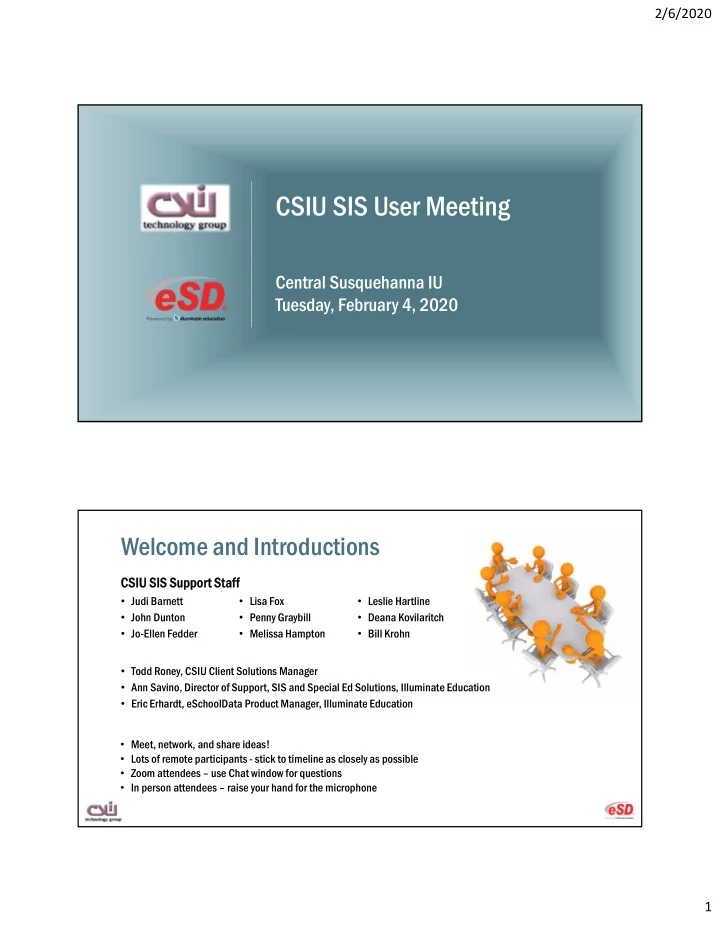
CSIU SIS User Meeting Central Susquehanna IU Tuesday, February 4, - - PDF document

csiu sis user meeting
SMART_READER_LITE
LIVE PREVIEW

CSIU SIS User Meeting Central Susquehanna IU Tuesday, February 4, - - PDF document

2/6/2020 CSIU SIS User Meeting Central Susquehanna IU Tuesday, February 4, 2020 Welcome and Introductions CSIU SIS Suppor CSIU SIS Support St Staf aff Judi Barnett Lisa Fox Leslie Hartline John Dunton Penny Graybill


slide-1
SLIDE 1

2/6/2020 1

CSIU SIS User Meeting

Central Susquehanna IU Tuesday, February 4, 2020

Welcome and Introductions

  • Judi Barnett
  • John Dunton
  • Jo-Ellen Fedder
  • Lisa Fox
  • Penny Graybill
  • Melissa Hampton
  • Leslie Hartline
  • Deana Kovilaritch
  • Bill Krohn
  • Todd Roney, CSIU Client Solutions Manager
  • Ann Savino, Director of Support, SIS and Special Ed Solutions, Illuminate Education
  • Eric Erhardt, eSchoolData Product Manager, Illuminate Education

CSIU SIS Suppor CSIU SIS Support St Staf aff

  • Meet, network, and share ideas!
  • Lots of remote participants - stick to timeline as closely as possible
  • Zoom attendees – use Chat window for questions
  • In person attendees – raise your hand for the microphone
slide-2
SLIDE 2

2/6/2020 2

Announcements

  • Regional SIS User Group Meetings in late March/early April
  • Southwest PA
  • Western PA
  • Northern Tier
  • Central/Northeast PA
  • Topic suggestions?
  • Tips, latest tools, common mistakes to avoid
  • PIMS
  • Time and effort savers

Announcements

  • Client Import Tool no longer supported
  • Student & Staff Information Import Tool replaces it
  • Can use Client Import Tool but no guarantee - no OS updates
  • Submit your favorite Tip for a chance to win a gift card!
  • https://www.surveymonkey.com/r/CSIUSISTip
  • Paper submission for in-person attendees if needed
slide-3
SLIDE 3

2/6/2020 3

Allegheny Valley eduCLIMBER Pilot Allegheny Valley eduCLIMBER Pilot

  • Started the implementation process over the summer
  • Working on refining import processes and visualizations
  • Currently have PSSA and Keystone upload tools working
  • Still working on getting the attendance portion to be in a format that makes sense for

them

  • Developing teacher teams for implementing and will be rolling out to staff in

the next couple of months

  • Forcing them to look at their data processes with more scrutiny
  • Sorting out human error
slide-4
SLIDE 4

2/6/2020 4

Agenda

9:10 ‐ 10:30 eSchoolData Pennsylvania Roadmap and New Features

A review of the 2019 Pennsylvania Product Roadmap new features inspired by your requests, and other important enhancements that can save you time and effort and improve communication. Break

10:40 – 11:30 Breakout Sessions

Functionality‐focused roundtable discussions with SIS experts.  Teacher Connect for K‐12 – New Features  Career and Technical Education – Online Application and Student Invoicing  PIMS Data Entry and Reporting

11:30 – 12:00 Automated Communication with Parents, Students, and Staff

Hear how districts and schools are using automatic staff e‐mail notifications and parental alert messages to keep people informed.

12:00 ‐ 12:30

Lunch

12:30 – 1:20 Breakout Sessions

Functionality‐focused roundtable discussions with SIS experts.  Teacher Connect for CTCs – New Features  Interoperability – GURU Features  Connect with eSchoolData

1:20 – 2:00 Top Tips and Tricks

A review of the latest SIS tips and tricks from our staff and our clients. A prize will be awarded to the client submitting the best tip.

8

eSchoolData Roadmap 2.4.20

slide-5
SLIDE 5

2/6/2020 5

9

2019 eSD Product Retrospective

In 2019, our Voice of the Customer initiatives delivered 139 new features and enhancements to existing functionality designed to support interoperability across your ed-tech products, promote communication among stakeholders, improve ease of use, and more:

  • LTI v1.1
  • Custom Zaps
  • API Enhancements
  • Student & Staff Information Import
  • Email Distribution List Tool
  • Teacher of Record Support for Grade

Reports and Schedules

  • eSchoolPortal Gradebook Average

Options

  • Grade Report Labels
  • Not This Student Request Support

10

2019 Pennsylvania Enhancements

Feature Benefit

eSchoolPortal Course Request Credit Restriction Allows districts to control the total number of credits for which a student can subscribe, and allows guardians and students to easily identify total credits requested. Teacher Connect Student & Class Achievement Report Updates A collection of updates to the Teacher Connect Report interface improves the useability and workflow for teachers. Discipline Action Date Options Provides users with additional date selection options to support a variety of use cases. Teacher Connect Learning Standard Assignment Details Allows teachers to easily identify those assignments within the Gradebook that contribute to a learning standard calculation.

slide-6
SLIDE 6

2/6/2020 6

11

2019 Pennsylvania Enhancements

Feature Benefit

eSD Mobile App Updates Introduced household phone, household address, student phone, student email, and guardian address to support Safe2Say Something initiative. Each element launches the corresponding native map, phone, or email function of the device. eSchoolPortals Standards-Based Gradebook Allows parents and students to monitor student progress towards standards for completed and in-progress marking periods, and presents the assignments that contribute to automatic calculations. Enhanced eSchoolPortals Health Districts can easily share student health information with parents electronically, including screenings, physicals, allergies, and immunizations.

12

2019 Pennsylvania Enhancements

Feature Benefit

Attendance and Membership Report Updates A new total tally and drill down capability allows users to easily identify students included in counts. A special education indicator was introduced to support cross- reference to the Student Calendar Facts file. Student Attendance Letter Search Report Allows administrators to easily view all attendance letters that have been distributed for a specified interval, student group, and/or letter template. Links to the letters within the results list allow users to easily review them from this new report. Support for PIMS Updates Minor modifications to existing functionality to support changes to Pennsylvania reporting requirements.

slide-7
SLIDE 7

2/6/2020 7

13

2019 CTE Enhancements

Feature Benefit

CTE Administrative Reports Includes a variety of custom reports that are commonly used by CTEs. GURU Support for Final Course Grades Provides CTEs with the ability to easily share final course grades with districts of responsibility. Standard Support for Gradebook Templates Allows teachers to easily build and manage the curriculum associated with each program. CTE Portal Online portal seamlessly connects stakeholders throughout the application process.

14

2020 eSD Product Priorities

  • Voice of the Customer

Pennsylvania Roadmap

  • User Experience

UI Refresh

Page-Level Support

  • Interoperability

IE SSO & Data Sync

API Expansion

Partnership Opportunities

slide-8
SLIDE 8

2/6/2020 8

15

2020 Pennsylvania Roadmap

Feature Benefit

Mobile App Enhancements Improved workflows and additional details when viewing teacher gradebooks via the parent and student mobile app. Daily Score Notes Allows teachers to document notes related to student daily scores. Assignment Score Indicator Visual aide highlights assignment grades that fall within a specified category in the Teacher Connect Gradebook. Progress Report Achievement Filters Limits the progress report run output to only those students who meet a specified performance threshold. Career Pathways Support Monitor student selection of and progress toward specific careers within Programs of Study.

Pennsylvania Roadmap Items and Other Enhancements: Attendance and Registration

slide-9
SLIDE 9

2/6/2020 9

Totals Column on the Attendance and Membership Report with drilldown (7.2)

Reports > Attendance > Attendance and Membership

  • A new Total column

shows the summary of information

  • Drill down

functionality

Special Education Indicator on the Attendance and Membership detail report (7.2)

Reports > Attendance > Attendance and Membership

slide-10
SLIDE 10

2/6/2020 10

Attendance Letter Search Report (7.5)

Reports > Attendance > Attendance Letter Search Report

  • Filters to narrow

search results

  • View letter
  • Export to Excel

Student Invoicing Export File (6.8)

Reports > Exports > PA State Reporting

  • Attendance and membership counts
  • Granular numbers useful for validation
  • Import into the CSIU FIS to create invoices
slide-11
SLIDE 11

2/6/2020 11

PIMS Change: No default for State Entry Date field (7.4)

LEAs are not to use a student’s date of birth for Field 109 (State Entry Date)

  • n the PIMS Student file
  • The SIS will no longer

default the student’s Date

  • f Birth in the State Entry

Date field when adding a new student

PIMS Change: Dual Credit Course Option (7.4)

New Dual Credit course option

  • Used to report a course as Dual Credit in Field 32 (Dual Credit) on the

PIMS Course file

slide-12
SLIDE 12

2/6/2020 12

Mobile App - Student info for Safe2Say (7.0)

Staff Interface

  • Household Address
  • Household Phone
  • Guardian Address
  • Student Email
  • Student Phone

Online Contact Verification Control for Child Pickup (6.6)

Interoperability > eSP > Settings: Contact Verification Child Pickup Option

  • Allows guardians to

designate other guardians or emergency contacts to pick up their child from school

slide-13
SLIDE 13

2/6/2020 13

Data Tables: Child Pickup and Court Order fields (6.7)

Reports > Custom Reports > Data Tables New Data Table Fields

  • Child Pickup
  • Court Order

Online Registration Auditing (6.8)

System > Auditing > Audit Table Audit Table Report

  • Track Progress of
  • nline registration

applications

  • View and search by

Last Modified By

slide-14
SLIDE 14

2/6/2020 14

CTE Administrative Reports (6.8)

Reports > CTE > Program of Study Cer Certif ifica ications ions By By POS R POS Report (Excel (Excel De Detail) il)

  • A list of certifications by student

CTE CTE Car Career Objec Objectiv ives

  • All students with posted task list

grades Next Y xt Year C ar Cour urse Sc se Schedule hedule

  • Enrolled students scheduled into the

upcoming school year course

  • Pre-registered student’s Program of

Study selections

Sess ssio ion

CTE Administrative Reports (6.8)

Reports > CTE > CTE Registration CTE Enrollment by POS and Sending Districts

  • Student enrollment data by Program and

Sending District CTE Grade Enrollment by District

  • Student enrollment data by grade levels, by

home or student district. CTE Perkins PDE4686B

  • Summarizes student enrollment data for

the Carl D. Perkins (PDE-4686-B) Report.

slide-15
SLIDE 15

2/6/2020 15

CTE Administrative Reports (6.8)

Reports > CTE > CTE Task List

CTE TASKS Completed

  • Report includes all students

with posted task list grades

  • Compares the number of task

grades passed to the number of tasks required split by local/state reportable

  • Students are grouped by class

time (am/pm) and program of study

CTE Portal: Online Application for CTCs (7.4) New this year!

Student Completes an application Sending District Reviews and Submits Application Career Center Finalizes the Application

Notification sent to

  • Career Center

Alerts sent to

  • Students
  • Parents
  • Sending Districts

Sess ssio ion

slide-16
SLIDE 16

2/6/2020 16

Discipline Enhancements PIMS Change: Discipline Entry Wizard Updates (7.3)

  • Option to select type
  • f Weapons Used
  • Number of Weapons
slide-17
SLIDE 17

2/6/2020 17

PIMS Change: Discipline Entry Wizard Updates (7.3)

  • Safe2Say

Something referral indicator

Non-Consecutive Discipline Action Dates (6.6)

  • Discipline Actions

assigned by Date, Date Range, or Days

  • Assign By Date

allows for non- consecutive dates

slide-18
SLIDE 18

2/6/2020 18

Parent and Student Portals Enhancements eSchoolPortals Course Request Credit Limit (6.6)

Interoperability > eSP > Settings: Course Request

Maximum Credits

  • Define the total

number of credits a parent or student may request

Portal View

  • Course Credit Value
  • Course Description
  • Pre-requisites
  • Total Requested

Credits

slide-19
SLIDE 19

2/6/2020 19

eSchoolPortals Health Tab (7.1)

Interoperability > eSP > Settings: Health Enable health options for Portals

  • Screening results
  • BMI
  • Physicals
  • Hearing
  • Vision
  • Dental
  • Scoliosis
  • TB
  • Lice
  • Allergies

Learning Standards Support in eSchoolPortals (7.0)

Interoperability > eSP > Menu St Standar andards B ds Based G sed Gradebook adebook

  • Add the Learning

Standard Gradebook to the Parent and Student Portals.

slide-20
SLIDE 20

2/6/2020 20

eSchoolPortals Gradebook Averages (7.3)

Interoperability > eSP > Settings: Gradebook Gr Grade T Type pe Displa Display Numeric

  • Each grade will present the raw numeric

score Alpha

  • Each grade will present the alpha

conversion defined for the calculated numeric grade Grade Point (GPA)

  • Each grade will present the grade point

conversion defined for the calculated numeric grade

Grading and Scheduling Enhancements

slide-21
SLIDE 21

2/6/2020 21

Teacher of Record Support for Grade Reports and Schedules (6.6)

  • Include Co-Teachers on

Grading Reports

Final Course Grades on GURU Widgets (6.9)

Final Grades are included in GURU Widgets and Exports

  • Excel Export From the

Academic Widget

  • Drill Down by student

for final grade

slide-22
SLIDE 22

2/6/2020 22

Grade Report Mailing Labels (7.2)

Reports > Grade Reporting Mailing Labels

  • Grading Final Runs

include a mailing label icon

Course Requests “Not this Student” (7.4)

  • Select students

with whom a student should not be scheduled

  • Enable through

Security under Module Level Permissions > Scheduling > Course Requests > Request Type

slide-23
SLIDE 23

2/6/2020 23

Teacher Connect Enhancements

Teacher Connect Student and Class Reports Interface (6.6)

Gradebook Report Interface

  • The Class Assignments

results are filtered to include only classes that meet during the selected marking

  • The class currently
  • pen within the

Gradebook is selected by default when launching the Run page for an achievement report

slide-24
SLIDE 24

2/6/2020 24

New Teacher Connect Reports (6.8)

  • MP

Summary Report

  • Roster

Summary Report

Assignment Details for Teacher Connect Learning Standards (6.6)

Teacher Connect > Learning Standards Learning standard

  • Grading Final Runs

include a mailing label icon

slide-25
SLIDE 25

2/6/2020 25

Teacher Connect Combined Rosters (6.8)

Teacher Connect Roster> Settings

Enhanced Marking Period Grade Entry (7.0)

Teacher Connect > Gradebook (Advanced Entry View) Grade Entry View

  • Comment columns

are split out from the score column.

slide-26
SLIDE 26

2/6/2020 26

Teacher Connect Toolkit Student Portal Option (7.3)

Teacher Connect > Settings

Teacher Connect > Settings (all screens) Student Portal Column

  • Enable the student portal

to monitor student portal usage.

Gradebook templates with Learning Standards attached to assignments (7.1)

  • Teacher Connect

Gradebook Template now allows Curriculum to be attach to new templates, or when saving a gradebook as a template

slide-27
SLIDE 27

2/6/2020 27

System Administration and Other Enhancements Terms of Use for Staff (6.9)

System > Administration > Terms Develop terms of use policies for district users who access the SIS.

  • Users are required to

accept the terms of use before being permitted to access the eSD application

  • Changes to the text will

automatically prompt users to accept the updated terms of use during their next login

slide-28
SLIDE 28

2/6/2020 28

Email Distribution Lists (7.4)

System > Administration > Group Maintenance

  • Search by student,

grade level, group, or course and section

  • Generate emails for

students, guardians

  • r both

Health Lice Screenings Report (6.7)

  • Student > Health > Student Health List: Health Screenings >

Lice Screenings

  • Mass entry option also available under Student > Health > Student Health List: Screening

Mass Entry

slide-29
SLIDE 29

2/6/2020 29

GURU Rules and Notifications

  • Notifications
  • Online Registration Submission: notify staff when a new online registration has been

submitted (7.3)

  • Online CTE Application Submission: notify staff when a new online application has

been submitted (7.3)

  • Rules
  • Grade Calculation history log: Course Number, Course Name, Section Number, and

Teacher fields added (7.4)

Interoperability Enhancements

slide-30
SLIDE 30

2/6/2020 30

GURU Student & Staff Information Import Tool (7.5)

Use a file to import student and staff data

  • Food Service Info
  • Gradebook Grades
  • Staff / Student Picture
  • Student and Staff Info
  • PA Secure ID
  • Lockers
  • emails
  • and much more…

Sess ssio ion

Custom Zaps (7.1)

slide-31
SLIDE 31

2/6/2020 31

Support for Learning Tools Interoperability (LTI) v1.1 (6.9)

  • Teachers link

Assignments to Assessments in other software

  • Students launch and

complete Assessment from Student Portal

  • Score automatically

syncs with Gradebook

62 62

Questions?

slide-32
SLIDE 32

2/6/2020 32

Breakout Sessions

  • Teacher Connect for K-12 – New Features
  • Tech A
  • Zoom: https://zoom.us/join Meeting ID: 120 074 073
  • Career and Technical Education – Online Application and Student Invoicing
  • Tech B
  • Zoom: https://zoom.us/join Meeting ID: 872 183 855
  • PIMS Data Entry and Reporting
  • Susquehanna B
  • Will use main Zoom meeting

Automated Communication with Parents, Students, and Staff

slide-33
SLIDE 33

2/6/2020 33

Alerts and Notifications

  • Alerts through the Communications module
  • Message and e-mail Parents and Students
  • Manual, or automatic based on data changes or actions
  • We may be able to create custom types or customize the criteria for you
  • Staff Notifications through GURU
  • E-mail Staff in your District/CTC/Charter School
  • Automatic based on data changes or actions
  • Limited to the existing list of notification types and selection criteria

Parent and Student Alerts

slide-34
SLIDE 34

2/6/2020 34

Parent and Student Alerts Parent and Student Alerts

slide-35
SLIDE 35

2/6/2020 35

Opt-in vs. Direct Parent and Student Alerts Parent and Student Alerts

slide-36
SLIDE 36

2/6/2020 36

Parent and Student Alerts Parent and Student Alerts

slide-37
SLIDE 37

2/6/2020 37

Parent and Student Alerts Parent and Student Alerts

slide-38
SLIDE 38

2/6/2020 38

Parent and Student Alerts Parent and Student Alerts

slide-39
SLIDE 39

2/6/2020 39

Parent and Student Alerts Parent and Student Alerts

slide-40
SLIDE 40

2/6/2020 40

Parent and Student Alerts

Staff Notifications

slide-41
SLIDE 41

2/6/2020 41

Donald J. McDonough

Carbondale Area Sc Carbondale Area School Dis hool District trict

  • Director of Technology
  • Director of PIMS
  • Director of Cyber Education

donald.mcdonough@carbondalearea.org 1-570-282-2123

Staff Notification Types

Notification Types Description Class Attendance Alert A class absence threshold is reached for a specified interval (weekly, monthly, annual, marking period) Daily Attendance A student has met a specified absence count threshold for a specified interval (weekly, monthly, annual, marking period) for all or selected reasons Guardian Update A change is made to a guardian Address, Phone, Email, Guardian Alert, Deceased Household Update A household Address or Phone is updated New Student A new student record is created Online Registration Submission A new online registration application is received Parent Portal Request A new portal request is in the Pending queue Student Schedule Update A drop date is inserted into a class enrollment record, or a new class enrollment record is created (does NOT send notifications when existing start/end dates are updated) Student Status Update An end date is inserted into a student status record OR a new student status record is created (does NOT send notifications when existing start/end dates are updated) Student Update A change is made to a student Gender, Enrollment Building, Email, Enrollment Grade, Cell Phone Teacher Connect Message A new message is created or a new reply is added to an existing thread

slide-42
SLIDE 42

2/6/2020 42

The Need For Notifications

  • New Student Enrollments
  • Student Withdrawals

Related Departments

  • Technology Department
  • Student Network & Email Access (Related Services)
  • Special Education Department
  • IEP Writer (Active / Inactive)
  • Transportation
  • Start or Stop Transportation
slide-43
SLIDE 43

2/6/2020 43

Eliminate & Simplify

  • Eliminate the Human Element
  • Simplify our internal workflow with instant notifications at the time the

enrollment or withdrawal is completed.

Prevent PIMS Errors

  • Avoid Enrollment & Withdraw Errors
  • Avoid Duplicates
slide-44
SLIDE 44

2/6/2020 44

Questions? Break for Lunch

Resume at 12:30

slide-45
SLIDE 45

2/6/2020 45

Breakout Sessions

  • Teacher Connect for CTCs – New Features
  • Tech A
  • Zoom: https://zoom.us/join Meeting ID: 118 371 806
  • Interoperability – GURU Features
  • Tech B
  • Zoom: https://zoom.us/join Meeting ID: 804 055 931
  • Connect with eSchoolData
  • Susquehanna A

Top Tips and Tricks

slide-46
SLIDE 46

2/6/2020 46

Staff Picks

Penny Graybill – Inactivate Households en masse

  • Registration > Household > Only Show Households with No (Active)

Students to Inactivate Households

Staff Picks

Deana Kovilaritch - Parent Portal Tip

  • Registration > Guardians > Search by Guardian

Name > Click on Single Indicator

slide-47
SLIDE 47

2/6/2020 47

Staff Picks

Jo-Ellen Fedder - People Search

  • Registration > Household > Search for Household >

View > Add Parent/Guardian

Staff Picks

John Dunton – Discipline

  • Discipline Entry Wizard >

Action

  • Add an action to an incident

through either “Search Existing Incidents” or “Offenders” screens to link to parent/guardian names.

slide-48
SLIDE 48

2/6/2020 48

Staff Picks

Melissa Hampton – TC Grade Book

Teacher Connect > Grade Book Always click in the heading of the Student Name column before entering grades. This will sort your students as you wish (likely alphabetically). When you click in an assignment heading it will resort the students based on their grades for that assignment. So, always be prepared for grade entry by checking how your student list is sorted. A quick click in the "Name " header will get them where you want them for efficient grade entry.

Staff Picks

Lisa Fox – Teacher Connect Progress Report Averages

Verify assignments included in the progress report average by clicking the student’s weighted average.

slide-49
SLIDE 49

2/6/2020 49

Staff Picks

Leslie Hartline– GURU Export files

Different types of users need visibility to different types of data

Staff Picks

Bill Krohn – Excel

  • When exporting data to Excel that contains a Date field, save it as a .csv file

after opening it. Then when you reopen it and apply Filters, the columns containing dates will be treated as Dates and not Text. Original exported file Saved as .csv

slide-50
SLIDE 50

2/6/2020 50

Client Tips Client Tips

Tricia Colvin, Punxsutawney Area SD – Attendance Tip

  • Mass add attendance for an individual student -

if multiple days need updated for past dates

  • ther than entering for each day individually
  • Student > Student Profile: Daily Attendance tab
  • Click on first date the event occurs and click the

yellow + to create an Event

  • In the Event, select the end date and the event reason,

then Save

  • Fills in the same reason for each date in the

selected range, past or future

  • Good for updating a student who is placed
  • utside of the building and attendance is

monitored within a district building (Student must have a schedule for the entire day)

slide-51
SLIDE 51

2/6/2020 51

Client Tips

Stephanie Miller, Carbondale Area SD – Transportation Tip

  • Our district only provides transportation

(bussing) to high school students that reside over two miles from the high

  • school. To verify distance if parent is

requesting bussing, I use the map tool.

  • Student Profile: Household section - click
  • n the "View Map" icon next to address.

This will open up a window in Google Maps

  • n the location of the residence.
  • Click on Directions (default to current

location). Directions and distance are given from house to the school.

  • This is also helpful to determine if the

address is within our district, as we have streets in town and on outskirts that are NOT in our district but in the neighboring school district.

Client Tips

Jennifer Tamburlin – Saint Marys Area SD

Make Teacher Connect a Tab in your browser to easily switch between web applications

  • Right-click in title bar and

select Show as tab

  • Select, drag, and drop URL on

your bookmark bar to create an icon to take you directly to Teacher Connect

slide-52
SLIDE 52

2/6/2020 52

Client Tips

Kristal Shade – Sugar Valley Rural Charter School

Reports > Registration > Administrative Reports: Students Without Current Year Photo

  • This is very helpful to find any

new students that came in after school started and had their picture taken

  • Or to find a student that came

in the prior year without a photo and had one taken in the current year

Client Tips

Colleen Edsell – Northern Tier Career Center

Use Group filter on main search screen when you want to bring up specific school information*

  • Students
  • Classes
  • Etc.

*requires Student Groups to be set up by these categories

slide-53
SLIDE 53

2/6/2020 53

Client Tips

Colleen Edsell – Northern Tier Career Center

Use Export to Excel feature and then turn on Filters to check for:

  • Missing information
  • Duplicate information

And the Winner is….

slide-54
SLIDE 54

2/6/2020 54

Concluding Remarks

  • Webinar recording and slides will be posted to the OSC
  • Register for Regional Meetings
  • Watch for announcement
  • eSchoolData Annual User Conference
  • May 6-7, 2020, Saratoga Springs, NY
  • More Questions?
  • Contact softhelp@csiu.org
  • Direct Line 570-246-5970

Thank You for Attending

  • ur User Meeting!