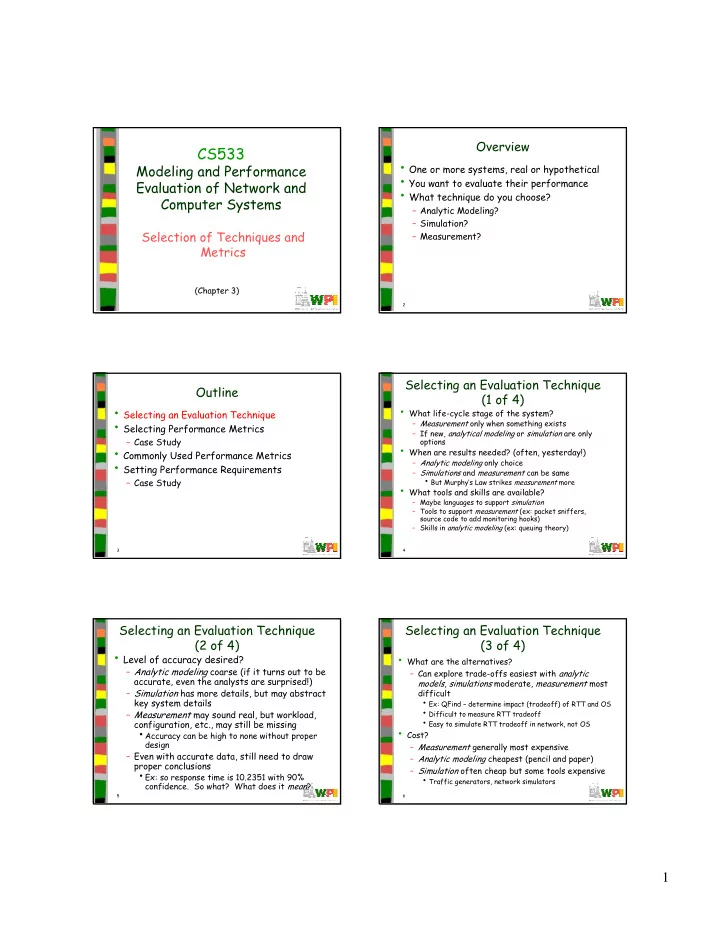
CS533 One or more systems, real or hypothetical Modeling and - - PDF document

cs533
SMART_READER_LITE
LIVE PREVIEW

CS533 One or more systems, real or hypothetical Modeling and - - PDF document

Overview CS533 One or more systems, real or hypothetical Modeling and Performance You want to evaluate their performance Evaluation of Network and What technique do you choose? Computer Systems Analytic Modeling?


slide-1
SLIDE 1

1

1

CS533

Modeling and Performance Evaluation of Network and Computer Systems

Selection of Techniques and Metrics

(Chapter 3)

2

Overview

  • One or more systems, real or hypothetical
  • You want to evaluate their performance
  • What technique do you choose?

– Analytic Modeling? – Simulation? – Measurement?

3

Outline

  • Selecting an Evaluation Technique
  • Selecting Performance Metrics

– Case Study

  • Commonly Used Performance Metrics
  • Setting Performance Requirements

– Case Study

4

Selecting an Evaluation Technique (1 of 4)

  • What life-cycle stage of the system?

– Measurement only when something exists – If new, analytical modeling or simulation are only

  • ptions
  • When are results needed? (often, yesterday!)

– Analytic modeling only choice – Simulations and measurement can be same

  • But Murphy’s Law strikes measurement more
  • What tools and skills are available?

– Maybe languages to support simulation – Tools to support measurement (ex: packet sniffers, source code to add monitoring hooks) – Skills in analytic modeling (ex: queuing theory)

5

Selecting an Evaluation Technique (2 of 4)

  • Level of accuracy desired?

– Analytic modeling coarse (if it turns out to be accurate, even the analysts are surprised!) – Simulation has more details, but may abstract key system details – Measurement may sound real, but workload, configuration, etc., may still be missing

  • Accuracy can be high to none without proper

design

– Even with accurate data, still need to draw proper conclusions

  • Ex: so response time is 10.2351 with 90%
  • confidence. So what? What does it mean?

6

Selecting an Evaluation Technique (3 of 4)

  • What are the alternatives?

– Can explore trade-offs easiest with analytic models, simulations moderate, measurement most difficult

  • Ex: QFind – determine impact (tradeoff) of RTT and OS
  • Difficult to measure RTT tradeoff
  • Easy to simulate RTT tradeoff in network, not OS
  • Cost?

– Measurement generally most expensive – Analytic modeling cheapest (pencil and paper) – Simulation often cheap but some tools expensive

  • Traffic generators, network simulators
slide-2
SLIDE 2

2

7

Selecting an Evaluation Technique (4 of 4)

  • Saleability?

– Much easier to convince people with measurements – Most people are skeptical of analytic modeling results since hard to understand

  • Often validate with simulation before using
  • Can use two or more techniques

– Validate one with another – Most high-quality perf analysis papers have analytic model + simulation or measurement

8

Summary Table for Evaluation Technique Selection

Criterion Modeling Simulation Measurement

  • 1. Stage

Any Any Prototype+

  • 2. Time

Small Medium Varies required

  • 3. Tools

Analysts Some Instrumentation languages

  • 4. Accuracy Low

Moderate Varies

  • 5. Trade-off

Easy Moderate Difficult evaluation

  • 6. Cost

Small Medium High

  • 7. Saleabilty

Low Medium High

9

Outline

  • Selecting an Evaluation Technique
  • Selecting Performance Metrics

– Case Study

  • Commonly Used Performance Metrics
  • Setting Performance Requirements

– Case Study

10

Selecting Performance Metrics (1 of 3)

response time n. An unbounded, random variable … representing the elapses between the time of sending a message and the time when the error diagnostic is received. – S. Kelly-Bootle, The Devil’s DP Dictionary

Request System Done Not Done Correct Not Correct Errori

Probability Time between

Eventk

Duration Time between Time Rate Resource

Speed Reliability Availability

11

Selecting Performance Metrics (2 of 3)

  • Mean is what usually matters

– But variance for some (ex: response time)

  • Individual vs. Global

– May be at odds – Increase individual may decrease global

  • Ex: response time at the cost of throughput

– Increase global may not be most fair

  • Ex: throughput of cross traffic
  • Performance optimizations of bottleneck have

most impact

– Example: Response time of Web request – Client processing 1s, Latency 500ms, Server processing 10s Total is 11.5 s – Improve client 50%? 11 s – Improve server 50%? 6.5 s

12

Selecting Performance Metrics (3 of 3)

  • May be more than one set of metrics

– Resources: Queue size, CPU Utilization, Memory Use …

  • Criteria for selecting subset, choose:

– Low variability – need fewer repetitions – Non redundancy – don’t use 2 if 1 will do

  • ex: queue size and delay may provide

identical information

– Completeness – should capture tradeoffs

  • ex: one disk may be faster but may return

more errors so add reliability measure

slide-3
SLIDE 3

3

13

Outline

  • Selecting an Evaluation Technique
  • Selecting Performance Metrics

– Case Study

  • Commonly Used Performance Metrics
  • Setting Performance Requirements

– Case Study

14

Case Study (1 of 5)

  • Computer system of end-hosts sending

packets through routers

– Congestion occurs when number of packets at router exceed buffering capacity (are dropped)

  • Goal: compare two congestion control

algorithms

  • User sends block of packets to destination

– A) Some delivered in order – B) Some delivered out of order – C) Some delivered more than once – D) Some dropped

15

Case Study (2 of 5)

  • For A), straightforward metrics exist:

1) Response time: delay for individual packet 2) Throughput: number of packets per unit time 3) Processor time per packet at source 4) Processor time per packet at destination 5) Processor time per packet at router

  • Since large response times can cause extra

retransmissions:

6) Variability in response time since can cause extra retransmissions

16

Case Study (3 of 5)

  • For B), cannot be delivered to user and are
  • ften considered dropped

7) Probability of out of order arrivals

  • For C), consume resources without any use

8) Probability of duplicate packets

  • For D), many reasons is undesirable

9) Probability lost packets

  • Also, excessive loss can cause disconnection

10) Probability of disconnect

17

Case Study (4 of 5)

  • Since a multi-user system and want

fairness:

– Throughputs (x1, x2, …, xn): f(x1, x2, …, xn) = (Σxi)2 / (n Σxi

2)

  • Index between 0 and 1

– All users get same, then 1 – If k users get equal and n-k get zero, than index is k/n

18

Case Study (5 of 5)

  • After a few experiments (pilot tests)

– Found throughput and delay redundant

  • higher throughput had higher delay
  • instead, combine with power = thrput/delay

– Found variance in response time redundant with probability of duplication and probability of disconnection

  • Drop variance in response time
  • Thus, left with nine metrics
slide-4
SLIDE 4

4

19

Outline

  • Selecting an Evaluation Technique
  • Selecting Performance Metrics

– Case Study

  • Commonly Used Performance Metrics
  • Setting Performance Requirements

– Case Study

20

Commonly Used Performance Metrics

  • Response Time

– Turn around time – Reaction time – Stretch factor

  • Throughput

– Operations/second – Capacity – Efficiency – Utilization

  • Reliability

– Uptime – MTTF

21

Response Time (1 of 2)

  • Interval between user’s request and

system response

Time

User’s Request System’s Response

  • But simplistic since requests and responses

are not instantaneous

  • Users type and system formats

22

Response Time (2 of 2)

  • Can have two measures of response time

– Both ok, but 2 preferred if execution long

  • Think time can determine system load

Time

User Finishes Request System Starts Response User Starts Request System Finishes Response System Starts Execution Reaction Time Response Time 1 Response Time 2 Think Time

23

Response Time+

  • Turnaround time – time between submission
  • f a job and completion of output

– For batch job systems

  • Reaction time - Time between submission
  • f a request and beginning of execution

– Usually need to measure inside system since nothing externally visible

  • Stretch factor – ratio of response time at

load to response time at minimal load

– Most systems have higher response time as load increases

24

Throughput (1 of 2)

  • Rate at which requests can be serviced by

system (requests per unit time)

– Batch: jobs per second – Interactive: requests per second – CPUs

  • Millions of Instructions Per Second (MIPS)
  • Millions of Floating-Point Ops per Sec (MFLOPS)

– Networks: pkts per second or bits per second – Transactions processing: Transactions Per Second (TPS)

slide-5
SLIDE 5

5

25

Throughput (2 of 2)

  • Throughput increases as load

increases, to a point

Thrput Knee

Knee Capacity Usable Capacity Nominal Capacity

Load Response Time Load

  • Nominal capacity

is ideal (ex: 10 Mbps)

  • Usable capacity

is achievable (ex: 9.8 Mbps)

  • Knee is where

response time goes up rapidly for small increase in throughput

26

Efficiency

  • Ratio of maximum achievable throughput (ex: 9.8

Mbps) to nominal capacity (ex: 10 Mbps) 98%

  • For multiprocessor, ration of n-processor to that
  • f one-processor (in MIPS or MFLOPS)

Efficiency Number of Processors

27

Utilization

  • Typically, fraction of time resource is busy

serving requests

– Time not being used is idle time – System managers often want to balance resources to have same utilization

  • Ex: equal load on CPUs
  • But may not be possible. Ex: CPU when I/O is

bottleneck

  • May not be time

– Processors – busy / total makes sense – Memory – fraction used / total makes sense

28

Miscellaneous Metrics

  • Reliability

– Probability of errors or mean time between errors (error-free seconds)

  • Availability

– Fraction of time system is available to service requests (fraction not available is downtime) – Mean Time To Failure (MTTF) is mean uptime

  • Useful, since availability high (downtime small) may

still be frequent and no good for long request

  • Cost/Performance ratio

– Total cost / Throughput, for comparing 2 systems – Ex: For Transaction Processing system may want Dollars / TPS

29

Utility Classification

  • HB – Higher is better (ex: throughput)
  • LB - Lower is better (ex: response time)
  • NB – Nominal is best (ex: utilization)

Utility Metric

Better

LB Utility Metric

Better

HB Utility Metric

Best

NB

30

Outline

  • Selecting an Evaluation Technique
  • Selecting Performance Metrics

– Case Study

  • Commonly Used Performance Metrics
  • Setting Performance Requirements

– Case Study

slide-6
SLIDE 6

6

31

Setting Performance Requirements (1 of 2)

  • The system should be both processing and

memory efficient. It should not create excessive overhead

  • There should be an extremely low

probability that the network will duplicate a packet, deliver it to a wrong destination,

  • r change the data
  • What’s wrong?

32

Setting Performance Requirements (2 of 2)

  • General Problems

– Nonspecific – no numbers. Only qualitative words (rare, low, high, extremely small) – Nonmeasureable – no way to measure and verify system meets requirements – Nonacceptable – numbers based on what sounds good, but once setup system not good enough – Nonrealizable – numbers based on what sounds good, but once started are too high – Nonthorough – no attempt made to specify all outcomes

33

Setting Performance Requirements: Case Study (1 of 2)

  • Performance for high-speed LAN
  • Speed – if packet delivered, time taken to do so is

important

A) Access delay should be less than 1 sec B) Sustained throughput at least 80 Mb/s

  • Reliability

A) Prob of bit error less than 10-7 B) Prob of frame error less than 1% C) Prob of frame error not caught 10-15 D) Prob of frame miss-delivered due to uncaught error 10-18 E) Prob of duplicate 10-5 F) Prob of losing frame less than 1%

34

Setting Performance Requirements: Case Study (2 of 2)

  • Availability

A) Mean time to initialize LAN < 15 msec B) Mean time between LAN inits > 1 minute C) Mean time to repair < 1 hour D) Mean time between LAN partitions > ½ week

  • All above values were checked for

realizeability by modeling, showing that LAN systems satisfying the requirements were possible