CS 480/ 557 Computer Security I ntroduction to I nf ormation 1. - - PDF document

cs 480 557
SMART_READER_LITE
LIVE PREVIEW

CS 480/ 557 Computer Security I ntroduction to I nf ormation 1. - - PDF document

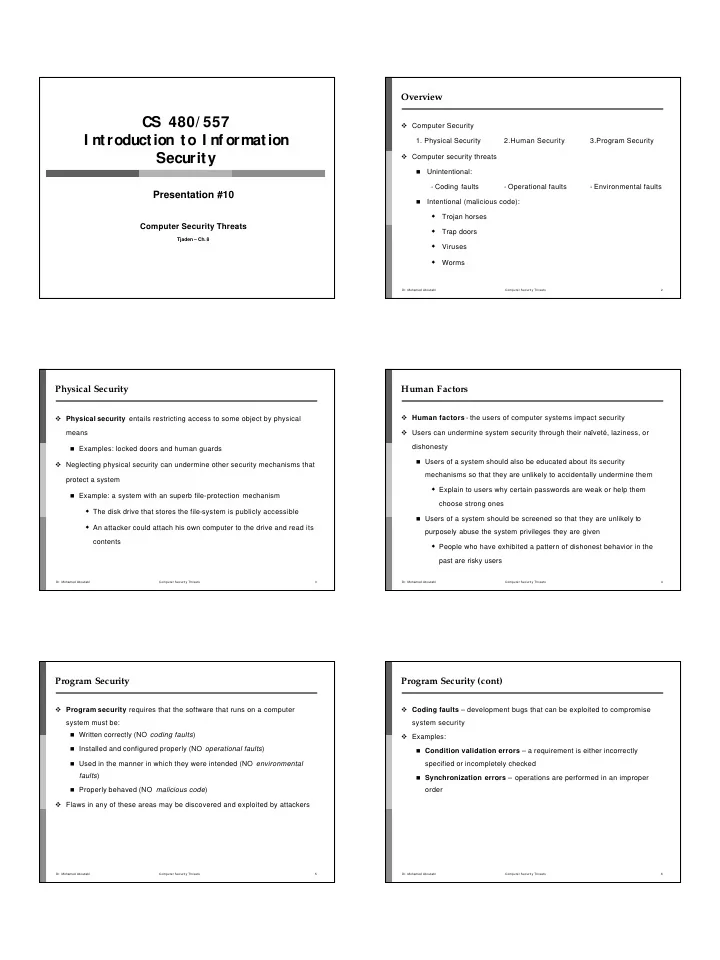
Overview CS 480/ 557 Computer Security I ntroduction to I nf ormation 1. Physical Security 2.Human Security 3.Program Security Security Computer security threats Unintentional: - Coding faults - Operational faults -


slide-1
SLIDE 1

CS 480/ 557 I ntroduction to I nf ormation Security

Presentation #10

Computer Security Threats

Tjaden – Ch. 8

  • Dr. Mohamed Aboutabl

Computer Security Threats 2

Overview

Computer Security

  • 1. Physical Security

2.Human Security 3.Program Security Computer security threats

  • Unintentional:
  • Coding faults
  • Operational faults
  • Environmental faults
  • Intentional (malicious code):
  • Trojan horses
  • Trap doors
  • Viruses
  • Worms
  • Dr. Mohamed Aboutabl

Computer Security Threats 3

Physical Security

Physical security entails restricting access to some object by physical means

Examples: locked doors and human guards

Neglecting physical security can undermine other security mechanisms that protect a system

Example: a system with an superb file-protection mechanism

The disk drive that stores the file-system is publicly accessible An attacker could attach his own computer to the drive and read its

contents

  • Dr. Mohamed Aboutabl

Computer Security Threats 4

Human Factors

Human factors - the users of computer systems impact security Users can undermine system security through their naïveté, laziness, or dishonesty

Users of a system should also be educated about its security

mechanisms so that they are unlikely to accidentally undermine them

Explain to users why certain passwords are weak or help them

choose strong ones

Users of a system should be screened so that they are unlikely to

purposely abuse the system privileges they are given

People who have exhibited a pattern of dishonest behavior in the

past are risky users

  • Dr. Mohamed Aboutabl

Computer Security Threats 5

Program Security

Program security requires that the software that runs on a computer system must be:

Written correctly (NO coding faults) Installed and configured properly (NO operational faults) Used in the manner in which they were intended (NO environmental

faults)

Properly behaved (NO malicious code)

Flaws in any of these areas may be discovered and exploited by attackers

  • Dr. Mohamed Aboutabl

Computer Security Threats 6

Program Security (cont)

Coding faults – development bugs that can be exploited to compromise system security Examples:

Condition validation errors – a requirement is either incorrectly

specified or incompletely checked

Synchronization errors – operations are performed in an improper

  • rder
slide-2
SLIDE 2
  • Dr. Mohamed Aboutabl

Computer Security Threats 7

Condition Validation E rror – An “ Incorrect Specification” E xample The uux (Unix-to -Unix command e xecution) utility Used to execute a sequence of commands on a specified (remote) system For security reasons, the commands executed by uux should be limited to a set of “safe ” commands

The date command (displays the current date and time) is a safe

command and should be allowed

The rm command (removes files) is not a safe command and should not

be allowed

  • Dr. Mohamed Aboutabl

Computer Security Threats 8

Condition Validation Error – Example (cont)

Processing uux requests:

For each command:

Check the command to make sure it is in the set of “safe ”

commands

Skip the command’s arguments until a delimiter is reached

Example:

cmd1 arg1 arg2 ; cmd2 ; cmd3 arg1

The problem: some implementations did not include the ampersand (&)

in the list of delimiters though it is a valid delimiter

The result: unsafe commands (e.g. cmd4) could be executed if the y

followed an ampersand:

cmd2 & cmd4 arg1

  • Dr. Mohamed Aboutabl

Computer Security Threats 9

Synchronization E rror – Improper Order of E xecution : An E xample The mkdir utility – creates a new subdirectory

Creates a new, empty subdirectory (owned by root) Changes ownership of the subdirectory from root to the user executing

mkdir The problem:

If the system is busy, it may be possible to execute a few other

commands between the two steps of mkdir

Example:

Delete the new directory after step one and replace it with a link to

another file on the system

When step two executes it will give the user ownership of the file

  • Dr. Mohamed Aboutabl

Computer Security Threats 10

Program Security (cont)

Malicious code - programs specifically designed to undermine the security

  • f a system

Trojan horses

Login spoof Root kits

Trap doors Viruses

Virus scanning Macro viruses

Worms

The Morris worm

  • Dr. Mohamed Aboutabl

Computer Security Threats 11

Trojan Horses

History – a hollow wooden horse used by the Greeks during the Trojan War Today - a Trojan horse is a program that has two purposes: one obvious and benign, the other hidden and malicious Examples:

Login spoof Mailers, editors, file transfer utilities, etc. Compilers

  • Dr. Mohamed Aboutabl

Computer Security Threats 12

Trojan Horses (cont)

Examples (cont):

Salami

Programmer writes bank software that credits interest to custome r

accounts each month

The result of the interest computation on many accounts may not be

a whole number of cents

Example:

0.25 percent of $817.40 is $2.0435 Should be rounded down to $2.04 in interest

Programmer instructs program to deposit fractional cents into the

programmer’s account

slide-3
SLIDE 3
  • Dr. Mohamed Aboutabl

Computer Security Threats 13

Trojan Horses (cont)

Examples (cont):

Root kits

A root kit is collections of Trojan Horse programs that replace

widely-used system utility programs: ls and find (hides files) ps and top (hides processes) netstat (hides network connections)

Goal: conceal the intruder’s presence and activities from users and

the system administrator

  • Dr. Mohamed Aboutabl

Computer Security Threats 14

Trap Doors

Trap doors are flaws that designers place in programs so that specific security checks are not performed under certain circumstances Example: a programmer developing a computer -controlled door to a bank’s valut

After the programmer is done the bank will reset all of the access codes

to the vault

However, the programmer may have left a special access code in his

program that always opens the vault

  • Dr. Mohamed Aboutabl

Computer Security Threats 15

Viruses

A virus is a fragment of code created to spread copies of itself to other programs Require a host (typically a program):

In which to live From which to spread to other hosts

A host that contains a virus is said to be infected

A virus typically infects a program by attaching a copy of itself to the

program Goal: spread and infect as many hosts as possible

  • Dr. Mohamed Aboutabl

Computer Security Threats 16

Viruses (cont)

Virus may prepend its instructions to the program’s instructions

Every time the program is run the virus’ code is executed

Infection propagation – mechanism to spread infection to other

hosts

Manipulation routine – (optional) mechanism to perform other

actions: Displaying a humorous message Subtly altering stored data Deleting files Killing other running programs Causing system crashes Etc.

  • Dr. Mohamed Aboutabl

Computer Security Threats 17

Viruses (cont)

  • Dr. Mohamed Aboutabl

Computer Security Threats 18

Defending Against Computer Viruses Virus scanning programs check files for signatures of known viruses

Signature = some unique fragment of code from the virus that appears

in every infected file Problems:

Polymorphic viruses that change their appearance each time they

infect a new file

No easily recognizable pattern common to all instances of the vi rus

New viruses (and modified old viruses) appear regularly

Database of viral signatures must be updated frequently

slide-4
SLIDE 4
  • Dr. Mohamed Aboutabl

Computer Security Threats 19

Macro Viruses

More than just programs can serve as hosts for viruses Examples: spreadsheet and word processor programs

Usually include a macro feature that allows a user to specify a series of

commands to be executed

Macros provide enough functionality for a hacker to write a macro

virus:

Executed every time an infected document is opened Has an infection propagation mechanism May have a manipulation routine

Example: Microsoft Word:

AutoOpen macro – run automatically whenever the document

containing it is opened

AutoClose macro – run automatically whenever the document

containing it is closed

  • Dr. Mohamed Aboutabl

Computer Security Threats 20

The Melissa Macro Virus

Appeared in March, 1999 Exploited Microsoft Word macros Spread by e -mail:

Victim received an e-mail message with the subject line “Important

Message From NAME ”

Infected Word document as an attachment: When an infected document was opened:

Virus attempted to infect other documents E-mail a copy of an infected document to up to fifty other people

E-mail addresses of the new victims were taken from a user’s Outlook address book Value to use for NAME in the subject line was read from the Outlook settings

  • Dr. Mohamed Aboutabl

Computer Security Threats 21

Melissa’s Impact

In three days, infected more than 100,000 computers Some sites received tens of thousands of e -mail messages in less than an hour

Mail server crashes System performance degradation

Besides spreading the virus:

Modified the settings in Microsoft Word to conceal its presence Occasionally modified the contents of the documents that it infected Occasionally sent sensitive documents without the owner's knowledge

  • Dr. Mohamed Aboutabl

Computer Security Threats 22

Worms

Virus = a program fragment Worm = a stand -alone program that can replicate itself and spread Worms can also contain manipulation routines to perform other actions:

Modifying or deleting files Using system resources Collecting information Etc.

  • Dr. Mohamed Aboutabl

Computer Security Threats 23

The Morris Worm

Appeared in November, 1988 Created by a Computer Science graduate student Brought down thousands of the ~60,000 computers then attached to the Internet

Academic, governmental, and corporate Suns or VAXes running BSD UNIX

  • Dr. Mohamed Aboutabl

Computer Security Threats 24

Operation of the Morris Worm

Used four different attack strategies to try to run a piece of code called the grappling hook on a target system When run, the grappling hook:

Made a network connection back to the infected system from which it

had originated

Transferred a copy of the worm code from the infected system to the

target system

Started the worm running on the newly infected system

slide-5
SLIDE 5
  • Dr. Mohamed Aboutabl

Computer Security Threats 25

The Morris Worm’s Grappling Hook

  • Dr. Mohamed Aboutabl

Computer Security Threats 26

Attack Strategy # 1: Exploiting sendmail

Many versions of sendmail had a debug option

Allowed an e-mail message to specify a program as its recipient

Named program ran with the body of the message as input The worm created an e -mail message:

Contained the grappling hook code Invoked a command to strip off the mail headers Passed the result to a command interpreter

  • Dr. Mohamed Aboutabl

Computer Security Threats 27

Attack Strategy # 2: Exploiting the finger daemon

The finger daemon, fingerd, is a remote user information server

Which users currently logged onto the system How long each has been logged on The terminal from which they are logged on Etc.

A buffer overflow bug in fingerd on VAXes allowed the worm to execute the grappling hook code

  • Dr. Mohamed Aboutabl

Computer Security Threats 28

Buffer Overflows

A program’s stack segment:

Temporary working space for the program Example: Subroutines

int foo(int P1, int P2) /* subroutine “foo” */ { int L1, L2; /* local variables L1 and L2 */ L1 = P1 + P2; return(L1); /* return value */ } int main() /* main program */ { … x = foo(1,2); /* call to subroutine “foo” */ … }

  • Dr. Mohamed Aboutabl

Computer Security Threats 29

Stack Frames Stack main foo

Stack frames

  • Dr. Mohamed Aboutabl

Computer Security Threats 30

Stack Frames (cont)

A stack frame contains the corresponding routine’s:

Parameters Return address (i.e. next instruction to execute upon completion ) Saved registers Local variables

Many architectures have registers:

SP, the stack pointer, points to the top of the stack BP, the base pointer, points to a fixed location within the frame

Used to reference the procedure’s parameters and local variables

slide-6
SLIDE 6
  • Dr. Mohamed Aboutabl

Computer Security Threats 31

Stack Frames (cont)

The main routine calls foo:

foo’s parameters are first pushed onto the stack The next instruction in main to execute after foo finishes, the return

address, is pushed

Control is transferred to foo foo’s prologue:

Save caller’s ( main’s) base pointer Set callee’s (foo’s) bp equal to the current sp Increment sp to reserve space on the stack for foo’s local variables

  • Dr. Mohamed Aboutabl

Computer Security Threats 32

Stack Frames (cont)

foo’s stack frame after the completion of the prologue: stack SP L1 main’s bp L2 P2 P1 return address BP

  • Dr. Mohamed Aboutabl

Computer Security Threats 33

Stack Frames (cont)

The execution of foo:

P1 = BP-4 P2 = BP-3 L1 = BP L2 = BP+1

The statement “L1 = P1 + P2 ” would performed by the following assembly language instruction:

add BP-4, BP -3, BP // adds first two arguments and stores the

result in the third

  • Dr. Mohamed Aboutabl

Computer Security Threats 34

Stack Frames (cont)

foo’s epilogue cleans up the stack and returns control to the caller:

Caller’s ( main’s) bp is placed back into the bp register The return address is placed into the ip (instruction pointer) register The stack pointer is decremented to remove the callee’s frame from the

stack

Stack main

Stack frame

  • Dr. Mohamed Aboutabl

Computer Security Threats 35

A Buffer Overflow

int foo(char *s) /* subroutine “foo” */ { char buffer[10]; /* local variable*/ strcpy(buffer,s); } int main() /* main program */ { char name[]= ”ABCDEFGHIJKL ”; foo(name ); /* call to subroutine “foo ” */ }

  • Dr. Mohamed Aboutabl

Computer Security Threats 36

A Buffer Overflow (cont)

foo’s stack frame after prologue: stack SP buffer[0] BP buffer[1] buffer[2] buffer[3] buffer[4] buffer[5] buffer[6] buffer[7] buffer[8] buffer[9] main’s bp return address s

slide-7
SLIDE 7
  • Dr. Mohamed Aboutabl

Computer Security Threats 37

A Buffer Overflow (cont)

Stack after execution of foo (but before the epilogue):

stack SP A BP B C D E F G H I J K L s

  • Dr. Mohamed Aboutabl

Computer Security Threats 38

A Buffer Overflow (cont)

The string overflowed foo’s buffer:

Overwrote main’s bp Overwrote the return address with ‘L’ = 89 (ASCII)

When foo finishes control will be transferred to the instruction at address 89

Error

The Morris worm sent a specially crafted 243 -byte string to the finger daemon:

Overflowed a buffer and overwrote the return address The fingerd executed the /bin/sh program which executed the grappling

hook code

  • Dr. Mohamed Aboutabl

Computer Security Threats 39

Attack Strategy # 3: Exploiting rsh

rsh = “remote shell”

Allows users to execute commands on a remote host from a machine

that the remote host trusts

/etc/hosts.equiv .rhosts

The worm used rsh to run the grappling hook code on remote computers that trusted an infected machine

  • Dr. Mohamed Aboutabl

Computer Security Threats 40

Attack Strategy # 4: Exploiting rexec

rexec = remote execution

Protocol that enables users to execute commands remotely

Must specify: A host A valid username and password for that host The worm attempted to crack passwords on each computer that it infected so that it could use rexecto infect other hosts

No password The username The username appended to itself The user’s last name or nickname The user’s last name reversed Dictionary attack using 432-word dictionary carried with the worm Dictionary attack using ~25,000 words in /etc/dict/words

  • Dr. Mohamed Aboutabl

Computer Security Threats 41

Operation of the Worm

Performed many actions to try to camouflage its activity:

Changed its process name to

sh

Erased its argument list after processing it Deleted its executable from the filesystem once it was running Various steps to make sure that a core file would not be generated Spent most time sleeping Forked every three minutes, parent process exited and the child continued

Changed the worm’s process identification number (pid) often Prevent the worm from accumulating too much CPU time

All constant strings inside the worm were

XORed character-by-character with the value 811

6 Used a simple challenge and response mechanism to determine whet

her or not a machine it had just infected was already running a copy of the worm Immortal – one in seven times this check was not performed

  • Dr. Mohamed Aboutabl

Computer Security Threats 42

Aftermath

The worm spread quickly and infected a large percentage of the computers connected to the Internet Noticed within hours Took days for researchers to discover how the worm worked and ho w to stop it In 1990, Morris was convicted by a federal court of violating th e Computer Crime and Abuse Act of 1986:

Three years of probation Four hundred hours of community service $10,050 fine

slide-8
SLIDE 8
  • Dr. Mohamed Aboutabl

Computer Security Threats 43

Summary

Program security requires that the programs that run on a computer system be:

Written correctly Installed and configured properly Used in the manner in which they were intended Do not behave maliciously

Trojan horses - a program that has two purposes: one obvious and

benign, the other hidden and malicious

Viruses - a fragment of code created to spread copies of itself to

  • ther programs

Worms - a stand -alone program that can replicate itself and spread