CPSC 410/ 611: Week 8 I / O Har dwar e I / O Applicat ion I nt er - - PDF document

cpsc 410 611 week 8
SMART_READER_LITE
LIVE PREVIEW

CPSC 410/ 611: Week 8 I / O Har dwar e I / O Applicat ion I nt er - - PDF document

CPSC 410 / 611 : Operating Systems CPSC 410/ 611: Week 8 I / O Har dwar e I / O Applicat ion I nt er f ace I / O Subsyst em I ssues Note : much mat erial in t his set of slides comes direct ly f rom Solomon&Russinovich,


slide-1
SLIDE 1

CPSC 410 / 611 : Operating Systems 1

CPSC 410/ 611: “Week 8”

  • I / O Har dwar e
  • I / O Applicat ion I nt er f ace
  • I / O Subsyst em I ssues

Note: much mat erial in t his set of slides comes direct ly f rom Solomon&Russinovich, “I nside Windows 2000,” Microsof t Programming Series.

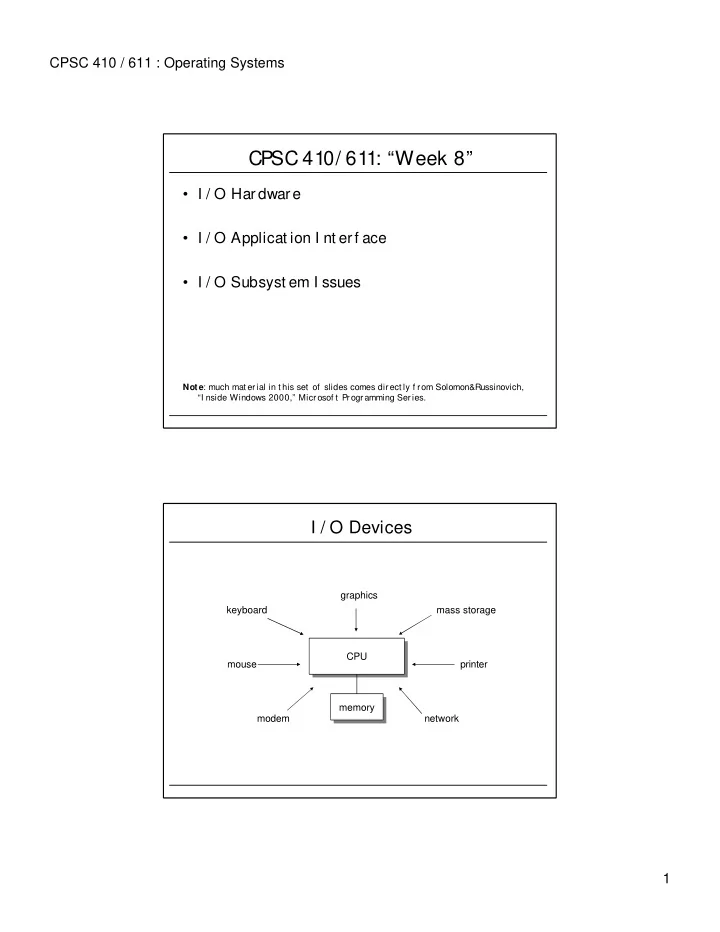
I / O Devices

CPU modem network mouse printer keyboard mass storage graphics memory

slide-2
SLIDE 2

CPSC 410 / 611 : Operating Systems 2

Where is t he Cont rol of I / O Funct ions?

  • Processor direct ly cont rols device.
  • Cont roller or I / O module is added. Processor uses programmed I / O

wit hout int er r upt s.

  • Same, but wit h int errupt s.
  • The I / O module is given direct cont rol of memory via DMA.
  • I / O module is separat e processor, wit h special inst ruct ion set and access

t o memory t o execut e I / O program. No CPU int ervent ion.

  • I / O module has local memory of it s own. Can cont r ol sever al I / O devices.
  • I nt elligent I / O (I 2O).
  • Dat a-near comput at ion: port ions of applicat ions are migrat ed t o I / O

cont rollers.

  • TCP of f load: Run prot ocols on net work int erf ace card.
  • TAMU-PANI C (Prot ocols Aboard Net work I nt erf ace Cards) proj ect :

port ions of applicat ion run in net work int erf ace cards.

I O Syst em Component s (Windows 2k)

user mode kernel mode HAL WDM WMI routines PnP manager Power manager I/O manager I/O system drivers

...

setup components

user-mode PnP manager WMI service Applications Win32 services

.inf files .cat files registry

slide-3
SLIDE 3

CPSC 410 / 611 : Operating Systems 3

dispatch routines

W2k Primary Device Driver Rout ines

IO system interrupt service routine DPC routine initialization routine add-device routine dispatch routines dispatch routines start I/O routine In addition: I/O completion routines Cancel I/O routine Unload routine System shutdown notification routine Error-logging routine

W2k I / O Dat a St ruct ures

  • File Obj ect s: Handles t o f iles or devices.
  • Driver Obj ect s: Represent individual driver in t he

syst em. I / O Manager has ref erences t o Dispat ch Rout ines.

  • Device Obj ect s: Represent physical or logical devices

in t he syst em. Cont ain all inf ormat ion about device charact erist ics, buf f er locat ions, et c.

slide-4
SLIDE 4

CPSC 410 / 611 : Operating Systems 4

W2k File Obj ect s

I dent if ies which par t of t he f ile ar e cached by t he cache manager Point er t o pr ivat e cache map I ndicat es a root st ruct ure t hat describes a mapped f ile. Point er t o sect ion obj ect point ers I ndicat es t he volume, or part it ion, t hat t he f ile resides on. Point er t o volume paramet er block Point er t o device obj ect I ndicat e whet her I / O will be synchronous or asynchronous, cached or non-cached, sequent ial or random, et c. Open mode f lags I ndicat e whet her ot her callers can access t he f ile while t he cur r ent caller is using it . Share modes I dent if ies t he current locat ion of t he f ile (valid

  • nly f or synchronous I / O)

Current byt e of f set I dent if ies t he physical f ile t hat t he f ile obj ect r ef er s t o Filename

Opening a File Obj ect (W2k)

Figure from Solomon&Russinovich, “Inside Windows 2000,” Microsoft Programming Series
slide-5
SLIDE 5

CPSC 410 / 611 : Operating Systems 5

Figure from Solomon&Russinovich, “Inside Windows 2000,” Microsoft Programming Series

W2k I / O Dat a St ruct ures (simple I / O r equest )

Figure from Solomon&Russinovich, “Inside Windows 2000,” Microsoft Programming Series

slide-6
SLIDE 6

CPSC 410 / 611 : Operating Systems 6

Windows Driver Model (WDM) Drivers

  • Bus Drivers manage logical or physical bus (PCMCI A, PCI , USB,

I EEE 1394, I SA). I nt erf aces t o – PnP Manager -- t o det ect and inf orm about devices at t ached t o bus. – Power Manager -- t o cont rol power set t ings of devices on bus.

  • Function Drivers manage part icular t ype of device. Export s
  • perat ional int erf ace of device.
  • Filter Drivers logically layer above or below f unct ion drivers.

– Augment or modif y behavior of device or anot her driver.

Device Driver Layering

System Services I/O manager File system driver disk driver

Environment subsystem or DLL

  • 1. NtWriteFile(file_handle, char_buffer)
  • 2. Write data at specified

byte offset within a file

  • 3. Transfer file-relative byte offset into a disk-relative byte
  • ffset and call next driver (via I/O manager)
  • 4. Call driver to write data at disk-relative byte offset
  • 5. Translate disk-relative byte offset into physical location and

transfer data.

slide-7
SLIDE 7

CPSC 410 / 611 : Operating Systems 7

Device Driver Layering

System Services I/O manager File system driver disk driver

Environment subsystem or DLL

  • 1. NtWriteFile(file_handle, char_buffer)
  • 2. Write data at specified

byte offset within a file

  • 3. Transfer file-relative byte offset into a disk-relative byte
  • ffset and call next driver (via I/O manager)
  • 6. Call next driver to write data to disk 3 at disk-relative byte
  • ffset
  • 5. Translate disk-relative byte offset into physical location and

transfer data.

Volume manager disk driver

  • 4. Call next driver to write data at disk-relative byte offset
  • 5. Transfer disk-relative byte offset into disk number and
  • ffset, and call next driver (via I/O manager)

W2k I / O Processing

  • Types of I / O
  • I / O Cont rol Flow
slide-8
SLIDE 8

CPSC 410 / 611 : Operating Systems 8

Cont rol Flow f or an I O Operat ion

Call ReadFile() Call NTReadFile() return to caller INT 2E return to caller Call NTReadFile() dismiss interrupt Invoke driver dismiss interrupt Initiate I/O operation dismiss interrupt

User mode Kernel mode Whether to wait depends

  • n overlapped flag

ReadFile NtReadFile KiSystemService NtReadFile Application Kernel32.dll Ntdll.dll Ntoskrnl.exe Ntoskrnl.exe Driver.sys

Queuing and Complet ing a Synchr onous Request

Figure from Solomon&Russinovich, “Inside Windows 2000,” Microsoft Programming Series

slide-9
SLIDE 9

CPSC 410 / 611 : Operating Systems 9

Ser vicing a Device I nt er r upt (only Phase I )

Figure from Solomon&Russinovich, “Inside Windows 2000,” Microsoft Programming Series

Servicing a Device I nt errupt (Phase I I )

Figure from Solomon&Russinovich, “Inside Windows 2000,” Microsoft Programming Series

slide-10
SLIDE 10

CPSC 410 / 611 : Operating Systems 10

Complet ing an I / O Request (Phase I )

Figure from Solomon&Russinovich, “Inside Windows 2000,” Microsoft Programming Series

Complet ing an I / O Request (Phase I I )

Figure from Solomon&Russinovich, “Inside Windows 2000,” Microsoft Programming Series

slide-11
SLIDE 11

CPSC 410 / 611 : Operating Systems 11

I ssues: Thread Cont rol

  • Too f ew t hreads: lack of concurrency.
  • Too many t hread: scheduler pressure, t hread t hrashing
  • W2k: Complet ion Port s

I ssues: Buf f ering

  • perating system

user process no buffering single buffering double buffering circular buffering