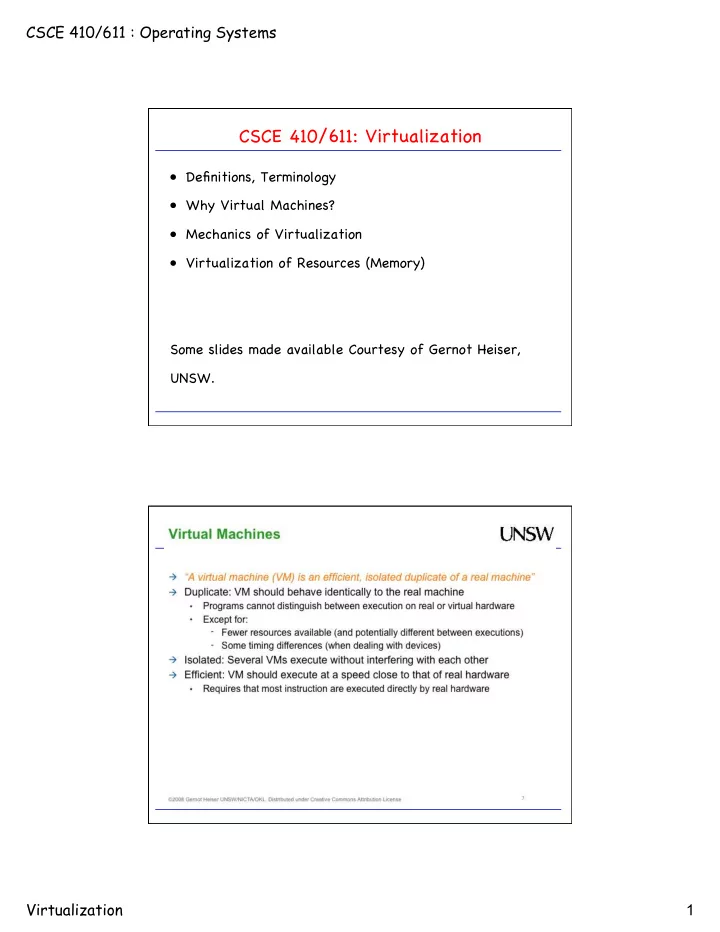
CSCE 410/611: Virtualization Definitions, Terminology Why Virtual - - PDF document

csce 410 611 virtualization
SMART_READER_LITE
LIVE PREVIEW

CSCE 410/611: Virtualization Definitions, Terminology Why Virtual - - PDF document

CSCE 410/611 : Operating Systems CSCE 410/611: Virtualization Definitions, Terminology Why Virtual Machines? Mechanics of Virtualization Virtualization of Resources (Memory) Some slides made available Courtesy of Gernot Heiser,


slide-1
SLIDE 1

CSCE 410/611 : Operating Systems Virtualization 1

CSCE 410/611: Virtualization

  • Definitions, Terminology
  • Why Virtual Machines?
  • Mechanics of Virtualization
  • Virtualization of Resources (Memory)

Some slides made available Courtesy of Gernot Heiser, UNSW.

slide-2
SLIDE 2

CSCE 410/611 : Operating Systems Virtualization 2

Simulation, Emulation, Virtual Machine

  • Simulation: Abstract model of a system is functionally simulated.
  • Emulation: Hardware or software (or both) emulates the behavior
  • f the guest in a host so that emulated behavior is close to

behavior of real system. “Simulators as high-level emulators.”

  • Virtualization: Virtualization involves simulating parts of a

computer's hardware - enough for a guest operating system to run unmodified - but most operations still occur on the real hardware for efficiency reasons.

slide-3
SLIDE 3

CSCE 410/611 : Operating Systems Virtualization 3

CSCE 410/611: Virtualization

  • Definitions, Terminology
  • Why Virtual Machines?
  • Mechanics of Virtualization
  • Virtualization of Resources (Memory)

Some slides made available Courtesy of Gernot Heiser, UNSW.

slide-4
SLIDE 4

CSCE 410/611 : Operating Systems Virtualization 4

slide-5
SLIDE 5

CSCE 410/611 : Operating Systems Virtualization 5

slide-6
SLIDE 6

CSCE 410/611 : Operating Systems Virtualization 6

CSCE 410/611: Virtualization

  • Definitions, Terminology
  • Why Virtual Machines?
  • Mechanics of Virtualization
  • Virtualization of Resources (Memory)

Some slides made available Courtesy of Gernot Heiser, UNSW.

Techniques in Classical Virtualization

  • De-privileging (“trap-and-emulate”)

– All instructions that read/write privileged state trap when executed in unprivileged level. – Execute guest OS directly, but at unprivileged level.

  • Para-Virtualization

– “Modify quest operating system to provide higher-level information to VMM.”

  • Interpretive Execution

– Add dedicated HW execution mode for running the guest OS. – e.g. IBM 370 SIE (“start interpretive execution”) instruction. – Reduces number of required traps.

  • Binary Translation

– WMWare

slide-7
SLIDE 7

CSCE 410/611 : Operating Systems Virtualization 7

Virtualization has a

  • Long History …
slide-8
SLIDE 8

CSCE 410/611 : Operating Systems Virtualization 8

Formal Virtualization Reqs.

  • Def: Machine State: S = <E, M, P, R>

– E executable storage – M processor mode – P program counter – R relocation-bounds register

  • Def: Instruction i is privileged iff for any pair
  • f states S1 = <e, super, p, r> and

S2 = <e, user, p, r> in which i(S1) and i(S2) do not memory trap: i(S2) traps and i(S1) does not.

  • Example: … many
  • Def: Instruction i is control sensitive if there

exists a state S1 = <e1, m1, p1, r1>, and i(S1) = S2 = <e2, m2, p2, r2> such that i(S1) does not memory trap, and either r1 != r2, or m1 != m2, or both.

  • Example: manipulate status register, return to

user mode, etc.

Formal Virtualization Reqs. (2)

  • Def: Machine State: S = <E, M, P, R>

– E executable storage – M processor mode – P program counter – R relocation-bounds register

  • Def: Instruction i is behavior sensitive if

there exists an integer x and states: (a) S1 = <e | r, m1, p, r>, and (b) S2 = <e | r * x, m2, p, r * x>, where …

  • Intuitively, an instruction is behavior sensitive

if the effect of its execution depends on the value of the relocation-bounds register, i.e. upon its location in real memory, or on the mode.

  • Example: load physical address!
slide-9
SLIDE 9

CSCE 410/611 : Operating Systems Virtualization 9

Formal Virtualization Reqs. (3)

Theorem: “For any conventional third generation [1974] computer, a virtual machine monitor may be constructed if the set of sensitive instructions for that computer is a subset of the set of privileged instructions.”

  • Formal Virtualization Reqs. (4)
  • “Hybrid” Virtualization (with interpreted instr’s):
  • Def: Machine State: S = <E, M, P, R>

– E executable storage – M processor mode – P program counter – R relocation-bounds register

  • Def: Instruction i is user sensitive if there exists a

state S = <E, user, P, R> for which i is control sensitive or behavior sensitive.

  • Theorem: A hybrid virtual machine (HVMM) monitor

may be constructed for any conventional third generation machine in which the set of user sensitive instructions are a subset of the set of privileged instructions.

  • Example: PDP-10 JRST 1 (return to user mode) is

non-privileged, but supervisor control sensitive. Therefore, PDP-10 cannot host VMM, but can host HVMM.

slide-10
SLIDE 10

CSCE 410/611 : Operating Systems Virtualization 10

Recap: Some Obstacles to Virtualization

  • “Visibility of Privileged State”

– e.g. Current Privilege Level is stored in code segment register. – Guest therefore can know that it runs in deprivileged mode.

  • “Lack of Traps when Privileged Instructions run at User-Level”

– Some privileged instructions generate NOOP in user mode rather than generating a trap. – e.g. “pop flags”, which modifies ALU and system flags, must generate trap for VMM to intervene.

slide-11
SLIDE 11

CSCE 410/611 : Operating Systems Virtualization 11

Techniques in Classical Virtualization

  • De-privileging (“trap-and-emulate”)

– All instructions that read/write privileged state trap when executed in unprivileged level. – Execute guest OS directly, but at unprivileged level.

  • Para-Virtualization

– “Modify quest operating system to provide higher-level information to VMM.”

  • Interpretive Execution

– Add dedicated HW execution mode for running the guest OS. – e.g. IBM 370 SIE (“start interpretive execution”) instruction. – Reduces number of required traps.

  • Binary Translation

– WMWare

Virtualization Techniques: Paravirtualization

  • Present software interface to virtual machines

that is similar but not identical to that of the underlying hardware.

  • Provide specially defined 'hooks' to allow the

guest(s) to hand over handling of difficult portions of code to VMM.

  • Requires the guest operating system to be

explicitly ported for the para-API. – A conventional O/S distribution which is not paravirtualization-aware cannot be run on top of a paravirtualized VMM! – Xen solution for closed-source O/Ss: paravirtualization-aware device drivers (e.g. XenWindowsGplPv project) to be installed in guest O/S.

hardware VMM guest

para- API

slide-12
SLIDE 12

CSCE 410/611 : Operating Systems Virtualization 12

Techniques in Classical Virtualization

  • De-privileging (“trap-and-emulate”)

– All instructions that read/write privileged state trap when executed in unprivileged level. – Execute guest OS directly, but at unprivileged level.

  • Para-Virtualization

– “Modify quest operating system to provide higher-level information to VMM.”

  • Interpretive Execution

– Add dedicated HW execution mode for running the guest OS. – e.g. IBM 370 SIE (“start interpretive execution”) instruction. – Reduces number of required traps.

  • Binary Translation

– WMware

VMware Software VMM: Binary Translation

  • Traditionally, software VMMs run very slow due to interpretation.
  • Binary Translation:

– Replace sensitive instructions in guest binary on-the-fly and replace by emulation code or hypercall. – Binaries as input, not source code. – Dynamic translation at run-time. – Instruction-level translation, not at higher ABI level. – Input is full x86 instruction set. Output is safe subset.

slide-13
SLIDE 13

CSCE 410/611 : Operating Systems Virtualization 13

Binary Translation: Simple Example

<- small example, C code same code, compiled ->

Translation: Mechanics

instruction stream 1. read prefixes, opcodes, operands

  • 2. stop at 12 instructions or terminating

instruction (control flow) 3. translate simple instructions IDENT

  • 4. others translated non-IDENT
  • 5. generate compiled-code-fragment (CCF)

Translation Unit (TU)

slide-14
SLIDE 14

CSCE 410/611 : Operating Systems Virtualization 14

Translation Result Binary Translation: Observations

  • This approach scales well:

– e.g., Windows XP boot/halt translates

  • 229,347 64-bit translation units (TUs) of up to 12

instructions.

  • 23,909 32-bit TUs
  • 6,680 16-bit TUs
  • Translator captures execution trace of guest code.

– This is good for instruction-cache locality – Rarely-executed code (e.g. error handling) is placed off the “hot” execution path.

slide-15
SLIDE 15

CSCE 410/611 : Operating Systems Virtualization 15

Most instructions need no translation, except

  • Instructions that are affected by translation, because code layout

changes: – PC-relative addressing – Direct control flow (direct calls, branches, jumps) – Indirect control flow (jmp, call, ret)

  • Privileged instructions:

– Some instructions run faster in binary translation mode than native.

  • e.g. cli (clear interrupts) on Pentium 4 takes 60 cycles;

replaced by “vcpu.flags.IF:=0”. – Other operations (e.g. context switch) may need to call out to a runtime, with lots of overhead.

Binary Translation of User-Level Code?

  • “BT is not required for safe execution of most user

code on most guest operating systems.”

  • Switch between BT and direct execution:

– Use direct execution of guest in user-mode – Use BT for guest in kernel-mode

  • This permits application to run at native speed.
slide-16
SLIDE 16

CSCE 410/611 : Operating Systems Virtualization 16

CSCE 410/611: Virtualization

  • Definitions, Terminology
  • Why Virtual Machines?
  • Mechanics of Virtualization
  • Virtualization of Resources (Memory)
  • Some slides made available Courtesy of Gernot Heiser, UNSW.

Memory Virtualization

Note: Guest OS expects zero-based physical address space.

  • In traditional system:

virtual address -> physical address

  • In VMM system:

virtual address -> physical address -> machine address

  • Each VM maintains pmap to translate physical pages to machine

pages.

  • Operations on TLB are intercepted by VMM, which prevents

manipulation of the MMU by the guest.

  • Mapping from virtual pages to machine pages is maintained in

shadow page table. – This table is used by the CPU! – Is maintained consistent with physical -> machine mapping.

slide-17
SLIDE 17

CSCE 410/611 : Operating Systems Virtualization 17

hardware

Shadow Page Table

Hypervisor maintains mapping from virtual memory to machine memory in shadow page table. Guest modifies its page mapping, either by changing the content of a translation, creating a new translation, or removing an existing translation. => The virtual MMU module captures modification and adjusts the shadow page table accordingly.

PTBR page table page dir PDE PTE memory PTE PTBR page table page dir PDE PTE

shadow page table

Hypervisor Guest

Issues in Page Replacement

  • Memory Over-Commitment: What if memory requirements exceed

available resources? – Move some “physical” memory to disk.

  • Issue 1: How does this affect page replacement?

– A page replacement algorithm now needs to pick

  • victim virtual machine (ok)
  • victim page (huh?! what is a good page to replace?!)
  • Issue 2: Double-Paging Problem:

– What can happen when we page out a “physical” page that is

  • n disk?

1. Guest picks “physical” page on disk as victim.

  • 2. In order to page it out by guest, it needs to be paged-in

by VMM beforehand. – This causes two page faults per fault.

slide-18
SLIDE 18

CSCE 410/611 : Operating Systems Virtualization 18

Avoiding paged-out “physical” pages

  • Ballooning. “ESX Server controls a balloon module running within the guest,

directing it to allocate guest pages and pin them in ``physical'' memory. The machine pages backing this memory can then be reclaimed by ESX

  • Server. Inflating the balloon increases memory pressure, forcing the guest

OS to invoke its own memory management algorithms. The guest OS may page out to its virtual disk when memory is scarce. Deflating the balloon decreases pressure, freeing guest memory.” (Waldspurger, OSDI’02)

Potential Problems with Ballooning

  • Ballooning works fine as long as it works.
  • Ballooning drivers may be uninstalled, disabled

explicitly, unavailable during booting.

  • Upper levels on balloon sizes may be imposed by guest

OSs.

  • Solution: Fall back on basic paging mechanisms…

– Problems?

slide-19
SLIDE 19

CSCE 410/611 : Operating Systems Virtualization 19

How to Adjust Memory Allocation

  • Memory allocation with unequal requirements across

VMs?

  • Fair allocation: e.g. Proportional Share algorithms.
  • Reclaiming idle memory: idle memory tax.
  • How to measure idle memory?

– sampling.

Memory Sharing across Virtual Machines

  • Why memory sharing?

– Eliminate redundant copies of pages. – This allows for more over-commitment of memory.

  • Example: Transparent page sharing in Disco

– Map multiple “physical” pages onto machine page, and mark it as copy-on-write. – Q: How do we know when a redundant copy has been created? – A: Need hooks into guest OS!

  • Content-Based Page Sharing

– Identify shareable pages by their content. – Agnostic about origin of generation of identical pages. – Use hashing to identify potentially shareable pages.

slide-20
SLIDE 20

CSCE 410/611 : Operating Systems Virtualization 20

Content-Based Page Sharing in ESX Server

Content-Based Page Sharing. ESX Server scans for sharing opportunities, hashing the contents of candidate PPN 0x2868 in VM 2. The hash is used to index into a table containing other scanned pages, where a match is found with a hint frame associated with PPN 0x43f8 in VM 3. If a full comparison confirms the pages are identical, the PPN-to-MPN mapping for PPN 0x2868 in VM2 is changed from MPN 0x1096 to MPN 0x123b, both PPNs are marked COW, and the redundant MPN is reclaimed.

Light-Weight “Virtualization”: Containers

Container: A group of processes that is grouped together and isolated from processes in other containers. “Insider the box, it looks like a VM. Outside the box, it looks like normal processes.”

slide-21
SLIDE 21

CSCE 410/611 : Operating Systems Virtualization 21

Container: Advantages

  • Speed: “boots” in seconds, i.e. much faster than VM
  • Footprint: can run order-of-magnitude more containers

than VMs.

  • Memory footprint: containers can be very light.
  • Isolation

– more about this follows.

Container Isolation

Each container has:

  • its own network interface (and IP address)
  • its own filesystem
  • isolation (security)

– container A cannot harm (or even see) container B.

  • isolation (resources)

– soft and hard quotas

slide-22
SLIDE 22

CSCE 410/611 : Operating Systems Virtualization 22

Isolation: Namespaces

6 different kinds of namespaces:

  • Process ids (pid)
  • Network interfaces (net)
  • System V IPC (ipc)
  • File systems and mount points (mnt)
  • Hostname (uts)
  • User IDs (user)

Example: Namespace pid

  • Requirement: Processes in a pid namespace

don’t see processes in another pid.

  • Requirement: Each pid namespace has a PID #1
slide-23
SLIDE 23

CSCE 410/611 : Operating Systems Virtualization 23

Container: The Buzz

http://ramirose.wix.com/ramirosen 31

Containerization is the new virtualization

Containers are in use by many PaaS (Platform as a Service) companies; to mention a few -

  • dotCloud (which changed later its name to docker):

https://www.dotcloud.com/

  • Parallels - http://www.parallels.com
  • Heroku - https://www.heroku.com/
  • Pantheon - https://www.getpantheon.com/
  • OpenShift of Red Hat: https://www.openshift.com/
  • more.