Computer Science 20 Computer Science 20 Programming Methods - - PowerPoint PPT Presentation

computer science 20 computer science 20 programming
SMART_READER_LITE
LIVE PREVIEW

Computer Science 20 Computer Science 20 Programming Methods - - PowerPoint PPT Presentation

Computer Science 20 Computer Science 20 Programming Methods Programming Methods Pre-requisites: CS 10 and Math 3B Main emphasis: learn about data structures Including related topics, such as abstraction, specialized algorithms, and


slide-1
SLIDE 1

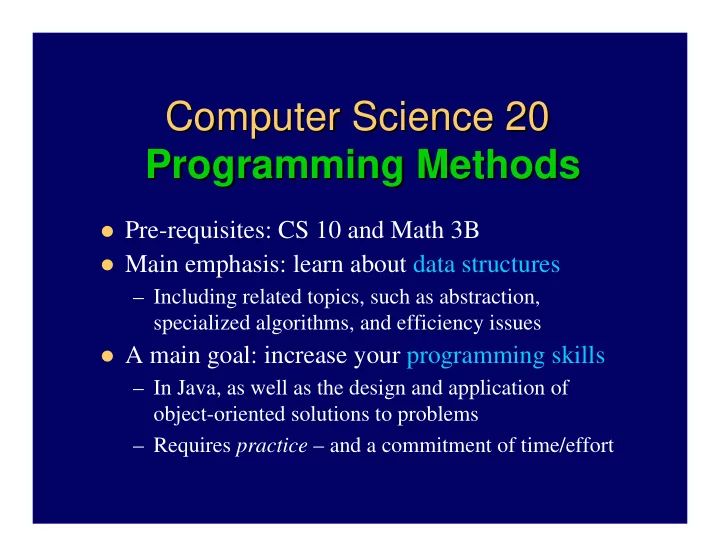
Computer Science 20 Computer Science 20 Programming Methods Programming Methods

Pre-requisites: CS 10 and Math 3B Main emphasis: learn about data structures

– Including related topics, such as abstraction, specialized algorithms, and efficiency issues

A main goal: increase your programming skills

– In Java, as well as the design and application of

  • bject-oriented solutions to problems

– Requires practice – and a commitment of time/effort

slide-2
SLIDE 2

Stuff you should already know Stuff you should already know

Catch up by yourself if necessary on any of these:

– How to write/execute a Java application – Comments, primitive data types, basic operators, arithmetic, assignment, type casting for primitive types – Control structures – if/else, switch, while, for,

do/while, conditional operator

– Writing/using classes, and method basics – including parameters, scope and duration rules, and overloading – Other elementary Java or programming topics

Tip: keep your CS 10 (or other Java) book handy

slide-3
SLIDE 3

What CS 20 will reinforce What CS 20 will reinforce (to start)

(to start)

Basics of objects and references Strings and arrays Exception handling Input and output Some OOP concepts and related Java issues

– Class design and javadocs – Methods of class Object – Inheritance and polymorphism – Abstract classes and interfaces

slide-4
SLIDE 4

Approximate schedule Approximate schedule

(generally follows Dale/Joyce/ (generally follows Dale/Joyce/Weems Weems text) text)

1.

Reinforce important Java and OOP topics

2.

Complexity concepts, correctness and testing

3.

Data abstraction ideas, and start priority queues

4.

Stacks, Recursion, and 1st midterm exam

5.

Queues, and Lists

6.

Trees, including heaps and faster priority queues

7.

Binary search trees, and 2nd midterm exam

8.

Sorting algorithms

9.

Searching algorithms, and hash tables

  • 10. Maybe more as time permits
slide-5
SLIDE 5

Requirements Requirements

Students are required to monitor the course’s web

pages, starting at http://www.cs.ucsb.edu/~mikec/cs20

Assignments – 30%

– Weekly written homeworks and bi-weekly programming projects – Must work individually unless explicitly told otherwise

Three exams – each 20% Attendance – 10%

slide-6
SLIDE 6

To do To do this week this week

Read chapters 1 and 2 in Dale/Joyce/Weems text

– In general, try to read ahead of the lectures – Also Section 9.1, and browse Appendices as necessary

Verify CSIL access

– Need account @engineering.ucsb.edu (@cs is alias) – apply online if don’t already have one – Change password if required – sign on and acclimate

Attend class – inc. discussion section Thursday Questions?

slide-7
SLIDE 7

What is a reference? What is a reference?

Actually a reference variable

– A variable that can store a memory address – Refer to objects or null, but not primitive types

Very few operations allowed for references

– Just assignment with = or equality test with == – Only exception is + for Strings

Mostly references are used to operate on objects

– Access internal field or call a method with . operator – Type conversion with (cast), or test with instanceof

slide-8
SLIDE 8

Dealing with objects Dealing with objects

Declaring and creating – 2 discrete steps Garbage collection – behind the scenes = – copies a reference – creates alias == – true if references are aliases

– Use equals (if overridden for the class) to compare objects

Parameters – always copies – even for references

– But alias can be used to operate on the object

No operator overloading allowed

– Reason: what you see is what you get with Java (except for String + and += operators)

slide-9
SLIDE 9

Strings Strings

Immutable objects – means safe to share references + concatenates if either is string: 5 + “a” “5a” Comparing strings requires methods, not ==, <, …

– s1.equals(s2) – overridden Object method – true if all

same characters in same order

– s1.compareTo(s2) – from interface Comparable –

returns int

Converting from/to other types

– String.valueOf(x) – overloaded many times

– Other direction less standard – Integer.parseInt(s)

slide-10
SLIDE 10

More string things More string things

StringBuffer and StringBuilder – mutable strings

– StringBuilder b = new StringBuilder(aString); – b.append(anotherString);

– Also b.insert, b.setCharAt, b.reverse, …

– b.toString() – creates String when done

StringTokenizer – handy way to break up a string

– StringTokenizer t = new StringTokenizer(aString); while (t.hasMoreTokens()) { String word = t.nextToken(); … }

See online documentation for class String, and others

slide-11
SLIDE 11

Arrays Arrays

Built-in data structures – a.k.a. collections Entities (array elements) are all the same type

– Access each entity by array indexing operator – []

Declare, create, and assign values – 3 distinct steps

  • 1. Declare array variable: int[] a; // type restricted to int
  • 2. Create array object: a = new int[5]; // size is fixed at 5
  • 3. Assign values: for (int i = 0; i < 5; i++) a[i] = …

Treat whole array like any other Object

– int[] b = a; // creates an alias – not a copy of array – someMethod(a); // passes alias – a can be changed

– An instance variable (a.length), and inherited methods!

slide-12
SLIDE 12

Preview: better collections Preview: better collections

java.util.ArrayList – an array-like structure

– Expands dynamically, so no need to set fixed size

ArrayList<Integer> a = new ArrayList<Integer>();

– Note use of Java 5 generic type – Integer in this case

Must wrap primitive types: a.add(new Integer(7)); a.add(17); // or rely on “autoboxing” Unwrap on retrieval: int i = ( (Integer) a.get(0) ).intValue(); int j = a.get(1); // or rely on “auto un-boxing” Overrides Object methods – to make more sense

slide-13
SLIDE 13

How How complex complex is that algorithm? is that algorithm?

Count the steps to find out Note that execution time depends on many things

– Hardware features of particular computer

Processor type and speed Available memory (cache and RAM) Available disk space, and disk read/write speed

– Programming language features – Language compiler/interpreter used – Computer’s operating system software

So execution times for algorithms differ for

different systems – but complexity is more basic

slide-14
SLIDE 14

A detailed computer model A detailed computer model

Assume constant times for various operations

– Tfetch – time to fetch an operand from memory – Tstore – time to store an operand in memory – T+, T-, T*, T÷, T<, … – times to perform simple arithmetic operation or comparison – Tcall, Treturn – times to call and return from methods – T[·] – time to calculate array element’s address

e.g., time to execute y = x is Tfetch + Tstore

– Note: y = 1 takes same time – 1 is stored somewhere

slide-15
SLIDE 15

More counting steps More counting steps

y = y + 1 2Tfetch+T++Tstore

– Same as time for y += 1, y++, and ++y

y = f(x) Tfetch+2Tstore+Tcall+Tf(x)

Method example – public int sumSeries(int n):

int result = 0; for (int i = 1; i <= n; i++) result += i; return result; Tfetch+Tstore Tfetch+Tstore (2Tfetch+T<) * (n+1) (2Tfetch+T+ +Tstore) * n (2Tfetch+T+ +Tstore) * n Tfetch+Treturn

Let t1 = 5Tfetch+2Tstore +T< +Treturn and t2 = 6Tfetch+2Tstore +T< +2T+ then total time for method is t1 + t2n

slide-16
SLIDE 16

Things to notice about counts Things to notice about counts

Very tedious – even for simple algorithms Operation times are constant only for particular

computer/compiler/… situations

The size of the problem matters the most e.g., total of t1 + t2n from previous slide

– t1 and t2 vary, depending on platform – The second term dominates if n is large

So is there a better way to compare algorithms?

slide-17
SLIDE 17

Algorithm analysis Algorithm analysis

Really want to compare just the algorithms

– i.e., holding constant things that don’t matter – Question becomes – which algorithm is more efficient on any computer in any language?

Solution – ‘O’ notation

– Simplest is worst case analysis – Big-Oh

Provides an upper bound on expected running time

– Others include Little-Oh, Big Ω (omega), and Big Θ (theta) – all useful, but not as commonly used

slide-18
SLIDE 18

Big Big-

  • Oh notation

Oh notation

Strips problem of inconsequential details

– All but the “dominant” term are ignored

e.g., say algorithm takes 3n2 + 15n + 100 steps, for a

problem of size n

Note: as n gets large, first term (3n2) dominates, so okay to

ignore the other terms

– Constants associated with processor speed and language features are ignored too

In above example, ignore the 3

So this example algorithm is O(n2)

– Pronounced “Oh of n-squared”

Belongs to the “quadratic complexity” class of algorithms

slide-19
SLIDE 19

Formally, Formally, f(n)

f(n) is

is O(

O(g(n) g(n)) ) if

if

∃ two positive constants(K, n0), such that |f(n)| ≤ K|g(n)|, ∀(n ≥ n0)

0e+0 5e+5 1e+6 2e+6 2e+6 3e+6 3e+6 4e+6 4e+6 5e+6 150 300 450 600 750 900 1050 1200 1350 1500

f(n) K x g(n) n0

slide-20
SLIDE 20

‘ ‘O O’ ’ and related notation and related notation

Big-Oh – upper bound on running time

– f(n) is O(g(n)) if there are positive constants, c and n0, such that f(n) ≤ cg(n) when n ≥ n0

Big Ω – lower bound on running time

– f(n) is Ω(g(n)) if … f(n) ≥ cg(n) when n ≥ n0

Big Θ – both an upper and lower bound

– f(n) is Θ(g(n)) iff f(n) is O(g(n)) and f(n) is Ω(g(n))

Little-Oh – a “strictly-less” than upper bound

– f(n) is o(g(n)) iff f(n) is O(g(n)) and f(n) is not Θ(g(n))

slide-21
SLIDE 21

Some complexity classes Some complexity classes

Linear - O(n); Quadratic - O(n2); Cubic - O(n3)

– Also slower than cubic – e.g., Exponential - O(2n) – And faster than linear – O(log n), and Constant - O(1)

1 2 3 4 5 6 7 8 9 10 10 20 30 40 50 60 70 80 90 100

Input Size (n)

Quadratic O(n log n) Linear Cubic

slide-22
SLIDE 22

Applies to large problems only Applies to large problems only

Big-Oh measures asymptotic complexity

– Mostly irrelevant for small problems – But some algorithms become impractical as n grows, even if n isn’t very large

For example, imagine n = 256

– And say a linear algorithm takes 256 microseconds – Cubic time is 16.8 seconds – Exponential time (base 2) is 3.7x1063 years!!!

(See related calculations on next slide.)

slide-23
SLIDE 23

3.7E+63 1.158E+71 1.158E+74 1.158E+77 O(2^n) 16.8 16,777 16,777,216 O(n^3) 65.54 65,536 O(n^2) 2.05 2,048 O(n log n) 8 O(log n) 256 O(n) Years Seconds Millisec. Microsec. Big O

slide-24
SLIDE 24

Algorithm analysis example Algorithm analysis example

double[] prefixAverages1(double[] x) double[] result = new double[x.length]; for (int i=0; i<x.length; i++) { double sum = 0; // happens n times for (int j=0; j<=i; j++) sum += x[i]; // happens n(n+1)/2 times result[i] = sum / (i+1); // n times }return result; // happens once

Running time dominated by nested for loops

– Approximate total is (n + n(n+1)/2 + n + 1) so O(n2)

slide-25
SLIDE 25

Improved algorithm Improved algorithm

double[] prefixAverages2(double[] x) double[] result = new double[x.length]; double runningSum = 0; // O(1) for (int i=0; i<x.length; i++) { runningSum += x[i]; // O(n) result[i] = runningSum/(i+1);// also O(n) }return result; // O(1)

Just one for loop this time – max term is O(n)

– So overall complexity is O(n)

slide-26
SLIDE 26

Runtime analysis Runtime analysis

Use to complement (not replace) algorithm analysis

– Calculate elapsed clock time for operations

long startTime = System.currentTimeMillis(); {…} // operation to time here long finishTime = System.currentTimeMillis(); long elapsedTime = finishTime - startTime;

– Java 1.5 addition: long instant = System.nanoTime();

1 millisecond 1,000,000 nanoseconds !!!

e.g., Timing_Random.java (Collins text, pp. 88-89) Of course results are infected by competing processes

– Also by machine, compiler and system characteristics – But often can crudely estimate Big O anyway – Collins lab 4

slide-27
SLIDE 27

What Big What Big-

  • Oh doesn

Oh doesn’ ’t cover t cover

Small problems

– Often dominated by lesser terms or constants

What to count?

– Comparisons? Assignments? Reads? Writes?

Some operations take longer than others

– So usually just count iterations – see CountSteps.java

Notice the definition is not restrictive

– e.g., an algorithm that is O(n) is also O(n2), etc. – So agree to express bound as tightly as possible, and to not include lesser terms in g(n)