Computer Network Fundamentals Instructor: Lixia Zhang - - PDF document

computer network fundamentals
SMART_READER_LITE
LIVE PREVIEW

Computer Network Fundamentals Instructor: Lixia Zhang - - PDF document

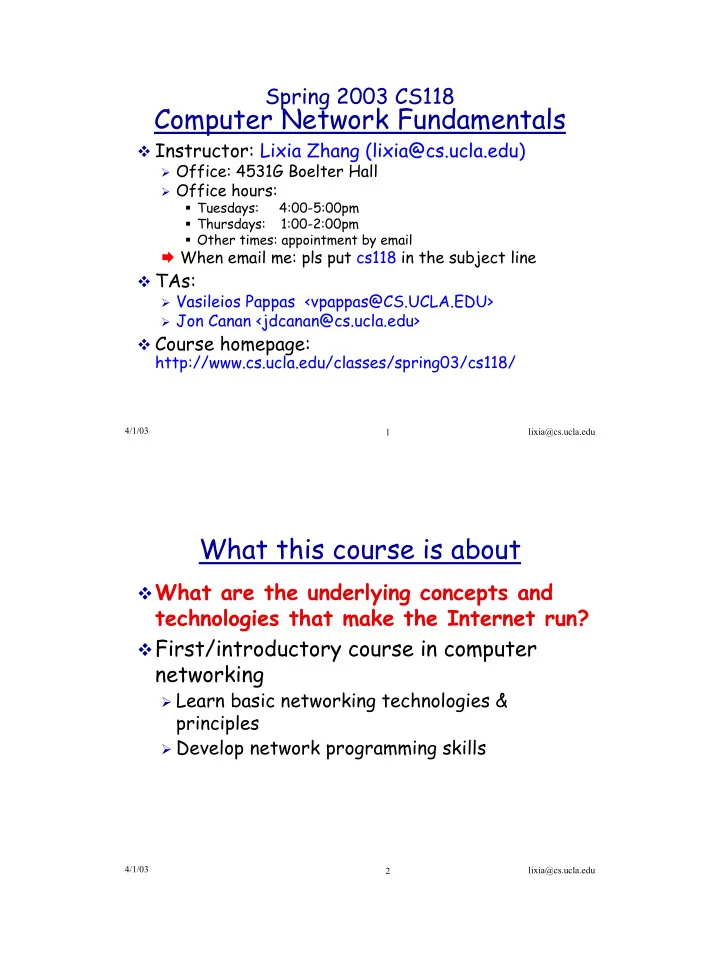
Spring 2003 CS118 Computer Network Fundamentals Instructor: Lixia Zhang (lixia@cs.ucla.edu) Office: 4531G Boelter Hall Office hours: Tuesdays: 4:00-5:00pm Thursdays: 1:00-2:00pm Other times: appointment by email


slide-1
SLIDE 1

1

4/1/03 lixia@cs.ucla.edu 1

Spring 2003 CS118

Computer Network Fundamentals

Instructor: Lixia Zhang (lixia@cs.ucla.edu)

Office: 4531G Boelter Hall Office hours:

Tuesdays: 4:00-5:00pm Thursdays: 1:00-2:00pm Other times: appointment by email

When email me: pls put cs118 in the subject line TAs:

Vasileios Pappas <vpappas@CS.UCLA.EDU> Jon Canan <jdcanan@cs.ucla.edu>

Course homepage: http://www.cs.ucla.edu/classes/spring03/cs118/

4/1/03 lixia@cs.ucla.edu 2

What this course is about

What are the underlying concepts and

technologies that make the Internet run?

First/introductory course in computer

networking

Learn basic networking technologies &

principles

Develop network programming skills

slide-2
SLIDE 2

2

4/1/03 lixia@cs.ucla.edu 3

Course Workload

Reading assignment for every lecture Weekly homework assignment

Assigned every Thursday (except the 10th week) Due 6:00pm the following Thursday to TA's mailbox;

homework solutions posted Friday morning. Two programming projects

Check class website for details

Midterm and final exams Last but not least: Classroom participation

4/1/03 lixia@cs.ucla.edu 4

Grading breakdown

Homework: 20% Projects: 30% Midterm: 20%

Thursday, May 8th

Final exam: 30%

3:00-6:00PM, Saturday June 7th

slide-3
SLIDE 3

3

4/1/03 lixia@cs.ucla.edu 5

Course Policies

no late turn-in is accepted for credit no make-up exams no misconduct

4/1/03 lixia@cs.ucla.edu 6

Lets have a shared understanding

Why are you here? The goal in next 10 weeks What I can help Whose fault would it be, if you:

failed to understand the lecture material failed to turn in an assignment on time fell to sleep in class Missed one of the exams

slide-4
SLIDE 4

4

4/1/03 lixia@cs.ucla.edu 7

Lecture Teaching

"Taking notes in class helps me understand better" So posted lecture notes will be like this

Web servers Web client

Slide title

  • Client communicates with the server through the net
  • (your notes go here)

4/1/03 lixia@cs.ucla.edu 8

Part I: Introduction

Today's goal:

get context, overview, “feel” of networking

more depth, detail later in course

Overview:

what’s the Internet

network edge, network core, access net, physical media

Circuit switching vs. packet switching Protocols, protocol layers Performance measure: data loss, delay

Assignment: Read chapter 1

slide-5
SLIDE 5

5

4/1/03 lixia@cs.ucla.edu 9

What’s the Internet: “nuts and bolts” view

hosts (end-systems):

pc’s workstations, servers, PDA’s

phones, toasters..

Send/receive data, but do not

forward Connected to networks made

  • f

communication links

fiber, copper, radio, satellite

routers: forward chunks of data

(packets) through a network running network applications

WWW, email, games, e-

commerce, file sharing (MP3)

local ISP Campus network regional ISP router workstation server mobile

4/1/03 lixia@cs.ucla.edu 10

A closer look at network structure:

network edge: end

systems (hosts)

run application programs at

“edge of network”

client/server model

slide-6
SLIDE 6

6

4/1/03 lixia@cs.ucla.edu 11

A closer look at network structure:

network edge: end

systems (hosts)

run application programs at

“edge of network”

client/server model

access networks

Physical media,

communication links

4/1/03 lixia@cs.ucla.edu 12

Access Networks

Compus: local area network (LAN)

Ethernet:10 Mbps, 100Mbps, Gigabit

Ethernet wireless LANs:

radio spectrum replaces wire wider-area wireless access: CDPDwireless

access to Internet via cellular network Dialup via modem, ADSL (asymmetric digital subscriber line)

base station mobile hosts router

slide-7
SLIDE 7

7

4/1/03 lixia@cs.ucla.edu 13

A closer look at network structure:

network edge: end systems

(hosts)

run application programs at

“edge of network”

client/server model

access networks

Physical media, communication

links network core:

mesh of interconnected routers network of networks the fundamental question: how is

data transferred through the net?

Circuit switching Packet switching

4/1/03 lixia@cs.ucla.edu 14

How multiple data transfers share the same network

Circuit Switching vs. Packet Switching

Circuit switching

dedicate link bandwidth &

switch capacity to each “call”

Requires call setup Guaranteed performance

Packet switching

Packet: small chunks of data Send packets as soon as link

available

switch receives a full packet

then forwards it towards the destination

slide-8
SLIDE 8

8

4/1/03 lixia@cs.ucla.edu 15

Circuit Switching: FDM and TDM

FDM frequency time TDM frequency time 2 users Example:

4/1/03 lixia@cs.ucla.edu 16

Packet Switching: Statistical Multiplexing

Store-and-forward Packet switch can temporarily buffer up packets

Introduce queueing delay Packets get dropped when the queue is full

slide-9
SLIDE 9

9

4/1/03 lixia@cs.ucla.edu 17

Packet switching versus circuit switching

each user:

100,000 bits/sec when “active” active 10% of time

circuit-switching:

10 users

packet switching:

35 users: Prob.(n > 10) < 0.0004

1 Mbps link A number of issues related to packet switching:

How does a router figure out where to forward packets? What if packets get lost? Or get garbled along the way?

Example: how many users can share a 1 megabits/sec (1 Mbps) link?

4/1/03 lixia@cs.ucla.edu 18

Tentative Course Schedule:

Introduction (2 lectures, textbook: Chapter 1) Network applications (3 lectures, Chapter 2)

Socket programming (1 lecture)

Transport protocols (3~4 lectures, Chapter 3)

Midterm exam (in class)

Network protocols (4 lectures, Chapter 4) Link Layer: LANs (3 lectures, Chapter 5) Network Security (1 lecture, Chapter 7)

Review for final exam

slide-10
SLIDE 10

10

4/1/03 lixia@cs.ucla.edu 19

Or more intuitively

my computer

server

Link layer (week 8-9) network layer (week 6-7) Transport (week 4-5) Applications (week 2-3) Week 1

4/1/03 lixia@cs.ucla.edu 20

What to do after this class

Take a look at the course homepage Finish reading assignment before next lecture Food for thought:

What makes the Internet so popular these days? What's lay ahead?

Interesting articles on Internet histories

"Some Perspectives on NetworksPast, Present and Future" by Paul

Baran, http://irl.cs.ucla.edu/papers/ifip.ps

http://www.isoc.org/internet-history

slide-11
SLIDE 11

11

4/1/03 lixia@cs.ucla.edu 21 Host Application Host

Web

Host

video email

Packet Switched Networks

Host Host

Network protocols govern all communication activities in a network

4/1/03 lixia@cs.ucla.edu 22

Hello Hi

Got the time?

2:00pm

What’s a protocol?

<file>

  • conn. reply
  • Connect. req.

Get http://www.cs.ucla.edu/

slide-12
SLIDE 12

12

4/1/03 lixia@cs.ucla.edu 23

Dave's computer Jim's computer

One example: send email

dave@cs.ucla.edu jim@cs.ucla.edu

4/1/03 lixia@cs.ucla.edu 24

Organization of air travel

a series of steps

ticket (purchase) baggage (check) gates (load) runway takeoff airplane routing ticket (complain) baggage (claim) gates (unload) runway landing airplane routing airplane routing

slide-13
SLIDE 13

13

4/1/03 lixia@cs.ucla.edu 25

Distributed implementation of layer functionality

ticket (purchase) baggage (check) gates (load) runway takeoff airplane routing ticket (complain) baggage (claim) gates (unload) runway landing airplane routing

airplane routing

Departing airport arriving airport

intermediate air traffic sites

airplane routing airplane routing

4/1/03 lixia@cs.ucla.edu 26

Internet protocol stack

application transport network link physical

slide-14
SLIDE 14

14

4/1/03 lixia@cs.ucla.edu 27

Dave's computer Jim's computer

One example: send email

dave@cs.ucla.edu jim@cs.ucla.edu

application transport network link physical application transport network link physical application transport network link physical network link physical data data

4/1/03 lixia@cs.ucla.edu 28

application transport network link physical application transport network link physical source destination

data data data data Ht Ht Hn Ht Hn Hl data data data data Ht Ht Hn Ht Hn Hl message segment datagram frame

Protocol layering and data

slide-15
SLIDE 15

15

4/1/03 lixia@cs.ucla.edu 29

Protocol header: one examples

destination address source address type

data …

error checking code

Link layer: Ethernet frame format

header trailer application transport network link physical

4/1/03 lixia@cs.ucla.edu 30

Data Delivery Performance

3 basic measuremetns

my computer

server

End

  • to
  • e

nd

Hop-by-hop

slide-16
SLIDE 16

16

4/1/03 lixia@cs.ucla.edu 31

Packet Losses

Loss due to congestion Loss due to transmission

errors

wireless links

4/1/03 lixia@cs.ucla.edu 32

Throughput

Throughput over a single link

Point-to-point Multi-access

Throughput between two end

hosts

slide-17
SLIDE 17

17

4/1/03 lixia@cs.ucla.edu 33

Delay in packet-switched networks

4 sources of delay at each hop

nodal processing: Queueing A B

propagation transmission nodal processing queueing

C Transmission Propagation = L / R = d/s

4/1/03 lixia@cs.ucla.edu 34

total delay (A→B) = ?

Queuing delay = transmission delay = Propagation delay =

Switch A Switch B

link length = 100 km Bandwidth= 1 Mbps packet size= 1000 bits (all pkts equal length) (2.0x10^8 meters/sec in a fiber)

ms ms ms ms 5 . 3 5 . 1 2 1 = + + ×

Example: one hop delay

slide-18
SLIDE 18

18

4/1/03 lixia@cs.ucla.edu 35

Time to send a packet from point A to point B

sum of delays across each hop along the path

RTT: round-trip-time

Network latency

1 3 2 A B

4/1/03 lixia@cs.ucla.edu 36

Packet-switching: store-and-forward

Takes L/R seconds to

transmit (push out) packet of L bits on to link of R bps

Entire packet must

arrive at router before it can be transmitted

  • n next link: store and

forward

Ignore propagation

delay

R R R L

slide-19
SLIDE 19

19

4/1/03 lixia@cs.ucla.edu 37

Packet-switching: store-and-forward

Example 2:

A sends 5 packets to B L = 8000 bits, R = 2 Mbps

Ignore propagation delay

How long does it take

starting from A sending the first bit of first packet till B receives the last bit of the last packet?

R R R

time

T=0 1 L/R 2L/R 1 3L/R 1 2 2 3 3 2 1 3 2 3

4

4L/R 1 2 3

4

5L/R

5

1 2 3

5 4

6L/R

5

1 2 3

4

7L/R 1 2 3

4 5

4/1/03 lixia@cs.ucla.edu 38

Bandwidth, transmission delay, and propagation delay

bandwidth time

10Mbps 20Mbps Propagation delay= 10ms Bandwidth= 1 Gbps (bandwidth × delay) product: amount of data "in-the-pipe" 125KB data in the pipe