Comp/Phys/APSc 715 Object recognition, Surface shape, Texture, - - PDF document

comp phys apsc 715
SMART_READER_LITE
LIVE PREVIEW

Comp/Phys/APSc 715 Object recognition, Surface shape, Texture, - - PDF document

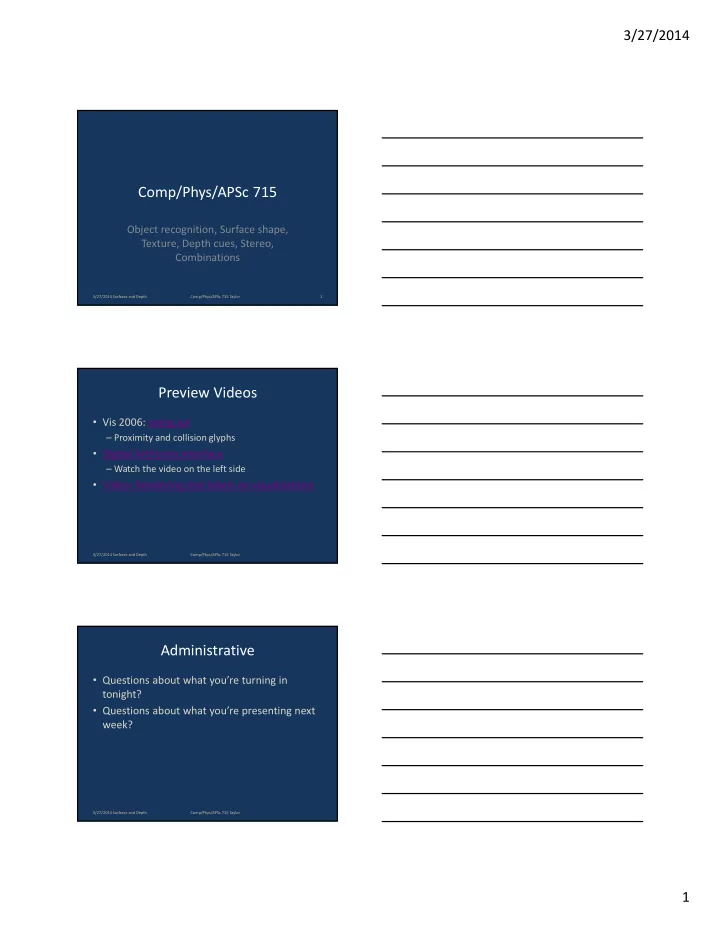
3/27/2014 Comp/Phys/APSc 715 Object recognition, Surface shape, Texture, Depth cues, Stereo, Combinations 3/27/2014 Surfaces and Depth Comp/Phys/APSc 715 Taylor 1 Preview Videos Vis 2006: sreng.avi Proximity and collision glyphs


slide-1
SLIDE 1

3/27/2014 1

Comp/Phys/APSc 715

Object recognition, Surface shape, Texture, Depth cues, Stereo, Combinations

3/27/2014 Surfaces and Depth 1 Comp/Phys/APSc 715 Taylor

Preview Videos

  • Vis 2006: sreng.avi

– Proximity and collision glyphs

  • Digital ArtForms interface

– Watch the video on the left side

  • Video: Rendering text labels on visualizations

3/27/2014 Surfaces and Depth Comp/Phys/APSc 715 Taylor 3/27/2014 Surfaces and Depth Comp/Phys/APSc 715 Taylor

Administrative

  • Questions about what you’re turning in

tonight?

  • Questions about what you’re presenting next

week?

slide-2
SLIDE 2

3/27/2014 2

Discussion!

  • When do we let the user choose?
  • When don’t we let the user choose?

3/27/2014 Surfaces and Depth 4 Comp/Phys/APSc 715 Taylor

Surprised?

  • What information from Ware chapter 7

surprised you?

3/27/2014 Surfaces and Depth 5 Comp/Phys/APSc 715 Taylor

What is an Object?

  • Any identifiable, separate, and distinct part of

the visual world

  • A visual object cognitively groups visual

attributes

  • Lesson: Representing data values as visual

features and grouping them into visual objects can be a powerful tool for organizing related data.

3/27/2014 Surfaces and Depth 6 Comp/Phys/APSc 715 Taylor

slide-3
SLIDE 3

3/27/2014 3

How are Objects Recognized?

  • Image based?

– The mind as a huge movie reel

  • Structure based?

– Breaking object into 3D parts

3/27/2014 Surfaces and Depth 7 Comp/Phys/APSc 715 Taylor

Image-Based Object Recognition

  • Have I seen this before? (2560 images, 90%)
  • Rapid serial presentation, with attentional blink
  • Memory may be indexed by images (recognition),

which then fire other related memories (recall).

  • Selective Priming: Visual, not verbal
  • Canonical views in monkey brains.

3/27/2014 Surfaces and Depth 8 Comp/Phys/APSc 715 Taylor

Uses of Image Display

  • Icons in user interface can cause recognition

and then recall of function.

  • Priming can be helpful when the user is

searching for a pattern or image.

  • It may be faster to present images in a “burst”

at up to 10 frames per second – like flipping through a book – rather than side-by-side thumbnails.

3/27/2014 Surfaces and Depth 9 Comp/Phys/APSc 715 Taylor

slide-4
SLIDE 4

3/27/2014 4

Hint for Image Display

  • Biederman and Cooper (1992) showed that the
  • ptimal size for recognizing visual objects is 4-6

degrees of visual angle.

  • Mona Lisa from afar
  • Gremlin and Raven nearby

3/27/2014 Surfaces and Depth 10 Comp/Phys/APSc 715 Taylor 3/27/2014 Surfaces and Depth 11 Comp/Phys/APSc 715 Taylor

Structure-Based Object Recognition

  • We recognize new orientations of novel objects

3/27/2014 Surfaces and Depth 12 Comp/Phys/APSc 715 Taylor

slide-5
SLIDE 5

3/27/2014 5

Geon Theory

  • The whole is a sum of a set of basic primitive

geometrical elements

  • The way they are connected is also encoded
  • Geon Man!

3/27/2014 Surfaces and Depth 13 Comp/Phys/APSc 715 Taylor

Silhouettes

  • Especially important in object perception

– Cave drawings based on this – Modern children draw this way – A clear diagram can be more effective than a photo

  • Canonical silhouettes

– Sideways Man!

  • Concave sections break object into parts

3/27/2014 Surfaces and Depth 14 Comp/Phys/APSc 715 Taylor

Object-Based display of Data

  • Grouping six variables into one object makes

them more comprehensible

(Temperature as Color)

3/27/2014 Surfaces and Depth 15 Comp/Phys/APSc 715 Taylor

slide-6
SLIDE 6

3/27/2014 6

Object Display Characteristics

  • Benefits

– Can consolidate multiple related data sets into

  • ne object

– Can map onto familiar objects

  • Issues

– Requires specific design for each application – Requires a meaningful metaphor

3/27/2014 Surfaces and Depth 16 Comp/Phys/APSc 715 Taylor 3/27/2014 Surfaces and Depth 17 Comp/Phys/APSc 715 Taylor

Surface Shape Perception

  • Used for: digital elevation maps

– Ocean floors – Molecular-scale surfaces – Mathematical functions – Other 2-dimensional scalar fields

  • Important perceptual characteristics

– Surface shading models and contours – Surface texture – (Stereo and Motion described elsewhere)

3/27/2014 Surfaces and Depth 18 Comp/Phys/APSc 715 Taylor

slide-7
SLIDE 7

3/27/2014 7

Surface Shading

  • Basic components (from before)

– Lambertian shading: diffuse reflection – Specular shading: glossy highlights – Ambient: Hack to simulate radiosity – Low-contrast texture with linear elements – Cast shadows: On itself or another object

  • Goal is revealing shape, not realism

– Visual system assumes a single light source from above – Multiple light sources may be confusing – Cast shadows inform relative positions (more later)

3/27/2014 Surfaces and Depth 19 Comp/Phys/APSc 715 Taylor

Surface Shading

  • Basic components (from before)

– Lambertian shading: diffuse reflection – Specular shading: glossy highlights – Ambient: Hack to simulate radiosity – Low-contrast texture with linear elements – Cast shadows: On itself or another object

  • Goal is revealing shape, not realism

– Visual system assumes a single light source from above – Multiple light sources may be confusing – Cast shadows inform relative positions (more later)

3/27/2014 Surfaces and Depth 20 Comp/Phys/APSc 715 Taylor

Expect Light from Above

3/27/2014 Surfaces and Depth 21 Comp/Phys/APSc 715 Taylor

slide-8
SLIDE 8

3/27/2014 8

Shading and Contours

  • Shape from shading is

inherently ambiguous

– Assumes a lighting direction, for one thing

  • Different contours with

same shading different perceived shapes

3/27/2014 Surfaces and Depth 22 Comp/Phys/APSc 715 Taylor

Shading and Contours

  • Shape from shading is

inherently ambiguous

– Assumes a lighting direction, for one thing

  • Different contours with

same shading different perceived shapes

3/27/2014 Surfaces and Depth 23 Comp/Phys/APSc 715 Taylor

Shading and Internal Contours

  • Internal contours also override shading

information (apparent light direction shifts)

3/27/2014 Surfaces and Depth 24 Comp/Phys/APSc 715 Taylor

slide-9
SLIDE 9

3/27/2014 9

Shading and Internal Contours

  • Equal-spaced lines enable gradient estimation

3/27/2014 Surfaces and Depth 25 Comp/Phys/APSc 715 Taylor

Surface Texture

  • Gibson claims that a

non-textured surface is just a patch of light

  • Shape information

comes from texture gradient

3/27/2014 Surfaces and Depth 26 Comp/Phys/APSc 715 Taylor

Surface Texture

  • Kim, 2003
  • a). 1st & 2nd PD
  • b). 1st PD
  • c). LIC on 1st PD
  • d). No texture

3/27/2014 Surfaces and Depth 27 Comp/Phys/APSc 715 Taylor

slide-10
SLIDE 10

3/27/2014 10

UNC VPAW System

3/27/2014 Surfaces and Depth Comp/Phys/APSc 715 Taylor 28

Surface Texture and Stereo

  • Untextured polygons produce no internal

stereoscopic correspondences

  • Stereo correspondences reveal surface shape

3/27/2014 Surfaces and Depth 29 Comp/Phys/APSc 715 Taylor

Surface Display Guidelines

  • One light at infinity, from above and to one side
  • Lambertian + moderate specular lighting

– Specular lighting is important to reveal details – Specular lighting is local, so enable control over light

  • Surfaces should be textured with low-contrast

textures that have linear features

  • Cast shadows if they don’t interfere: soft edges on

the shadows

  • Rotation and stereo (and head tracking) helpful

3/27/2014 Surfaces and Depth 30 Comp/Phys/APSc 715 Taylor

slide-11
SLIDE 11

3/27/2014 11

Self-Occlusion of Light

  • Tarini, Cignoni, Montani, IEEE TVCG 12(5), 2006

3/27/2014 Surfaces and Depth 31 Comp/Phys/APSc 715 Taylor

Image-based Relighting

  • Akers et al., IEEE Vis. 2003

3/27/2014 Surfaces and Depth 32 Comp/Phys/APSc 715 Taylor 3/27/2014 Surfaces and Depth 33 Comp/Phys/APSc 715 Taylor

slide-12
SLIDE 12

3/27/2014 12

Living in a 3D World

  • Recent hardware advances make it possible to

view things in 3D easily and cheaply

  • Early Powerpoint users taught us that

– Just because you do something – doesn’t mean that you should!

  • It can be helpful when used appropriately

3/27/2014 Surfaces and Depth 34 Comp/Phys/APSc 715 Taylor

Depth Cues

  • Monocular cues

– Seen with one eye – Static

  • Picture not moving
  • Like a photo on the wall

– Dynamic

  • Picture is moving
  • Like on TV or at the movies
  • Binocular cues

– Toy Story in 3D, Virtual Reality

  • Artificial cues

– Not like in the real world, but they work

3/27/2014 Surfaces and Depth 35 Comp/Phys/APSc 715 Taylor Slide 36

Monocular Static Cues

  • Occlusion: King of the depth cues!
  • Linear Perspective

– Size Gradient

  • Texture Gradient
  • Depth of Focus
  • Cast Shadows
  • Shape-from-Shading

3/27/2014 Surfaces and Depth Comp/Phys/APSc 715 Taylor

slide-13
SLIDE 13

3/27/2014 13

Occlusion

  • Strongest cue, but binary
  • Don’t mess with occlusion
  • Occluding object looks closer

3/27/2014 Surfaces and Depth 37 Comp/Phys/APSc 715 Taylor 3/27/2014 Surfaces and Depth Comp/Phys/APSc 715 Taylor

Linear Perspective

  • 3rd person view
  • 1st person view

38

Linear Perspective Characteristics

  • Parallel lines converge to a single point
  • Objects that are further away appear smaller
  • Size constancy

– Objects of known size (e.g. people) effectively scale the whole scene

  • Can perceive objects in pictures even though perspective

is incorrect for where we view from

– Can perceive both “picture-plane” size and “3D” size of objects shown in pictures – Visual system overrides some aspects of perspective – Perhaps built-in assumption of objects as rigid bodies causes this

  • Hint: Simulate long-focal-length lenses for extreme off-axis

viewing (less perspective effect)

3/27/2014 Surfaces and Depth 39 Comp/Phys/APSc 715 Taylor

slide-14
SLIDE 14

3/27/2014 14

Texture Gradient

  • Textures with uniform statistics

show shape by their distortion

– May be uniform in projection – Better: uniform on the surface

3/27/2014 Surfaces and Depth 40 Comp/Phys/APSc 715 Taylor

Rainbow color map suboptimal

Depth of Focus

  • Objects at same plane as fixated objects in focus

– Objects in front or behind are out of focus

  • Objects behind sharp boundary with fixated object
  • Objects in front blurry boundary with fixated object

– Separates foreground object from background

  • Hint: Can be used to highlight important parts by

blurring non-critical portions of the display

3/27/2014 Surfaces and Depth 41 Comp/Phys/APSc 715 Taylor

Cast Shadows

  • Show relative heights of objects above plane
  • Even used in game consoles, where polygon count is

the critical resource

3/27/2014 Surfaces and Depth 42 Comp/Phys/APSc 715 Taylor

slide-15
SLIDE 15

3/27/2014 15

Cast Shadows

  • Strong cue for relative height, especially in

motion

3/27/2014 Surfaces and Depth 43 Comp/Phys/APSc 715 Taylor

Cast Shadow Characteristics

  • Potent at showing height above a plane
  • Especially valuable in combination with motion
  • In some cases can be stronger than texture,

projection type, frames of reference, and motion

  • Hints

– Shadow shape does not have to be correct – Fuzzy-edged shadows lead to less confusion

3/27/2014 Surfaces and Depth 44 Comp/Phys/APSc 715 Taylor

Hovering Man?

3/27/2014 Surfaces and Depth Comp/Phys/APSc 715 Taylor 45

slide-16
SLIDE 16

3/27/2014 16

Shape-From-Shading (Recap)

  • Basic components

– Lambertian shading: diffuse reflection – Specular shading: glossy highlights – Ambient: Hack to simulate radiosity – Low-contrast texture with linear elements

  • Goal is revealing shape, not realism

– Visual system assumes a single light source from above – Multiple light sources may be confusing

3/27/2014 Surfaces and Depth 46 Comp/Phys/APSc 715 Taylor 3/27/2014 Surfaces and Depth 47 Comp/Phys/APSc 715 Taylor

Monocular Dynamic Cues: Structure from Motion

  • Motion Parallax

– Sideways out a car window – Forwards out the car windshield – Head-Motion Parallax

  • Kinetic Depth Effect

– Objects in the environment moving or rotating

3/27/2014 Surfaces and Depth 48 Comp/Phys/APSc 715 Taylor

slide-17
SLIDE 17

3/27/2014 17

Motion Parallax

  • Vehicle / linear motion
  • Head-Motion Parallax (Virtual Reality)

– Combination of directions coupled to head motion – Powerful effect if done with low latency – Especially powerful when combined with stereo

3/27/2014 Surfaces and Depth 49 Comp/Phys/APSc 715 Taylor

Kinetic Depth Effect

  • Objects in the scene moving and/or rotating
  • Kinetic Depth vs. Perspective

– Rotating trapezoidal window – Appears to swing back and forth – www.exploratorium.edu

3/27/2014 Surfaces and Depth 50 Comp/Phys/APSc 715 Taylor

Binocular Cues

  • Eye convergence

– Not good at absolute judgment

  • Stereoscopic depth

– …

3/27/2014 Surfaces and Depth 51 Comp/Phys/APSc 715 Taylor

slide-18
SLIDE 18

3/27/2014 18

Binocular Cues

  • Stereoscopic depth

– Disparity between images in each eye

3/27/2014 Surfaces and Depth 52 Comp/Phys/APSc 715 Taylor

Nausea, Headache and Other Hazards

  • f Stereoscopic Display
  • Everything is in focus all the time

– at a fixed distance that may not match fixated object distance – convergence and focus are out of alignment

  • Objects cut off at the edge of the display

– even if they are in front of it

  • Stereo itself stops working after 30 meters
  • Hint: Visual system is flexible about stereo cues

– Enable user to adjust scaling and eye separation to suit

3/27/2014 Surfaces and Depth 53 Comp/Phys/APSc 715 Taylor

Integration of Cues

  • All cues are useful (specular, lambertian, texture, stereo,

motion parallax)

  • Relative importance varies from person to person, and

depends on the task

– 2-4% of population is stereo blind

  • Motion and Stereo reduced errors in combination with

any of the others

  • Lambertian shading with either stereo or motion was

nearly the best for all subjects

  • Others found that texture beat Lambertian or specular
  • Stereo + head motion is much better than either alone

3/27/2014 Surfaces and Depth 54 Comp/Phys/APSc 715 Taylor

slide-19
SLIDE 19

3/27/2014 19

3/27/2014 Surfaces and Depth 55 Comp/Phys/APSc 715 Taylor

Artificial Spatial Cues

  • Dropping a line to the

ground plane

– Directly shows height – A bit like shadows

  • Proximity Luminance

Covariance

– Fades into background – A bit like fog

3/27/2014 Surfaces and Depth 56 Comp/Phys/APSc 715 Taylor 3/27/2014 Surfaces and Depth 57 Comp/Phys/APSc 715 Taylor

slide-20
SLIDE 20

3/27/2014 20

Depth Cue Relative Importance

  • James Lane

3/27/2014 Surfaces and Depth Comp/Phys/APSc 715 Taylor 58

James Lane

Depth Cues in Combination

  • Quest for the relative values of cue combinations

– It turns out to depend on the task (adding certain cues actually make some tasks harder)

  • Quest for a small set of elementary tasks: here are some

– Tracing data paths in 3D graphs – Judging the relative positions of objects in space – Judging the relative movement of self within the environment – Judging the “up” direction – Feeling a sense of “presence”

  • We’ll focus on these two in this lecture

– Judging the shape of surfaces – Finding patterns of points in 3D space

3/27/2014 Surfaces and Depth 59 Comp/Phys/APSc 715 Taylor

Task: Understand Surface Shape

  • Rule of Thumb:

– Use stereo, kinetic depth, shape-from-shading, and texture if you can – Test for yourself which matter most when you can’t do them all

  • Studies (sometimes conflicting)

– Judging heights of cones:

  • stereo >> structure-from-motion

– Judging gradient of textured surface:

  • Structure-from-motion > stereo

– How long have you been seeing spots?

  • Kinetic depth effect dominates for 4-6 seconds
  • Then stereoscopic depth became dominant

3/27/2014 Surfaces and Depth 60 Comp/Phys/APSc 715 Taylor

slide-21
SLIDE 21

3/27/2014 21

Task: Understanding Patterns of Points in 3D Space

  • 3D scatter plot of points

– Little perspective information available – Weak depth information from size gradient – Occlusion won’t help for very small points – Cast shadows won’t work – which shadow for a point? – Shape-from-shading missing for unlit points

  • What might work?

– Stereoscopic depth – Structure-from-motion – Orient the points near boundaries, light the points to show cloud surface shape (based on gradient strength)

3/27/2014 Surfaces and Depth 61 Comp/Phys/APSc 715 Taylor 3/27/2014 Surfaces and Depth 62 Comp/Phys/APSc 715 Taylor

Immersive Display Systems Hints

  • Head motion must change display naturally

– Head-coupled perspective > stereo – HCP + stereo >> HCP

  • Eye-hand relationship can vary

– So long as there is not excessive lag – Think of the mouse (forward/back up/down)

3/27/2014 Surfaces and Depth 63 Comp/Phys/APSc 715 Taylor

slide-22
SLIDE 22

3/27/2014 22

Credits

  • This lecture is drawn from Chapters 7 and 8 of

Colin Ware’s “Information Visualization” book.

  • Cast Shadows: RPGFan.com.

3/27/2014 Surfaces and Depth 64 Comp/Phys/APSc 715 Taylor