Closed Captioning in the US Technology for TV & Internet By - - PowerPoint PPT Presentation

closed captioning in the us technology for tv amp internet
SMART_READER_LITE
LIVE PREVIEW

Closed Captioning in the US Technology for TV & Internet By - - PowerPoint PPT Presentation

Closed Captioning in the US Technology for TV & Internet By Jason Livingston Telestream, LLC jasonl@telestream.net What is Closed Captioning? Subtitling for the Deaf and Hard of Hearing (SDH), as opposed to translation Transcribes


slide-1
SLIDE 1

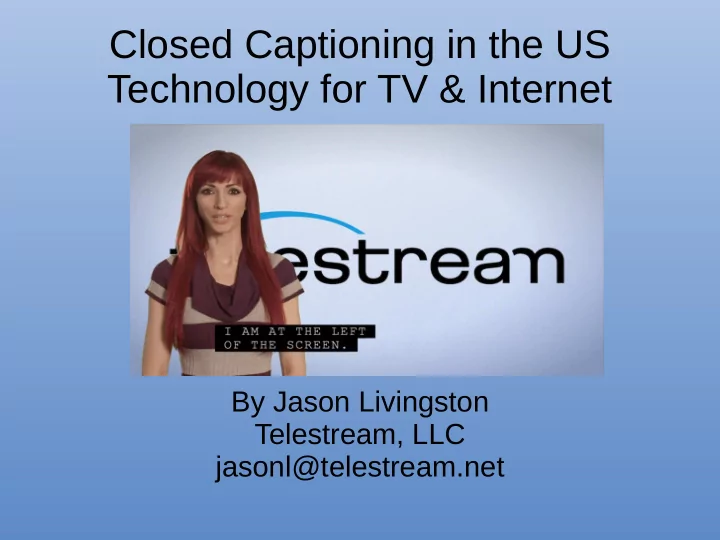
Closed Captioning in the US Technology for TV & Internet

By Jason Livingston Telestream, LLC jasonl@telestream.net

slide-2
SLIDE 2

What is Closed Captioning?

  • Subtitling for the Deaf and Hard of Hearing

(SDH), as opposed to translation

  • Transcribes both dialogue and non-verbal audio

cues such as sound effects and some music

  • Can be turned on or off by the viewer
  • Typically refers to North American CEA-608 &

CEA-708 standards

slide-3
SLIDE 3

Who uses Closed Captioning?

  • More than 48 million Americans have hearing

loss and can rely on CC to comprehend broadcast TV shows (Lin, Niparko, & Ferrucci, 2011).

  • In noisy or quiet environments

– Restaurants & bars – Airports & trains – New parents

  • Learners of English as a 2nd language
slide-4
SLIDE 4

Who uses Closed Captioning?

  • Used by the deaf-blind via CC text output to

Braille terminals

– Thus bitmap subtitles (e.g. DVB Subtitles, Blu-ray,

burn-in subs) are not a good substitute for CC

Image source:

https://en.wikipedia.org/wiki/ Refreshable_braille_display

slide-5
SLIDE 5

Who uses Closed Captioning?

Although most social media videos don’t legally require closed captioning (except for clips from broadcast TV), they tend to be virtually unwatchable without closed captions.

slide-6
SLIDE 6

Why care about closed captioning?

  • For North American TV broadcast and public display, it’s the

law:

– FCC, ADA (USA) – CRTC (Canada) – IFT (Mexico)

  • Major tech companies like Google, Apple, Facebook, etc.,

being US-based, tend to focus on US legal and tech requirements

  • “Least common denominator” standard for interoperability
  • Legal requirements continue to affect development of devices,

players, and newer specifications

  • New technologies “replace” CEA-608 / 708 by emulating them
  • Convert CC to subtitles for international distribution
slide-7
SLIDE 7

US Laws for Broadcast

  • Virtually all live and pre-recorded broadcast TV programs require

CC

– Except for advertisements – Very few other exceptions

  • Broadcast Requirements:

– Accuracy – must match spoken dialogue and include background sounds – Completeness – must run from the beginning to the end of the program – Synchronicity – must appear in sync with dialogue and at a speed that

can be read by viewers

– Placement – must not block important visuals such as lower thirds, other

subtitles, scoreboards, titles, etc.

  • All devices capable of receiving broadcast TV must include a CC

decoder

– Digital TVs have additional UI requirements (user settings for font size,

colors, etc.)

slide-8
SLIDE 8

US Laws for Broadcast, cont’d

  • Complaint-based enforcement

– End users file a FCC complaint online, who then

tracks down the responsible party

– Deaf advocacy groups (NAD, etc.) are very

politically active in the US

slide-9
SLIDE 9

US Laws for Online Video

  • Online video that is/was broadcast on TV with CC must have the

same CC

– Includes full length programming, clips, and montages – Same quality, look & feel requirements as broadcast CC – Both VOD and realtime/live programming

  • Online video that is later broadcast with CC must be captioned
  • nline within a short time frame
  • Requirements for devices & players that can receive content

described above:

– Able to decode CEA-608 / CEA-708 or SMPTE 2052 TTML (“Safe

Harbor” format)

– Same decoder UI requirements as a TV (ability to change font size and

color, etc.)

– Same look & feel of TV CC decoded captions

slide-10
SLIDE 10

US Laws for Online Video, cont’d

Broadcast TV CC Look & Feel Non-compliant browser “CC”

slide-11
SLIDE 11

US Laws, cont’d

  • Americans with Disabilities Act (ADA)

– Public venues must provide equal access to people

with disabilities

– Applies even to video content that is exempt from FCC

rules

– Examples of public venues that must caption:

  • Streaming video providers
  • Websites
  • Airports
  • Restaurants and bars
  • Schools
  • Government facilities
slide-12
SLIDE 12

Technology of Closed Captioning

  • Originally line 21 in VBI
  • 2 data bytes per field (vs. 45 per line for

Teletext)

– Pro: Works on VHS, DVD, survives compression – Con: Captions must be transmitted over several

frames

slide-13
SLIDE 13

Technology of Closed Captioning

CC – 2 bytes per line Teletext – 45 bytes per line

VBI Comparison

slide-14
SLIDE 14

CEA-608 Example

Contrast with tjmed text format e.g. TTML, which is a document containing markup and text, and is mostly human readable: <p region='pop1' begin='00:00:00:09' end='00:00:02:01>♪MUSIC♪</p>

Frame 1 2 3 4 5 6 7 8 9 2 Data Bytes 9420 9476 97a1 9137 cdd5 d349 4380 9137 942c 942f Meaning Pop-on mode Row 15 TAB Indent ♪ MU SI C ♪ Clear Screen Display Captjon

♪MUSIC♪

slide-15
SLIDE 15

Technology of Closed Captioning

  • On & Off-screen buffers
  • 32x15 character grid (vs. 40x24 for Teletext)
  • Fixed size monospace font
  • Latin + Western European character set
  • Max 4 simultaneous languages (but effectively
  • nly 2)
  • Also carries content rating (V-chip) and program

metadata (XDS)

slide-16
SLIDE 16

Limitations of CEA-608 Technology

  • 2 bytes per frame means data for one caption

must be accumulated over many frames

– Problems with first dialogue after a cut – Big challenge when editing clips containing CC – Very constrained when captioning in multiple

languages

  • Character set

– Support for alternate sets is in use but not universally

supported, e.g. South Korea

slide-17
SLIDE 17

Limitations of CEA-608 cont’d

  • SCC file format is not ideal for caption interchange

– No header metadata – Not intended for frame rates other than 29.97 fps – Only one field of CEA-608 data (max 2 languages

instead of 4)

– No CEA-708 data – Source of many common timing issues (DF / NDF drift)

  • “MCC” file format designed to overcome these

limitations

– Supported by Adobe Premiere, Blackmagic, Ateme,

Telestream, Manzanita products, Imagine Nexio

slide-18
SLIDE 18

CEA-708

  • New standard for digital broadcasts (not just HD)

– More advanced styling and presentation features – More character sets (including Unicode support *) – More simultaneous languages and services

  • Includes CEA-608 data for backwards compatibility
  • Limited native CEA-708 authoring tools
  • Chicken-and-egg problem:

– Most CC still authored for 608 and then upconverted, so advanced

features of 708 go mostly unused

– Many broadcast / QC workflows don’t properly decode advanced 708

features, so there is little incentive to try using them

– Most common sidecar files (SCC, CAP) are 608-only

  • MCC file format supports CEA-708 and solves typical SCC / CEA-

608 limitations

slide-19
SLIDE 19

CEA-608 / CEA-708 Transmission

  • Baseband / In-picture

– VBI Line 21 (CEA-608 only) – VANC in SDI

  • Video essence metadata

– MPEG-2 user data (ATSC A/53) – H.264 / H.265 SEI (A/72)

  • Track metadata

– QuickTime CEA-608/708 CC tracks – MXF SMPTE 436m VBI/VANC track

  • Sidecar files

– SCC (CEA-608 only) – MCC (CEA-708 / 608) – Other proprietary formats (Cheetah CAP, etc.)

slide-20
SLIDE 20

CC use cases outside North America

  • Due to NA legal requirements, every device and player manufacturer, as well

as every streaming server and protocol, had to find some way to deal with CC

  • Live streaming support for CEA-608 / CEA-708 :

– RTMP – ABR Packages – HLS / DASH / CMAF – YouTube – Facebook – Wowza – Akamai

  • While some of the above support other subtitling methods (e.g. WebVTT in

HLS, TTML in DASH), none of them are as universally supported as 608/708

  • Additionally, while many of the alternative technologies CAN support a

608/708 look & feel, they are not guaranteed to on every player

– E.g. some players “support” WebVTT or TTML, but don’t honor positioning cues

slide-21
SLIDE 21

Effects on other Standards

  • Same Look & Feel requirement influenced feature

development of other standards such as TTML and WebVTT

– E.g. Support for roll-up captions – Any new subtitling standard must be capable of emulating

all aspects CEA-608 / 708

  • US legal requirements for devices/players apply

regardless of caption/subtitle technology being used

– E.g. UI requirements for allowing changing the font size

slide-22
SLIDE 22

To Replace CEA-608 / 708 ?

What must a subtitle standard do to have any hope of replacing these standards?

  • Must support backwards compatibility for legacy

infrastructure

– i.e. be able to convert new standard to 608/708 – Millions of legacy cable boxes, TVs, receivers, etc. which

  • nly support 608/708

– Any new features must support a graceful fallback

  • Must support forwards compatibility with legacy assets

– i.e. be able to convert 608/708 to new standard losslessly

slide-23
SLIDE 23

To Replace CEA-608 / 708 cont’d

  • Capable of being carried in all modern production

& distribution formats:

– MPEG-2 / H.264 Transport Streams – MOV / MP4 – RTMP live streaming – ABR Packages ( HLS / DASH / CMAF ) – MXF – IMF

  • Robust authoring and QC ecosystem
  • Robust device/player support
slide-24
SLIDE 24

Conclusions

  • Closed captioning is a vital type of subtitling for

both technological and legal reasons

  • Helpful to understand the history of closed

captioning when planning future developments

  • CEA-608 will continue to be relevant for a long

time to come

  • Authoring tools should continue to support CEA-

608 look & feel as a lowest common denominator