CIS 330: Applied Database Systems Lecture 8: SQL Johannes Gehrke - - PDF document

cis 330 applied database systems
SMART_READER_LITE
LIVE PREVIEW

CIS 330: Applied Database Systems Lecture 8: SQL Johannes Gehrke - - PDF document

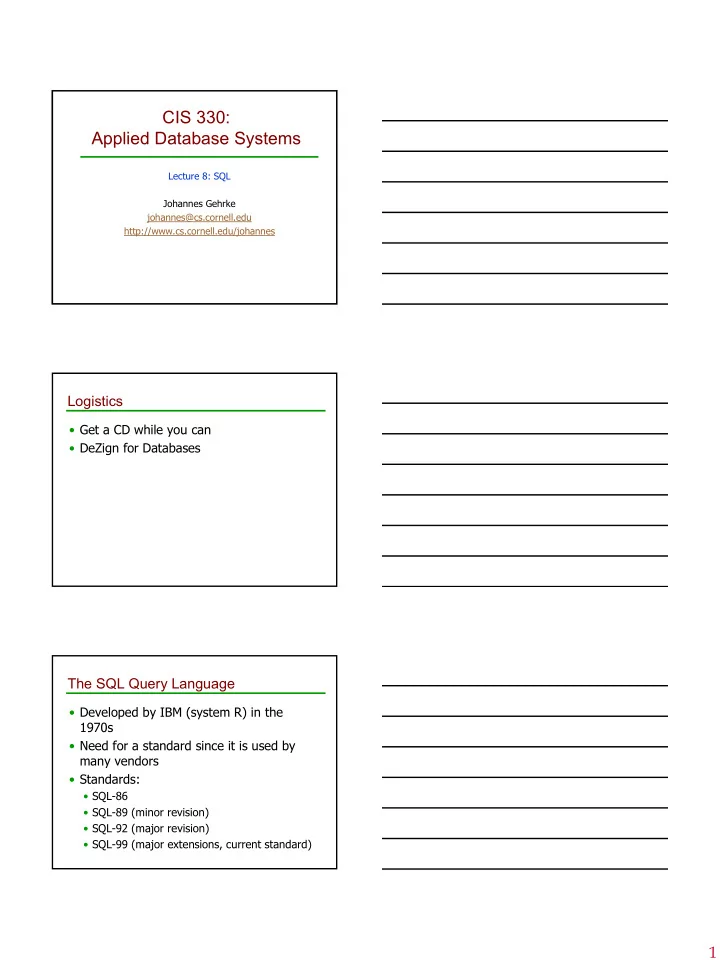
CIS 330: Applied Database Systems Lecture 8: SQL Johannes Gehrke johannes@cs.cornell.edu http://www.cs.cornell.edu/johannes Logistics Get a CD while you can DeZign for Databases The SQL Query Language Developed by IBM (system


slide-1
SLIDE 1

1

CIS 330: Applied Database Systems

Lecture 8: SQL Johannes Gehrke johannes@cs.cornell.edu http://www.cs.cornell.edu/johannes

Logistics

  • Get a CD while you can
  • DeZign for Databases

The SQL Query Language

  • Developed by IBM (system R) in the

1970s

  • Need for a standard since it is used by

many vendors

  • Standards:
  • SQL-86
  • SQL-89 (minor revision)
  • SQL-92 (major revision)
  • SQL-99 (major extensions, current standard)
slide-2
SLIDE 2

2

Example Instances

sid sname rating age 22 dustin 7 45.0 31 lubber 8 55.5 58 rusty 10 35.0 sid sname rating age 28 yuppy 9 35.0 31 lubber 8 55.5 44 guppy 5 35.0 58 rusty 10 35.0

sid bid day 22 101 10/10/96 58 103 11/12/96

R1 S1 S2

  • We will use these

instances of the Sailors and Reserves relations in our examples.

  • If the key for the

Reserves relation contained only the attributes sid and bid, how would the semantics differ?

Basic SQL Query

  • relation-list: A list of relation names (possibly

with a range-variable after each name).

  • target-list: A list of attributes of relations in

relation-list

  • qualification:
  • Comparisons: Attr op const or Attr1 op Attr2, where
  • p is one of the following:

combined using AND, OR and NOT.

  • DISTINCT is an optional keyword indicating that

the answer should not contain duplicates. Default is that duplicates are not eliminated!

SELECT [DISTINCT] target-list FROM

relation-list

WHERE qualification

< > = ≤ ≥ ≠ , , , , , Conceptual Evaluation Strategy

  • Semantics of an SQL query defined in terms of the

following conceptual evaluation strategy:

  • Compute the cross-product of relation-list.
  • Discard resulting tuples if they fail qualifications.
  • Delete attributes that are not in target-list.
  • If DISTINCT is specified, eliminate duplicate rows.
  • This strategy is probably the least efficient way to

compute a query! An optimizer will find more efficient strategies to compute the same answers.

slide-3
SLIDE 3

3

Example of Conceptual Evaluation

SELECT S.sname FROM Sailors S, Reserves R WHERE S.sid=R.sid AND R.bid=103

(sid) sname rating age (sid) bid day 22 dustin 7 45.0 22 101 10/10/96 22 dustin 7 45.0 58 103 11/12/96 31 lubber 8 55.5 22 101 10/10/96 31 lubber 8 55.5 58 103 11/12/96 58 rusty 10 35.0 22 101 10/10/96 58 rusty 10 35.0 58 103 11/12/96

A Note on Range Variables

  • Really needed only if the same relation

appears twice in the FROM clause. The previous query can also be written as:

SELECT S.sname FROM Sailors S, Reserves R WHERE S.sid=R.sid AND bid=103 SELECT sname FROM Sailors, Reserves WHERE Sailors.sid=Reserves.sid AND bid=103

It is good style, however, to use range variables always! OR

Find sailors who have reserved at least

  • ne boat
  • Would adding DISTINCT to this query make a

difference?

  • What is the effect of replacing S.sid by S.sname

in the SELECT clause? Would adding DISTINCT to this variant of the query make a difference? SELECT S.sid FROM Sailors S, Reserves R WHERE S.sid=R.sid

slide-4
SLIDE 4

4

Expressions and Strings

  • Illustrates use of arithmetic expressions and string

pattern matching: Find triples (of ages of sailors and two fields defined by expressions) for sailors whose names begin and end with B and contain at least three characters.

  • AS and = are two ways to name fields in result.
  • LIKE is used for string matching. `_’ stands for any one

character and `%’ stands for 0 or more arbitrary characters. SELECT S.age, age1=S.age-5, 2*S.age AS age2 FROM Sailors S WHERE S.sname LIKE ‘B_%B’ Find sid’s of sailors who’ve reserved a red or a green boat

  • UNION: Can be used to

compute the union of any two union-compatible sets

  • f tuples (which are

themselves the result of SQL queries).

  • If we replace OR by AND in

the first version, what do we get?

  • Also available: EXCEPT

(What do we get if we replace UNION by EXCEPT?)

SELECT S.sid FROM Sailors S, Boats B, Reserves R WHERE S.sid=R.sid AND R.bid=B.bid AND (B.color=‘red’ OR B.color=‘green’) SELECT S.sid FROM Sailors S, Boats B, Reserves R WHERE S.sid=R.sid AND R.bid=B.bid AND B.color=‘red’ UNION SELECT S.sid FROM Sailors S, Boats B, Reserves R WHERE S.sid=R.sid AND R.bid=B.bid AND B.color=‘green’

Find sid’s of sailors who’ve reserved a red and a green boat

  • INTERSECT: Can be used to

compute the intersection

  • f any two union-

compatible sets of tuples.

  • Included in the SQL/92

standard, but some systems don’t support it.

  • Contrast symmetry of the

UNION and INTERSECT

queries with how much the

  • ther versions differ.

SELECT S.sid FROM Sailors S, Boats B1, Reserves R1,

Boats B2, Reserves R2

WHERE S.sid=R1.sid AND R1.bid=B1.bid AND S.sid=R2.sid AND R2.bid=B2.bid AND (B1.color=‘red’ AND B2.color=‘green’) SELECT S.sid FROM Sailors S, Boats B, Reserves R WHERE S.sid=R.sid AND R.bid=B.bid AND B.color=‘red’ INTERSECT SELECT S.sid FROM Sailors S, Boats B, Reserves R WHERE S.sid=R.sid AND R.bid=B.bid AND B.color=‘green’

Key field!

slide-5
SLIDE 5

5

In-Class Exercise

Suppliers(sid:integer, sname:string, address:string) Parts(pid: integer, pname:string, color:string) Catalog(sid: integer, pid: integer, cost: real)

  • Find the pnames of parts for which there is

some supplier.

  • Find the sids of suppliers who supply a red part

and a green part.

  • Find the sids of suppliers who supply a red part
  • r a green

Back to SQL: Nested Queries

  • A very powerful feature of SQL: a WHERE clause can

itself contain an SQL query! (Actually, so can FROM and HAVING clauses.)

  • To find sailors who’ve not reserved #103, use NOT IN.
  • To understand semantics of nested queries, think of a

nested loops evaluation: For each Sailors tuple, check the qualification by computing the subquery.

Find names of sailors who’ve reserved boat #103:

SELECT S.sname FROM Sailors S WHERE S.sid IN (SELECT R.sid FROM Reserves R WHERE R.bid=103)

Nested Queries with Correlation

  • EXISTS is another set comparison operator, like IN.
  • If UNIQUE is used, and * is replaced by R.bid, finds sailors with

at most one reservation for boat #103. (UNIQUE checks for duplicate tuples; * denotes all attributes. Why do we have to replace * by R.bid?)

  • Illustrates why, in general, subquery must be re-computed for

each Sailors tuple.

Find names of sailors who’ve reserved boat #103:

SELECT S.sname FROM Sailors S WHERE EXISTS (SELECT * FROM Reserves R WHERE R.bid=103 AND S.sid=R.sid)

slide-6
SLIDE 6

6

More on Set-Comparison Operators

  • We’ve already seen IN, EXISTS and UNIQUE. Can also

use NOT IN, NOT EXISTS and NOT UNIQUE.

  • Also available: op ANY, op ALL, op IN
  • Find sailors whose rating is greater than that of some

sailor called Horatio:

> < = ≥ ≤ ≠ , , , , ,

SELECT * FROM Sailors S WHERE S.rating > ANY (SELECT S2.rating FROM Sailors S2 WHERE S2.sname=‘Horatio’)

Rewriting INTERSECT Queries Using IN

  • Similarly, EXCEPT queries re-written using NOT IN.
  • To find names (not sid’s) of Sailors who’ve reserved

both red and green boats, just replace S.sid by S.sname in SELECT clause. (What about INTERSECT query?)

Find sid’s of sailors who’ve reserved both a red and a green boat:

SELECT S.sid FROM Sailors S, Boats B, Reserves R WHERE S.sid=R.sid AND R.bid=B.bid AND B.color=‘red’ AND S.sid IN (SELECT S2.sid FROM Sailors S2, Boats B2, Reserves R2 WHERE S2.sid=R2.sid AND R2.bid=B2.bid AND B2.color=‘green’)

Division

  • Not supported as a primitive operator, but useful for

expressing queries like: Find sailors who have reserved all boats.

  • Let A have 2 fields, x and y; B have only field y:
  • A/B =
  • i.e., A/B contains all x tuples (sailors) such that for every y

tuple (boat) in B, there is an xy tuple in A.

  • Or: If the set of y values (boats) associated with an x

value (sailor) in A contains all y values in B, the x value is in A/B.

  • In general, x and y can be any lists of fields; y is the

list of fields in B, and x y is the list of fields of A.

{ }

x x y A y B | , ∃ ∈ ∀ ∈

slide-7
SLIDE 7

7

Examples of Division A/B

sno pno s1 p1 s1 p2 s1 p3 s1 p4 s2 p1 s2 p2 s3 p2 s4 p2 s4 p4 pno p2 pno p2 p4 pno p1 p2 p4 sno s1 s2 s3 s4 sno s1 s4 sno s1

A B1 B2 B3 A/B1 A/B2 A/B3

Expressing A/B Using Basic Operators

  • Division is not essential op; just a useful shorthand.
  • (Also true of joins, but joins are so common that systems

implement joins specially.)

  • Idea: For A/B, compute all x values that are not

`disqualified’ by some y value in B.

  • x value is disqualified if by attaching y value from B, we
  • btain an xy tuple that is not in A.

Disqualified x values:

A/B:

π π x x A B A (( ( ) ) ) × − π x A ( ) − all disqualified tuples

Find the names of sailors who’ve reserved all boats

  • Uses division; schemas of the input

relations to / must be carefully chosen:

ρ π π ( , ( , Re ) / ( )) Tempsids sid bid serves bid Boats

π sname Tempsids Sailors ( ) > <

To find sailors who’ve reserved all ‘Interlake’ boats:

/ ( ' ' ) π σ bid bname Interlake Boats =

.....

slide-8
SLIDE 8

8

Division in SQL

  • Let’s do it the hard

way, without EXCEPT:

SELECT S.sname FROM Sailors S WHERE NOT EXISTS

((SELECT B.bid

FROM Boats B) EXCEPT

(SELECT R.bid

FROM Reserves R WHERE R.sid=S.sid))

SELECT S.sname FROM Sailors S WHERE NOT EXISTS (SELECT B.bid FROM Boats B WHERE NOT EXISTS (SELECT R.bid FROM Reserves R WHERE R.bid=B.bid AND R.sid=S.sid))

Sailors S such that ... there is no boat B without ... a Reserves tuple showing S reserved B Find sailors who’ve reserved all boats. (1) (2)

In-Class Exercise

Suppliers(sid:integer, sname:string, address:string) Parts(pid: integer, pname:string, color:string) Catalog(sid: integer, pid: integer, cost: real)

  • Find the snames of suppliers who supply every part.
  • Find the snames of suppliers who supply every red part.
  • Find the pnames of parts supplied by Acme Widget

Suppliers and no one else.

Aggregate Operators

  • Significant extension of

relational algebra.

COUNT (*) COUNT ( [DISTINCT] A) SUM ( [DISTINCT] A) AVG ( [DISTINCT] A) MAX (A) MIN (A) SELECT AVG (S.age) FROM Sailors S WHERE S.rating=10 SELECT COUNT (*) FROM Sailors S SELECT AVG ( DISTINCT S.age) FROM Sailors S WHERE S.rating=10 SELECT S.sname FROM Sailors S WHERE S.rating= (SELECT MAX(S2.rating) FROM Sailors S2)

single column

SELECT COUNT (DISTINCT S.rating) FROM Sailors S WHERE S.sname=‘Bob’

slide-9
SLIDE 9

9

Find name and age of the oldest sailor(s)

  • The first query is illegal!

(We’ll look into the reason a bit later, when we discuss GROUP BY.)

  • The third query is

equivalent to the second query, and is allowed in the SQL/92 standard, but is not supported in some systems.

SELECT S.sname, MAX (S.age) FROM Sailors S SELECT S.sname, S.age FROM Sailors S WHERE S.age =

(SELECT MAX (S2.age)

FROM Sailors S2) SELECT S.sname, S.age FROM Sailors S WHERE (SELECT MAX (S2.age) FROM Sailors S2)

= S.age

GROUP BY and HAVING

  • So far, we’ve applied aggregate operators to all

(qualifying) tuples. Sometimes, we want to apply them to each of several groups of tuples.

  • Consider: Find the age of the youngest sailor for

each rating level.

  • In general, we don’t know how many rating levels

exist, and what the rating values for these levels are!

  • Suppose we know that rating values go from 1 to 10;

we can write 10 queries that look like this (!): SELECT MIN (S.age) FROM Sailors S WHERE S.rating = i For i = 1, 2, ... , 10:

Queries With GROUP BY and HAVING

  • The target-list contains (i) attribute names (ii) terms

with aggregate operations (e.g., MIN (S.age)).

  • The attribute list (i) must be a subset of grouping-list.

Intuitively, each answer tuple corresponds to a group, and these attributes must have a single value per group. (A group is a set of tuples that have the same value for all attributes in grouping-list.)

SELECT [DISTINCT] target-list FROM

relation-list

WHERE qualification GROUP BY grouping-list HAVING group-qualification

slide-10
SLIDE 10

10

Conceptual Evaluation

  • The cross-product of relation-list is computed, tuples

that fail qualification are discarded, `unnecessary’ fields are deleted, and the remaining tuples are partitioned into groups by the value of attributes in grouping-list.

  • The group-qualification is then applied to eliminate

some groups. Expressions in group-qualification must have a single value per group!

  • In effect, an attribute in group-qualification that is not an

argument of an aggregate op also appears in grouping-list. (SQL does not exploit primary key semantics here!)

  • One answer tuple is generated per qualifying group.

Find the age of the youngest sailor with age 18, for each rating with at least 2 such sailors

  • Only S.rating and S.age are

mentioned in the SELECT, GROUP

BY or HAVING clauses; other

attributes `unnecessary’.

  • 2nd column of result is
  • unnamed. (Use AS to name it.)

SELECT S.rating, MIN (S.age) FROM Sailors S WHERE S.age >= 18 GROUP BY S.rating HAVING COUNT (*) > 1

sid sname rating age 22 dustin 7 45.0 31 lubber 8 55.5 71 zorba 10 16.0 64 horatio 7 35.0 29 brutus 1 33.0 58 rusty 10 35.0 rating age 1 33.0 7 45.0 7 35.0 8 55.5 10 35.0 rating 7 35.0 Answer relation

For each red boat, find the number of reservations for this boat

  • Grouping over a join of three relations.
  • What do we get if we remove B.color=‘red’

from the WHERE clause and add a HAVING clause with this condition?

  • What if we drop Sailors and the condition

involving S.sid?

SELECT B.bid, COUNT (*) AS scount FROM Sailors S, Boats B, Reserves R WHERE S.sid=R.sid AND R.bid=B.bid AND B.color=‘red’ GROUP BY B.bid

slide-11
SLIDE 11

11

Find the age of the youngest sailor with age > 18, for each rating with at least 2 sailors (of any age)

  • Shows HAVING clause can also contain a subquery.
  • Compare this with the query where we considered
  • nly ratings with 2 sailors over 18!
  • What if HAVING clause is replaced by:
  • HAVING COUNT(*) >1

SELECT S.rating, MIN (S.age) FROM Sailors S WHERE S.age > 18 GROUP BY S.rating HAVING 1 < (SELECT COUNT (*) FROM Sailors S2 WHERE S.rating=S2.rating)

Find those ratings for which the average age is the minimum over all ratings

  • Aggregate operations cannot be nested! WRONG:

SELECT S.rating FROM Sailors S WHERE S.age = (SELECT MIN (AVG (S2.age)) FROM Sailors S2) SELECT Temp.rating, Temp.avgage FROM (SELECT S.rating, AVG (S.age) AS avgage FROM Sailors S GROUP BY S.rating) AS Temp WHERE Temp.avgage = (SELECT MIN (Temp.avgage) FROM Temp) Correct solution (in SQL/92):

In-Class Exercise

Suppliers(sid:integer, sname:string, address:string) Parts(pid: integer, pname:string, color:string) Catalog(sid: integer, pid: integer, cost: real)

  • Find the sids of suppliers who charge more for some part than the

average cost of that part (averaged over all the suppliers who supply that part).

  • For each part, find the sname of the supplier who charges the most

for that part.

  • Find the sids of suppliers who supply only red parts.
  • For every supplier that only supplies green parts, print the name of

the supplier and the total number of parts that she supplies.

  • For every supplier that supplies a green part and a red part, print

the name and price of the most expensive part that she supplies.
slide-12
SLIDE 12

12

Null Values

  • Field values in a tuple are sometimes unknown (e.g.,

a rating has not been assigned) or inapplicable (e.g., no spouse’s name).

  • SQL provides a special value null for such situations.
  • The presence of null complicates many issues. E.g.:
  • Special operators needed to check if value is/is not null.
  • Is rating>8 true or false when rating is equal to null? What

about AND, OR and NOT connectives?

  • We need a 3-valued logic (true, false and unknown).
  • Meaning of constructs must be defined carefully. (e.g.,

WHERE clause eliminates rows that don’t evaluate to true.)

  • New operators (in particular, outer joins) possible/needed.

Integrity Constraints (Review)

  • An IC describes conditions that every legal instance
  • f a relation must satisfy.
  • Inserts/deletes/updates that violate IC’s are disallowed.
  • Can be used to ensure application semantics (e.g., sid is

a key), or prevent inconsistencies (e.g., sname has to be a string, age must be < 200)

  • Types of IC’s: Domain constraints, primary key

constraints, foreign key constraints, general constraints.

  • Domain constraints: Field values must be of right type.

Always enforced.

General Constraints

  • Useful when

more general ICs than keys are involved.

  • Can use queries

to express constraint.

  • Constraints can

be named.

CREATE TABLE Sailors

( sid INTEGER, sname CHAR(10), rating INTEGER, age REAL,

PRIMARY KEY (sid), CHECK ( rating >= 1 AND rating <= 10 ) CREATE TABLE Reserves

( sname CHAR(10), bid INTEGER, day DATE,

PRIMARY KEY (bid,day), CONSTRAINT noInterlakeRes CHECK (`Interlake’ <>

( SELECT B.bname

FROM Boats B WHERE B.bid=bid)))

slide-13
SLIDE 13

13

Constraints Over Multiple Relations

CREATE TABLE Sailors

( sid INTEGER, sname CHAR(10), rating INTEGER, age REAL,

PRIMARY KEY (sid), CHECK

( (SELECT COUNT (S.sid) FROM Sailors S) + (SELECT COUNT (B.bid) FROM Boats B) < 100 )

  • Awkward and

wrong!

  • If Sailors is

empty, the number of Boats tuples can be anything!

  • ASSERTION is the

right solution; not associated with either table.

CREATE ASSERTION smallClub CHECK

( (SELECT COUNT (S.sid) FROM Sailors S) + (SELECT COUNT (B.bid) FROM Boats B) < 100 Number of boats plus number of sailors is < 100

Triggers

  • Trigger: Procedure that starts

automatically if specified changes occur to the DBMS

  • Three parts:
  • Event (activates the trigger)
  • Condition (tests whether the triggers should

run)

  • Action (what happens if the trigger runs)

Triggers: Example (SQL:1999)

CREATE TRIGGER youngSailorUpdate AFTER INSERT ON SAILORS REFERENCING NEW TABLE NewSailors FOR EACH STATEMENT INSERT INTO YoungSailors(sid, name, age, rating) SELECT sid, name, age, rating FROM NewSailors N WHERE N.age <= 18

slide-14
SLIDE 14

14

SQL in Application Code

  • Embedded SQL
  • Cursors
  • Dynamic SQL
  • JDBC
  • SQLJ
  • Stored procedures

SQL in Application Code

  • SQL commands can be called from within a

host language (e.g., C++ or Java) program.

  • SQL statements can refer to host variables

(including special variables used to return status).

  • Must include a statement to connect to the right

database.

  • Two main integration approaches:
  • Embed SQL in the host language (Embedded SQL,

SQLJ)

  • Create special API to call SQL commands (JDBC)

SQL in Application Code (Contd.)

Impedance mismatch:

  • SQL relations are (multi-) sets of records,

with no a priori bound on the number of

  • records. No such data structure exist

traditionally in procedural programming languages such as C++. (Though now: STL)

  • SQL supports a mechanism called a cursor to

handle this.

slide-15
SLIDE 15

15

Embedded SQL

  • Approach: Embed SQL in the host language.
  • A preprocessor converts the SQL statements into

special API calls.

  • Then a regular compiler is used to compile the

code.

  • Language constructs:
  • Connecting to a database:

EXEC SQL CONNECT

  • Declaring variables:

EXEC SQL BEGIN (END) DECLARE SECTION

  • Statements:

EXEC SQL Statement;

Embedded SQL: Variables

EXEC SQL BEGIN DECLARE SECTION char c_sname[20]; long c_sid; short c_rating; float c_age; EXEC SQL END DECLARE SECTION

  • Two special “error” variables:
  • SQLCODE (long, is negative if an error has
  • ccurred)
  • SQLSTATE (char[6], predefined codes for common

errors)

Cursors

  • Can declare a cursor on a relation or query

statement (which generates a relation).

  • Can open a cursor, and repeatedly fetch a tuple

then move the cursor, until all tuples have been retrieved.

  • Can use a special clause, called ORDER BY, in queries that

are accessed through a cursor, to control the order in which tuples are returned.

  • Fields in ORDER BY clause must also appear in SELECT clause.
  • The ORDER BY clause, which orders answer tuples, is only

allowed in the context of a cursor.

  • Can also modify/delete tuple pointed to by a cursor.
slide-16
SLIDE 16

16

Cursor that gets names of sailors who’ve reserved a red boat, in alphabetical order

  • Note that it is illegal to replace S.sname by, say,

S.sid in the ORDER BY clause! (Why?)

  • Can we add S.sid to the SELECT clause and

replace S.sname by S.sid in the ORDER BY clause?

EXEC SQL DECLARE sinfo CURSOR FOR SELECT S.sname FROM Sailors S, Boats B, Reserves R WHERE S.sid=R.sid AND R.bid=B.bid AND B.color=‘red’ ORDER BY S.sname

Embedding SQL in C: An Example

char SQLSTATE[6]; EXEC SQL BEGIN DECLARE SECTION char c_sname[20]; short c_minrating; float c_age; EXEC SQL END DECLARE SECTION c_minrating = random(); EXEC SQL DECLARE sinfo CURSOR FOR SELECT S.sname, S.age FROM Sailors S WHERE S.rating > :c_minrating ORDER BY S.sname; do { EXEC SQL FETCH sinfo INTO :c_sname, :c_age; printf(“%s is %d years old\n”, c_sname, c_age); } while (SQLSTATE != ‘02000’); EXEC SQL CLOSE sinfo;

Dynamic SQL

  • SQL query strings are now always known at

compile time (e.g., spreadsheet, graphical DBMS frontend): Allow construction of SQL statements

  • n-the-fly
  • Example:

char c_sqlstring[]= {“DELETE FROM Sailors WHERE raiting>5”}; EXEC SQL PREPARE readytogo FROM :c_sqlstring; EXEC SQL EXECUTE readytogo;

slide-17
SLIDE 17

17

Database APIs: Alternative to Embedding

  • Rather than modify compiler, add library with

database calls (API)

  • Special standardized interface:

procedures/objects

  • Pass SQL strings from language, presents result

sets in a language-friendly way

  • Sun’s JDBC: Java API
  • Supposedly DBMS-neutral
  • a “driver” traps the calls and translates them into

DBMS-specific code

  • database can be across a network

JDBC: Architecture

  • Four architectural components:
  • Application (initiates and terminates

connections, submits SQL statements)

  • Driver manager (load JDBC driver)
  • Driver (connects to data source, transmits

requests and returns/translates results and error codes)

  • Data source (processes SQL statements)

JDBC Architecture (Contd.)

Four types of drivers: Bridge:

  • Translates SQL commands into non-native API.

Example: JDBC-ODBC bridge. Code for ODBC and JDBC driver needs to be available on each client.

Direct translation to native API, non-Java driver:

  • Translates SQL commands to native API of data source. Need OS-

specific binary on each client.

Network bridge:

  • Send commands over the network to a middleware server that

talks to the data source. Needs only small JDBC driver at each client.

Direction translation to native API via Java driver:

  • Converts JDBC calls directly to network protocol used by DBMS.

Needs DBMS-specific Java driver at each client.

slide-18
SLIDE 18

18

JDBC Classes and Interfaces

Steps to submit a database query:

  • Load the JDBC driver
  • Connect to the data source
  • Execute SQL statements

JDBC Driver Management

  • All drivers are managed by the

DriverManager class

  • Loading a JDBC driver:
  • In the Java code:

Class.forName(“oracle/jdbc.driver.Oracledrive r”);

  • When starting the Java application:
  • Djdbc.drivers=oracle/jdbc.driver

Connections in JDBC

We interact with a data source through sessions. Each connection identifies a logical session.

  • JDBC URL:

jdbc:<subprotocol>:<otherParameters> Example:

String url=“jdbc:oracle:www.bookstore.com:3083”; Connection con; try{ con = DriverManager.getConnection(url,usedId,password); } catch SQLException excpt { …}

slide-19
SLIDE 19

19

Connection Class Interface

  • public int getTransactionIsolation() and

void setTransactionIsolation(int level) Sets isolation level for the current connection.

  • public boolean getReadOnly() and

void setReadOnly(boolean b) Specifies whether transactions in this connection are read-only

  • public boolean getAutoCommit() and

void setAutoCommit(boolean b) If autocommit is set, then each SQL statement is considered its own transaction. Otherwise, a transaction is committed using commit(), or aborted using rollback().

  • public boolean isClosed()

Checks whether connection is still open.

Executing SQL Statements

  • Three different ways of executing SQL

statements:

  • Statement (both static and dynamic SQL

statements)

  • PreparedStatement (semi-static SQL statements)
  • CallableStatment (stored procedures)
  • PreparedStatement class:

Precompiled, parametrized SQL statements:

  • Structure is fixed
  • Values of parameters are determined at run-time

Executing SQL Statements (Contd.)

String sql=“INSERT INTO Sailors VALUES(?,?,?,?)”; PreparedStatment pstmt=con.prepareStatement(sql); pstmt.clearParameters(); pstmt.setInt(1,sid); pstmt.setString(2,sname); pstmt.setInt(3, rating); pstmt.setFloat(4,age); // we know that no rows are returned, thus we use executeUpdate() int numRows = pstmt.executeUpdate();

slide-20
SLIDE 20

20

ResultSets

  • PreparedStatement.executeUpdate only returns

the number of affected records

  • PreparedStatement.executeQuery returns data,

encapsulated in a ResultSet object (a cursor) ResultSet rs=pstmt.executeQuery(sql); // rs is now a cursor While (rs.next()) { // process the data }

ResultSets (Contd.)

A ResultSet is a very powerful cursor:

  • previous(): moves one row back
  • absolute(int num): moves to the row with

the specified number

  • relative (int num): moves forward or

backward

  • first() and last()

Matching Java and SQL Data Types

getTimestamp() java.sql.TimeStamp TIMESTAMP getTime() java.sql.Time TIME getDate() java.sql.Date DATE getFloat() Double REAL getInt() Integer INTEGER getDouble() Double FLOAT getDouble() Double DOUBLE getString() String VARCHAR getString() String CHAR getBoolean() Boolean BIT ResultSet get method Java class SQL Type

slide-21
SLIDE 21

21

JDBC: Exceptions and Warnings

  • Most of java.sql can throw and

SQLException if an error occurs.

  • SQLWarning is a subclass of

EQLException; not as severe (they are not thrown and their existence has to be explicitly tested)

Warning and Exceptions (Contd.)

try { stmt=con.createStatement(); warning=con.getWarnings(); while(warning != null) { // handle SQLWarnings; warning = warning.getNextWarning(): } con.clearWarnings(); stmt.executeUpdate(queryString); warning = con.getWarnings(); … } //end try catch( SQLException SQLe) { // handle the exception }

Examining Database Metadata

DatabaseMetaData object gives information about the database system and the catalog. DatabaseMetaData md = con.getMetaData(); // print information about the driver: System.out.println( “Name:” + md.getDriverName() + “version: ” + md.getDriverVersion());

slide-22
SLIDE 22

22

Database Metadata (Contd.)

DatabaseMetaData md=con.getMetaData(); ResultSet trs=md.getTables(null,null,null,null); String tableName; While(trs.next()) { tableName = trs.getString(“TABLE_NAME”); System.out.println(“Table: “ + tableName); //print all attributes ResultSet crs = md.getColumns(null,null,tableName, null); while (crs.next()) { System.out.println(crs.getString(“COLUMN_NAME” + “, “); } }

A (Semi-)Complete Example

Connection con = // connect DriverManager.getConnection(url, ”login", ”pass"); Statement stmt = con.createStatement(); // set up stmt String query = "SELECT name, rating FROM Sailors"; ResultSet rs = stmt.executeQuery(query); try { // handle exceptions // loop through result tuples while (rs.next()) { String s = rs.getString(“name"); Int n = rs.getFloat(“rating"); System.out.println(s + " " + n); } } catch(SQLException ex) { System.out.println(ex.getMessage () + ex.getSQLState () + ex.getErrorCode ()); }

SQLJ

  • Complements JDBC with a (semi-)static query model:

Compiler can perform syntax checks, strong type checks, consistency of the query with the schema

  • All arguments always bound to the same variable:

#sql = { SELECT name, rating INTO :name, :rating FROM Books WHERE sid = :sid;

  • Compare to JDBC:

sid=rs.getInt(1); if (sid==1) {sname=rs.getString(2);} else { sname2=rs.getString(2);}

  • SQLJ (part of the SQL standard) versus embedded SQL

(vendor-specific)

slide-23
SLIDE 23

23

SQLJ Code

Int sid; String name; Int rating; // named iterator #sql iterator Sailors(Int sid, String name, Int rating); Sailors sailors; // assume that the application sets rating #sailors = { SELECT sid, sname INTO :sid, :name FROM Sailors WHERE rating = :rating }; // retrieve results while (sailors.next()) { System.out.println(sailors.sid + “ “ + sailors.sname)); } sailors.close();

SQLJ Iterators

Two types of iterators (“cursors”):

  • Named iterator
  • Need both variable type and name, and then allows retrieval
  • f columns by name.
  • See example on previous slide.
  • Positional iterator
  • Need only variable type, and then uses FETCH .. INTO

construct: #sql iterator Sailors(Int, String, Int); Sailors sailors; #sailors = … while (true) { #sql {FETCH :sailors INTO :sid, :name} ; if (sailors.endFetch()) { break; } // process the sailor }

Stored Procedures

  • What is a stored procedure:
  • Program executed through a single SQL

statement

  • Executed in the process space of the server
  • Advantages:
  • Can encapsulate application logic while

staying “close” to the data

  • Reuse of application logic by different users
  • Avoid tuple-at-a-time return of records

through cursors

slide-24
SLIDE 24

24

Stored Procedures: Examples

CREATE PROCEDURE ShowNumReservations SELECT S.sid, S.sname, COUNT(*) FROM Sailors S, Reserves R WHERE S.sid = R.sid GROUP BY S.sid, S.sname Stored procedures can have parameters:

  • Three different modes: IN, OUT, INOUT

CREATE PROCEDURE IncreaseRating( IN sailor_sid INTEGER, IN increase INTEGER) UPDATE Sailors SET rating = rating + increase WHERE sid = sailor_sid

Stored Procedures: Examples (Contd.)

Stored procedure do not have to be written in SQL:

CREATE PROCEDURE TopSailors( IN num INTEGER) LANGUAGE JAVA EXTERNAL NAME “file:///c:/storedProcs/rank.jar”

Calling Stored Procedures

EXEC SQL BEGIN DECLARE SECTION Int sid; Int rating; EXEC SQL END DECLARE SECTION // now increase the rating of this sailor EXEC CALL IncreaseRating(:sid,:rating);

slide-25
SLIDE 25

25

Calling Stored Procedures (Contd.)

JDBC: CallableStatement cstmt= con.prepareCall(“{call ShowSailors}); ResultSet rs = cstmt.executeQuery(); while (rs.next()) { … } SQLJ: #sql iterator ShowSailors(…); ShowSailors showsailors; #sql showsailors={CALL ShowSailors}; while (showsailors.next()) { … }

SQL/PSM

Most DBMSs allow users to write stored procedures in a simple, general-purpose language (close to SQL) SQL/PSM standard is a representative Declare a stored procedure: CREATE PROCEDURE name(p1, p2, …, pn) local variable declarations procedure code; Declare a function: CREATE FUNCTION name (p1, …, pn) RETURNS sqlDataType local variable declarations function code;

Main SQL/PSM Constructs

CREATE FUNCTION rate Sailor (IN sailorId INTEGER) RETURNS INTEGER DECLARE rating INTEGER DECLARE numRes INTEGER SET numRes = (SELECT COUNT(*) FROM Reserves R WHERE R.sid = sailorId) IF (numRes > 10) THEN rating =1; ELSE rating = 0; END IF; RETURN rating;

slide-26
SLIDE 26

26

Main SQL/PSM Constructs (Contd.)

  • Local variables (DECLARE)
  • RETURN values for FUNCTION
  • Assign variables with SET
  • Branches and loops:
  • IF (condition) THEN statements;

ELSEIF (condition) statements; … ELSE statements; END IF;

  • LOOP statements; END LOOP
  • Queries can be parts of expressions
  • Can use cursors naturally without “EXEC SQL”

Summary

  • Embedded SQL allows execution of parametrized

static queries within a host language

  • Dynamic SQL allows execution of completely ad-

hoc queries within a host language

  • Cursor mechanism allows retrieval of one record

at a time and bridges impedance mismatch between host language and SQL

  • APIs such as JDBC introduce a layer of

abstraction between application and DBMS

Summary (Contd.)

  • SQLJ: Static model, queries checked a

compile-time.

  • Stored procedures execute application

logic directly at the server

  • SQL/PSM standard for writing stored

procedures