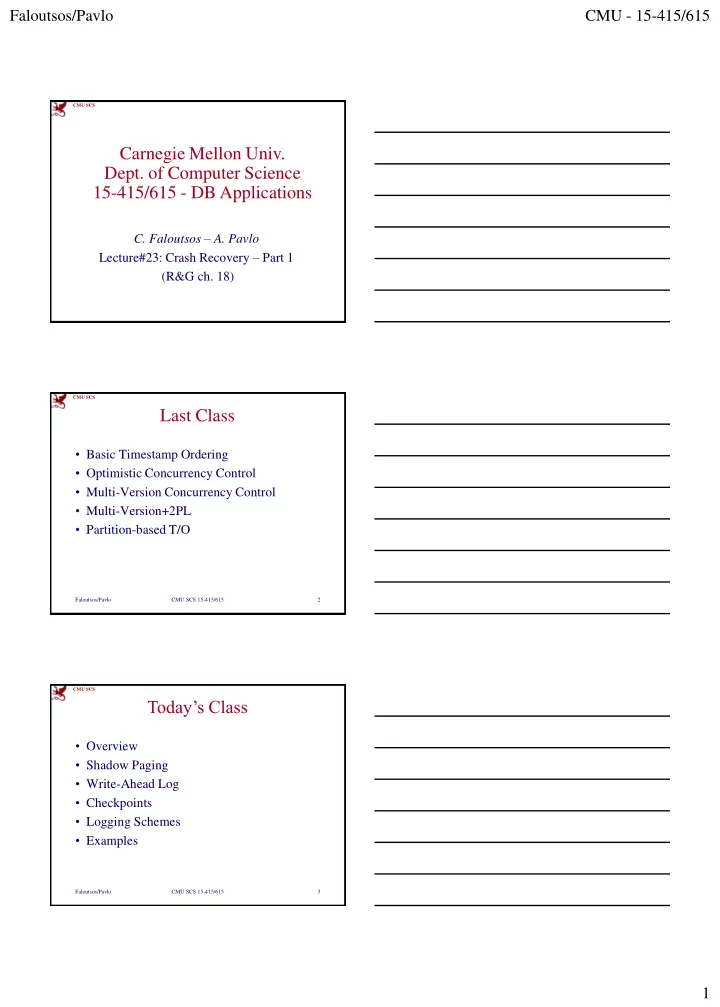
Carnegie Mellon Univ. Dept. of Computer Science 15-415/615 - DB - - PDF document

carnegie mellon univ dept of computer science 15 415 615
SMART_READER_LITE
LIVE PREVIEW

Carnegie Mellon Univ. Dept. of Computer Science 15-415/615 - DB - - PDF document

Faloutsos/Pavlo CMU - 15-415/615 CMU SCS Carnegie Mellon Univ. Dept. of Computer Science 15-415/615 - DB Applications C. Faloutsos A. Pavlo Lecture#23: Crash Recovery Part 1 (R&G ch. 18) CMU SCS Last Class Basic Timestamp


slide-1
SLIDE 1

Faloutsos/Pavlo CMU - 15-415/615 1

CMU SCS

Carnegie Mellon Univ.

  • Dept. of Computer Science

15-415/615 - DB Applications

  • C. Faloutsos – A. Pavlo

Lecture#23: Crash Recovery – Part 1 (R&G ch. 18)

CMU SCS

Last Class

  • Basic Timestamp Ordering
  • Optimistic Concurrency Control
  • Multi-Version Concurrency Control
  • Multi-Version+2PL
  • Partition-based T/O

Faloutsos/Pavlo CMU SCS 15-415/615 2

CMU SCS

Today’s Class

  • Overview
  • Shadow Paging
  • Write-Ahead Log
  • Checkpoints
  • Logging Schemes
  • Examples

Faloutsos/Pavlo CMU SCS 15-415/615 3

slide-2
SLIDE 2

Faloutsos/Pavlo CMU - 15-415/615 2

CMU SCS

Motivation

Faloutsos/Pavlo CMU SCS 15-415/615 4

BEGIN R(A) W(A) ⋮ COMMIT

T1

Buffer Pool

Disk

A=1

Page

A=1

Memory

A=2

CMU SCS

Crash Recovery

  • Recovery algorithms are techniques to

ensure database consistency, transaction atomicity and durability despite failures.

  • Recovery algorithms have two parts:

– Actions during normal txn processing to ensure that the DBMS can recover from a failure. – Actions after a failure to recover the database to a state that ensures atomicity, consistency, and durability.

Faloutsos/Pavlo CMU SCS 15-415/615 5

CMU SCS

Crash Recovery

  • DBMS is divided into different components

based on the underlying storage device.

  • Need to also classify the different types of

failures that the DBMS needs to handle.

Faloutsos/Pavlo CMU SCS 15-415/615 6

slide-3
SLIDE 3

Faloutsos/Pavlo CMU - 15-415/615 3

CMU SCS

Storage Types

  • Volatile Storage:

– Data does not persist after power is cut. – Examples: DRAM, SRAM

  • Non-volatile Storage:

– Data persists after losing power. – Examples: HDD, SDD

  • Stable Storage:

– A non-existent form of non-volatile storage that survives all possible failures scenarios.

Faloutsos/Pavlo CMU SCS 15-415/615 7

Use multiple storage devices to approximate.

CMU SCS

Failure Classification

  • Transaction Failures
  • System Failures
  • Storage Media Failures

Faloutsos/Pavlo CMU SCS 15-415/615 8

CMU SCS

Transaction Failures

  • Logical Errors:

– Transaction cannot complete due to some internal error condition (e.g., integrity constraint violation).

  • Internal State Errors:

– DBMS must terminate an active transaction due to an error condition (e.g., deadlock)

Faloutsos/Pavlo CMU SCS 15-415/615 9

slide-4
SLIDE 4

Faloutsos/Pavlo CMU - 15-415/615 4

CMU SCS

System Failures

  • Software Failure:

– Problem with the DBMS implementation (e.g., uncaught divide-by-zero exception).

  • Hardware Failure:

– The computer hosting the DBMS crashes (e.g., power plug gets pulled). – Fail-stop Assumption: Non-volatile storage contents are assumed to not be corrupted by system crash.

Faloutsos/Pavlo CMU SCS 15-415/615 10

CMU SCS

Storage Media Failure

  • Non-Repairable Hardware Failure:

– A head crash or similar disk failure destroys all

  • r part of non-volatile storage.

– Destruction is assumed to be detectable (e.g., disk controller use checksums to detect failures).

  • No DBMS can recover from this. Database

must be restored from archived version.

Faloutsos/Pavlo CMU SCS 15-415/615 11

CMU SCS

Problem Definition

  • Primary storage location of records is on

non-volatile storage, but this is much slower than volatile storage.

  • Use volatile memory for faster access:

– First copy target record into memory. – Perform the writes in memory. – Write dirty records back to disk.

Faloutsos/Pavlo CMU SCS 15-415/615 12

slide-5
SLIDE 5

Faloutsos/Pavlo CMU - 15-415/615 5

CMU SCS

Problem Definition

  • Need to ensure:

– The changes for any txn are durable once the DBMS has told somebody that it committed. – No changes are durable if the txn aborted.

Faloutsos/Pavlo CMU SCS 15-415/615 13

CMU SCS

Undo vs. Redo

  • Undo: The process of removing the effects of

an incomplete or aborted txn.

  • Redo: The process of re-instating the effects
  • f a committed txn for durability.
  • How the DBMS supports this functionality

depends on how it manages the buffer pool…

Faloutsos/Pavlo CMU SCS 15-415/615 14

CMU SCS

Buffer Pool Management

Faloutsos/Pavlo CMU SCS 15-415/615 15

Buffer Pool

Disk

A=1 B=99 C=7

Page

A=1 B=99 C=7

Memory

B=88

BEGIN R(A) W(A) ⋮ ABORT

T1 T2

BEGIN R(B) W(B) COMMIT

Schedule

A=3

Do we force T2’s changes to be written to disk? Is T1 allowed to

  • verwrite A even

though it hasn’t committed? What happens when we need to rollback T1?

B=88 A=3

slide-6
SLIDE 6

Faloutsos/Pavlo CMU - 15-415/615 6

CMU SCS

Buffer Pool – Steal Policy

  • Whether the DBMS allows an uncommitted

txn to overwrite the most recent committed value of an object in non-volatile storage.

– STEAL: Is allowed. – NO-STEAL: Is not allowed.

Faloutsos/Pavlo CMU SCS 15-415/615 16

CMU SCS

Buffer Pool – Force Policy

  • Whether the DBMS ensures that all updates

made by a txn are reflected on non-volatile storage before the txn is allowed to commit:

– FORCE: Is enforced. – NO-FORCE: Is not enforced.

  • Force writes makes it easier to recover but

results in poor runtime performance.

Faloutsos/Pavlo CMU SCS 15-415/615 17

CMU SCS

NO-STEAL + FORCE

Faloutsos/Pavlo CMU SCS 15-415/615 18

Buffer Pool

Disk

A=1 B=99 C=7

Page

A=1 B=99 C=7

Memory

B=88

BEGIN R(A) W(A) ⋮ ABORT

T1 T2

BEGIN R(B) W(B) COMMIT

Schedule

A=3 B=88

FORCE means that T2 changes must be written to disk at this point. NO-STEAL means that T1 changes cannot be written to disk yet. Now it’s trivial to rollback T1.

slide-7
SLIDE 7

Faloutsos/Pavlo CMU - 15-415/615 7

CMU SCS

NO-STEAL + FORCE

  • This approach is the easiest to implement:

– Never have to undo changes of an aborted txn because the changes were not written to disk. – Never have to redo changes of a committed txn because all the changes are guaranteed to be written to disk at commit time.

  • But this will be slow…

Faloutsos/Pavlo CMU SCS 15-415/615 19

CMU SCS

Today’s Class

  • Overview
  • Shadow Paging
  • Write-Ahead Log
  • Checkpoints
  • Logging Schemes
  • Examples

Faloutsos/Pavlo CMU SCS 15-415/615 20

CMU SCS

Shadow Paging

  • Maintain two separate copies of the

database (master, shadow)

  • Updates are only made in the shadow copy.
  • When a txn commits, atomically switch the

shadow to become the new master.

  • Buffer Pool: NO-STEAL + FORCE

Faloutsos/Pavlo CMU SCS 15-415/615 21

slide-8
SLIDE 8

Faloutsos/Pavlo CMU - 15-415/615 8

CMU SCS

Shadow Paging

  • Database is a tree whose root is a single

disk block.

  • There are two copies of the tree, the master

and shadow

– The root points to the master copy. – Updates are applied to the shadow copy.

Faloutsos/Pavlo CMU SCS 15-415/615 22

Portions courtesy of the great Phil Bernstein CMU SCS

Non-Volatile Storage

Pages on Disk

Memory

Shadow Paging – Example

Faloutsos/Pavlo CMU SCS 15-415/615 23

Master Page Table

1 2 3 4

DB Root

CMU SCS

Shadow Paging

  • To install the updates, overwrite the root so

it points to the shadow, thereby swapping the master and shadow:

– Before overwriting the root, none of the transaction’s updates are part of the disk- resident database – After overwriting the root, all of the transaction’s updates are part of the disk- resident database.

Faloutsos/Pavlo CMU SCS 15-415/615 24

Portions courtesy of the great Phil Bernstein

slide-9
SLIDE 9

Faloutsos/Pavlo CMU - 15-415/615 9

CMU SCS

Non-Volatile Storage

Pages on Disk

Memory

Shadow Paging – Example

Faloutsos/Pavlo CMU SCS 15-415/615 25

Shadow Page Table

1 2 3 4

Master Page Table

1 2 3 4

DB Root

Read-only txns access the current master. Active modifying txn updates shadow pages. X X X

X

CMU SCS

Shadow Paging – Undo/Redo

  • Supporting rollbacks and recovery is easy.
  • Undo:

– Simply remove the shadow pages. Leave the master and the DB root pointer alone.

  • Redo:

– Not needed at all.

Faloutsos/Pavlo CMU SCS 15-415/615 26

CMU SCS

Shadow Paging – Advantages

  • No overhead of writing log records.
  • Recovery is trivial.

Faloutsos/Pavlo CMU SCS 15-415/615 27

slide-10
SLIDE 10

Faloutsos/Pavlo CMU - 15-415/615 10

CMU SCS

Shadow Paging – Disadvantages

  • Copying the entire page table is expensive:

– Use a page table structured like a B+tree – No need to copy entire tree, only need to copy paths in the tree that lead to updated leaf nodes

  • Commit overhead is high:

– Flush every updated page, page table, & root. – Data gets fragmented. – Need garbage collection.

Faloutsos/Pavlo CMU SCS 15-415/615 28

CMU SCS

Today’s Class

  • Overview
  • Shadow Paging
  • Write-Ahead Log
  • Checkpoints
  • Logging Schemes
  • Examples

Faloutsos/Pavlo CMU SCS 15-415/615 29

CMU SCS

Write-Ahead Log

  • Record the changes made to the database in a

log before the change is made.

– Assume that the log is on stable storage. – Log contains sufficient information to perform the necessary undo and redo actions to restore the database after a crash.

  • Buffer Pool: STEAL + NO-FORCE

Faloutsos/Pavlo CMU SCS 15-415/615 30

slide-11
SLIDE 11

Faloutsos/Pavlo CMU - 15-415/615 11

CMU SCS

Write-Ahead Log Protocol

  • All log records pertaining to an updated

page are written to non-volatile storage before the page itself is allowed to be over- written in non-volatile storage.

  • A txn is not considered committed until all

its log records have been written to stable storage.

Faloutsos/Pavlo CMU SCS 15-415/615 31

CMU SCS

Write-Ahead Log Protocol

  • Log record format:

– <txnId, objectId, beforeValue, afterValue>

– Each transaction writes a log record first, before doing the change. – Write a <BEGIN> record to mark txn starting point.

  • When a txn finishes, the DBMS will:

– Write a <COMMIT> record on the log – Make sure that all log records are flushed before it returns an acknowledgement to application.

Faloutsos/Pavlo CMU SCS 15-415/615 32

CMU SCS

Non-Volatile Storage

WAL BEGIN W(A) W(B) ⋮ COMMIT

T1

Write-Ahead Log – Example

Faloutsos/Pavlo 33

<T1 begin> <T1, A, 99, 88> <T1, B, 5, 10> <T1 commit>

CRASH!

ObjectId TxnId

The result is deemed safe to return to app.

Buffer Pool

A=99 B=5 A=99 B=5 A=88 B=10

Before Value After Value

Volatile Storage

slide-12
SLIDE 12

Faloutsos/Pavlo CMU - 15-415/615 12

CMU SCS

WAL – Implementation Details

  • When should we write log entries to disk?

– When the transaction commits. – Can use group commit to batch multiple log flushes together to amortize overhead.

  • When should we write dirty records to disk?

– Every time the txn executes an update? – Once when the txn commits?

Faloutsos/Pavlo CMU SCS 15-415/615 34

CMU SCS

WAL – Deferred Updates

  • Observation: If we prevent the DBMS from

writing dirty records to disk until the txn commits, then we don’t need to store their

  • riginal values.

Faloutsos/Pavlo CMU SCS 15-415/615 35

WAL

<T1 begin> <T1, A, 99, 88> <T1, B, 5, 10> <T1 commit>

X X

CMU SCS

WAL – Deferred Updates

  • Observation: If we prevent the DBMS from

writing dirty records to disk until the txn commits, then we don’t need to store their

  • riginal values.

Faloutsos/Pavlo CMU SCS 15-415/615 36

WAL

<T1 begin> <T1, A, 88> <T1, B, 10> <T1 commit>

CRASH!

WAL

<T1 begin> <T1, A, 88> <T1, B, 10>

CRASH!

Replay the log and redo each update. Simply ignore all of T1’s updates.

slide-13
SLIDE 13

Faloutsos/Pavlo CMU - 15-415/615 13

CMU SCS

WAL – Deferred Updates

  • This won’t work if the change set of a txn is

larger than the amount of memory available.

– Example: Update all salaries by 5%

  • The DBMS cannot undo changes for an

aborted txn if it doesn’t have the original values in the log.

  • We need to use the STEAL policy.

Faloutsos/Pavlo CMU SCS 15-415/615 37

CMU SCS

WAL – Buffer Pool Policies

Faloutsos/Pavlo CMU SCS 15-415/615 38

NO-STEAL STEAL NO-FORCE

Fastest

FORCE Slowest

Runtime Performance

NO-STEAL STEAL NO-FORCE

Slowest

FORCE

Fastest

Recovery Performance

Undo + Redo No Undo + No Redo Almost every DBMS uses NO-FORCE + STEAL

CMU SCS

Today’s Class

  • Overview
  • Shadow Paging
  • Write-Ahead Log
  • Checkpoints
  • Logging Schemes
  • Examples

Faloutsos/Pavlo CMU SCS 15-415/615 39

slide-14
SLIDE 14

Faloutsos/Pavlo CMU - 15-415/615 14

CMU SCS

Checkpoints

  • The WAL will grow forever.
  • After a crash, the DBMS has to replay the

entire log which will take a long time.

  • The DBMS periodically takes a checkpoint

where it flushes all buffers out to disk.

Faloutsos/Pavlo CMU SCS 15-415/615 40

CMU SCS

Checkpoints

  • Output onto stable storage all log records

currently residing in main memory.

  • Output to the disk all modified blocks.
  • Write a <CHECKPOINT> entry to the log and

flush to stable storage.

Faloutsos/Pavlo CMU SCS 15-415/615 41

CMU SCS

Checkpoints

  • Any txn that committed before

the checkpoint is ignored (T1).

  • T2 + T3 did not commit before

the last checkpoint.

– Need to redo T2 because it committed after checkpoint. – Need to undo T3 because it did not commit before the crash.

Faloutsos/Pavlo CMU SCS 15-415/615 42

WAL

<T1 begin> <T1, A, 1, 2> <T1 commit> <T2 begin> <T2, A, 2, 3> <T3 begin> <CHECKPOINT> <T2 commit> <T3, A, 3, 4>

⋮ CRASH!

slide-15
SLIDE 15

Faloutsos/Pavlo CMU - 15-415/615 15

CMU SCS

Checkpoints – Challenges

  • We have to stall all txns when take a

checkpoint to ensure a consistent snapshot.

  • Scanning the log to find uncommitted can

take a long time.

  • Not obvious how often the DBMS should

take a checkpoint.

Faloutsos/Pavlo CMU SCS 15-415/615 43

CMU SCS

Checkpoints – Frequency

  • Checkpointing too often causes the runtime

performance to degrade.

– System spends too much time flushing buffers.

  • But waiting a long time is just as bad:

– The checkpoint will be large and slow. – Makes recovery time much longer.

Faloutsos/Pavlo CMU SCS 15-415/615 44

CMU SCS

Today’s Class

  • Overview
  • Shadow Paging
  • Write-Ahead Log
  • Checkpoints
  • Logging Schemes
  • Examples

Faloutsos/Pavlo CMU SCS 15-415/615 45

slide-16
SLIDE 16

Faloutsos/Pavlo CMU - 15-415/615 16

CMU SCS

Logging Schemes

  • Physical Logging: Record the changes

made to a specific location in the database.

– Example: Position of a record in a page.

  • Logical Logging: Record the high-level
  • perations executed by txns.

– Example: The UPDATE, DELETE, and INSERT queries invoked by a txn.

Faloutsos/Pavlo CMU SCS 15-415/615 46

CMU SCS

Physical vs. Logical Logging

  • Logical logging requires less data written in

each log record than physical logging.

  • Difficult to implement recovery with logical

logging if you have concurrent txns.

– Hard to determine which parts of the database may have been modified by a query before crash. – Also takes longer to recover because you must re-execute every txn all over again.

Faloutsos/Pavlo CMU SCS 15-415/615 47

CMU SCS

Physiological Logging

  • Hybrid approach where log records target a

single page but do not specify data

  • rganization of the page.
  • This is the most popular approach.

Faloutsos/Pavlo CMU SCS 15-415/615 48

slide-17
SLIDE 17

Faloutsos/Pavlo CMU - 15-415/615 17

CMU SCS

Logging Schemes

Faloutsos/Pavlo CMU SCS 15-415/615 49

Physical Logical Physiological

INSERT INTO X VALUES(1,2,3);

<T1, Table=X, Page=99, Offset=4, Record=(1,2,3)> <T1, Index=X_PKEY, Page=45, Offset=9, Key=(1,Record1)> <T1, “INSERT INTO X VALUES(1,2,3)”> <T1, Table=X, Page=99, Record=(1,2,3)> <T1, Index=X_PKEY, IndexPage=45, Key=(1,Record1)>

CMU SCS

Today’s Class

  • Overview
  • Shadow Paging
  • Write-Ahead Log
  • Checkpoints
  • Logging Schemes
  • Examples

Faloutsos/Pavlo CMU SCS 15-415/615 50

CMU SCS

Observation #1

  • You can only safely write a single page to

non-volatile storage at a time.

– Linux Default: 4KB

  • How does a DBMS make sure that large

updates are safely written?

Faloutsos/Pavlo CMU SCS 15-415/615 51

slide-18
SLIDE 18

Faloutsos/Pavlo CMU - 15-415/615 18

CMU SCS

MySQL – Doublewrite Buffer

  • When MySQL flushes dirty records from its

buffer, it first writes them out sequentially to a doublewrite buffer and then fsyncs.

  • If this is successful, then it can safely write

records at their real location.

  • On recovery, check whether the doublewrite

buffer matches the record’s real location.

– If not, then restore from doublewrite buffer.

Faloutsos/Pavlo CMU SCS 15-415/615 52

CMU SCS

Observation #2

  • With a WAL, the DBMS has to write each

update to stable storage at least twice:

– Once in the log. – And again in the primary storage.

  • The total amount of data per update depends
  • n implementation (e.g., physical vs. logical)

Faloutsos/Pavlo CMU SCS 15-415/615 53

CMU SCS

Storing BLOBs in the Database

  • Every time you change a BLOB field you

have to store the before/after image in WAL.

  • Don’t store large files in your database!
  • Put the file on the filesystem and store a

URI in the database.

  • More information:

– To BLOB or Not To BLOB: Large Object Storage in a Database or a Filesystem?

Faloutsos/Pavlo CMU SCS 15-415/615 54

slide-19
SLIDE 19

Faloutsos/Pavlo CMU - 15-415/615 19

CMU SCS

Log-Structured Merge Trees

  • No primary storage.
  • The log is the database.

– All writes create just one log entry (fast!). – All reads must search the log backwards to find the last value written for the target key.

  • DBMS still must periodically take a

checkpoint:

– Log compaction instead of flushing buffers.

Faloutsos/Pavlo CMU SCS 15-415/615 55

CMU SCS

  • Google’s fast storage library that provides

an ordered mapping of key/value pairs.

– MemTable: In-memory index of log entries – SSTable: Immutable MemTables on disk.

LevelDB – LSM

Faloutsos/Pavlo CMU SCS 15-415/615 56

MemTable

<Key=A,Value=4> <Key=C,Value=12> <Key=D,Value=6> <Key=E,Value=99> ⋮

SSTable SSTable

Key Offset … … Key Offset … … SSTable Index SSTable Index

CMU SCS

Observation #3

  • All of this has assumed that the database is

stored on slow disks (HDD, SDD).

  • What kind of logging should we use if the

database is stored entirely in main memory?

Faloutsos/Pavlo CMU SCS 15-415/615 57

slide-20
SLIDE 20

Faloutsos/Pavlo CMU - 15-415/615 20

CMU SCS

VoltDB – Command Logging

  • Even more lightweight version of logical

logging based on stored procedures.

– <txnId, ProcedureName, Parameters>

Faloutsos/Pavlo CMU SCS 15-415/615 58

Command

<T1, Proc=UpdateAcct, Params=(123)>

CMU SCS

Command vs. Physiological

Faloutsos/Pavlo CMU SCS 15-415/615 59

Runtime Performance (Higher is Better) Recovery Time (Lower is Better)

Storage Speed (Relative to DRAM) Storage Speed (Relative to DRAM)

CMU SCS

Summary

  • Write-Ahead Log to handle loss of volatile

storage.

  • Use incremental updates (i.e., STEAL, NO-

FORCE) with checkpoints.

  • On recovery: undo uncommitted txns + redo

committed txns.

Faloutsos/Pavlo CMU SCS 15-415/615 60

slide-21
SLIDE 21

Faloutsos/Pavlo CMU - 15-415/615 21

CMU SCS

Next Class – ARIES

  • Algorithms for Recovery and Isolation

Exploiting Semantics

– Write-ahead Logging – Repeating History during Redo – Logging Changes during Undo

Faloutsos/Pavlo CMU SCS 15-415/615 61