CAP Canonical Abstract Prototypes for Abstract Visual and - - PDF document

cap canonical abstract prototypes for abstract visual and
SMART_READER_LITE
LIVE PREVIEW

CAP Canonical Abstract Prototypes for Abstract Visual and - - PDF document

TDT4250 - Modeling of Information Systems, Autumn 2006 CAP Canonical Abstract Prototypes for Abstract Visual and Interaction Design Larry L. Constantine University of Technology, Sydney, (Australia) Constantine & Lockwood Ltd,


slide-1
SLIDE 1

1

1

Intro – UI modelling 1

TDT4250 - Modeling of Information Systems, Autumn 2006

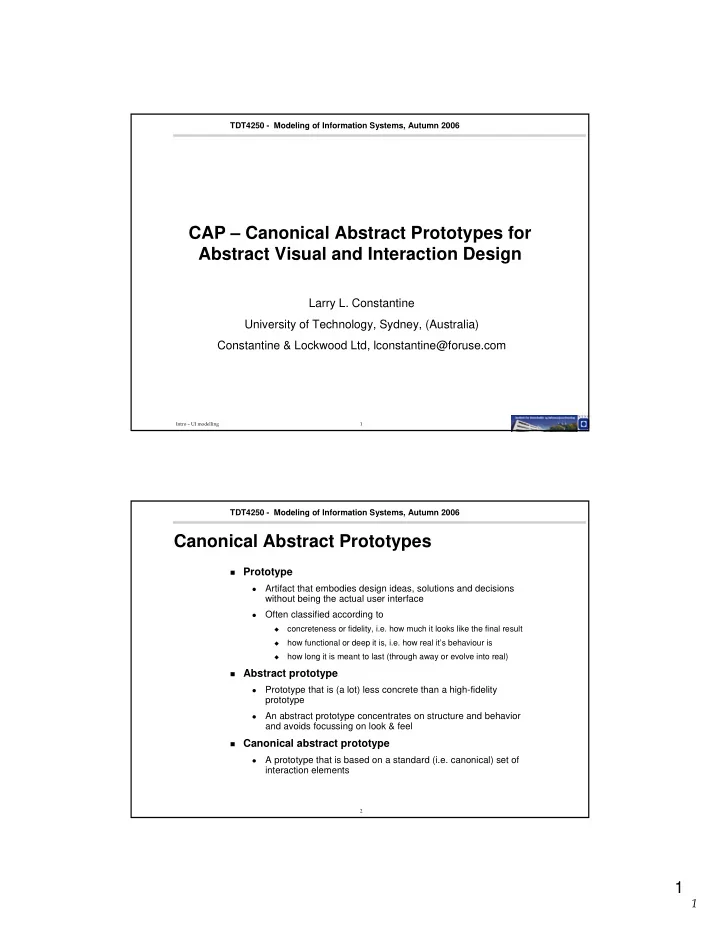
CAP – Canonical Abstract Prototypes for Abstract Visual and Interaction Design

Larry L. Constantine University of Technology, Sydney, (Australia) Constantine & Lockwood Ltd, lconstantine@foruse.com

2

TDT4250 - Modeling of Information Systems, Autumn 2006

Canonical Abstract Prototypes

Prototype

  • Artifact that embodies design ideas, solutions and decisions

without being the actual user interface

  • Often classified according to
  • concreteness or fidelity, i.e. how much it looks like the final result
  • how functional or deep it is, i.e. how real it’s behaviour is
  • how long it is meant to last (through away or evolve into real)

Abstract prototype

  • Prototype that is (a lot) less concrete than a high-fidelity

prototype

  • An abstract prototype concentrates on structure and behavior

and avoids focussing on look & feel

Canonical abstract prototype

  • A prototype that is based on a standard (i.e. canonical) set of

interaction elements

slide-2
SLIDE 2

2

2

3

TDT4250 - Modeling of Information Systems, Autumn 2006

CAP

Lightweight notation containment hierarchy, i.e. box inside box classification of interaction elements no formal semantics diagram layout approximates screen layout

From abstract: “...intermediate between abstract task models and realistic or representational prototypes.” ”...provides a formal vocabulary for expressing visual and interaction designs without concern for details of appearance and behavior.”

4

TDT4250 - Modeling of Information Systems, Autumn 2006

How would you classify CAP?

perspective formality granularity

CAP scope

slide-3
SLIDE 3

3

3

5

TDT4250 - Modeling of Information Systems, Autumn 2006

Usage Centered Design – UsageCD

CAP is part of a method named Usage Centered

Design

should not be confused with User Centered Design,

shortened UCD

based on models of roles and tasks task model uses a certain style of use cases, named

essential use case

Bevare UsageCD has been accused of (re)inventing terms UsageCD is less novel and innovative than the

impression they (want to) give

few papers and a lot of self-referencing Nevertheless: a practical and light-weight method

6

TDT4250 - Modeling of Information Systems, Autumn 2006

Essential Use Case

from http://www.agilemodeling.com/artifacts/essentialUseCase.htm:

”[...] is a simplified, abstract, generalized use case that captures the intentions of a user in a technology and implementation independent manner”

describes a specific task that the user needs to perform, without

unnecessary clutter and detail, like stories and prose or mode of interaction with a specific technology

the form is deliberately terse and compact an essential use case will normally correspond to a specific and small

part of the user interface, partly because it is focussed, partly because that’s the way the method works

slide-4
SLIDE 4

4

4

7

TDT4250 - Modeling of Information Systems, Autumn 2006

Content modelling

model of ”what the user interface contains” defines the necessary functionality partitions the interface into logical elements bridges the gap between task models and

concrete design representations

a continuum of abstractions lists of information, functions and interface elements

spread across interaction units, like frames, windows and panes and dialogs

wire-frame diagrams indicate relative importance with

position (left-most elements are read first) and size (biggest elements are easiest to discover)

sketches, paper prototypes, high-fidelity prototypes,

accurate mockups and vertical prototypes

8

TDT4250 - Modeling of Information Systems, Autumn 2006

Content list (inventory) Wire-frame diagram (schematic)

slide-5
SLIDE 5

5

5

9

TDT4250 - Modeling of Information Systems, Autumn 2006

Canonical Abstract Prototypes

bridge between task models and concrete design

representations ”[...] a model specifically created to support a smooth progression from abstraction toward realization in user interface design.”

”[...] are constructed from a standardized set of

universal abstract components” Task models Abstract prototypes with canonical components Concrete prototypes

10

TDT4250 - Modeling of Information Systems, Autumn 2006

Canonical Abstract Component

standardized user interface elements

  • ne symbol for each standard interactive function

action, material, active material symbols are combined and elaborated to

represent more specific functions

collection, selection and selectable collection symbols are designed to be intuitive and easy to

recognize (as opposed to recall)

slide-6
SLIDE 6

6

6

11

TDT4250 - Modeling of Information Systems, Autumn 2006

Standard actions

list of actions typical of desktop applications can be modelled as <verb> <noun> phrase correspond to interactive function, not UI element

12

TDT4250 - Modeling of Information Systems, Autumn 2006

Standard presentation components

Abstract material seems to correspond to

presentation components, i.e. components focussed on presenting information or objects

slide-7
SLIDE 7

7

7

13

TDT4250 - Modeling of Information Systems, Autumn 2006

Hybrid components

Hybrid components combine information

presentation (output) and user input

Since these concepts are not formally defined, it

is not always clear which one to use, e.g. what is the different between collection and view set?

14

TDT4250 - Modeling of Information Systems, Autumn 2006

Design process – from task model to CAP

a systematic process, not a mechanical one related tasks/use cases are clustered or grouped

into an interaction context

”related” means that tasks use related information and

are relevant to perform at the same time

an interaction context typically corresponds to a

window, pane or dialog and is the scope of a diagram

the interaction context is step by step populated

by the material and tools needed for performing the tasks that are grouped into it

if a task needs some information, add material if a task needs function, add tool if a task edits information, add active material

slide-8
SLIDE 8

8

8

15

TDT4250 - Modeling of Information Systems, Autumn 2006

Design process – from task model to CAP

the components in an interaction context are

layed out according to domain constraints

area is allocated based on importance, relevance, user

focus, complexity etc.

position is determined based on workflow (task

sequence), semantic relations, etc.

grouping of components are used to aid the user in

understanding the relation between components

concrete interaction elements (widgets) are

selected according to the abstract components’ interactive function

for each component there are usually few alternatives rules for mapping from abstract to concrete exist

16

TDT4250 - Modeling of Information Systems, Autumn 2006

From abstract to concrete components

Abstract components are

mapped to concrete

usually few alternatives

exist, choice may be

  • bvious

some concrete

components may support several functions, e.g. both view and selection

some rearrangement

may be necessary/desirable

may depend on choice of

platform and/or device

slide-9
SLIDE 9

9

9

17

TDT4250 - Modeling of Information Systems, Autumn 2006

Abstract design patterns

A design pattern suggest a generic (and hence

abstract) solution for a reoccurring problem

Usually semi-structured description of problem – when this pattern is applicable issues or ”forces” – important aspects of the problem

affecting and constraining the solution

solution – how the issues are resolved and

components put together to form a generic solution

examples indicating how to apply the pattern and adapt

it to the concrete problem

18

TDT4250 - Modeling of Information Systems, Autumn 2006

Detail View Navigation pattern

problem – that of exploring list of elements and

their details

issues – getting overview and enough information

before exploring individual elements

solution list view with columns popup detail window

with navigation tools

slide-10
SLIDE 10

10

10

19

TDT4250 - Modeling of Information Systems, Autumn 2006

Summary of Canonical Abstract Prototypes

part of the Usage Centered Design method, fills

the gap between task models and concrete design

based on role and task models abstract prototype is composed of standardized

interaction components, based on desired interactive function

abstract components are subsequently mapped to

concrete interaction elements

design problem solutions may reused by means

  • f so-called abstract design patterns, that embody

generic solutions to reoccurring problems