CALIFORNIA TRANSCRIBERS AND EDUCATORS FOR THE BLIND AND VISUALLY - - PDF document

california transcribers and educators for the blind and
SMART_READER_LITE
LIVE PREVIEW

CALIFORNIA TRANSCRIBERS AND EDUCATORS FOR THE BLIND AND VISUALLY - - PDF document

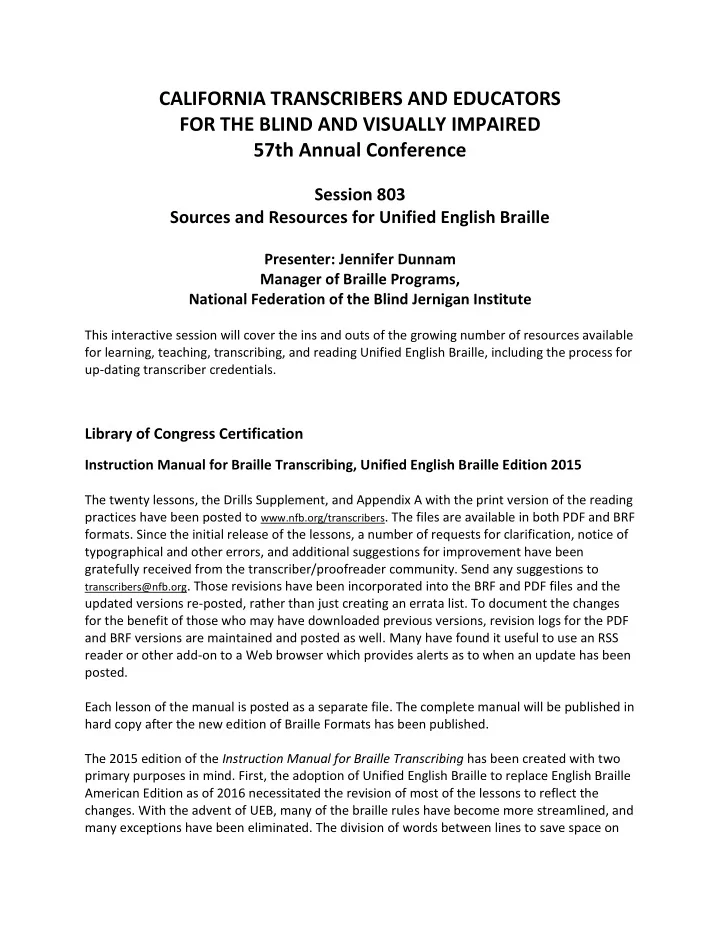
CALIFORNIA TRANSCRIBERS AND EDUCATORS FOR THE BLIND AND VISUALLY IMPAIRED 57th Annual Conference Session 803 Sources and Resources for Unified English Braille Presenter: Jennifer Dunnam Manager of Braille Programs, National Federation of the


slide-1
SLIDE 1

CALIFORNIA TRANSCRIBERS AND EDUCATORS FOR THE BLIND AND VISUALLY IMPAIRED 57th Annual Conference

Session 803 Sources and Resources for Unified English Braille

Presenter: Jennifer Dunnam Manager of Braille Programs, National Federation of the Blind Jernigan Institute

This interactive session will cover the ins and outs of the growing number of resources available for learning, teaching, transcribing, and reading Unified English Braille, including the process for up-dating transcriber credentials.

Library of Congress Certification

Instruction Manual for Braille Transcribing, Unified English Braille Edition 2015

The twenty lessons, the Drills Supplement, and Appendix A with the print version of the reading practices have been posted to www.nfb.org/transcribers. The files are available in both PDF and BRF

  • formats. Since the initial release of the lessons, a number of requests for clarification, notice of

typographical and other errors, and additional suggestions for improvement have been gratefully received from the transcriber/proofreader community. Send any suggestions to

transcribers@nfb.org. Those revisions have been incorporated into the BRF and PDF files and the

updated versions re-posted, rather than just creating an errata list. To document the changes for the benefit of those who may have downloaded previous versions, revision logs for the PDF and BRF versions are maintained and posted as well. Many have found it useful to use an RSS reader or other add-on to a Web browser which provides alerts as to when an update has been posted. Each lesson of the manual is posted as a separate file. The complete manual will be published in hard copy after the new edition of Braille Formats has been published. The 2015 edition of the Instruction Manual for Braille Transcribing has been created with two primary purposes in mind. First, the adoption of Unified English Braille to replace English Braille American Edition as of 2016 necessitated the revision of most of the lessons to reflect the

  • changes. With the advent of UEB, many of the braille rules have become more streamlined, and

many exceptions have been eliminated. The division of words between lines to save space on

slide-2
SLIDE 2

paper, once a prominent feature in this course, is now no longer used in any of the lessons but is discussed in §10.13 of The Rules of Unified English Braille. Second, the revision is intended to provide an introduction to the use of modern tools for braille production. The role of a braille transcriber today often includes much more reading and editing than direct entry of text. Therefore, additional reading practice has been added to the course, and some reading exercises will be submitted to the instructor. Braille transcribers must be thoroughly knowledgeable about the braille dots, and they must also be knowledgeable on how to utilize today's tools to produce braille in a timely fashion while still maintaining the highest quality. For the earlier lessons, students should utilize six-key entry method for transcribing the drills and exercises. However, in later lessons, having demonstrated their ability both to read braille and to transcribe it manually, they are not restricted to the use of six keys and are taught some of the general concepts necessary to the efficient use of braille translation software. In addition to the differences in symbols, rules, and vocabulary between EBAE and UEB, a few

  • ther specific changes include:
  • A few symbols are taught much earlier, such as the at sign and the dollar sign.
  • Summaries of over-arching concepts are added to the ends of some lessons to assist the

student to grasp the "big picture".

  • Some paragraph formatting is introduced earlier (Lesson 6).

Trial Manuscripts

Manuscripts transcribed according to EBAE rules are no longer accepted as of the end of December 2015, except in unusual circumstances. A reading exercise must be submitted and passed prior to the submission of a trial manuscript in UEB. After completing the first 19 lessons of the course with an instructor, the student requests the reading exercise via an email to transcribers@nfb.org. Trial manuscripts may be prepared using braille translation software but must still be submitted in hard copy. Errors specific to the use of translation software result in more points deducted.

Certification

Certificates in literary transcribing and proofreading which are issued with dates of January 1, 2016 or later, indicate that the person has been certified under the rules of UEB. The certificates of students who completed their coursework in EBAE after January 1, 2016 received certificates dated December 31, 2015.

slide-3
SLIDE 3

Certificates from other countries are not considered equivalent to an NLS certification or Letter

  • f Proficiency, with the following exception:

For individuals who achieve original certification in Unified English Braille (i.e., by completing the full multi-lesson course and achieving a passing score) through CNIB or through NLS, the

  • riginal certificate is recognized by both entities—there is no need to pursue certification in

both countries.

Examination for Letter of Proficiency in UEB

Individuals who already hold transcribing or proofreading certification from NLS should not submit the lessons from the 2015 edition of the instruction manual for grading. Rather, to update their credentials, they should study for and take a three-part examination for a Letter of Proficiency in UEB from the National Library Service for the Blind and Physically Handicapped, Library of Congress. Preparation for the Test Following is a list of recommended materials available to assist proofreaders and transcribers who are already certified by NLS under the rules of English Braille, American Edition to gain familiarity with The rules of Unified English Braille (UEB) and to prepare for the examination to achieve a Letter of Proficiency in UEB from NLS. Unless otherwise noted, links to the following recommended downloadable resources can be found at http://www.brailleauthority.org/ueb.html The ABCs of UEB This document from the Braille Authority of North America, authored by Constance Risjord,

  • utlines the major differences between English Braille, American Edition (EBAE) and Unified

English Braille (UEB). Although this is not a complete instruction manual, it provides examples and practice exercises, which allow people who already know EBAE to quickly build on their knowledge of braille to understand UEB. It is available in PDF, BRF, and HTML. Includes answers for the exercises. UEB Online Developed by the Royal Institute for Deaf and Blind Children in Sydney, Australia, this thorough free online course provides preparation for an Australian UEB certificate (not recognized in the US) but also has been a tool used by many who have earned Letters of Proficiency from NLS. Unfortunately, the course is not accessible to people using screen readers. http://uebonline.org

slide-4
SLIDE 4

CNIB Transcriber's UEB Course This self-directed course, intended for those already knowledgeable about braille transcribing

  • r proofreading, can be downloaded in PDF, Word, or braille-ready format. By the end of the

course, participants will understand the basic principles of UEB, be familiar with the most commonly used symbols, and know the Rulebook well enough to find and use the symbols needed to transcribe literary material. Includes answers for the exercises. Instruction Manual for Braille Transcribing, UEB Edition 2015 This new edition of the instruction manual from the National Library Service for the Blind and Physically Handicapped, Library of Congress, while intended to teach braille transcribing from scratch, contains drills and reading practices that can be used by any transcriber or proofreader for self-study. Already-certified transcribers and proofreaders should not submit the lessons for

  • grading. The lessons can be downloaded from https://nfb.org/braille-transcribing

Note that other materials and courses exist but are aimed at the general user of braille and may not cover the level of detail needed for a transcriber or proofreader. Reading Practice Many sample documents are available from the web site of the Braille Authority of North America in BRF as well as simulated braille PDF formats. There are recipes, chapters from books, famous speeches, and the like. About The Examination To be eligible to take the examination, an individual must already hold certification as a Literary Braille Transcriber or a Literary Braille Proofreader from the National Library Service for the Blind and Physically Handicapped, Library of Congress (NLS). Currently there is a waiting list to take the examination. Transcribers or proofreaders should email transcribers@nfb.org to get on the waiting list; If a confirmation is not received, the transcriber should follow up. Once the name is reached on the list, then the test taker will be sent an application to complete and begin the process. The examination consists of three sections. Section One is a passage to read in braille and write

  • ut in print, and Sections Two and Three consist of material to transcribe from print to braille.

The exam will not test knowledge of formats. The test can be sent and received either by email or on paper, depending on which formats the test taker can use. The submission method is indicated on the application. The test taker must complete and return each section of the examination within two weeks of the date it is received.

slide-5
SLIDE 5

The test taker must pass Section One in order to take Section Two, and must pass Section Two in order to take Section Three. The examination is to be completed using either six-key input on a computer program or using a manual braille writing method such as a Perkins Brailler. No optical character recognition or automatic translation software is to be used in the preparation of any part of the examination. Preparation of the examination is to be the test-taker's work alone—no assistance from any

  • ther person is permitted. The test-taker may feel free to consult the Rules of Unified English

Braille Second Edition 2013. A passing test score earns the test taker a Letter of Proficiency in Unified English Braille from the National Library Service for the Blind and Physically Handicapped, Library of Congress. The Letter of Proficiency in Unified English Braille is an add-on to existing NLS certifications.

Proofreading Course

The update of the six lessons of the proofreading course (Phase Two) is nearly completed and is being field tested. The transition of students who were working through the EBAE versions of these lessons is being handled on a case-by-case basis, but most are studying to learn UEB and then beginning with Lesson 1 of the Proofreading course phase 2.

Nemeth Transcribing Course

The update of the Nemeth Code course for alignment with the guidance for Nemeth in UEB contexts is currently underway. Until the update is completed, the course remains available for those already knowledgeable in EBAE. Students of the course will not use UEB contexts for the course until the course has been updated and until they have achieved a Letter of Proficiency in UEB from NLS.

Music Course

The update of the course for music braille transcribing to align with the recently-released revision of the Music Braille Code from BANA is currently underway.

slide-6
SLIDE 6

Sources of Reading Material in UEB

For braille readers who are patrons of the National Library Service, nearly sixty books (and counting) are available for download from BARD in UEB. A list of these books can be generated by performing a "subject" search for "Unified English Braille". All of the books from Bookshare.org are also available in UEB via automatic translation to Braille Ready Format (BRF). However, updates are still needed to the translation software, so these books are not yet recommended for purposes of learning correct UEB. Once the translation issues are fixed, the quality of all existing books will be improved since they are generated on-demand. Books, magazines, newspapers, blogs, and other print-based electronic information can be read in UEB with a refreshable braille display by use of real-time braille translation capability of many screen readers. This includes Bookshare books if they are accessed in their print-based formats rather than BRF. As discussed below, the quality of the braille depends greatly upon the screen reader used and on characteristics of the print-based file.

Electronic Braille

Stand-Alone Braille Translation Software

Duxbury and Braille2000 have robust support for UEB. Older software such as MegaDots and NFBTrans cannot translate to UEB at all at this time.

Screen Readers for Computers and Mobile Devices

This list is a snapshot of braille support in screen readers at the current time. Ideally, this information will soon be out of date because of improvements. JAWS (Freedom Scientific) version 17.0.1377: This screen reader can display UEB and can support input in contracted UEB using six keys for back translation to print. There have been some improvements to the display of UEB in JAWS during the past year, but there are still a number of significant over-arching problems that are fixable. Window-Eyes (Ai Squared) version 9.3.1: This screen reader can display UEB but cannot support contracted braille input of any kind using six keys for back translation to print. Only "computer braille" input is supported. The displayed braille includes the errors and omissions common to many screen readers, but the UEB-specific errors are relatively very few.

slide-7
SLIDE 7

VoiceOver (Apple), iOS 9.3.1 and OS X El Capitan 10.11.4 (Apple): This screen reader can display UEB and can support input of contracted UEB using six keys for back translation to print. The displayed braille includes the errors or omissions common to many screen readers, but the UEB-specific errors are relatively very few. BrailleBack (Google) 0.95.1-prod, Android, Lollipop 5.1): This add-on to the TalkBack screen reader can display UEB but cannot support input in contracted braille of any kind using six keys for back translation to print. Only "computer braille" input is supported. The support for UEB in this screen reader was implemented a few months ago. There are a number of smaller issues and more significant over-arching problems that are fixable. NVDA (NV Access) version 2016.1: This screen reader can display UEB but cannot support input in contracted braille of any kind using six keys for back translation to print. Only "computer braille" input is supported. In this version released in January, some notable improvements were made to some of the more serious UEB errors. There do remain a number

  • f smaller issues and a few more significant over-arching problems that are fixable.

System Access (Serotek): This screen reader can display UEB but cannot support input in contracted braille of any kind using six keys for back translation to print. Only "computer braille" input is supported. There are a number of smaller issues as well as more significant

  • ver-arching problems with the UEB support that are fixable.

Note: Screen readers not yet thoroughly tested by this presenter include ScreenReader from Dolphin Computer Access and VoiceView, the screen reader on Amazon's new Fire Tablet.

Refreshable Braille Notetakers

Some refreshable braille devices can only be used to display and control a computer or mobile device—they have no functionality on their own. Others, besides being able to display and control other devices, have, to varying degrees, their own internal features like a word processor, web browser, email client, PDF or Excel viewer, calculator, and so on. These stand- alone braille devices are often simply referred to as notetakers. Here are some examples of currently available braille notetakers.

  • Active Braille (Handy Tech)
  • Alva (Optelec)
  • b2g (National Braille Press)
  • Braille Edge (HIMS)
  • Braille Sense (HIMS)
  • Braille Star (Handy Tech)
  • BrailleNote Apex (Humanware)
  • ESYS (Eurobraille)
  • Seika (Perkins Products)
  • VarioUltra (BAUM)
slide-8
SLIDE 8

Most notetakers can be used as a display for another computer or device, and when they are used in this way, their capacity with UEB depends upon the screen reader used on the external device (see above). In addition to many other questions that a decisionmaker will want to ask for choosing the right notetaker, braille-specific information that should be determined about the device when used in notetaker mode includes:

  • Can the device translate to or back translate from UEB?
  • What is the quality of the translation from print to braille and from braille to print?
  • Can the device be set to display either contracted or uncontracted braille?
  • Can the user type braille and export to print? Are italics and other formatting retained in the

back translated print version?

  • Is the use of Nemeth code supported for mathematics? If so, is there a way to switch between

Nemeth and UEB (as there often is between Nemeth and EBAE) while writing a document?