SLIDE 16 Worst-Case Execution Time analysis 2009-12-03 16
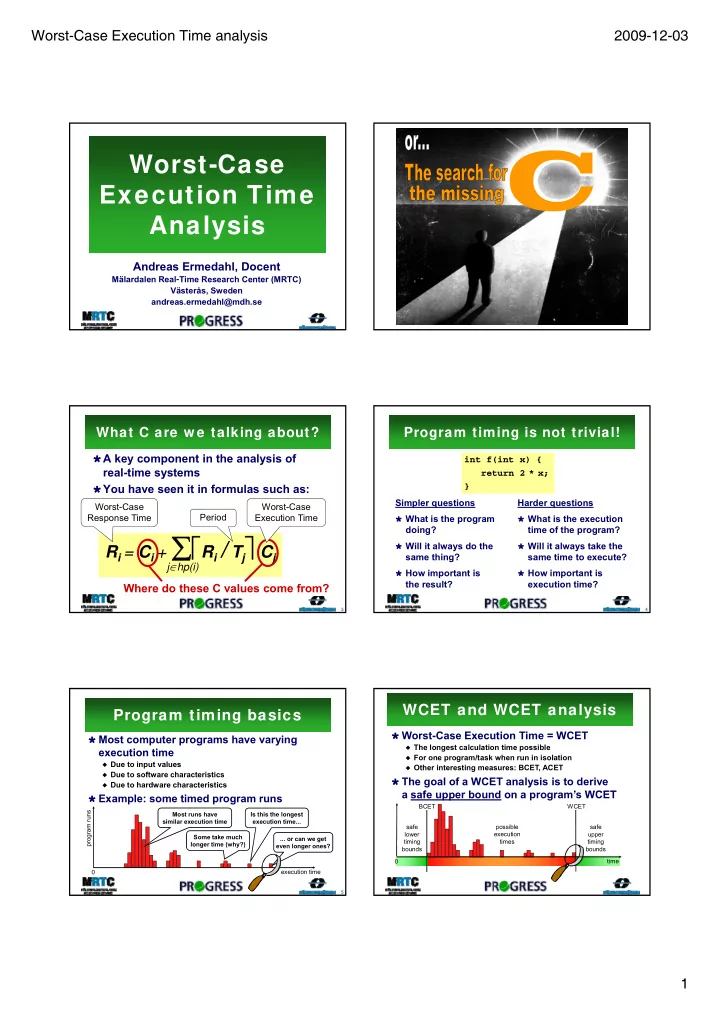
Slicing for flow analysis
Observation: some variables and statements
do not affect the execution flow of the program
= they will never be used to determine the outcome of conditions
Idea: remove variables and statements which are
guaranteed to not affect execution flow
Subsequent flow analyses should provide same result Subsequent flow analyses should provide same result
but with shorter analysis time Based on well-known program slicing techniques
Reduces up to 94%
size for some of
- ur benchmarks
- 1. a[0] = 42;
- 2. i = 1;
- 3. j = 5;
- 4. n = 2 * j;
- 5. while (i <= n) {
- 6. a[i] = i * i;
- 7. i = i + 2;
- 8. }
1.
- 2. i = 1;
- 3. j = 5;
- 4. n = 2 * j;
- 5. while (i <= n) {
6.
Value analysis
Based on abstract interpretation (AI)
Calculates safe approximations of possible values
for variables at different program points
E.g. interval analysis gives i = [5..100] at p E.g. congruence analysis gives i = 5 + 2* at p
i=5; max=100;
Builds upon well known
program analysis techniques
Used e.g. for checking array bound violations
Requires abstract versions of all
ALF instructions
These abstract instructions work on abstract values
(representing set of concrete values) instead of normal ones while(i<=max) { // point p i=i+2; }
Loop bound analysis by AI
Observation: the number of possible program
states within a loop provides a loop bound
Assuming that the loop terminates
Loop bound = product of possible
values of variables within the loop
Example: i=5; max=99; while(i<=max) {
93
Example:
Interval analysis gives
i = [5..100] and max=[100..100] at p
Congruence analysis gives
i = 5 + 2* and max=100+0* at p
The produce of possible values become:
size(i) * size(max) = ((100-5)/2) * (100-100)/1) = 45 * 1 = 45 which is an upper loop bound
Analysis bounds some but not all loops ( ) { // point p i=i+2; }
Abstract Execution (AE)
Derives loop bounds and infeasible paths Based on Abstract Interpretation (AI)
AI gives safe (over)approximation of possible values
- f each variable at different program points
Each variable can hold a set of values
i = [1..4]
“Executes” program using abstract values
Not using traditional AI fixpoint calculation
Result: an (over)approximation of the
possible execution paths
All feasible paths will be included in the result Might potentially include some infeasible paths Infeasible paths found are guaranteed to be infeasible
Loop bound analysis by AE
i = INPUT; // i = [1..4] while(i < 10) { // point p ...
Loop iteration Abstract state at p Abstract state at q 1 Loop iteration Abstract state at p Abstract state at q 1 i = [1..4] ┴ Loop iteration Abstract state at p Abstract state at q 1 i = [1..4] ┴ 2 i = [3..6] ┴ Loop iteration Abstract state at p Abstract state at q 1 i = [1..4] ┴ 2 i = [3..6] ┴ 3 i = [5..8] ┴ Loop iteration Abstract state at p Abstract state at q 1 i = [1..4] ┴ 2 i = [3..6] ┴ 3 i = [5..8] ┴ 4 i [7 9] i [10 10] Loop iteration Abstract state at p Abstract state at q 1 i = [1..4] ┴ 2 i = [3..6] ┴ 3 i = [5..8] ┴ 4 i [7 9] i [10 10] Loop iteration Abstract state at p Abstract state at q 1 i = [1..4] ┴ 2 i = [3..6] ┴ 3 i = [5..8] ┴ 4 i [7 9] i [10 10] Loop iteration Abstract state at p Abstract state at q 1 i = [1..4] ┴ 2 i = [3..6] ┴ 3 i = [5..8] ┴
[5..8] [7..9] [9..9] [10..10] [10..11] [11..11] [1..4] [3..6]
Result includes all possible loop executions Three new abstract states generated at q
Could be merged to one single abstract state:
i=[10..11]
i = i + 2; } // point q
4 i = [7..9] i = [10..10] 4 i = [7..9] i = [10..10] 5 i = [9..9] i = [10..11] 4 i = [7..9] i = [10..10] 5 i = [9..9] i = [10..11] 6 ┴ i = [11..11] 4 i = [7..9] i = [10..10] 5 i = [9..9] i = [10..11] 6 ┴ i = [11..11]
Result Min iterations: 3 Max iterations: 5
International collaboration
The ALL-TIMES EU FP7 project
Managed by our WCET research group Includes European researchers and tool vendors
Project objectives:
Combine best components of
i ti E WCET t l existing European WCET tools
Define common data structures
for communication between tools and analyses
Our objectives:
Provide flow analysis results to other tools Use timing models and analyses of other WCET tools Use different WCET analysis tools in industrial case studies