Business Intelligence for Microsoft Dynamics
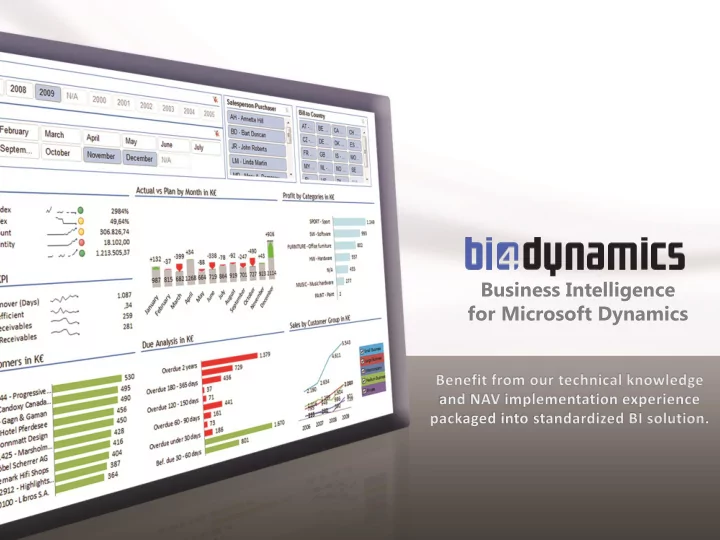
Business Intelligence for Microsoft Dynamics > 21 languages - - PowerPoint PPT Presentation
Business Intelligence for Microsoft Dynamics > 21 languages > 50 countries > 150 partners > 700 customers TRUSTED AROUND THE GLOBE ALL INDUSTRIES Add content & performance Content Flexibility + Additional areas
> 21 languages > 50 countries > 150 partners > 700 customers
TRUSTED AROUND THE GLOBE ALL INDUSTRIES
Add content & performance
- Content
- Flexibility
Standard areas
- Finance
- Sales
- Purchase
- Receivables
- Payables
- Inventory
+ Additional areas
- Manufacturing
- Jobs & Resources
- Sales Orders
- Purchase Orders
- Service management
- Fixed Assets
- Warehouse Management
- Bank Accounts
BUSINESS APROACH
- Full insight into „what is going on“ over all
business areas
- No NAV login required
- User friendly interface (Excel)
- No longer reliant on IT or accounting
- Best cost/benefit ratio & TCO you will get on the
bi market
- What we offer
- Powerful and simple sales dashboards
- Seasonal aspects of sales, YTD
- Focused sales measures by Type
(Item, Resource, GL Account, FA)
- Database snapshot for sales order
analysis
- What you gain
- Structural understanding of all
numbers
- What we offer
- Best practice approach
- Operational insight into „where your
money is“
- Historical and ageing receivables
analysis
- Insight into your customers‘ payment
habits
- What you gain
- Discipline in cash flow
- Considered decision making regarding
who you will work with in the future
- Time when working with your
financial advisors
- What we offer
- Understanding and knowledge of
financial area
- Business and accounting tool
- Measures you would expect from
such a financial solution
- What you gain
- Transparency
- Sophisticated and structured
- verview of all details
- Solution that does not need an IT
vendor or internal IT to support
- What we offer
- Inventory overview by any item
attribute
- 50 measures and few very smart KPIs
- Inventory ageing by history
- What you gain
- Pocket guide to knowing where you
keep everything
- Knowledge about past and control
- ver future inventory trends
- What we offer
- Standardized and complete coverage
- Purchase area = Sales area
- Payables area = Receivables area
- What you gain
- Insight and control over often
- verlooked part of your business
- What we offer
- All about items and work centres
consumption and output
- Strategic and detailed analysis in
- ne sheet
- Analysis that you can not make
using ERP solutions
- What you gain
- Confirmation about the trends you
already know and numbers behind
- Notices about outliners
(exceptions)
- Visual solution that can handle any
structure of manufacturing master data
- What we offer
- Profitability of good and bad projects
- Utilization by department
- Hour consumption by project,
employee
- What you gain
- Knowledge about who is working and
who is not
- Better HRM
- Treat champions as champions and
get rid of lazy underperformers
DEMO
- Rich content (data layer)
– Long term NAV implementation experience
- Predefined reports (presentation layer)
– Best business practice for strategy and operation – Use one of 21 or more languages in same installation
- Affordable pricing and TCO
– Licensed per database regardless of number of users – Try, buy or rent
- Free trial
– OLAP Cubes for all application areas – Excel reports for all application areas – Documentation – Installation – Walk-through data (1 or 2 hours)
- Implementation
– More Excel training – Modification or development (if needed)
TECHNOLOGY
Add content & performance
EXEC dbo.DropObject 'dim.ItemView', 'V' GO CREATE VIEW dim.ItemView AS SELECT a.No, Type = 2, -- Item Description = ISNULL(NULLIF(a.Description, ''), 'N/A'), BaseUnitofMeasure = ISNULL(NULLIF(a.BaseUnitofMeasure, ''), 'N/A'), BaseUnitOfMeasureDesc = ISNULL(NULLIF(b.Description, ''), 'N/A'), BaseUnitOfMeasureCodeDesc = ISNULL(NULLIF(a.BaseUnitofMeasure, ''), 'N/A') + ISNULL(' - ' + NULLIF(b.Description, ''), ''), InventoryPostingGroup = ISNULL(NULLIF(a.InventoryPostingGroup, ''), 'N/A'), InventoryPostingGroupDesc = ISNULL(NULLIF(c.Description, ''), 'N/A'), InventoryPostingGroupCodeDesc = ISNULL(NULLIF(a.InventoryPostingGroup, ''),'N/A') + ISNULL(' - ' + NULLIF(c.Description, ''), ''), ItemDiscGroup = ISNULL(NULLIF(a.ItemDiscGroup, ''), 'N/A'), ItemDiscGroupDesc = ISNULL(NULLIF(d.Description, ''), 'N/A'), ItemDiscGroupCodeDesc = ISNULL(NULLIF(a.ItemDiscGroup, ''), 'N/A') + ISNULL(' - ' + NULLIF(d.Description, ''), ''), VendorNo = ISNULL(NULLIF(a.VendorNo, ''), 'N/A'),
- Back-end = Microsoft SQL server
- Database server
- Analysis server
- Front-end
- Excel (desktop)
- Microstrategy (web, mobile)
- Security = Microsoft Active directory
Decrease time by 70% Almost on-line
2 minutes/GB
General ledger 15‘ Sales (orders) 1h Receivables 1 day Manufacturing 2h
- Less risky upgrade
- Better performance for large databases
Source #1
ACTIVE database
(v2009,v2012) Source #2
OLD database
(v3,v4 …)
Data warehouse
Copy
- nce
Update daily
- CUSTOMIZATION WIZARD
– Add Attributes (ready) – Add Measures (2013) – Add Dimension (2013) – Add Cube (2013)
- DEVELOPMENT
– Microsoft SQL server
BETTER CONTENT!
New & enhanced functionality
FASTER REPORTING!
Calculations are done in Data Warehouse; impacts INVENTORY, RECEIVABLES, PAYABLES
200 400 600 800 1 000 1 200 1 400 1 600 1 800 2 000 500 000 1 000 000 1 500 000 2 000 000 2 500 000 3 000 000 3 500 000
4 000 000 4 500 000
Inventory trend
Stock Value Stock Rotation (Days)