(Big) Data Storage Systems Corso di Sistemi e Architetture per Big - - PDF document

big data storage systems
SMART_READER_LITE
LIVE PREVIEW

(Big) Data Storage Systems Corso di Sistemi e Architetture per Big - - PDF document

Macroarea di Ingegneria Dipartimento di Ingegneria Civile e Ingegneria Informatica (Big) Data Storage Systems Corso di Sistemi e Architetture per Big Data A.A. 2019/2020 Valeria Cardellini Laurea Magistrale in Ingegneria Informatica The


slide-1
SLIDE 1

(Big) Data Storage Systems

Macroarea di Ingegneria Dipartimento di Ingegneria Civile e Ingegneria Informatica

Corso di Sistemi e Architetture per Big Data A.A. 2019/2020 Valeria Cardellini Laurea Magistrale in Ingegneria Informatica

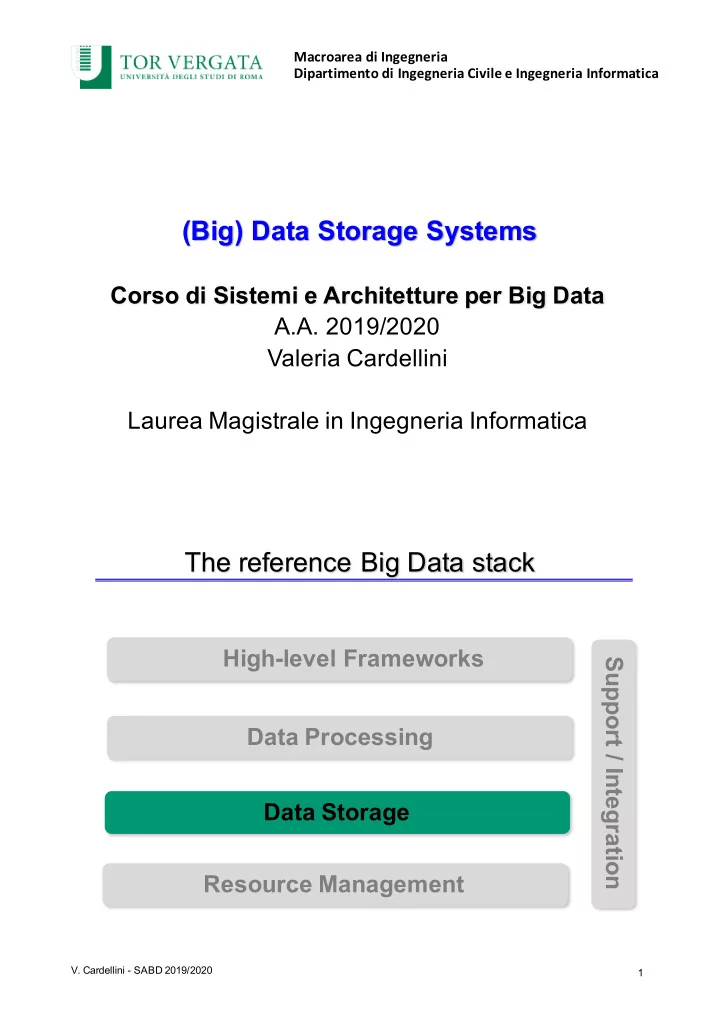
The reference Big Data stack

  • V. Cardellini - SABD 2019/2020

1

Resource Management Data Storage Data Processing High-level Frameworks Support / Integration

slide-2
SLIDE 2

Where storage sits in the Big Data stack

  • V. Cardellini - SABD 2019/2020

2

  • The data lake architecture

Typical server architecture and storage hierarchy

  • V. Cardellini - SABD 2019/2020

3

slide-3
SLIDE 3

Storage performance metrics

  • V. Cardellini - SABD 2019/2020

4

Where to store data?

  • See “Latency numbers every programmer should know”

http://bit.ly/2pZXIU9

5

  • V. Cardellini - SABD 2019/2020
slide-4
SLIDE 4

Max attainable throughput

  • Varies significantly by device

– 100 GB/s for RAM – 2 GB/s for NVMe SSD – 130 MB/s for hard disk

  • Assumes large reads (1 block)
  • V. Cardellini - SABD 2019/2020

6

Hardware trends over time

  • Capacity/$ grows exponentially at a fast rate

(e.g. double every 2 years)

  • Throughput grows at a slower rate (e.g. 5%

per year), but new interconnects help

  • Latency does not improve much over time
  • V. Cardellini - SABD 2019/2020

7

slide-5
SLIDE 5

Data storage: the classic approach

  • File

– Group of data, whose structure is defined by the file system

  • File system

– Controls how data are structured, named, organized, stored and retrieved from disk – Usually: single (logical) disk (e.g., HDD/SDD, RAID)

  • Relational database

– Organized/structured collection of data (e.g., entities, tables)

  • Database management system (DBMS)

– Provides a way to organize and access data stored in files – Enables: data definition, update, retrieval, administration

  • V. Cardellini - SABD 2019/2020

8

What about Big Data?

Storage capacity and data transfer rate have increased massively over the years Let's consider the latency (time needed to transfer data*)

  • V. Cardellini - SABD 2019/2020

9

HDD Capacity: ~1TB Throughput: 250MB/s SSD Capacity: ~1TB Throughput: 850MB/s Data Size HDD SSD 10 GB 40s 12s 100 GB 6m 49s 2m 1 TB 1h 9m 54s 20m 33s 10 TB ? ?

* we consider no overhead

We need to scale out!

slide-6
SLIDE 6

General principles for scalable data storage

  • Scalability and high performance

– Need to face the continuous growth of data to store – Use multiple nodes as storage

  • Ability to run on commodity hardware

– Hardware failures are the norm rather than the exception

  • Reliability and fault tolerance

– Transparent data replication

  • Availability

– Data should be available to serve requests when needed – CAP theorem: trade-off with consistency

  • V. Cardellini - SABD 2019/2020

10

Scalable and resilient data storage solutions

Various forms of storage for Big Data:

  • Distributed file systems

– Manage (large) files on multiple nodes – E.g.,: Google File System, Hadoop Distributed File System

  • NoSQL data stores

– Simple and flexible non-relational data models – Horizontal scalability and fault tolerance – Key-value, column family, document, and graph stores – E.g.,: Redis, BigTable, Cassandra, MongoDB, HBase, DynamoDB – Also time series databases built on top of NoSQL (e.g.,: InfluxDB, KairosDB)

  • NewSQL databases

– Add horizontal scalability and fault tolerance to relational model – Examples: VoltDB, Google Spanner

  • V. Cardellini - SABD 2019/2020

11

slide-7
SLIDE 7

Data storage in the Cloud

  • Main goals:

– Massive scaling “on demand” (elasticity) – Fault tolerance – Durability (versioned copies) – Simplified application development and deployment

  • Public Cloud services for data storage

– Object stores: e.g., Amazon S3, Google Cloud Storage, Microsoft Azure Storage – Relational databases: e.g., Amazon RDS, Amazon Aurora, Google Cloud SQL, Microsoft Azure SQL Database – NoSQL data stores: e.g., Amazon DynamoDB, Amazon DocumentDB, Google Cloud Bigtable, Google Cloud Datastore, Microsoft Azure Cosmos DB, MongoDB Atlas – NewSQL databases: Google Cloud Spanner

  • V. Cardellini - SABD 2019/2020

12

Data model taxonomy

  • V. Cardellini - SABD 2019/2020

13

Mansouri et al., “Data Storage Management in Cloud Environments: Taxonomy, Survey, and Future Directions”, ACM Comput. Surv., 2017.

slide-8
SLIDE 8

Scalable and resilient data storage solutions

  • V. Cardellini - SABD 2019/2020

14

Whole picture of different solutions we will examine

Distributed File Systems (DFS)

  • Represent the primary support for data management
  • Manage data storage across a network of machines

– Usually locally distributed, in some case geo-distributed

  • Provide an interface whereby to store information in

the form of files and later access them for read and write operations

  • Several solutions (different design choices)

– GFS, HDFS (GFS open-source clone): designed for batch applications with large files – Alluxio: in-memory (high-throughput) storage system – GlusterFS: scalable network-attached storage file system – Lustre: designed as high-performance DFS – Ceph: data object store

  • V. Cardellini - SABD 2019/2020

15

slide-9
SLIDE 9

Case study: Google File System (GFS)

Assumptions and Motivations

  • System is built from inexpensive commodity hardware

that often fail

– 60,000 nodes, each with 1 failure per year: 7 failures per hour!

  • System stores a modest number of large file (multi GB)
  • Large streaming/contiguous reads, small random

reads

  • Many large, sequential write that appends data

– Multiple clients can concurrently append to same file

  • High sustained bandwidth is more important than low

latency

  • V. Cardellini - SABD 2019/2020

16

  • S. Ghemawat, H. Gobioff, S.-T. Leung, "The Google File System", Proc. ACM SOSP 2003.

Case study: Google File System

  • Distributed file system implemented in user space
  • Manages (very) large files: usually multi-GB
  • File is split in chunks
  • Divide et impera: file divided into fixed-size chunks
  • Chunk:

– Fixed size (either 64MB or 128MB) – Transparent to users – Stored as plain file on chunk servers

  • Write-once, read-many-times pattern

– Efficient append operation: appends data at the end of file atomically at least once even in the presence of concurrent

  • perations (minimal synchronization overhead)
  • Fault tolerance and high availability through chunk

replication, no data caching

  • V. Cardellini - SABD 2019/2020

17

slide-10
SLIDE 10

GFS operation environment

  • V. Cardellini - SABD 2019/2020

18

GFS: Architecture

  • Master

– Single, centralized entity (to simplify the design) – Manages file metadata (stored in memory)

  • Metadata: Access control information, mapping from files to

chunks, locations of chunks

– Does not store data (i.e., chunks) – Manages chunks: creation, replication, load balancing, deletion

  • V. Cardellini - SABD 2019/2020

19

slide-11
SLIDE 11

GFS: Architecture

  • Chunkservers (100s – 1000s)

– Stores chunks as file – Spread across cluster racks

  • Clients

– Issue control (metadata) requests to GFS master – Issue data requests to GFS chunkservers – Cache metadata, do not cache data (simplifies the design)

  • V. Cardellini - SABD 2019/2020

20

GFS: Metadata

  • The master stores three major types of metadata:

– File and chunk namespace (directory hierarchy) – Mapping from files to chunks – Current locations of chunks

  • Metadata are stored in memory (64B per chunk)

– Pro: fast; easy and efficient to scan the entire state – Con: the number of chunks is limited by the amount of memory of the master:

"The cost of adding extra memory to the master is a small price to pay for the simplicity, reliability, performance, and flexibility gained"

  • The master also keeps an operation log with a

historical record of metadata changes

– Persistent on local disk – Replicated – Checkpoint for fast recovery

  • V. Cardellini - SABD 2019/2020

21

slide-12
SLIDE 12

GFS: Chunk size

  • Chunk size is either 64 MB or 128 MB

– Much larger than typical block sizes

  • Why? Large chunk size reduces:

– Number of interactions between client and master – Size of metadata stored on master – Network overhead (persistent TCP connection to the chunk server over an extended period of time)

  • Potential disadvantage

– Chunks for small files may become hot spots

  • Each chunk replica is stored as a plain Linux file and

is extended as needed

  • V. Cardellini - SABD 2019/2020

22

GFS: Fault-tolerance and replication

  • The master replicates (and maintains the replication) of

each chunk on several chunkservers

– At least 3 replicas on different chunkservers – Replication based on primary-backup schema – Replication degree > 3 for highly requested chunks

  • Multi-level placement of replicas

– Different machines, same rack + availability and reliability – Different machines, different racks + aggregated bandwidth

  • Data integrity

– Chunk divided in 64KB blocks; 32B checksum for each block – Checksum kept in memory – Checksum is checked every time app reads data

  • V. Cardellini - SABD 2019/2020

23

slide-13
SLIDE 13

GFS: Master operations

  • Stores metadata
  • Manages and locks namespace

– Namespace represented as a lookup table – Read lock on internal nodes and read/write lock on leaf: read lock allows concurrent mutations in the same directory and prevents deletion, renaming or snapshot

  • Periodic communication with each chunkserver

– Sends instructions and collects chunkserver state (heartbeat messages)

  • Creation, re-replication, rebalancing of chunks

– Balances disk space utilization and load – Distributes replicas among racks to increase fault-tolerance – Re-replicates a chunk as soon as the number of available replicas falls below a user-specified goal

  • V. Cardellini - SABD 2019/2020

24

GFS: Master operations (2)

  • Garbage collection

– File deletion logged by the master – File renamed to a hidden name with deletion timestamp: its deletion is postponed – Deleted files can be easily recovered in a limited timespan

  • Stale replica detection

– Chunk replicas may become stale if a chunkserver fails or misses updates to the chunk – For each chunk, the master keeps a chunk version number – Chunk version number updated for each chunk mutation – The master removes stale replicas in its regular garbage collection

  • V. Cardellini - SABD 2019/2020

25

slide-14
SLIDE 14

GFS: System interactions

  • Files are hierarchically organized in directories

– No data structure that represents a directory

  • A file is identified by its pathname

– GFS does not support aliases

  • GFS supports traditional file system operations
  • perations (but no Posix API)

– create, delete, open, close, read, write

  • Also supports two special operations:

– snapshot: makes a copy of a file or a directory tree almost instantaneously (based on copy-on-write techniques) – record append: atomically appends data to a file (supports concurrent operations); multiple clients can append to the same file concurrently without overwriting

  • ne another’s data
  • V. Cardellini - SABD 2019/2020

26

GFS: Read

  • V. Cardellini - SABD 2019/2020

27

  • Read operation
  • Data flow is decoupled from control flow

(1) Client sends master: read(file name, chunk index) (2) Master’s reply: chunk ID, chunk version number, locations of replicas (3) Client sends read op to “closest” chunkserver with replica: read(chunk ID, byte range) (4) Chunkserver replies with data 1 2 3 4

slide-15
SLIDE 15

GFS: Mutations

  • Mutations are write or append

– Mutations are performed at all the chunk's replicas in the same order

  • Based on a lease mechanism:

– Goal: minimize management

  • verhead at the master

– Master grants chunk lease to primary replica – Primary picks a serial order for all the mutations to the chunk – All replicas follow this order when applying mutations – Primary replies to client, see (7) – Leases renewed using periodic heartbeat messages between master and chunkservers

  • V. Cardellini - SABD 2019/2020

28

  • Data flow is decoupled

from control flow

  • To fully utilize network

bandwidth, data are pushed linearly along a chain of chunkservers

GFS: Atomic record appends

  • The client specifies only the data (with no offset)
  • GFS appends data to the file at least once atomically

(i.e., as one continuous sequence of bytes)

– At offset chosen by GFS – Works with multiple concurrent writers – At least once: applications must cope with possible duplicates

  • Operation heavily used by Google's distributed

applications

– E.g., files often serve as multiple-producers/single-consumer queue or contain merged results from many clients (MapReduce scenario)

  • V. Cardellini - SABD 2019/2020

29

slide-16
SLIDE 16

GFS: Consistency model

  • Changes to namespace (e.g., file creation) are atomic

– Managed exclusively by the master with locking guarantees

  • Changes to data are ordered as chosen by a primary,

but failures can cause inconsistency

  • GFS has a “relaxed” model: eventual consistency

– Simple and efficient to implement

  • A file region is:

– Consistent: if all replicas have the same value – Defined: after a mutation if it is consistent and clients will see what the mutation writes in its entirety

  • Properties:

– Concurrent successful mutations leave the region consistent but undefined: it may not reflect what any one mutation has written – A failed mutation makes the region inconsistent: chunk version number and re-replication used to restore data

  • V. Cardellini - SABD 2019/2020

30

GFS performance

31

  • Read performance is satisfactory (80–100 MB/s)
  • But reduced write performance (30 MB/s) and relatively

slow (5 MB/s) in appending data to existing files

  • V. Cardellini - SABD 2019/2020
slide-17
SLIDE 17

GFS problems

  • V. Cardellini - SABD 2019/2020

32

What's the limitation of this architecture?

The single master!

  • Single point of failure
  • Scalability bottleneck

GFS problems: Single master

  • Solutions adopted to overcome issues related to the

presence of a single master

– Overcome single point of failure: multiple “shadow” masters that provide read-only access when the primary master is down – Overcome scalability bottleneck: by reducing the interaction between the master and the client

  • The master stores only metadata (not data)
  • The client can cache metadata
  • Large chunk size
  • Chunk lease: delegates the authority of coordinating the

mutations to the primary replica

  • Overall, simple solutions
  • V. Cardellini - SABD 2019/2020

33

slide-18
SLIDE 18

GFS summary

  • GFS success

– Used by Google to support search service and other apps – Availability and recoverability on cheap hardware – High throughput by decoupling control and data – Supports massive data sets and concurrent appends

  • GFS problems (besides single master)

– All metadata stored in master memory

  • Problems when storage grew to more than tens of PB

– Semantics not transparent to apps – Automatic failover added (but still takes 10 seconds) – Delays due to recovering from a failed replica chunkserver delay the client – Performance not good for all apps

  • Designed for high throughput but not appropriate for latency-

sensitive applications like Gmail

– GFS was designed (in 2001) for batch applications with large files

34

  • V. Cardellini - SABD 2019/2020

Colossus: successor of GFS

  • Proprietary DFS at Google released in 2010
  • Specifically designed for real-time services
  • Distributed masters

– Automatically sharded metadata layer

  • Error-correcting codes for fault tolerance

– Data typically written using Reed-Solomon (1.5x)

  • Supports smaller files

– Chunks from 1 to 64 MB

  • Client-driven encoding and replication
  • Google Cloud services built on top of Colossus

– Cloud Storage: Cloud object store – Cloud BigQuery: Cloud data warehouse

  • V. Cardellini - SABD 2019/2020

35

"GFS: Evolution on Fast-forward". ACM Queue, Volume 7, Issue 7, 2009. http://queue.acm.org/detail.cfm?id=1594206

slide-19
SLIDE 19

HDFS

  • Hadoop Distributed File System (HDFS)

– Open-source user-level distributed file system – Written in Java – GFS clone

  • Master/worker architecture
  • Data is replicated across the cluster
  • Designed to span large clusters of commodity servers

– De-facto standard for batch-processing frameworks: e.g., Hadoop MapReduce, Spark, Hive, Pig

36

Shafer et al., “The Hadoop Distributed Filesystem: Balancing Portability and Performance”, Proc. ISPASS 2010.

  • V. Cardellini - SABD 2019/2020

HDFS: Design principles

  • Large data sets: typical file is GBs or TBs in size
  • Simple coherency model: files follow write-once,

read-many-times access pattern

– E.g., MapReduce application or web crawler application

  • Commodity, low-cost hardware

– HDFS is designed to carry on working without a noticeable interruption to the user even when failures occur

  • Portability across heterogeneous hardware and

software platforms

  • V. Cardellini - SABD 2019/2020

37

slide-20
SLIDE 20

HDFS: Cons

HDFS does not work well with:

  • Low-latency data access: optimized for delivering a

high throughput of data

  • Lots of small files: the number of files is limited by the

amount of memory on the master, which holds the file system metadata in memory

  • Multiple writers, arbitrary file modifications
  • V. Cardellini - SABD 2019/2020

38

HDFS: File management

39

  • V. Cardellini - SABD 2019/2020
  • File is split into one or more blocks which are stored

in a set of storing nodes (named DataNodes)

slide-21
SLIDE 21

HDFS: Architecture

  • Two types of nodes in a HDFS cluster:

– One NameNode (master in GFS) – Multiple DataNodes (chunkservers in GFS)

40

  • V. Cardellini - SABD 2019/2020

HDFS: Architecture

  • The NameNode:

– Manages the file system namespace – Manages the metadata for all the files and directories

  • Including the identity of DataNodes on which all the blocks for a

given file are located

  • The DataNodes:

– Store and retrieve the blocks (a.k.a. chunks) when they are told to (by clients or by the NameNode) – Manage the storage attached to the nodes

  • Without the NameNode HDFS cannot be used

– It is important to make the NameNode resilient to failures

  • Large size blocks (default 64 MB): why?

41

  • V. Cardellini - SABD 2019/2020
slide-22
SLIDE 22

HDFS: Architecture

42

  • V. Cardellini - SABD 2019/2020

HDFS: Block replication

43

  • V. Cardellini - SABD 2019/2020
  • NameNode periodically receives a heartbeat and a

blockreport from each DataNode

  • Blockreport: list of all blocks on a DataNode
slide-23
SLIDE 23

HDFS: File read

44

Source: “Hadoop: The definitive guide”

  • NameNode is only used to get block location
  • V. Cardellini - SABD 2019/2020

HDFS: File write

45

Source: “Hadoop: The definitive guide”

  • Clients ask NameNode for a list of suitable DataNodes
  • This list forms a pipeline: first DataNode stores a copy
  • f a block, then forwards it to the second, and so on
  • V. Cardellini - SABD 2019/2020
slide-24
SLIDE 24

Enhancements in HDFS 3.x

  • Erasure Coding can be used in place of replication

– Same level of fault-tolerance with less storage overhead: from 200% with 3x to 50% – But increase in network and processing overhead – Two codes available

  • XOR
  • Reed-Solomon
  • Support for more than 2 NameNodes

– In HDFS 2.x only 1 active NameNode and 1 standby NameNode

  • V. Cardellini - SABD 2019/2020

46

Other Distributed File Systems: GlusterFS

  • Linux-based, open source distributed file

system https://www.gluster.org/

  • Designed to be highly scalable

– Scaling to several PB (up to 72 brontobytes!)

  • Brontobyte = 1027 or 290 bytes
  • V. Cardellini - SABD 2019/2020

47

slide-25
SLIDE 25

GlusterFS: Features

  • Global namespace

– Idea: metadata is a bottleneck – Solution: avoid centralized metadata server

  • No special node(s) with special knowledge of where files are or

should be

– Solution: use consistent hashing (similarly to Amazon’s Dynamo)

  • Benefits of distributed hashing (robusteness, load balancing,

…)

  • Clustered storage
  • Highly available storage
  • Built in replication and geo-replication
  • Self-healing
  • Ability to re-balance data
  • V. Cardellini - SABD 2019/2020

48

GlusterFS: Architecture

  • Four main concepts:

– Bricks: storage units which consist of a server and directory path (i.e., server:/export)

  • Bricks are the nodes in the circle
  • Files are mapped to bricks calculating a hash

– Trusted Storage Pool: trusted network of servers that will host storage resources – Volumes: collection of bricks with a common redundancy requirement – Translators: modules that are chained together to move data from point a to point b

  • Translator converts requests from users into requests for

storage

  • V. Cardellini - SABD 2019/2020

49

slide-26
SLIDE 26

Other Distributed File Systems: Alluxio

  • Motivations:

– Write throughput is limited by disk and network bandwidths – Fault-tolerance by replicating data across the network (synchronous replication further slows down write operations) – Performance and cost trend: RAM is fast and cheaper

  • Alluxio https://www.alluxio.org

– In-memory storage system – High-throughput reads and writes – Re-computation (lineage) based storage using memory aggressively

  • One copy of data in memory (fast)
  • Upon failure, re-compute data using lineage (fault tolerance)
  • V. Cardellini - SABD 2019/2020

50

  • H. Li, "Alluxio: A Virtual Distributed File System",

https://www2.eecs.berkeley.edu/Pubs/TechRpts/2018/EECS-2018-29.pdf

Alluxio

  • Adds a layer between the compute layer and the

storage layer

– Big data computational frameworks (e.g., Apache Spark, MapReduce, Apache Flink, TensorFlow, …) – Persistence layer (e.g., HDFS, Amazon S3, …)

  • Goal: storage unification and abstraction
  • V. Cardellini - SABD 2019/2020

51

slide-27
SLIDE 27

Alluxio: Architecture

  • Alluxio (formerly Tachyon) architecture

– Classic master-worker architecture (like GFS, HDFS) – Three components: replicated masters, multiple workers, clients

  • Passive standby approach to ensure master fault-tolerance
  • V. Cardellini - SABD 2019/2020

52

Alluxio: Architecture

  • V. Cardellini - SABD 2019/2020

53

Workers

– Manage local resources – Periodically heartbeat to primary master – RAM disk for storing memory- mapped files

Master

– Stores metadata of storage system – Only responds to requests – Tracks lineage information

  • Lineage: lost output is recovered

by re-executing the operations that created the output

– Computes checkpoint order – Secondary master(s) for fault tolerance

slide-28
SLIDE 28

Alluxio: Lineage and persistence

Alluxio consists of two (logical) layers:

  • Lineage layer: tracts the sequence of jobs that have created a

particular data output

– Data are immutable once written: only support for append operations – Frameworks using Alluxio track data dependencies and recompute them when a failure occurs – Java-like API for managing and accessing lineage information

  • Persistence layer: persists data onto storage, used to perform

asynchronous checkpoints – Efficient checkpointing algorithm

  • Avoids checkpointing temporary files
  • Checkpoints hot files first (i.e., the most read files)
  • Bounds re-computation time
  • V. Cardellini - SABD 2019/2020

54

File set A File set B task

dependency

Task reads file set A and writes file set B

Alluxio: Evolution

  • Evolving as open source data orchestration

technology for analytics and AI for the cloud

– One of the fastest growing open source projects

  • Goals:

– Bringing data from the storage tier closer to data driven apps – Makes it easily accessible enabling applications to connect to numerous storage systems through a common interface

  • V. Cardellini - SABD 2019/2020

55

slide-29
SLIDE 29

Data storage so far: Summing up

  • Google File System and HDFS

– Master/worker architecture – Decouples metadata from data – Single master (bottleneck): limits interactions and file system size – Designed for batch applications: 64/128MB chunk, no data caching

  • GlusterFS

– No centralized metadata server – Consistent hashing

  • Alluxio

– In-memory storage system, leverages on DFS – Master/worker architecture – No replication: tracks changes (lineage), recovers data using checkpoints and recomputations

  • V. Cardellini - SABD 2019/2020

56