
SLIDE 1
1
Authentication Authentication
September 11, 2020
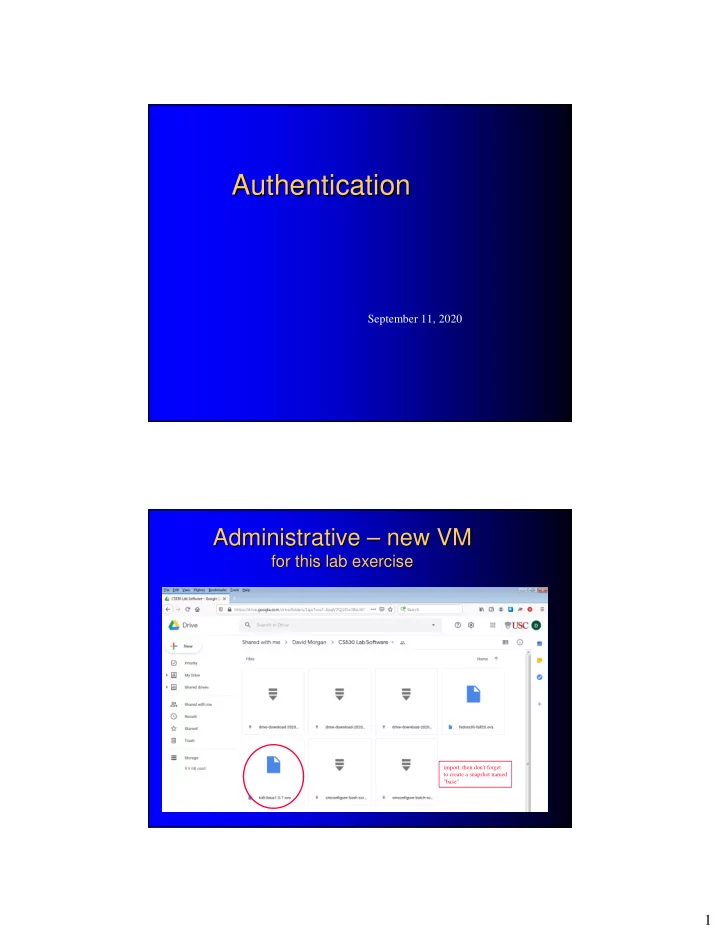
Administrative Administrative – – new VM new VM
for this lab exercise for this lab exercise
import, then don't forget to create a snapshot named "base"
Authentication Authentication September 11, 2020 Administrative - - PDF document
Authentication Authentication September 11, 2020 Administrative new VM new VM Administrative for this lab exercise for this lab exercise import, then don't forget to create a snapshot named "base" 1 Administrative
September 11, 2020
import, then don't forget to create a snapshot named "base"
fedora30-fall20 student/c$l@bLinuX root /c$l@bLinuX
( mnemonic: compter science lab linux )
kali-linux1.0.7 root/c$l@bLinuX
answer the lab assignment’s questions in written
email to csci530l@usc.edu exact subject title must be “authenticationlab” deadline is start of your lab session the following
reports not accepted (zero for lab) if
– late – you did not attend the lab (except DEN or prior arrangement) – email subject title deviates
verifying a bank customer (subject) is the person/name (identity) on a savings account (e.g., by driver's license evaluation)
verifying a keyboard user (subject) is the person/name (identity) on a user account (e.g., by password evaluation)
verifying the web server (subject) is that of an organization (identity) (e.g., by digital signature evaluation)
authentication != authorization
authentication happens first authorization comes later
user account’s ID number (UID) gets
user accounts in/of processes are revealed
the users in/of 3 processes
reads
#include <unistd.h> #include <sys/stat.h> #include <fcntl.h> int main() { char c; int in, out; in = open("file.in", O_RDONLY);
while(read(in,&c,1) == 1) write(out,&c,1); exit(0); }
reads
runs
note system calls “open” “read” “write” They do the file access user? isn’t even mentioned in the calls
UID
users don’t read files, processes do
program that copies one file to another
#include <unistd.h> #include <sys/stat.h> #include <fcntl.h> int main() { char c; int in, out; in = open("file.in", O_RDONLY);
while(read(in,&c,1) == 1) write(out,&c,1); exit(0); }
reads
runs
note system calls “open” “read” “write” They do the file access user? isn’t even mentioned in the calls
UID
AUTHENTICATION HERE up front, determines account for first (shell) process
same account, carried forward by inheritance from shell process to this spawned one
something people know
password pin number
something about them
retina/iris fingerprint DNA voice ear face
something they have
smart card sim (subscriber identity module) card hardware token
somewhere they are
login only works at certain terminals
– depending on needed degree of protection – “single-factor” “multi-factor”
examples
– system login
for user account, the matching password (single-factor)
for user account, the matching password and finger (2-factor)
– ATM transaction
for bank account, the card and matching pin (2-factor)
Step 1, 1st factor Step 2, 2nd factor
something people know most common, familiar basis for authentication
recognizable words (john1, R2D2) foreign language words (bonjour1, hastalavistababy) hacker terminology (H4XOR, 1337) personal info (names, birthdates, addresses) reverse words (nauj, esrever) what do these all have in common?
at least 8 characters (conventionally, but why 8?? still “enough” today? no) mixed case mixed letters and numerals punctuation/non-alphanumeric symbols included something you can remember
think of a memorable phrase
– “wasn’t that a dainty dish to set before the king” – “in the beginning god created the heavens and the earth”
make it an acronym
– wtaddtsbtk – itbgcthate
substitute non-letters for letters ("leetspeak")
– w7@dd7$b7k – i7bgcth@te
capitalize something
– w7@DD7$b7k – i7BGCTH@te
create them for users, don’t let users choose them use PAM’s pam_cracklib module
– enforces a password strength policy at creation time
– pam_passwdqc (http://www.openwall.com/passwdqc)
(“ “pluggable authentication modules pluggable authentication modules” ”) )
1 2
/etc/pam.d
per-application configuration files
(text)
PAM modules
(executable)
PAM-aware applications
(e.g., /bin/login /bin/su /bin/ssh /bin/passwd, etc )
3 4
app calls PAM
PAM reads app’s PAM config file
PAM calls PAM modules as listed in the file
– each succeeds or fails independently
PAM itself succeeds or fails, depending on the
– returns its overall outcome to app (4)
app proceeds (if success) or terminates (if failure)
John the Ripper
(http://www.openwall.com/)
Cain and Abel hashcat
(http://hashcat.net/hashcat/)
an alphabet is a set of symbols how many words of a certain length can you compose
depends on
– the number of symbols in the alphabet – the particular wordlength
the number of possible characters it contains
– its character set
its length
– its character count
a 2-symbol alphabet has
a 3-symbol alphabet has
a 10-symbol alphabet has
an -symbol alphabet has
(alphabet length raised to password length)
26-letter alphabet, wordlength 3: 263 = 17576 52-letter alphabet, wordlength 3: 523 = 140,608 – double alphabet length yields 8 times as many words 26-letter alphabet, wordlength 6: 266 = 308,915,776 – double word length yields 17576 times as many words 52-letter alphabet, wordlength 6: 526 = 19,770,609,660 a fish is in a pond – harder to catch in a bigger pond
https://www.grc.com/passwords.htm
16-character alphabet 94-character alphabet 62-character alphabet 1664 = 1077 9463 = 10124 6263 = 10112 Password space:
* * i.e.
i.e. “
“What What’ ’s the password space? s the password space?” ”
comparatively IPv6 address space, considered “really really big” - 1038
the number of possible characters it contains its length the randomness of character selection
(arguably, the most important factor these days)
– but no doubt predicable ones
log file, victim machine *but real-world attacks are not “dynamic” they are in-situ at attacker’s place upon an exfiltrated user/password file
the cracker’s task:
– finding the password = = eliminating all the other candidates
how you can do part of the cracker’s task for him
– eliminate candidates, reduce the candidate-space
how you can eliminate candidates: – use only letters, or only numbers (eliminates using both) – use recognizable words, foreign words (eliminates non-words) – use personal info … – use hacker terminology … – use reverse words …
better yet: just text the cracker your password
cracking is process of eliminating the non-passwords by confining passwords to known (predictable) patterns
“For instance, the cracking programs rely on the fact that a typical user will probably not start a password with a special character in the first position but will nearly always put it somewhere near the end of the space-- therefore you can shave enormous amounts of cracking time with a cracking program that is written to contemplate this - so that it will not start a brute force guessing attack on a password that assumes a special character is in the first position.... “In essence, these cracking programs go through a protocol of routines or hacking steps from greatest reward/least effort to finally greatest effort/least reward (i.e. purely random) hoping to get lucky and snag an answer before they have to go through the entire keyspace.” BFTCalc.xls from http://www.mandylionlabs.com/PRCCalc/BruteForceCalc.htm
From passwords captured in large volume in recent publicized leaks, more commonly than expected, people chose 9-character passwords whose first 5 characters are letters, last 4 are numbers, first character is sometimes capitalized, others are not.
num num num num lower lower lower lower alpha
any any any any any any any any any Random: Observed: wordspace 96^9 = 7 * 10^17 wordspace 52*26*26*26*26*10*10*10*10 = 2 * 10^11
1 million times bigger 1 million times smaller
dictionary attack brute force attack hybrid attacks
(e.g., hashcat’s “Combination,” “Toggle-Case,” “Permutation” attack modes)
normally applied against a (captured) file containing
historical
– /etc/passwd –list of users & their hashed passwords
was readable by any user (rw-r--r--)
current (since ~1990)
– /etc/passwd –list of users only (no passwords)
is readable by any user (rw-r--r--)
– /etc/shadow –their hashed passwords
is readable by root user only (rw-------)
name password (placeholder, was historical storage location) UID GID real name home directory login shell
user name stored password
(based on a hash algorithm)
reserved
MD5 SHA512
what gets stored actual hash of salted password
red – algorithm code green – salt purple – hash of (salt+ password)
generated/dynamic dictionary attack
– list of dictionary words that are tried (i.e., hashed and
compared to hash of actual password)
– very quick
file-based/static dictionary attack
– pre-compute hashes of all the words in the dictionary – re-sort it, on the hashes instead of the words – password crack becomes a computationless hash lookup
if the password is not an exact match to a word on
uses a dictionary list but can detect slight
example: if the word hello is in the database, but
generally finds many more words than a
not as quick as dictionary attack
tries every character combination until it finds
time-consuming in proportion to password space will always find the password, given time
http://www.mandylionlabs.com/PRCCalc/BruteForceCalc.htm
“This $12,000 computer, dubbed Project Erebus v2.5 by creator d3ad0ne, contains eight AMD Radeon HD7970 GPU cards. Running version 0.10 of oclHashcat-lite, it requires just 12 hours to brute force the entire keyspace for any eight-character password containing upper- or lower-case letters, digits or symbols. “
http://arstechnica.com/security/2012/08/passwords-under-assault/
2004 PC: 2^34/hr
(per Mandylion spreadsheet, from 2004)
2012 PC, single HD7970 GPU: 8.2 billion/sec Factor of 1718 2012 dedicated cracker, 8 GPUs: 8x? 64 billion/sec? 2020??
We solved “Encrypting the whole message is too slow!” by hashing the whole message instead. It works because: hashing is fast (with most algorithms) that’s good for signatures also good for for password cracking
add extra code to hash algorithm code to slow it
password salting
typed password
hash-based algorithm “hash”
Generate time Storage:
“hash”
* “hash” is quoted because the algorithm that produced it is based on a hash algorithm but isn’t that hash algorithm itself. The output therefore is not the hash itself.
*
hash-based algorithm “hash”
Generate time Authenticate time Storage:
“hash” hash-based algorithm “hash” comparison match or mismatch
typed password typed password
Generate time Storage:
“hash” salt hash-based algorithm “hash”
salt typed password
Generate time Authenticate time Storage:
hash-based algorithm “hash” comparison match or mismatch
“hash” salt
hash-based algorithm
“hash”
salt typed password salt typed password
a given password is no longer deterministically
RSA SecureID Yubico YubiKey
yubikey is a USB keyboard device – it types 44 letters whenever pressed right 32 letters
left 12 letters invariant public ID of this yubikey, generated every time
from command history recall buffer 2 seconds later (one-time key, used 2nd time, is stale)
from pressing keyboard from pressing yubikey ykclient utility queries validation server with key
red – client to server blue – server to client
1 2
/etc/pam.d
configuration file for sshd program PAM module for yubikey a PAM-aware application 3 4
sshd pam_yubico.so sshd
specifies pam_yubico.so
corresponds this machine’s “david” account to the particular white yubikey I bought recently, so a valid key from that yubikey device is “good for admission” to this account
client client
yubikey pressed here
s e r v e r i n c r e a s i n g t i m e
1 yubikey types one-time key to client PuTTY 2 client PuTTY sends key to server sshd 3 sshd passes key to pam_yubico.so 4 pam_yubico.so ships it to api.yubico.com for validation 5 api.yubico.com returns “OK” to pam_yubico.so 6 pam_yubico.so returns “OK” to sshd 7 sshd launches shell per yubico authentication server
encrypt
cccccccvrjbctjjneccdnuerugkclcvenbilblgkdiie cccccccvrjbc s t a t i c a l l y s t o r e d d y n a m i c a l l y g e n e r a t e d tjjneccdnuerugkclcvenbilblgkdiie cccccccvrjbc cccccccvrjbc = unique public ID 00000000B3D6 = unique secret ID = unique symmetric key (for AES) c o n c a t e n a t e
179 00000000B3D6 cccccccvrjbc etc last sequence number symmetric key secret ID public ID “serial no.”
application client application server authentication server d a t a b a s e a p p r e q u e s t a p p r e s p
s e validation request validation response