Attendance via Zoom Lets try to make this a great experience for all - - PowerPoint PPT Presentation

attendance via zoom let s try to make this a great
SMART_READER_LITE
LIVE PREVIEW

Attendance via Zoom Lets try to make this a great experience for all - - PowerPoint PPT Presentation

Attendance via Zoom Lets try to make this a great experience for all of us: Please check your setup before the meeting. We start all calls 10 minutes early, where you can do so. Please connect before the meeting starts. Please join using your


slide-1
SLIDE 1

05.05.2020 | FB20 | Reactive Programming & Software Technology | 1

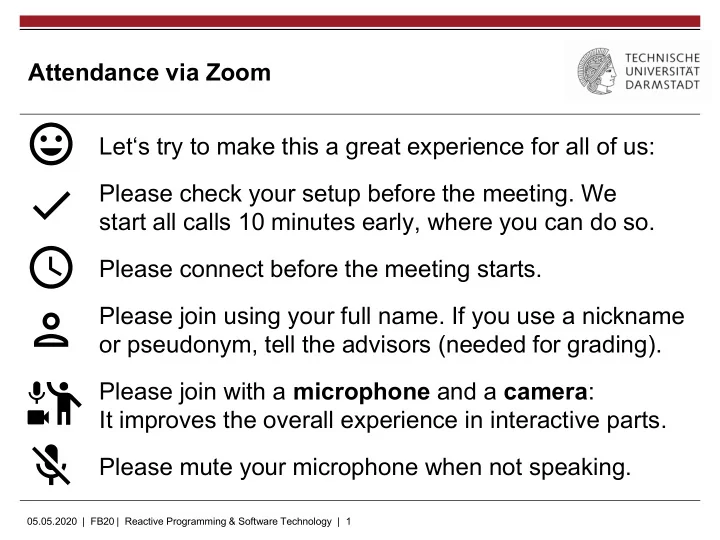
Attendance via Zoom Let‘s try to make this a great experience for all of us: Please check your setup before the meeting. We start all calls 10 minutes early, where you can do so. Please connect before the meeting starts. Please join using your full name. If you use a nickname

  • r pseudonym, tell the advisors (needed for grading).

Please join with a microphone and a camera: It improves the overall experience in interactive parts. Please mute your microphone when not speaking.

slide-2
SLIDE 2

05.05.2020 | FB20 | Reactive Programming & Software Technology | 2

Basics and Challenges (Example Meeting) Organizational slides

Software Engineering for Artificial Intelligence

slide-3
SLIDE 3

05.05.2020 | FB20 | Reactive Programming & Software Technology | 3

Agenda

  • Relevant Format Changes
  • Example presentation:

„Basics and Challenges“

  • Open Organizational Questions
slide-4
SLIDE 4

05.05.2020 | FB20 | Reactive Programming & Software Technology | 4

Relevant Format Changes

  • You work in teams of 2 persons on a topic
  • You do the reading material list, presentation, discussion together
  • Make sure to distribute work equally and to have each a ~ 50 %

share of talk time in presentation and discussion

  • We split the class into two batches for all future meetings
  • You only attend the meetings of your batch
  • Tuesday-batch: Tuesdays at 17:00
  • Thursday-batch: Thursdays at 17:00
  • In both batches we cover the same topics
  • Everything else remains unchanged
slide-5
SLIDE 5

05.05.2020 | FB20 | Reactive Programming & Software Technology | 5

Seminar Structure

  • Each meeting covers 2 topics
  • Being presented first
  • Then followed by Q&A and a discussion
  • 1 week before each meeting we publish a

introductory reading material list (webpage)

  • Please read it for preparation

This is an interactive format: everyone becomes the expert in one topic, teaches it to all others, and we discuss it together

Typical Meeting Presentation Discussion Presentation Discussion Topic 1 Topic 2 45 mins 45 mins

slide-6
SLIDE 6

05.05.2020 | FB20 | Reactive Programming & Software Technology | 6

Seminar Structure

  • We provide a list of materials for the start
  • You extend this list with suitable resources
  • You prepare a 25-30 mins presentation
  • You prepare for a 15-20 mins discussion on

the topic

  • For your class mates, you prepare a short

list of introductory reading material (~1 h reading time ~= 10 pages) This is an interactive format: everyone becomes the expert in one topic, teaches it to all others, and we discuss it together

Presented the assigned meeting slot

Due 7 days before your presentation slot; mail it to: sokolowski@cs.tu- darmstadt.de

By May 5th

slide-7
SLIDE 7

05.05.2020 | FB20 | Reactive Programming & Software Technology | 7

Grading

  • Introductory reading material list (20 %)
  • Did it prepare well for your presentation and the discussion?
  • Did it take roughly 1 hour to read all suggested resources?
  • Presentation (60 %)
  • Used resources, presented slides and the talk: Was the topic well

introduced, explained, and did you provide interesting insights?

  • Discussion guidance (10 %)
  • Apart from Q&A, could you offer questions leading to discussions?
  • Did it have clear directions and involve the class mates?
  • General discussion participation (10 %)
  • Did you regularly ask questions or add to the discussion?
slide-8
SLIDE 8

05.05.2020 | FB20 | Reactive Programming & Software Technology | 8

Example Presentation: Basics and Challenges

  • See separate slides
slide-9
SLIDE 9

05.05.2020 | FB20 | Reactive Programming & Software Technology | 9

Example Presentation: Critique

Some things you can do much better:

  • You have a more specific topic: be less general and provide more

clear and cool insights

  • Literature: The presentation used only parts of two books and two

papers: expand your research further

  • Introductory reading material
  • The reading material can be composed of multiple references

and can also use only smaller parts of them, e.g.:

  • Section 1 + 2 of Someone, Another. A paper titel. [...]
  • Section 3 of Anyone et al. Another paper. [...]
  • Up to „The bloody details“ of Author. A blog title. [...]
  • Should be closer to 60 minutes reading time (today it was ~90

minutes)

slide-10
SLIDE 10

05.05.2020 | FB20 | Reactive Programming & Software Technology | 10

Tentative Schedule

Topics Tuesday-batch Thursday-batch Choosing AI Techniques Software Architecture of AI-enabled Systems 02.06.2020 04.06.2020 Requirements and Risks Model Quality & Metamorphic Testing 09.06.2020 18.06.2020 Data Quality Assurance 16.06.2020 25.06.2020 A/B Testing 16.06.2020

  • Debugging

23.06.2020 25.06.2020 Data Provenance & Reproducibility 23.06.2020 02.07.2020 Computational Notebooks 30.06.2020 02.07.2020

(Public holiday on 11.06.)

  • In the next three weeks no meetings: time for your topic preparation
slide-11
SLIDE 11

05.05.2020 | FB20 | Reactive Programming & Software Technology | 11

Recommendation

„Software Engineering for ML-Enabled Systems” by Christian Kästner (Prof at CMU) at the Code & Supply meetup in Pittsburgh

  • 45 minutes talk giving you a nice and more detailed overview
  • https://youtu.be/9_xeTHaTcCQ
slide-12
SLIDE 12

05.05.2020 | FB20 | Reactive Programming & Software Technology | 12

Question & Answers

slide-13
SLIDE 13

05.05.2020 | FB20 | Reactive Programming & Software Technology | 13

Acknowledgements & License

  • Material Design Icons, by Google under Apache-2.0
  • Other images are either by the authors of these slides, attributed where

they are used, or licensed under Pixabay or Pexels

  • These slides are made available by the authors (Daniel Sokolowski,

Guido Salvaneschi) under CC BY 4.0