Architectural design process Sub- systems and modules System - - PDF document

architectural design process sub systems and modules
SMART_READER_LITE
LIVE PREVIEW

Architectural design process Sub- systems and modules System - - PDF document

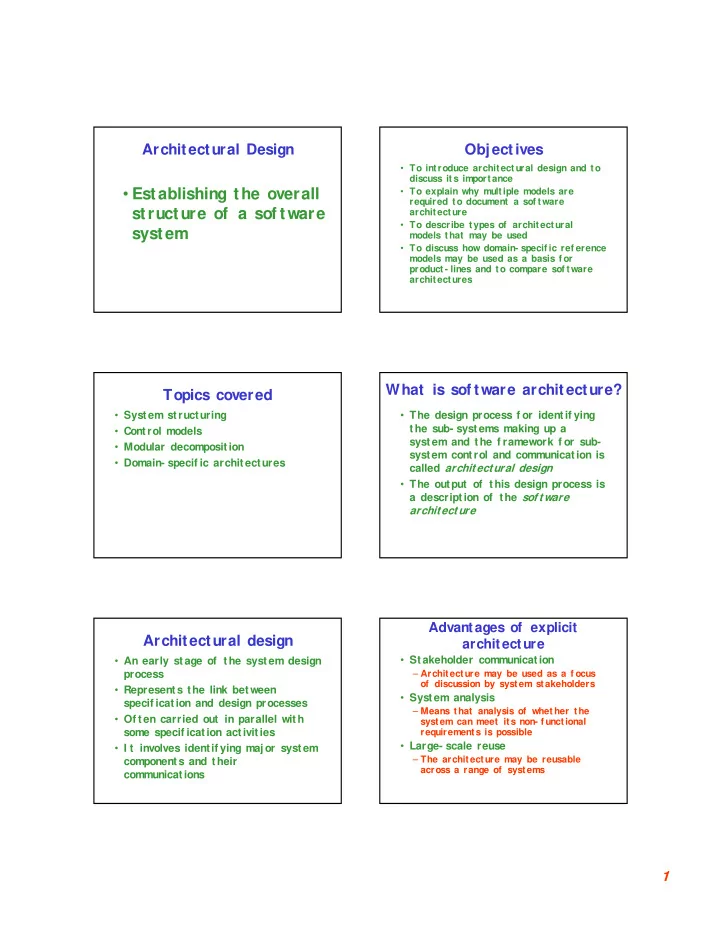
Architectural Design Objectives To introduce architect ural design and to discuss it s importance Establishing the overall To explain why multiple models are required to document a sof tware structure of a sof tware architecture


slide-1
SLIDE 1

1

Architectural Design

  • Establishing the overall

structure of a sof tware system

Objectives

  • To introduce architect ural design and to

discuss it s importance

  • To explain why multiple models are

required to document a sof tware architecture

  • To describe types of architectural

models that may be used

  • To discuss how domain- specif ic ref erence

models may be used as a basis f or product- lines and to compare sof tware architectures

Topics covered

  • System structuring
  • Control models
  • Modular decomposition
  • Domain- specif ic architectures

What is sof tware architecture?

  • The design process f or identif ying

the sub- systems making up a system and the f ramework f or sub- system control and communication is called architectural design

  • The output of this design process is

a description of the sof tware architecture

Architectural design

  • An early stage of the system design

process

  • Represents the link between

specif ication and design processes

  • Of ten carried out in parallel with

some specif ication activities

  • I t involves identif ying major system

components and their communications

Advantages of explicit architecture

  • Stakeholder communication

– Architecture may be used as a f ocus

  • f discussion by syst em stakeholders
  • System analysis

– Means that analysis of whether t he system can meet its non- f unctional requirements is possible

  • Large- scale reuse

– The architecture may be reusable across a range of systems

slide-2
SLIDE 2

2

Architectural design process

  • System structuring

– The system is decomposed into several principal sub- systems and communications between these sub- systems are identif ied

  • Control modelling

– A model of the control relationships between the dif f erent parts of the system is established

  • Modular decomposition

– The identif ied sub- systems are decomposed into modules

Sub- systems and modules

  • A sub- system is a system in its own

right whose operation is independent of the services provided by other sub- systems

  • A module is a system component

that provides services to other components but would not normally be considered as a separate system

Architectural models

  • Dif f erent architectural models may

be produced during the design process

  • Each model presents dif f erent

perspectives on the archit ecture

Architectural models

  • Static st ructural model

– shows the major system components

  • Dynamic process model

– shows the process struct ure of the system

  • I nterf ace model

– def ines sub- system interf aces

  • Relationships model

– E. g. , data- f low model

Architectural styles

  • The architectural model of a

system may conf orm to a generic architectural model or st yle

  • An awareness of these styles can

simplif y the problem of def ining system architectures

  • However, most large systems are

heterogeneous and do not f ollow a single architectural st yle

Architecture attributes

  • Perf ormance

– Localize operations to minimize sub- system communication

  • Security

– Use a layered architecture with critical assets in inner layers

  • Saf ety

– I solate saf ety- critical components

  • Availability

– I nclude redundant components in the architecture

  • Maintainability

– Use f ine- grain, self - contained components

slide-3
SLIDE 3

3

System structuring

  • Concerned with decomposing the

system into interacting sub- systems

  • The architectural design is normally

expressed as a block diagram presenting an overview of the system structure

  • More specif ic models showing how

sub- systems share data, are distributed and interf ace with each

  • ther may also be developed

Packing robot control system

Vision system Vision system Object identif ication system Object identif ication system Conveyor controller Conveyor controller Arm controller Arm controller Gripper controller Gripper controller Packaging selection system Packaging selection system Packing system Packing system

The repository model

  • Sub- systems must exchange data. This

may be done in two ways:

– Shared data is held in a central database or repository and may be accessed by all sub- systems – Each sub- system maintains its own database and passes data explicitly to other sub- systems

  • When large amounts of data are to be

shared, the repository model of sharing is most commonly used

CASE toolset architecture

Design Editor Design Editor Code Generator Code Generator Design Translator Design Translator Program Editor Program Editor Design Analyzer Design Analyzer Report Generator Report Generator Project Repository Project Repository

Repository model characteristics

  • Advantages

– Ef f icient way to share large amounts of data – Sub- systems need not be concerned with how data is managed – Centralized management e. g. backup, security, etc.

  • Disadvantages

– Sub- systems must agree on a repository data

  • model. I nevitably a compromise

– Data evolution is dif f icult and expensive – Dif f icult to distribute ef f iciently

Client- server architecture

  • Distributed system model which shows

how data and processing is distributed across a range of component s

  • Set of stand- alone servers which provide

specif ic services such as print ing, data management, etc.

  • Set of client s which call on these

services

  • Network which allows client s t o access

servers

slide-4
SLIDE 4

4

Film and picture library

Client 1 Client 1 Catalog server Catalog server Catalog Catalog Client 2 Client 2 Video server Video server Film clip f iles Film clip f iles Client 3 Client 3 Picture server Picture server Digitized photographs Digitized photographs Client 4 Client 4 Hypertext server Hypertext server Hypertext web Hypertext web Wide- bandwidth Network Wide- bandwidth Network

Client- server characteristics

  • Advantages

– Distribution of data is straightf orward – Makes ef f ective use of networked systems. May require cheaper hardware – Easy to add new servers or upgrade existing servers

  • Disadvantages

– No shared data model so sub- systems use dif f erent data organization – Data interchange may be inef f icient – Redundant management in each server – No central register of names and services - it may be dif f icult to f ind out what servers and services are available

Abstract machine model

  • Used to model t he interf acing of sub-

systems

  • Organizes t he system into a set of

layers (or abstract machines) each of which provide a set of services

  • Supports the incremental development of

sub- systems in dif f erent layers. When a layer interf ace changes, only the adjacent layer is af f ect ed

  • However, of ten dif f icult to st ructure

systems in t his way

Version management system

Version management Version management Object management Object management Database system Database system Operating system Operating system

Control models

  • Are concerned with the control f low

between sub- systems. Dist inct f rom t he system decomposit ion model

  • Centralized control

– One sub- system has overall responsibility f or control and starts and stops other sub- systems

  • Event- based control

– Each sub- system can respond to externally generated events f rom other sub- systems or the system’s environment

Centralized control

  • A control sub- system takes responsibility

f or managing the execution of other sub- systems

  • Call- return model

– Top- down subroutine model where control starts at the top of a subroutine hierarchy and moves downwards. Applicable to sequential systems

  • Manager model

– One system component controls the stopping, starting and coordination of other system

  • processes. Can be implemented in sequential

systems as a case statement. Applicable to concurrent systems.

slide-5
SLIDE 5

5

Call- return model

Main Program Main Program Routine

  • 1. 1

Routine

  • 1. 1

Routine

  • 1. 2

Routine

  • 1. 2

Routine

  • 2. 1

Routine

  • 2. 1

Routine

  • 3. 1

Routine

  • 3. 1

Routine

  • 3. 2

Routine

  • 3. 2

Routine 1 Routine 1 Routine 2 Routine 2 Routine 3 Routine 3

Motor processes Motor processes Motor processes Motor processes Motor processes Motor processes Motor processes Motor processes Motor processes Motor processes Motor processes Motor processes Motor processes Motor processes Motor processes Motor processes Motor processes Motor processes

Real- time system control

System controller System controller User interf ace User interf ace Fault handler Fault handler Computation processes Computation processes Sensor processes Sensor processes Motor processes Motor processes

Event- driven systems

  • Driven by externally generated events
  • Two principal event- driven models

– Broadcast models. An event is broadcast to all sub- systems. Any sub- system that can handle the event may do so – I nterrupt- driven models. Used in real- time systems where interrupts are detected by an interrupt handler and passed to some other component f or processing

  • Other event driven models include

spreadsheets and product ion systems

Broadcast model

  • Ef f ective in integrat ing sub- systems on

dif f erent computers in a network

  • Sub- systems register an int erest in

specif ic event s. When t hese occur, control is transf erred to the sub- system that can handle t he event

  • Control policy is not embedded in the

event and message handler. Sub- systems decide on event s of interest t o them

  • However, sub- syst ems don’t know if or

when an event will be handled

Selective broadcasting

Sub- system 1 Sub- system 1 Sub- system 2 Sub- system 2 Sub- system 3 Sub- system 3 Sub- system 4 Sub- system 4 Event and message handler Event and message handler

I nterrupt- driven systems

  • Used in real- time systems where f ast

response t o an event is essent ial

  • There are known interrupt types with a

handler def ined f or each type

  • Each type is associated with a memory

location and a hardware switch causes transf er to its handler

  • Allows f ast response but complex to

program and dif f icult to validate

slide-6
SLIDE 6

6

I nterrupt- driven control

I nterrupts Handler 1 Handler 1 Process 1 Process 1 Handler 2 Handler 2 Process 2 Process 2 Handler 3 Handler 3 Process 3 Process 3 Handler 4 Handler 4 Process 4 Process 4 I nterrupt vector

Modular decomposition

  • Another struct ural level where sub-

systems are decomposed into modules

  • Two modular decomposition models

– An object model where the system is decomposed into interacting objects – A data- f low model where the system is decomposed into f unctional modules that transf orm inputs to outputs. Also known as the pipeline model

  • I f possible, decisions about concurrency

should be delayed until modules are implement ed

Object models

  • Structure t he system into a set of

loosely coupled object s with well- def ined interf aces

  • Object- oriented decomposition is

concerned with identif ying object classes, t heir at tribut es and operations

  • When implemented, object s are creat ed

f rom these classes and some control model used to coordinate object

  • perations

I nvoice processing system

Customer Customer Customer # Name Address Credit period Customer # Name Address Credit period Payment Payment I nvoice # Date Amount Customer # I nvoice # Date Amount Customer # Receipt Receipt I nvoice # Date Amount Customer # I nvoice # Date Amount Customer # I nvoice I nvoice I nvoice # Date Amount Customer # I nvoice # Date Amount Customer # I ssue() sendReminder() acceptPayment() sendReciept() I ssue() sendReminder() acceptPayment() sendReciept()

Data- f low models

  • Funct ional transf ormations process their

input s to produce out put s

  • May be ref erred to as a pipe and f ilter

model (as in UNI X shell)

  • Variants of t his approach are very
  • common. When transf ormat ions are

sequential, t his is a bat ch sequential model t hat is extensively used in data processing systems

  • Not really suitable f or interactive

systems

I nvoice processing system

Receipts Receipts Read issued invoices Read issued invoices I dentif y payments I dentif y payments I ssue receipts I ssue receipts I nvoices I nvoices Payments Payments Find payments due Find payments due I ssue payment reminder I ssue payment reminder Reminders Reminders

slide-7
SLIDE 7

7

Domain- specif ic architectures

  • Architectural models t hat are specif ic to

some application domain

  • Two types of domain- specif ic models

– Generic models that are abstractions of a number of real systems and that encapsulate the principal characteristics of these systems – Ref erence models that are more abstract, idealized models. Provide a means of inf ormation about that class of system and

  • f comparing dif f erent architectures
  • Generic models are usually bot tom- up

models; Ref erence models are top- down models

Generic models

  • Compiler model is a well- known example

although other models exist in more specialized application domains

– Lexical analyser – Symbol table – Syntax analyser – Syntax tree – Semantic analyser – Code generator

  • Generic compiler model may be organized

according to dif f erent architectural models

Compiler model

Symbol table Symbol table Lexical analysis Lexical analysis Static analysis Static analysis Semantic analysis Semantic analysis Code Generation Code Generation

Ref erence architectures

  • Ref erence models are derived f rom

a study of the application domain rather t han f rom existing systems

  • May be used as a basis f or system

implementation or to compare dif f erent systems. I t acts as a standard against which systems can be evaluated

  • OSI model is a layered model f or

communication systems

Application Application Presentation Presentation Session Session Transport Transport Network Network Data Link Data Link Physical Physical

OSI ref erence model

Application Application Presentation Presentation Session Session Transport Transport Network Network Data Link Data Link Physical Physical Network Network Data Link Data Link Physical Physical Communications medium Communications medium 7 6 5 4 3 2 1

Object- oriented Design

Designing systems using self - contained objects and object classes

slide-8
SLIDE 8

8

Characteristics of OOD

  • Objects are abstractions of real- world

entities

  • Objects are independent and encapsulate

state and representat ion inf ormation

  • System f unct ionality is expressed in

terms of object services

  • Shared data areas are eliminated
  • Objects communicate by message passing
  • Objects may be distributed and may

execute sequentially or in parallel

I nteracting objects

Obj1: Class1 Obj1: Class1 State Obj1 State Obj1 Ops1() Ops1() Obj3: Class3 Obj3: Class3 State Obj3 State Obj3 Ops3() Ops3() Obj4: Class4 Obj4: Class4 State Obj4 State Obj4 Ops4() Ops4() Obj2: Class3 Obj2: Class3 State Obj2 State Obj2 Ops3() Ops3() Obj6: Class1 Obj6: Class1 State Obj6 State Obj6 Ops1() Ops1() Obj5: Class5 Obj5: Class5 State Obj5 State Obj5 Ops5() Ops5()

Advantages of OOD

  • Easier maintenance. Objects may

be understood as stand- alone entities

  • Objects are appropriate reusable

components

  • For some systems, there may be an
  • bvious mapping f rom real world

entities to system objects

Object- oriented development

  • Object- oriented analysis, design and

programming are related but dist inct

  • OOA is concerned with developing an
  • bject model of t he applicat ion domain
  • OOD is concerned wit h developing an
  • bject- orient ed syst em model to

implement requirements

  • OOP is concerned wit h realizing an OOD

using an OO programming language such as Java or C++

Objects and object classes

  • Objects are entities in a sof tware

system that represent instances of real- world and system entities

  • Object classes are templates f or
  • bjects. They may be used to

create objects

  • Object classes may inherit

attributes and services f rom other

  • bject classes

Objects

An object is an entity that has a state and a defined set of

  • perations which operate on that state. The state is

represented as a set of object attributes. The operations associated with the object provide services to other

  • bjects (clients) which request these services when some

computation is required. Objects are created according to some object class

  • definition. An object class definition serves as a template

for objects. It includes declarations of all the attributes and services which should be associated with an object of that class.

slide-9
SLIDE 9

9

The Unif ied Modelling Language

  • Several dif f erent notations f or

describing object- oriented designs were proposed in the 1980s and 1990s

  • The Unif ied Modelling Language is an

integration of these notations

  • I t describes notations f or a number of

dif f erent models t hat may be produced during OO analysis and design

  • I t is now a de f acto standard f or OO

modelling

Employee object class (UML)

Employee Employee Name: string Address: string dateOf Birth: Date employeeNo: integer socialSecuriyNo: string Department: Dept Manager: Employee Salary: integer Status: {current, lef t, retired} taxCode: integer Name: string Address: string dateOf Birth: Date employeeNo: integer socialSecuriyNo: string Department: Dept Manager: Employee Salary: integer Status: {current, lef t, retired} taxCode: integer Join() Leave() retire() changeDetails() Join() Leave() retire() changeDetails()

Object communication

  • Conceptually, object s communicate using

messages

  • Messages

– The name of the service requested by the calling object – Copies of the inf ormation required to execute the service and the name of a holder f or the result of the service

  • I n practice, messages are of t en

implement ed by procedure calls

– Name = procedure name. – I nf ormation = parameter list.

Message examples

//Call a method associated with a buffer //object that returns the next value //in the buffer v = circularBuffer.Get() ; //Call the method associated with a //thermostat

  • bject

that sets the //temperature to be maintained thermostat.setTemp (20) ;

Generalization and inheritance

  • Objects are members of classes that

def ine at tribute types and operations

  • Classes may be arranged in a class

hierarchy where one class (a super- class) is a generalization of one or more ot her classes (sub- classes)

  • A sub- class inherits t he attribut es and
  • perations f rom its super class and may

add new met hods or attributes of its

  • wn
  • Generalization in t he UML is implemented

as inheritance in OO programming languages

A generalization hierarchy

Manager Manager budgetsControlled dateAppointed budgetsControlled dateAppointed Programmer Programmer project progLanguage project progLanguage Project Manager Project Manager projects projects Department Manager Department Manager department department Strategic Manager Strategic Manager responsibilities responsibilities Employee Employee

slide-10
SLIDE 10

10

Advantages of inheritance

  • I t is an abst raction mechanism that

may be used to classif y entities

  • I t is a reuse mechanism at both

the design and the programming level

  • The inheritance graph is a source
  • f organizational knowledge about

domains and systems

Problems with inheritance

  • Object classes are not self -
  • contained. they cannot be

understood without ref erence to their super- classes

  • Designers have a tendency to reuse

the inheritance graph created during analysis. Can lead t o signif icant inef f iciency

I nheritance and OOD

  • There are dif f ering views as t o whet her

inheritance is f undamental to OOD.

– View 1. I dentif ying the inheritance hierarchy

  • r network is a f undamental part of object-
  • riented design. Obviously this can only be

implemented using an OOPL. – View 2. I nheritance is a usef ul implementation concept which allows reuse of attribute and operation def initions. I dentif ying an inheritance hierarchy at the design stage places unnecessary restrictions

  • n the implementation
  • I nheritance introduces complexity that is

undesirable, especially in critical systems

UML associations

  • Objects and object classes participate in

relationships wit h other objects and

  • bject classes
  • I n the UML, a generalized relationship is

indicated by an association

  • Associat ions may be annotated wit h

inf ormation t hat describes t he association

  • Associat ions are general but may indicate

that an at tribut e of an object is an associated object or that a method relies on an associated object

An association model

Employee Employee Department Department Manager Manager is- member- of is- managed- by manages

Concurrent objects

  • The nature of object s as self -

contained entities make them suitable f or concurrent implementation

  • The message- passing model of
  • bject communication can be

implemented directly if objects are executing on separate processors in a distributed system

slide-11
SLIDE 11

11

Servers and active objects

  • Servers

– The object is implemented as a parallel process (server) with entry points corresponding to object operations. I f no calls are made to it, the object suspends itself and waits f or f urther requests f or service

  • Active objects

– Objects are implemented as parallel processes and the internal object state may be changed by

  • t he obj ect it self , and
  • ext er nal calls

Active objects

  • Active objects may have t heir attributes

modif ied by operat ions but may also update them autonomously using internal

  • perations
  • Example

– Transponder object broadcasts an aircraf t’s

  • position. The position may be updated using a

satellite positioning system. The object periodically update the position by triangulation f rom satellites

An active transponder object

class Transponder extends Thread { Position currentPosition ; Coords c1, c2 ; Satellite sat1, sat2 ; Navigator theNavigator ; public Position givePosition () { return currentPosition ; } public void run () { while (true) { c1 = sat1.position () ; c2 = sat2.position () ; currentPosition = theNavigator.compute (c1, c2) ; } } } //Transponder

Java threads

  • Threads in Java are a simple

construct f or implementing concurrent object s

  • Threads must include a method

called run() and this is started up by the Java run- time system

  • Active object s typically include an

inf inite loop so that they are always carrying out the computation

An object- oriented design process

  • Def ine the context and modes of

use of the system

  • Design the system architecture
  • I dentif y the principal syst em
  • bjects
  • Develop design models
  • Specif y object interf aces

EXAMPLE Weather system description

A weather data collection system is required to generate weather maps on a regular basis using data collected from remote, unattended weather stations and other data sources such as weather observers, balloons and satellites. Weather stations transmit their data to the area computer in response to a request from that machine. The area computer validates the collected data and integrates it with the data from different sources. The integrated data is archived and, using data from this archive and a digitized map database a set of local weather maps is created. Maps may be printed for distribution on a special-purpose map printer or may be displayed in a number of different formats.

slide-12
SLIDE 12

12

Weather station description

A weather station is a package of software controlled instruments which collects data, performs some data processing and transmits this data for further processing. The instruments include air and ground thermometers, an anemometer, a wind vane, a barometer and a rain gauge. Data is collected every five minutes. When a command is issued to transmit the weather data, the weather station processes and summarizes the collected data. The summarized data is transmitted to the mapping computer when a request is received.

Layered architecture

<<subsystem>> Data display <<subsystem>> Data display <<subsystem>> Data archiving <<subsystem>> Data archiving <<subsystem>> Data processing <<subsystem>> Data processing <<subsystem>> Data collection <<subsystem>> Data collection

Dat a display layer wher e obj ect s ar e concer ned wit h pr epar ing and pr esent ing t he dat a in human-r eadable f or m Dat a ar chiving layer wher e obj ect s ar e concer ned wit h st or ing t he dat a f or f ut ur e pr ocessing Dat a pr ocessing layer wher e obj ect s ar e concer ned wit h checking and int egr at ing t he collect ed dat a Dat a collect ion layer wher e obj ect s ar e concer ned wit h acquiring dat a f r om r emot e sour ces

System context and models of use

  • Develop an understanding of t he

relationships between the sof t ware being designed and its ext ernal environment

  • System context

– A static model that describes other systems in the environment. Use a subsystem model to show other systems. Following slide shows the systems around the weather station system.

  • Model of system use

– A dynamic model that describes how the system interacts with its environment. Use use- cases to show interactions

<<subsystem>> Data collection <<subsystem>> Data collection

Subsystems in the weather mapping system

  • bserver
  • bserver

Weather station Weather station Comms. Comms. Satellite Satellite Balloon Balloon <<subsystem>> Data display <<subsystem>> Data display Map Map User interf ace User interf ace Map display Map display Map printer Map printer <<subsystem>> Data processing <<subsystem>> Data processing Data checking Data checking Data integration Data integration <<subsystem>> Data archiving <<subsystem>> Data archiving Map store Map store Data storage Data storage Data store Data store

Use- cases f or the weather station

Startup Startup Shutdown Shutdown Report Report Calibrate Calibrate Test Test

Use- case description

  • System

– Weather station

  • Use-case

– Report

  • Actors

– Weather data collection system, Weather station

  • Data

– The weather station sends a summary of the weather data that has been collected from the instruments in the collection period to the weather data collection system. The data sent are the maximum minimum and average ground and air temperatures, the maximum, minimum and average air pressures, the maximum, minimum and average wind speeds, the total rainfall and the wind direction as sampled at 5 minute intervals.

  • Stimulus

– The weather data collection system establishes a modem link with the weather station and requests transmission of the data.

  • Response

– The summarized data is sent to the weather data collection system

  • Comments

– Weather stations are usually asked to report once per hour but this frequency may differ from one station to the other and may be modified in future.

slide-13
SLIDE 13

13

Architectural design

  • Once interact ions between the system

and it s environment have been understood, we use this inf ormation f or designing the system architecture

  • Layered architecture is appropriate f or

the weather station

– I nterf ace layer f or handling communications – Data collection layer f or managing instruments – I nstruments layer f or collecting data

  • There should be no more t han 7 ent ities

in an architectural model

Weather station architecture

Weather station Weather station <<subsystem>> I nterf ace <<subsystem>> I nterf ace <<subsystem>> Data collection <<subsystem>> Data collection <<subsystem>> I nstruments <<subsystem>> I nstruments Manages all external communications Manages all external communications Collects and summarizes weather data Collects and summarizes weather data Package of instruments f or raw data collections Package of instruments f or raw data collections

Object identif ication

  • I dentif ying objects (or object

classes) is the most dif f icult part

  • f object oriented design
  • There is no ' magic f ormula' f or
  • bject identif ication. I t relies on

the skill, experience and domain knowledge of system designers

  • Object identif ication is an iterative
  • process. Unlikely to get it right

f irst time

Approaches to identif ication

  • Base the identif ication on tangible

things in the application domain

  • Use a behavioural approach and

identif y objects based on what participates in what behaviour

  • Use a scenario- based analysis. The
  • bjects, attributes and methods in

each scenario are identif ied

Weather station object classes

  • Ground thermometer, Baromet er

– Application domain objects that are ‘hardware’ objects related to the instruments in the system

  • Weather station

– The basic interf ace of the weather station to its environment. I t ref lects the interactions identif ied in the use- case model

  • Weather data

– Encapsulates the summarized data f rom the instruments

Weather station object classes

WeatherStation WeatherStation

identif ier identif ier reportWeather() calibrate(instruments) test() startup(instruments) shutdown(instruments) reportWeather() calibrate(instruments) test() startup(instruments) shutdown(instruments)

WeatherData WeatherData

airTemperatures groundTemperatures windSpeeds windDirections pressure rainf all airTemperatures groundTemperatures windSpeeds windDirections pressure rainf all collect() summarize(instruments) collect() summarize(instruments)

Ground Thermometer Ground Thermometer

temperature temperature test() calibrate() test() calibrate()

Barometer Barometer

pressure height pressure height test() calibrate() test() calibrate()

Anemometer Anemometer

windSpeed windDirection windSpeed windDirection test() test()

slide-14
SLIDE 14

14

Further objects and object ref inement

  • Use domain knowledge to identif y more
  • bjects and operations

– Weather stations should have a unique identif ier – Weather stations are remotely situated so instrument f ailures have to be reported

  • automatically. Theref ore attributes and
  • perations f or self - checking are required
  • Active or passive objects

– I n this case, objects are passive and collect data on request rather than autonomously. This introduces f lexibility at the expense of controller processing time

Design models

  • Design models show the objects and
  • bject classes and relationships

between these entities

  • Static models describe the static

structure of the system in terms of

  • bject classes and relationships
  • Dynamic models describe t he

dynamic interactions between

  • bjects

Examples of design models

  • Sub- system models that show logical

groupings of object s into coherent subsystems

  • Sequence models that show the sequence
  • f object int eractions
  • State machine models that show how

individual objects change their state in response t o events

  • Other models include use- case models,

aggregat ion models, generalization models, etc.

Subsystem models

  • Shows how the design is organized

into logically related groups of

  • bjects
  • I n the UML, these are shown using

packages - an encapsulation

  • construct. This is a logical model.

The actual organization of objects in the system may be dif f erent.

Weather station subsystems

<<subsystem>> I nterf ace <<subsystem>> I nterf ace

CommsController CommsController WeatherStation WeatherStation

<<subsystem>> Data collection <<subsystem>> Data collection

WeatherData WeatherData I nstrumentStatus I nstrumentStatus

<<subsystem>> Data collection <<subsystem>> Data collection

AirThermometer AirThermometer GroundThermometer GroundThermometer RainGauge RainGauge Barometer Barometer Anemometer Anemometer WindVane WindVane

Sequence models

  • Sequence models show t he sequence of
  • bject interactions that take place

– Objects are arranged horizontally across the top – Time is represented vertically so models are read top to bottom – I nteractions are represented by labelled arrows, Dif f erent styles of arrow represent dif f erent types of interaction – A thin rectangle in an object lif eline represents the time when the object is the controlling object in the system

slide-15
SLIDE 15

15

Data collection sequence

WeatherStation WeatherStation WeatherData WeatherData CommsController CommsController

request(report) acknowledge() reply(report) acknowledge() report() send(report) summarize()

Statecharts

  • Show how objects respond to dif f erent

service requests and the stat e transitions triggered by t hese requests

– I f object state is Shutdown then it responds to a Startup() message – I n the waiting state the object is waiting f or f urther messages – I f reportWeather() then system moves to summarizing state – I f calibrate() the system moves to a calibrating state – A collecting state is entered when a clock signal is received

Operation

Weather station state diagram

Calibrating Calibrating Testing Testing Transmitting Transmitting Waiting Waiting Summarizing Summarizing Collecting Collecting Shutdown Shutdown

startup() shutdown() calibrate() test() transmission done reportWeather() clock collection done Weather summary complete test complete Calibration OK

Object interf ace specif ication

  • Object interf aces have to be specif ied

so t hat t he object s and ot her components can be designed in parallel

  • Designers should avoid designing t he

interf ace representation but should hide this in the object it self

  • Objects may have several interf aces

which are viewpoints on the methods provided

  • The UML uses class diagrams f or

interf ace specif icat ion but Java may also be used

Weather station interf ace

interface WeatherStation { public void WeatherStation () ; public void startup () ; public void startup (Instrument i) ; public void shutdown () ; public void shutdown (Instrument i) ; public void reportWeather ( ) ; public void test () ; public void test ( Instrument i ) ; public void calibrate ( Instrument i) ; public int getID () ; } //WeatherStation

Design evolution

  • Hiding inf ormat ion inside objects means

that changes made to an object do not af f ect ot her objects in an unpredictable way

  • Assume pollution monitoring f acilities are

to be added to weather stations. These sample the air and comput e the amount

  • f dif f erent pollutants in the atmosphere
  • Pollution readings are transmit ted with

weather data

slide-16
SLIDE 16

16

Changes required

  • Add an object class called ‘Air

quality’ as part of WeatherStation

  • Add an operation reportAirQualit y

to WeatherSt ation. Modif y the control sof tware to collect pollution readings

  • Add objects representing pollution

monitoring inst ruments

Pollution monitoring

WeatherStation WeatherStation

identif ier identif ier reportWeather() reportAirQuality() calibrate(instruments) test() startup(instruments) shutdown(instruments) reportWeather() reportAirQuality() calibrate(instruments) test() startup(instruments) shutdown(instruments)

Air Quality Air Quality

NO Data smokeData benzeneData NO Data smokeData benzeneData collect() summarize() collect() summarize()

Pollution Monitoring I nstruments Pollution Monitoring I nstruments

BenzeneMeter BenzeneMeter NO meter NO meter SmokeMeter SmokeMeter