Banking software architecture 2 Architectural Styles 1 WebLogic - - PDF document

banking software architecture
SMART_READER_LITE
LIVE PREVIEW

Banking software architecture 2 Architectural Styles 1 WebLogic - - PDF document

Architectural Styles Ana Moreira Fernando Brito e Abreu 1 Architectural Styles Banking software architecture 2 Architectural Styles 1 WebLogic Network Gatekeeper's software architecture 3 Architectural Styles GNOME Desktop Accessibility


slide-1
SLIDE 1

1

Architectural Styles 1

Architectural Styles

Ana Moreira Fernando Brito e Abreu

Architectural Styles 2
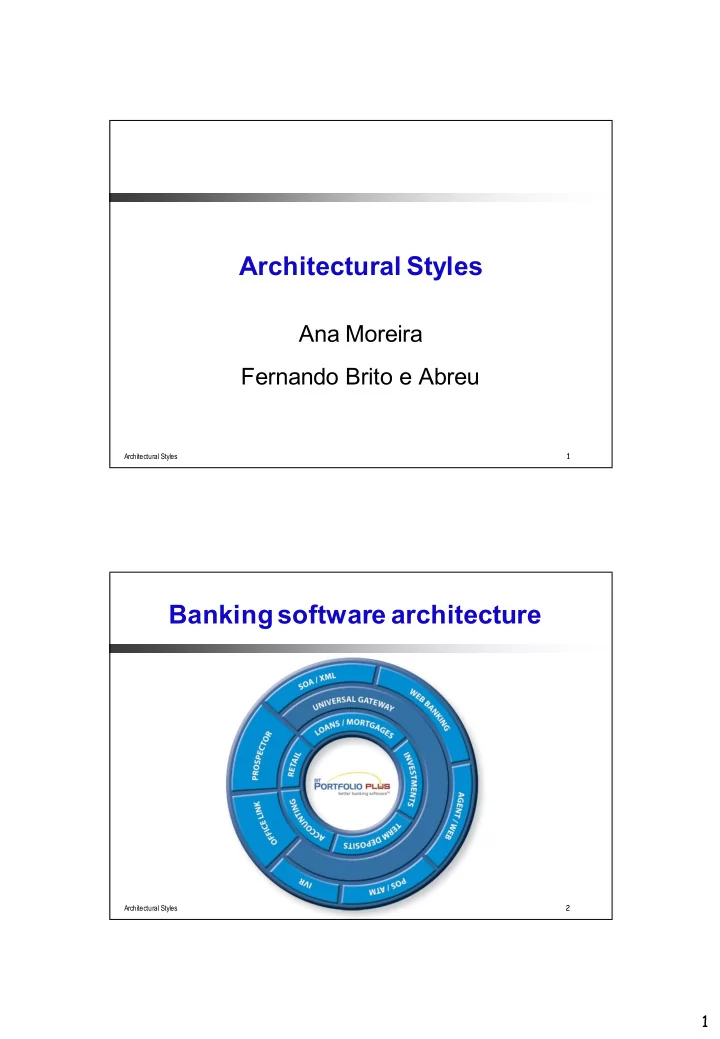
Banking software architecture

slide-2
SLIDE 2

2

Architectural Styles 3

WebLogic Network Gatekeeper's software architecture

Architectural Styles 4

GNOME Desktop Accessibility architecture

slide-3
SLIDE 3

3

Architectural Styles 5

Open Healthcare Framework (OHF) architecture – client side

Architectural Styles 6

Open Healthcare Framework (OHF) architecture – server side

slide-4
SLIDE 4

4

Architectural Styles 7

Architecture of J2SE 5.0 monitoring and management support

Architectural Styles 8

Eclipse plug-in architecture

slide-5
SLIDE 5

5

Architectural Styles 9

Eclipse architecture

Architectural Styles 10

Mozzila architecture

slide-6
SLIDE 6

6

Architectural Styles 11

Client / server architecture

Architectural Styles 12

12

Architectural Styles: Definition

Is a set of rules and constraints that prescribe

vocabulary: which types of components, interfaces & connectors may be used in a system. Possibly introducing domain-specific types structure: how components and connectors may be combined constraints: on how they can be combined guidelines: to support the application of the style (how to achieve certain system properties)

slide-7
SLIDE 7

7

Architectural Styles 13

Architectural Styles (2)

An architecture style defines a family of systems in terms of a pattern of structural

  • rganization.

An architectural style defines

a vocabulary of components and connector types a set of constraints on how they can be combined

  • ne or more semantic models that specify how a

system’s overall properties can be determined from the properties of its parts

Architectural Styles 14

Architectural Styles (3)

Architectural styles are design paradigms for a set

  • f design dimensions

Some architectural styles emphasize different aspects such as: subdivision of functionality, topology or interaction style

Styles are open-ended; new styles will emerge An architecture can use several architectural styles Architectural styles are not disjoint

slide-8
SLIDE 8

8

Architectural Styles 15

Styles vs Patterns

Style is the classification of a system’s architecture according to those with similar patterns A pattern is a common solution to a common problem; patterns may be classified as idioms, mechanisms, or frameworks

Architectural Styles/Patterns Design Patterns Emphasis Reuse conceptual integrity Reuse conceptual integrity Abstraction Level Architecture Component Use Concept that needs to be adapted Directly applicable

Architectural Styles 16

Architectural Styles (or Patterns)

Object-oriented design patterns express collaboration of classes and objects Architectural patterns express fundamental structural organisation schemas for software systems

set of predefined subsystems specify responsibilities rules and guidelines for organising subsystem relationships

architectural patterns exist for

bringing structure into a system

  • rganising distributed, interactive, adaptable systems
slide-9
SLIDE 9

9

Architectural Styles 17

We can do anything…

Which guidelines and lessons learned to follow in order to get a “good architecture”?

Architectural Styles 18

…Architectural Styles Help Structuring

Architectural styles define high-level design rules

Assign responsibilities to components (client, server…) Prescribe patterns of interaction: restrict the way in which components can be connected Promote fundamental principles

separation of concerns and anticipation of change low coupling high cohesion

Architectural styles are based on success stories

Almost all compilers are build as “pipe-and-filter” Almost all network protocols are built as “layers”

slide-10
SLIDE 10

10

Architectural Styles 19

Architectural Styles and Qualities

An awareness of these styles can simplify the problem of defining system architectures

some styles are likely to promote certain non- functional requirements e.g. layered architectures:

favour reusability and maintainability hinder performance

However, most large systems are heterogeneous and do not follow a single architectural style

Architectural Styles 20

Catalogue of Architectural Styles

Styles are…

… pieces of architecture knowledge … documented in the form of:

context-problem/solution/consequences/…

Catalogues are available in books on software engineering and software architecture

e.g. Sommerville’s book contains the discussion of several architectural styles…

slide-11
SLIDE 11

11

Architectural Styles 21

Software Architecture Catalogues

The Unified Software Development Process,

  • G. Booch, J. Rumbaugh & I, Jacobson.

A System of Patterns: Pattern-Oriented Software Architecture, F. Buschman et al. Object-Oriented Modeling and Design, J. Rumbaugh Design and use of software architectures, J. Bosch. Software Architecture in Practice, P. Clements, L. Bass &

  • R. Kazman

Applied Software Architecture, C. Hofmeister et al. Software Product Lines, P. Clements & L. Northrop Software Architectures: Perspectives on an Emerging Discipline, M. Shaw. Synthesis-Based Software Architecture Design, Tekinerdogan & Aksit. …

Architectural Styles 22

Here we are going to look at…

… some examples of architectural styles:

Pipe & filter Client-server Blackboard Object-oriented Layers Implicit Invocation or Event-based Architectures SOAs (Service Oriented Architectures)

Programming languages/frameworks/middleware typically provide direct support for such architectural styles

slide-12
SLIDE 12

12

Architectural Styles 23

Pipe & Filter style

Architectural Styles 24

Introduction

Pipe and Filter

Concept: series of filters / transformations where each component is consumer and producer Components: filters (or pumps or sinks) Connectors: pipes Interaction style: data streaming

slide-13
SLIDE 13

13

Architectural Styles 25

Topology examples

Pipe and Filter

Feedback-loops: useful when a system does continuous controlling of a physical system Splitting pipes: this will allow the parallelising the processing Producer (Pump): Produces data and puts it to an output port that is connected to the input end of a pipe. Consumer (Sink): Gets data from the input port that is connected to the output end of a pipe and consumes the data.

Architectural Styles 26

Constraints

Pipe and Filter

Semantic Constraints Filters are independent entities

No sharing of state among filters Identity of their predecessor / successor is unknown

slide-14
SLIDE 14

14

Architectural Styles 27

Constraints

Pipe and Filter

Constraints about the way filters and pipes can be joined:

Unidirectional flow Control flow derived from data flow

Behaviour Types:

  • a. Batch sequential

Run to completion per transformation

  • b. Continuous

Incremental transformation variants: push, pull, asynchronous

Architectural Styles 28

Typical uses

Pipe and Filter

Unix shell programming

Unix commands alone are powerful, but when we combine them together, we can accomplish complex tasks with ease. The way we combine Unix commands is through using pipes (“|”) and filters (e.g. cat, awk, sort)

$ cat basket.txt Layer1 = cloth Layer2 = strawberries Layer3 = fish Layer4 = chocolate Layer5 = punch cards $ cat basket.txt | awk -F= '{print "HAS: " $2}' | sort HAS: chocolate HAS: cloth HAS: fish HAS: punch cards HAS: strawberries $

slide-15
SLIDE 15

15

Architectural Styles 29

Typical uses

Pipe and Filter

Compiler

Architectural Styles 30

Typical uses

Pipe and Filter

Digital camera / Signal processing

slide-16
SLIDE 16

16

Architectural Styles 31

Advantages

Pipe and Filter

Very adequate for batch applications Simplicity:

no complex component interactions easy to analyze (deadlock, throughput, … ) easy to compose filters easy to debug / maintain easy to reuse

Architectural Styles 32

Disadvantages

Pipe and Filter

Interactive applications are difficult to create Performance:

Enforcement of lowest common data representation, may lead to overall overhead If output can only be produced after all input is received, an infinite input buffer is required (e.g. sort filter)

If bounded buffers are used, deadlocks may occur

slide-17
SLIDE 17

17

Architectural Styles 33

Quality factors

Pipe and Filter

Extendibility: extends easily with new filters Reuse: + Flexibility:

functionality of filters can be easily redefined, control can be re-routed

Security: – Performance: allows straightforward parallelisation

Architectural Styles 34

Heuristics for choice

Pipe and Filter

If a system can be described by a regular interaction pattern of a collection of processing units at the same level of abstraction;

e.g. a series of incremental stages (horizontal composition of functionality);

If the computation involves the transformation of streams of data (processes with limited fan- in/fan-out)

slide-18
SLIDE 18

18

Architectural Styles 35

Call & Return styles

Architectural Styles 36

Call-and-Return variants

Functional decomposition

Typical style in the classical (procedural) programming paradigm

Abstract Data Types / Object-Oriented decomposition

Information (representation, access method) hiding

Typical style in the Object-oriented paradigm

Layered decomposition

Each level only communicates with its immediate neighbours Client-server

Services decomposition

Typical style in web services / SOAs

slide-19
SLIDE 19

19

Architectural Styles 37

Functional Decomposition style

Architectural Styles 38

Introduction

Functional decomposition

Concept: a system is a set of hierarchically organized functions, starting on a main program that calls a set of more abstract functions, each corresponding to a functional part of the system Functionality is decomposed subsequently on a delegation-like structure, until basic operations are performed by lower level functions Components: functions / procedures (void functions) Connectors: message calls Interaction style: functions call other functions

slide-20
SLIDE 20

20

Architectural Styles 39

Introduction

Functional decomposition

Hierarchical decomposition

definition/use relationship

Single thread of control

supported directly

Subsystem structure implicit

subroutines aggregated into modules

Hierarchical reasoning

correctness of any part depends on the correctness of its subordinate parts

Architectural Styles 40

Topology examples

Functional decomposition

slide-21
SLIDE 21

21

Architectural Styles 46

Advantages

Functional decomposition

Matches well the GUI interaction paradigm (e.g. menus, options) Appropriate for solving scientific / mathematical problems Many libraries of fine-grained functions exist (e.g. in Fortran or C) Easy to follow execution traces (therefore simplifying debugging activities)

Architectural Styles 47

Disadvantages

Functional decomposition

Problem decomposition

No natural correspondence with real-world entities

Maintenance and reuse

High coupling (side effects are spread easily) Reusability only achievable at lowest decomposition level

Internal representations is often exposed

Difficult to enforce data integrity

slide-22
SLIDE 22

22

Architectural Styles 50

Object-oriented style

Architectural Styles 51

Introduction

Object-oriented

Encapsulation

restricted access to data/representations

Inheritance

shared definitions of functionality

Polymorphism

actual operation to call determined at runtime

Reuse/Maintenance

encapsulation/abstraction promotes separation of concerns

slide-23
SLIDE 23

23

Architectural Styles 52

Topology examples

Object-oriented

Architectural Styles 58

Advantages

Object-oriented

Problem decomposition

natural correspondence with real-world entities inheritance allows shared definitions

Maintenance and reuse

decreased coupling (change propagation) increased reusability (especially frameworks)

Protection of internal representations

encapsulation allows data/state integrity to be preserved

slide-24
SLIDE 24

24

Architectural Styles 59

Disadvantages

Object-oriented

Design is harder

forces more up-front brain-work

Side effects

encapsulation requires discipline in design many objects can access a single resource

Identity

need to know (import) an object/method’s name

Inheritance & Polymorphism

  • ften non-intuitive

Architectural Styles 62

Layered / Component based style

slide-25
SLIDE 25

25

Architectural Styles 63

Introduction

Layered

Used to model the interfacing of sub- systems. Organises the system into a set of layers (or abstract machines, or components) each of which provide a set of services. Supports the incremental development of sub-systems in different layers. When a layer interface changes, only the adjacent layer is affected.

Architectural Styles 64

Introduction

Layered

Each layer provides some facilities

hides lower layer provides service to higher layer

Each layer serves distinct functions

upper layers are “virtual machines” support for portability bottom layer is hardware/kernel

Various scoping regimes

  • paque versus transparent layers
slide-26
SLIDE 26

26

Architectural Styles 65

Topology examples

Layered

Vertical layered (tiered-based, pure layered)

Architectural Styles 66

Topology examples

Layered

Horizontal layered (component based)

slide-27
SLIDE 27

27

Architectural Styles 72

Advantages

Layered

Support design based upon increasing levels of abstraction Aids in portability

each layer is an abstract machine

Aids in modifiability

In pure layered style each layer interacts with at most 2 others

Aids in reuse

standard interfaces must be created

Architectural Styles 73

Disadvantages

Layered

Performance penalty

e.g. semantic feedback in user interfaces

May be the wrong model

e.g. we may need to control deep functionality

Finding the right abstractions is difficult

if the abstractions are wrong, layers need to be bridged

Layer bridging

  • ften ruins the model
slide-28
SLIDE 28

28

Architectural Styles 76

Client-Server style

s1 s2 s3 s4 c1 c2 c3 c4 c5 c6 c7 c8 c9 c1 c1 1 c1 2

Architectural Styles 77

Introduction

Client-server

Components:

Client - a program that makes requests (to the servers) and handles input/output with the system environment Server - a program that services requests from clients

Connectors:

Connection channels (e.g. RPCs, http, ODBC)

Topology:

Clients are connected to servers Clients are not connected to other clients Binding: from compile to invocation time

slide-29
SLIDE 29

29

Architectural Styles 78

Introduction

Client-server

Client/Server system: an application that is built from clients and servers

Clients know of (depend on) servers But servers need not know of clients.

Pitfall: keep an eye on (hidden) dependencies

Servers may need to know clients (e.g. for licensing purposes)

Architectural Styles 79

Typical application area:

Distributed multi-user (business) information systems Multiple users want to share and exchange data

Introduction

Client-server

slide-30
SLIDE 30

30

Architectural Styles 80

Presentation logic (aka GUI): anything that involves system/user interaction; e.g. dialogs (management), forms, reports Application logic (aka business tier): where the functionality of the application resides; where the actual computation

  • f the system takes place

Data management (aka database tier): storing, retrieving and updating data

Application Logic Presentation Logic Data Management

3-tier reference model

Client-server

Architectural Styles 81

3-tier reference model - example

Client-server

slide-31
SLIDE 31

31

Architectural Styles 82

Monolithic / centralized servers Dumb terminals (Matrix-like ) Personal computers were invented then

Historical evolution (1970’s)

Client-server

Architectural Styles 83

Processing was done on clients (Personal Computers) Scalability was limited to ±10 due to contention for files and volume of data-transfer

Historical evolution (1980’s)

Client-server

slide-32
SLIDE 32

32

Architectural Styles 84

Rather than having the client do the processing …

Move processing power to server such that the server sends a (condensed) response to request rather than a whole file

Historical evolution (1990’s)

Client-server

Thick client Thin client

Architectural Styles 86

Significant processing at the client-side Application component at the client side usually uses a scripting language (e.g. JavaScript) Application component at the server side can also use scripting languages (e.g. PHP)

Topology examples: thick client

Client-server

slide-33
SLIDE 33

33

Architectural Styles 87

Largest part of processing at the server-side

Topology examples: thin client

Client-server

Architectural Styles 88

Thick Client

Processing effort is distributed Server’s CPU is spared

Thin Client

Network load: low Configuration management: simple (only server) Security: concentrated at server Robustness: stateless clients => easy fault recovery

Advantages

Client-server

slide-34
SLIDE 34

34

Architectural Styles 89

Thick Client

Network load: high Configuration management: complex (both client & server) Security: complex (both client & server) Robustness: clients have state => complex fault recovery

Thin Client

Processing power is a burden on server(s) Clients’ CPU is wasted

Disadvantages

Client-server

Architectural Styles 90

3-tier reference model

Client-server

slide-35
SLIDE 35

35

Architectural Styles 91

The number of tiers is increasing:

Client tier Security tier Application server Integration tier Data storage tier

Multitier example

Client-server

Architectural Styles 92

Good support for client mobility Distribution of data is not difficult Makes effective use of networked systems Scalability based on cheap hardware (clients) Easy to add new servers or upgrade existing servers

Advantages (wrap-up)

Client-server

slide-36
SLIDE 36

36

Architectural Styles 93

Data interchange may be inefficient Redundant management in each server No central register of names and services

It may be hard to find out what servers and services are available Binding between tiers is “hardwired” in the two upper tiers

Client code has application server address Application code has database server address

Disadvantages (wrap-up)

Client-server

Architectural Styles 94

Blackboard style

slide-37
SLIDE 37

37

Architectural Styles 95

Introduction

Blackboard

Concept: Concurrent transformations on shared data (multiple clients sharing single blackboard) Components:processing units (typically knowledge source) Connectors: blackboard interaction style: asynchronous Topology:

  • ne or more transformation-components may be

connected to a data-space; there are typically no connections between processing units (bus-topology)

Architectural Styles 96

Introduction

Blackboard

Behaviour Types:

  • a. Passive repository

Accessed by a set of components; e.g. database or server

  • b. Active repository

Sends notification to components when data of interest changes; e.g. blackboard or active database Constraints: Consistency of repository: various types of (transaction) consistency

slide-38
SLIDE 38

38

Architectural Styles 97

Introduction

Blackboard

Data may be structured (DB) or unstructured Data may be selected based on content Applications may insert/retrieve different data-type per access.

Architectural Styles 98

Topology examples:

Blackboard

Online Chat Room

slide-39
SLIDE 39

39

Architectural Styles 99

Hearsay was developed in the 1970’s by Raj Reddy et al. at Carnegie Mellon University. Randy Davis, Speech Understanding Using Hearsay, MIT videotape, 1984.

Topology examples:

Blackboard

Hearsay, speech understanding system

Architectural Styles 101

Advantages

Blackboard

Reusable & heterogeneous knowledge sources Support for fault tolerance and robustness by adding redundant components General style suitable for mobile applications with wireless connectivity problems (e.g. RSS feeds)

slide-40
SLIDE 40

40

Architectural Styles 102

Disadvantages

Blackboard

Distributed implementation is complex

distribution and consistency issues

Blackboard may be a bottleneck with too many clients

Not that much in dematerialized blackboards (e.g. chatrooms)

Architectural Styles 103

Quality Factors

Blackboard

Extensibility: components can be easily added Flexibility: functionality of components can be easily changed Robustness: + components can be replicated,

  • blackboard is single point of failure

Security:

  • all process share the same data

+ security measures can be centralized around blackboard Performance: easy to execute in parallel fashion consistency may incur synchronization-penalty

slide-41
SLIDE 41

41

Architectural Styles 105

Implicit Invocation style (Event-Based Systems)

Architectural Styles 106

Introduction

Implicit Invocation Style

Components:

Programs or program entities that announce and/or register interest in events

 Events represent happenstances inside an entity that may (or

may not) be of interest to other entities

Connectors:

Direct registration with announcing entities Or, explicit event broadcast and registration infrastructure

WEBSTER: hap·pen·stance Function: noun Etymology: happen + circumstance Semantics: a circumstance especially that is due to chance

slide-42
SLIDE 42

42

Architectural Styles 107

Introduction

Implicit Invocation Style

Configurations

Implicit dependencies arising from event announcements and registrations

Underlying computational model

1.Event announcement is broadcast 2.Procedures associated with registrations (if any) are invoked

Architectural Styles 108

Implicit vs. Explicit Invocation

Typical implentation by the Observer design pattern

slide-43
SLIDE 43

43

Architectural Styles 109

Advantages

Implicit Invocation Style

Allows for decoupling and autonomy of components Enhances reuse and evolution Easy to introduce new components without affecting existing ones

Architectural Styles 110

Disadvantages

Implicit Invocation Style

Error handling – who should handle exceptions? Components announcing events have no guarantee of getting a response Event abstraction does not cleanly lend itself to data exchange

slide-44
SLIDE 44

44

Architectural Styles 111

Service-Oriented style

(presented in a separate collection of slides)

Architectural Styles 112

Wrap-up

slide-45
SLIDE 45

45

Architectural Styles 113

Taxonomy for architectural styles

In chapter 5, Software Architecture in Practice

Architectural Styles 114

Benefits of Using Styles

Design reuse

Well-understood solutions applied to new problems

Code reuse

Shared implementations of invariant aspects of a styles

Understandability of system organization

A phrase such as “client-server” conveys a lot of information

Interoperability

Supported by style standardization e.g., CORBA, JavaBeans

Style-specific analyses

Enabled by the constrained design space

Visualizations

Style-specific depictions matching engineers’ mental models

slide-46
SLIDE 46

46

Architectural Styles 115

Choosing the Right Style

Ask questions on whether a certain style makes sense

The Internet as a blackboard Does that scale?

Draw a picture of the major entities Distribution

e.g. client-server, service-oriented architectures e.g. context-aware mobile application: implicit invocation

Look for the natural paradigm

Almost all compilers are build as “pipe-and-filter” Almost all network protocols are build as “layers”

Look for what “feels right”

Architectural Styles 116

The KWIC case study

slide-47
SLIDE 47

47

Architectural Styles 117

KWIC (Key Word in Context) case study [Garlan, Shaw, 1994]

Problem description [Parnas]: The KWIC index system accepts an ordered set

  • f lines, each line is an ordered set of words, and

each word is an ordered set of characters. Any line may be “circularly shifted” by repeatedly removing the first word and appending it at the end of the line. The KWIC index system outputs a listing of all circular shifts of all lines in alphabetical order.

Architectural Styles 118

KWIC: Example

Input: Sequence of lines An Introduction to Software Architecture Key Word in Context Output: Circularly shifted, alphabetized lines An Introduction to Software Architecture Architecture An Introduction to Software Context Key Word in in Context Key Word Introduction to Software Architecture An Key Word in Context Software Architecture An Introduction to to Software Architecture An Introduction Word in Context Key

slide-48
SLIDE 48

48

Architectural Styles 119

KWIC: Shared memory solution

Advantages: good performance Disadvantages: poor modifiability

Architectural Styles 120

KWIC: ADT solution

Advantages: good support for reuse Disadvantages: poor extendability

slide-49
SLIDE 49

49

Architectural Styles 121

KWIC: Implicit Invocation Solution

Advantages: good support for extendability Disadvantages: poor control, space utilization

Architectural Styles 122

KWIC: Pipes and Filters Solution

Advantages: good support for reuse; intuitive Disadvantages: poor space utilization; non- interactive

slide-50
SLIDE 50

50

Architectural Styles 123

KWIC: Comparisons