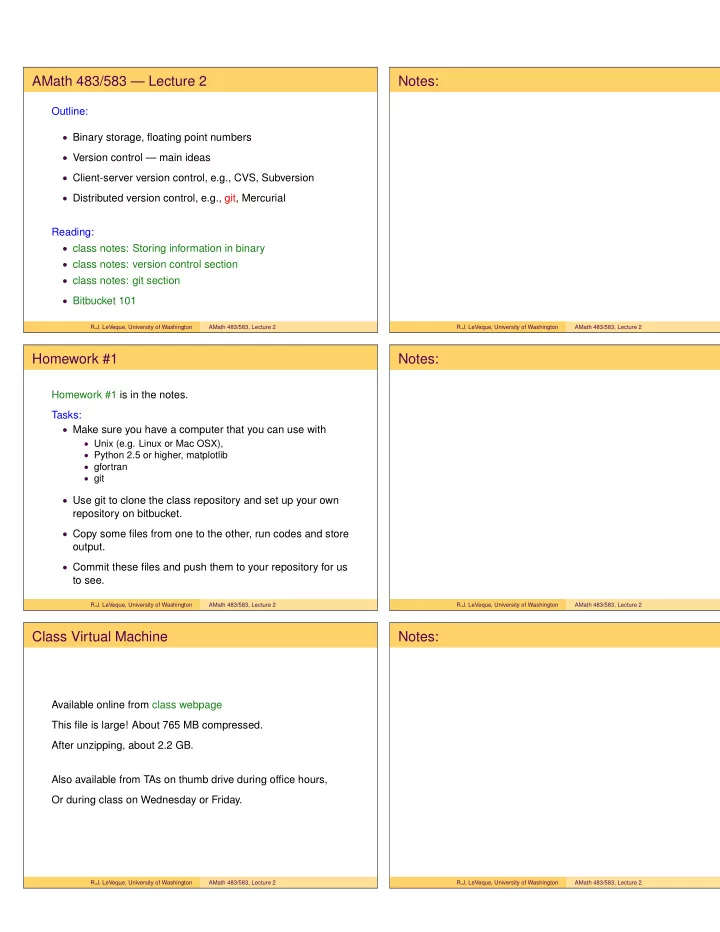
AMath 483/583 Lecture 2 Notes: Outline: Binary storage, floating - - PDF document

amath 483 583 lecture 2 notes
SMART_READER_LITE
LIVE PREVIEW

AMath 483/583 Lecture 2 Notes: Outline: Binary storage, floating - - PDF document

AMath 483/583 Lecture 2 Notes: Outline: Binary storage, floating point numbers Version control main ideas Client-server version control, e.g., CVS, Subversion Distributed version control, e.g., git, Mercurial Reading:


slide-1
SLIDE 1

AMath 483/583 — Lecture 2

Outline:

  • Binary storage, floating point numbers
  • Version control — main ideas
  • Client-server version control, e.g., CVS, Subversion
  • Distributed version control, e.g., git, Mercurial

Reading:

  • class notes: Storing information in binary
  • class notes: version control section
  • class notes: git section
  • Bitbucket 101

R.J. LeVeque, University of Washington AMath 483/583, Lecture 2

Notes:

R.J. LeVeque, University of Washington AMath 483/583, Lecture 2

Homework #1

Homework #1 is in the notes. Tasks:

  • Make sure you have a computer that you can use with
  • Unix (e.g. Linux or Mac OSX),
  • Python 2.5 or higher, matplotlib
  • gfortran
  • git
  • Use git to clone the class repository and set up your own

repository on bitbucket.

  • Copy some files from one to the other, run codes and store
  • utput.
  • Commit these files and push them to your repository for us

to see.

R.J. LeVeque, University of Washington AMath 483/583, Lecture 2

Notes:

R.J. LeVeque, University of Washington AMath 483/583, Lecture 2

Class Virtual Machine

Available online from class webpage This file is large! About 765 MB compressed. After unzipping, about 2.2 GB. Also available from TAs on thumb drive during office hours, Or during class on Wednesday or Friday.

R.J. LeVeque, University of Washington AMath 483/583, Lecture 2

Notes:

R.J. LeVeque, University of Washington AMath 483/583, Lecture 2

slide-2
SLIDE 2

TAs and office hours

Two TAs are available to all UW students: Scott Moe and Susie Sargsyan (AMath PhD students) Office hours: posted on Canvas course web page

https://canvas.uw.edu/courses/812916 Tentative: M 1:30-2:30 in Lewis 208, T 10:30-11:30 in Lewis 212 (*) W 1:30-2:30 in Lewis 208 (*) F 12:00-1:00 in Lewis 212 (*) GoToMeeting also available for 583B students My office hours: M & W in CSE Atrium, 9:30 – 10:45.

R.J. LeVeque, University of Washington AMath 483/583, Lecture 2

Notes:

R.J. LeVeque, University of Washington AMath 483/583, Lecture 2

Outline of quarter

Some topics we’ll cover (nonlinearly):

  • Unix
  • Version control (git)
  • Python
  • Compiled vs. interpreted languages
  • Fortran 90
  • Makefiles
  • Parallel computing
  • OpenMP
  • MPI (message passing interface)
  • Graphics / visualization

R.J. LeVeque, University of Washington AMath 483/583, Lecture 2

Notes:

R.J. LeVeque, University of Washington AMath 483/583, Lecture 2

Unix (and Linux, Mac OS X, etc.)

See the class notes Unix page for a brief intro and many links. Unix commands will be introduced as needed and mostly discussed in the context of other things. Some important ones...

  • cd, pwd, ls, mkdir
  • mv, cp

Commands are typed into a terminal window shell, see class notes shells page. We will use bash. Prompt will be denoted $, e.g. $ cd ..

R.J. LeVeque, University of Washington AMath 483/583, Lecture 2

Notes:

R.J. LeVeque, University of Washington AMath 483/583, Lecture 2

slide-3
SLIDE 3

Other references and sources

  • Links in notes and bibliography
  • Wikipedia often has good intros and summaries.
  • Software Carpentry, particularly these videos
  • Other courses at universities or supercomputer centers.

See the bibliography.

  • Textbooks. See the bibliography.

R.J. LeVeque, University of Washington AMath 483/583, Lecture 2

Notes:

R.J. LeVeque, University of Washington AMath 483/583, Lecture 2

Steady state heat conduction

Discretize on an N × N grid with N2 unknowns: Assume temperature is fixed (and known) at each point on boundary. At interior points, the steady state value is (approximately) the average of the 4 neighboring values.

R.J. LeVeque, University of Washington AMath 483/583, Lecture 2

Notes:

R.J. LeVeque, University of Washington AMath 483/583, Lecture 2

Storing a big matrix

Recall: Approximating the heat equation on a 100 × 100 grid gives a linear system with 10, 000 equations, Au = b where the matrix A is 10, 000 × 10, 000. Question: How much disk space is required to store a 10, 000 × 10, 000 matrix of real numbers? It depends on how many bytes are used for each real number. 1 byte = 8 bits, bit = “binary digit” Assuming 8 bytes (64 bits) per value: A 10, 000 × 10, 000 matrix has 108 elements, so this requires 8 × 108 bytes = 800 MB. And less than 50, 000 values are nonzero, so 99.95% are 0.

R.J. LeVeque, University of Washington AMath 483/583, Lecture 2

Notes:

R.J. LeVeque, University of Washington AMath 483/583, Lecture 2

slide-4
SLIDE 4

Measuring size and speed

Kilo = thousand (103) Mega = million (106) Giga = billion (109) Tera = trillion (1012) Peta = 1015 Exa = 1018

R.J. LeVeque, University of Washington AMath 483/583, Lecture 2

Notes:

R.J. LeVeque, University of Washington AMath 483/583, Lecture 2

Computer memory

Memory is subdivided into bytes, consisting of 8 bits each. One byte can hold 28 = 256 distinct numbers: 00000000 = 0 00000001 = 1 00000010 = 2 ... 11111111 = 255 Might represent integers, characters, colors, etc. Usually programs involve integers and real numbers that require more than 1 byte to store. Often 4 bytes (32 bits) or 8 bytes (64 bits) used for each.

R.J. LeVeque, University of Washington AMath 483/583, Lecture 2

Notes:

R.J. LeVeque, University of Washington AMath 483/583, Lecture 2

Integers

To store integers, need one bit for the sign (+ or −) In one byte this would leave 7 bits for binary digits. Two-complements representation used: 10000000 = -128 10000001 = -127 10000010 = -126 ... 11111110 = -2 11111111 = -1 00000000 = 0 00000001 = 1 00000010 = 2 ... 01111111 = 127 Advantage: Binary addition works directly.

R.J. LeVeque, University of Washington AMath 483/583, Lecture 2

Notes:

R.J. LeVeque, University of Washington AMath 483/583, Lecture 2

slide-5
SLIDE 5

Integers

Integers are typically stored in 4 bytes (32 bits). Values between roughly −231 and 231 can be stored. In Python, larger integers can be stored and will automatically be stored using more bytes. Note: special software for arithmetic, may be slower! $ python >>> 2**30 1073741824 >>> 2**100 1267650600228229401496703205376L Note L on end!

R.J. LeVeque, University of Washington AMath 483/583, Lecture 2

Notes:

R.J. LeVeque, University of Washington AMath 483/583, Lecture 2

Fixed point notation

Use, e.g. 64 bits for a real number but always assume N bits in integer part and M bits in fractional part. Analog in decimal arithmetic, e.g.: 5 digits for integer part and 6 digits in fractional part Could represent, e.g.: 00003.141592 (pi) 00000.000314 (pi / 10000) 31415.926535 (pi * 10000) Disadvantages:

  • Precision depends on size of number
  • Often many wasted bits (leading 0’s)
  • Limited range; often scientific problems involve very large
  • r small numbers.

R.J. LeVeque, University of Washington AMath 483/583, Lecture 2

Notes:

R.J. LeVeque, University of Washington AMath 483/583, Lecture 2

Floating point real numbers

Base 10 scientific notation: 0.2345e-18 = 0.2345 × 10−18 = 0.0000000000000000002345 Mantissa: 0.2345, Exponent: −18 Binary floating point numbers: Example: Mantissa: 0.101101, Exponent: −11011 means:

0.101101 = 1(2−1) + 0(2−2) + 1(2−3) + 1(2−4) + 0(2−5) + 1(2−6) = 0.703125 (base 10) −11011 = −1(24) + 1(23) + 0(22) + 1(21) + 1(20) = −27 (base 10)

So the number is 0.703125 × 2−27 ≈ 5.2386894822120667 × 10⁻⁹

R.J. LeVeque, University of Washington AMath 483/583, Lecture 2

Notes:

R.J. LeVeque, University of Washington AMath 483/583, Lecture 2

slide-6
SLIDE 6

Floating point real numbers

Python float is 8 bytes with IEEE standard representation. 53 bits for mantissa and 11 bits for exponent (64 bits = 8 bytes). We can store 52 binary bits of precision. 2−52 ≈ 2.2 × 10−16 = ⇒ roughly 15 digits of precision.

R.J. LeVeque, University of Washington AMath 483/583, Lecture 2

Notes:

R.J. LeVeque, University of Washington AMath 483/583, Lecture 2

Floating point real numbers

Since 2−52 ≈ 2.2 × 10⁻¹⁶ this corresponds to roughly 15 digits of precision. For example: >>> from numpy import pi >>> pi 3.1415926535897931 >>> 1000 * pi 3141.5926535897929 >>> pi/1000 0.0031415926535897933 Note: storage and arithmetic is done in base 2 Converted to base 10 only when printed!

R.J. LeVeque, University of Washington AMath 483/583, Lecture 2

Notes:

R.J. LeVeque, University of Washington AMath 483/583, Lecture 2

Version control systems

Originally developed for large software projects with many developers. Also useful for single user, e.g. to:

  • Keep track of history and changes to files,
  • Be able to revert to previous versions,
  • Keep many different versions of code well organized,
  • Easily archive exactly the version used for results in

publications,

  • Keep work in sync on multiple computers.

R.J. LeVeque, University of Washington AMath 483/583, Lecture 2

Notes:

R.J. LeVeque, University of Washington AMath 483/583, Lecture 2

slide-7
SLIDE 7

Server-client model:

Original style, still widely used (e.g. CVS, Subversion) One central repository on server. Developers’ workflow (simplified!):

  • Check out a working copy,
  • Make changes, test and debug,
  • Check in (commit) changes to repository (with comments).

This creates new version number.

  • Run an update on working copy to bring in others’

changes. The system keeps track of diffs from one version to the next (and info on who made the changes, when, etc.) A changeset is a collection of diffs from one commit.

R.J. LeVeque, University of Washington AMath 483/583, Lecture 2

Notes:

R.J. LeVeque, University of Washington AMath 483/583, Lecture 2

Server-client model:

Only the server has the full history. The working copy has:

  • Latest version from repository (from last checkout, commit,
  • r update)
  • Your local changes that are not yet committed.

Note:

  • You can retrieve older versions from the server.
  • Can only commit or update when connected to server.
  • When you commit, it will be seen by anyone else who does

an update from the repository. Often there are trunk and branches subdirectories.

R.J. LeVeque, University of Washington AMath 483/583, Lecture 2

Notes:

R.J. LeVeque, University of Washington AMath 483/583, Lecture 2

Distributed version control

Git uses a distributed model: When you clone a repository you get all the history too, All stored in .git subdirectory of top directory. Usually don’t want to mess with this! Ex: (backslash is continuation character in shell)

$ git clone \ https://bitbucket.org/rjleveque/uwhpsc \ mydirname

will make a complete copy of the class repository and call it

  • mydirname. If mydirname is omitted, it will be called uwhpsc.

This directory has a subdirectory .git with complete history.

R.J. LeVeque, University of Washington AMath 483/583, Lecture 2

Notes:

R.J. LeVeque, University of Washington AMath 483/583, Lecture 2

slide-8
SLIDE 8

Distributed version control

Git uses a distributed model:

  • git commit commits to your clone’s .git directory.
  • git push sends your recent changesets to another clone

by default: the one you cloned from (e.g. bitbucket), but you can push to any other clone (with write permission).

  • git fetch pulls changesets from another clone

by default: the one you cloned from (e.g. bitbucket)

  • git merge applies changesets to your working copy

Note: pushing, fetching, merging only needed if there are multiple clones. Next lecture: simpler example of using git in a single directory.

R.J. LeVeque, University of Washington AMath 483/583, Lecture 2

Notes:

R.J. LeVeque, University of Washington AMath 483/583, Lecture 2

Distributed version control

Advantages of distributed model:

  • You can commit changes, revert to earlier versions,

examine history, etc. without being connected to server.

  • Also without affecting anyone else’s version if you’re

working collaboratively. Can commit often while debugging.

  • No problem if server dies, every clone has full history.

For collaboration will still need to push or fetch changes eventually and git merge may become more complicated.

R.J. LeVeque, University of Washington AMath 483/583, Lecture 2

Notes:

R.J. LeVeque, University of Washington AMath 483/583, Lecture 2

Bitbucket

You can examine class repository at:

https://bitbucket.org/rjleveque/uwhpsc

Experiment with the “Source”, “Commits” tabs... See also class notes bibliography for more git references and tutorials.

R.J. LeVeque, University of Washington AMath 483/583, Lecture 2

Notes:

R.J. LeVeque, University of Washington AMath 483/583, Lecture 2

slide-9
SLIDE 9

Github

https://github.com

Another repository for hosting git repositories. Many open sources projects use it, including Linux kernal. (Git was developed by Linus Torvalds for this purpose!) Many open source scientific computing projects use github, e.g.

  • IPython
  • NumPy, Scipy, matplotlib

R.J. LeVeque, University of Washington AMath 483/583, Lecture 2

Notes:

R.J. LeVeque, University of Washington AMath 483/583, Lecture 2

Other tools for git

The gitk tool is useful for examining your commits. This is not installed on the VM, but you can install it via: $ sudo apt-get install gitk Demo... Many other tools, e.g.

  • SmartGit / SmartHg
  • GitHub for Mac

R.J. LeVeque, University of Washington AMath 483/583, Lecture 2

Notes:

R.J. LeVeque, University of Washington AMath 483/583, Lecture 2